
Amazon's Alexa, What's Up With LinkedIn and Google's G Suite?
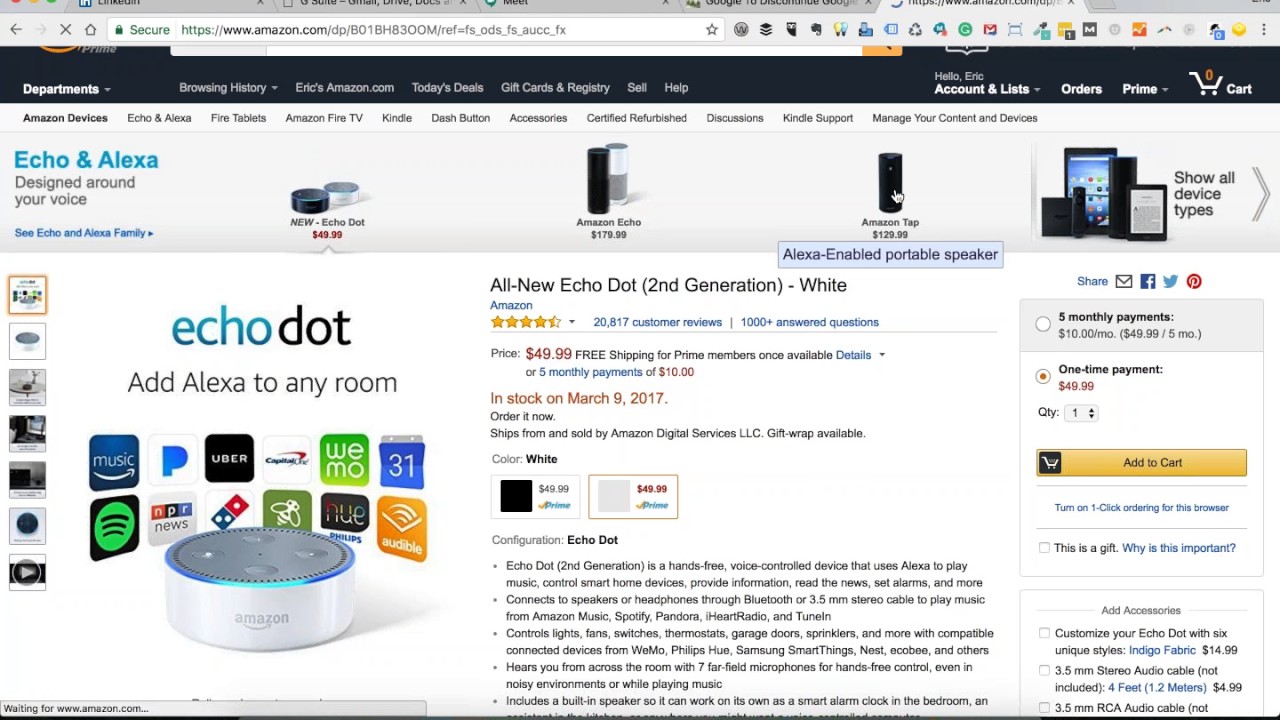
This content was created by Eric Cook. This content was uploaded by Eric Cook. This is a YouTube recording of a Free Webinar Wednesdays episode titled "Amazon's Alexa, What's Up With LinkedIn and Google's G Suite?" (created 2017-03-02 UTC). The hosts are Eric Cook and Jeff Simpkins; the session is an informal webinar-style conversation covering Amazon Alexa devices (Echo, Echo Dot, Amazon Tap) and hands-on differences, Google Assistant/Pixel comparisons, voice-assistant use cases (including banking, accessibility, and hotel integrations), LinkedIn's redesigned profile and related features (Sales SSI, LinkedIn Learning/Lynda, notification/UX changes), and Google's rebranding to G Suite with features like unlimited storage, Google Cloud Search, Meet (video meetings) and Google Photos search. The tone is conversational and aimed at tech-savvy professionals and small-business/banking audiences.
Chapters
Greetings everybody. Welcome to the Wednesday, March 1st— can't believe I'm saying that out loud— 2017 episode of Free Webinar Wednesdays. This is Eric Cook, and I'm with WSI Digital Marketing, where we work with businesses and organizations on helping them understand and leverage the power of the internet as a strategic business tool. You can learn more about me and WSI online at poweredbywsi.com. I am excited to be joined by my good friend and Free Webinar Wednesday partner, Mr. Jeff Simpkins. Jeff, say hello to everybody out there in Free Webinar Wednesday world.
Greetings everybody, this is Jeff Simpkins and I'm with Community Bank Consulting, Inc. You can learn more about me and my company online at www.communitybankconsulting.com.
So I've missed you, my friend. It's been a while. I've, uh, we've skipped a couple of shows and I've flown solo, but, uh, you have been unavailable. But it's good to have you back as a co-host and actually have somebody to talk to other than all the live folks that attend. So, uh, hopefully you have been well.
Lots going on. Yeah, it's been keeping me hopping. Good, good.
Well, if you have any exciting, cool new business or even personal stuff that you'd like to share, feel free to do so. Don't want to put you on the spot, but you know, it is our webinar, so we can talk about whatever we want.
Well, you and Greg McPherson have been talking about Alexa for so long that I finally took the big leap and got an Echo Dot.
I was just gonna say, she just heard you.
She did.
I hear her in the background.
And got a Tap. And the Dot is pretty amazing, but The Tap, I've had a lot of fun with. Very cool. Oh, good.
Well, yeah, well, I'll share. She who shall remain nameless, whose name starts with an A, is how I refer to her so she doesn't start listening. But I got an interesting— I was at a conference a couple of weeks ago and brought my Dot. I travel with her now, so we've got 2 of them. We've got the full-blown Echo, which sits downstairs in our kitchen, and then I've got a Dot that travels with me. Being geek, I take my geek on the road, and I brought her out for a conference, and it was pretty cool. So, so yeah, let me just go ahead.
Let me just tell you, you absolutely need to let your dot stay at home and get a tap as your travel companion. You'll love it. Yeah, yeah.
I I'm just on space. I'm I'm just trying to, and I know it's bigger, but. Yeah, one or the other. So you're telling me now I need to own 3 of the Amazon devices. So I'm sure my wife would be appreciative of that comment. I'm going to start calling you Greg McPherson. And before we get too far down the rabbit hole, maybe explain that Greg McPherson comment here in a little bit. I want to make sure everybody that's joining us live, certainly we appreciate you joining us live. And during today's show, if you're interested in asking a question or a comment, or maybe you'd like us to ask our device That starts with an A, who shall remain nameless, a question to see whether or not she's got an answer for you, feel free to use the chat functionality in your control panel and let us know. We'd love to hear from you. And if you are watching this as a recorded session, which we do record all Free Webinar Wednesdays and post them up to our website at freewebinarwednesdays.com, share it with your friends and family and coworkers and colleagues and spread the word. So join us every Wednesday at 1 o'clock Eastern and Who knows? Sometimes we have formal guests. Sometimes it's a little bit of a grab bag, but we always try to keep it fun and entertaining and share some cool stuff. So, so the Greg McPherson comment for folks that may not be frequent flyers on Free Webinar Wednesdays: he is a guest that has been on the show several times and is quite the gadget aficionado. And Jeff and I always have a running joke that anytime Greg McPherson shows up on the show. Jeff or I or both end up getting our pocketbooks out and buying something that we can't live without. And so accusing Jeff of being kind of— he Greg McPherson'd me into having to buy one of the taps is kind of where that reference came from. And if Greg listens to the recording, hopefully he's having a little bit of a chuckle right now. And we say that with all due respect and admiration because he has pointed us in the direction of some pretty cool stuff. So, it's been kind of fun. So, back on, I guess, back on your Amazon question or comment, for those in the audience, 'cause as I can attest, when I introduced my little dot, I was surprised at the number of people that still had never even seen one. There were several people that hadn't even heard of it before, despite Amazon's efforts in advertising. But maybe explain the difference between— because you talked about the TAP and the DOT and why you like one over the other and what the main difference is. Sure.
I'm going to refer to her as Sally for the purposes of this call.
Code word Sally.
Yes, her. So the difference in the DOT and the TAP, the DOT is just a tiny little device that Basically, you can place anywhere that you have a power source and wireless internet. The Dot is sold as a device that you pretty much want to use the speaker that comes part of it for voice feedback. It's not great for music and things like that. I actually had an old Bose Wave radio that I pretty much wasn't using anymore and just got a cable and connected my Dot to my Bose Wave. So I can actually use it for streaming music now in addition to just using the voice commands of the Dot. The Tap, is basically a really small Bluetooth speaker that has Sally, our code word, built into it. And I'll give you an example. Last night, I was sitting outside on the patio and wanted to listen to a little music. So I took the Amazon Tap out and said, Sally, Play the album called whatever, and set it in the middle of the patio table and stream the music out there on the patio.
Yeah.
It's pretty cool to be able to just pick up Sally and carry her anywhere in the house or close enough to the outside of the house that you can get music and use her for whatever you happen to use your Amazon Sally device for.
Yeah. One of the things that— because the Tap device is a standalone that you don't have to have plugged in, and one of the reasons it's able to do that and not have a power source is it's not continually listening. The Tap basically has to be activated by touching a button, as opposed to the Echo or the Dot, which are always listening because they always have a power source connected to them. When I shared—
And news update, news update, they actually in the last version of the TAP, it is now able to be used without having to hit the button. That was actually my TAP that spoke up a few minutes ago. It's an option that you control in your SALON app.
Very cool.
So you can, you can set it up so that Sally does not wake up. You do have to tap her button in order to wake her up, but I actually have mine set up so that when I say her name, she comes to life.
Yep. Well, now you've done it. I'm going to have to buy one. Nice job.
Nice job. Well, fortunately that version of Sally is only $130. So, uh, and I'll tell you the reason. The reason that I ended up getting a TAP was that the first thing I do in the morning before I get out of bed is I'll listen to a summary of the headlines of the New York Times. And I listen to it on Audible, which you can play through the Sally device, but you can only play it at the standard speed. Well, I want to get through it as quickly as possible, so I play it at 2x, I think, and I couldn't do that. With the Tap, because I can stream, I can Bluetooth from my phone to the Tap, which I think you can do with the Tower as well.
Yes.
But I'm able to Bluetooth my morning New York Times and listen to what's supposed to be a 45-minute We'll call it podcast for all practical purposes. I can get through it in about 20 minutes. Very cool.
Sweet. So yeah, now that I have learned something with the Tap being able to listen in, just gonna have to get 3. The whole family's gonna join. Plus, I think you were absent in one of the sessions that we had earlier this year, But I actually pulled the trigger on the home device from the big Google company. So— and there she is talking to me. We'll call her Margaret instead of the G word. Yeah, we got Sally and Margaret rocking and rolling.
So, you know, with Sally, one of the new features is that You can use her name that is most commonly used, or you can use computer or Echo now.
Yes. And I think you could also change it to just referring to her as Amazon as well if you wanted to.
That's correct. I'd forgotten about that. Computer was the wake-up word that was added in the last couple weeks. Yeah. But just an FYI on the tap, The only wake-up word that will work is Sally. The other wake-up words are not available as an option at this point.
Gotcha. Well, my conference story, I think, is kind of fun because as I was preparing, it was really focused from a technology perspective on things that bank technology and operations people need to be thinking about for 2017. And the whole concept of automation and robots and assistants and those sorts of things are starting to trickle into the financial services industry. And as I was kind of putting the final touches on my presentation the night before, I looked over at the Dot sitting on my desk at the hotel, and I said, you know what, I'm just going to bring her with me and plug her in. And so when I did that, she was up in the front of the room. It was a pretty good-sized room, and a gentleman in the back saw me plug her in. And made the comment about how he's got a friend of his that can just say, Sally, play Journey, or something along those lines. And from halfway across the room, without him really trying to activate the device, the 6-array microphone technology picked up on his command and immediately responded with, here's an '80s station that we think that you might like. And the very first song was a Journey song and then proceeded to continue to play '80s classic music. Classic rock music while everybody was coming into the room, getting ready for the session. And so Sally was providing us with ambient background music as part of the process. So we worked on that. But one of the kind of interesting parts as you go through and you think about how these devices are starting to impact the lives of others, one of the ladies that was there said that they have a customer who is an older woman who lives in a nursing home or assisted living facility and has one of these devices that her family bought for her, and she actually carries on conversations and plays the Jeopardy game and utilizes other skills to be able to ask it questions and it talks back. So it's become somewhat of her little digital companion. And when you think about the challenge that I posed back to the room full of technology people, Is if you have customers that are afraid of technology, they don't want to get on a computer, but can you figure out ways that you can serve those individuals using voice commands and intelligent assistants similar to this? There's a handful of credit card companies. I found actually a couple of credit unions, didn't find any banks, which of course made all the bankers in the room a little bit uneasy, but there were even a couple of credit unions that have banking skills, which is what the Amazon Marketplace calls an app, but a banking skill that allows you to check your balance and pay bills and transfer money directly through voice commands through the Amazon platform. And so it, you know, so the whole voicebot kind of cybernetic technology is kind of percolating into our lives and I think I mentioned during one of the other shows that one of the hotel chains in Las Vegas has actually put in Amazon Echo devices into all of their rooms that tie you into a digital concierge and give you access to certain functions within the hotel. I think it's the Wynn, if I'm not mistaken. So, some cool stuff.
So, one of the things that I've noticed, and I suspect you You went through a period of time that you did as well when you were new to the device was I find myself in places that I don't have her, uh, wanting to say and sometimes thinking I can say, Sally, I'd like— yeah, whatever, like in the car.
Yeah, yeah, I agree. And I think the The— what did I say we were going to call her? Margaret? Isn't that what I said? Sally, Margaret, or whatever. Yeah. But the service that has been enabled for the Pixel phone, which is Google's new pure Android device—
And that's what you're running now, right?
And that's what I'm running now. Doesn't have as robust of an ecosystem as what the Sally ecosystem does. But the thing that's made me impressed engaging with that technology on my mobile device is the intelligent completion capabilities. So I can ask my phone, for example, how many people live in Battle Creek, Michigan? And it will tell me the population of Battle Creek, Michigan is 65,000-whatever. And then as a follow-up, I can say, how far is it away from Detroit? I don't need to say the brand new command, how far is Battle Creek away from Detroit? It automatically knows that I'm referring to Battle Creek as part of that, and it has a lot more natural language functionality built within it, which I've tried that in the Sally device, and that doesn't exist. Because if you were to ask Sally how many people live in Battle Creek, Michigan, she would tell you. And then if you were to say, Sally, how far is it away from Battle Creek? She would say, I don't know what you mean, because she doesn't tie those 2 together as a conversation. So, I think that's where the technology is likely going to head and make that experience much more like talking between you and me and say, you know, who are the major employers there? When was the city founded? So, you could get a lot of information and just talk back and forth instead of having to repeat yourself like you're talking to— I don't want to say dumb technology because it certainly isn't that way, but talking to technology, having to restate everything every single time. So, and I believe that that Margaret capability is going to be rolled out into other Android devices as its assistant. And then over time, it'll be very curious to see whether they can, you know, go toe-to-toe with the Sally platform. Somebody that joins this podcast or this webinar halfway through is going to wonder what the heck we're talking about with Sallys and Margarets. But just rewind, you'll know what we're talking about. So yeah.
Well, one of the things that I read when I was checking out reviews on Sally, the device from Amazon, that was a common con of the device was the fact that you do have to start over every time. Sally, how many people live in Detroit? Sally, how far is Battle Creek from Detroit? And there's still a lot of things that I notice with Sally, the device from Amazon, that she comes back and says she doesn't understand.
Yep.
Now, when I compare Sally, the Amazon device, to Siri on my phone, you know, obviously the Amazon device is a voice-only device, pretty much. is an app that she will often ask you to refer to. But for the most part, it's a voice-only device. And I like the fact that for most things, she can tell you the answer to a lot of stuff. Whereas with Siri, the Apple phone, you tell him or her, depending on which voice you choose, that you want something, and almost without fail, you're always directed back to the screen of the phone, which is frustrating when you're doing things like driving or—
Yeah.
Need to be hands-free.
Yeah, and I've noticed that the Google Margaret has got a lot more voice response capability when I've compared it with other people that have been using Siri. I don't have an iPhone, but comparing the two, it seems to be that that is much more voice response orientated. But you're right, every once in a while you will get a list of search results that you'll have to take a peek at. Cool. Well, I admit I fully had not expected this to start today's conversation as an Amazon love fest, but it certainly has been fun and probably cost me $130, Jeff. So thank you very much for that. But okay. So anywho, so—
Well, as you can see, you can make 5 easy payments of $26.
Of course. Yeah, I like how they separate the dot out for 5 easy payments of $10. So very budget-friendly. Well, the thing that I wanted to specifically talk about today, and I don't know how many people out there, if you're listening live and you have seen the new version, I'd be curious if you've had a chance to play around with it. So when we started today's show, I had LinkedIn up, and you can see I have been successfully, quote unquote, migrated to the new profile format for LinkedIn. And it— some pros and some cons, so I don't want to be a total negative Nancy here.
Looks an awful lot like Facebook.
Well, and that's kind of what I was thinking. So, Jeff, I don't know, we hadn't had a whole lot of time to chat prior to today's show, but I don't know if you have seen the new profile on your account yet, or if anybody that's listening live, if you want to fire up a screen and go over to your LinkedIn if you don't check it on a regular basis and see whether you've got the new look and feel. I've been talking about the new look and feel from a business perspective for a number of months using the IBM platform, or the IBM, I guess the IBM business account as an example of what the platform will likely look like, and how it pulls in some more relationship-based things, some company culture, sharing information from people that work within your organization about the charities that they support, and the causes that they feel strongly about and other, you know, just to give people a sense of, I guess, a deeper understanding of what it's like to either work at IBM or any other company or do business with them. So we've been encouraging people to encourage their employees to go in and make sure that their profiles are complete and have updated information so that the business profile can be complete. But this is my first real look at the individual profile. And like Jeff said, this looks strangely familiar to Facebook. I do think that the layout is clean and uncluttered. I think compared to, you know, the prior design, there was a lot of stuff going on. Unfortunately, it's my opinion that a lot of that stuff that was going on was also pretty valuable. and they have removed that for the free version. I do not pay for a premium version of LinkedIn, so what you're seeing here is the free version. And this is going to probably cause me to second-guess that to determine whether I want to pay to get those services back— and we'll talk a little bit about what those are— or if this is going to be an area that I'm just going to complain and whine about. Hopefully things change over time.
So Have you—
so Jeff, let me just pause. Have you seen this roll out to your profile? Are you still using the old one?
My profile is still the, the old profile. Okay, just a comment. You know, you talked about switching to a paid version of LinkedIn. One of the, one of the things that every time they solicit me for a paid version that I just Haven't found being willing to pull the trigger is they don't have a budget-friendly version. When you pay for LinkedIn, you make a pretty significant financial commitment, which is valuable for many people, but I just haven't found that to be the case for me. Yeah.
And I would, I would concur. I'm, I'm not convinced, at least I wasn't under the old version, that You know, $40 a month was really something that I need to shell out. So, you know, I agree it's got a little bit better functionality. Now, on the flip side, I also understand LinkedIn is a business, and, you know, as much as we would love for everything to be online to be free, and Facebook is, but it certainly is supported by ad revenue and businesses that are paying for the opportunity to get their message in front of you. You know, in a professional environment like LinkedIn, I don't know whether the impact of Microsoft's acquisition of LinkedIn has kind of made an impact on this, but there's a lot of things that I used to do. For example, one of my kind of daily routines would be to get into LinkedIn and it had, and you probably are still seeing this on your end, Jeff, but it had some recommendations up in the top right-hand corner of people that were celebrating an anniversary or a birthday or a big milestone or an event. And it would give you maybe 10 or so at a whack and, you know, not a ton of them, but there were times where something would pop up where one of my connections, there was an event and I would go in and click on it, customize it, change the message. Very rarely will I ever accept the defaults unless I'm using a mobile and I don't realize that I don't have the opportunity to change an invitation request or a congratulatory message. Change that message and use that as a way to reach out and to share a thought or a comment to build some dialogue. I don't ever Nor had I ever really used LinkedIn as a targeted sales tool. I know that there's the, uh, the sales manager version that you can get if you're part of an organization where it gives you more prospecting capabilities and a deeper search capacity, but I've never really used it as a, as an outbound kind of, hey, I'm going to go see how many people I can drum up conversations with, trying to send messages. You probably all have seen the cheesy attempts from people trying to get in your inbox and sell you stuff. I've shied away from that. It's been primarily just a networking tool for me to keep in touch with people and a good place to get info. It just seems like for those of us that were using it for just that, they've made it really difficult to do that on the free version.
So— I used to get the information on work anniversaries and things like that by email, and I have to say that I really enjoyed when that was the case, because I'd take a few minutes every day and, you know, reach out to folks that I've known for years and say happy work anniversary and things like that. And it stopped arriving in my email Inbox, and I found that I never took the time to dig to learn where it was when I had to actually log in and do it. So, yep. Yeah, I'm seeing some of the same things, experiencing some of the same things, or have experienced some of the same things that you described.
Yep. So some of that is available now in the notifications area. So I can hop into notifications and scroll through. So maybe the technology that, you know, shift hasn't really taken stuff away. It's made things more difficult. So admittedly, I need to do a little bit more digging because I understand I'm probably sounding much like a Negative Nancy here, bashing what's going on at LinkedIn. But I guess the initial blush just seems like they've just taken an awful lot away despite the fact that it is cleaner and probably more Web 2.0, 21st century look and feel. One of the things I just did a quick double-check because I hadn't even had a chance to check this. I mentioned earlier the LinkedIn Sales Manager capabilities. That's one of the tools That if you're using that paid service, it gives you a lot more capabilities to do outreach and sales. There is the ability, and it looks like they haven't cut this off. They did cut off, and Jeff, you probably remember the LinkedIn Maps from a couple of years ago where it gave you that big giant spider web of connections, and you were probably the biggest dot in my spider web that kind of gave you a graphical representation of how you were connected to your entire network. They took that away and they brought in this selling platform. It looks like you still have access, even if you are using the free version, to go into the sales/SSI, which is your Social Selling Index. And this is some technology, or I guess some analysis that LinkedIn does using their technology to give you a ranking in 4 different areas as it relates to the selling process. And so you're going to get a branding, finding the right people, engaging with insights, and then building relationships. And as I mentioned, why I'm using LinkedIn now, it's really about building the relationships and strengthening them. So it's cool to see that LinkedIn picked up on that, and I'm at 25 out of 25. But because I'm not using it as a hardcore prospecting tool and doing a lot of searching to go out and proactively reach people and try to build my network that way, you can see that in the areas of finding people and engaging with insights, if I'm going to improve my SSI, that's probably where I'm going to have to do it. And in my opinion, I'm pretty comfortable with the way that, that, that I've been using LinkedIn and the value I've gotten out of it. So I don't necessarily think I'm going to really change that strategy. But if you hop in and you run the sales SSI index for your own LinkedIn profile and it's showing you some things that don't quite jive with what you think you're doing in LinkedIn, this can be some guidance or at least a little benchmark as to, you know, what sorts of things you may need to change or might want to shift a little bit on a go-forward basis. So have you, have you run the SSI against your profile? I won't put you on the spot and ask you what your score is, But I don't know if you and I have actually ever even talked about this together.
I have not. I, you know, the thing that LinkedIn— I use LinkedIn the most for is if I am connecting with someone that I know fairly well, but we've lost contact information of one another. So A name that I would recognize, but I may not have an email address or a phone number for. If I need to update my contact information, I'll go to LinkedIn and reach out to folks. I'm sitting here looking at my LinkedIn inbox even as I speak, and gosh, I get a significant amount of unsolicited— correspondence trying to sell me things or trying to start dialogue that will result in me buying something. Yeah.
And I guess that's where, in my opinion, some of the people that are using this as a social selling tool are going about it the wrong way. And so it's like anything, you can, you can do it the right way. Or you can do it in a way that just kind of gives everybody a bad impression. So it looks like even though you had indicated that your profile had not been migrated for you, once you get your profile migrated like I have, I'm going to see all of your information in the new layout. So I don't flip back and see you as the old version. I'm seeing you in this new layout, and it's going to basically carry across. So, yeah. So anyway, curious, those of you that are listening live or catching stuff afterwards, and I'm getting a Hootsuite recommendation. I've got the Hootsuite extension plugged into my Chrome browser, so it's prompting me in case I want to use Hootsuite to share anything from LinkedIn. So that's what that was. So yeah, let us know what you think. If, uh, if you find some ways to use it like you used to be able to use it, I'm certainly open. And, uh, we'll continue to do some digging on this and, and see, maybe I can resurrect my love for LinkedIn. But right now I'm, I'm kind of not feeling it. So the, the only other thing that I want to point out, not that LinkedIn will ever listen to this, but I'm tired. I'm tired of LinkedIn asking me if I'm a doctor. I don't know what it is in my profile that triggers them thinking that I am some sort of a healthcare professional. Um, but I see more doctor advertisements on LinkedIn than anything else, and I have tried to figure out why it thinks that I'm a doctor. I am not.
Somebody's predictive analytics formula is not working well.
I don't even play one on TV. I didn't stay at Holiday Inn Express. I have none of those indicators, but apparently LinkedIn thinks that I am a physician of some sort, and so it just loads me up with doctor advertisements. So if LinkedIn is listening, please, you know, tell your system I'm not a doctor.
Yeah.
Any other LinkedIn bashing comments, positivity that you'd like to share before we move on in the process, Jeffrey?
No, I'm just looking at my profile and they're trying to sell me all sorts of certifications. They don't think I'm a doctor.
Yeah. Well, and I guess That's one of the things that I think has also changed. You know, there are some cool new products that they have started to integrate within LinkedIn. Lynda.com is an online educational system that LinkedIn bought about a year or so, maybe give or take, and you could go on and you could subscribe to Lynda and that would give you access to online courses. You could learn things like Photoshop or how to take better pictures or programming or time management. They have started moving that information into the LinkedIn environment. And I think if I am going to look at a premium option, I think they're starting to bundle some things. So you can see we've got SlideShare, talked about that before. But if you go in and you look at the LinkedIn Learning I think this is— and for whatever reason, we've got Neptune up here, so I don't know what that exactly means. But this is kind of baking in courses that are available kind of through the LinkedIn platform thanks to their partnership or their acquisition of the Lynda platform. So my gut tells me that they're probably going to be bundling so you can get X number of courses where you could go through. So If I wanted to take a course on graphics design and be a better graphic artist, I could go through here. And now here's a bunch of courses that I could take. And if, if Colorful Design Art was one that I wanted, I could click on that. And it's going to give me the option to kind of see what the preview is. And then if there's a cost associated with it and how I would go about actually registering for it. So I think if you're doing any sort of online learning, there may be some advantages because then you can combine and bundle. So for professional development, I think there's some cool stuff there. But you can see there's a trial option. Everything's a trial option, of course. So that may be something to think about. And that your comment about taking a course or getting certification is one that just kind of sparked that as as a thought. So maybe I could take a course on digital marketing and learn how to do that. Maybe I'll start a business doing digital marketing. What do you think, John?
You have an idea maybe? That could be a risk.
That could be a risk. Nah, I better just stay at the bank. So the other topic that I wanted to bring up is Google. Not going to talk about Margaret, but we're going to talk about Google. It was formerly known as Google Apps, and they now have changed the name to G Suite. One of the things that I thought was kind of cool about this— now, a lot of functionality has changed between Google Apps and G Suite, and I will give full and total credit to Mr. Simpkins for him providing me with the encouragement to cut the strings for traditional email clients when I left the world of banking and started my business. I was very much an Outlook person where I had to have a calendar, an email, and everything all in one spot, and fought it tooth and nail until Jeff said, just do it all on the cloud. Do it with Gmail and Calendar and Docs. And I forced myself. I didn't want to, but I forced myself to embrace the cloud. For about 30 days is how long it took me to get through the withdrawal process. And now when I see people trying to synchronize their Gmail or other mail with Apple Mail or other sorts of third-party mail services, I can respect and understand why Jeff was so frustrated when I was doing it because the advantages of operating in a cloud environment are so many and vast because you've got just access to all of your tools regardless of where you're at. But they They've gone through a rebranding and a renaming, calling themselves G Suite as part of their business program. And the thing that has changed for us, because I'm a little bit of a digital packrat, we had an unfortunate scenario where one of the credit cards that we use that was tied to automatic billing in my Google Wallet for recurring payment for our Google Apps account was compromised, and as I was trying to go through and remember all of the different charges that were set up to automatically debit, this one got missed. And so we lost some of the storage— didn't lose the files, but we lost some of the storage that was allocated to us because I had bought extra storage for images and other sorts of files that we synchronize up into the Google Drive. And as I went through to renew my subscription I noticed an option where if you are a paid G Suite customer, it now comes with unlimited storage. You don't get 1 terabyte or 2 terabytes. You get unlimited storage. As much that you want to store online is available to you. I think it's $10 a month.
Yeah, it's $5 a month for limited storage and $10 for unlimited.
Good. So, and so now I'm in the process because we had been able to acquire storage space less expensively through Dropbox, and I have a paid Dropbox account, but from a business perspective, I'm now thinking if I've got unlimited storage capacity through Google, may be able to strip some of that expense us to the bottom line and either downgrade our paid plan with Dropbox or just discontinue it altogether. So, Jeff, I know that you're an avid user of G Suite. I don't know if there's anything else that they've recently added, because I think you've also got partner status because you helped set it up for me through your business. But if there's anything else that you're getting access to as to their direction, Certainly would love to hear it. Or maybe that's the biggest thing that comes out.
There's a new feature that— or there's a feature that I just found. I'm not sure it's new. I think it may be for G Suite subscribers like you and I. When you subscribe to G Suite, you get an email about every day of new features or enhancements or something that is coming out. And I tend to skim those because you can very often find some cool stuff that can save you a lot of time and possibly money or both. But within the last several weeks, they either added or enhanced a feature called Google Cloud Search that I really, really like. If you haven't used it, I'll tell you how you can access it, or at least how I access it. When I'm in any of the G Suite screens, so Gmail, Calendar, Drive, any of those areas, on the right-hand side of the screen there is a grid of 9 dots that gets you to Google Apps. When I click on that, if I go down to the bottom and click on More. In the More Apps from Marketplace is where Cloud Search appears. And Cloud Search will search not only documents that you own within your G Suite, but will also search web and so forth. And it gives you a visual Of what is being— what the search results are as well. Let's see if you have it, Eric. So click on— yeah, you might have to activate it.
Cloud Search. Let's go ahead and see what we got here.
And it's one of those things I think you probably are gonna have to activate within your admin on the cloud. Okay. And do that again. Right. But essentially, you get— it's like a Google search, and it will search everything that's in your account, plus it will search the web. You also have more ability to narrow your search. So for example, with Cloud Search, if I just want to search mail with my results, I can click on a tab that says Mail. If I just want to search Drive, I've got a tab for Drive. I've got a tab for Sites. I've got a tab for Groups. I've got a tab for Calendar. And I've got a tab for Search Tools. And then you've got a lot more filtering capabilities. You can look at specific time frames. You can look at specific types of results. And it's really— it saves me a whole lot of time because This won't surprise you, Eric, now that you've discovered the Unlimited plan. I pretty much store everything on Google Drive. One of the big advantages that you'll find if you haven't discovered it yet is by having everything on that single system, it's a whole lot easier to find things.
Right.
If you've got some criteria that does a good job of narrowing down your searches. You can find some old stuff that may be useful for new things that you had forgotten about by having it all on a single platform.
Yep. Well, I know one of the really cool powerful search— the Google Photos and with using the Pixel device, it comes with unlimited storage for any photo that you take on the Pixel device as long as you are taking it on your Pixel. So that's been kind of cool. But in a photo environment, and I'm pulling mine up here, just a quick second. And I did hit pause just to make sure that there wasn't anything embarrassing that would show up on my phone.
Yeah, you're brave showing your screen.
Very easy. But the cool part about photos is you can go in and Google will look at your photos. And this is what I've taken of dogs. You go ahead and I can type in the word dog and Google goes out and grabs all the pictures that it pulls in. Our dog, which are ours, or a friend's dog. They had a little Gracie, so she came over and spent some time with us. So it has gone through and it has actually searched all of my images just using the term dog doing image recognition. That makes sense. But it is certainly a whole lot easier if there is a picture that I took when I was in Paris several years ago, a certain friend that I had tagged, and it showed me pictures of stuff I could go through, and I could have the platform, all that information. So the photo search is pretty cool. Google Photos, if you are an iPhone user, you can still use their search interface to Google, take advantage of this really function as I know a lot of people that are iPhone users that still use Google Photos.
When you store photos, there is logic to Google Photos. That are common photographs, it will recognize and do just using the name of the city. For example, Paris in 1999. Those were old pictures, physical copies of the pictures, and I've now made them digital. So the only information that's stored is when I scanned the picture and converted it to digital. And pictures in front of the Louvre, the Eiffel Tower will show up in the search results.
Well, it looks like my Paris search is kind of frozen for the minute. You can create a calendar item. You can name it with a specific video call. And then when you do this meet.google.com, it's all of the associated events that you have coming up on your calendar and whether or not there is a Hangout or a Meet that actually has been created for it. And so I think— just checking the gear, Jeff, if you can hear me. Okay, so you can see Free Webinar Wednesdays doesn't have a Hangout associated with it in my calendar because we use GoToWebinar, but I created 2 test messages or meetings, one for 2 o'clock and one for 2:05, so it's going to pull in the next 3 items on your calendar. And if we had a meeting where Jeff and I were going to get together, I could create it in Google Calendar. I could assign a meeting to it. I could send him an invitation. And then when 2 o'clock rolls around, I just go to meet.google.com, and I click on— boom— and it automatically starts the meeting. And Jeff does the same on his end, clicks on it. It's limited to 10 people. Enterprise, they're planning on allowing up to 30, I believe, individuals. to hop in on one of these, and it supports HD quality video. And again, it's going to be rolled into the whole G Suite service. So Hangouts is available to anybody that's got a Gmail account, but Meet is going to be part of the G Suite. And so for that $10 a month, the theory is this Meet functionality is going to be included as part of that, and it's going to be one more of the services when you take a look at the G Suite. Where you've got Hangouts included here. This is going to change to Meet. But then you've got Docs and Sheets and Forms and Slides, all sorts of other cool things. Just one more service to help businesses collaborate with one another, particularly in a global economy in a virtual world where a lot of people are working remotely and want to stay connected, but kind of as an alternative to maybe Skype or something along those lines. So anyway, check out—
Does that integrate with the video call area that is in the meeting request section of Calendar?
Yes.
Okay, very cool.
So yep, so if you take a look at— so here's my Google Calendar just as an example. You can see I created a meeting called Eric for this Test Meeting 1, and it sits on my calendar. And then you can see Test Meeting 1. Eric is right there. I created a Test Meeting 2, and if I go to Test Meeting 2 and pull that guy up, you can see— let's see. Nope, I opened up Test Meeting 1 again by mistake. So anyway, yeah.
So in the— on the Meet screen, For Test Meeting 1 and Test Meeting 2, there's a comment bubble on that main screen. What does the comment bubble do?
That means that you've set that up as an online meeting. So it's kind of like the Hangouts. If you go back and you take a look, this little icon is symbolic of the Hangouts icon you can see here. So that just means that the video call has been added to that. So if I were to hit this, It would fire up a meeting and anybody that hops on would be able to see. And it does video sharing and voice over IP, all that fun stuff. So something to keep an eye on and kind of cool. So we use Skype an awful lot in our business to communicate with all of our development partners and everything. And always on the lookout for better, faster, more efficient ways to do things. more efficient. And so Skype gets updates every once in a while, but it really hasn't gone through any sort of a significant improvement for a while. So this is something kind of cool.
Anytime you can integrate and use the same tool without having to go out and find meeting information and use separate platforms, that's awesome.
Yep, exactly.
Cool.
Well, that's all I had, and we are a couple minutes shy of the top of the hour. So anything to say in closing, Mr. Simpkins?
It's been fun. I always—
It has.
Miss it when I'm not able to join and enjoy it when I am.
Absolutely. So cool. Well, thanks to those of you that attended live, and we appreciate you being here. If I'm not mistaken, if I take a look at next week, I think we do have to cancel next week. I think I'm going to be on an airplane again. I was sharing with Jeff my travel schedule. So I will be gallivanting around the countryside probably for the next couple of weeks. But we'll get some updates posted, so keep an eye on the Free Webinar Wednesdays page as well as our Facebook page.
Great.
More updates. But until we get back together on a Wednesday at 1 o'clock, I will bid you all farewell, and thanks for joining us, and have a great week or a series of weeks, and we'll see you online at freewebinarwednesdays.com. Take care, everybody. Bye-bye. Bye-bye.







