
Breakdown of Some Key Google I/O 2017 Annnouncements
Eric Cook breaks down Google I/O 2017's major announcements for marketers: Google Home now does voice calling, Google Lens lets you search with your camera, and Google Assistant expanded to iOS. He shows how these tools can drive customer engagement and compares them to Amazon's Alexa ecosystem.
Chapters
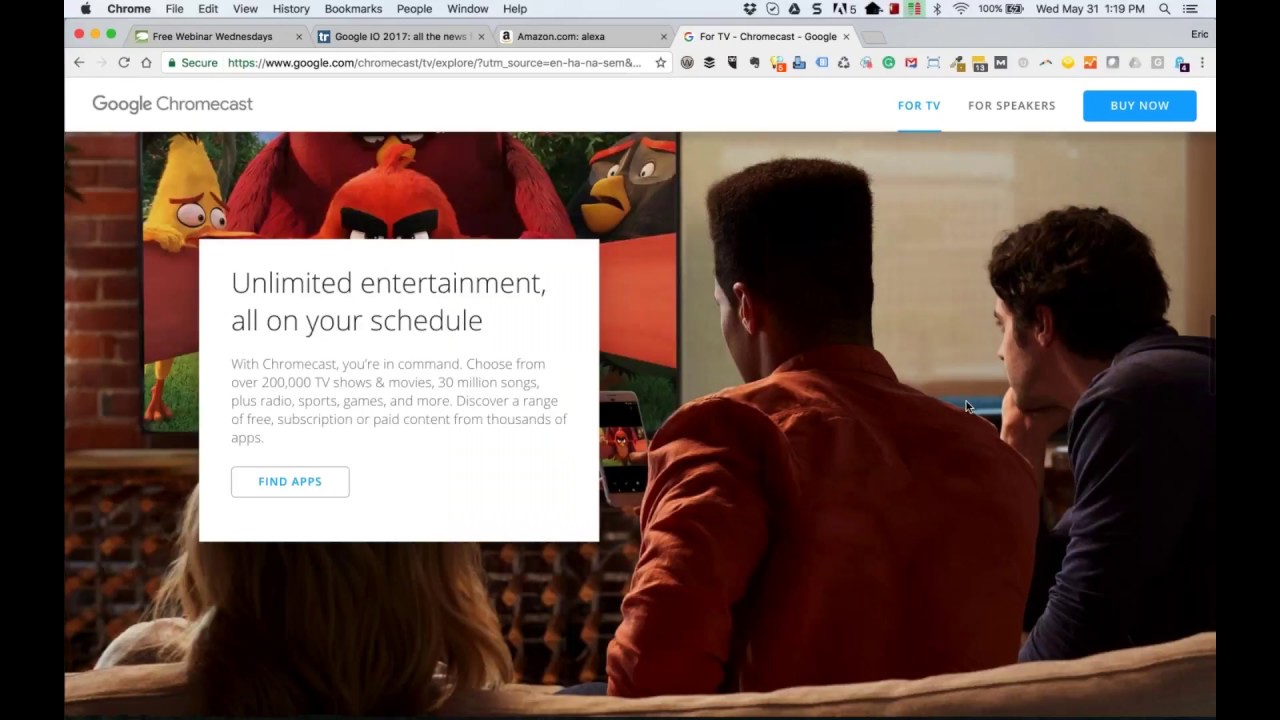
Greetings everybody, welcome to the Wednesday, May 31st, 2017 episode of Free Webinar Wednesdays. This is Eric Cook and I'm with WSI Digital Marketing where we work with businesses and organizations on helping them better understand and leverage the power of the internet as a strategic business tool. You can learn more about me and WSI online at www.poweredbywsi.com. This week, my good friend and Free Webinar Wednesday partner, Mr. Jeff Simpkins, is unavailable. But if you are in the financial services, banking, credit union industry and interested in learning more about Jeff and all the great stuff that he does under his organization, Community Bank Consulting, Inc., you can visit him online at communitybankconsulting.com. And, uh, Tell him that Eric sent you along. This week on Free Webinar Wednesdays, I wanted to introduce a sneak peek. We're going to schedule a separate show on the Amazon Alexa devices and some of the recent changes that they have implemented. Actually, Jeff and I have started playing around with the Alexa capabilities of doing direct phone calls. I don't know if you have heard that, but we'll talk a little bit about that. But we're going to do a separate show dedicated to that, as well as kind of how these smart devices are all kind of implementing voice capability between each other. And we'll chat a little bit about the Google Home device and some of the interesting things that they've announced that even ups that to another level. But before we officially dive into today's discussion, Uh, just want to remind everybody, if you're interested in catching replays and recordings of past shows, all episodes of Free Webinar Wednesdays are available online at freewebinarwednesdays.com. So you can hop out and catch a recording from past shows, search for other topics of conversation like LinkedIn shows, shows on SEO or digital marketing. So a variety of different ways that you can dig into that. And if you have, and if you're attending live and have a question or a comment and you would like to toss it into the chat function, I will keep one eye on the screen and one eye in the chat area. So if you do have something that you wanted to chat about, you can go ahead and throw it in there. What I wanted to talk about today, and I know during the last couple of shows, And we did have a little bit of an absence as I was off on vacation and traveling and at a conference. And so the last time we were together, we chatted about LinkedIn and some of their matched audience capabilities. I think that's worth mentioning. If you didn't get a chance to listen to that webinar, I would encourage you to do so. I've also included some hyperlinks in the write-up, and so you can jump right here directly to the matched audience page over at LinkedIn. And again, Just as a recap, they've introduced 3 new ways that you can engage with your LinkedIn audience. If you're interested in doing any sort of targeted advertising to individuals that are on LinkedIn, you can now go directly to the actual LinkedIn contacts themselves, and you can upload a list and advertise directly to specific people. You can advertise to specific organizations, and then you can also advertise to individuals that are part of specific organizations. So there's a lot of granularity now that you can do, which is very exciting, particularly in the business-to-business arena. Jeff and I both work, I'd say predominantly, in the financial services space. And so within the world of commercial banking, this has got some pretty good opportunities for financial institutions, for example, that may be interested in beefing up their commercial or business banking area. And promoting commercial loans, lines of credit, cash management, all the different types of services that a financial institution would want to market directly to a business owner, in addition to traditional programmatic advertising options and Facebook advertising. So, so that episode is one that I would encourage you to take a peek at if you missed that from a couple weeks ago. Seems like we started May with the show. Didn't have a show for several weeks, and now we're finishing May with another show. So we missed most of May, but we're back. What I want to talk about today is the show prior to the episode that we talked about LinkedIn and some of the changes there. We discussed the Facebook F8 conference, and that's kind of where they announced all of their. Plans for the future. And so that's another episode that you may be interested in checking out where Zuckerberg and his team of Facebook folks really chatted about all the different things that are going on in the world of Facebook. Google, since the last time we've been together, had their developer conference called I/O. And there's a few things that they talked about that were also very similar to what Facebook had talked about, and I just wanted to— and there's a lot of different articles out there that are doing recaps of Google I/O 2017, so, you know, you can just do a search and you can find a variety of different articles. But some of you may not be as geeky as myself, and so just kind of walking through some of this and explaining maybe more in layman's terms what kind of all this means. If you were part of or you've listened to the Facebook F8 recap, or you were part of that webinar, you may have picked up on the fact that augmented and virtual reality are starting to become pretty big. Facebook invested in a virtual reality goggle platform called Oculus Rift several years ago, and they're now supporting 360-degree video, which can be livestreamed directly from your phone or other sorts of various camera devices. And then the augmentation of that video by overlaying different things, different layers. I think we used the example of Pokémon as being an augmented reality where you were looking through your camera, you're seeing the environment around you, and then those little Pokémon creatures are appearing. So there's different ways that you can leverage augmented reality as part of that process. And in Google's world, this is one of the things that I think we're going to start seeing more of. And this kind of came around several years ago with a search engine called Layer. But Google is really kind of betting on augmented and artificial intelligence and machine learning to be able to kind of help drive this next generation of search. So when you're on your mobile device and you're looking for a particular place, a service, some sort of a search result, your camera is going to actually start becoming a lens into that world where you're going to be able to see layers on top of it. It will give you descriptive information. You can point your camera and it will do searches and lookups and then provide you with additional info. So augmented and virtual reality, I think, are going to be pretty, pretty prominent with a lot of, a lot of the changes that we're going to see. I've talked about the Daydream viewer that my lovely wife got for me for Christmas and how I can put my Pixel device in that. The vacation that we were recently on, I used the Cardboard app on my Pixel to take some 360-degree immersive photos, and I can actually, you know, put my Daydream viewer on, and I'm back right there where I took the picture and can move around and actually see where I'm at. We're talking with some of our non-bank clients. We've got one client that actually is a museum, and they're looking at doing an immersive experience where they can provide a 360-degree environment where people can actually become part of the museum and see different exhibits and those sorts of things. I think we're going to see more businesses start moving down that, whether it's through a Daydream viewer or some of the other devices that actually started developing viewers on their own. They also announced the next generation of their Android operating system. Right now, it's just referred to as Android O. And in case you're not familiar with the Android operating system nomenclature, they typically like to follow a food mentality. So right now, it's Android N, which is Nougat. They've had KitKat. They've had Jelly Bean. So every letter that comes along has some sort of a food associated with it. I think there's a lot of speculation that we might be seeing Android Oreo as part part of the process, which is pretty cool because that's actually one of my favorite cookies. Um, so Android O has got some stuff in it that I think is going to be pretty interesting to watch. And you can see kind of the, the picture here, um, with the little Oreo cookie. Um, but as it relates to the Amazon, uh, Alexa device and some of the communication, let me just kind of scroll down and see if I can find the, the home item on here. I don't know exactly where it's at, but one of the things that they announced for the Home device— maybe it's on the second page— is the, the Home device. In case you're not familiar with it, the Home device is one that functions very similar to an Alexa device that gives you the ability to speak to it. It'll connect to your calendar. It has the ability to also utilize News feeds, so you can ask it what your day's like and it'll come back and read you your schedule. And then you can have it regurgitate a variety of different news items that you've selected, very similar to the Amazon device allowing you to play your news brief. But one of the things that kind of upped the whole Amazon game with the Amazon devices being able to call one another Is they said in the very near future, these Google Home devices are going to allow for individuals to actually call landline phones directly from the device. And so it almost— in some of the articles that I've seen, it almost brings back the concept of having a landline in your phone or a landline in your house, but that landline is now not really a landline. Right. But it's a stationary telephony device that stays in the house because typically you're not gonna pick up the home device and move it with you and take it other places. It's gonna stay resident there, but it's all driven off of an internet connection, a Wi-Fi connection, whatever the case is. So the necessity to have phone lines coming into your home still is not going to be there, but rather than relying on your mobile device, your cell phone for communication, You'll soon be able to take one of these home devices, and that very well could serve the function of a calling device. And so I'm pretty interested in seeing how that evolves. I've been a Google Voice customer for as long as they've owned Google Voice, and prior to that, I was using what they used to be known as the Grand Central Service. And so Google Voice is a function where you can go out and register a phone number, associate it with a mobile device, and then that gives you one number that can then ring multiple devices at the same time. My suspicion is you'll be able to register a special number for that Google Home device, and that could be, you know, give me a call at the house, or if it's at the office, or that could just be your Google device, and then you've got your cell phone, and maybe even create some opportunities to be able to share those between one another. So the calling and the communication functionality, I think, are going to be, you know, kind of things that we will see evolving. They've also announced that on the Google Home device, they're planning on offering the ability to do multiple accounts. So for example, on the Amazon device right now, it's basically one account that's registered to the device, and what the Google device, because it's going to be more of a home appliance, it will have the ability to do vocal recognition. So if my wife asked it for her calendar, if her email is registered as part of that Google device, it would know that it's not Eric asking for it. It would recognize her device and it would read her back her calendar or give her her news stories. Or if she wanted it to register or create a reminder, it would put it into her system as opposed to my system. The other thing that they have done that's a little different than the Amazon, and in case you missed this, let me just kind of flip over to the Amazon site here real quick, and I'm going to pull up the Alexa page. They announced about 2 or 3 weeks ago this Echo Show, which is a video screen-based, you know, so you think of the Jetsons and the videophone. Well, here it is. And so this is a device that they've announced. It's not available yet, so you can see the release date is June 28th, but they've announced this Echo Show as a device that you can use as a video screen. Well, what the folks at Google did is rather than develop a Google Home device, what they're also doing is kind of building in the intelligence of your home and some of the other devices that they have to offer. We've talked about the Chromecast device in the past. And in case— let me go ahead and actually pull that up here real quick just so that we all have some perspective on what I'm talking about. So Google Chromecast. So the Chromecast, and I've actually got a couple of these that I carry with me. One stays permanently plugged into one of the televisions at our home. The other one travels with me. But these little Chromecast devices— and by the way, if you're looking for an inexpensive little cool gadget gift, this is a really great thing to think about. It's only $35 and they do a lot. But this allows you to basically take any television or monitor that has an HDMI port and turn it into a streaming device that you can use directly from your phone. So if you've got Netflix on your phone, You can plug the Chromecast into that device, that monitor, and now you can watch Netflix directly on the large screen driven by your phone. So in most instances, anything that's on your phone, you can cast that to your Chromecast, and that gives you the ability to see it in big picture. So whether you want to do an interactive website review and you take your Chrome web browser and you cast it to your television or your big screen, or you've got HBO Go, or you want to do a tutorial on some other product or service or an app that you're using, the Chromecast is a great way of doing that. Well, what the Google Home is, rather than come up with another device that's going to give you a monitor, Google figures, well, you're probably, or if not, you might want to connect these into various televisions around your house. Now what you can do is rather than have it show up on the monitor on a static device, you can have your results actually sent from the Google Home to whichever television is nearest to that device. So you could do a, you know, request within the Google Home device. So it's a voice-based search. You're asking it for information. It's going to read you back the info, but now you'll be able to have the option for it to actually send that to your television. And you can say, show me the results, or what's my schedule, and it'll display it directly on the TV that's closest to you. That's a pretty impressive way of doing it. So you just plug it into the HDMI. It does require a power outlet. So in most instances, the televisions that have HDMI ports also have a powered USB port that's somewhere close by. So you can go ahead and use that. But the Chromecast is one that we've been using for a while. And now that it's going to have even greater connectivity directly with the folks over at the Google Home, I think this has got some pretty cool capabilities. They've got a scaled-back version that's primarily focused on speakers. And so In past episodes of Free Webinar Wednesdays, we've talked a little bit about Sonos as kind of a house-wide Wi-Fi-based audio system. They've got a variety of different size speakers. It's Sonos, S-O-N-O-S, a variety of different speakers that you can select from. They've got a bass subwoofer, they've got big speakers, little speakers, satellite speakers. But a lot of people may have an audio system that is already part of the house. Maybe you've already invested, you've got some speakers that you used for your computer that you're not using anymore. This Chromecast Audio gives you the ability to go ahead and convert those. And just like the Chromecast gives you the ability to stream video to a monitor, the Chromecast Audio is going to give you that ability to stream the music or the podcast or whatever the case may be directly to those devices. So a little bit of a tangent there, but I wanted to kind of see how they're doing that a little bit differently than what the Amazon folks are doing. The Amazon— and again, we'll follow this up with a separate show I know Jeff and I have already been talking, and then our good friend Greg McPherson, who's kind of our go-to gadget guy as well, we've been doing some phone calling back and forth and using the Amazon app to talk to one another. And so there are some pros, there are some cons, there are some security concerns that we've got. So those are all things that we'll, we'll talk about just to kind of get the ball rolling and make sure that if you are using an Amazon device, you've got one of these Echos, you'll at least be able to kind of play around with it and keep in touch with folks. So let's hop back over into my Google I/O. So again, there's, there's a lot of stuff that they have announced. I'm not in the market to purchase A vehicle in the near future, but they're now starting to actually look at ways to kind of tap into vehicle intelligence, which I think makes a tremendous amount of sense. I don't know why they haven't really pushed it a whole lot sooner, but a lot of the navigational systems that are out there are really based on older technology. There's not a lot of interactivity. And I think if you look at how often things like Google Maps or Waze, which is owned by Google, are used by travelers. I think it makes sense if that can be baked into the operating system of the car. So that's kind of a cool functionality. We've talked about Daydream. So I'm interested in seeing how that goes and kind of looking at what virtual reality options kind of come there. The Google Assistant, which up until recently was only available on Android devices, They now have made the move to iPhone. And if you've been part of Free Webinar Wednesdays, you know I'm an Android guy, although I run a MacBook computer, and Jeff is an iPhone. Google Assistant now is kind of available. They don't make it as easy to get to as Siri, obviously, but now Google Assistant is available on iPhone to be able to give you the Google experience as opposed to just feeling like you have to wait for Siri to give you an answer. So those of you that are on iPhones, you can kind of go ahead and see exactly how that might work. So there's the Daydream VR. They talked a little bit about augmented and virtual reality, as I've said before. Here's the Home when we talked about that. So I kind of skipped over this, but Google Home catching up with the Amazon Echo. I don't believe Home has as many installs as what the Echo device does. But when you look at the ecosystem of Google users versus Amazon users, I think they are dwarfing Amazon in comparison. So there's some pretty cool functionality there. Google Photos is also getting some pretty interesting changes. And so one of the things, if you're not using Google Photos, even if you are on an iOS Apple device, I would encourage you to download the Google Photos app for a couple of reasons. It provides you with an incredible amount of storage for your photos, and you can have it automatically synchronized. So when you take a photo, Google Photos can recognize that and save it up at photos.google.com. And on my Pixel device, I've got unlimited storage capability for native resolution photos. Because of the Pixel device being Google-focused. But you can also allow Google Photos to optimize that image and it can store it for you with— I believe you can get unlimited storage that way, or you can buy additional storage at a very inexpensive cost. Up until— and this is one of the things that we'll probably start migrating just internally— they've now announced 2 new things. One is kind of a shared library. And the other is photo books. And so I start with a photo book first because I think most people are familiar with those. Shutterfly, Adobe, Apple, they've all got the ability to select a variety of different pictures and then you can create a really nice book. The option of paperback or a hardcover. I believe the limit for photos in Google photo books is 100 pictures. Unlike some of the other platforms, it does not appear like you're going to be able to get into each of the photos and caption them. I think it's really just going to focus on the photos themselves. You can put something on the COVID and maybe on the back page, but the photos themselves are going to add. So it's really about creating an experience that gives you the ability to create one of these photo books as a memory very quickly. Google Photos, is going to select kind of the best pictures that it feels based off of its artificial intelligence engine. So it'll look at all of your pictures and pick the 50, 60, 100 pictures that it feels are the best for you and then give you the ability to go in and change and make those different. The shared library, up until now, my wife and I have actually been using a shared library In Dropbox, where we create a folder called camera uploads, and we've got the Dropbox app installed on both of our phones. And when we take a photo, it automatically synchronizes that photo up with a camera upload directory in Dropbox because it wasn't as easy for us to create a shared library. Those of you that are— maybe have children and a spouse and you're taking pictures and you want to make sure that you've got the ability to just share all of your photos. I know one of the podcasts that I was listening to is the individual said, in all the pictures that I take of my kids, I'm never present because I'm always the one taking the picture. So it'd be really nice if my wife took a picture of me and the kids that, that I'm part of that and I have access to that easily. Shared libraries is going to give us the capability of doing that. So we can go ahead and now create a shared library. So if your spouse takes a picture, you get access to it. If you take a picture, your spouse gets access to it. And you can share those libraries out to as many people within your family, your organization, your network as you want. And so as photos are becoming more and more an element or a fabric of our life online, it's kind of cool that they're now giving us the ability to really share those. The other functionality that we've talked about that isn't new, but I just want to kind of reinforce why Google Photos is so awesome, is the artificial intelligence engine that's built within it. And they're kind of adding this a little bit more based off of recommendations. But you can go in and you can actually do a search for things like Paris or Florida or dogs, and the, the engine within Google Photos will go out and find pictures that were either taken in that location or a representation of things. So for example, if you took a picture of the Paris Eiffel Tower in Las Vegas and you typed in Paris, it may bring back pictures of when you were actually in Paris, France, because it knows the location, it recognizes landmarks, but it may also see the Paris Eiffel Tower from Las Vegas and think that that's also Paris, so it brings those things back. The engine also gives you the ability to identify specific people in your photos. So I can say, you know, these pictures are Alicia, and then the system will eventually go through learned, and I can type in my wife's name and it'll come back and it'll bring me a vast majority of the photos in my photo library that have pictures of my wife or my dogs or my friends or pictures of cycling activities. Along the lines of the image changes, they're bringing in a new technology called Google Lens where this is kind of in that augmented Enhanced reality. But you can see the example that I've got up here is, is you take a picture of a flower. Not only do you have the ability to then say, what kind of flower is this? And it'll come back and it'll tell you. But now you can go ahead and it will tell you kind of where you can actually learn more about it. It'll give you the ability to find places that might sell flowers. You can see kind of the meatball shop example there in the middle. This is that augmented kind of search functionality. Where I can take a picture and then it says, okay, this restaurant I recognize based off of where you're standing, based off of other people that have taken photos of that, of that restaurant. And now I can tie that into a Google Business listing. So I can come back and I can show you kind of where the— where the— excuse me while I pause those. It'll, it'll tell you Where other people have rated it. It'll give you their hours of operation. It'll give you the ability to dive in and get access to their website. And then you can see some barcode scanning and some other kind of price matching options. I heard somebody the other day refer to Best Buy as Amazon's physical, you know, showcase because a lot of people will go into Best Buy, they'll find something that they're interested in seeing, touching, feeling, and then they'll flip it over, scan the UPC code, and see if they can go ahead and buy it on Amazon less expensively. If you're doing that, one cool thing that you may want to know is if you do find it on Amazon or anyplace else less expensively, just give that screenshot to a Best Buy representative and they'll actually drop the price and price match it. So they're trying really hard to compete, and I've done that on a couple of occasions and saved some money. So Google Lens is one that I'm also pretty excited about, and that's got some pretty cool things. It's also got some translation capabilities. I believe in an episode we kind of talked a little bit about Google Translate as being a separate app. They're really now starting to roll everything underneath kind of a one app. Google Lens kind of reminds me of an older app that's still available called Google Goggles. And my suspicion is at some point Google Goggles— say that 5 times fast— will eventually go away. But you can kind of get some ideas on all that Google Lens has the capability of doing, which is really kind of cool. Gmail, you may have also noticed this, and this has actually started rolling out. If you're a Gmail user, whether on your mobile device or at the desktop, you're now starting to see some intelligent recommendations based off of the context of the emails that are coming in. So Jeff had sent me a note and said, you know, are you available Saturday night to go out and grab dinner? Google would be able to recognize that that's asking me for confirmation or availability, and so it would suggest 3 options, and maybe it would come back and say, sure, I'm in, or I'm not sure, or, you know, let me check and get back with you. Whereas the next email that might come from Jeff might have kind of, you know, do you have a recommendation, or who do you want to get to have the Amazon discussion? And so the auto text suggestions are going to be a little different. So Gmail's got some pretty cool stuff with regards to smart replies, so you can kind of take a peek at that. And then I don't know if this is necessarily related to, I guess, the audience that would be dialing into Free Webinar Wednesdays, but with the 2 billion user base that is now part of the Android environment, they're releasing kind of a scaled-back version of Android called Android Go, which is really designed to reach the next billion people that don't have access to high-speed internet connectivity. Their devices are lower. power, maybe they don't have as much memory, their screens aren't as big. So it's going to allow kind of the lower-gen smartphones that might be in use in other third-world countries or outside of the United States to be able to kind of experience the Amazon environment. So those are some of the cool things. So if we take a look at just some of this on TechRadar as to what they're kind of thoughts and recommendations are. So we just kind of walk through some of these as well. Keep on scrolling. So here's that kind of cardboard virtual reality tied into the whole Daydream. So your virtual reality environment. And so each one of these actually links out to Some stuff related to the I/O conference, so you can actually take a look at it. If you happen to be the owner of a Nexus device or one of the— I don't want to say older because I tried it on my Pixel or my Nexus 7 tablet and was not eligible. But if you've got a 6P or a 5X or either one of the new Pixel devices, you can go ahead and try to install Android O in beta, and that'll work. So some Android Wear updates kind of competing with the iOS. Here's that home invasion that we talked about. So different colored faces, some Google Chrome improvements. And then of course, right after— now I've got a Pixel phone— they're coming out possibly with a new Pixel device. So So anyway, relatively short show today. Don't wanna take the full hour. I just wanted to share some of the cool things that are going on at Google, set the stage for further follow-up conversation around the Alexa. And we'll probably go back in and have some conversation about the Amazon Direct Dialing capabilities, as well as the Google Home phone number direct capabilities. But if you are the owner of one of the Alexa devices, hop in there and see. You've probably got a new option, or the last time that you were in your Alexa app, it may have presented with you or presented to you an opportunity to go ahead and enroll, give it a name as to how you want to be known and/or found, and give you the ability to kind of get that interaction going. So So yeah, check out Google Photos. If you're on iOS, snag a copy of the Google Assistant, kind of play around with that, run some comparisons, ask Siri a question, see how she stacks up, fire up your Google Assistant, ask her questions, see how she stacks up, and compare the two of those. Give a comparison to see which one's giving you better, more accurate results. And yeah, so That, that should do it for today's Free Webinar Wednesdays. If I pop back over to this page, let me see if that banner ad loads again. You may have noticed at the top of the page I'm being remarketed for a variety of 360-degree cameras as I've been looking pretty intently, and unfortunately it did not. So you may have caught, there's a couple of little 360 cameras that were part of this, so you can go back in Kind of double-check the webinar replay and catch that. We'll see if we can get it to reload here again. But don't know if that's gonna show up or not. Nope. It's giving me Dell. So anyway, looks like we missed it. So that wraps up this episode of Free Webinar Wednesdays. So thanks for joining us. I guess us, by us, I mean me. Again, sorry Jeff's not here to join the conversation, but he'll be back with me next week. So until then, enjoy the last week, last day of May. Looking forward to getting into June, which just happens to be my birthday month. And with any luck, one of the little birthday birdies that's been flying around has noticed some of those little VR 360 cameras and, and I'll find one of those wrapped up under my birthday tree. So we'll keep our fingers crossed for that. So until then, enjoy the remainder of your week. We'll look forward to seeing you back here at Free Webinar Wednesdays next week. Until then, talk to you later. Bye everybody.







