
Cool Content Idea Generator and Some LinkedIn Sales Navigator Features
Eric Cook and Jeff Simpkins discuss digital marketing tools for banks and small businesses. They cover AnswerThePublic for content ideas, LinkedIn Sales Navigator for sales outreach, and Silktide for site analysis. Jeff shares highlights from a banking conference where Peyton Manning spoke.
Chapters
Greetings everybody, welcome to the Wednesday, October 18th, 2017 episode of Free Webinar Wednesdays. This is Eric Cook. I'm with WSI Digital Marketing where we work with businesses and organizations on helping them better understand and leverage the power of the internet as a strategic business tool. You can learn more about me and all the fun stuff we get to do here at WSI online at poweredbywsi.com. With me this week after a week break, uh, is my good friend and a Free Webinar Wednesday partner, Mr. Jeff Simpkins. Jeff, say hello to everybody out there in Free Webinar Wednesday world.
Hello everybody, this is Jeff Simpkins. I'm with Community Bank Consulting Inc., and you can learn more about me and the things we do at Community Bank Consulting online at www.communitybankconsulting.com. Excellent.
Well, we are back. We were off last week because both of us had a little bit of travel, some further than others, but you didn't get to spend 8 hours on an airplane last week, did you, Jeff? Or actually longer than that. I did not.
I didn't spend any hours on an airplane last week.
I was gonna say, you actually got to drive to Florida because you're close enough where you can do that. That is tough. Yeah, so last week we didn't have a show, so we skipped it. Jeff was actually at a banking conference sharing his wisdom with the audience, and so I thought maybe you'd like to say a few things as to how the conference went. I know there was a keynote speaker that we had alluded to. I'm suspecting you probably didn't get a chance to toss the football around much with him. But keynote speaker there, and then I'll share a little bit about my adventure, which is going to lead us into some discussion around LinkedIn and a couple of other kind of interesting little tools that I came to know about through some of my WSI colleagues that just wanted to share that were kind of cool. So, so, Jeff, why don't you tell us a little bit about your event and your keynote speaker experience?
So I was at the CSI, they call it their Customer Experience Conference. It's their annual event for their entire user base of both their banking systems and their compliance products. It was at the Rosen Shingle Creek in Orlando, Florida, which is a really nice resort. I did the same session twice, and I did sessions on bank operations efficiencies, so making better choices for how banks use their technology, structure their processes, procedures, and things like that. And my sessions went really well. I actually, in my first session, had standing room only, which is pretty cool. As you know, as a speaker, Eric.
Absolutely. Did they get their lights out? Were they like flicking them like in a concert, or did—
You know, damn, I didn't think about that. I would have had them do We Are the World with me if I'd thought of it.
There you go.
Maybe next year.
Yeah, sounds good.
The keynote speaker that Eric's referring to is Peyton Manning, who spent about an hour— they did a question and answer with a set of questions that were prepared in advance, and he just talked about his experience in playing football. I learned a lot about him. His father was a football player, his brother is a football player. I left the experience having a lot of admiration for him. He does some pretty amazing things from a charity. His charitable work is quite amazing. So that is my update, Eric.
Cool. Well, good.
Yeah, he did—
obviously don't know him over any other professional athlete, but he certainly Seems to post-retirement be making a name for himself and enjoys poking maybe a little bit of fun at himself and wasn't aware of the philanthropic efforts. But it's cool to see that, that he's doing that. And hopefully, unlike a lot of retired football players, he'll be able to continue to walk around and not have any long-term physical damage. So he can continue to do—
That's a good point.
All the wonderful things. Yeah. So I played football for— started in 3rd grade all the way through my sophomore year in college. And, you know, know that there are people that I played ball with that now that we're in their 40-somethings and beyond are experiencing some issues with knees and joints and other sorts of things, which is only continuing to get, I guess, press on the— I think people are just getting bigger and faster and stronger, and whether or not the equipment's keeping up with it. But anyway, so the the event that I was at, I actually traveled all the way to Madrid, Spain, to participate in some regional training for WSI. And one of the things, and I guess the one of the reasons why I'd like to chat a little bit more about LinkedIn is I'm. Pretty excited about some of the things that I learned there. I thought that I knew an awful lot about LinkedIn, but I signed up for the trial and I've always kind of wondered about this, but the trial of LinkedIn, either the business or the Sales Navigator, and I actually signed up for the 30-day trial for the Sales Navigator service and thought I'd spend a little bit of time just kind of sharing how that works. And if you've not done it yourself, encourage you to at least Take a look and see. You got 30 days. Put a reminder on your calendar at day 29 and cancel it if you don't want it, so you won't pay anything. But just some of the things that are in there that I thought were kind of cool that you may not realize are there. Some that will help from a prospecting and a selling and a lead gen perspective. But you also get access to a pretty comprehensive learning environment that LinkedIn has added through their acquisition of of a company called Lynda.com. So kind of share some of that. But the first day of our training, and I want to give a shout out to Daniel because Daniel, one of my WSI colleagues, I see he's logged into the webinar today. But he was there as well. So we actually got to be kind of in the same room together, which was kind of cool. But he is out of Martinique, I believe, and joins from the Caribbean every week. So we're trying to figure out how we can schedule a meeting down at his office and do that sometime when the winter months hit here in the United States, particularly with me in Michigan. So, so who knows, maybe we'll see if we can figure out a way to do a remote session of Free Webinar Wednesdays from his office. his living room. So that'd be kind of fun.
I need to go on that trip.
You need to go on that trip. We'll do, we'll do a remote trip, see whether or not that happens. But the first day of our training was really focused on kind of learning and getting updated on just what's going on in the world of digital marketing. A couple of our colleagues, one from Ireland and another one from France, shared some really cool case studies of some things that they've been doing with their clients just to help inspire us of different ways to kind of meet our customers' needs. So that was pretty cool. And then we had a product demonstration from one of our partners, a company by the name of Silktide, and they shared with us a couple of really cool tools that we use that are getting even better for website analysis. So we can, we can plug in a website, whether it's one that we've built or it's one that somebody is interested in getting some insight about what it does or how well it's performing. And it analyzes the site and picks it apart in a very user-friendly way for us to walk through what it's telling us and analyze and determine whether or not there are things like broken links, the absence of heading elements from an SEO perspective, If there's spelling errors, and in the world of banking, we have our own set of terminology, just like most organizations do within their industry that may not necessarily appear in a traditional dictionary. So you can add items to a custom dictionary and exclude them as they go on. Or if you've got individuals that are specifically mentioned, you know, their last name might not be something that a dictionary recognizes. So you can do that once and then not have to worry about it. If there are issues with a particular page, you now have the ability to actually just click a little button and it takes you directly to that page, which is pretty slick. So we're still kind of playing around with the tool and I'm still learning it. So I don't necessarily want to jump into a full-blown demo at this point. But suffice to say, pretty excited about some of the tools that were announced when we were there on the first day. So that was, that was pretty cool. A couple of my colleagues have built some pretty interesting training programs that they've delivered. One of the other gentlemen from France has developed kind of like a digital crash course, if you will, where he'll actually go into an organization and instead of trying to earn their business, as a digital marketer. What he's done is gone through and done a training class to help educate business owners on the elements, very similar to what I do when I do a conference or what you do when, when you present, talk about business efficiencies. But being able to come in for an entire day or a series of days and work with an organization and helping them understand all of this digital mumbo-jumbo and So what really drives success as it relates to paid search advertising and how do you measure SEO? And while some of that has resulted in business for him, he's really focused this on getting compensated for providing education and not necessarily worrying that, well, if I teach everybody how to do this, I'm going to be out of a job, as opposed to if I teach everybody how to do this, I'll get better at it. I'll build credibility so that it doesn't look like I'm trying to just sell this over and over and over and keep secrets, which I don't know about you, Jeff, but I know that's always a pet peeve of mine is when I, you know, talk to someone and they tell me just enough but not everything. I kind of get it, but then it also drives me a little nuts. And we had some vendors in the world of banking that kept certain pieces of information secret, so we never knew exactly all of the components. that were driving success, or if we were having problems, what was going on. So he basically opens up the book and teaches people how to do it. And, and so from a general business perspective, I think that can be a very powerful thing as we talk with customers about what sort of content they need to be producing as part of their strategy. To get people to know and like and trust them. And if we stay, you know, whether it's in the banking space or the legal space or the, the service industry, whatever the case is, if you can position yourself as a really smart person that knows a lot about what you do, but you're willing to share that information through blogs and videos and webinars, there will be people that will take that information and they'll use it themselves and you'll probably never monetize the relationship. But a vast majority of what I think you'll find is over time people will come back and they'll realize that while some of that they would be able to do themselves, there's going to be a good number of people that I think will come back and say, you know what, we want to hire you for maybe these 2 or 3 things. And that's a little different way of thinking than I think what some businesses have experienced in the past because we like To try to keep as much information to ourselves, whether it's as a business owner or as an employee within an organization, so that makes us valuable and you don't get rid of us because we know something that you don't know. So so he didn't present formally on that topic, but we carved some time out on Thursday after the session was over and had a really good conversation about his program and how he's using it and the success that he's had. And he's run hundreds of employees. Through this kind of digital education program, and it's been really successful. So as I relay all of that, Jeff, I'd be interested in your thoughts on the kind of maybe the old-school mentality of holding on to information because it makes you valuable and important versus freely and openly sharing everything that you know. At the risk of giving people enough to do it themselves, but also with the potential benefit of positioning yourself as a trusted, knowledgeable expert that could potentially be called upon later on down the road. What, what have you seen in the folks that you've worked with, or what's your thought on that culture shift?
Well, I think when you are so closed with your information and act as if you are holding the keys to the kingdom hostage, that it creates a credibility issue for you. It's not my approach. Some people use it. I, just from a personal perspective, I prefer not doing business with people that take that approach. What about you?
Same. Yeah, and I mean, we were— I was talking with a bank earlier today that is with another company for their website, and they were talking about how they don't have access to their analytics and they don't know what their website's doing. And I looked, and you know, all you got to do is a right-click source and you can take a look and see what's on a website. And sure enough, the website had Google Analytics, And it was installed. And when I brought that up, I said, well, why don't you have access? I mean, you're not looking at analytics.
It's there.
And they said, well, the company provides us with reports, but they don't really give us a ton of information. We don't know exactly what they mean. But they didn't have direct access to Google Analytics. And I suspect that was because the incumbent or their current provider didn't want to give them direct access to data because they were maybe fearful of what it would present, or they would generate some questions as a result of it, or whatever the case was. But, you know, that's why we're kind of two peas in a pod. Our philosophy is we set up analytics and we give you full access to it. You know your business better than we do, and if you see something going on in analytics that doesn't quite make sense to your business, we want you to know it and have the comfortability and the possibility of challenging us and asking us a question, and then we can work together on figuring out what the right answer is. And if we need to develop a strategy or pick up the pace or do something different, we can do that. So, um, I still think there's a lot of people that are threatened by that, just like a lot of people still say, you know, we're worried about being on social media because we're We're fearful of what people will say about us or reviews and ratings. And I think that mentality really needs to get squashed and go away. And the power of the crowd and the knowledge that is available out there is just, you know, I guess changing the rules of the game, if you will. So anyway, so that was a really good dialogue discussion. And that's one of the great parts about going to an event like that is not just necessarily the formal presentations that you sit in, but it's these side conversations and other sorts of interaction between your colleagues that also add value to it. So, so I know one of the things that I put on my list of 2018 objectives is to get to more conferences, not necessarily as a speaker because I already do that a lot, but actually looking at a couple of events where I'm gonna go and participate and do a little bit more proactive networking instead of being there as presenter is just going there and just seeking ideas. And when I go to these events, even as a presenter, spending a little bit more time kind of in the networking role just to get some additional ideas and some, some other thoughts. So a couple little 2018 strategy items. One of the other pretty interesting tools that I came across, and I didn't really even know that this existed, but one of the guys that actually was doing training— there's a website out there called Answer the Public. And somebody joked and said, this is what I'm gonna look like when I'm 60. So there's this— this guy's the seeker, so he's the expert. And as we talk about content, and answering questions and how can we be a credible source, this is one of the sites that was kind of mentioned by a couple of people as a really great way to generate some questions around a particular topic. And then you take the questions and then you work either internally or with somebody that is a good writer and you, you produce content that answers those questions. Because what we're seeing in the world of Google is, from an SEO perspective, when you think about search ranking, voice search is becoming pretty popular. And we've, we've talked about voice devices a number of times here on the show. But when people talk to their phone or they talk to their Echo or they talk to their Google Home device, or even if they're typing stuff in, A lot of it revolves around they're asking questions, not necessarily just typing in keywords like maybe what has happened over the past several years. And we think about search engine optimization and keywords, it's really more about, well, what is the problem that the person is experiencing? So if we just kind of use the banking example and, and maybe we're a financial institution that wants to produce content related to home loans, You simply start by going to answerthepublic.com and type in the word home loans or estate planning or, you know, pet sitting. Whatever the case is, you just type in the keyword, and then what the site does is it— and you scroll down, you kind of give it a minute, and It gives you this data visualization. So I wanna make sure that, Jeff, this is coming up for you. Are you seeing the screen okay?
You're gonna have to give me a second. I had to walk away from the computer. Okay.
So hopefully, you guys can see this, and I'll confirm when Jeff gets back. But when you—
I'm seeing a circle with home loans in the center.
Yep, yep. So when you, when you go into this Ask the Public site, it goes out and it looks for— now some terms are going to get more questions than others, so you're not always going to get a gigantic flower like this, but you can kind of see how it's structured where it looks at, you know, home loans as the base, and then how, what, when, where, how can, why, which, um, And, and so from here you can take a look and just kind of go around each one of these items. Um, so like when home equity loan. So if you were a financial institution and home loans were something that you wanted to write about, but you wanted to also delve into a home equity loan, you know, you could create, you know, when is the right time to get a home equity loan. And that could be the topic of a blog post, it could be the topic of an article, it could be topic of a presentation or a slideshow. And then you work with somebody within your organization that has the ability to answer that question. So maybe Jeff is the senior lender. I sit down with Jeff and I say, well, when would it be a really good time for somebody to get a home equity loan? And you talk about, well, a home equity loan is appropriate when you build equity up in the house. So typically you need to either have a good down payment or be in the home for a long period of time. A home equity loan can be used for funding a variety of different big purchases. So you could use a home equity loan to buy a new car, you could help fund a college education, you could help pay for a big vacation if you wanted to. So there's a lot of different things that you could do as it relates to a home loan. And, and so then you just kind of look around and you can download this entire thing as a comma-separated value file. Now, some of these questions may not necessarily be appropriate, so not every single dot will be content. But if you're looking to produce maybe a blog post every couple of weeks or, you know, a new post every month, let's say you're a financial institution, you can probably find 12 questions that would give you an opportunity to write one home loan related blog posts per month. Not real difficult, not super onerous. And then you figure, well, what are other services that we have as a bank, as a law firm, as a manufacturing company, as a heating and air conditioning company? What are some of the other things that we would also want to be known for? So that you could go in and you could put in business loans, you could put in checking accounts, you could put in online banking. And so each of those terms is going to spawn additional questions that you can then work with your staff on answering and producing content. And now you can go, and that gives you information that you could share in social media. It gives you information that you could share, um, as maybe guest articles with the local Chamber of Commerce, or maybe the newspaper gives you a spot where you can go ahead and do a guest article. And, and these are articles kind of going back to what I talked about earlier. You don't want to write these articles from a sales perspective where you're really trying hard to convince somebody to apply for a home equity loan with your bank or to set up an appointment and to pay you to do an estate plan if you're an attorney. What you want to do is educate them on what they would need to know and Even to the point where if they took that article and went to a different attorney, they're still going to have a good experience with that attorney because they'll know what questions they should be asking. But the very bottom of the articles, you could put a small, you know, and if you're interested in getting a home equity loan, we'd love to help. Click here to contact us, or provide a phone number for somebody to call to set up a free estate planning consultation. Please give me a call or send me an email. Whatever the case might be. So, so, Jeff, I don't know if you want to— maybe we'll, we'll, we'll do this a little bit live time, but do you have any, any keyword that you would like to see what sort of questions would revolve around and maybe create our own little Answer the Public flower?
Oh, let's see. You're putting me on the spot.
I know. Well, I'm going to do Amazon Echo just because we've talked about that quite a bit, but I'm going to see whether you've got any other ideas. But let's see here. That doesn't appear to have generated anything. So Amazon Echo. So let's go up and we'll figure out a different one. So let's see what Alexa does. I'm picking the wrong one. It's leaving me on the spot. Let's go back to my good old-fashioned banking. Let's do checking accounts. We'll go back to banking, go back to my safe place. So it looks like maybe I was going a little too fast. Looks like it was going a little— let's see, maybe I wasn't scrolling down far enough. All right, so now I want to go back and do Amazon Echo to see what that does. So let's— So here's our checking account. So we can say, um, checking accounts with free checks, checking accounts with best interest rates, checking accounts with overdraft protection. Protection, checking accounts with no credit check, checking accounts with interest rates, with high interest rates, with benefits, the free ATMs. So let's do new search and I'll scroll down. Amazon Echo. Hey, would you look at that? It actually did something this time.
Hmm.
So take a look at some of the questions here. So, you know, let's say you've created an affiliate link for Amazon and you have the ability to make money if somebody is buying products and services off of your website. I know there's people that will do that. Those Not necessarily sell their own stuff, but they'll write a review and talk about the Amazon Echo and the different ones. If you wanted to do that, as an example, you could create articles around all of these. You know, can the Amazon Echo use Google? Can it play iTunes? Does it read books? How does it play music? Does— down here— SiriusXM? Which I know that it does because there's a SiriusXM skill and you can ask your little device to play certain channels on SiriusXM and it'll play right through your Amazon Echo instead of having to be in your car, which is pretty cool. And then you can talk about different areas of availability. So where is the Echo available? Can you use it in Canada? Is it available in the United Kingdom? So you just look at all of these different article options and each one of these could be a piece of content that you can then share social media, post to your LinkedIn. They could be articles that you could actually write full-blown LinkedIn articles on, which, um, I kind of got re-energized about free articles. Um, and so we'll talk a little bit about that when I pop over into LinkedIn. So saying all of this, I'm hopefully giving you enough time to think if there's a cool little keyword that you would like to, uh, do a search for, Jeffrey. Um, I'm going to type in estate planning since I already mentioned that. Just happened to have been talking with an attorney earlier today about this for his business. So you can see estate planning doesn't have as many questions as what the Amazon Echo did, or even as mortgage loans or home loans, but you can still get an idea of will estate planning Will and estate planning template, living will and estate planning. Can you deduct estate planning fees on a 1040 tax return? So if you are an attorney and you want to really grow your estate planning business, there's probably a good solid 20 or so topics in here that you could produce some really good content around and help gain some additional exposure. Kind of scroll down, you can see even more options, comparisons. So estate planning and taxes, estate planning and life insurance. Anything come to mind, Jeffrey?
What about If we run something related to one of your areas of specialty like social media.
I thought you were going to say bicycling. Although I wouldn't necessarily call that an area of specialty because it's not like I'm super fast and win any medals, but it is still very much a passion. So I was almost going to put in golden retrievers. I should do that and see what golden retrievers does. Whoops. So let's do golden retrievers. So maybe you're a dog breeder and you breed golden retrievers. Let's take a look at social media. Quite a dense— so if you are somebody that works in the area of social media, you know, answering some why questions around social media, you know, why is social media a good thing. Why sometimes social media is fake. Why social media is important to small businesses. Why social media is dangerous. And then maybe continuing that thought, why social media is dangerous and ways to stay safe. Or why social media is fake and how to detect if it's real or not. Something along those lines. But if you've got experience in social media, all of these are You know, you'd spend more time writing articles than doing anything else, but just a pretty amazing collection. So when I, when I told my buddy that I'd never heard of this before, he was kind of shocked because, as you can see, when you think about creating content and proving credibility and sharing your knowledge, this is an extremely powerful site that gives you inspiration to go out and start creating that information. So let's see what our little golden retriever— all right, so golden retrievers to adopt, to buy, Toledo, Ohio, in Toronto. What if my golden retriever can't roll over? Or do you want to go canoeing with your golden retriever? I wonder if there's a golden retriever with a stand-up paddleboard.
Something tells me yours might be a good rider.
So let me, let me see here. I spelled my name wrong. Don't you hate it when that happens? So I have to throw this picture of Ryder up here so you can see on my Twitter account. Ryder's, Ryder's still my cover photo on my Twitter account with him and me on a paddleboard. So anyway, So yes, the answer to can a golden retriever do a stand-up paddleboard, the answer is definitely yes. But this is a pretty powerful, pretty cool, and totally free website. So download the comma-separated value, pull the information, and if you're not a writer, you can, you know, dictate this into your computer or your phone. You can talk about it. You can send that recording off to somebody that will be able to transcribe it or turn it into an article for you. And so there's just a lot of different ways that you can use this. There's a lot of other sites we talked about, but this is one of the cooler ones that you can use to help kind of position your content strategy and what you want to talk about to demonstrate subject matter expertise and pretty much anything that's out there that you think that you may be interested in. In sharing with the world. So I expect lots of blog posts from you, Mr. Simpkins, because if we go in and we do bank operations, this might be a little bit on the fringe. So let's take a look and see whether banking operations shows up. So looks like we've got— yeah. So how bank operations work, why would Why the bank operations? What does bank operations do? So there's even for a rather niche, or as they say in Canada, niche search topic or keyword like banking operations, you can see that there's, you know, some areas here where you can share some insight and some knowledge about your perspective on some of these questions. Cool.
Interesting. This is a good nugget that I stumbled across.
Yeah, so it's called Answer the Public, and I believe, Jeff, you were away from the computer, so you didn't catch my joke because I didn't hear a giggle unless you were actually on mute. But I made the comment people had said this is what I'm going to look like when I'm 60 with the bald head.
I heard it, but I didn't have the visual.
Yeah, so I don't know if I'll be in a big old fluffy sweater like that because wool makes me itch, but you can kind of get Get an idea.
So anyway, so I'm gonna, I'm gonna suggest an appended joke. Since I'm closer to 60 than you, I would suggest you say this is what you're gonna look like when you're 70.
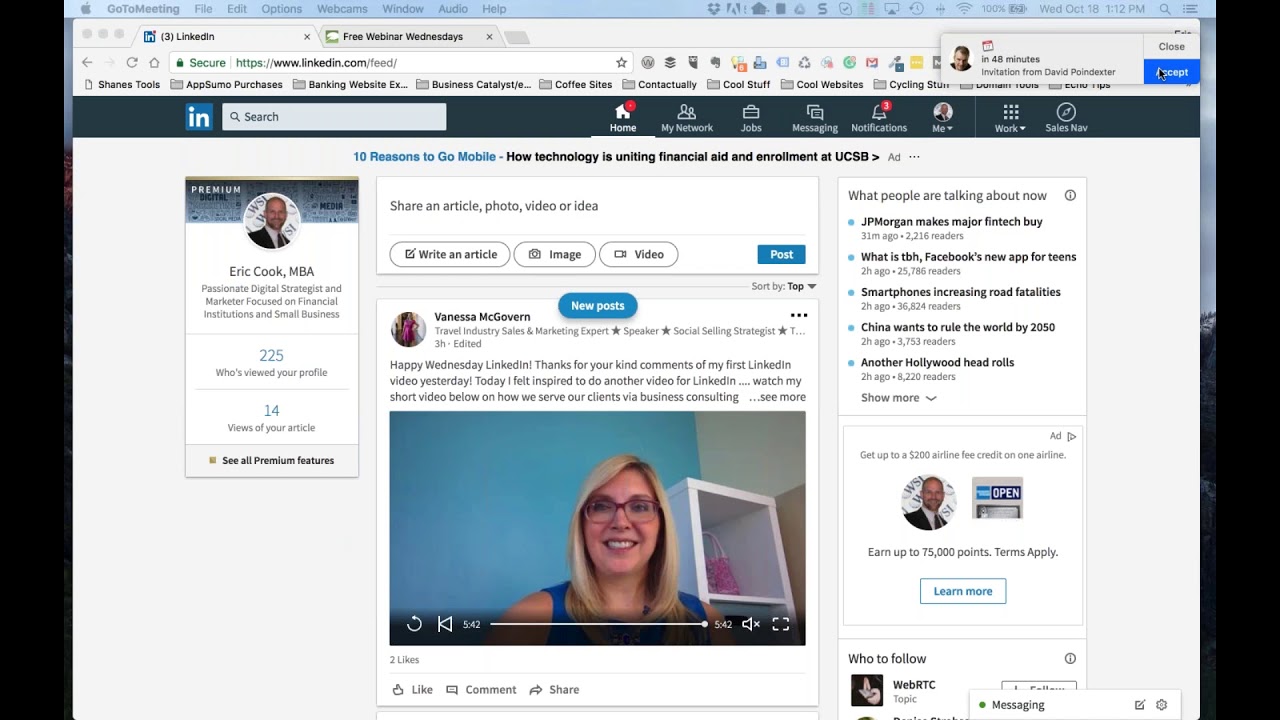
Good, good. 70 then it is. We'll say 70. 60 will probably be here before I know it. So, all right. So the last thing that I wanted to chat about was just a couple of things that I picked up on LinkedIn that I think are kind of cool. And I suspect a vast majority of folks, whether you're listening live or you've caught this on the replay, probably have got LinkedIn. Whether you're using it on a regular basis or not is, I guess, that's really up to you. And let me just kind of— I'm going to pull up the little side link here on an item. So on the free version of LinkedIn, and I've been on this free version of LinkedIn since I started back in August of 2007, and that's worked great for me. And I, again, I don't know if I'll stay with the premium, but part of the training that I went to actually required that you had the Sales Navigator capability because when we got We really needed to see how the entire system worked, and some of the banks that have already hired us to come in and do some training may very well be interested in using those enhanced services that the Sales Navigator subscription provides. And and so I needed to make sure that I was familiar with it. So you can see when I go here, it's got premium listed. If you were to look up my account on LinkedIn, you would see the little premium, the gold in that would show up next. To me. A couple of things that I want to mention that are available for everybody on LinkedIn, if you haven't picked up on this. The write an article function, I'll talk about that in a little bit, but that's where, you know, when you take those questions that Answers the Public gives you, you can write articles that allow you to answer that in more robust— they're just full-blown blog posts, if you will. You can add pictures, bullet points, You know, there's a lot of really good enhanced stuff that you can do. The 2 new features that LinkedIn rolled out, and they're now available for everybody, you can see Vanessa McGovern is actually leveraging it. And this is her second one, because when I was on LinkedIn yesterday, she showed up doing her first video. And you can see she's got already a video out that says, thanks for all the comments on my first video yesterday. You now have the ability to upload images and video directly from either your computer or your mobile device. And it used to be you would have to like attach an image or attach a link to a video from someplace else like YouTube. And so video is now starting to become a little bit more powerful way of sharing your brand. I think I mentioned during a previous Free Webinar Wednesdays, I've heard people predict at some point live streaming video through LinkedIn is not too far away. And you think Microsoft owns LinkedIn, Microsoft owns Skype, Skype does live streaming video very well. They're starting to integrate LinkedIn data now into Office 365, into Microsoft Dynamics 365, which is their customer relationship management tool. So LinkedIn is now starting to become an even more important platform, I believe, to people that want to do business networking because of Microsoft kind of realizing that the Office world of Microsoft is, is so permeated into the business industry that tying LinkedIn into that is going to be a really powerful tool. Um, so you've always had access to your statistics here as to who's viewed your profile and who's viewed your most recent article or your post. Um, the data that you get as a result of being a premium member is enhanced. Um, you only have the ability as a free person, a free user of LinkedIn, to see the last 5 visitors to your profile. If you're paying for the service, whether the business or the premium, you now see the last 90 days worth of history. So a tremendous more information once you start more aggressively using this as a networking tool to really see who's stopping by and checking out your profile. The other element that I want to draw attention to as it relates to communication is this messaging tool. And you can see I've got a little green dot which indicates that I am on my computer and I am Allowing LinkedIn to tell my connections that I am available and on the computer. If you go into your network, for example, and I'm just going to click on mine and take a look, or if I go in, um, I take a look at my invitations, my— let me see here. So let me take a look at my connections here real quick. So if I take a look at my connections, What's going to happen is after it loads, we'll give it a second. For some reason, I'm not seeing the little dots, so could be that a lot of people just aren't online. But down in the messaging area, you can see other people that you've actually had conversations with. And in the messaging area, this gives you the ability— and maybe I just need to go directly to messaging. Instead of looking at my network. But this gives you the ability in the messaging area to see, um, I'm connected with Jamie and she has a green dot with a white dot in the middle. That means that she actually has LinkedIn Messenger or LinkedIn the app open on her phone, whereas Andy has got it open on his desktop and Kyle has it on his phone, but John has it LinkedIn, uh, or is it on his desktop? So this gives you the ability to see when people are available for conversations. And being able to build some dialogue. John is a LinkedIn trainer. I'd highly recommend checking him out. Does webinars and other stuff. And after he accepted my connection to connect at the request of the trainer that I sat through training on Madrid, carried on a really nice conversation, regionalized it, talked a little bit about living in Michigan. He's out of the Minnesota area. Had a really good dialogue with him. And that's the type of interaction that this Messenger can do, which is pretty cool. The other element that I wanna talk about in, in the, the premium version is if you go into the work area here, one of the new services that you may not realize is there, if you're using the free service, you don't have access to it, although it'll show you what it is, is a platform, their learning platform. And their learning platform is basically all of the learning material from Lynda.com. And you can see it says Lynda.com from LinkedIn. So if you go to Lynda.com and you decide that you want to, you can do a free trial. If you want to subscribe to Lynda.com, I think it's probably $20 or $30 a month, but you get access to all these online training courses. Business courses, design, web development, you know, a lot of technical stuff, but a lot of other things related to just, you know, how to become a manager, project coordinator, personal skills. LinkedIn Learning is all of that, and it's included as part of your subscription. And one of the things that's kind of interesting that is baked in. You can see I'm picking through a class with Danny Sullivan, who is a well-known, respected expert in the, in the industry. I'm going through a course with Danny Sullivan now. When you complete your course, you actually get the ability to share that information directly through your LinkedIn profile that you've completed a course in search engine optimization or social media or managing diversity or whatever, whatever course you're taking. So it's one more way that you can validate kind of your skill level and what you're doing. The other cool part about the LinkedIn Learning is on your mobile device, you can go in and you can actually download and save these courses locally. So if you are hopping on a plane or you're going to be someplace where, you know, you won't have an internet connection, you can actually download the course material just like you can download some movies and some Netflix shows locally, and you can watch those and go through the training offline. And then when your computer synchronizes back up, your course progress is actually sent back to the server. So it shows you kind of what course you're on and it measures your progress. So this is an area that I'm pretty excited about. And one of the areas where even if other folks that are part of our team don't subscribe to the premium version, we can set up a training day where maybe every Monday morning We pull up a LinkedIn video and we collectively get together and just kind of show it and walk through the process of learning some new stuff. So that's kind of cool. The Sales Navigator is the last thing that I want to show. And Sales Navigator, the learning, Sales Navigator Messenger, all of those also have their own standalone apps that you will download and put on your phone. Or your tablet. And within Sales Navigator, one of the things that you'll find within LinkedIn is everybody that you're connected to, the information shows up here. And what happens by default is LinkedIn is saying, well, I'm going to share you top content. And it has an algorithm behind the scenes that determines what it thinks is top content. Now you can always switch that to most recent. And if somebody posts something right now, you'll be able to see it. It's much more like a Twitter feed as opposed to allowing LinkedIn. You can flip that as well in Facebook and see, you know, most recent versus top rated, or most popular is what I believe Facebook calls it. So if there's somebody that you're really trying to build a relationship with, you may not see them in this feed because you might not be connected with them yet. You might not be a first-tier connection. In Sales Navigator, you can go out and you can find virtually anybody or any organization, and they don't get notification that you're following them. And so if I was trying to tap into the American Bankers Association, for example, I can add this as a lead or an account. And now when I come in here, you can see I've got 8 accounts and 10 leads. So it's a much more fine-tuned approach to what I want to follow and who I want to look at. And it gives me the ability to kind of sort that down so that people won't necessarily know that I'm looking at them. They won't know that I've been following them, but I can get these different types of alerts and notifications and other sorts of things that give me the ability. So I've got the ABA and the ICBA here, both saved as accounts. And, and so I can go through and get access to that. And you can save searches, you can do more searching. It's got lots of different, you know, so there's just a lot of other different ways that you can use this. But I really like the uncluttered, you know, it kind of just gives you the ability to only pick who you want to follow. And then when you're done following somebody, you can just go ahead and take them out as a lead and their information doesn't show anymore. So you don't have to worry about them showing any longer. The other thing that you may not realize if you've not tested it before is this social selling index, and you can get to it directly through here. But anybody has access to the social selling index by just going to linkedin.com/sales/ssi. So that'll take you directly to what's known as your social selling index. And this is a number between 1 and 100 that LinkedIn rates you on 4 different areas. And just like any metric, you can game the system and get a higher score if you want to play that game. But what it's really designed to do— and you notice that within Sales Navigator, it shows you that as a proactive— and you can see just within the last week, my score has actually increased by 4%. Because some of what I learned in class on Friday of last week, I've actually implemented as part of my LinkedIn strategy. And I've gone from a 70-whatever, 76, 77, I think when I started, and then kind of moved it up. So now I'm over 80, which as you look at the Social Selling Index, I'm within the top 1% of the industry, which is the digital industry, digital marketing. And of other people that I'm connected with in my network, I'm also top 1%. So I'm pretty excited about this. And you can see it's got the graph that kind of shows, you know, here's that 74 that I was at back in September, kind of creeping up, 78, dropped a little bit down to 77, and then popped back up. Now I'm a little bit over 81%. So This will help guide you, and one of the things that we've got as part of our training program is showing people how they can pick up on this Social Selling Index as a benchmark or as a starting point, and then going through training and getting access to all the information that we would share with regards to strategies and tips and tactics to, to go after these 4 areas and do it because there's a benefit to you. From a business perspective, not just because you want to get a higher score, because nobody sees this score. It's not something that's published. It's not something that's made available to the rest of the world, but it's designed to be your own internal metric to say, how well am I doing in the world of social media as it relates to LinkedIn? Am I establishing my brand professionally? Do I find the right people? Am I engaging with insights and the information that they're sharing and using that as an opportunity to build a conversation? And then how are my relationships doing? Are people connecting with me? Am I holding on to those relationships? So probably an awful lot more that I could really say about this, but I guess my recommendation, just because I've really enjoyed the last, you know, week and a half of being a premium member, is if you were curious at all, explore the premium membership. Take advantage of the 30-day trial. Get into Sales Navigator. Maybe do it when you know that you'll have some available time and, you know, find a bunch of classes that you want to take and just use it. If nothing else, take the 30 days, maybe set time aside over the holidays when things kind of slow down a little bit and activate your membership. And if you take the week between Christmas and New Year's off, take that week and go through as many training courses as you can to learn information and to teach yourself things that you might not necessarily know and, and take that repository of information that LinkedIn's brought and made available to you as part of their, as part of their premium service. So with that, I'm gonna go ahead and close it down on my part and see if, Jeff, there was anything else. Now, if you— one last thing— if you have done the trial, LinkedIn will know and it won't let you take the trial again. So if you did the trial and you didn't play around with it as much as now you see that there are opportunities. Um, I, you know, I don't know if that recycles on an annual basis or once you try it once you're, you're out of the game, but I never tried it before, so, uh, it gave me the ability to hop in and, uh, I've, I've been impressed so far, I must say.
So, you know what the cost is once your trial is over?
Yeah, so the business, the Platinum, uh, or the Platinum, the Sales Navigator If you pay annually, it comes down to like $67 a month. If you pay monthly, or like $69 or something like that, it's like $79 a month. So it's not— I mean, it's not an easy sentence. It's not a service you have to really use. Yeah. So if I click on like switch to annual, Hopefully that doesn't activate. Yeah, so it's going to require me to log back in and kind of reauthenticate. So I'm probably not going to go there because I've got until like the early part of November where I actually have to start paying. So I don't want to pay for the service until I really decide to start using it. But as I was looking at it, you know, if, if you're looking to either reinvent yourself either as part of your own organization or maybe you're out on your own or you're thinking You know, and online learning is something that you're interested in doing in a Lynda.com type of an environment is one that you're considering. You know, you think that subscription alone is gonna be $20 or $30 a month. So then all of a sudden the cost to get all the other, you know, capabilities that you'll play around with may not really be that much more. So yeah, but it, you know, it's not, it's not $14 a month or $9 a month like some of the other social media tools that, you know, you can use, like Buffer's $9 a month or Hootsuite's $9 a month. Those are pretty inexpensive in the grand scheme of things. But this is going to be $700, maybe close to $800 a year if you decide to pull the trigger. So you better make sure you're going to use it. But that's, you know, I'm glad that they give you 30 days to kick the tires. And there's a lot of training material and resources that they'll give you as you go through the onboarding process to show you, you know, here's things that you need to do. Do this, do this, do this. Little step-by-step things. So I think the regular business account is like $49 a month if you pay annually or $59 if you pay month to month. So, and then they have a career one where if you're just out looking for a job, I think that's like either $29 or $39. And so it kind of gives you scaled-back version, but you still have a little bit more than the free account.
Right. Thanks.
Yep. So cool.
All right.
Well, that puts a bow on this week's Free Webinar Wednesdays. Jeff, it's always been a pleasure. Welcome home. Glad you made it safe and sound. And kudos on standing room only. That's awesome. But I've, I've heard you speak before, and it doesn't surprise me. You do a, you do a great job every time I hear you.
Thank you. You as well.
So good. Well, everybody, enjoy the remainder of your week. We'll get this recording downloaded from our wonderful friends over at GoToMeeting, GoToWebinar, and post it up to our site here shortly. So if you'd like to stop back and take a peek at it later, or share it with a friend, or maybe send it along to a colleague and say, hey, maybe we should check out this LinkedIn Professional and find somebody that you can buddy up with and work with them together over the next 30 days to make sure that you're exploring it and getting all the most that you can. That might not be a bad idea as well. So The buddy system is always a good thing. So, but with that, we will close the show. Thanks for joining us, and we'll look forward to seeing you next week, and on freewebinarwednesdays.com. Take care, everybody. Bye-bye.







