
Eric and Jeff Chat About Google and Android Announcements
Eric Cook and Jeff Simpkins discuss Google's October 2015 announcements: the Nexus 6P and 5X phones, Android Marshmallow, Project Fi, and Chromecast devices. They compare Google's ecosystem to Apple's, covering USB-C charging, fingerprint payments, and the move away from carrier subsidies.
Chapters
Greetings everybody.
Welcome to the Wednesday, October 14th, 2015 episode of Free Webinar Wednesdays. This is Eric Cook and I'm with WSI Internet Marketing where we work with businesses and organizations on helping them better understand and leverage the power of the internet as a strategic business tool. You can learn more about me and WSI online at www.poweroftheweb.com. Powered by WSI.com. With me this week is my good friend and Free Webinar Wednesday partner from, I'm assuming, sunny North Carolina, Mr. Jeff Simpkins. Jeff, say hello to everybody out there in Free Webinar Wednesday world.
Hello everybody, this is Jeff Simpkins. I am with Community Bank Consulting, Inc. and you can learn more about me and Community Bank Consulting, Inc. online at www.communitybankconsulting.com. Excellent.
So I assume sunny because it seems like you seem to hold on to the sun a little bit more than— excuse me, I'll apologize in advance. I got a little bit of a cough, so you'll be hearing more of that, I'm sure. But you seem to hold on to the sunshine down there a little bit longer than we do here in Michigan. It's a little cold, a little overcast, and the trees are showing their colors. So fall has arrived, and one of my favorite times of the year. So what's it looking like in your neighborhood?
I was just checking the temperature. Let's see, it is 72 degrees, typical blue sky. The leaves are, you know, I'm looking at the trees and I can tell it's the end of the season, but there's no Not significant color yet.
No demonstrated color. Okay. Well, if anybody would like to chime in and beat 70— you said 72?
Yeah.
Yeah, so if anyone wants to chime into the chat box and beat 72, I'm sure we've got— maybe our Caribbean friends are joining us, or maybe we've got someone from Southern California on that is seeing a little bit more sunshine than we are. It's not bad. At least the white stuff hasn't arrived yet.
Or our Canadian friends who always like to point out how much cooler they are than both of us.
Yeah, we usually get a little message that says, stop your complaining. Only in stop your complaining, it's usually worded something a little different. All right, 81 degrees and sunny in Oklahoma City, so there you go.
Nice.
There you go. I heard a funny comment on The Voice last night. Blake was bidding for one of the people in a steal, and one of the guys made a joke that said, you know, don't go with Blake because he lives in Oklahoma and they don't have any internet in Oklahoma. Which I know that obviously that is not the case because we have people joining us from Oklahoma. But I thought that was pretty funny. Today we've got kind of an ad hoc session. Yep, we got a haha there, thank you very much. Today's a little bit of an ad hoc session. Last week we were joined by a representative from Facebook, which I thought was a great show, and those of you that commented and sent me messages, thank you so much. It was great to have Shane on the call with us, and we've exchanged a few emails since then, and that's certainly a relationship that I'm looking forward to maintaining. So it's always good to have somebody on the inside over at Big Blue. But this week, we're going to keep it a little freeform. I had mentioned in last week's show that I was actually offsite for a couple of weeks at a bank CEO network. Spending a couple of weeks with executives from around the banking industry. And one of the things that happened while I was there, and I didn't get to spend a lot of time paying attention to what was going on, was Google made some pretty significant announcements on its product line, very similar to how Apple blows out all of its new products. And it announced the giant iPad with the pen and the new phones and Apple TV and some of those sorts of things. Google did one of their own events as well. So I wanted to just spend some time on that. I think everybody, if you've joined Free Webinar Wednesdays before, you know I'm an Android guy, although I do run a MacBook Pro as my primary computer. And Jeff is very much an iPhone guy, also on a MacBook. So the Android operating system in the Google sphere versus Apple and iOS It's interesting to see some similarities, some differences. So we're going to talk about those and get some of the Apple perspective from Jeff's side of the fence, but also kind of talk about what that means for devices and options and all sorts of other cool things. And then there's a few other things that I've got queued up just on the off chance that we have an opportunity to continue the dialogue beyond that based off of some of the comments and some of the exercises. I actually put some of the CEOs through while they were kind of working with me on digital marketing. So should be an interesting show. Before we officially get started, just as a reminder, and we've got a few people that have already figured out the chat box, but if you've got questions or you want clarification or a suggestion, feel free to go ahead and use the chat feature, send us your question, and we'll pay attention to those. And we very much like to make sure that our audience is paying attention and interested in what we're saying, so feedback is greatly appreciated. And then of course today's show and all shows are being recorded and made available over at freewebinarwednesdays.com. I also want to give a shout-out— I don't want to mention her name because I don't want to get her in trouble— but Jeff, I think you and I have both run into a situation in the past where recording off of GoToMeeting, particularly using a Mac, sometimes doesn't work that well, and over the last several months I've had to do a lot of manual manipulation, particularly when we have a guest that has slides that need to synchronize with the audio. And I finally got to the point where I, I pursued customer service over at Citrix, the creators of GoToMeeting and GoToWebinar, and I found this awesome gal who admitted that this was a problem, said that the engineers are looking at it, said she didn't know exactly why it worked for some Macs and not others because it doesn't appear to be tied to the operating system. But she said that she has a Mac that will convert the files without issue and said until this is resolved, you can just send those to me directly through a ShareFile account and I'll download them and compile them and send them back to you completed. The last 2 webinars that we put up under Free Webinar Wednesdays, the one we did with Roger Filmer on Bitcoin and then the one last week from Shane Coker on Facebook, those were lovingly compiled by the folks over at Citrix, this one gal in customer service. Oftentimes we may give Citrix maybe not their due share, and I think from a company perspective they still have a lot of things they need to fix, but because this should just work. But it was very nice to meet somebody there that's actually taking care of it and doing the right thing. I said, I hope you don't mind, but I'm going to keep your email and this link, and I'm going to use it every Wednesday, so expect files from me. She said, not a problem. You just send those to me, and we'll just do this until everything works the way that it should. I thought that was really cool.
Wow, that's awesome. Yeah, I thought that was really cool.
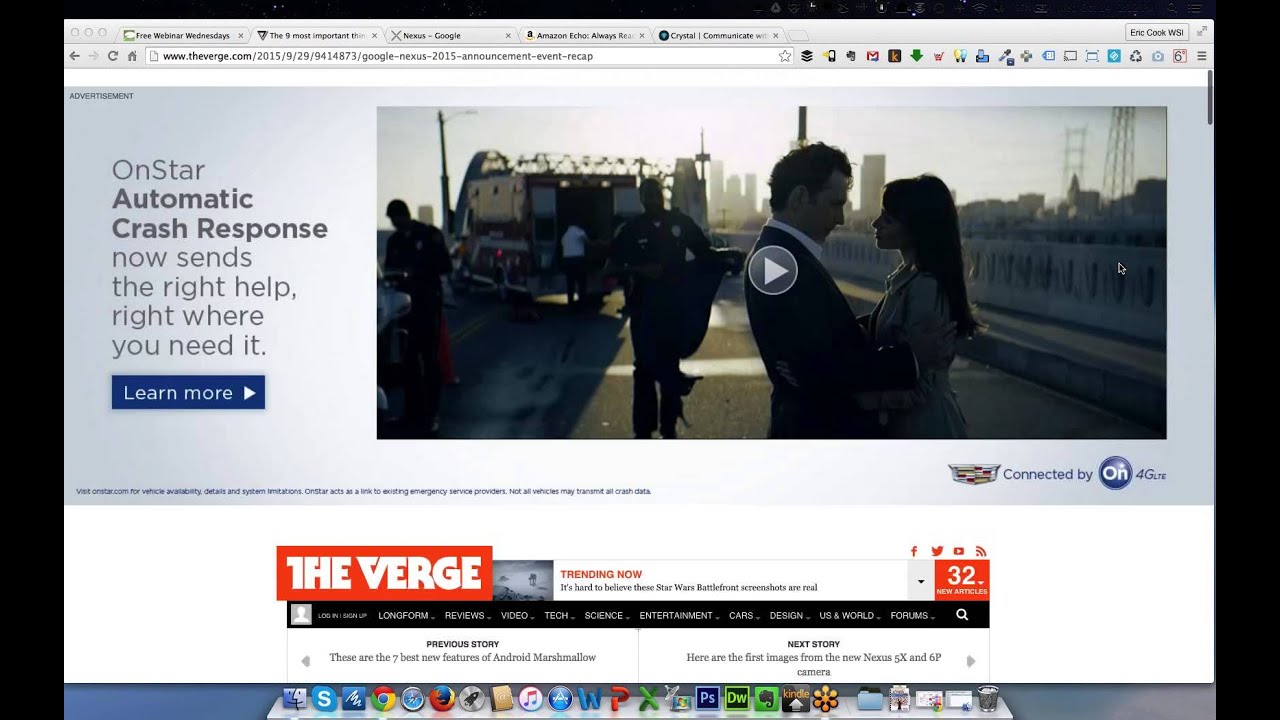
So if anybody out there is having problems meeting, if you're using it, I know I have some of my WSI colleagues that will oftentimes join us, but if you're using it and you have synchronization issues, get in touch with me and I will check with her to see if she minds that I share her information with you, and she might be able to help you out as well. So it's just cool when a big company takes the initiative to do the right thing, and even though she's probably not authorized to do this, she knows that that's what's going going to need to be done in order to make sure that the customer is taken care of, and kudos for her for doing it. So good stuff. Okay, well, I've got pulled up here an article from The Verge. One thing that's kind of interesting is if you go to the article, I've scrolled down significantly, but the whole, like, top 2/3 of the page is an advertisement So we're not looking at the advertisement, although I thought that was a pretty bold way of throwing an advertisement in your face. But this article kind of spells out the 9 things that Google announced at its Nexus event. This is, again, very similar to what happens when the folks over at Apple kind of make their updates and announce things. You can watch the video here. So, So if you're at all interested or curious from a Google perspective, it's definitely one to spend some time on. The one that I'm probably the most interested in right now, I will tell you, is the new Nexus 6P, which is their premium Nexus phone. And if you're not familiar with the concept of a Nexus device, most of the time— well, pretty much every time— you buy an Android-powered device— and I don't know Jeff, if this works the same way with Apple devices when you buy them through a carrier. But at least on Android-powered devices, when you buy them through a carrier, whether it's Verizon or Sprint or T-Mobile or AT&T, whoever, they junk it up with some of their own proprietary stuff. And then you'll oftentimes get it junked up with other manufacturer-based apps. So Samsung will have its own camera app and its own gallery app and its own messaging app. Motorola, LG, all those. And so several years ago, Google came out with the concept of the Nexus, which is a pure Android installation. They've announced their new Marshmallow operating system, which in addition to having Google Now on tap and more intelligent recommendations based off of what you're doing, and it learns your activity, It also has a new battery-saving mode where it recognizes when the phone's not being used, which is purported to save at least 30% battery life. I know I bought the Droid Turbo when it came out because that was the phone that had the absolute largest battery on the market at that point in time, and I still am not able to get past probably 6 o'clock at night Because when I use a phone, I don't know about you, Jeff, but I want to use a phone. I want to have services turned on. I want to be able to communicate with it. I don't want to have to skinny it down and run it in minimal mode to get that battery life because that kind of defeats the purpose of using the phone. So that's one of the things that the 6P, in addition to having a pretty incredible camera, all-metal design, is supposed to be able to, with its battery optimization, and the 5X is going to have the same battery-saving functionality, but being able to certainly survive the day, if not longer, and have a camera that really kind of rivals what has been seen as, for the most part, an industry standard on the Apple devices. Jeff, I can't remember, did you upgrade to the larger 6 phone, the larger form factor one, or are you still using the conventional regular 6?
I've got the 6 Plus.
Okay, because that's about— I mean, that's kind of what the 6P— it's kind of interesting, the 6P, they say P stands for premium, not plus. Any reservations or any issues that you've had with that form factor since you've been using it for probably several months now?
I don't know if I'm quite 6 months. I'm probably 5 months into using it. No, I'd do it again. I always qualify that with my least favorite thing to do with it is use it as a phone. But I use my smartphone more often for non-telephone functions than anything, so it's good.
One of the other things that I noticed is becoming a trend, and I've heard Apple is going to be moving in this direction as well. I think they did even with their new MacBooks. But they're going to a USB Type-C charging point or a port.
Yeah, they did that with the latest MacBook Pro.
Yep.
MacBook Air.
MacBook Air.
Okay. Wait a minute. Maybe it's the regular MacBook. It's whatever just came out that's available in the trendy, nifty gold color.
Trendy, nifty gold. Gotcha. I think while it certainly— and I'll tell you, I'm looking pretty intent at the 6P. I'd like to find an excuse to snag it just because I think it would be nice to have a phone running pure Android just to see if it does make a difference. I would like a little bit bigger screen. I travel with a 7-inch tablet, and sometimes I'll pull out a portable keyboard and I'll do some blogging or I'll do some article creation off of that, but I'm almost thinking a device a little bit larger than what I have now would serve that purpose. The Type-C charger, I think over time is going to simplify things because it sounds like that's where the industry is going to settle. Every laptop that's out there has got a different circle pin connector that plugs in for power, and if you lose your connector, you've got to buy one from Best Buy or Staples, and it comes with You know, 7 or 8 different adapters. Apple had—
Cost $600.
Yeah, exactly. Apple's gone through 2 different types of magnetic connectors. I'm still using an old style, but I know the most recent mag connectors are different, so you had to get an adapter for that. And now they're going to Type-C, and if Type-C is one that they're going to standardize on, I think that's probably going to be a good thing because You're going to see that adapted on phones like what you're seeing here. The nice part about the Type-C is if you're using an Android device or any device that's got the micro USB charger, you've got to know which side is up because it has a flat side and a rounded side. And if you try plugging— If you try plugging it in the wrong way, it either won't go or you'll jam it in and you'll ruin the connection. I think there's still going to be lots of devices that are going to require that micro charger. You know, you look at things like Bluetooth headsets and portable speakers and other sorts of just smaller form factor devices. I can't imagine a Type-C port working on some of those smaller devices. But I think you're, you're going to see more of the Type-C ports. So you're going to have to carry at least 2 different versions of cables. And of course, if you're using an iPhone or an iPad, That creates a whole other cable requirement. So I guess long story short, be ready for cable management challenges over the next couple of years as different devices come out with different power. Hopefully we'll settle on one or two standards and maybe some adapters that'll work for each of those.
I do have to admit, and I pulled up the Apple website, the MacBook that's using the The charging port, the USB-C port that you're talking about. I am a little disappointed that Apple moved away from the MagChargers because I have had a number of instances over the years where I've kicked the cord and the MagCharger saves the device from potential damage.
Yep, I would agree on that too. And I don't know if it's I mean, I can't imagine it's not efficient. I can't imagine, you know, I know they're trying to save space. If you combine power and data into one port, does that, you know, are there more capabilities there? I don't know, but I agree with you. I've been clumsy on my laptop at least more than once, and like you said, being able to have that little puppy just kind of pop right off and not yank your computer off of your desktop onto the floor, which my wife is running a Lenovo PC laptop, and unfortunately that has happened before where one of us trips on the cord as we're working on the coffee table, or a dog walks by and snags it with their tail, or whatever the case is. Yeah, so I'll be sad to see the mag connector go, but Sign of the times, I suppose. But I've spent a lot of time reviewing the— and it's pronounced Huawei— Nexus 6P and its capabilities, and I've been very impressed. Specification-wise, it rivals the 6 Plus in a lot of areas. It's got a very powerful camera and a lot of really cool things. The other thing both of these devices are starting to introduce now, and we talked a lot about this at the Bank CEO Symposium, fingerprint readers and Apple's version of Android Pay, and being able to not only authenticate against your phone with your finger to get you in it, but then from a payment perspective. And we've talked in the past shows about tokenizing the payment process and how that's a more secure method of transferring money between you and a merchant, and the token is retained, but it's worthless because it's one-time use and it expires. And your ability to go ahead and use your fingerprint to unlock the device as well as authorize the payment— I read a couple of articles and people have said if you are buying a phone in the next few months, the suggestion is do not get a phone that does not have fingerprint reading capability because the prediction is At least within the next year to 2 years, which is typically the cycle that everybody rolls phones on, the growing popularity and pervasiveness of payments is going to be such that you're really going to want to make sure that you've got a device that's got fingerprint reading capability to it. So, Jeff, I know we talked about Apple Pay before. I'm curious, are you using that on a regular basis? We have a handful of bankers that said they were using it and said they loved it, but most community banks still don't have their debit card or their credit card programs authorized as Apple Pay or even Android Pay merchant accounts. So what's been your experience?
I can use it for my large financial institution cards. I can use it with my Capital One cards. I can use it with my Barclays cards, but none of the financial institutions that I do business with at this point have Apple Pay.
Yep, so that seems to be the common thread, and there were a handful of community banks that had their cards in the queue to be upgraded, but one of the challenges that I think anybody's going to have, and for those of you that are listening live or maybe paying attention to the recording after the fact, is— excuse me— if you're using the service now with one of your large cards and then your community bank, whether it's your bank or maybe your community credit union, comes out and supports Apple Pay or Android Pay, simply adding that card to the list of available cards isn't going to allow you to process to that card, you're going to need to make sure you go in and also take an extra step to make that primary if you want to support your community institution, because otherwise the system is just going to default to the top card. And then if for some reason, you know, your Capital One or your Chase or your Flex Perks, whatever, doesn't have sufficient funds or is unavailable, it'll default to your secondary card. But if you want to support your community institution once it becomes available By all means, please make sure that you go in and change it in your settings.
So in Apple Pay, there is a primary card, but you can still select a different card. And I have to admit, that is one of my least favorite functionalities of Apple Pay is I want it to be truly like my wallet where I open my wallet and pick which card that I want to use. I have accidentally paid with the wrong card in the last few months.
Whoops.
Yeah.
So the only other observation that I guess that I've taken away from— and this is kind of from some of the notifications that I've gotten from Verizon as well as seeing advertisements plus these new phones is it looks like, with the exception of, I guess, Apple paying, you know, you can— what is it, $38 a month for, you know, Apple upgrade where you pay Apple and anytime they come out with a new phone, you get it. But most of the carriers now are unbundling the phone with the package, and you basically buy a device unlocked and Get the SIM card from the vendor and put it in, so it gives you a little bit more freedom as a consumer. I kind of like that. It's a little bit more expensive up front because you know if I wanted the top of the line Huawei, I'm going to I'm going to pay close to probably seven hundred bucks to get that. But if I want the six P, I can use then Verizon or if I want to switch over and try AT&T or go on one of the smaller data plans with, you know, maybe T-Mobile, I'll have that ability to bounce around. So I think phone choices are going to become a little bit more open where you're going to have the ability to pick what you want. And the days of the subsidized phone, I think, are going away. But as I understand it, this is the way that folks over in Europe have really been doing phones for several years. So, you know, we like to think here in the States we're so advanced and ahead of the curve, but, you know, chip and signature on the cards is really behind chip and PIN, and our cellular networks really aren't as robust as what maybe some of those over in Europe and other countries are. I think this is just one of the other areas where maybe we're catching up with the rest of the world.
I was thinking recently, I was in Europe, oh, in 2000 and 2001, and I remember on both of those trips, when I went to pay with my credit card, unlike here in the States where they take your card to the back and swipe it, they pretty much wouldn't touch your card 15 years ago. They'd bring the device out and swipe it at the table.
Yeah, yeah. That happens pretty much any place I go in Canada. You just plug the card in, they give you the PIN number, they have you sign it, and boom, you're done. Those are the steps that I think we're going to have to be taking here in the States in order to get us to the point where we're going to really be fighting card fraud and trying to keep those things at bay. So next they rolled out their Marshmallow. They go through an alphabetical cycle, so Lollipop, so they knew that M was next. And prior session or prior software was KitKat, and they did a partnership with the actual candy bar. There was curiosity and speculation as to whether or not M would would be M&M, but they did not. They went with Marshmallow. So there's some cool new features that Marshmallow has. My Nexus device has not been rolled up to that yet. I'm hoping at some point it will, because it's a relatively progressive Motorola version of the device, but we'll see. But Google searches, voice interaction, Actually tying that right down into the individual app level. Talked about the time savings and the battery consumption. You know, that'll be kind of interesting to watch. So their Project Fi, this is one that not a lot of people have heard of, but this is essentially their their own cellular network. So, and by their, I mean they partnered with Sprint and T-Mobile. But one of the interesting parts about Project Fi is you can port over your Google Voice number if you have one already, although I've heard— and I know, Jeff, you and I both have Google Voice numbers, and I think we both come from the Grand Central days when it was Grand Central before Google bought them. I've heard on more than one occasion, and I've not heard anybody say to the contrary, porting a Google Voice number over is not a good idea. Get a new one, because when you do that, you lose some of the Google Voice capabilities that exist in the current accounts, and you can't get them back once you convert them. But one of the interesting parts about the, the Google Fi project is it has enabled Wi-Fi-based calling. And so what they purport is if you're at home using the Wi-Fi network, or you're at Starbucks or someplace where there's a wireless network, they will pipe your data or your, your voice connection over that data connection. And if you leave the house, get in the car and drive to work, or you leave Starbucks and go to your next appointment What's going to happen is the network will know that you are leaving a Wi-Fi connection, and it will grab the nearest either T-Mobile or Sprint signal. And then if you happen to go between T-Mobile and Sprint, T-Mobile and Sprint, it'll also swap between those seamlessly. And I've, I've listened to a couple of folks that have been using Fi for a couple of months, and they said that it does work exactly as advertised. They're on their network at home, they get in the car, they're continuing to talk. The person on the other end doesn't even know that there's a handoff made. So as a result, you can buy a much smaller plan, not consume your own data, not consume— be worried about minutes or any of those sorts of things, because, you know, it picks up a data signal and uses data as opposed to traditional over-the-wire cellular signals. So I don't know if you've ever heard of Project Fi before, Jeff, or if that's kind of more of an Android geeky topic, but certainly something that is intriguing. Unfortunately, Sprint and T-Mobile, neither one of them has got very good reception at our house, so I don't think that would be an option for me, but— I don't know. Have you heard of that before?
Not that version and branding of it specifically.
My RingCentral business— I think we're losing you.
Are you there?
I think we have lost Jeff. If you are in the live webinar, if you can hear me, go ahead and type up in the chat box and let me know if you can hear me or let me know if you can hear Jeff. All right, so it looks like you can hear Eric, but we cannot hear Jeff. So let me go ahead I'll send Mr. Simpkins a little chat message here. Lost your audio. Alright. So we'll see if we can get Jeff to hop back on and join us. We lost Jeff's audio. So while we're going through, the next item is one that I don't know as if I'm going to get because Are you there, Jeff?
I am here. There we go. Yeah, you—
it almost sounds data connection E, and you went into a purple haze for a minute, so we couldn't hear you. Usually that's me that has telephony issues, so no offense, Jeff, but it's nice that the gremlins are picking on somebody other than me this week.
I think probably I just sent a big file or a couple big files up to the cloud and it stole my bandwidth.
There you go. So, well, we were talking about the Chromecast next. And the Chromecast device is a cool little— basically it turns your television into a projector. If you want to think of it from a very basic sense. Whatever you have on your device, you download a little Chromecast app, and a lot of programs— and with the new Chromecast version, even more are now available. But with the Chromecast app, if you're watching Netflix or you go into your photos or you've got a document or something that you've got that you want to share, you can install, put your Chromecast into the USB port on the television or a monitor, and it gets connected to the same Wi-Fi network as your mobile device, and it essentially gives you the ability to push whatever it is that you're watching directly to that device. We have used this on a number of occasions when we travel. We'll go to maybe a hotel, and instead of renting the movie that is available for purchase through the hotel system, we can take the Chromecast and plug it into the television and stream movies directly off of Netflix and watch our own Netflix account. You know, of course you can do that directly on your mobile device, or you can do that on your laptop, but with Chromecast you can then get that to actually be there on the actual television. And The cool part about the Chromecast is you then use the interface for Netflix on your device. I've also got a Roku, which is a great little device, and I really like it, but looking up movies and other sorts of things on the Roku menu is a little bit of a pain in the butt, and it's not real easy. You got to arrow over to the alphabet and hit the buttons to spell things out. If you're using your phone or your tablet, it just gives you a much more intuitive interface. The other thing that I like about the Chromecast 2 is while the hardware has been redesigned to give you a little bit easier way of accessing these HDMI ports that are on the back of all these televisions, the problem that you run into is it's not a real flexible, easy way of getting into the device. The new devices have got A little bit of a bend to them, a little bit easier to access. So, Jeff, you typed in to say that you couldn't hear me, but let's just do a quick double-check. Maybe the gremlins are back. So I know we've got somebody that's listening and paying attentive. Let me know if you can still hear me or if I've dropped off as well.
So—
I can hear you. Audio gremlins just seem to like to haunt us every week. So when you get the Chromecast, there's other apps and features. You can see the pictures and some other stuff that's going on. They also just announced the Chromecast Audio, which is kind of a musical-only version of the Chromecast. And Jeff and I have talked about Sonos. Yeah. And its ability to drop speakers into different areas of your house or your office, and then it has a proprietary wireless mesh that all the devices connect with. So when you go in and plug in your phone or your iPod or whatever that has music and you're streaming to it, you can go ahead and play different music in different rooms or play the same music across all rooms. And its wireless mesh takes care of any latency-related issues and other sorts of connectivity stuff. The Chromecast Audio does something very similar to that and does it for an inexpensive— nowhere near the cost of a Sonos. You can see for $35 and gives you the ability to connect those directly to speakers. As well. So if you're looking for an option to kind of soundify, if that's even a word, I'll invent it, soundify your home, this may be something to take a peek at.
Have you tried out that service?
I have not. I've kicked around buying a Sonos and I didn't. That was on my Christmas list last year and Santa didn't pull through for me and I resisted the urge to go buy it myself. I might take a look at the Chromecast Audio, although I will tell you—
Yeah, the Chromecast Audio is what I was talking about.
Yeah, I've not done that. I'm totally in love with my Chromecast regular, but I've not tried the audio.
I haven't tried the Chromecast. I've got the Apple TV prior to the most recent version, and I've got Roku, and my preference is definitely Roku. As far as music goes, I use an Apple AirPort, and I have to say it's disappointing. Very, very often I can't connect to it. Yeah.
I'm trying to see. I'm popping over to the Nexus area here. It looks like these are just the Nexus devices. I'm going to see if there's a Chromecast one as well. Let's pop over to the Chromecast area. One of the other things that was commented on was the Chromecast audio. See, here's the regular Chromecast, and you can see that it did ship— the version 1 shipped with a little dongle that you could use, but this gives you the ability to have much more of a flexible People joked about the fact that it's stuck behind a television, so why would you really care what color it is? But apparently that seems to matter. The other thing is— let's see if we can get the Chromecast audio somewhere on here. There's the audio. They made the comment that the audio has got grooves on it just like a little record. I thought that was kind of cool. But this basically just plugs into your audio jack. And turns any speaker directly in. So you can see you've got a power cord to give it some juice, but then you've got the jack that plugs in here. It grabs a network connection. So now you can go out and get some very— I don't want to say inexpensive speakers, but you certainly don't have to spend $300 or $400 for a speaker like a Sonos because the intelligence of the wireless connectivity is not built into the speaker itself. It's built into the little Chromecast device. And so that device is what basically takes your signal from your music and streams it out and sticks it through speakers. So, you know, this can be just a simple set of desktop speakers that come with your computer. You know, you can buy these pretty inexpensively, but kind of an interesting way to do your own version of Sonos without necessarily having to spend If you did 3 or 4 rooms with a nice big subwoofer, I mean, you could easily spend probably, I don't know, maybe $800, $900. The last 2 items, probably not something that I would use, but I think it It's kind of an interesting shift. I think Apple came out with its family plan for its Beats Music. Is it still called Beats, Jeff, or did they switch it over to just Apple Music? I can't remember.
I think it's called Apple Music. Is it?
Okay. So they've got a new family plan now.
They may have Beats in the name somehow.
Yeah, so Google's got a family plan. I got on the Google AllPlay Music at the discounted rate of like $7, $7.95 or whatever it was. I think it's now like $9 or something like that, so a couple dollars more, but there's really not a song that I can't get. It's integrated Songza, which is a company that it bought last year, I think. Where you can go in and pick a genre and you can say, I'm going to go work out, so give me high energy, or I'm having friends over for dinner, so give me something kind of cool and funky, or I want to relax, and it'll go out and it'll find music and bring that in. And that was really kind of the technology that Songza had. But the downside is it was restricted to just one Google account, so if you wanted to make that player available, you'd have to give your full Google account access, and most people aren't comfortable doing that. So now they've got a family plan where for less than $15 a month you can get a family plan, and it allows multiple people to go in and have access to music, and they can play songs. I've got pretty much every CD was originally in iTunes on a computer that's since been put in a bag and filed off as a someday I'll get back to it. But they made a really easy way of getting all your music out of iTunes into Google. And so now I don't even— I don't know where my CDs are, but all of my music is in Google, plus I've got everything else that I could want. And I can add those to my library, I can save them locally. So it's a great way to stay engaged with music, and if you've got multiple people in the household, it's a cool Cool and economical way of doing it. Do you use the AllPlay Music function within Apple? I know you've got a boatload of music just yourself that you've uploaded into iTunes and store on the cloud, but do you pay a subscription to get access to other music that you don't currently own?
I do, yeah, because I like Kind of an eclectic mix of music. One of the things that I've been disappointed with the Apple Music or Beats Gone Apple Music with, one of my favorite features that the Apple Music had when it was just using your own library was the ability to create a Genius Play. When I'm playing something out of or out of a library that I don't own, the rented library we'll say. There's not the ability to create a Genius Play from a song or an artist. I hope they figure out a way to bring that back eventually.
Yeah, so it basically listens to an artist and brings in other stuff that's similar in style.
Yeah, it's style matching.
Okay, yep, that does exist. I know that because I have a Rob Zombie mix where I pulled up one of my favorite Rob Zombie songs and said, go find me a playlist. And it's always interesting to see what the cloud, what Google comes back with. It says, hey, this is like Rob Zombie. I think there is— There's a Johnny Cash song mixed up in there somewhere. So there's something that Rob Zombie did that sounds similar to what Johnny Cash did, although if you listen to the two of them, I think you'll get some pretty vast differences. And then the last thing that they announced, which I think is kind of cool, and I've heard people talk about this a couple of different ways. But is what they refer to as the Pixel C. And again, if you're not much of a Google person, you probably don't realize this, but Google also makes an operating system called Chrome. And it's loaded on what's referred to as Chromebooks. And they're, I think, the leading device in schools because the device itself is designed to really be a web-based laptop, if you will. You can store some things locally, but the big thing is controllability, security. There are certain things that you just can't load on a Chromebook. I've heard people say, although I think now that you can get Skype through the web, you can do Skype. But for a long time, you couldn't do Skype on a Chromebook. But the Chrome operating system is its kind of laptop version, and it's still touchscreen. but it's not Android. It's like Apple has the iOS, which is its mobile operating system, but it also has its regular OS. I can't remember what the most— it's not Yosemite. What's the most recent incarnation of the Mac OS? It's its desktop/laptop version. One of the things that people were surprised about is even though this device was called the Pixel C, it runs the Android operating system. So it's going to operate exactly like your Android phone does. It's not going to operate like a Chromebook or a Chrome OS. So in certain aspects, I've heard that being a positive, and in others I've heard that being a negative because not a lot of the apps are really optimized and built for a larger form factor. It does have a detachable keyboard. I've heard it's very slick. It's supposed to have a tremendously long battery life. You can see that it's running the Marshmallow operating system. I'm intrigued by this only because instead of taking a portable keyboard and my phone, Would this be something that I could create content on, or would this maybe be an easy way for me to watch a movie or something like that while I'm on a plane or in cramped quarters, and it would still run the exact same operating system as my phone? I don't know, but I had heard Google intentionally launched this using just regular stock Android. Marshmallow with the intent of challenging developers out there to say, yeah, you're right, but now it's up to you. We've got a larger form factor. Apple came out with a larger tablet that you could get a keyboard with, and it's got a pen, so you could use it almost as a laptop. But that's still using its mobile operating system. It's not using the laptop. And as much as I think consumers would like to see those blended together, I'd love to see an iPad that runs regular Mac operating software and make the Mac operating software touch-sensitive, kinda like what Microsoft has done with Office— or not with Office, but with Windows 10. I don't think you're gonna see that from Apple or Android. I think Microsoft's probably the only game in town that's gonna develop one operating system, whether it's a tablet or a laptop. But something kind of interesting to take a peek at. I know a lot of people will buy iPads for parents because it's easier to use than a regular computer. This could very well be another version of that and include a keyboard and kind of be an all-in-one device and still get it for less than $500. So it should be kind of an interesting device to see how well it does or does not get adapted. So anyway, those are, I guess, some of the things that I just wanted, putting on again my little Google fanboy hat, make sure people realize Google's still doing some cool stuff. Probably nowhere near the marketing pizzazz or fanfare as what the folks at Apple have done. They are just so good at that. There's really no competing against Apple in that area. But Google continues to push on and make some really cool stuff. So it's kind of cool to see. Thoughts on any of that, Jeffrey? No.
There's cool stuff there. I might have to try out the music streaming device that you showed.
Yeah, I think for $35— and I guess that's where I've not done enough research to know if that's really across all functional device, if it's going to work just as easily on an iPhone as it does on an Android, or if you really need to have an Android OS. My suspicion is it's probably going to work on either device. But this would, you know, $35, it's probably a pretty easy Christmas present within the price range for most of us. So it should be kind of cool to watch and see how that evolves. I mentioned a little bit earlier, you know, Sonos. One of the other devices that we had talked about in a prior show when we had Greg McPherson join us was this Amazon Echo. And this is way more than just a speaker, but the concept around the Echo— and I've read some pretty good reviews. About how this platform works. And it's kind of like a digital assistant, voice recognition. It will do audio, so you could use it as a speaker similar to a Sonos or, you know, the Chrome Audio. But you can— and I think her name is Alexa— but you can ask it questions. What's the weather going to be like today? What's my schedule look like? How many ounces are there in a pound? And you've got that always listening, always interacting, internet-connected intelligence behind it. So I don't know, Jeff, we talked about this with Greg. He seemed to be totally in love with this and I think was going to buy one. I don't know, did you by chance make a move on this? I know we're both Prime members as well, but—
No.
I wonder, did you pick one of these up?
I have not. The thing, you know, it's interesting if you read the reviews, it's one of those love-hate devices. People either love it or they don't. The one thing that actually appeals to me, I've got a good friend that has one of these, has had it since the beta stage. The thing that she really loves about it is the ability to control lights and lighting. And I probably at some point will end up getting one, if nothing else, for that. Just because, you know, it would be cool to say, Alexa, dim the lights, and have that happen. And the other thing is you can control it remotely from smartphone apps, and I'd like to be able to turn the lights on for the dogs without being at home. There you go. Yeah.
Yeah, I'm— I don't know, this has got a pretty good chance of maybe being my next significant technology purchase. I'd like to say the 6P is right there, but this has got some pretty cool stuff associated with it. The other thing that I've heard, and this goes back to the Chromecast, is The hardware itself is basically serving as just a vessel, and everything that the device does is enhanced by software. And, you know, we all too often will buy a gadget, and the gadget itself is what makes it cool and unique, but at some point the software outlives the gadget, or the gadget has to be replaced with a new version because it doesn't have, you know, like the fingerprint reader, for example. They say that this device is basically infinitely updatable because whatever updates are going to come along, they're going to be backward compatible with all the devices. That's one of the cool parts about the Chromecast. Even though I've got the dongle that I have to get out when I want to connect it to an HDMI port on the back of a TV that's hard to get to, that Chromecast still works and pulls information just like the Chromecast 2. So all the apps, all the movies, all the shows, all the streaming options are going to work in the Chromecast app with either the Chromecast 1 or the Chromecast 2. Not to say that the Chromecast 2 maybe doesn't have a better Wi-Fi antenna in it or higher reception, but it's still going to work with any of the software that comes along. I've heard this has got a little bit more future-proof capability to it just by its very nature, which is kind of cool to see. I read a review.
I can't remember which publication it was in. Probably the New York Times or maybe the New Yorker. The article was just on technology that Amazon had introduced. And it talked about the Echo, the phone, and things like that. And the article pointed out how Amazon has, in many cases, the Amazon phone being the best example, kind of missed the boat and invested in technology that they were never going to be best at.
Yeah.
But the point of the article also was, with the Echo, this is really— they are the the leader of the pack in bringing it to the masses. When Greg's been on, we've talked a number of times about how many people think of Apple as innovative, and in reality, they're really a follower who just has a really outstanding marketing machine behind it. I think that's—
Exactly.
That's kind of the case with the Amazon Echo, is they're pulling together technology that other people have have probably brought to market in various parts, and they've done a good job of bringing a device that ties it all together.
Yeah. Speaking of the Amazon phone, which, yeah, kind of went over like a lead balloon, I've been hearing a lot of buzz about the Fire tablet and the price point. You've got an Android-based tablet with apps. You can Facebook and you can get on Netflix and you can check email and you can do all your social media for $50. And the fact that they're sending these or they're selling these in 6-packs, you know, really is pretty amazing. It's almost a disposable— you don't know a lot of books that cost more than $50. And here you're getting an actual internet-connected device with reading capability. Granted, it's probably not the super most awesomest tablet out there, but for $50, you know, to be able to go ahead and— I think they've reshifted and said, you know what, if we can give people an easy way to get access to our content, you will have a higher likelihood of being a Prime member and shopping if we make it easy for you to do it on a tablet. You'll probably have a higher likelihood of buying books on Kindle if we figure out for $50 how we can get you a tablet and playing games and social media. Anybody that has children or you just want to try it out, I've made a lot more expensive mistakes than $50 in the past. When I heard they were selling them in packs of 6, I mean, that's how you buy stacks of notebook paper and legal pads.
That's pretty funny.
Yeah, so kind of cool. There are some really interesting things going on over at Amazon, and when we talked about the control of the payment process, certainly we chatted about Apple, we chatted about Android, a little bit about Facebook, but One of the bankers kind of questioned whether or not Amazon maybe was a sleeper in all this because of the massive amounts of big data it has about its customers and what you purchase and how often you visit and what you're reading. And if you tie in these devices and other sorts of, you know, services, there may be some interesting things that Amazon's got up its sleeve for next year.
So I think Amazon will Will become bigger in the payment arena.
Yeah.
Recently, you probably got the same offer. I got an offer to get the Washington Post for 6 months for free, which I opted into. And I noticed when I did it that essentially all I was doing was authorizing them to, to use my Amazon Prime account with my payment information tied to it as a payment mechanism.
Yep, yep. So yeah, interesting stuff. So, well, I didn't get a chance to get to the crystal nose, but maybe we'll save that for next time, because that was the one item that had chatted about down at the bank CEO, is as you take all this big data that the internet knows about you, what does that do from a personal reputation perspective? perspective, and we looked at sites like Clout and Glassdoor and some of these others. Excuse me. Some of these others. In addition to having a great 2 weeks in Florida, I seem to have picked up a little bit of a cough, so I can't seem to get rid of it. Anyway, anything for the good of the order before we close, Mr. Simpkins, for today? No, I think that's it.
I think we should close. We are 1 minute over our time. Cool.
Good, good, good. Excellent. Listen, appreciate you being with me. You're going to be absent next week if I'm not mistaken. Is that correct, Jeff?
I am.
Yeah. I'll be flying solo. I've got a couple of potential guests lined up, but we'll see. If nothing else, maybe I'll dive into some of the big data stuff myself and walk through. We did have a comment posted. Somebody is enjoying their Nexus 7. So yes, we— and yep, I see the connection there as well. So glad you're enjoying that. So anyway, with that, we'll go ahead and we'll wrap today's show. We'll close for today and get the recording out there. After, of course, I send it to my helpful little elf over at Citrix who's going to compile it for me to make sure that it looks just fine. But until next week, we'll see everybody out at freewebinarwednesdays.com. Until then, have a good week, everybody. Take care. Bye-bye. Bye.







