
Eric and Jeff Share Some of their Christmas Wish List Items
Eric Cook and Jeff Simpkins discuss branch transformation strategies like Universal Banker staffing and Interactive Teller Machines, then pivot to their holiday tech wish lists. They review gadgets including Amazon Echo, iPad Pro, Livescribe pens, and standing desks, weighing price against durability and ergonomic value.
Chapters
Well, greetings everybody. Welcome to the Wednesday, December 2nd, 2015 episode of Free Webinar Wednesdays. Don't adjust your screen. Yes, this is Free Webinar Wednesdays, and I know I have a Banker Education Series webinar page showing, but there's going to be a reason for that here in just a second. This is Eric Cook, and I'm with WSI Internet Marketing, where we work with businesses and organizations on helping them better understand and leverage the power of the internet as a strategic business tool. You can learn more about me online at www.poweredbywsi.com. With me this week, and we're back after the rather lengthy Thanksgiving break, we took a couple of weeks off, is my good friend and Free Webinar Wednesday partner, Mr. Jeff Simpkins. Jeff, say hello to everybody out there in Free Webinar Wednesday world. Hi everybody.
Greetings everybody, this is Jeff Simpkins and I'm with Community Bank Consulting, Inc. You can learn more about me and Community Bank Consulting, Inc. online at www.communitybankconsulting.com.
Excellent. So Jeffrey, would you, would you like to share with folks why we may have the Banker Education Series Webpage up?
Sure. Eric was kind enough last week, Tuesday before Thanksgiving, to invite me to be his guest on his banker education series, and I did a presentation on branch transformation, focusing primarily on 2 aspects of it. One is the use of a staffing model called Universal Banker, which for those of you that are bankers in our group is sort of like a CSR teller on steroids, combining components of a traditional CSR, which is primarily responsible for opening deposit accounts, safe deposit boxes, and those types of transactions, with a teller in some cases, and then potentially taking on other job responsibilities consumer lending perhaps, and others like that depending on the financial institution. The other thing we looked at in the branch transformation session was the use of interactive teller machines or ITMs. We spent a significant amount of time discussing advantages of those, looking at some cost components of interactive teller machines, And really talking about some things that make those a really attractive offering for community financial institutions. Number one is a way to increase customer convenience through extended branch hours and some additional things like that. Also, as a really outstanding way to offer services in markets that otherwise would be cost prohibitive.
Yeah, well, I, I can tell you, uh, I thought it was a great show. We ended up going a little bit over. We had 60 minutes and we ended up spending about another 15 minutes of good questions and good interaction. So, um, it was a little bit longer than we anticipated, but it was really good stuff. And even though it's tailored for bankers, what I think was kind of cool out of this is You know, a lot of industries are looking at different ways to change the way that maybe they're providing services, and it's not just the banking industry that's experiencing this digital migration of customers not necessarily wanting to do maybe as much in person and taking advantage of the digital opportunities. We just come off of, you know, Black Friday and Cyber Monday, and from what I've read, the transactions done in-store on Black Friday were down, primarily because more and more people are spending their time electronically buying all their gifts and doing their shopping. And Cyber Monday seems to be quite a boom. So a lot of businesses, even though you're not going to maybe be in the banking space and implementing an interactive teller machine, there may be other ways that you can serve your customers using technology. But then also not forgetting the fact that staff might need to be cross-trained in different areas because fewer staff means that if somebody comes in, they have to be able to do more things. And I just thought it was a really good show. So I just wanted to maybe make mention of that. If you're interested, you can hop over to Powered by WSI. If you go into the Our Services area, you can get to the Banker Education Series. Under the banking industry, and then you can click on this green button here and pop over and check out the presentation. And if you are a banker and not signed up yet, there's an email reminder link here where you can go ahead and opt into the list and join us every month. Now that it is December, I can say this month, episode 9, and this could be something again, while it's banking specific, We'll touch on a lot of things that deal not just with banks, but I'm going to be welcoming Deborah Gonzalez, who she's been on Free Webinar Wednesdays before. She's an attorney that focuses on social media, and we're going to be talking about legal, kind of legal things related to banking and technology and social media for the coming year. And so we're getting in the process of getting that write-up confirmed. The date is going to be December 15th at 3:00 PM Eastern time. And so we'll be talking about that. And really any business that has employees that may very well be using social media, or if your business is on social media, maybe you have a Facebook page or you've got a company profile page on LinkedIn or you're posting information, Employment Opportunity Act, National Labor Relations Board, Trade Commission with regards to contests and promotions. Certainly the big short on regulations, but there's laws and other state-based and federal-based rules that are starting to have an impact in social media and employee utilization. So mark your calendars for that, December 15th, if you are interested. And if you can't make it, just like Free Webinar Wednesdays, we record the sessions and make them available. Which I just realized as I said that, I didn't give my little housekeeping spiel. Free Webinar Wednesdays is recorded. It's been a while. See, you take 2 weeks off and you totally forget the course of action here. So Free Webinar Wednesdays, for those of you that are joining us for the first time, is recorded, made available over at freewebinarwednesdays.com, and we do like any We're going to have some interaction, and if you have a comment or a question you'd like to throw at either one of us, go ahead and use your chat function in your control panel, and we'll keep an eye on those during today's show. So, and we skipped over our perfunctory, how's the weather, Jeff? And as I kind of take a peek back, knowing that you're going to ask me, I am starting to see white stuff actually coming down here in Michigan.
Hey, Eric, just to confirm, I don't remember hearing the recording announcement come on. You did remember to press the record button?
I did. Recording is rolling. So, although that wouldn't be the first time I've done that.
Well, it has been raining here in North Carolina for the past several days. I'm looking out at I spent about a year living in Ohio, and the sky turns gray in Ohio and not all blue sky. So we've got a winter Ohio sky today.
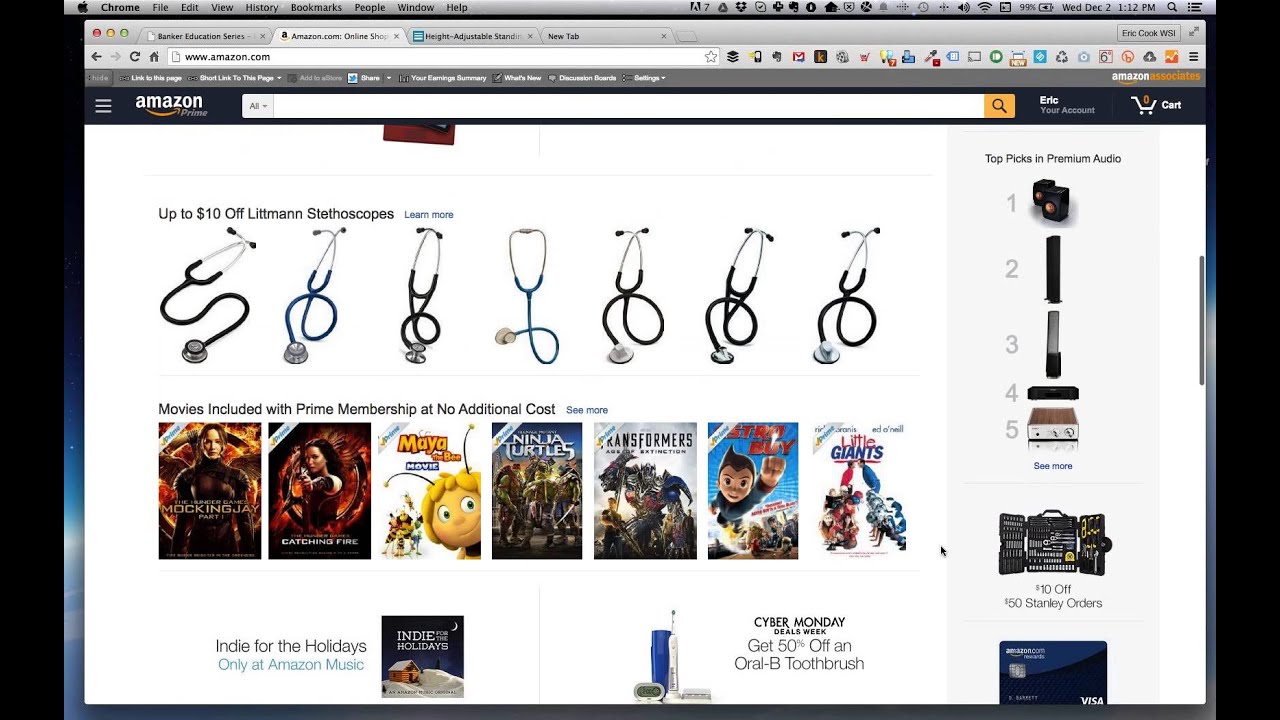
Nice, nice. Well, every once in a while we start commiserating about the weather, especially this time of year. We do have a Free Webinar Wednesday visitor or two that is someplace tropical or very warm that will decide to throw a little jab into the chat area. So I'll keep an eye on that to see if our Caribbean friends are joining us today or not. But we'll see. So today's show, a little bit of a catch-all, and I thought with the conclusion of Cyber Monday and Black Friday, we would at least start with some of the things that might be on either of our lists. I'm going to have to admit, I'm kind of addicted to the little Amazon app on my phone. I go to it and I check for deals, and I've actually taken action and bought a couple of impulse items. And, you know, sometimes when you see 80% off, it's almost like you just can't not buy those things. So it's been kind of fun, and luckily those haven't been Really expect the wife yet. And notice I said yet. But as this time of year rolls around, everybody's kind of thinking of maybe gadgets and gizmos or other sorts of things, whether it's for personal use or business. And so I thought maybe you and I just spend some time— oh, I don't know, maybe popping over to Amazon and checking out some of the stuff on there. But I do have some, some things that we're going to be doing here for our office as it relates to 2016 that I thought I would share. And I know that a few people that have started going in the stand-up desk direction, trying to get elevated around a little bit more. I'll be surprised. I'll look up and the clock will say 5 o'clock and I'm still sitting in the exact same chair plopped down in. at 7 o'clock in the morning, and I know that's not exactly the best way to run a day. So we're gonna make some changes around the office and start implementing some stand-up options. So I'll share some of the functions that we're gonna use for that. So I've got our good friend Oprah up here, so she's certainly got some favorite things that she's recommending. And I was saying to Jeff before we got started, I don't know exactly what the reasoning behind this is. Apparently Folks at Amazon seem to think that I am a collection of stethoscopes trying to promote to me, or maybe they just got a deal on stethoscopes and they're deciding that those are the things that they want to try selling. But I can't see me buying a stethoscope. But you can kind of get an idea based off of some of the items that I've checked out recently where I'm where I'm kind of going with my wish list. So Jeff, I don't know if you want to kick things off and we'll go to one of yours, or if you want me to just kind of jump right in and we'll see where this takes us.
Well, let's share the first item because I think both of us have this on our— some point in our future list, and that is the Amazon Echo.
I had a feeling you were going that direction. And speaking of the app, I did see— I didn't pull the trigger because I put it on my list and I'm being a good boy. If somebody were to get this for me, I didn't want to buy it out from underneath them, although owning 2 of these wouldn't necessarily be a bad thing. A deal on the Echo, remember, it was being reduced $149, I think, but it's back up to $179 here. So for— we've talked about the Echo on past shows. I think I mentioned I came back from a bank technology conference where the presenter, the organizer of the conference, actually had one that he demoed, which was pretty awesome. But for folks that aren't familiar with the Echo or why we're drooling over this, and it's made Just so that immediately— you want to make— here's what an Echo is and why we're so excited about it.
I'm going to try to make it simple and say the Echo is very much like Siri only for the home, and it does things for you around the home. My friend Liz has one, and the thing that she loves most about it is She can say— what's the name that Echo goes by? I've forgotten.
Alexa.
Alexa, yes. She can say, Alexa, reading, and Alexa automatically sets her bedroom lights at the level appropriate for reading. Our friend Greg McPherson was on a month or so ago, and talked about how he used a similar device to adjust the lights in his home as he was coming home. Something that I've seen in the demos that Alexa can do for you, or the Amazon Echo, is it can take you to your Amazon Prime Music library very easily, as well as some other music services. It allegedly has a very good speaker system built into it. It can play music for you. Because it's an Amazon product. Brands of— on the right-hand side of your screen where it says Philips Starter Kit for $79.99, and they are accessories. One brand works through Bluetooth. I think another with Alexa, the Amazon Echo, maybe uses your home Wi-Fi. Lighting is either Bluetooth or Wi-Fi technology within your home. And I think for at least one of the brands, perhaps Philips, it's integrated into lighting anywhere you've got an internet connection. I refer to her as her because I think she only has one voice at the moment. I believe she has an app that you can also download.
Yeah, I'm curious. I know we've got several folks that are joining us live and we've talked about this before. I don't know if anybody's pulled the trigger themselves. If anybody out there has an Alexa, if you've got one, if you have an experience to share with it or This is going to make it on your list, and maybe we'll be sharing Alexa stories in 2016. Who's figured out how to get Alexa to do the coolest stuff? But I guess a couple of things that intrigue me about Alexa is, although I have no personal music talent myself, I love to listen to music. And for me, the louder the better, but not necessarily so for my wife. But when I saw this demoed and he set the volume level to 10 and played some music, he just said, Alexa, shuffle Elvis Presley. And he had some Elvis Presley in his library, and it went out and just started playing Elvis Presley. And without even putting the microphone up to Alexa, it literally filled the room. And it was a pretty big conference room and was playing, you know, very, very And it was almost like it went out, found what he wanted, and it was almost like he had it already queued up. But I don't think it's got music stored on it from the web. So I'm looking at this as a musical device, and I know one of the things that we've talked about, I think last year, I got excited about the Sonos whole house Hi-fi stereo system, and you know each of those speaker units were several hundred dollars that you could put in different rooms. This essentially can do that, but you're building intelligent, I guess, assistant capabilities within the device as well. So I'm kind of glad I didn't pull the trigger on the Sonos. I don't know if this is. Experience any sort of a blowback by Amazon announcing Echo or not. But I think rather than moving forward with the Sonos, I can see putting something like this into each of the different rooms around the house and making it available to kind of play music in different areas. The other thing that I thought was kind of cool Is— and you and I probably have a graveyard of gadgets that have outlived their usefulness because the hardware just is no longer competitive. And one of the things that I've read about the Echo is the hardware itself is supposed to be— I don't want to say the word evergreen, but—
Yeah.
The functionality that's being provided through Echo is primarily software-based. And so what that means is, as new technology and speeds, other sorts of functionality is desirable down the road, it's going to be software updatable, and it's going to have a less likelihood of outliving the actual hardware of the device. So you should be able to keep it around for several years because everything that is going to be new and improved down the road can be controlled with a software update, you know, like a MacBook going from all the various different operating systems every time you get a new OS. At some point you're going to run out of hardware capacity, but TouchWiz is still running a a 2011 MacBook Pro and it's running just fine for me. But I've gone through the operating system updates and gotten new functionality and the hardware specs that I had in 2011 still support all the latest and greatest operating system updates from the folks at Apple. So it's going to be a device that once you start using it, I suspect you're going to really like it and the nice part is it's going to be be able to be part of your home for several years to come. So, because as I open my closet and I look in my technology shelf of all the stuff that hasn't lasted very long, is this one of the things that's going to end up on that shelf in another year as something new comes along?
I've actually graduated to letting go of those old devices. They now find their way to either a charitable organization that perhaps someone that is interested in the technology can try it for cheap, or the recycle bin in my house. One of the things I've noticed about the Amazon Echo is if you look at the rating there, it's 4.5 stars, which is outstanding. I've in the past taken the time to go back and actually read the reviews, and it seems that it's a love or hate device. Someone buys it and they either love it or they don't.
Yeah, nowhere in between. Having something that's listening and paying attention, that could be a little creepy. I get it. I don't know as if— and I'm curious. I've not had the opportunity to read through the reviews. I'm curious on why somebody would actually hate the device unless they've got other pieces of equipment that aren't compatible and they're just upset because it's more of a standalone. But yeah, this is—
The things that I picked up on from the reviews primarily were people that hated it felt that it should do more. They felt like for the price that it should have more functionality than it does.
Ah, gotcha. Okay. The power users, if you will.
So, the people that expected more from it.
Yeah, yeah. So, okay. Well, I kind of figured we'd start with the Echo. That would be number 1 on the list. You'll have to let me know when you get yours and I get mine. And but the gentleman that I was introduced to Alexa with actually refers to it as her, and he went on vacation to Florida and said we took her with us, referring to Alexa, and set it up in the hotel. And it's just kind of become part of his— he sticks it in a suitcase and Off he goes along with Alexa in tow. We'll see if I'm addicted as much as that. We'll see. Did you have something else on your list, Mr. Simpkins, as long as we're kicking around?
I actually will come I wanted to comment on something that possibly is in my future. I paid a visit to the Apple Store over the weekend, and it was the first time I had gone in and played with the new iPad Pro, the bigger, newer device. And I liked it. I have to admit that I find it overpriced. The only model But they have Wi-Fi and cellular service. The 128 gig, it is $1,079.
Holy smokes.
Those are $799 and $949, which There are 2 accessories available. I actually loved both of them. People have gotten a chuckle from the fact that they have a pen available for the iPad, but they would never have a need for that. Fully priced, it's $99. I actually tried it. Out in the Apple Store. I like the way it works for writing, doing just traditional handwriting on the iPad. Unlike so many options that you have for capturing handwriting on an iPad, it only captures information at the point of contact for the head of the pen. So many of those devices, if you lay your arm and you've got a button on your sleeve or something, you get scratch on the screen. This did not do that. The pen device is $99, which is not bad. The keyboard, it's a little pricey. The keyboard is $169. In the past, I've owned a Bluetooth keyboard for my tablet and ended up hating them. It ended up being one of those devices that went in the recycle bin or the dead electronics shelf. But this one has a good feel. It's very easy to use.
It feels like a real tablet. And the fact that it's over $1,000 obviously concerns a lot of people. You can get a Chromebook Pixel to do even more. It's a touch-sensitive screen. It may not be as beautiful, but if you're looking for a laptop, a small laptop replacement, there's certainly more economical ways of doing that. Are you giving consideration to this as being somewhat of a laptop replacement? So you would take it with you to a conference or client meeting, or are you looking to use more of the pen input What's your primary focus for a device like this?
So my answer is probably going to be lengthier than you're looking for. I use an iPad today. I've got the former largest version of the iPad. I'm enough models behind that I still have the thicker iPad that Compared to more current devices, it feels like a cinder block when you try to hold it. The thing that I like using my iPad for the most is reading magazines.
Yes.
It's just a good size for reading magazines. The version of iPad that I have, at some point sooner than later when it makes sense, I want to replace it because it is Honestly, it just seems odd considering it probably will come in big hardcover books. But when I'm— All of the mechanics of doing that just make the device too heavy. I do use my iPhone 6 Plus for reading books. It works really well with the Kindle. So the 2 things that I would be looking at the iPad Pro for would be magazines, and I would like to use it when I am at client sites for taking notes. Honestly, I have never found an iPad to be a good replacement for a computer probably because I've never found a keyboard. Compared to the iPad that I have, the MacBook Air probably doesn't weigh any more than that one. Like you, I'm using a— I think I'm using a 2011, maybe even a 2010 model MacBook Air. And even though they've had several new versions of that piece of hardware come out, Since I bought it, it does not feel as outdated as my iPad does.
Yeah. And the good news is because we're using the older model MacBooks, we still have the MagSafe connector, which I know they're moving to the USB-C type universal. The downside to that is if you accidentally kick it with your foot while you're walking by, it doesn't magnetically just pop right off. And that saved me a couple of times. So I'm kind of bummed to see that they are moving towards that universal adapter because I really like the magnetic connection on it. But we still get to enjoy the magnetic capabilities, at least for a little while longer until we're forced to upgrade.
Yeah, and I managed to collect enough of those that I have one that stays at home, one that stays at the office, and one that Stays in my backpack.
Yeah, exactly. So yeah, I don't know. I've not had a chance to play with it yet. I have heard people say that it's just kind of a device that was created if you were an artist or somebody that does a lot of graphical work. I have heard really good things about the pen. So people that like to sketch or doodle You know, I had tried using the Livescribe pen and paper combination. I've not found a pen that really works very well. The pens that have got— okay, tablet— have got gigantic crayon-type tips, and I can't get very— just a really good feel. I suspect if Apple's going to come out with a pen, it's probably one that actually feels like a legitimate pen. with a nice fine nib. Because sometimes I do like to sketch and draw and I'll grab a piece of paper and the Livescribe, even though in theory I think it was great, it just was one that I just couldn't use on a consistent basis. Either I didn't have the book with me that had the special paper or the pen wasn't synchronized or full of battery. And it just, it's It's made it to my gadgets of yesterday shelf in my closet unfortunately.
Mine did as well. I spent a few hundred dollars on one of those. It's probably been, I don't know, I think you and I got those the first time maybe in 2005. It's probably been 5 years now. I never bonded with it. I did not care for the pen. The pen was clunky. I didn't like the way it used the camera to capture. What was being written. Certainly 2010, technology has advanced. Sometimes when you drop money on version 1 and don't bond with version 1, you just don't have the desire to try future versions. I think that's what happened with Digital Livescribe.
You don't get a version 2 Right.
Yeah.
So, well, it looks like they're on Gen 3, and, you know, just to bring people up to speed on what the heck we're talking about here, let me see if I can grab it.
While you're pulling up the story, that's an aside story. Any of you that are friends with me on Facebook may have seen me post this, but a couple days ago my credit card took a trip without me, and it was actually Bangladesh was where it made its first stop. This morning, my credit card has been enjoying time in Dubai.
Funny you say that. My credit card just spent $1,000 over at Singular Wireless. So maybe my card is calling stuff and incurring some significant long-distance charges.
A lot of people have responded on Facebook. Kind of slamming the card. And we've talked about this on Free Webinar Wednesdays before. You know, as long as the cards have them, it's going to be a challenge. The safest way to use your card when you have the option is using Apple Pay or Google Pay because of the security built into those features.
Yeah. I was at Best Buy and Staples last week doing a little shopping, and I saw both of them had recently announced support for Android Pay. Because I'm an Android guy, I don't have an iPhone. So I fired up my app and figured I would give it a try for the first time, and unfortunately Staples was an epic failure. I couldn't even get it to register and it didn't work. And then people started coming. I didn't want to be that guy when people wrote checks at the ground.
Yeah.
So I went ahead and swiped the card. And then from the technician, I had the customer support guy from the credit card company and he said, well, we just saw a transaction complete. And I said, yeah, that's because I swiped it. So I'll I'll try. Our next stop was Best Buy, and we checked out back in the back of the store so there wasn't a lot of people around me. And they hadn't done an Apple— or they had done Apple Pay, but they hadn't done Android Pay. And so I went ahead and fired that up, actually was able to get my phone to vibrate, and it signified that there was a transaction accepted, and it asked me to put in my My special code, and then it waited, waited, waited. I again called the credit card company and said screw it. Somebody gets will figure this out. And apparently they said Visa was having technical issues, and for whatever reason the transaction was over some limit and they weren't allowing it. But they were unable to tell me what that limit was or when the problem would be fixed. So I'm 0 for 2, and I have a strange feeling that things are going to come in threes. My next time I try it, it's probably going to fail again. So I'm trying to use the whole card-based tokenized payment system through my device, but technology just doesn't seem to want to allow me to do that. So I'll keep you posted.
Here's the Here's an interesting thing that I have noticed when I use Apple Pay. Because a token is generated with a unique number each time you use that service, your receipt has a number that means nothing on it. Most of my receipts end up getting recorded in QuickBooks or some software like that with the receipt being captured electronically. I've got multiple cards that I use, debit cards and credit cards.
That's a good point.
The challenge that it has created is identifying which card the transaction is associated with.
That's good to know because those receipts go to my wife, and if I don't have a record of what transaction goes with what card, Eric gets in trouble from his wife/bookkeeper. That's a good heads up because as soon as one of those works, I'm going to make sure I jot down What card was on the— was being used for the transaction. So I write it down on the receipt so that I've got a note of that. So it's a good point to make. So 5% of us are looking for. But it's kind of interesting to see how this has evolved. And if you're not familiar with the Livescribe, then it had a tethered pen and a red camera in the center. And you use special paper that communicates back to them the conversation that you're having. So if you're in a meeting or you're sitting in class the audio is synchronized with the handwriting and you can actually touch the handwriting and listen to what's being said. So in that sense, it is a pretty cool technology. They've since implemented Bluetooth. You can see they've got some integration with Evernote kind of listed there. The new The new version, a touch stylus on the end. But again, this is the big bulbous— makes me feel like I'm a kindergartner anytime they don't make stylus devices pen-type tip instead of the big old marker-style bubble on the end of it.
Which, by the way, is the one thing that I did like about the Apple Pen. It's longer than a traditional pen, but it's got— it has a true pen-like point to it. So I liked it better than the— you know, you get so many styluses and they have this broad rubber tip that— I mean, I like— I use devices like an accountant would use. I like extra fine point devices. I don't care if I'm writing on paper or if I'm writing on a tablet. I want to be able to do that.
Yep.
Thank you. My biggest complaint with—
If Rayon's a volunteer at the— so anywho. I'll be curious. One thing I know for sure is going to make its way into my office in 2016 is going to be one of these Varidesks. And they've even got an app now that you can install that will remind you to stand up. So put it on your phone, put it on your computer, put it on your Apple Watch if you've got one of those. It's pretty bad that we've come to the point where we need to have an app to remind us to stand up and get off our butt, but I guess that's kind of the way things are these days. But the— some actual variable height desks. And without spending literally thousands of dollars for an office that supports a variable height desk, because from what I've read, you don't want to have one that's a crank. You want to have it electronic. If you like desk space, and I've got an L-shaped desk in my office, you know, getting all of the surfaces to rise and lower. The downside to the variable height desks All of the underbelly storage, as I call it. I've got a pen drawer with a bunch of stuff in it. I've got hanging files and, you know, 6x6 trays. Well, not a terrible place to find storage for all of those, which would mean— when I priced it out, it was literally going to be about $5,000 to replace the storage. And I didn't think that was worth it. I haven't hit the lottery, so I don't have $5,000 burning a hole in my pocket. And if I did, I'd probably spend it on something other than a variable height desk.
But this was—
and I've seen these before, but I talked to a buddy of mine that did some of these for his office, and it looks like the direction I'm going to go. They've got a— A larger 48-inch, but a 36-inch. And then the reason that we were at Best Buy was we got a deal on some monitors. So we've got a couple of monitors that are going to go— so a monitor swing arm that are going to end up making their way into the office. So I'm going to take the MacBook and just use the monitors. instead of using the actual MacBook and a monitor in combination. Being able to stand and move, get up, they also offer little standing pads. But it's a relatively inexpensive way of getting some additional ergonomic options. And if you sit at your desk a lot, It's something that you can get, stick on the desk. It doesn't really change the existing desk, you know, your layout too much. When it's fully collapsed, it just sits nice and flat, and then when it goes up, you basically pull a couple of levers and it just jumps right up. You can stand, do what you need to do, and push it down. It's all spring-loaded. I'm excited about this.
Are these available at any local store like Staples, Best Buy, anyplace like that?
I have not seen them. I was hoping that I could find them on my little Amazon Power Deals. They do make them available. It's the exact same price as what you can get them on Varidesk. You'll pay shipping if you buy them from Amazon or any of the other places that I've seen. A lot of office supply companies will sell these as well. I've not been able to find any cyber deals on any of those. I've got somebody that's going to start doing a little bit more work for us in 2016. Pick up a couple of these, a couple of monitor stands, a couple of standing pads, and I don't know if that would constitute any sort of a discount, but I did contact them and send them a little note just to say, hey, if we did a bundle, any chance that you could, you know, knock a little bit off? So I'm waiting to hear back to see what they have to say.
Yeah, I'm looking at these on Amazon and they are extremely well rated. It's just surprising the shipping costs. The minimum shipping cost is $50 and it's $100 on some of them.
Yeah, yeah.
Which is pretty unusual. I guess we've gotten accustomed to companies like Costco, Sam's Club, you know, some of the warehouse-type clubs, and even Amazon. Those of us that belong to Prime, we've just gotten so accustomed to not seeing any shipping charges or certainly nominal shipping charges added. $50 to $100 seems high for shipping.
Yeah, yeah. Now the, the cool part about them, they come complete in a box. So when they show up, you basically just slide them out of the flat box and they sit right on your desk. This area is counterweighted, so it's probably the shipping is because it's, I'm sure, probably a pretty heavy piece of equipment, especially if you're going to be sticking monitors on there. So there's probably a pretty good weight to these when they do get delivered, but there's no Assembly them out, put them on the desk, and you're up and running. But I'm looking forward to the work I'm going to— they recommend when you get a standing desk, don't jump right in and stand for the entire day. You almost have to acclimate yourself, go back and forth, do it for maybe 15, 20 minutes every hour, play around with it. just to kind of see how to do it. Yeah, so it's going to be hopefully a good thing.
I didn't— I looked at it. Okay. That is bulky. And perhaps they have to be shipped by a common carrier as opposed to UPS FedEx or a carrier like that.
They did airport, and if you really wanted to go hog wild, they actually Free works. I don't know if I can, you know, walk and chew gum at the same time or walk and type at the same time. Well, for the office, but I think standing up, and it should be good. So I will have more of an update in the coming year on, you know, how it's looking. So, you never know. What else is on your? List, Mr. Simkins.
10 minutes dedicated to you.
Yeah, um, you know, one of the All the shame with even cooler gadgets. The other elements to the— A desk cam.
I recommend, really like it.
It's one of those things that when you get it, you check in on your Bring this episode of Free Webinar Wednesdays to a close, and we'll be back next week.
Sounds great. Everybody have a great week. Thanks for joining us.
All right. Take care, everyone.







