
Eric and Jeff Share Their 2015 Roadmap and Planning Items
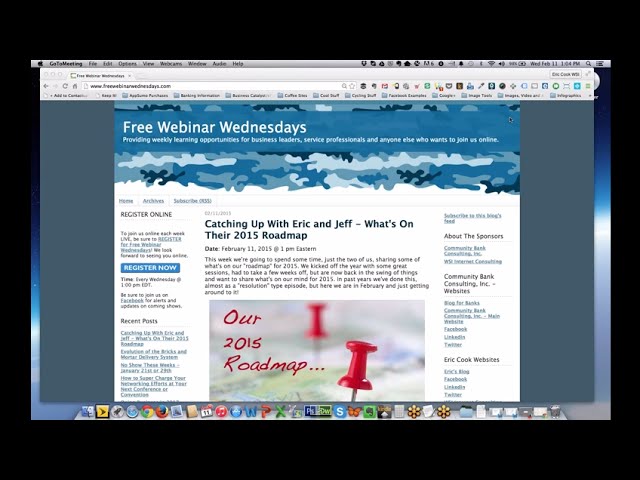
Eric Cook and Jeff Simpkins map out their 2015 priorities: systemizing teams across locations, adopting ticketing platforms like Zendesk, and building mobile-friendly sites as Google penalizes non-responsive design. They compare cloud storage options and discuss new tools for internal communication and local search optimization.
Chapters
Well, greetings everybody. Welcome to the Wednesday, February 11th, 2015 episode of Free Webinar Wednesdays. This is Eric Cook, and I'm with WSI Internet Consulting, where we work with businesses and organizations in helping them better understand and leverage the power of the internet as a strategic business tool. You can learn more about me and my business and what I do online at www.poweredbywsi.com. With me this week is my good friend and Free Webinar Wednesday partner, Mr. Jeff Simpkins. Jeff, say hello to everybody out there in Free Webinar Wednesday world.
Greetings everybody, this is Jeff Simpkins. I'm with Community Bank Consulting, Inc. You can learn more about me and Community Bank Consulting, Inc. online at www.communitybankconsultinginc.com.
communitybankconsulting.com.
Excellent.
So, uh, we have a show today without a guest, and as we were thinking about what to actually share on today's show, as I was looking back and kind of reviewing how we started the year, Jeff and I normally have a show at the beginning of the year where We'll share some of our New Year's resolutions or things that we're planning on getting done or new products that we're looking at or personal goals, that kind of stuff. We jumped right into 2015 looking out to 2017 with Mike Wise and then had a few other great sessions and we didn't get a chance to share any of that. In addition to kind of the local weather report that I think everybody is used to having as part of Free Webinar Wednesdays, which I'm pleased to say, still in Florida, still not in snow, and still warmer than you, Jeff, in North Carolina, but that's going to come to an end here soon. I thought we'd spend some time maybe sharing what's on our roadmap for 2015, some of the things for professionally as well as personally that we wanted to get done. Looking for feedback from the audience and what are some of the things that you want to accomplish in the year ahead. I tossed that out to Jeff and he said, sure, why not? That's our plan and we're sticking to it. As with all Free Webinar Wednesdays, today's session is being recorded and will be made available at freewebinarwednesdays.com. As I alluded to earlier, want to make sure that we get feedback from you all. If you've got a question or a thought that you'd like to share, maybe something that you're planning on trying to get done for 2015, we're also looking for great topic ideas and maybe other speakers that we can bring in. Because we've had a lot of great presenters share some really great information that I think has helped more than one Free Webinar Wednesday visitor. So certainly share that as well. So, Jeff, I don't know if you want me to put you on the spot or not, or if you're ready to jump into this, or if you want to hear about how sunny it is down here in Florida. But I'll let you take the microphone first if you like. Okay.
All right, since you described our topic as things we wish to accomplish in 2015 or roadmaps, one of my commitments business-wise is more systemization. So I have started the year out with a really strong focus on building templates, building checklists, really applying the systemizing principles in our business that we help so many other clients do. A lot of the tools that we've talked about for years and years, I'm really attempting to take it to the next level and using those tools. I continue to be a strong advocate of Google for Work, which is what the product is called now. My team is actually geographically in a number of different locations. I've got consultants that I work with that are located in the Southeast. I've got consultants that we're talking to about bringing on board in the Northeast. So we literally can be thousands of miles apart. We are really working on standardizing our offerings. We collaborate using Google Docs. We collaborate using Google Spreadsheets.
Beautiful. I would say standardization or systemization is on my list as well. I know one of the things that I'm looking at doing is implementing— and I'm not settled on a service yet. We do use Google for Work with a lot of the stuff that we do, especially when it comes to content and we need to collaborate. But I'm actually in the process of taking a look at— oh, I guess for lack of a better term, like a support help desk ticketing type platform. I think I've mentioned in the past that we use a variety of platforms to do project management. Probably the most popular that we use is Basecamp, but we also have a couple of projects that we do some stuff on a system called Asana. I've also got one of our partners that uses a platform called Wrike. Those are great for project management and we can use those for support ticketing, but when a client has a question or we need to get something organized on the inside, having a ticketing type platform I think is going to be a benefit not just to me but certainly to our customers. I've been looking at Zendesk which seems to be a popular one. But, you know, maybe we'll toss that out into the Free Webinar Wednesdays audience and see if there's any other solutions out there that folks have used for support ticketing, or even as a continuation of Jeff's comment with regards to, you know, systematizing things. Would be very interested to hear what, what others have to say in that respect. But Jeff, you got any, any comments on the whole support ticket kind of workflow process concept?
Yeah, I've actually been doing some research recently for a client. Zen is certainly one of the systems that I've looked at. Zendesk, you know, they have products that tend to be priced very effectively. They have products that You tend to get a lot of bang for your buck. What I found in my personal experience in attempting to use their products, and I also ran across this in a number of reviews online, is they often don't tend to be as user-friendly in the implementation as other products.
Interesting. So have you come across others in the ticketing space that are worth mentioning? Maybe we could go on A little tangent here.
Yeah, give me just a minute. I need to look at some notes. We actually— one client I'm working with, we've started implementation of a ticketing system.
This is when Eric hums the Jeopardy music while Jeff searches his computer for—
Oh, come on, Eric, you can think of something to talk about.
Yeah, I know, I know. So, well, while you're doing that, some of the high-level things that are on my list that we will be talking about, assuming we're not going to run out of time and we spend the whole hour chatting about support ticketing— going back to the power of mobile, particularly responsive design, and there have been more than a few blogs and other sorts of updates with regards to Google going out and proactively even mentioning or referencing to businesses that are using tools like Analytics and Webmaster Tools that, hey, your site's not mobile-friendly, you may be having some problems down the road getting listed because we think this is really important. We're going to chat a little bit about local presence optimization and consistency, and I actually just was certified recently in a new platform that's new to our business. It's been around for a while, so we'll chat about that and then talk about a new service that we're offering called the Digital Risk Assessment. We've Actually had a couple of banks, they're in the process of going through that. Deborah Gonzalez has been a guest of ours on Free Webinar Wednesdays before talking about legal risks of social media. That's kind of a dovetail. Then our friends over at Contactually, which is a program that you and I both use, have made some updates to their system that are making it even a little bit easier for me And that kind of plays off of your systemization, you know, trying to have information not necessarily live in one spot, but have it accurate across multiple areas. So if you're having to manage things in different areas, there's at least synchronization between that. And they've, they've done some things recently that have kind of tied that in and made management of the, I guess, the user flow a little bit better. Then the last thing, I guess if we've got time, I just want to talk about the continued evolution of the concept of social selling. Those are the things that I had on my list.
The ticketing system that we actually ended up deciding to at least implement on a test basis is Spiceworks, spiceworks.com.
Okay.
It is a system that you can run on your own, your own system. You can run it on your own servers. It is free. I believe their business model is they have some tools built in that will assist you in making purchasing decisions. And my guess is that they are getting a referral fee on when you use their system for making purchasing decisions. But the thing that we were looking for in a ticketing system included the ability to have tickets flow to various departments within the organization.
Yeah.
So one of the departments was IT. Another department dealt with online-type activity. So we needed it to be able to go to a queue where it would reach a level 1 support specialist. And be reviewed. And if that person has the ability to close the ticket out, they perform the action. They make the notes in the ticket. If there's any correspondence that's involved, they take care of the correspondence, and they close the ticket out. We, in this instance, needed to use shared resources. So the Level 1 support person, that would not necessarily be their 100% full-time job. So it was very important that we have a ticketing system that if the level 1 support person was not able to handle it, that they can very quickly escalate it to a level 2 or a level 3 person, and there would be queues available for that. We were looking for monitoring tools. So we wanted to be able to see the number of tickets that were coming into the system, the average number of tickets that got escalated, The period of time that escalated tickets were open and things like that. So we were looking for communication as well as reporting. One of the things that— it's come up a number of times when we've had folks on Free Webinar Wednesdays that are involved in project management or communication type discussions is how important it is to try to take email out of the equation for correspondence that is Less than a 1-up or 2-up, so for ongoing correspondence, the ability to have conversation threads and those type tools. So we were also looking for tools that allowed us to get away from shooting emails back and forth. There was a—
and it's interesting that you mentioned that. On LinkedIn recently, I caught a post that Ryan Holmes put up on LinkedIn. You can now create articles and you can do posts almost like a mini blog. And he talked about how Facebook for Work, which is Facebook's attempt at doing a social network that's private and restricted to an organization, is going to basically be the killer of office email. And I think I've alluded to WSI developing our own platform that kind of does that. But you know, the new generation that is coming into the workplace doesn't like email. I don't necessarily know if any of us that are using it really like email, other than the fact that it's kind of an evil necessity that we have to continue to use. But the concept of creating an internal intelligence network, and even Mike Wise when he was on our show that kicked the year off. Talked about how social collaboration in a workplace is going to become kind of the thing that businesses are going to have to do because it helps with productivity, it eliminates the email thread, you don't have people hitting reply to all, information is very easy to go out and have access to. You know, and even our internal platform that we call K2 is in the process of undergoing some significant updates because it's been in use now for the last year and we've learned a tremendous amount just just in the time that we've used it internally that is going to make it even more effective for us to be able to use it as that communication tool. I'm debating whether or not I try to find the article from Ryan Holmes and bring that up. If I'm going to be able to do that fast enough whilst talking.
I get a report from— email activity on my account. And to give you an example of how there's so much static in email, in January I sent 174 emails. I received 2,783 emails. Of those, the system classified 1,229 emails as spam. Yeah, oh wow. Very interesting. Email communication, I think to grab attention you've really got to be top of brain. It's got to be something that's hot on the mind of the recipient at the time.
Let me just do a quick little chat and see.
Oh, Ryan was one of our guests before, I believe.
I don't think we've had Ryan on the show. Would love to have him on the show.
Product name is very familiar to me.
Yeah, Hootsuite. So a little plug for our corporate team in Toronto at WSI. We actually landed I don't know if they approached us or we approached them or we approached each other at the same time, but we actually had some folks from HootSuite at our annual conference last year in Orlando— pardon me, in Boca. That's one of the productivity tools that we typically will recommend because it allows you on their free account to connect up to 3 different social networking platforms at the same time. You can post directly to Facebook and Twitter and LinkedIn from one seamless dashboard. Just kind of makes things a whole lot easier. But this is the article that I was referring to. If you just go in and do a search for Ryan Holmes, of course you got to spell his name right, which I wasn't doing. But on his page, it talks about Generation Facebook killing the office email chain. And there's a few platforms in here. I think a lot of people are familiar with Yammer. That's like a Twitter-ish type platform but owned by Microsoft that Is internal to an organization. We actually had a Yammer platform that we used for a while, and we kind of outgrew that, and which is why we decided to build our own. But there's a few platforms in here that I think are also ones that Mike Wise alluded to when he made, you know, because he had his 10 list of things that businesses need to do to stay relevant in 2017, and, you know, eliminating office email. was one of the big, big suggestions that he had, just because of the productivity and the efficiencies that are created. Now obviously you can't eliminate email outside of the organization because, you know, even though Jeff and I are Free Webinar Wednesdays, Jeff has his business, I have my business, and if we set up our own internal networks, you know, we're still gonna have to email one another. We still have clients that we have to email. But a majority of the communication that goes on within an organization could be facilitated through one of these internal social network-like environments. And when I read this article, the other thing that got me thinking is as businesses have— I don't want to say this and offend anybody, but as businesses maybe have older individuals in maybe senior management roles that might not be as adept at social networking as maybe their younger counterparts, having an internal social network-like platform that eliminates email but gets into things like sharing and posts and conversations and chat threads, I think the added benefit to that is you're going to help those individuals that maybe aren't active Facebook users or LinkedIn users to understand how that communication process takes place and become more comfortable with the overall concept of social networking really as a communications channel, not just as a medium for poking people and sharing pictures and funny videos about kittens. I think that will help in a comfortable and controlled environment get them some more exposure to this world of social networking that I think is not really going away anytime soon. If anything, it's going to just become more and more popular. Any continuation of thought on that tangent there, Jeffrey?
Yeah, a little bit. I mentioned this a number of times even in shows as recently as within the past few weeks. And that's just when we're interfacing with our external customers, it's so important to be aware of the need to be able to meet the customer in a way that is comfortable for them. And I'll give you an example of what I mean. In my company, I've been using QuickBooks Online Actually, since I started the company in 2008. QuickBooks Online has been, up until the last year or so, in my opinion, the best online accounting tool for small businesses that was available in the marketplace. QuickBooks made the decision to do a redesign of the product, and for me, it's no longer intuitive, and it's just— I'm struggling with it. It doesn't work as well as it once did in my business, which— caused me to go out and start exploring other accounting platforms. Well, I was very adamant in looking for an accounting platform that I wanted something that I, uh, that was an online tool, was a software as a service or web-based tool. It turns out that relatively recently, I don't know what the company name is now. It used to be Peachtree, and And they were an accounting software that typically was used for larger organizations. It's actually Sage. Sage.com is the corporate website now. But they actually have an online accounting tool now that is a competitor of QuickBooks Online. So I got some email solicitations that invited me to sign up for a free test account, and I was interested in doing that. But I had some very specific questions. One of the things that I have to be able to do in my business is to bill for expenses. It has to be efficient and effective. There are some other online accounting tools that I looked at. Xero is one of them, xero.com. Which I understand is a great tool, but they don't handle billable expenses well. So I wanted to check out this Peachtree product, and I kept getting emails, and I signed up for the free account, and I got an email back from the person that was supposedly my representative. I used their online tools to try to find answers to my questions about billable expenses Couldn't find it. It was too lengthy for me to type up in an email. I really felt like I needed to talk to somebody. So in these emails that I kept receiving from him, I got information that said, if you have questions, call me at— so I call the guy and I leave him a message. I call him a second time, I leave him a message. It was clear that I was working with someone who Who I would guess is 30 or younger. Well, I never hear back. And, you know, we talk about different generational behaviors a lot on this show. And I was, I was clearly attempting to communicate with someone that using the telephone would not be their choice of ways to communicate. But—
That's because you're old, right?
Because I'm old. Only a little bit older than you. So bottom line is they probably have a great tool that I would use, but because I didn't have a means of finding the information that I needed in a way that I needed to get it, they lost the sale. So I tell that rather long story just to— as a reminder, it's so critically important To make sure you know who your target audience is and make sure that you can effectively communicate with them. As much as I would love to never have to take an incoming phone call in my business, because of the type of business that I'm in, I've got to be able to do that.
Yeah.
That ties in with support ticket systems and marketing systems and so forth.
Back on it, you just jogged a thought on that. I'm going to ask it while it popped back into my head before I forget it again, because just like you, I'm getting older as well. On Spiceworks, is, is that intended to be more of an internal tool that an organization uses inside its 4 walls, or is this something that a Community Bank Consulting or a Powered by WSI could implement to allow customers from the outside via a web platform to be able to submit tickets and send work requests to?
I was not exploring a system that we needed to interface with external clients. It can be hosted on an internal platform. It can be hosted on your own hardware and network, or they can provide hosting. It is available at no cost if you're hosting it yourself. There are some very small ads that are very tastefully and not intrusively integrated into the screen. If you have them host, obviously, there's a cost for that. I know that Zyn actually does have the ability for external customers to submit tickets. A lot of companies that I do business with use Zyn and have customers submitting tickets that way. Spiceworks is very much geared— it's clearly developed by and primarily intended for IT groups. But I don't know, I'd have to do more research to be able to answer your specific question.
No, okay. Well, I kind of got the impression that it was more from an internal perspective. So, you know, back in the days when I was a banker and kind of ran the whole network operations side, and it was me for most of the time and then got somebody else, but Emails work great, but having some sort of a ticketing system to check the flows and all of the things that you rattled off, I think would have been nice to have had. But the days have passed where that's a necessity for me at this point. I need something more like a Zendesk that reaches out outside of the organization and gives more of a web-based approach. So cool. OK. Well, I'd say that was a pretty good little tangent, if I do say so myself. So cool. Well, at the top of my list, I had put mobile. So not that I'm pulling up my blog because I want everybody to read it, but I'm pulling it up just because it's probably the easiest way for me to get some of the links that I know are out there related to the topic. I wrote a blog post back in December on the importance of responsive design and other sorts of mobile-friendly issues. What Google is actually doing now is it's proactively visiting websites and More and more people are doing search on their mobile device before they actually go to the desktop. And not only is Google changing its algorithm to give better ranking power to sites that it recognizes are mobile responsive, but it's actually starting to put mobile-friendly in the mobile search results. Now, you're not going to see this in a desktop search because If you're on a desktop, you really don't care if the website is mobile-friendly. But if you were to go to your iPhone or your Android, whatever mobile device— and this is a bank that we work with up in Charlotte, Michigan. And a little side note, it's funny, when you're in Michigan, it's Charlotte, but when you're in North Carolina like Jeff, it's Charlotte, but it's still spelled the same. So, but when you're doing a search for bank in Charlotte, Michigan, you can see Union Federal comes up and You can see Google has visited the site, and this is not something the bank or us as web providers have put in. This is something that Google inserts on their own. And what I suspect is happening kind of across the board is consumers are going to start seeing this, and if they don't see mobile-friendly, they're going to continue scrolling and they're going to look for sites that are mobile-friendly because they think Everybody has gone to a website in the past that's not mobile-friendly and realized what a pain in the backside it is to try to get any information. You pinch, you zoom, and you scroll. We've had several shows on the importance of mobile formatting and mobile friendliness. In Google Analytics, there's ways— and this is another screenshot from the same blog post— if you've got Google Analytics installed, which I strongly suggest that you do, You can go into your audience and overview, and you can actually take a look and see what percentage of visitors are actually coming to your website on a mobile device. I like to click on the pie chart graph because it makes it a little bit easier to read. But now you've got a visual representation of, you know, where people are coming from and how long they're spending on your site. And if you've not visited your site on a mobile device, you're probably overdue in making sure that you do that so you can see what's going on. The mobile friendliness, I think, is something that's going to be even bigger now because I've seen some reports, even the big websites, the more popular ones that are out there, are less than, I think, 10 or 11% of websites for the more popular ones are mobile responsive. And so as part of this article, what I did is I also created a hyperlink to Google's little mobile-friendly testing tool. And so this is one— actually, I was at a conference a couple weeks ago down at Key West, and I took every bank that was there and I ran their website through this mobile testing tool. And out of the 25 banks that were represented, there were only 3 websites that actually came back as being mobile-friendly. And so what you can do is, I'm just going to continue to use that example for Eaton Federal Savings Bank that was in the screenshot from my blog post, but plug in your own website address and then run it against this and analyze and see. And then take your competition, take some of the big players in your industry and see if their website is mobile-friendly, and if theirs are and yours is not, you've got some catch-up. If yours is and theirs is not, then congratulations. If neither of yours comes back as mobile-friendly, you've got an opportunity to set yourself apart and try to go after maybe some opportunity because Google is paying attention to this. I mentioned kind of in my— here's what I'm going to talk about. Google Webmaster Tools is another platform that a lot of businesses will sign up for. They'll register the domain domain. What Webmaster Tools does is it helps you identify formatting issues, broken links, sitemap, a lot of other helpful things as a webmaster. Those sites that are connected to Webmaster Tools are being checked, and if your site has problems, Google is proactively sending messages to the contact email addresses that are on file to say, hey, you've got some problems. We have some clients that we've been managing sites for, for a number of years that haven't gotten around to budgeting for a website makeover, and we're even starting to get some of those messages that say, you know, you've got some usability problems. We see more and more people that are using a mobile device. People are searching for you. They can't find you. It's becoming an important issue. Last year, allegedly was the year of the mobile device, but I still think 2015 is going to continue to be really mobile-influenced as to how your website's going to perform on these smaller screens. Because the majority of the searches start here but then carry across into the desktop or maybe on a tablet. So you're actually looking up information and doing your You're browsing on 2, sometimes 3 or 4 different devices. Any thoughts on that little blurb, Mr. Simpkins?
I'm sitting here background processing websites on the Google mobile-friendly test tool. I'm finding out there are very few mobile-friendly websites. That are mobile-friendly by Google standards. Yep.
Well, and even, you know, it's no secret you and I do a lot of work in the banking sector, but even some of the very large bank websites that you would think, wow, these banks have got literally hundreds of thousands of dollars to be spending on technology, it's surprising that they're not putting that forward. There's options that some are doing, maybe some old school where, hey, download our app, or then they can click and go to the regular website, or maybe they have a mobile version. Google prefers a responsive website for, I guess— maybe let me just make sure everybody's on the same page. As to what a responsive website really does, but Google prefers a responsive website for a reason, because it creates consistency in the index by only having really, you know, one set of, you know, information that it has to remember. So for example, let's say I go to personal loans for Eden Federal Savings Bank. A responsive website You know, has the ability to adjust intelligently. So you'll notice when I get to a point where it's small enough where you're probably on a small device or a phone, you notice that the left-hand navigation disappears. And you notice that get the mobile app, we've got a link that appears up above the logo. And the thing to keep in mind, however, is that the actual website address eatandfed.com/personalloans or yourbusiness.com/yourproducts, that remains the same. So Google only has to remember one URL. There's one set of content. It makes it easier for you as an administrator of the website to make a change in one spot that's going to hit every single device. And, you know, that's the big reason why. Plus Google just recognizes based on its countless vast inventory of statistics and performance that everything is basically— people prefer that type of a platform. They like to have the smaller size reformatted for them so it's easier to read, not having to tilt and twist and do all that kind of stuff. So that's kind of the— and you can test the website to determine if it's mobile responsive by just clicking and dragging and moving it around and seeing if the information shifts and adapts. I don't know, Jeff, if you want to throw a website out. I don't want to throw anybody under the bus and pick a website that's maybe not mobile responsive, but you can certainly do that testing yourself just to see. If there's others out there that aren't going to respond to the mobile.
Anyway, so there. That was—
let me go ahead and close that out. What was next on your list, Jeffrey? I know I've got a couple of other things, but I think we'll take turns. It's back to you.
Well, this ties in with systemizing. This is an ongoing project and awareness, and this ties into our workforce and clients being all over the place. And that's just continuing to look at and evaluate tools that we can collaborate easily— Google Drive, There's been a number of articles published recently about the storage space wars. It's very interesting. Box.com originally was Box.net had some really competitive advantages, some awesome features built into their design. They've always been heavy on price, and it would appear based on what I read that they, they are losing the storage war game to some extent as a result of their pricing strategy. Google Drive is very user-friendly, very inexpensive. You are more of a Dropbox guy. I know there have been Some changes to Dropbox recently. I noticed you posted something, I think it was over the weekend, on Facebook of a tool that allows you to combine all of your free storage accounts to get a tremendous amount of online storage for free. So I'll stop and let you talk about a couple things related to storage.
Well, you know, we— I tried Box. And I see Office 365 is up here as well. But I tried Box, and I think I still have a free account with like 2 gigs or whatever they give you kind of at the initial, but never really pursued it much. We do use Dropbox quite a bit, and we do use Google Drive. And I think it's probably more just a lack of time or necessity at this point to combine into one platform or the other. And I'll be honest, if I had to choose, I would go with Google Drive just because like you, we're a Google for Workshop. We've got corporate Gmail, corporate calendar, corporate contacts. It's synchronized with a bunch of other platforms like Contactually and AwayFind and some of the others that we use. But the Dropbox, it's almost a logical split, if you will, because there's certain elements of the business that I don't put out on the Drive, not because I don't trust it or because I don't want to, but because some of those things I need to share more internally. My wife does the books and she takes care of kind of like a lot of the backend information. And so We had started doing Dropbox for her information that needs to be seen and shared, and that has worked out well. I kind of don't want to upset the apple cart and try to make a change when things seem to be working right. I know I could probably save a little bit of money if I were to shift everything out of Dropbox into Google Drive, but at this point, the pain point really isn't there for me to force that. Now, if Dropbox came out, they just doubled their storage and remained the same for the cost. I think I've got a couple of terabytes worth of storage. I've got over a terabyte available on Drive. I don't think I'll ever run out of storage on either one of those platforms. Unless their pricing does something really wonky and it makes it cost prohibitive, I think we'll probably end up still keeping the separation. And I've even heard, and maybe it was even you that I was talking to, where you can set up a web-based storage plan to back up a web-based storage plan, which is backing up your physical hard drive. So you've got cloud backing up cloud backing up hard drive. So you want to talk about like ultimate redundancy. Because we're also using CrashPlan for online backup, which grabs everything off of the computer. Because we have Dropbox synced and Drive synced, essentially we're having that cloud backing up the cloud backing up the computer. I've been in situations before, and I'm sure you have, where something breaks, something fails, and you lose information. And that just outright sucks. And I'd rather have things in 3 or 4 different spots, but making sure that it's being synchronized, which refers to an earlier comment that I made, so that you don't have variances of versions and you get into version management, which is a real pain because that's almost worse than not having it, is having the wrong information when you think you have the right information. So Yeah, so are you still using like a Carbonite or a CrashPlan type service, or are you just allowing Google Drive to maintain a backup of everything for you from this point?
No, I still use a backup service. I've started using the Apple Cloud Storage for some things. For example, if I'm working in Pages, or one of the Apple products on something on my Mac, I'll go ahead and store it in the Apple Cloud. Like most things Apple, their storage, or iCloud Drive is what it's called now, like most things Apple, their storage is overpriced when you compare it to other options that are available. But one of the things that I tend to do I do use the tool with Google that allows me to mirror information out on Google Drive and on my Mac or PC at the same time. And one of the ways that I've started sort of ensuring that I keep copies of everything that I do is that I will put it on a Google Drive folder that's on my local machine, which of course mirrors it out to Google Drive. I'll leave it on the machine long enough that it gets backed up using the backup service, and then I'll move it on Google Drive to a folder that's not mirrored on my machine.
Hmm.
So I literally almost go in and empty my trash on my local machine every day or so just to keep it clean. But, you know, I've got good backups of everything that I do.
Interesting.
I still use CrashPlan. You know, I always liked Carbonite, the service that you and I both used before CrashPlan came out. The biggest reason that I've stuck with CrashPlan for now Is because CrashPlan stores every file that you've ever backed up for as long as you've been on the service. That's probably overkill, but Carbonite does not do that. They purge your files after a relatively short period of time. Yeah, yeah, there's a—
when you've got the storage accessible to you, it's nice to be a digital packrat because I've had to go back a number of times and find something from my past. You make a good point there.
It was interesting. I had a reason recently to— well, I was searching for pictures of one of my dogs. I knew I had some pictures stored out on Google Drive. His name was Buster. And so I just did a search for Buster, and I found that I had taken a picture of a license tag a number of years ago with my phone, and it had gotten uploaded to Google Drive. The indexing capabilities of Google Drive are so advanced that it actually pulled up that picture of a license tag that said Buster on it as part of the search results.
But the file name didn't have Buster as any reference. It was just Buster was spelled out in the actual photograph?
That is correct. The license tag in the picture said Buster, but there was no file name and there was no, there was no text, you know, computer-generated text. It was literally picking up Buster from the image of the Wow, you know that, and it's kind of fun.
We haven't had an ad hoc show like this in a while, so it's good to flex your brain every once in a while and think on the spot. You just made me think of Google Translate, the app for your phone, and I don't know if you've ever seen this or if you've used it.
I use Google Translate on my MacBook all the time. I've never used it Well, that's not true. I have used it on the phone, but not much.
So let me see if I can find the app here real quick.
It's somewhat gotten me in trouble before. I have been communicating with someone that's located in a non-English speaking area, And I would go on Google Translate, type in what I want to say, and send the message. And of course, you know, Google Translate's not perfect. I think in many cases it may phrase things as a non-native language-speaking person would.
Yeah, exactly.
Like David Sedaris says, me talk pretty one day.
Well, one of the things that I just recently rediscovered on Google Translate is if you have the app installed on your phone, when— it doesn't work for all languages, but for a lot of the languages, what you can actually do is you can enable your camera and you can point your camera at a sign or, you know, anything that has text on it. And based on your translate settings, it will give you an actual live real-time version of the text that is actually on that sign. So this is the example, and I didn't believe it. I I'd heard about it, just kind of ignored it, and then I was listening to a podcast or saw some article and I was like, wow, I'm gonna just try that just for giggles. And it was almost spooky because it went through and just like you can see here, it pulls that up, looks at it, and then replaces it in live time. And you can save other phrases, you can speak in the actual app and it will actually do voice recognition and then Based on whatever language you want. It'll give you the written version as well as actually say it for you. In some of the databases, you can even download to have them local. So if you're traveling outside of the country and you want to be able to have it, but you don't have cellular connection or a data connection, you can save that. Got to have storage capacity, obviously. But, um, yeah, it was— I was kind of re-blown away with what it actually has the ability to do.
You know, while we're talking about cloud-based solutions, and this ties into our Google for Work and cloud-based storage capabilities, I think it's worth mentioning that Amazon Web Services has a product that appears to be a competitor of Google for Work now. And I posted in the chat a link that I think may be—
Yep, pulling that up right now actually.
And one of the things they're going to have to do much better is they're going to have to make their service easier to find and do a better job of not mixing it in with all of the other unrelated solutions they have. But I can't even find the pricing on this page that we're looking at. But if I remember correctly, it was free for a period of 90 days or something like that, and then it was comparably priced to Google for Work. So there, there are some additional options in the cloud-based business solutions. Are we good now?
Okay. Well, I know Microsoft with their Office 365 has been pushing that out to the web. I've got a few friends that, not that they're anti-Apple or anti-Android or Google, but they just have settled in and they're very comfortable in the Microsoft environment. I'm excited to see what Windows 10 is going to end up turning into. And I've been pleased with Windows 8 as an operating system. I like the concept of what Microsoft has done to blend the touch and the type interface. And I don't know if Apple will ever get there. It would be great if they did. But you look at some of the devices like the Yogas and others that are true tablets, but they're also laptops. You know, they're really the only one that has that capability at this point, so it makes their cloud-based, you know, application that much more attractive because, you know, their operating system is, I think, stepping up its game.
You know, Greg McPherson pretty regularly reminds us that Apple does not walk on water as many people say they do. And that's not to say I'm not a huge advocate of Apple and their products, but there are some things that they just don't do well. And they just have not— they just haven't embraced some of the cloud services as well as companies like Google have. Something very simple that I've noticed That I just, I scratch my head and wonder how they could get this wrong. When I receive meeting requests from folks that are using the iCloud services, they, you know, I can't reply to them because it's got a generic address that it comes from. A lot of times they get marked as spam and those types of things. So it's, it's really interesting to You know, observe how companies do some things exceptionally well and then other things they just don't get it.
Yeah. So here's that yoga device that I was talking about. And, you know, I would so quickly gobble up a version like this for a Mac that had the ability with a piano-style hinge and the ability to flip around and the touch interface. But if I were to get another computer, I would look pretty seriously at this because you can get it beefed up to mimic a very high-powered laptop. You can pair it with a docking station and get some nice mobility along with it. But also still not really compromise on power. And that's my biggest concern about these smaller micro tablets is because I am such a digital packrat and have a lot of information because I do synchronize a lot of the Google Drive stuff down and the Dropbox stuff. You know, I can see me being fearful that I'm not going to have access to what I need on my local drive at some point down the road. Didn't realize that Ashton Kutcher is— looks like that's who it is, which is kind of funny because if I'm not mistaken, didn't he play Steve Jobs in an Apple movie?
Don't know. I think he did.
So getting the screen version of Steve Jobs to promote the Yoga 3 Pro, which is obviously not an Apple product. That's a pretty good— unless they got a really good body double and that's not really Ashton Kutcher, but it looks an awful lot like him. Anyway, I don't know if anybody in the chat room has thoughts on that or can confirm, but yeah, I think he was Steve Jobs in one of the recent Apple movies.
We've talked about this for an hour.
Yeah, we did, and I didn't even get to some of my other stuff, which I guess we'll leave us an opportunity for a future show. Anyway, this is a good time to catch up. I think we shared some pretty interesting sites. Spiceworks is one that I had not heard of before. I don't think we can ever really talk enough about backup and storage and the whole mobile idea. I think all those things hopefully were beneficial to folks that were able to join us or are able to listen to the recording.
So cool.
Well, with that, Jeffrey, I think we'll bring this one to a close. We are right at the top of the hour, so it was, it was good to have the conversation with you, and we'll look forward to our next show together.
All right, have a great week, and thanks for listening in, everybody. Cool.
Thanks everyone. Have a good week. Bye-bye.







