
Free Marketing Tools for the DIY Digital Marketer
Eric Cook walks through free and freemium marketing tools for DIY marketers, demonstrating CoSchedule's headline analyzer, Hemingway's writing checker, Zapier for automation, and roughly 100 others. He covers social schedulers, SEO tools, email platforms, and video recorders, with tips on Black Friday deals and choosing tools that solve real business problems.
Chapters
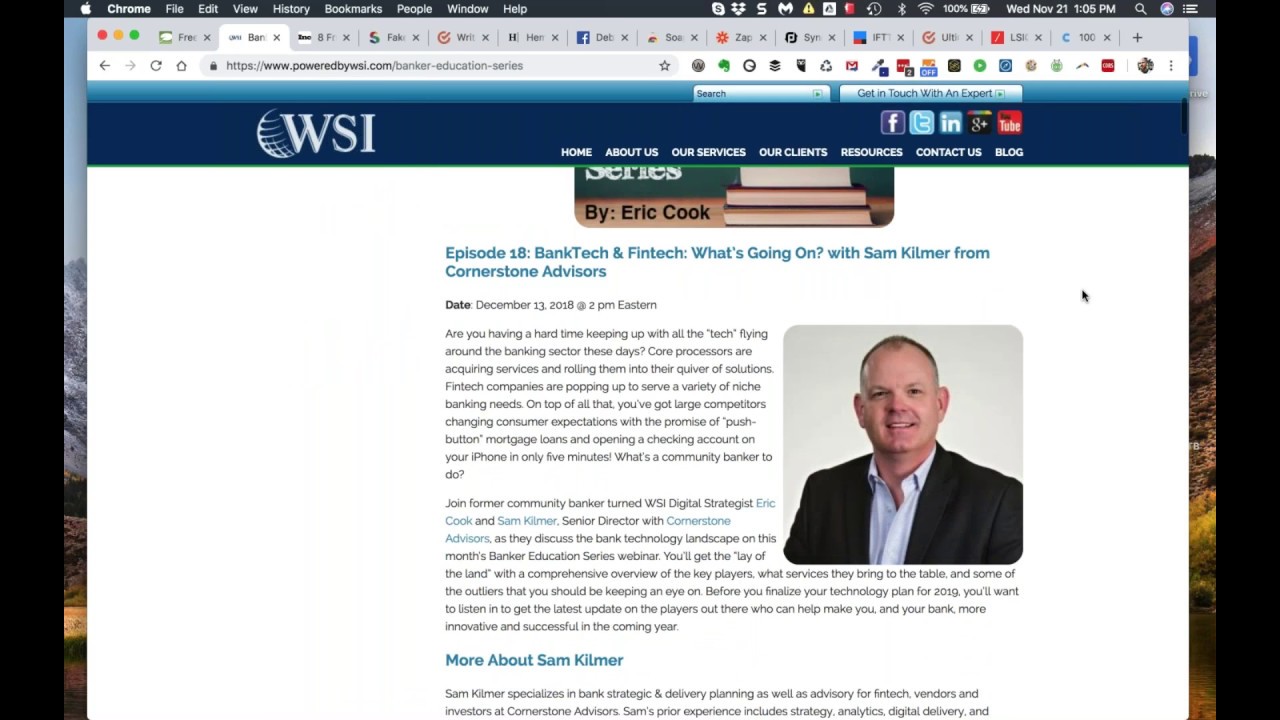
Greetings everybody, welcome to the Wednesday, November 21st, the day before Thanksgiving 2018 episode of Free Webinar Wednesdays. This is Eric Cook with WSI, where we work with businesses and organizations helping them better understand and leverage the power of the internet as a strategic business tool. Hop on over to poweredbywsi.com To learn more about all the fun stuff we get to do here as a digital consultancy slash agency and get in touch. Today's show is being recorded as all Free Webinar Wednesdays shows are, and if you've got a comment, question, or a thought that you would like to share and you are visiting live, please feel free to use the chat function that probably is sitting somewhere to the right-hand side of your computer screen. In the chat window area there and let me know. Today got a couple of things. I know here in the States, and we have an international audience here at Free Webinar Wednesdays, so there may be some folks who are not going to be celebrating Thanksgiving like we are here in the U.S. A majority of my Canadian friends that I've been able to speak with over the last couple of days have been very gracious in wishing me a Happy Thanksgiving for tomorrow, as I did for them. several weeks ago when they celebrated their Thanksgiving. Although I have heard a couple of my Canadian friends are gonna do a little double dipping and they're gonna enjoy a nice turkey dinner tomorrow anyway. So enjoy maybe your second Thanksgiving, who knows? Depends on where you're at, no judgment here. So we're gonna talk about some more tools. During our show last week, I shared with you some tools that We're using here within our business that are beneficial and create efficiency, and a majority of them are free to use or have a freemium version where you can use them on a limited basis and to be able to use those and just try them out and see what you think. And then if you like them, you can go ahead and maybe pay for the subscription and actually, you know, take advantage and unlock all of the benefits that they have to offer. So we're going to spend some time I've been using a couple of clipping tools as I browse around the internet and taking a look at various places that are aggregating news for me and saving those in a special area, labeling those specifically in my Gmail. So I've got a good steady stream of content that gives me some inspiration of things to talk about. So we're going to walk through an article that recently came across my screen. From Inc. magazine and go through 8 of those tools. And then I've got one other ginormous infographic that I'll share at the end that's got— and as if 8 brand new tools aren't enough, I've added a few to the 8, so there's a little more than 8 from the Inc. article— but another infographic that basically presents 100 marketing And digital tools that you should put on your radar screen to give them a shot. So I'll load you up. So when you're going into the holiday break and you're planning on taking a little time off, this is going to give you some good things. And if you're like me, maybe you are, maybe you're not, maybe you prefer not to deal with computer stuff during your downtime, but I always like to hop on. Try new things out, learn about new stuff. It's always kind of fun. Kind of drives folks here in the office a little nuts because just when we get settled into a specific tool, I'll find one that might have a new feature or different functionality. And I'll say, hey guys, what do you think about this? And they'll all just kind of roll their eyes and go, really? We were just getting used to the other one. So sometimes that works, sometimes it doesn't, but it's always good to take a look around. Things change pretty quickly. Before we officially jump into that though, for any of you that are joining from the, from the wonderful world of banking, I just wanted to make sure to remind everybody of a webinar that I've got coming up in December with Sam Kilmer from Cornerstone Advisors, the creators of the Gonzo Banker blog, and just all-around excellent firm, great strategic insights, really plugged in. So Sam, And I go way back. We've known each other for quite some time, and we're gonna chat about bank technology, fintech. And I think, as I said during last week's show, even if you're not a banker, chances are you have a bank account. And chances are your bank or your credit union is interested in implementing technologies that makes it easier for you to manage your money, control where your finances are going, plan for the future. And so this blending of banking technology and fintech outside of the box, basically technology is starting to trickle down and consumers are starting to see where the lines are being blurred and convenience is being created. And from a community bank's perspective, sometimes it's a little bit of a challenge to make sure that you're on top of where everything is going and what players are there and what services you should be thinking about using in order to serve your customers, or if you're a credit union, your members. So Sam and I are going to spend some time just chatting about where banking technology is headed and the influence of fintech, and he's been doing a lot of research in the space, so I'm pretty excited. So you can go to poweredbywsi.com, and if you just put in, uh, BES for Banker Education Series, that'll just automatically redirect you to our Banker Education Series page. And if you scroll down, you'll find this Big green button to register for the webinar, and you can reserve your spot. Look forward to seeing you in December if you are able to make the show. While you're on this page, if there are other things that might spark your interest, we've talked about content, we've talked about cybersecurity, we've talked all sorts about different things. There's a variety of pretty great, I must say. Interviews with some really, really smart people, way smarter than me. So spend some time, browse around, see what you think. And if you're interested, you can hit up that email reminder and get on the list, and we'll make sure as future shows come along, we get you an invite. So on with the show, as they say in Hollywood. Not that I've ever really been in Hollywood, but I suspect that's probably what they say. So here's a Here's the article that I referenced from Inc. magazine, and I find a lot of great information from Inc. magazine. I've got one of the examples that I do in LinkedIn training where I found an article on Inc. that talked about the 5 things successful people do every Sunday. And so I was reading articles on a Sunday, came across that article, posted it out to LinkedIn. Funny part was number 4 said successful people disconnect from technology on a Sunday. So it was kind of ironic that here I was bragging about all the things that you should be doing on a Sunday, and one of those was disconnecting from technology, and I was using technology to share the article. But it had some really good notes, and I used that as an example of a way to share an article out to LinkedIn and how to generate interest. So Bookmark Inc., they've got some really good stuff. But this is a great little article that talks about 8 items, and I've got each one of these actually pulled up in their own individual tabs as well. So we can kind of check those out and see kind of what shows up. Let me just scoot this one over here a little bit. I see that one's out of order. Hold on one moment. So I'd like to walk through the article first. Just to give you a brief overview of kind of what they're talking about, and then we'll pop over to some of them. I'll be able to test a few live. I'll be able to just give you a little overview for a couple of them. And then assuming that we'll have some time, I'll go ahead and I'll show you that big 100 tools infographic. You can go ahead and snag a copy of that, and then you know, play around. So first one is this headlines analyzer. Just like a newspaper back in the day, the better the headline is, the greater the chance that somebody is going to be pulled in, want to read the rest of the article. Well, that's very similar from an SEO perspective. You need to make sure that your headlines are descriptive and they're keyword-rich, but you also need to make sure that they are attractive and enticing enough for the visitor that's coming to your site to actually want to read more. And so whether you're doing headlines for the actual articles and content on the page, or if you're doing headlines for a blog post and you want somebody to click in and actually read more on the blog post itself, understanding how a headline impacts your readability is a great first step at making sure that people are going to be paying attention to the content that you're writing. Next one is your influencer research. There's a tool out there from SparkToro, which I've used a couple of times, that looks at your fake follower count within Twitter. And unfortunately, that's just one of the, I guess, things that happen. There's a lot of fake accounts that get created on Twitter to data mine things and to influence numbers and all sorts of other reasons that To be honest with you, I'm not exactly sure why fake followers even exist because I don't really understand why they're even benefiting things. But you can take a look at this and this will give you a way to analyze the followers that are on your account to determine whether or not those need to be just disconnected or reported. The next one is a way to write better. I talked about Grammarly on, I think, last week's show. And while that's a really great program that I've used for many, many years, I found that it was actually causing some problems with performance on my computer. So I disabled it and uninstalled it. I have not switched over to Hemingway, but this is another platform that is very similar to the Grammarly system. So if you're looking to become a better writer and get some suggestions, different ways to break up long sentences, which sometimes I tend to do, I like to tie things together with commas and parentheses, and that may not necessarily be the best way to really communicate in writing. Hemingway might be a cool little tool. We'll share that. Facebook Sharing Debugger. This is a cool little tool if you've got content on your website that you are wanting to share out to Facebook. It used to be back in the day, and I'm doing air quotes with my fingers that you unfortunately can't see, but it used to be back in the day when you posted stuff to Facebook, it gave you more options with regards to associating a particular picture, controlling a little bit around the imagery that goes along with the link to post that you're sending, and that functionality is more and more difficult, if not sometimes even not even possible to do. And so one of the things that they suggest is using this sharing debugger that gives you the ability to go out and actually pull in a pre-post of something that will give you a preview of what image is gonna be pulled in, how it's going to look. And if you share it through this debugger process, it's going to make sure that when you actually share the item out to Facebook, it's going to format and look the way that you want. So that's kind of a cool feature. Next, we get into a little bit of video stuff. So there's a couple out there that I'm familiar with. Wistia is one. They've got a dedicated platform for video hosting, but they've got a little Chrome plugin called Soapbox. There's also a tool that we've started using here from a company called Vidyard called GoVideo. And you can see I actually have that installed in my browser. Got this little alien dude up here. And so I can click on that and that activates my webcam, it shares my screen, and it gives me to do some video stuff. These are interesting little tools that you can use that allow you to create short little videos. You can attach them or include them or embed them as part of an email that goes out to some A recipient. So if you're sending along a proposal or you wanted to share, you know, some information or you wanted to do a little quick little walkthrough, you can go through and actually create these little videos. Your camera comes on, it gives people the ability to see you. And so a lot of people are starting to use these as the sales process. So when they send their proposal along, they'll be able to then provide a little bit of an intro. That can say, you know, hey Gary, here's some information that we had talked about. I've got the proposal ready for you. You'll find on page number 3 where we go over pricing, or these are the different services that we had discussed. And it's— if you can't be there in person to deliver the message and you want something that's a little bit more personable than just a regular email, these little Chrome plugins with video capability are becoming quite popular. Next, we, we go into the automation process. They mentioned Zapier, which I think is a great tool. I'm going to share with you 2 others. One is called PiSync, which we're actually using here at WSI to synchronize data between our Google Contacts and our marketing automation platform called SharpSpring. And then I've talked a number of times about another automation platform called If This Then That. So Zapier, PiSync, and IFTTT. There's marketing dictionary, talk the talk, make sure that you understand what everybody's saying. And, you know, I think that's just kind of a— somebody says something, maybe if you are in the marketing space, this could be an area that you just want to make sure that if words and phrases that you use show up here, Might be a good idea to slow down a little bit and make sure that when you say things to other people that aren't fully immersed in the marketing world, that you take a step back and clarify that. I oftentimes had to remind myself to do this when I was a banker because we have all sorts of banking terminology that we're familiar with internally. I don't think it's just unique to the banking space. But basically any business, any industry has their own set of jargon, and you just need to be really careful when you're talking to somebody that doesn't live and breathe that 24/7, 365, that you open yourself up to ensuring you're being very clear on what all that means. And then the last item is the LSI graph, which is the latent semantic indexing, which is kind of tied back to search and how content is being indexed by Google and being seen. So So I'm just gonna take a quick peek over to my chat window because I see that I have a question here. So hold on just a quick second while I take a peek at that. So Gary indicates Hippo Video rated good as WISTA is on sale, $49 lifetime subscription on ShareASale. Share share S H A R shareawareonsale.com. Cool. Shareawareonsale. Thank you. It was a little hard to see. Shareawareonsale.com. So yeah, we'll definitely have to check that out. And you know, it might actually be good timing now that you mentioned that going into Black Friday and Cyber Monday. Some of these tools might actually have. It's Shareware, not Shareaware. So Shareware on sale. I'm just going to go ahead and do a copy paste. We're going to pull that up here real quick. So while I'm saying that, so you may be able to find some great deals on software and technology as part of the Black Friday Cyber Monday. I know a lot of platforms, sometimes I'll get special offers where there'll be a typical $39 a month But you can pay $179 for a lifetime subscription and it includes all the updates. And looks like that's not really working. sharewareonsale.com. So anyway, we'll, we'll see if we can get that nailed down and make sure we get the right URL for that. So Deals, shareware. Let's see, now we've got this. This is one of the joys of a live show, folks. You just get to watch me stumble through hyperlinking and all sorts of other fun stuff. So there we go. Coming up now, shareware on sale, the deals. So Hippo Video, Here we go. Lifetime subscription, considering it would potentially cost you $2,450. Now, sometimes I have to wonder, and I'm sure people probably can agree, do they really sell this at $2,400 for a lifetime subscription, or is that just semi-inflated in order to put that out there to make it look like it's super, super valuable? But the reality is $49, I mean, that's almost like throwaway money to some folks because I've spent way more on way less in my day. So thank you very much for sharing that, and I'll be sure to go ahead and toss that, although it looks like this is just a short, a short option. But I know Mashable also has a pretty cool little software directory. AppSumo is another area where I'll typically go in and pay attention and they'll offer little discounts and cool little programs. So you can find some pretty sweet deals in those areas as well, which is, which is kind of cool. So, so let's, let's kind of crawl through some of the, the examples here and we'll, we'll go through and we'll start with the headline analyzer. So I went in and actually played with a couple of these already. And so before CoSchedule will actually give you the first result, you have to provide them with your little information. So I had to put in my name, email address, organization, my role. So it was doing a little bit of profiling. And as is most of the time, if you're not paying for something, you are the payment. And in this instance, CoSchedule has created this cool little tool as a little bit of a lead gen, and I'm sure that they've got a lot of other really nifty little programs and software solutions that they'd love to sell me. But for right now, I'm just using their little headline analyzer. So I first started off with something really basic that I kind of thought was gonna be meh, okay, but not super great. I just went in and said, well, what if I created a headline and I just did on-site LinkedIn training for your staff? We're starting to do more of that for our clients where we'll roll in and actually do a full-day LinkedIn training. That came back with a score of a 61. So I said, well, maybe— and I went through and I looked at some of the feedback. What if I did LinkedIn staff training that produces results? So now I've got a little bit more of an action orientation to it. That went up to a 62. So now I can see, hey, I'm headed in the right direction. I'm starting to move the needle. So then I went in and said, what if I were to put some sort of a question as part of the headline? So maybe it's even more inviting. It pulls people in. If you were to read, how to get the most out of your LinkedIn networking activities, that might be a headline that's going to pull you in and make you want to read, because maybe that's a question you're asking yourself. And as part of the content of that, to say one of the things that you might want to think about doing as part of your LinkedIn networking activities is bring in a trainer, talk about things, get examples, understand, you know, the various elements of your LinkedIn profile. So playing around with this, you can see how you can kind of walk through and get those numbers to improve little by little until you get into the 80s or the 90s. Now, according to this tool, you've been able to generate a pretty awesome way to be able to to get some really good articles and to have some, some engagement and some information. So if we scroll down on this, this is going to give you— and of course, here's, you know, scheduling a demo. So they're doing a little bit of gentle cross-selling, which good for them. This is going to give you a little bit more information how to get the most out of your LinkedIn networking activities. So you can see word balance, common words, uncommon words, some emotional stuff. And then power words. I don't have any power words in there. So I got to figure out maybe how to get the most out of your LinkedIn. Um, you know, maybe you were, you throw in an awesome or great or amazing, uh, something along those lines. But you can see as I scroll down, put some of the hover overs, it's actually analyzing the headline that I created. Um, so it's a how-to headline, some length analyses, some other tips. So just, you know, might be something kind of cool if you're in copywriting or if you're spending time generating ideas for blog posts or other sorts of information that you can share with folks. I think this would be a pretty cool tool for you to go through and check out. They've got some social engagement here. So if you wanted to brag about that, you certainly could, which further ties in your social profile. And so I've not spent enough time to really figure out for some of these what their endgame is, but I suspect they've got some sort of a service that they can bring in for an agency that's going to give you the ability to maybe do all of this and then some. A whole lot faster and a whole lot more efficiently. So that's your headline analyzer. We pop over to fake followers audit. Let's see. Let's see what we've got for some fake followers over at Eric Cook. So we've got this API. I'm going to go ahead and authorize the API. Hopefully we can. Yep, we're logged in. I thought for a minute there that my Twitter multi-factor login authentication was going to kick in, and I was going to have to go through and get a text message. But we'll, we'll take a look and see. So you can real-time going through analyzing the followers. Looks like we might maybe just come back to this guy, although it's going pretty quickly. So looks like I've got about 17% fake followers, which is a little less than average, which is good. So I'm happy about that. You can kind of get an idea of quality distribution, walks through, gives you a little bit as to what's going on there. You know, they've got a Spark Score, which is probably very similar to LinkedIn's Social Selling Index, or if you're familiar with any of the cred scores that were out there. So I could click on this and run a full Spark Score to get me an idea, and this will just run through and give me an analysis of what kind of Twitter activity I'm doing. But this might be kind of a cool little service that you could use. As you can see, you know, I maybe have some action items that I could take as a result of this. Probably some other analysis information that I could dig in to see if I could figure out who those folks are. But, you know, some other free tools that I might be interested in exploring. Next item on the list was the Hemingway. So I'm not going to download the app, but I wanted to just share it with you just to give you an idea of how this actually works. Again, was using Grammarly, disconnected it, but the Hemingway app, this gives you color highlighting on things as you look through, and then you've got some grading that goes on. It does your word count automatically. You've got the ability to show some of that with letters and characters if you're doing anything that's restricted to the number of characters, whether you're writing content for an advertisement or an SEO, you know, title or a description, that's also nice to have. And then you can see we've got some color coding that goes on. So talking about, you know, use of adverbs in the passive voice versus the active voice. So this gives you a little bit more insight as to how you're writing. When I see this, this brings back the, the word structure diagrams, graphs I did in high school English. So depending on how well you enjoyed high school English, this may be a good or bad experience. But if you're looking to be able to be a better writer and use some things a little bit you know, more efficiently, this can give you some really good ideas as to how you may be able to improve your writing style and get your message across a little bit better. The Sharing Debugger from Facebook. This basically crawls, takes a look at what's out there, and then pulls in what it sees with regards to content, preview content, images. So what I'm going to do is I'm just going to use this article from Inc. Magazine because it's basically a blog post. And I'm going to paste that in because this is the URL. And I'm going to click on Debug just so you can get an idea of what goes on with the sharing debugger. So this would be content directly from your website. And if for some reason this pulls up either no image or it pulls up an image that's someplace else on that page but doesn't have any bearing to the actual article itself, then you're going to want to go back in, take a look, and you can see this actually was scraped 3 hours ago. Somebody else already shared it. But if this is the first time you've just created a brand new blog post, you want to make sure that Facebook scrapes the information and gets everything in its index the way that it should be. This will say scraped never, or, you know, maybe 1 minute ago if you just recently did it. This is going to give you all sorts of information, and then if for some reason you need need to tweak where the actual image is coming from or whatnot, you've got some resources here that talk to you about your Open Graph, and you can look at all your little OG tags. Depending on your geek factor, you may or may not be comfortable doing this, but these are all things that you can send back to your web developer, maybe make sure that they're part of, of, you know, at least the configuration of your site. So. You can see so far it looks like this is, you know, this article has gotten some likes and some shares, which is kind of cool. So it's actually tracking that activity as well. And if we go back and we take a look at the actual article itself, when we scroll up, sure enough, we can confirm that this is indeed the actual image that we want to have associated with the article. So looks like Inc. is doing their homework and doing what they need to do in order to make sure That, that information is correct and present. So give that a shot the next time you decide to put anything out there and post it out to Facebook. So now we're into the video recorders. We already talked about the Hippo, and there's the Vidyard is one, but this is a Soapbox recorder. So this is where you can go through, it'll actually share your webcam, you can do some screenshots, and then what happens is once the video is done and compiled, it actually saves it up to the Wistia platform, gives you a hyperlink that you can then just embed. So you don't have to worry about hosting, you don't have to upload it to YouTube or Vimeo, you don't have to worry about storage. You can still download the video and load it yourself if you want to, but the platform is basically doing all the hosting for you. And then one of the cool things that I suspect that this does, because I know that this works with the free version on the GoVideo from Vidyard, is you have the ability to see when somebody actually watches that video. So again, I'm going to pick on Gary because I've already mentioned him once before, and he's sharing a lot of great comments and links. So if I did one of these little web videos and I was sending Gary an email and I wanted to put that video in, I could also get notified through the GoVideo or the Soapbox when that video was actually watched, and if it was shared, who else watched it. So if I'm a salesperson and I'm looking for the right time to do a follow-up call, and I see that who I've sent that video to just got watched, I might want to maybe give myself 5 or 10 minutes, let the video go through, let them read some other stuff, that I've sent them, and then I can strategically place a call and say, hey Gary, it's Eric, WSI. Just wanted to check in, make sure you got my email, if you had any questions. When in reality, I know that he's watched the video because the link is tracked and that communicates back to me. Now, if you're doing this with somebody that's also in the industry, you may get a response that says, so you probably saw me watch the video, and then, you know, you can say yeah. But most of the time, the person on the other end may not necessarily have an inkling that that's going on. And so it can give you a great way to, you know, hey, perfect timing, I was just looking at your video. In the back of your mind, you're thinking, yeah, I know, because I just got the report. But you may want to necessarily keep that to yourself because reveal that might make it look a little bit like you're stalking. Maybe a little too creepy, which sometimes can happen because the internet knows a lot about people these days. So Soapbox is one. Again, the GoVideo, and then we've got the Hippo as well. That all— certainly video communication in 2019 is really, really going to be ripe for— I don't want to say disruption, but additional utilization, and you're gonna see more and more of these self-publishing, make it easy, you know, eliminate the barriers of having to feel like you've got to be a video producer to be able to send video messages out. I can tell you just within the WSI organization, we're actually developing a subcommittee for 2019 to specifically address and talk about how we as consultants in the digital marketing space can leverage video better to tell our story, whether it's long-form video, live video, or a combination of that. So video, big deal. Put it on your list for next year because I think it's going to make, make a pretty significant impact. Next on the list from Inc. were some efficiency and some sharing sites that kind of integrate and do some stuff more on an automation perspective. So the 3 that I'm going to talk about. Zapier is one, PiSync is the other, and then If This Then That. I probably won't spend as much time on If This Then That only because I've got lots of other videos within the Free Webinar Wednesday world where I've talked about IFTTT. But that's a, that's a great tool. I use that pretty much on a daily basis. I don't use it, but the tool runs on a daily basis. So, so it's, it's a pretty powerful tool. So if you take a look, what these platforms are doing is they're basically identifying the different platforms or tools or services that are out there and building middleware that connects them with one another. So for example, if you wanted to make sure that anytime somebody posted something to Twitter, it also got archived into a Google Sheet, or when you email a particular person And you also create a copy of that email in your Evernote account, or you save it to OneDrive, or you create a task in Trello or Asana. These are all different workflow ideas that you can go with. So I talked about Asana last week as a project management platform. So let's just click on Asana and see what's going on and what some of those zaps— is what they call them in Zapier. Are available. So for example, if I use Evernote, which I do, maybe I could go into Evernote and if I create a task in Evernote because that's where I'm taking notes, I have the ability to also connect to my Evernote account and my Asana so that when I give it a particular tag or however this Zap is configured, maybe Evernote is where I'm doing all of my ideation and my content capture and I'm putting information in. But I want to make sure that it shows up in Asana because maybe I can task that out to somebody else on the team rather than having to do all the ideation in Evernote and then take that and get out and remember to go into Asana and create the task. I can just set this up once and then whenever I do whatever I need to do in Evernote and I tag it appropriately, it instantly goes over. So if there are services that you use on a regular basis I would suggest spending some time and just browsing through HubSpot, for example, marketing automation inbound platform. Let's say I wanted to make sure that anytime I added somebody new to my Google Contacts, that they also ended up as a lead over in my HubSpot system. I can go ahead and I can turn this Zap on. I can make it set so that anybody that's a contact gets put over. I can create a special category within my contacts. So only people that have got the label HubSpot leads or HubSpot connections get pushed over. So you can see there's a lot of different ways you can leverage HubSpot. But as you browse through and you can take a look at all of these different options, there's a tremendous amount of interactivity and automation that you can build. So one of the things that I oftentimes like to say, and I joke about, sometimes I'll say, you know, at the heart of it, I'm really kind of a lazy guy. And not necessarily lazy that I don't like to work, because I do, but lazy in the sense that if I can find technology that does the busy work for me, I'm going to do that day in and day out. And if we say that that's lazy, then okay, it's lazy. But I like to find it when technology can be set up to do the work for us. And so, and so a lot of these apps, whether it's Zapier or PiSync, give you the ability to do that. Now you see some of these have got premium next to them. Premium means that rather than the free version, you're going to have to actually pay to be a subscriber. If you're using the free version, the zaps are going to be limited to a certain number of times they can run on a daily basis. If you use the free version for Google Contacts, you may only have certain So let's just click on that and let's see what it does for us. But if, if you're using the free version, it's likely only going to give you X number of contact synchronizations per month. And if you're actively adding people to your address book and you exceed that amount, then it's going to stop. And so when it stops, you then, you'll either have to wait until it comes on again. next month or look at upgrading. So just make sure that you're paying attention to when that's going to happen. We did have some Zapier integration that we were working on before we switched over to PI Sync and it actually reached its limit and it stopped working and I didn't realize that was the case. So there were some things that were slipping through the cracks on us. So it's good to just double-check and make sure you, you know where the limitation or the ceiling is so that when you hit it, you can go ahead and at least know that it's stopped, or maybe that's the sign that you need to actually pay for an account. PieSync, very similar. We've actually found that the PieSync pricing model is a little bit better than Zapier because Zapier had some areas where you kind of had some variable amounts based off of activity, whereas PieSync Seems to be a little bit more generous in its activity. The other thing that we noticed with regards to PieSync was, particularly as it relates to our SharpSpring integration with Google Contacts, is it was a 2-way synchronization. So if somebody visited our website and entered their information into a contact form, that information went into our SharpSpring system, but it did not end up in my Google Contacts because it was a one-way synchronization under Zapier. This PiSync system has two-way, so if somebody puts their information directly on our site that goes into SharpSpring, I'll eventually get that synchronized back to my Google Contacts. So you can check this one out as well. You'll find, you know, almost 150 apps available. A lot of them are going to be pretty similar, so You can take both for a test drive and see which one works better. But there's, there's some pretty cool stuff here that either within Zapier or within PiSync you can go through and, you know, makes it a whole lot easier to do that. So like I said, I'm gonna skip over If This Then That, but this is an area that I would strongly suggest you check out. They basically create if something happens, then do something else. And they integrate with smart home and GPS and all sorts of other cool things. So this is another fun little area. All right, moving on. Here's the marketing dictionary. Again, this is also from CoSchedule, the folks that do the headline, and this gives you basically the ultimate definition. So spend some time, browse through here. So A lot of times I'll toss out CRM or CMS or something along those lines. Somebody will look at me and go, what are you talking about? And then, you know, well, it's customer relationship management tool that allows you— so these might give you some ideas on better ways that you can actually explain all the jargon that we're dealing with on a day-in and day-out basis. The last item that was in the Inc. magazine article was LSI, the latent semantic index. So of course a lot of these sites now are providing the little on-exit popovers just to make sure. So I'm just gonna click off of that. But let's say we wanted to go in and do some search for LinkedIn training. So we can go in and just do LinkedIn training. I'm gonna say I'm not a robot. Because I'm not. So we can make sure we take care of that Google CAPTCHA so that it knows that it's not just some spammy robot going through and doing stuff. And when the little checkmark shows back up, we'll go ahead and we'll click on the generate link and see what happens there. Seems like the LSI site is taking its own sweet time. So while I'm waiting for the I am not a robot checkmark to show up, I'm gonna pop over and just take a look at the chats as well. 35— oh, 350,000 subscribers! Holy smokes, that's huge. So using Soapbox, Hippo, Vidyard— it's V-I-D-Y-A-R-D. their GoVideo plugin. Actually, WSI, we're in the process of having some chats with folks at Vidyard, and that looks like they're going to be added as one of our, one of our partner companies very shortly. And I believe Vidyard just inked a deal with the folks at HubSpot as well. So, so stay tuned on that. We may be able to provide some cool services there. And then Synchronizing Google Contacts with Google Sheets and then taking that information and merging it with Outlook or putting that information out to an Excel file and doing a mail merge. Yes, those are certainly doable efforts as well. They require a little bit more elbow grease because you're doing some stuff manually, but you may be able to find that that process can be automated through a Zapier or a PiSync. And save yourself a little bit of time in the process. So I got my little checkbox. I've convinced the Googles that I'm not a robot by clicking on that. Still not exactly sure how Google knows I'm not a robot because I clicked on it, but let's go ahead and take a look and see what the LSI graph generates for us for LinkedIn training. And so They're doing their search through the database. So what I might do, because I'm not exactly sure how long that's going to take, and I see that I got 15 minutes left before we call this show done and send everybody— oh, there we go— on to their Thanksgiving. Um, so when we take a look at, uh, LinkedIn training, and it looks like through the free version maybe you probably get 3 searches a day and then it taps out, so that's probably their goal is get you excited about it and then sign up and subscribe to the service. But here you can see we've got LinkedIn training as the root search and then a bunch of different options. So you can do free LinkedIn training, you've got a LinkedIn Learning app, um, is LinkedIn Learning worth it? You could talk about being able to offer a training certificate, and each one of these keywords you could then take back to the actual headline generator and you could write some headlines around it. And then the headline will be the inspiration for you to be able to write the content. And then before you know it, you've got a pretty powerful 1-2-3 punch, if you will, of being able to figure out which keywords you might want to think about, how the headlines are going to be developed, and what sort of content that you're going to write around it. So, um, so LSI Graph, check that out, might be kind of cool. The last thing that I want to share with you and then we'll wrap is over at the Crello, C-R-E-L-L-O, over at the Crello blog, um, they have, uh, and I know it's kind of funny that a digital marketer who does this for a living is doing a webinar showing you how you can do this yourself, but But that's the way that it is. And some of you will certainly do that. Some of you will say, wow, there's a lot to it, then maybe I need a professional that's got my back. But in either case, this post has got a ton of information on it. And as I was kind of browsing through the list, there's at least 1 or 2 services in each of these that we're using for the most part. If I take a look at scheduling posts, we, uh, we use Buffer, we use TweetDeck, we use Hootsuite. Uh, if I look at organizing work, um, UberConference, we use that on occasion. Team, uh, tracking and project management through Asana, Dropbox, as well as Google, um, and Evernote. So we've got a bunch of those. We get into keywords. We've talked about some of these. Answer the Public is a pretty awesome tool that I've talked about before. Moz is another great tool. We get into social media management. Um, don't really use a lot of these ourselves at this point. I've heard good things about a lot of them. Sprout Social is probably the one that, that I would say is, is more, uh, more, I guess, familiar to me in the banking space. There's a couple of platforms, one of which is called Social Assurance, which has got a little bit more of a regulatory bent to it, but it allows an institution to be able to schedule their posts out and get compliance approval. Publications, not doing a ton in that area as well, but if you're interested in taking the articles and the content that you're writing, because now thanks to Hemingway, you're an awesome writer. Thanks to the article headline generator, you're doing awesome headlines. And the LSI tool, you understand exactly what keywords you need to be focused on. You can push those out into some of these little publication areas and maybe get some additional visibility. Here's your headline, you know, and the 3 that we talked about today, it's kind of funny that they're all tied together. So Hemingway, the headline analyzer, and Grammarly. So boom, boom, boom. Managing your SEO, Screaming Frog. I just like saying that in front of clients because that's one of the tools that we use. But certainly there's a number of tools from Google that take a look at some stuff. We also use a platform called Semrush or SEMrush. So figuring out how you're ranking organically and understanding what the search engines are seeing about you is, is a good thing because pretty much if Google doesn't see that you exist, then nobody's going to see that you exist unless they just happen to know your website address. Email marketing, you can see Mailchimp is on there. I'm surprised that Constant Contact isn't on there. There's a number of mail platforms. HubSpot has an email, email tool. So there's a number of mail platforms out there. Double-check. So Neverbounce is one that we've used. MailTester, that's one that intrigued me. But the quality and the deliverability of your email, especially if you're going outside of just a regular one-on-one email and you're using a third-party service, is becoming a pretty important thing because mail servers are becoming more and more careful about the messages that they're letting through. And you want to be really certain that your domain, your mail system, doesn't get, you know, unintentionally flagged as a spammy domain, which is going to impact your mail and your deliverability. So double-checking a few of those is going to be a really good way of just making sure that somebody hasn't gone rogue in your organization and is dumping a bunch of email into the BCC field and thinking that's how you send a newsletter, because that could damage your email reputation very, very quickly. Website audit. These are a number of tools that we use. So SimilarWeb's great, Pingdom, we use that all the time, WebPageTest for speed and Grader. Google's got a couple of tools that they've implemented, so the PageSpeed Insights is one that we're spending a lot of time understanding how fast. And the reason that this is important is Google has told us that page speed and load time is an actual element within the search algorithm that impacts your SEO and your online visibility. So spend some time running your website through some of these tools that will give you an indication as to how fast and how well they're performing, and then might be able to prompt some conversations with your development team. Design trends, editors, different ways to, I guess, create, manage. So different ways to build logos, simple ways to create websites, really basic ones. Google Fonts is a great little tool. We use that all the time to be able to kind of bring in the actual fonts so that when they're loading on the website, you have something better than just a standard Arial sans-serif font. And then discovering, really trying to understand, you know, where your niche is. Content, one of the tools that I use that I don't see here is called Flipboard. So I'm a big fan of Flipboard, but I also use Google Trends. And Google Scholar is pretty cool. That's got some more educational-related articles, but some good statistics and other sorts of— if you're looking for some good presentation material, you want to have some good solid quotes. And then tracking mentions and just making sure when people are talking about you Google Alerts is free. Union Metrics, formerly TweetReach, is one that we've used actually as part of our Bank School Twitter hashtag battle. It's been kind of a fun process. So I've used a number of these. There's a number of them that I've not used that I'm interested in exploring. Very curious to see, you know, if this is anything that you know, would spark an interest or, or a thought. So I'm just gonna take one more peek over at the Q&A area to see if there's any other questions or comments from today's discussion. So if you got something, feel free to toss it over there. There's a question with regards to setting up your own email server. I honestly don't know in today's day and age of setting up your own email server would really be that much of a worthwhile. And I'll tell you why, because we've actually embraced the Google, the G Suite platform. And I know Microsoft's got their Office 365 environment. A lot of those platforms, you can port your email over. You may have to pay a monthly fee. So I think it's like $10 per user per month for G Suite, probably something similar. With Office 365. But having your own email server, unless you're someone that likes to deal with technology and to be able to build all that, if you're using G Suite or Office 365, there's ways that you can go in and validate your email authenticity by putting in things like a DKIM and an SPF record, which is Sender Preference File and Domain Key Identifier Mailer. You can put that information into your DNS settings, which basically sends a signal out to the rest of the internet that this is a valid sender of email on your domain's behalf. And that's going to give you better deliverability rates. It's going to help increase the likelihood that people getting your email are going to get it in their inbox as opposed to maybe it being filtered into promotions. Yeah, Sender Policy Framework, SPF. Did I say sender preference file? Sender policy framework. Sender policy framework. So, so being able to have a platform like Google or Microsoft, or, you know, there's a handful of others, even maybe I think Amazon even does something similar to that, gonna allow them to take the burden of mail server availability, downloads, With G Suite, pretty much unlimited mail storage. With G Suite, you've got the benefit of the Google index and search capabilities. So you can take your email, you can archive that information, but if you ever needed to go back and find an email, you can very quickly hop in. And Google is probably best known for search, and it brings that functionality to its email service. So google.com/a will take you directly to the business area within G Suite. google.com/a. And if I do /a, it's going to want me to spell out analytics, and I don't want to do that right now. So, and the A used to stand for Google Apps is what it was called back in the day. Now it's G Suite, but that'll take you directly to the G Suite and something definitely to take a look at. Moving everything over. We made the switch to G Suite shortly after I left the bank, much to my dismay because I was very much an Outlook guy back in the day. And I'm glad that we did because everything within the business now can basically be run from the cloud. And we've got the, the business class G Suite account. We're using the new Team Drive, which has got greater encryption capabilities. That come along with it. And then we also have got a business-class Dropbox storage area as well that we're using. So a vast majority, if not all, of our data is securely stored up in the cloud for disaster recovery and redundancy purposes. So it looks like any of— any questions that were asked have been addressed. Certainly appreciate everybody joining us today on this pre-Thanksgiving show. Normally we wouldn't have a show pre-Thanksgiving, but I decided what the heck, let's go ahead and do it. And glad that we did. So hopefully you've been able to get a handful of great ideas and some other suggestions for some tools. Really, at the end of the day, you want to sit down and think about what are the things that are taking you the most time, what are things that are causing you the most angst or frustration in your job and what tasks are associated with that before you jump into an infographic that has 100 little pieces of shiny objects that you could chase. Because having a clear understanding of what your business challenge is, is going to be very important so that you can go in and find the right tool and make that selection and testing process as efficient as you can possibly be. So if you, if you need help brainstorming or, you know, kind of bantering back and forth about any of that stuff, don't hesitate to hit me up and drop me an email at eric@poweredbywsi.com or stop by our website and get in touch and let me know. I'd love to chat with you. So with that, again, those of you that are in the good old US of A, have an awesome Thanksgiving. Wear your stretchy pants and eat lots and enjoy time with friends and family. We are going to take a couple of weeks off. I'm actually going to be off-site the week after Thanksgiving in Illinois doing some work for the Community Bankers of Illinois, and then going to be popping over the pond and visiting some friends in Europe and making our first trip to the Czech Republic that first week of December. So we probably won't have a show Although I might surprise you. You never know. I might decide to fire up a Free Webinar Wednesdays from the train on the way to Prague or something like that, just because I could. So anyway, hope you learned good stuff. Appreciate all the feedback, and we'll we'll see you in December for sure. Until then, pop on over to freewebinarwednesdays.com for the recording of this and past shows. And, um, we'll see you next time. Thanks, everybody. Bye-bye. Bye.







