
Here Comes a New Collection of Google Stuff!
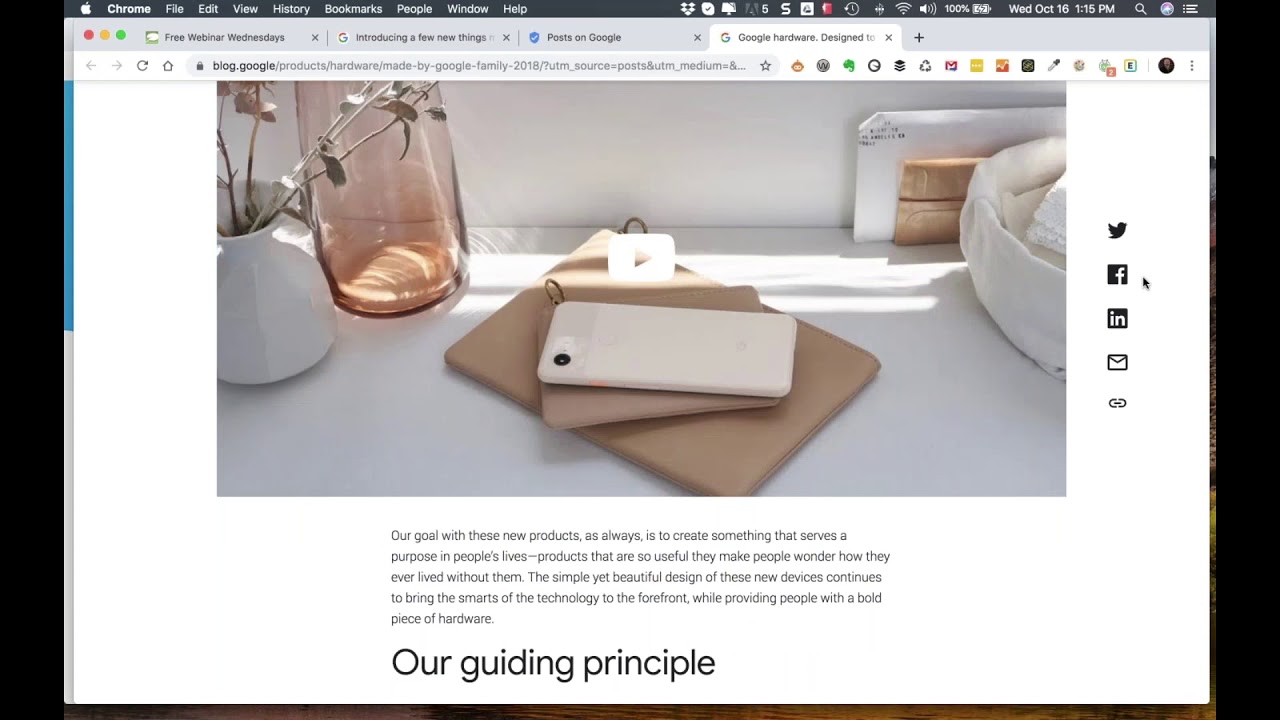
Eric Cook walks through Google's October 2019 product lineup: Pixel 4, Pixel Buds with real-time translation, Nest devices, and upgraded Wi-Fi mesh. He then shares his personal productivity system using Evernote, LastPass, and the Getting Things Done method to manage tasks across devices.
Chapters
Greetings everybody, welcome to the Wednesday, October 16th, 2019 episode of Free Webinar Wednesdays. This is Eric Cook over at WSI Digital, helping our customers engage and connect with their clients online. Learn more about us over at www.poweredbywsi.com. I mentioned this last week in the show, we're in the process of actually launching a new poweredbywsi.com Not quite ready yet, but our team is as much time as they can in between working on client projects working on our site and getting things moved over and content added. So it's a painstakingly long process for those of you that have ever done a website. And of course, our first priority is making sure we take care of our customers and doing their websites. But we're really excited about some of the new cool things that our web platform is gonna provide us down the road. So continue to stay tuned and you'll be among the first to know when we go live. And we'll probably do a little blurb and a walkthrough of all the cool new things that we've got over our website. For those of you that are joining live, thank you for showing up again. We're like, I think, 4 weeks in a row, which is a record. Normally it's unusual to have that many people join. That many. Actually, I was supposed to be off-site this entire week at a client project, and they just had too much stuff on their plate, so things got pushed back into 2020, and voilà, we're able to have our show. Although I will tell you, next week we will not have a show. I'm actually going to be out of town and visiting my friends in Indiana as well as friends in Ohio. I actually facilitate Marketing Director Forum events, which are full-day And I love these full-day meetings where marketing directors from around the state come to the state banking associations, and we just basically have a full-day discussion on all things going on in the world of marketing. So there's been a lot of stuff we've talked about over the last couple of weeks here with Social Media Marketing World coming up in 2020. We've chatted a little bit about social media and digital marketing as it relates to the Graduate School of Banking Sales and Marketing School, some of the things that have happened over at Facebook as it relates to advertising. So there certainly won't be a shortage of things to talk about with all my bank marketer friends, but just wanted to give you a heads up, no show next week. And I've got a little mental note, and I've even written something down to make sure I go in and modify the GoToWebinar platform so that you don't get a reminder for next week's show. All shows, as you probably know, although I do see some familiar faces in the list, I see some fresh faces as well. May not have ever joined live. So while we certainly love it and enjoy people showing up live, that doesn't happen all the time due to scheduling, but all shows are recorded and made available out at freewebinarwednesdays.com. So you can hop out there, check out all the shows that we had done in the past. And I say we, because sometimes I get a guest that shows up and decides they wanna have a conversation with me. Other times, it's just me and the little mouse in my pocket. So that's the we there. But last Last week we talked about Social Media Marketing World and had a couple of follow-ups from some folks just asking if it really was as awesome of an event as I said that it was. And I can tell you, if Ellie were on, she would attest to it. Talk to any of the WSI consultants that were in attendance in 2019 that heard about it from us attending in 2018. Everybody that went said that it was an amazing show and had just a ton of really good stuff. So if you are available March 1st, 2nd, and 3rd in 2020 and would love to amp up your knowledge in the world of social media, digital marketing, and all things online, snag your ticket for Social Media Marketing World 2020. And would love to see some of my free Webinar Wednesday friends out in sunny San Diego because it's pretty much always sunny there. No, no surprises. Um, so if you are attending live and have a question or a comment or a thought, or just want to say hey from wherever you're hailing, uh, feel free to use the chat functionality in your control panel there for GoToWebinar, and I'll keep an eye on those as well. I always enjoy hearing comments from the audience and getting a little interactivity. So. Feel free to chime in and say hello if you would like to do so. Today I want to talk about some Google stuff. If you've been on a Free Webinar Wednesdays in the past when I've talked about technology, I cross over in a variety of different areas. I've got a Google phone. I've had the Pixel device for the last couple of phones, and then even prior to that was always running Android operating system. I run on a MacBook and an Apple computer. I also have a Chrome Pixelbook, so Chrome OS, that I'll work on every once in a while. I've got a Lenovo Windows laptop, so I'm of the opinion that I just use technology that seems to work the best for me. And I've been hearing a few people that are diehard iPhone users start making some comments about since the last iOS update, things have started getting a little slow. They're speculating, although I don't know if there's any way to prove this, that now that the new iPhones are out, the older iPhones are getting updated but intentionally being slowed down, or something's going on that's causing them not to work as quickly. And, um, I've got a good friend that's been an iPhone user for a number of years and has been gently jibbing me every time something happens on my phone, saying things like, oh, it wouldn't have happened on an iPhone. And, um, but he hasn't been saying that lately because my Pixel— and I'm on the Pixel 3, not the new Pixel 4 that Google just announced yesterday. So they had a big event yesterday. If you're not a Google Android kind of Google Wear person, you probably missed it because it didn't get as as much fanfare as the Apple event or even Facebook's F8, but we're gonna chat a little bit about some of the things that were announced yesterday. But he's not been teasing me as much because his phone has actually started having more issues than my Pixel. I upgraded to the new version of Android 10. I've got the cool Night Sight camera, which is being— It's not working. I guess it allows for really low-light photos with just one camera, although the new Pixel 4 got released and it has multiple cameras on the back similar to the new iPhone. So the multi-camera functionality, but just with us being a full Google-integrated shop, we're on the Google Suite Business Enterprise. So we run Gmail, Google Calendar, Google Sheets, Google Docs. I still run Microsoft Suite as well 'Cause we still have to produce content in Word documents and PowerPoint presentations for my sessions and seminars and conferences. But we're starting to embrace Google even more in our general day-to-day with Google Documents for note-taking and collaboration, Google Sheets for calculations and budgets and putting together project plans. So the Google environment is one that we've wholeheartedly embraced. I will tell you, in our household, we have a mixture of Google devices and the Amazon devices. So whether you ask Google to pay attention to you and you beckon a call to your Google Assistant through your little Google Home device, or you say, hey Alexa, and Amazon takes over, we're still kind of in the middle of that. R. And I'm not exactly sure which direction I'm gonna head. But today I wanna share with you a couple of pretty interesting things that are going on in the world of Google, what they announced, and just maybe plant the seed that Google might be maybe an option for you down the road. They're doing some cool stuff. And I think the market, the industry, the experts that have been keeping an eye on what was likely going to be announced by Google have overall been generally positive. Anytime a technology company makes big announcements, there's always the naysayers that will come back and pick it apart and say, yeah, but that, you know, it's priced bad, or the functionality is not there, or the processor is not where it needs to be. And I've kind of looked around, it's still early, but I've not seen a lot of negativity as it relates to what Google announced. So the first thing that I caught is this thing called Posts. And this really doesn't have anything to do with the Google event other than the fact that the article that I read got a link and it went to this posts.google.com. And when I was looking at it on my phone, I was trying to figure out, well, what is this really? Is this, is this like a post from Facebook? And we've talked a lot on Free Webinar Wednesdays about Facebook Stories and Instagram Stories and being able to have just different slides show up. But in Stories, those are referred to as ethereal content, meaning that they disappear. So a Story is only going to be around for 24 hours, whereas I'm not really seeing a disappearance functionality in this Story. So when I clicked on the link in the article that found online talking about what's going on in the world of Google, I started seeing these slides, and I'm just gonna let them play. There's no sound in the background, but you can see the scrolling bar down at the bottom has a very story-like feel to it. If you've ever watched a story on Facebook or Instagram, you can kind of see that it's just walking through different little slides. So kind of an interesting thing. So I'm just going to let that kind of play through, and then when it finished, I went and tried to figure out, okay, well, how does this actually work? So I went to the actual posts on withgoogle.com. There's a process you can follow to get verified if you'd like to figure out how you can use the posts and to be able to share information. But something that you may be interested in checking out as it relates Google. I know one of the folks in our office actually came across an article earlier this week talking about different ways that you can leverage Google Maps as a way to engage your audience, build awareness, and incorporating that with reviews being prominent and visible in the 3-pack, which is the local listings that you'll get when you do a Google search sometimes. And if you've got ratings and reviews, photographs, offers, specials, any sorts of things like that, being able to tie that in. So, um, so total sidebar related to the— unrelated to the Google event, but still something that you should probably be taking a look at. So when we finish the actual, um, you know, posts and we go through it all, it gives us a link to get to the actual Google blog. And this is where they've announced the hardware that they're, um, going to be releasing. And so I just wanted to walk through some of these items as an example of some of the cool stuff that's going on. So the Pixel phone has been released. There's going to be a couple of different options for it that you'll be able to use. So there's, there's going to be Google's Home Assistant and Google Home. They've actually incorporated a couple of these things into Their Wi-Fi service. So we just actually implemented the the Google Wi-Fi where you've got a main connection that serves as a router wherever your internet connection is, your modem, and then other little nodes. So we've got two other nodes on different levels of our home that grab the signal, amplify it, and share information out. Their next version, of course, after I've already bought the old version, is going to give us the ability to actually use those. Google Home devices. So they've got integrated speaker capability. They can be tied into a home security service that they're announcing where you can have them listening. So if they hear something like a fire or a carbon monoxide alarm, they can automatically notify authorities. You can tie in your Nest cams and be able to use it as a home security system. Packages for— start right around $6 a month. $12 a month if you want a longer video archive and, and other sorts of online storage of any of your video content. So company news, company product updates. I guess let's jump into product updates. We'll see if we can go right into some of the particular elements That are here. So the buds are ones that I was also pretty excited about. I know a lot of people, and we actually, even though my wife and I are both on Android devices, we actually bought the Apple AirPods for her as nice little Bluetooth-enabled speaker/headphones that you can use. They've actually got— and I'm going to try to make sure I can see where it's at because they've changed this page on me a little bit, and it's not the Wear because that's actually their watchable items and other sorts of elements— but they've released wireless earbuds as well. Now I've got the corded versions that actually came with the Pixel phones. And one of the things that I've noticed— and I've got some really nice Bluetooth, I got a nice Plantronics headset, I've got wired items— one of the things that is pretty cool about the Google Buds, when I even have to plug them directly into the phone, is when your Google Assistant picks up on different things that are going on in your calendar. For example, if you've got an event coming up In most instances, if you're just using regular Bluetooth connectivity and it's not a Google product, it'll just make a dinging noise. But when you're using an actual Pixel product, it'll announce either what the event is. So if I've got an appointment with Ellie, for example, because we're going to talk about some stuff, it'll announce that you have an appointment with Ellie in 10 minutes if that's what I've set for the reminder. If somebody calls me and caller ID picks up, it'll say Alicia's calling you. So I know that it's my wife. And in Google Dom, I've actually already told Google, my Google Assistant, that Alicia is my wife. So I can even just say, you know, Google, call my wife, and it knows to call Alicia, and it knows to call her on her mobile phone because those are the settings. So when she calls me, it'll even say your wife is calling. So those are pretty cool. But the, the neat part about the buds. And when they came out with the first gen, they were very uncomfortable, very cumbersome. They were connected with a cord. They didn't get really good reviews at all. These are very much like the actual Wi-Fi ones. They come in a little charging pod. They actually have real-time translation, so you can download through Google Translate. And if you happen to be traveling in a foreign country and you know, you're in France and you don't speak French, you can turn on the translate. And what'll happen is when people talk to you, your buds will grab what they're saying and do real-time translation using the Google Translate functionality. Would have been nice to have had that when we went to the Czech Republic last fall/winter. That would have been a really cool feature to have tried out, but didn't have those at the time. So the buds are one of the things that I'm interested in taking a peek at. One of the other items, the Chromebook. And so in the world of Google, very similar to the world of Apple, you've got iOS and you've got macOS. So in Apple, the iOS is really the operating system that goes on your mobile devices, your tablets, which is different than what's actually on your MacBook Pro or any of your computing devices, you know, the bigger keyboard. Google is doing the same thing. You've got, you know, the Android operating system which goes on your mobile devices, but then they've got Chrome OS which allows for more of a laptop-like experience. You can still load some Android-based devices or Android-based applications, so it gives you a little bit more of a crossover. The cool part about whether you're on Android or Chrome OS You can see here the Google Assistant actually works across both platforms. So you can hit your little Google Assistant button and you can talk to it. It'll recognize commands. A lot of schools and other sorts of, you know, kind of institutional organizations are starting to migrate over to a Pixelbook/Chromebook type of an experience because They are easier to control from a centralized location. The security risks are minimized. They boot up super quick. They're easy to maintain. And so when I was having some issues with my MacBook and it had to go in for some service, I decided to give a Pixelbook, which is the premium version of the Chromebook, I decided to give a Pixelbook a try and really enjoyed the experience. It was a little different. Being comfortable or gaining comfortability with a cloud-based. There is some ability to be able to store files locally. So if you're working on a document and you don't have internet connectivity, you can save a local version of the file so you can work on it offline. And then when you regain internet connectivity, synchronizes everything up with the cloud. But you do have to do that on a more of a case-by-case basis. The one thing that I did notice when I was doing my presentations is oftentimes I'll incorporate video in my presentations, and rather than rely on the venue's internet connectivity to be able to go out to YouTube and stream the video, because I've had that work more times than it has worked, is I typically will grab a copy of the actual video off of YouTube and store it locally, and I'll embed the local version of the video into my presentation so that if there's a video that I want to show, it's just running right off of my computer. Whether I'm connected to the internet or not. That unfortunately is not an option when you get into a Chrome OS. You cannot store that type of content locally. So if that is something that you do, I did talk a little bit about this in a prior Free Webinar Wednesdays as well. But other than that, the battery life on it's amazing. I can get through an entire conference with one charge. It gives me a really comfortable experience to be able to go ahead and take notes. The screen flips all the way around 360 degrees so I can turn it into a tablet. I did purchase the pen so I can write on it. I can scribble notes. I can do designs and drawings and concepts. You can turn it into a tabletop so you can teepee it or flip the screen around if you want to do it as a mini presentation mode. So it gives you some really nice capabilities as well. I'm going to go in and hop right over to Built with Google, and we're going to pull that site up real quick. So this is going to give us the actual— so you got Built with Chrome. Where's my Built with Google? Now let's see what Built with Chrome shows us. So that's not what I want. And that's been closed. All right. So we're just gonna hop back over here. So a couple of the other things that have been introduced, let's just pop back over to this guy. So you've, you can see you've got the little Pixel Stand here, which is the charging port. Let me click on the Meet the Family, and that might take us directly over. Although this is still pulling up the 2018, so I'm I'm a little surprised when I was on the phone yesterday. I was thinking this was actually taking me to the 2019 version. So even when the company blows out a brand new brand new product, sometimes there's issues, which looks like. Is going on here with our friends at Google. Again, one of the joys of a live webinar. Some of this stuff probably could have been reviewed a little bit earlier, but anyway, the old-school Pixel Buds. Yeah, it looks like this is pulling in all the old stuff. You can see this has got the actual cord. The new versions don't have the cord associated with them. So I'm— there's the new Pixel Buds. Let's pull that guy up here real quick. That's what I wanted. All right, just took me a while to find it, so thanks for hanging in there. So this kind of shows you what the new Pixel Buds look like. Again, if you're familiar with the Apples, you can see that it's got the little charging case. They're going to be a lot more comfortable. They are flush to your head. They don't pop out. I've seen some people walking through the airport with some, uh, some of these wireless buds that just look like extrusions, almost like you've got bolts on your neck like Frankenstein, but they're sticking out of your ear. So these are a whole lot less, I guess, obtrusive than some of the others. So gives you great calling capability. I'm suspecting like the Apple, you could probably use these with other devices that maybe are not Android using Android, but you're going to gain the greatest advantage to them if you're using them on an Android device, and pretty much anybody that wants to use an iPhone is going to get the iPhone earbuds anyway. But this gives you really nice voice control. Again, talking about the translation capability, which is going to be super cool. So I'm pretty excited about this. My only concern is I've got lots of really nice Bluetooth earbud speaking devices, and I'm just fearful that I'm just going to continue to accumulate dead devices in my junk drawer, my technology graveyard. But so is the joys of, I guess, working in technology and having to stay up with all the, all the new and cool. So a few of the other things that I'm excited about learning more, and again, this just got released yesterday, so I'm going to watch and see what the news comes out as. I mentioned the security functionality. I've been looking at some of the security cameras from Amazon. Those are certainly intriguing, and as I mentioned at the beginning of the show, we do have a good number of Amazon devices around the house. So whether or not, you know, we decide to make a shift and go to more of a kind of a Google environment with maybe some cameras, some doorbells, or we stay with Amazon, But there's, there's a good reason to be able to do that, even if it's just you want to check in on things. You know, one of the cool little devices that we recently acquired, which really has nothing to do with security or privacy but has everything to do with dogs and cool stuff, is we bought one of the Furbo Wi-Fi enabled dog cameras. And this is a little device that You can load with some treats. You've got access to the camera through Wi-Fi. And the neat part about the Furbo is if you visit on your computer or you visit on your phone and you pull it up, you can actually flick your finger on the little treat icon and the Furbo will actually launch treats into your living room that you can see your dogs eating, which is kind of cool. The only downside to it is our youngest one has figured out that this device is full of treats. And so when I typically turn it on, it's turned to the point where all it is is looking at the wall because she's tried to nuzzle her way in to figure out where the treats are. So it doesn't give me a real good visual of what's going on in the living room or around the house, but it is kind of a fun little tool to use, especially if you're a dog person like myself. But I'm interested in seeing how the Google integration is going to work from a home security, whether it's cameras or listening devices, paying attention to noises that it would recognize and to be able to maybe alert authorities. So if, you know, we're traveling or not home, being able to kind of keep things protected that way. And the Wi-Fi functionality, I don't think that this is anything that I'm going to be interested in switching out. I've been very pleased with the Google Wi-Fi. My only thought is now that the new version of Google's Wi-Fi has been released, there may be a price reduction in the 3-pack that I purchased. So I'm gonna keep an eye on Best Buy because they've got a 30-day price guarantee, and if their pricing for that 3-pack of Google Wi-Fi ends up dropping, I may be able to get a little bit of refund. So I am pretty excited about that. That'll be kind of cool. But other than kind of those elements, that's probably the Google update that I wanted to give you. So again, got thrown off my game a little bit with the power outage, and the Generac generator is doing its job, so I don't know exactly what happened right after this. I'm going to be getting in touch with our friends at Consumers Energy to see what's going on. But keep an eye out. You can probably do some searching for what's going on in the world of Google. I'm sure there's a number of recaps that are going on, and I'll try to find a handful of those as well. So the next time we meet, maybe I'll have a little bit more of a formal review of some stuff. May even have— who knows, maybe I'll have some product in hand. So I see that there's a question from the audience on the GTD. So Thank you for that little reminder. So a couple of shows ago, I shared with the audience that in an effort for me to be more organized and to kind of capture everything that's going on in the world of Eric, because sometimes I feel like it's going very, very fast and lots of stuff going on, I had overheard a conversation with Tim Ferriss and David Allen on Tim's podcast. David Allen is the founder of the Getting Things Done, GTD, platform. And I have— I'm still not through the book yet. I've been listening to the audiobook and still getting some really good ideas. I have been using, and I developed kind of an interesting system where on my phone I'm a big user of Evernote, and so I use the Evernote Web Clipper. So for example, if I'm browsing around the internet and I find an article that I think is really cool, I've got the Evernote Web Clipper in here. And so if I click on this, of course it's going to ask me to log in because I've cleared my cache recently. So if I log in using Evernote, and just as a kind of a general So let's go ahead and do this real quick. I'm going to just make sure that I refresh my LastPass. We're going to do a little password maintenance. So I just had a friend of mine had his email compromised, and I got an email from him saying, hey, your invoice is due, click the link, blah blah blah blah blah. Well, I don't have any business with him. So there's no reason why he should be sending me an invoice, but I know that I'm in his address book. So his account was compromised. The email that was sent out was a link to a fictitious site that had malware on it, I suspect. And the response to him was, one, if they've got your password, make sure any of the other platforms that potentially could have the same password are changed. And sometimes multiple passwords on multiple sites is a pain. So we've actually started using a platform called LastPass, and this gives us access to use a single password that gets you into LastPass, but then every single site that we have a password for is a different one. So, and it's randomly generated, 12 characters, upper, lowercase, special symbols. So all of the things that you should have that nobody ever does because it's impossible to remember those yourself, use a tool like LastPass or 1Password. To be able to manage those things. Very important. So if I try this again, we're going to go through. It's going to recognize my Evernote username. So I'm going to go through here, and then hopefully it'll recognize that I've got an Evernote account. You can see that it recognizes. So I'm going to say fill my password, and it's going to go ahead and get me into my Evernote account. So Web Clipper now is successfully logged in. I don't even know what my LastPass password is, but it's in there. So, but you didn't realize you're going to get like an Evernote tutorial based off of your, hey, how are we getting things done? But Evernote is my go-to when I want to capture an article. So leading up to my Marketing Director Forum events, oftentimes they'll send me a list of things that they want to talk about. I'll find articles. I'll grab a simplified version of the article. I'll drop it in my notebook. I have a variety of notebooks that I have within Evernote that I can use. You can see this idea capture is one that I'll talk about here in just a second. But I dump everything into Evernote and then I'll apply tags. And this is one of the concepts that the GTD platform has talked about is your brain is really good at coming up with ideas, but it's really bad at remembering them. So when you have an idea, being able to capture it. And if I'm on a website and I see that there's a pixel item or an article I want to talk about, I'll use the Web Clipper. I'll go in and I'll type and say, hey, this is about Google, this is about, um, technology. So I can start type, and so I can see all these different things, and then I can add even a remark here if I wanted to. So I no longer have to remember. So good topic for free webinar Wednesday, and then I can go ahead and I can save that. So now I don't have to remember to come back here. I've saved the clip, I've pushed it into Evernote. You can see that it's synchronizing now, and then on all my devices— my tablets, my phones, my Pixelbook— have access to Evernote. On my Android phone and where I'm going with getting things done is as I'm out and about, and it even happened yesterday a couple of times when we were on our way to, um, uh, an appointment. I was actually thinking of something, jumped into my head, and within the GTD, if it's in your head, it needs to get out of your head. And then you would get out of your head because you've forgotten it, and then you worry about it. You'll try to remember what it was, but it won't stay there very long. Or you put it into a platform or a system that you trust, and then you don't have to worry about it because it's there. And then on a weekly or a biweekly basis, you simply take the time to review those items and it'll refresh your memory. It'll pull things up. And those are all of your ideas that are part of the GTD process. And so on my Pixel phone, and I suspect it works the exact same way, on an iPhone is I've created an actual shortcut to a toolbar for Evernote that pushes things directly to that idea capture notebook. So the only thing that ever goes into the idea capture notebook are thoughts that I have from my phone when I want to put something in there. It's kind of like my GTD holding tank. And so I've got probably 15 or 20 ideas that I've accumulated over the last couple of weeks. As I've gone through the process of getting in the habit of, you know, it's nice to write something down, but then what happens to that? It's nice to go ahead and make yourself a little sticky note. It's nice, but all of the items that have jumped into my head go into that. And the little widget that's on my phone gives me the ability to either do a voice. And so I listened to one of the voice ones that I did a couple of weeks ago when I was out for a run. And I was, you know, in the middle of a run, breathing heavy, had an idea. I said, I'll remember it when I get home. And I said, no, I'm gonna do this. I stopped in my run, I pulled out my phone, paused my music, went to my Evernote, created a voice note. Obviously, I wasn't thinking straight because the voice note didn't make a tremendous amount of sense at first, but I could remember what it was that I was leaving myself a note on. And I've done that in other areas as well where you can actually take a photo of something and save it. You can do a drawing. So if I wanted to scribble something, you can save it. If I wanted to even type something in or use voice dictation, you can save it. And so now I'm in the process of training my brain and my typical regimen to put things into that kind of idea capture area so that fewer and fewer items are rattling around in my brain, and they end up into Evernote so that they can become part of my process. And all the other things that are part of the GTD process are really gonna be able to benefit me moving forward. So that's where I'm at as it relates to getting things done. Thank you for holding me accountable. And I kind of said you guys need to do this, so kudos to you, Sean, for Making sure that I bring that up. But I'm very excited about some of the early things that I'm experiencing. I've been going through their free podcast as well. There's a ton of really good information, and even the way that their podcast is created and the community that they've built has even given me other ideas on the potential way where I might even be able to build a similar community in my chosen niche in the banking and digital marketing and social media area. So lots of good ideas coming my way. I think it's going to be a long-term initiative to get the whole GTD process in place, but I've started the journey and continuing on it. So it's been a lot of fun. Cool. If there are no other questions, we are going to go ahead and wrap today's show. Again, no show next week. I will be in Columbus at the Community Bankers Association of Ohio doing their Marketing Directors Forum. So we'll be talking about all sorts of cool marketing stuff. With those fine bankers, but no show. So we'll be back on a future episode. Look forward to seeing you all live, and until then, hop on over to freewebinarwednesdays.com, check out some of the past shows, and connect with me through LinkedIn or any of the other social networking platforms that I'm active on. And let's connect, and we'll just keep in touch even when there's not a show. So thanks for joining me. Thanks for listening. And we'll talk to you down the road. Have a great week, everyone. Bye-bye.







