
How to Grow Your Following on Twitter and Build Your Voice
Gregg Towsley walks through ten Twitter tactics for growing your audience, including Followerwonk to find local influencers, TweetAdder for automation, Hootsuite to manage engagement, and Click-to-Tweet to make posts shareable. The focus is on working smarter with tools while keeping some personal touch.
Chapters
Greetings everybody. Welcome to the Wednesday, May 20th, 2015 episode of Free Webinar Wednesdays. This is Eric Cook, and I'm with WSI Internet Consulting where we work with businesses and organizations to help them better understand and leverage the power of the Internet as a strategic business tool. You can learn more about me and WSI online at www.poweredbywsi.com. Unfortunately, my good friend and Free Webinar Wednesday partner, Mr. Jeff Simpkins, is not available to join us today, but I want to give him a plug and recognition for any of my banker friends that are joining us. You can learn more about Jeff and his specialty in the banking space over at communitybankconsulting.com. And as long as I'm talking about banking, I want to make sure that my banker friends also know about a new webinar program that I'm doing on a monthly basis called the Banker Education Series. Go ahead and pull up the actual page here, but we are kicking off our 2nd Banker Education Series webinar tomorrow afternoon at 3 PM Eastern time. And let me go ahead and put in Banker Education Series. If you go to poweredbywsi.com/BES, you'll see all about Banker Education Series. And tomorrow afternoon, I'm going to be joined by the founder and president of HT Mobile Apps to talk about What the heck is Apple Pay and why should banks care? So if you are a banker or maybe you're just curious on what the heck Apple Pay is and why it matters, feel free to join us. You can see that there's a registration link there. Hop on, and then at the very bottom of that page, you can sign up for email reminders. Our previous one that we started last month, the inaugural episode with Doug Johnson from the American Bankers Association, was about the .bank domain name extension. Those of you that are not in the banking world may not even realize that this is going on, but there's going to be a .bank, like .com, .org, .net. There is going to be a .bank extension, and the banking industry is all abuzz on what that means and how many people will be registering those, and if we're going to start seeing that more prominently at the end of your bank's website address. So feel free to stop out there and check it out. We'd love to have you join us on those shows as well. A couple of housekeeping items that I will toss out just before we get started, and then I will close my mouth and allow Gregg Towsley to open his. Today's webinar and all webinars here at Free Webinar Wednesdays are recorded and made available at freewebinarwednesdays.com. So if you would like to check out a replay of today's webinar, maybe share it with a friend or a colleague, you are welcome to do so. And if you would like to join us on Facebook, we have a Facebook group that you can hop on, or a Facebook page you can follow. And Engage there. And then lastly, we do like for Free Webinar Wednesday sessions— assuming that you're joining us live and not listening to this as a recording— we like for our Free Webinar Wednesday sessions to be interactive. So while we're going through today's session, if you've got comments or questions that you'd like to ask, go ahead and use the chat function in your control panel, and I'll keep an eye on those for Gregg, and we'll make sure we go and ask those and get clarification. Or dive into anything more additional that we'd like. With that being said, I'm working my magic now with wonderful GoToWebinar, and I see we've got Greg's screen up with some Twitter tips. I did an episode about a month or so ago and spent some time talking about Twitter, and I think it gets a bad rap sometimes because it's not really understood, and it certainly can be very, very Confusing if you just jump right in and try to consume the tweets as they are flowing at you. But today we are going to talk about some Twitter tips of growing your user base, being more interactive. And I am very excited— be prepared, this is my formal introduction— to bring back Greg Towsley. And I say back because Greg has been a guest of ours at least a couple of times talking about LinkedIn and other ways to use social media. And he is a fellow WSI consultant.
Hi.
Out of sunny California, and I get the privilege at least once a year usually seeing Gregg at a conference and being face-to-face and maybe sharing an adult beverage or two and just catching up. But Gregg, officially welcome back to Free Webinar Wednesdays. Thanks for being our guest on the show today.
Thank you so much, Eric. It's an honor and a privilege, and this is the hat trick.
Nice. This is the hat trick. Number 3.
Number 3. Huge hockey fans.
Excellent, excellent, cool. Does that put me in legendary status?
Anybody else had the hat trick before?
We've got a gentleman by the name of Greg McPherson who is a buddy of mine from school, and he's kind of a Mac addict. I think he's maybe been 4 or 5 times. So we've got a little bit of work to do, but we're certainly happy to get you built up to 4 or 5 time status or even more. If you're up for it. I know you've got a lot of good stuff. And I wanted to also apologize to everybody for the delay. GoToMeeting experienced some technical challenges for us, and probably more so for me and Greg, because I was really looking forward to having a little pre-conference chitchat and catching up, because we haven't talked in a while. But we're going to have to do that afterwards, because I want to make sure we keep enough time for all of our attendees to get some really good ideas from you with regards to all your Twitter stuff. So So maybe I'll have to give you a call after the webinar is over and we can catch up.
Yes, I want to officially congratulate you on the Banker Education Series.
Cool, thank you. It's been a good webinar and we've gotten some really good feedback. So as many of you know, I am a recovering banker, as is Jeff to a certain extent, and so it's really focused on specifically banking-related things. So again, any bankers that are out there that would like to join us over at the BES, we'd love to have you.
Cool.
So let's talk about Twitter. What's up with Twitter? How do I use it? How do I make it productive? Is it just about telling everybody I'm eating a peanut butter and jelly sandwich for lunch, or is there more to it?
There's much more to it. And this is a topic that is covered over and over and over again. It's talked about, you know, you hear it on the radio, it's everywhere. So I thought I would try to spend the time that we spend together with You know, the most in-depth, you know, nerdy type Twitter conversation we possibly could have centered all around, you know, gaining more audience, gaining more followers, and getting more engagement.
Cool, I love nerdy, so let's nerd out, man.
Yes, I'm going to feel today the way I've structured it, I'm going to feel like a tour guide. I'm going to take you on a little trip, and you can see my screen here, hopefully. You can see some of the top 10 Twitter tips, and what I thought is we'd just kind of dive in, you know, for 3, 4 minutes on each one and, you know, answer any questions or any comments that come up. Like Eric said, you know, type them in the chat box. We want to make this as interactive as possible, and Eric, if you have any insights on, you know, ways that you use some of these tools and some of these resources, you know, Let's make it a good conversation.
Cool. I think the one thing just kind of as an overreaching theme that I know you embrace because you do a good job of it is, while Twitter is certainly a broadcast medium and you can say something once and distribute it to a lot of different people, I think the opportunity with Twitter more so than a lot of the other networks that are out there is to be able to whittle down and have a one-on-one conversation with folks. And I think a lot of people miss that and have done a lot of kind of thinking about kind of the resurgence of the one-on-one connection facilitated through social media, because people don't like to be treated as everybody else. And within Twitter, you have the ability to carry those conversations, but the cool part about it is the rest of the world has the benefit of being able to listen in on those chats. And so it's almost providing the best of both worlds in my opinion. So I've kind of got a resurgence of interest in Twitter. I'm pretty excited about the network and what it can do for me.
Yes, and Eric, I'm glad you alluded to that. The second piece of that is it is a one-on-one conversation, but it's also viewed by many, which brings in its power. Also, Twitter is something like you mentioned, Twitter sometimes gets a bad rap, but some of the things that we're going to discuss today is Twitter is kind of like a research tool. I mean, I look at Twitter just like I look at Google, whereas if I'm looking to learn something or find something or search upon something, it's just another way to gather information. So I say we jump right in.
Let's jump.
Alright, so like I said, I'm going to give you a tour of my computer, and then we have these top 10 tips here, tips and tools, and wanted to just kind of walk you through them. Some of them might be repeats, some of them might be advanced, but hopefully you get value from each and every single one of these. So the first one for folks that are new to Twitter or folks that are even advanced Twitter users is a tool called Followerwonk. Eric, do you use this one?
Anyway, he probably put it on mute. I'm sorry, I did have you on mute. Yes, I do. Actually, I did a webinar just yesterday and I used Followerwonk as an example of how to find folks that actually are using Twitter that live in your geographic market area. So I was pleased to see that was number one on your list.
Yes, so there's a ton of third-party tools. Twitter is a very open network. The term fire hose is often used because there's so much content that's being put in there. So then therefore, one of the best practices is to use some of your favorite tools, which we'll go through. And one of my favorites is Followerwonk. Which is basically a search tool. You're allowed to search bios, and pretty much all of these tools are free, or the freemium model where you can upgrade. But the first thing you're going to want to do is connect your Twitter account, and then I'll just show you some quick examples of how to use this particular tool. And I'll just throw an example out, you know, I'm from the Boston area, so hypothetically speaking, if I owned a bar in Boston, I might want to use Twitter to follow a lot of local sports fans, or say if I owned a cupcake shop, you know, I'd want to connect with, you know, maybe mommy bloggers, whatever it might be. But based upon your— based upon this particular search, if you expand the search out, you can search in location. So if I search a particular location, and you can see examples here, but just say, you know, for that example that I used, say a cupcake shop or a bar in Boston, You know, I could just type in my zip code, 02129, and let me show you the search results here. And then I just click on search, and the neat thing about Followerwonk is what they bring to the surface is they have some search criteria here. So these are based upon this particular search, you can see that this is Charlestown, Massachusetts, which is an area of Boston, and you can see that they'll bring in in the search results, you know, they're showing 1 of 31, but they're going to bring in the most influential people based upon these particular criteria. So how many tweets, how many people are they following, how many followers do they have, how many days have they been on Twitter, what's their social authority, and I like to search by social authority. So the idea here is you're connecting and you're viewing the most influential people based upon a particular search, and we're just doing geography-based, but You know, you could also do, say, you know, Boston Bruins, and then, you know, do your search criteria, whatever you're most interested in. And then from here, if you're a subscriber, you can follow each and every single one of these people from the interface here. But if you're not a subscriber to the tool, you could obviously just click on each one of these people, and if you're in your Twitter account, go ahead and follow them. And the idea is that based upon the influence of these people, you're looking to follow influential people based upon a particular topic. So any questions on that? Like I said, we're going to go through these fairly quickly.
Nope, I think that's good. Let's keep rolling.
Yeah, the reason why I mentioned that one is because it segues into number 2. A best practice on Twitter is to follow influential people and influential businesses, and therefore you're building a stream of topics that you're interested in, and that's one of the best ways to get value out of Twitter. And then as you follow interesting people, and you— I'm taking it for granted that you, you know, have content to share and opinions, then you can chime in on the conversation, and following a good amount of people will help you get a good stream of conversation along, and then paying attention and retweeting and liking and commenting and sharing is one of the best ways to use the platform to get more engagement. And so in terms of getting more followers from the people that you're following, one tactic is to cross-promote your Twitter handle, so including that in your email marketing, in your Facebook, Adding links to your website, also promoting it on, you know, some of your other profiles, or even adding it to your email signature is one way to promote your Twitter handle as you're promoting content and having engagement, that sort of stuff. So we covered number 2, let's jump into number 3, and this is really an advanced tactic, and it applies to many social networking platforms. For instance, one of the first things that these platforms ask when you do sign up is they want to know who you currently know within your database, and like who you know and then who you potentially could be connected with. So right here there's a button in Twitter when you go through this when you sign up, but it asks to search through your contacts whether they be in Gmail, AOL, or Outlook, and I do recommend this because all the people that you currently know, if you click this search button, Twitter will automatically mine your contacts and show you how many people that you currently know that are on Twitter and then automatically follow them. So for folks who have, you know, say 30 followers, you know, that's one way to really increase that. So then another advanced tactic, and, you know, proceed with caution on this particular one, but I do want to show it. Is within LinkedIn, you have the ability to export your contacts to Gmail by clicking this button here. And so you can simply just export your contacts here, save them to your Gmail account, and then if you come back to Twitter, you can upload all of your LinkedIn contacts to Twitter. So you're pretty much cross-promoting. You can also do that on Facebook. It's an advanced tactic, so You know, proceed with caution, but if you are looking to really grow your audience on Twitter and connect with people who you're probably already connected with on, say, Facebook and LinkedIn, that's one tactic that works really, really well and will get you a lot of followers in a very, very quick fashion. So the top 3 are pretty much, you know, if you follow those 3 tactics, you're going to build a pretty decent-sized audience in a very quick manner. Let's jump to number 4, running Twitter contests and Twitter promotions. And again, depending upon how you use the tool, if you are, you know, a small business owner, or say if you run a pizza shop or a bookstore, or you're promoting your blog, you know, doing a giveaway on Twitter to whoever retweets a message and say you're giving away your book at 3 o'clock on Friday to, you know, you run a poll on whoever retweets the message, you give away that book. So running promotions and contests, and basically just having fun with Twitter, and also engaging in the promotions and contests is a good way to have engagement while having a little bit of fun with your audience and the audience that you want to attract. So number 5, and Eric, just chime in if there are any questions or any comments. Actually, I'll ask you, number 5 is TweetAdder. Eric, do you currently use this tool?
I've heard of it, and like you know, there are so many tools out there, that's probably one if I went to it. I have an account, but I'll be honest, I don't go to it or use it. It'll be good to get a refresher because who knows, maybe I'll want to revisit that and start using it a little bit more.
Cool. Now this is a very advanced tool and they used to offer a free version. What's interesting about TweetAdder is it is currently down at the given time due to Twitter API, an API problem that they're currently having. Here you can see TweetAdder, here's their Twitter profile, and you can see that there's been a lot of noise on Twitter due to the fact that they're down. I'll just give you a quick overview. If you have multiple Twitter accounts, you can load them up in here, and this is a full, you know, 100% automation system for Twitter. So you can see I have, you know, a lot of clients listed in here, a lot of personal accounts, and, you know, you could load this up with as many accounts as you want, but when I go into the interface here, similar to Twitter, within TweetAdder you can search people's profiles, search by location, similar to Followerwonk, you know, follow people that are currently not following you back. You can see who's unfollowed you, you know, you can really go into great depth here, and you can automate some of these features. What you can also do with this particular tool, again this is advanced, is you can load it up with Twitter messages and you can see that I probably have about 100 different, or actually 60, I think 67 different messages here, and then you can post all of these messages, you know, in random order, you can schedule them to go out, for instance all of these messages are scheduled to go out every 100 20 to 180 minutes with a maximum of 10 per day, and they're all recurring. You can also do that with, you know, your thank you message. You can have random thank you messages, so you can do some split testing. You can also load up some RSS feeds and then do some automated Twitter messages here. So for instance, if you wanted to, you know, figure out what's going on in your local neighborhood, you know, you could— in your hyperlocal neighborhood. I live in Manhattan Beach, so we have 3 local newspapers, the Beach Reporter, the Easy Reader, and the Daily News. So I could grab the RSS feed from those 3 newspapers from their website, put it in here, and then have it automatically published to, say, a Twitter account. And then anytime I want the news, I'm gonna get every single news story just in one place. And then any other hyper-local news stories I want, I could just plug in the RSS feed here and then tweet that out. Very, very powerful tool. I strongly recommend it because it will automate everything that you could possibly think of related to Twitter. We covered a little bit about number 6, set up an RSS feed for auto-publishing, and there's a tool called If This Then That, which you can set up some recipes. I'm pretty sure if you go back to Free Webinar Wednesday, I'm sure Eric has covered that particular tool probably in great depth. An RSS feed is basically whenever a website publishes new content or a new page, it gets put into this data file and then you can use If This Then That to publish directly to a Twitter account or even your Twitter account and you could say, hey, just do one tweet per day or give me everything, give me the fire hose. That's pretty cool and then as you're posting new messages, you can oftentimes attach a hashtag to whether it be a geographic area or a topic, and if you're doing some auto-publishing on your Twitter account, organically you will gain followers pretty much every day. Next, moving on, Eric, have you played around with Meerkat or Periscope? I'm sure that they've come across your desk.
Well, Meerkat has just been released in beta on the Android platform, because I'm an Android dude. So I've not seen Periscope made available on Android. Those are all just iPhone only at this point, or they were initially. So I'm waiting for Periscope to come out. But I have downloaded Meerkat. I have not streamed a video yet. I haven't even watched one. But yeah, I've heard about it. I've talked about it, but I've not experienced it yet. And I wanted to just go back. You mentioned If This Then That. If we have time, even though I think we have mentioned it, we've not really talked about If This Then That much on Free Webinar Wednesdays. So I know that can do a lot more than just Twitter. And so if we've got some time, we can come back to If This Then That and talk a little bit about recipes and how it works. But— We'll focus on our Twitter stuff, and if we've got time, we'll come back.
Cool. Yeah, I just made a quick little bookmark on that.
Good.
And Eric, I'm with you. I'm in your same camp, whereas I'm an Android user. We have some iPhone devices or some Apple devices, but my daily phone is an Android. So I guess we have to wait a little bit. to get some of the newer stuff because it seems like most development rolls out in the Apple sphere first.
Yep, well let's still talk about what they do because I did a session a few weeks ago and I was talking to real estate agents and the concept of live streaming video, I liken Periscope and Meerkat to Google Glass if you will, so you know you're allowing your instantaneous experience to be broadcast to the rest of the world and people can join you. And Google did it with Google Glass, but you had to wear these goofy glasses on your face and nobody really wanted to do that. And as a result, Google Glass has kind of now been discontinued and they are shifting focus. But these programs now are giving people the ability to do that directly from their phone. And you can see with the screenshot you've got there with some interactivity and some feedback and commentary. But the concept that I shared with the real estate agents is if you want to do a real estate showing, you could broadcast a Meerkat or a Periscope and walk people through a home. And everybody doesn't have to be right there while you're doing, you know, the actual showing. They can just join you virtually and gives you the ability to take questions. Hey, can you go back and look in the stove? Or what kind of refrigerator was that? Or Is that how many jets are in the hot tub upstairs, whatever the case may be. I'm curious on other uses or info that you've been able to glean or if you've used it actually on any of your other Apple devices.
I really haven't used it. I love the fact that you brought up that use case for real estate agents because it is really a common conversation that happens over a live stream. Like you said, you could literally walk people through the house and they could just be asking questions or, hey, can you zoom in on that? Or, hey, that looks like a pretty neat feature. It's not only one way, as you mentioned before when we started this, but it's really a two-way conversation based upon what you are showing via your screen. So just to back up for those, you know, Periscope and Meerkat are live streaming applications that run on Twitter. And the reason why I'm bringing it up is because it's the newest shiny object, and I know Eric and I like to talk about shiny objects. But when you— I believe Twitter bought Periscope for some ridiculous amount of money. But the way that it works is it's just an app that runs on your iPhone. And when you click it, it activates your camera, and then it also tweets out to all of your Twitter followers that you are currently streaming a video. And then anybody who has the app on their phone or even on a desktop within your, your Twitter stream can see exactly what you're looking at via your phone. And you can see in the picture here on my screen, you know, people can ask questions, they can chime in. So, you know, another use case is, is if I had my iPhone right now I could be streaming this live webinar and either showing my screen or showing my face just as another medium to the GoToWebinar that we're currently showing now. I know this stuff gets, gets crazy, but then people could ask questions, they can comment, they can chime in, they can click on hearts, and when people do pay attention, you know, the hearts change color. So it's a great way to get real live feedback on whatever you're involved in. I know that it created a lot of havoc for that big fight not too long ago because there were hundreds of people that were currently using Periscope while the fight was going on. So very, very controversial. It's a pretty neat aspect, and we're going to start to see more and more use cases. And I think that, you know, this wasn't something that was available in an easy format roughly about a year ago. So we're going to— I think this is a trend that is going to stick around. When I say the trend is, is, you know, live live streaming of events and people having the ability just with their phone to be an instant newscaster if you will. So there's going to be a lot of use cases, that's one of the reasons why I integrated into this particular presentation. And as you get more engagement, I don't think there's any better engagement than actually bringing somebody into your real world as you're going for a walk or at the beach or doing a showing on a home or doing a live webinar. I don't think it gets any more personal than that, and the technology is there, which is pretty powerful.
Got— and I'm trying something, so while I tell a little bit of a story, if you want to maybe hop over to Meerkat on your computer and see if there's any way that you can actually join a live Meerkat session on your computer, if it has to be done through the actual app. But I fired up a Meerkat session where I've actually got my computer and your screen then showing through So we will test it. But while you are doing that, one of the other kind of downsides I guess to like a Meerkat or a Periscope is there have been some organizations that have actually started banning these applications from their workplace because a lot of people are using them not realizing that when they maybe do a live video streaming of the actual event, or they're in the workplace and they capture a coworker, they don't realize that the coworker may have some of these information on their computer screen. And you're live streaming, and while you think you're just capturing your coworker, not realizing that you're getting the background as part of that as well. And so this is creating obviously some privacy concerns because Do you get permission from people to be able to put that out there? I can see I've got one individual that has just now joined me on the Meerkat session. And I have no idea who this person is or if they can even hear me talk. But they've now joined the Meerkat session. And I see that there is somebody that is there. It doesn't look like we can join via an actual webinar desktop. So maybe you've got to load that on your phone and whatnot. So if anybody live, maybe that's a Free Webinar Wednesdays person. If you are and you can hear me, go ahead and type a little chat in the Meerkat session.
And Eric, even in the workplace, you could be just like walking down the hall or in a conference room and there could be a whiteboard up there. And then, you know, just getting that in the background. So you're right, this, this newer technology can be very, very disruptive. And, you know, I think people need to be smart with social media in general and understand the consequences.
Yeah. So anyway, that's, you know, every once in a while we like to try to do things just kind of off the cuff, and we tried it and We'll see. I'm curious now. I've sent a chat request to the person that actually joined. I don't know who they are, but we'll see. But another way to build engagement, and certainly as you push it out through Twitter, and it's something that can build instantaneous connectivity. It's worth taking a look at. So anyway.
Yeah, you didn't prep me that we were going to do a live Meerkat session.
I didn't really plan on it. But anyway, it isn't that easy.
Whereas I just installed it and connected my Twitter account, and with my luck it probably just blasted every single one of my Twitter followers that now they need to subscribe to Meerkat, because that's how some of this works.
Yeah, exactly.
That's why I tend to proceed a little bit with caution. And before moving in too quickly on some of these things.
Yep.
But it's really, really cool. It's a great way to build, you know, you're not going to get any better engagement than, you know, seeing people live. And, you know, I think that there's many use cases, whether it be connecting with family, whether it be, you know, sending, you know, medical reports to your, you know, pediatrician or your doctor or, you know, getting advice from, from others all via, via livestream. Pretty crazy stuff.
Yeah.
So let's move on for the sake of time. The next one that I wanted to share with everyone is, is HootSuite and setting up streams on HootSuite. HootSuite is a social media dashboard which allows you to connect your Twitter and your Facebook. I'll show you a quick example of HootSuite here, I'm logged into one of my accounts and you can see that you can connect quite a few of your Twitter accounts. I think if you're paying, I think 3 accounts is free, and if you upgrade to $9 a month you can have up to 40 or 50 accounts, which is pretty powerful. And then it gives you the ability to publish content, but related to Twitter and getting better engagement, The way that HootSuite works is you're allowed to set up streams. So here you can follow certain hashtags, you can see who has mentioned you, and one of the streams that I like to pay attention to within this particular interface is new followers. So you set up a stream so you can see every single one of your new followers, and what's powerful about HootSuite is when you— this is a new follower here from You know, 8:15 this morning, I have no idea who this is, but within HootSuite you can click on them and then quickly, just with one click, you get to see their clout score and how many followers they have and how often they tweet and what their bio says. And then you can follow them or send them a message. A DM is a direct message. You can follow them right here from the interface, and if you have multiple Twitter accounts you know, you can follow them directly from here, or you can unfollow them depending upon what you like. Or what I like is, you know, just simply click reply and then send them a thank you message. Thank you for the follow, or hey, I noticed you're in the digital marketing, I'm also in the digital marketing, you know, I look forward to our interactions. So HootSuite is really, really powerful, and you can customize the dashboard, and you can do this not only for Twitter but for LinkedIn and Facebook, so it's really one place that you can go to gather all this information, engage with new followers. I like following certain hashtags so you can actually see the conversation related to that particular hashtag. I'll see if I can, you know, as a use case, if you are, you know, if you own a bar in Charlestown, Massachusetts, you know, you can have this hashtag for Charlestown or a hash or follow the zip code, and then if it's a sports bar, you can follow the conversation related to the Bruins and Patriots. And, you know, as conversation is happening, whether while the game's going on or, you know, even when the game is not going on, you can engage with people. And then, you know, it's a great way to drum up new business and create some awareness for your business if you were a bar in Boston. So HootSuite is really, really cool. I strongly recommend that. The next one, number 9, is adding your Twitter profile to your website, your blog, and email profiles. And it's not only just creating a button, but also having some engagement with your Twitter profile. So I think Eric does a great job of this on his site and for Free Webinar Wednesday and publishing, but just make it easy and, you know, bring your Twitter page to the surface. When I say bring it to the surface, don't just have a button, a small button at the lower right-hand column, you know, I mean encourage people with what I call a CTA, a call to action to follow you on Twitter. And sometimes it's best to have one call to action and to kind of mix it up rather than multiple. So I've sometimes seen this, people say, you know, follow me on social media and then they'll list Twitter, Facebook, YouTube, LinkedIn, And anytime you make people, you know, have to make that decision, chances are they're not. But one big button that says, hey, get all of our updates, follow us on Twitter, that works really, really well. So a nice segue into number 10 is to create tweetable content. I'm a big proponent of this. Eric, do you use this service called Click to Tweet?
I do not use Click to Tweet. Click to tweet.
So I have an example of click to tweet here. This is a free service. It's an easy way to promote and advertise your stuff on Twitter, and it's free. Free is always a good thing. And I'll just use a quick example. So you do have to sign in with your Twitter account, and what happens is you can put a pre-canned Twitter message. This is a little bit complicated to explain. So I have an example here of a pre-canned Twitter message, and you know that Twitter, you have to be within 140 characters, and you know you want to use a hashtag and a link. So I just cut and pasted a free message here, or not a free message here, an example message here which says, you know, join me on hashtag Free Webinar Wednesday, how to get more Twitter followers and engagement, click here, and then this URL that I've shortened already using Google URL shortener brings people over to this particular website, which is Eric's website. So when you use Click to Tweet, you type in the message here and it says generate a basic link. So then they give you a link here, and I'm going to show you the cool aspect of this. So here's Eric's page for Free Webinar Wednesday. And he has a register now button. This is called a call to action, which is great. It's, you know, I mean, it's the number one thing you want people to do. It's really— but he could also have a button that says tweet, like a big red button that says tweet, and then when somebody clicks it, I'll show you exactly what would happen. So I have that particular URL here, and when somebody clicks Actually, let me go back and grab it. So this particular URL, so Click to Tweet gives me this URL, and when somebody clicks the URL in the browser, watch my screen to see what happens, it automatically brings up my Twitter account, it automatically takes that canned message and puts it into my Twitter account, allowing me to just tweet with one button. So I'm not sure if I explained that really well, but click to tweet is a pretty neat tool, and I'll give you an example use case for it. Say if you're a manufacturer, or you know, say if you're a service company, and say if you have a bunch of partners out there, or say you're a banking organization and you really want to you know, have your content shared by a lot of your audience. You know, you could have a, you know, a blog post set up and you can provide shareable messages for your partners. So for instance, or even for your employees, just by using click-to-tweet. So then it could be a blog post, and for this example I'll just use, it could be like famous quotes. Quotes work really, really well, and you can list 10 of them, and the call to action next to, next to each one of them would be click to tweet. And then so you can actually just with one button have people retweet that message, and it's good for employees, you know, on an intranet saying, hey guys, you know, here's our top 5 blog posts, you know, if anybody, if everybody could just go to your Twitter account and post these. So if you didn't have the click to tweet button and the pre-canned Twitter message with the hashtag and the shortened URL and all that sort of stuff, people really, you know, you get all kinds of different messages. But if it's just a one-click button and when people are logged in their Twitter account you can share it, it works really, really well. So sorry about the long explanation on that, but I hope that makes sense.
Clear as mud.
Awesome.
In all seriousness, the good news is the webinars are recorded. And if that didn't necessarily make a whole lot of sense first time around, you just hit the little rewind button and watch it again and follow until you get it. So I think we'll be good. But yeah, there's a lot to that, but I can definitely see where there's some value there too.
Yeah, we'll just go over to click to tweet, type in a message, generate a link, and then use that link across the internet to get people to share that very specific message.
Cool.
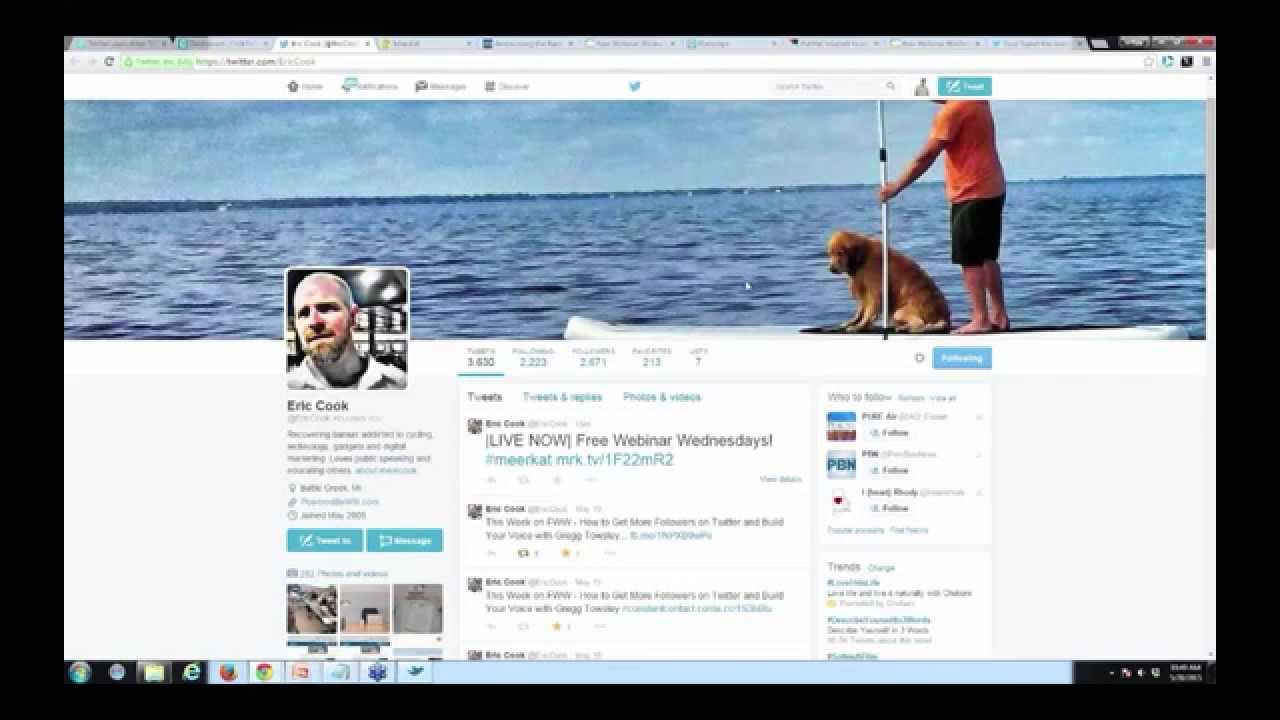
And for the bonus round, one neat aspect of Twitter which is really underused, and I hope they don't do away with it, but creating lists and joining lists and following other Twitter lists. It's a, it's a little bit advanced, and it works best when you are actually on the Twitter platform. But here you can see I'm over at Eric's profile, and if I want to add him to a list, there's a little wheel here, and I can simply add or remove him to any of my lists. I'm going to put him under Amazing.
Aww, aren't you sweet?
And then if you ever want to view your lists or see who has added you to their list, you can just go right over to your profile and here you can see, you know, Eric's one of 2 people that are part of Amazing. I was doing a little side experiment with one of my clients which is a fertility IVF here in Los Angeles, so I wanted to pull in the top 13 best Twitter accounts related to that particular topic. Here you can see if you've ever been added to, so if you're— here's what you can subscribe to, members of. So it's a great way to segment your Twitter people, or, you know, and you can go out and follow— lists are pretty public, so you can go out and follow other lists. So it's really, really powerful. And then when you have a list, you can simply click on it. You can see that this is a list, and this just shows in real time the 13 people that are associated with this list. So you can imagine if you really want to be educated on a specific topic, a specific hashtag, or follow, you know, a certain number of people and then just see that on one screen. I don't use it enough, but I really do realize the power of it.
Yeah, couple of things on lists, and that's one of the things that I'm really trying to get folks to understand is filtering down the information that's in Twitter and being able to, instead of just going to Twitter— I think most of the people that I know that are frustrated with Twitter is they just subscribe to a bunch of Twitter feeds or accounts and Like for me, I follow technology. I follow fitness and nutrition. I follow cycling and mountain biking. I follow banking and financial services. I've got some clients that I follow. And when I pull up my Twitter feed, it's a hodgepodge of a lot of stuff and it's really difficult to find anything. And when you create lists, it allows you to segment that down. And I know Gregg shared HootSuite. The great part about HootSuite is you can go in and you can create different streams based off of the list. So while you're logged into HootSuite, you can actually segment those out. But you can also make your lists private or public. And so, you know, the, the public list of awesome people that Greg has that I am flattered to be on, you can go out and you can actually find that. You can subscribe to that list and pull that in, or you can even look for other lists as well and join those. But like the lists that I have of my customers or maybe competitors that I'm using just internally that I don't want the rest of the world to know exist, I've actually made those private. Those are lists that nobody else can have access to. You're not going to be able to take a look at those because you can go to Gregg's profile and you can look at the lists that he's created and you can check those out unless they're marked as private. That's one of the tactics that I'm encouraging all bank customers is to go in and make sure that you know who your most valuable clients are and you're following them, not just in LinkedIn but also in Twitter or if they're in Facebook. And so you're paying attention to what they're doing because if you're not, chances are your competition either is or might be very soon. And you don't want the bank down the street, for example, complimenting your client on announcements and news and other sorts of things that really you should be paying attention to. And whether you're a bank or a manufacturer or, you know, anybody, it's just a matter of making sure that you're paying attention and you know what they're doing and what's going on.
Yeah, I think that's a good point. And, you know, and the, the power of lists is you can segment it and follow. I can imagine a big company, you'd want to, whether it's Big Brother-ish or not, but you want to follow, you want to have a list for all of your employees so you can kind of see what's going on. I don't know, maybe that's not a good idea, maybe I shouldn't bring that up. But if I was in human resources at a big company, I'd kind of want to have a A little list, maybe private, maybe public. But just to see what employees are talking about throughout the day on Twitter, that would be interesting.
Sure, and you know, there could be actually 2 strategies because I think there are really 2 sides of any discussion that we have with clients when it comes to social media. There is the tactical kind of functional, how does it work, how do I set it up, how do I organize it. But then there is the strategic side. Creating a list of employees is really more of a tactical functional, how do I do it? But the strategic side, one could be you want to provide a public list if you are trying to really portray a culture of an organization. And if I'm part of XYZ company, why not? Hey, if you are interested in knowing what XYZ employees are doing, here is a list that we've created of all of our employees. It's free. They are out there using social media. And if you are interested, Some of them might like cooking. Some of them might like sports. Some of them might be golf or NASCAR fans. But you at least have an opportunity to get to know the personality of the organization. But from a compliance and an audit perspective, if your organization is one where you have to be really careful of what your employees are saying, and a bank can't let a mortgage loan officer just go say things without making sure that it's regulatory correct, You know, loan officer can't say loan rates are 3%, call me. That violates truth-in-lending laws, and so you need to be really careful. So there's a strategic approach from a compliance perspective, and you may or may not want those names to be publicly available. So really thinking beyond the mechanical components to the strategic components of how can you use it to either benefit your customers or benefit internal processes or requirements. I think is something that needs to be taken into consideration for all different types of networks.
I would agree. Yeah. And using these tools, I feel as though they can really, really give you some huge insight and some competitive edge.
Yeah, absolutely. Absolutely. So, well, I see we've got about 6 minutes left, and we've wrapped your 10 list. Do you want to maybe do a quick introduction to If This Then That? If if tttt tttt tttt.
Yeah, let's do a quick introduction to it. I just signed in my account, but if you're the URL is pretty crazy. Is ifttt.com. And let me see if I can go back to the home screen here. And the way that it works is actually if you go to the home screen, it says get the internet to work for you. And Eric, you can help me to describe this, but what they have is, is what's called recipes. And they have all of these recipes that you can search for, and it's, it's based upon the way that programming works. You know, if this certain aspect happens, then we want it to do this. And so they've taken all the programming out and replaced that with what they call recipes. So if I post a picture to my Instagram, then also post it to Facebook. And there are hundreds of these if-then statements they call recipes in here and you can pick and choose from. And I'll use the example, I pay attention, I try to be smart about local news in my community. I live in Manhattan Beach, we have 3 local newspapers, I have a bunch of popular people who talk a lot about the community. So I have recipes that say, if the local newspaper publishes an article, put it onto this Twitter feed, and if this particular hashtag is used, put it onto this particular Twitter feed. And the value that I get from this is I get one stream with every single thing that happens locally. And if there's an earthquake or if helicopters are above, I use If This Then That to publish that recipe into an RSS feed reader. So if somebody tweets about Manhattan Beach, I get notified. And so I'll show you a couple of my recipes here which says— let's see if this one right here— it says our Twitter followers get a LinkedIn invite. So if any of my Twitter followers get a LinkedIn invite I want to be notified. There's a neat one from Craigslist, so if there's ever a bike for sale on Craigslist within Manhattan Beach, then send me an email. This one right here is if there's a new episode of, you know, just call it Free Webinar Wednesday, then send me an email. Let me post from email to WordPress. So, you know, if this particular person tweets, then email me, or then put it onto my Twitter account. So it's really, really powerful, and the idea is just to get the— just to work smart and get the internet to work for you. And, you know, you can see I have a lot of recipes here. Some of them I use pretty aggressively, and I think the number one use case for it is if you follow a specific blog Or Free Webinar Wednesday or whatever your favorite one is, just go ahead and grab the RSS feed. It kind of looks like this and just say, hey, if they post anything, send me an email. Yep.
Well, I think as— and you know, some businesses are a little bit further ahead. Again, I work a lot in the banking space and it's not to say that they're slow to adapt, but it's a very conservative industry and they've got things that they need to pay attention to more so than others. So they've not really jumped in, but I think to a lot of bankers that I talk to, they very quickly become overwhelmed because there's so much stuff that they feel they have to do manually. And when they see somebody like you or me or others that are actively engaged, that are using some of these tools, you know, the first question is, don't you work? You know, how do you do all of that? Because they think that you're doing all of this manually. And while I do not ever suggest putting everything on autopilot because you have to make sure you're doing things personally and you are paying attention. The reality is that if we are playing in a technological world that social media is, and you are not using technology to use it efficiently, you very easily can get overwhelmed and feel that there is just way too much to do and you can't do it all. So looking at tools like this, the tools that you shared for Twitter, If This Then That, posting tools, content tools, reading tools, I've talked about Flipboard and Zite and Feedly and some others that can bring you information easily to help you read things that you are interested in without having to go out and find it yourself. The more that you are comfortable with using these tools and making them work for you instead of you working for them, it really, really is an easier way To be a lot more productive when it comes to social media and social technology.
Exactly, and I'll just show you an example of what I mentioned before using If This Then That. I publish all of those feeds into Feedly, so then therefore if I need to get ramped up very, very quickly on— this one is all about Manhattan Beach, so if anybody tweets, anybody Instagrams, any of the local newspapers, here you can see Patch, These are all within the last hour of updates on exactly what, what's going on. I can just breeze through this and be up to speed. So if you're looking to stay up to speed on a given topic, you can simply put it in here and, you know, here's all of my news feeds from Lifehacker and, you know, some of the blogs that I follow, Search Engine Land, you know, TED Talks. And you can see these are all 23 minutes ago, but I don't ever have to go out to the internet to get my news, to get my information. You know, I'll just see it all here in a feed, and then whatever the headlines, you know, I want to cover, I can just simply jump in there. So again, using the tools, you know, getting the internet to work for you and being smart and efficient with your time is the goal.
Yep, it's all about smarter, not working smarter, not harder.
I haven't figured that out yet, so if you figure it out, let me know.
I read the book years ago, The 4-Hour Workweek by Tim Ferriss, and I burned through that in the first 4 hours of a Monday morning, so I haven't figured it out yet, but I'll let you know. So Greg, why don't you, for folks that are interested in connecting with you or learning more about you, How do they get in touch? What's the best way? Do you prefer Twitter? Do you prefer LinkedIn? Combination of those?
Combination. You know, I'm pretty much everywhere, but Twitter is probably the best spot, and it's just @ContactWSI. And so it's just twitter.com/contactWSI, and I tweet a lot, but you can use some of the tools that I mentioned to sort through to find the really good stuff.
Cool, good deal.
Easy to find online.
Excellent. So it's Greg with 2 G's.
Yes. And Eric, I really appreciate it, and hopefully this was a helpful session for your community.
It was good. A lot of the Free Webinar Wednesday sessions, when we have guests on, you know, the guests always share great info, but selfishly, Jeff and I We like to do it because we invite people that are smarter than us and we learn a thing or two along the way. So I've got some ideas and some new stuff and I'm re-energized for If This Then That. I have an account but I've not nearly scratched the surface on it. And as time management struggles become a bigger and bigger issue, I'm thinking I need to go back in there and figure out if there's ways that that can help me do some things more efficiently and eat my own dog food basically. Do what I say, not just what I do. So, but this has been great. I really appreciate you carving out some time and joining us. And again, today's session is going to be available at freewebinarwednesdays.com here shortly. So we'll go ahead and punch a notice out through Twitter. I'm sure Greg will pick it up and retweet it, as well as on our Facebook page. So you can go ahead and come back and revisit that. And I was reminded by one of our guests that I said that it was clear as mud. He said mud isn't clear. Yeah, kind of. But hopefully the recap will allow us to catch that and refine that service as well. Good. Well, that concludes today's episode of Free Webinar Wednesdays. I want to thank Gregg Towsley for joining us. We certainly appreciate you and sharing your insight. We'll look forward to getting you back for the number 4 show here very soon. We'll keep building those numbers up because you've always been a great guest and have shared really good stuff with us. We really appreciate it.
All right, thank you.
Excellent. Have a great week, everybody, and we'll see you next week. Bye-bye. Bye-bye.







