
Ideas on Using Social Media for Customer Support
Eric Cook shows how banks and businesses can handle customer support on Facebook, Twitter, and Messenger. He walks through auto-responses, ticketing systems, and live video, using Comcast and Citizens National Bank of Cheboygan as examples. Facebook Messenger now lets you send money directly: Cook demonstrates an $80 transfer.
Chapters
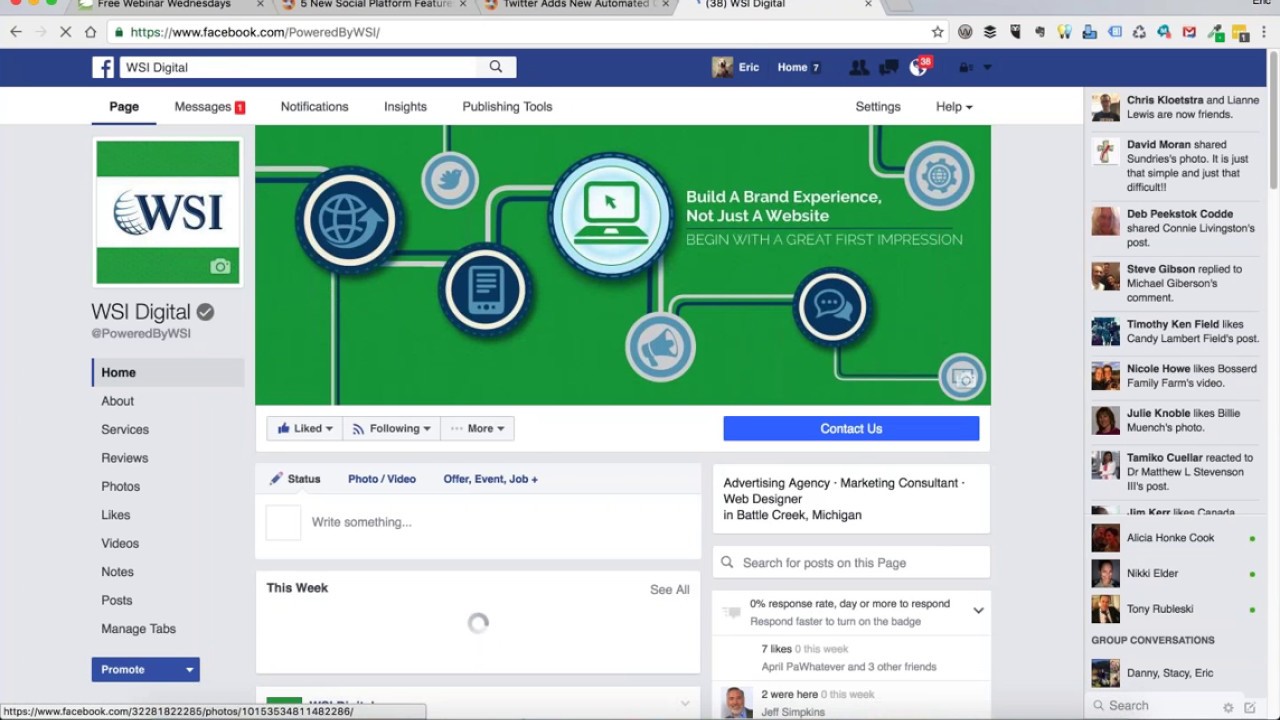
Greetings everybody, welcome to the Wednesday, November 2nd, 2016 episode of Free Webinar Wednesdays. This is Eric Cook, and I am with WSI Digital Marketing, where we work with businesses and organizations in helping them understand and leverage the power of the internet as a strategic business tool. You can learn more about me and WSI at www.poweredbywsi.com. My good friend and Free Webinar Wednesday partner, Mr. Jeff Simpkins, is unavailable today. He is actually traveling. I believe he's at a conference someplace in Texas. So we wish Jeff well. And for those of you that are listening either live or catch this on the replay, if you are in the banking space and interested in all of the cool stuff that Jeff does for banking clients and operational assessments and other sorts of technology planning, You can learn more about Jeff at communitybankconsulting.com. As it shows on the screen, we obviously did not have a Free Webinar Wednesdays last week. I was out gallivanting around the countryside with my wife and friends in our little RVs and did a little bit of a road trip to Cleveland and checked out the Rock and Roll Hall of Fame and then did some camping down in southern Indiana. Was able to stay somewhat engaged through the wonders of technology and Wi-Fi hotspots, but unfortunately was on the road on Wednesday, so we did have to cancel the show. And now that I am back playing catch-up, you can see that I did not have time to actually post a notification for this week's show, but I do appreciate those of you that are joining live or coming back. Week after week. In case you are a first-time flyer here at Free Webinar Wednesdays, all of our shows that we do have are recorded and made available at freewebinarwednesdays.com. And if you've got thoughts, comments, questions, feedback, whatever, feel free to use the chat functionality in your control panel over on the right-hand side of your screen and let me know. Would be great to hear from you. Just a couple of updates that I wanted to share today, particularly in the areas of Facebook And customer service and how Twitter is implementing something that I think I talked about a couple of shows ago. And you may have caught that I actually was in my WSI Facebook page. I wanted to show you one of the functions that we're talking with our clients on now. As you probably suspect, and maybe you've even done it yourself, I know I've reached out to Comcast via Twitter Last year when we were in Florida visiting my parents and found my father waiting on hold on the telephone, going on about half an hour waiting for somebody from Comcast to pick up and take care of a cable question that he had regarding something on his television. And I sent a tweet and was able to basically get somebody to call me back on my mobile phone literally within about 5 minutes. So it was a pretty crazy experience for my father to see how you would think just picking up the phone and dialing somebody direct. Actually, let me see here. I'm just now noticing that maybe I didn't have my screen sharing turned on. I'm going to take a step back and make sure that you're all now seeing that. Thank you for letting me know. Apologies for not showing that. You should be now seeing the Back end of my WSI Facebook page with settings revealed, and I'm in the messaging section. So there we go. We'll get that fixed. So you're seeing that. But anyway, how customer service is evolving into the social world and being able to reach out to businesses through social media, which might be maybe a nontraditional channel for you as a business if you're not necessarily prepared for it, but it's certainly not a foreign channel to consumers. Most businesses are starting to realize that an upset customer on Twitter or Facebook is going to do a lot more damage than somebody that's just waiting on hold calling you on the telephone. Businesses are starting to devote a little bit more time to customer service through social media. Whether you want to support your customers or you're looking to get support yourself, realize and respect the power that social media brings to the table. One of the things that Facebook has implemented, and again, I think I've talked about this before, but just to reiterate, is in its messaging functionality. If you go to the page itself and you can see you've got Contact Us. I'm logged in as an admin, so it's giving me a couple of options here, but you can test the, the actual button. You now have the ability as a business owner with Facebook to go in and control some of the things that happen when somebody actually sends you a message. That can either be through your Facebook page. They can go to messenger.com, which is Facebook's standalone Messenger service where you don't even really need a Facebook account per se. You can just sign up for a Messenger account and you can message people back and forth that way. But in your Messenger setting, you can see you can turn that on and make it available. And a couple things you can do— our business is not one that operates with traditional business hours, so we're not open 9 to 5. I like to tell people, what hours of the day do you work? And I pretty much say all of We really don't have hours on our Facebook page, so we don't really use the autoresponder that says our business is now closed. For those of you that are listening that may have locations that operate within a set hour period, you can go in and you can actually set that. If somebody tries to send you a message in Facebook and it's after the time that the office or the business is closed, you can send them back a note that will only show when you are closed according to the hours that you set on Facebook. But you can also set instant replies and a Messenger greeting as well. And, you know, we work with a lot of financial institutions, and some of the recommendations we're making to our banking clients is if somebody reaches out to you, you want to have maybe notification that reminds them not to share username and password or sensitive information. It's not the official secure banking support channel. The Messenger greeting is more of a touchy-feely, hey, thanks, we're looking forward to chatting with you. But you can turn these on, test them, make sure, and your compliance department, and even if it's just from a pure customer service and you're not a bank, these are areas that are nice to add to the actual customer messaging experience. One of the things that I noticed, and I got a couple of articles from social media today, they just both happen to be from social media today. This one actually came across yesterday, and I mentioned in my introduction the fact that I reached out to Comcast via Twitter and was able to get somebody to call me back really quick. You can see customer service inquiries by platform. Even though Facebook supports that, more and more people are going to Twitter. Twitter's getting a bad rap, you know, they're for sale, nobody wants to buy them because of all the trolling and everything else that's going on, but it's still a pretty actively used network, and if you set up a way for your customers to reach out to you, maybe a dedicated Twitter handle, and you just put _support after your name or something along those lines. That can be a great way of making yourself reachable. You just gotta make sure. But Twitter announced that they're in the process of actually creating a similar ability where you can kind of go back. Here's an example of Evernote and their support channel. When you tweet to them, you've got an auto-response that can go ahead and send back a note. You've got some ticketing issues and other sorts of things which kind of go beyond what the folks at Facebook have actually created. Kind of some cool things that Twitter is doing, especially from a business utilization perspective. I don't know if these features are rolled out to everybody on Twitter. But certainly something to keep an eye on and think about it from a customer service perspective. Another article that I caught the other day that just talks about some features, and these are some Twitter, some Facebook. I mentioned some of the spamming and trolling issues that Twitter experiences. You can now set up filters within Twitter, and you can mute specific words. I'm hoping that the majority of folks that are tuning into Free Webinar Wednesdays are not being trolled actively by people that are looking to rattle their chain. If you are, there are some ways where you can go in and you can actually mute specific words and other sorts of things. Twitter has also added a couple of other cool new functions within its dashboard. I just wanted to draw those out as a kind of some attention to take a peek at, looking at events and tracking hashtags and mentions of competitors, whatnot, just to help keep an eye on what's going on out there. Apple has a render mode where they're just providing the ability to strip information out. I think this is very similar to if you were to dump something into a pocket or an Instagram and Evernote, where you can kind of strip out the information. Not a real big deal here with Instagram kind of revising its share, but Facebook is in the process of trying, and we tried to buy Snapchat before and they got shut down, which is why they've implemented a few of the Snapchat-like features into its Instagram product. But you can see there's an Asia version of Snapchat called Snow. And they're in the process of going after some of that. Facebook is also implementing some of the filter capabilities, so you can kind of get an idea. There's a little Halloween dude kind of putting a little filter on the Facebook Live video capabilities. And so video continues to be a pretty prominent, pretty important area to give consideration to. We've got some of our clients that have started using video pretty successfully. We've got a real estate agent that's doing a video every Friday morning talking about different properties and areas within the communities that she serves that are starting to get some good traction. And one of the banks that I'm familiar with up in Cheboygan, Michigan, Citizens National Bank of Cheboygan, would encourage you to check out their Facebook page. Recently they And did— for Halloween, they've always done just a bang-up job decorating their office and getting into the Halloween spirit. At Citizen's Facebook page, they did a live streaming video of their office all dolled up for Pokémon Go, which was super cool. And they've got some pretty good artists and some talent there, and all the employees were dressed up and, you know, looking at some of the metrics, they've obviously exceeded typical posts by using video, which is getting shared and distributed all over the place. Video can certainly be a huge boon to your visibility, especially if you get people to share that with their network. A couple of the last things that I wanted to talk about— don't really have any articles on those. This will be somewhat of an abbreviated show, probably no more than half an hour. With regards to Facebook and its Messenger app, a couple of interesting things happened over the last couple of days that I just want to make you aware of. One of them has a little bit of a banking implication to it, which might scare the heck out of the bankers in the audience. But from a consumer perspective, I had somebody recently share an experience where they had to send money to a relative for a birthday, so they wanted to send $80. to their sister and was— it was scary. I believe the words were, it was scary how easy it was to send money through Facebook. Facebook has a function where you've got the little coin in your Messenger. You can click on that. It gives you the ability to send money to anybody. A lot of financial institutions offer person-to-person, commonly referred to as P2P payment capabilities. Venmo, PayPal, some of the others give you the ability to do that as well. But within Facebook, essentially the only thing that this individual had to type was 80, which was the dollar amount that they wanted to send. They went ahead and touched the little payment. It brought up their camera, so he basically took a picture or scanned His debit card. Facebook pulled the information off of the debit card, didn't take a picture or keep it, but just used the camera to gather the necessary information for payment. And then went ahead and he picked his sister from his list of friends on Messenger and said, I want to send, I want to send her $80. And out of curiosity, just said, you know, let me know how quickly you get it. Within, he said, literally minutes, she indicated that the money was in her checking account. So he used a debit card, so it pulled money out of his checking account. She used a debit card, so it put money into her checking account. And everything happened virtually instantaneously. And when I asked if he was charged or she had any fee deducted from the $80, he said no. It basically all happened directly through Facebook and within minutes, and all he had to do is just manually type in the dollar amount. So when you start thinking about convenience and disruption, one of the things we oftentimes talk about when I do conferences is, you know, the Uber-like experience. And I often refer to Uber as— the word is frictionless because it's just so easy. You get in, you get out. I mean, even on our camping trip, we ended up spending a day in Louisville. They actually have a campground right across the river, rather urban camping, but camping nonetheless. We hailed an Uber, and our friends had never been in an Uber before. When we got to the Muhammad Ali Museum, we just got out, and he says, well, how do you pay the guy? I said, well, everything just kind of happens in the app. It just does. He was blown away by that because he hadn't experienced Uber before. The frictionless experience of being able to send somebody money through Facebook and some of these other apps versus, you know, write a check, put it in the mail, you know, whatever the case may be. Now that instantaneous delivery of information and data and money is becoming a definite reality. So I wanted to share that experience. And again, some of the bankers listening, might kind of freak you out a little bit, but it's there and it's here and it's, it's working. And according to one individual, it works scary fast. The other thing that I wanted to mention, and I've, I've said a couple of times on Free Webinar Wednesdays, that thanks to services like Messenger and WhatsApp and, and some of the other communication tools, we may likely get to a point down the road where we really don't even need a phone number. We just need to be friends with somebody through a social network, and social network we're facilitate our ability to connect and communicate and talk to one another. And so, uh, wanted to coordinate a conference call with a couple of other folks to discuss some stuff for the cycling team that we sponsor. And I'm friends with all of those people on Facebook. They all have Messenger on their phones. So I shot notes, called a couple of them and said, hey, let's get on a call tomorrow night. And everybody said, cool. I scheduled the actual call and put a reminder in Messenger because I created a little Messenger group that had all 4 of us as part of the discussion. I created a reminder for 8:15 PM and about half an hour before the call was scheduled to kick off, I got a Messenger note, as did everybody else that was part of that group, that says, hey, don't forget, you got a call in 30 minutes. which I thought was pretty cool. And then another reminder happened just before the call was supposed to start. What I, what I did, I didn't realize that it actually, it actually had this capability, is I use a service called UberConference, and I scheduled UberConference for the dial-in number and the PIN code. So everybody dialed into that. But when I set the actual group and made it the reminder, it said, hey, you can now schedule your calls and do group chats directly through Facebook. So the next time I actually do a conference, it's going to be with individuals that I'm friends with. I'm going to give that a try. And those of you that may be interested, you know, a lot of us are friends with family and coworkers, and maybe you want to get on the phone and have a conversation about something. You know, typically my go-to app for that has been Skype, but not everybody has a Skype account. Facebook seems to be a little bit more universally accepted. The next time I go and actually create a group call, because we're in the process of talking about jersey designs and clothing and all sorts of other stuff for the team, we'll go ahead and we'll give the Facebook a shot. What that will do is it connects to your phone using a data connection, so my suspicion is it's going to be best if the participants are on Wi-Fi because you may not have necessarily a great signal. But because Messenger works regardless of whether you are on a phone or a tablet with an actual cellular service, because you're not going to be using Verizon or AT&T or Sprint or whoever for your actual phone call, it's not going to count against your minutes. It'll count against your data, but it's going to be kind of a different way of being able to have a phone conversation. So give that a shot if you are using Messenger. It's kind of a cool way of being able to facilitate a phone conversation and have some discussions. And, you know, so that, that's kind of it. So like I said, it was going to be a short show, but just wanted to give you a couple of things that have hit my radar screen and a couple of the experiences that I've had. Give Messenger a try. It's a great way to keep in touch and some cool ways to go about actually scheduling group chats. Double-check on your page settings. If you are a page manager, be sure to go in and take a look at your Messenger options and see whether you've got or if it would make sense to provide some instant greetings and some instant notifications. And then take a look at that automated customer response tools for direct messages and when people are communicating with you, how you'd like to be able to manage that. If you want to build some tickets or provide some alternative information for folks to be able to check out. So we are at 1:23. I said we'd be less than half an hour and I beat it by 7 minutes. So depending on how long it takes for me to do my wrap-up, We'll be out of here shortly, but appreciate you joining me. Again, apologies for not posting an official webinar notification, but I was glad that those of you that are attending live made it. But we'll get this recording, shorter recording, taken care of and posted up to freewebinarwednesdays.com. So until then, we'll look forward to seeing you online and at freewebinarwednesdays.com. And have a great week, everybody. Thank you. Take care. Bye-bye. Bye-bye.







