
LinkedIn Rolling out Some New Features!
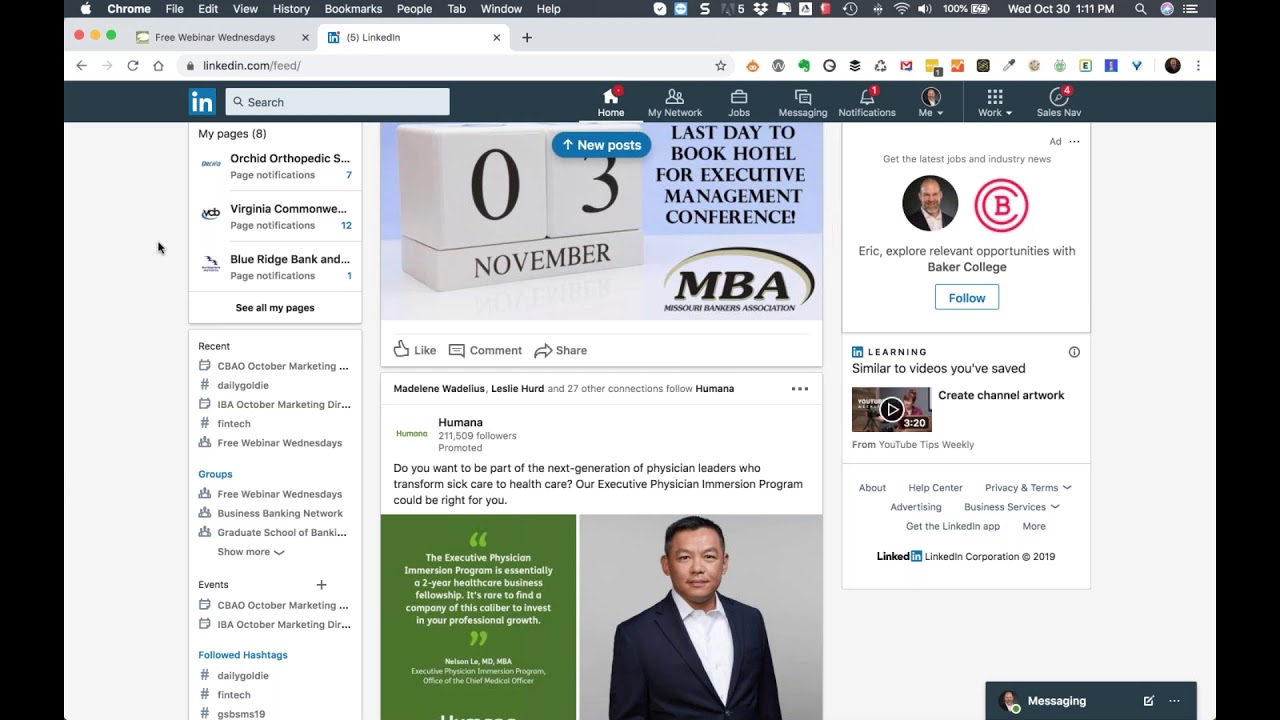
In this 60‑minute solo webinar, Eric Cook greets the audience with personal anecdotes (dog‑birthday shout‑out, recent WSI convention, Digital Minds 3rd‑edition release) before shifting focus to LinkedIn’s latest product updates and how they can be leveraged for personal branding and business development, especially in the financial‑services sector. He walks through the newly re‑introduced LinkedIn Events feature (creation workflow, image requirements, physical‑address limitation, private vs public events, and best‑practice recommendations for who should create events), the emerging “share with employees” notification tool for company pages, the Content Suggestions engine that curates industry‑relevant articles based on page metadata, and the revamped Kudos/Team Moments/We’re Hiring functions (including step‑by‑step kudos creation, its algorithmic boost, and practical use‑cases). Throughout, Eric ties each feature back to a strategic approach: building a personal brand, positioning oneself as an educator, and converting credibility into business opportunities. He also references supporting tools (Canva, Eventbrite, econ70.com) and his Digital Minds book as resources. The session ends with a Q&A‑style wrap‑up, contact information, and a reminder to experiment with the new LinkedIn features.
Chapters
Greetings everybody, welcome to the Wednesday, October 30th, 2019 episode of Free Webinar Wednesdays. Happy early Halloween to those of you that are going to be celebrating it. I also would like to give a shout out, even though she will never hear it or understand it, but being we don't have human children, we have doggy children. Our youngest golden retriever named Winnie celebrates her 2nd birthday today. Happy birthday, Winnie! She is up north with Grandma and Grandpa at the lake, but I have received pictures of her enjoying her birthday cupcake. So I just want to give a little shout out to my little doggy daughter Winnie and hope she has a wonderful second birthday. And we're looking forward to having them back this weekend when they get back from Grandma and Grandpa's house. Today's webinar and all webinars are recorded and made available at freewebinarwednesdays.com. You can learn more about what we do here at WSIA digital@poweredbywsi.com. I, um, a lot of stuff running through my head right now. So we just had our global convention last week. Unfortunately, I was not able to attend that event. I had some prior commitments back here, but we had a couple of folks from our office head to our convention down in Cancun. I felt really bad that they had to spend 5 days in Cancun on the beach and all sorts of stuff that went on that they typically do at conventions. But from what I understand, there was a ton of really good stuff shared, some really good sessions. So what I suspect will happen on a Free Webinar Wednesdays down the road is maybe get Ellie, who from our office was down there, and have her share some of the things, maybe bring in some of my other consultant friends in the WSI ecosystem to share some of their observations, because we had some really cool network partners down there and really talked about just where digital continues to head from a consumer and a business perspective. So all super, super good stuff. But what I want to talk about— oh, and one other thing. So our book Digital Minds, which is now in its 3rd edition because we actually released the newest and latest edition of Digital Minds at our convention down in Mexico this past week. Unfortunately, I was not able to be at the book signing, but there were a number of my colleagues who were also selected as authors for Digital Minds. They're at the event in a book signing where other consultants basically could get scribbles. So chapter 7 is the elusive chapter that nobody got a signature on because that's my chapter on conversational marketing, chatbots, and artificial intelligence. So if anybody wants to get my signature, on their edition of our new Digital Minds book. They're gonna have to catch me at a conference or come up to Michigan for a visit. So it is what it is. But very soon we'll be probably talking about each of those individual chapters. I've got a pre-release version of the book and have been going through, and there's some really, really good information. It is by no means a sales pitch for WSI or trying to convince people to hire us. It is very much focused on education, and informing people about the different elements related to a successful digital marketing strategy. And I'm really proud to have been selected as a contributing author now for the 3rd time in a row for our Digital Minds book series. So stay tuned to Free Webinar Wednesdays, keep an eye out on our social media channels. We'll probably be putting some information out shortly about all of those, and I'm going to be updating my Digital Dozen presentation, which previously has been based off of the 2nd edition of Digital Minds, on 12 things every business needs to know about digital marketing. The subtitle on this newest edition of Digital Minds, even though we stayed with the 12 chapters, is A Strategic Approach to Connecting and Engaging with Your Customers Online, which some of you that are frequent flyers here on Free Webinar Wednesdays may have heard me talk about as it relates to our new branding statement, although it's not positioned as the branding statement on the book. It's kind of our new mantra of figuring out ways that we can help our customers connect and engage with their customers through an online digital channel. So a couple of great things, just wanted to make sure you guys knew about that. Last week, although technology and power outages tried to stifle me. It wasn't last week, it was the week before. Um, I started talking a little bit about some of the cool new stuff from Google— the Pixelbook, the earbuds, the new Pixel phone. Um, so there's a bunch of new things that Google has released, so hop out there, check that out. What I want to talk about today in the time that we've got together is some of the new things that have been recently rolled out over at LinkedIn. When we talk about connecting and engaging with your customers online, one of the best ways to do that is building a personal brand using LinkedIn. We do a lot of work in the financial services and the community banking space. The, the platform LinkedIn is probably one of the platforms that if a bank is going to provide access to a social media platform at the office for their employees to use, it's likely going to start with LinkedIn for a couple of reasons. One, it's seen as much more professional. 2, it doesn't have probably as many distractions, although I will tell you there's a lot of really great content that people have been sharing on LinkedIn, and I have to almost schedule my visits to LinkedIn because I can quickly get sucked into articles and conversations and other sorts of things. But by no means are you getting drug into some of the stuff that you would find on other platforms like Facebook where you've got personal stuff political posts, funny videos, a little bit more humor and maybe more informal type conversations. YouTube, Twitter, Instagram, those sorts of platforms. So most of the time when we talk to our clients, they're trying to figure out, okay, well, if we at least start allowing our employees to get access to LinkedIn, we know that the risk to the business is going to be probably less. There's a more, I guess, a greater opportunity for business benefit. And while you may not necessarily be in the banking industry yourself, you can certainly replace the word banker with whatever industry you're in. But my father was a community banker for 33 years, and one of the things he mentioned to me when I started working at the bank was you'll quickly find that people will choose to do business with you because you are their banker, not just because you work at the bank. And again, take the word banker and bank and put whatever industry you're in. If you're an attorney, if you work at the flower shop, if you are a consultant, if you are a dentist, you know, whatever the case is, it's much more of a person-to-person relationship today. While there's certainly ways that you can categorize businesses as B2C for business-to-consumer or B2B for business-to-business, business. Really, at the end of the day, people buy from other people, and you're going to want to do your best to allow people to get to know who you are so they can go through oftentimes social media, a strategy that's, you know, know me, like me, trust me, where people get to know you, they get to like you because of what you're sharing and talking about, and the fact that you're not out there just trying to hawk a sale or convince somebody to spend money with you or advertising your products and services. Um, so the more you can position yourself as an educator and as a resource and just somebody that is there to help make everybody else better, then they're going to know and like and eventually trust you. And then you have to have some faith through that process that at some point down the line, if there is an interest and they do happen to need somebody to draft a will or to, in our instance, do a website or help train them or do some digital advertising. The hope is that through the content that you're sharing, you'll have established some credibility and some familiarity, and it'll be a whole lot easier for them to reach out to you and feel that you're really there to help them, not necessarily just doing it to try to sell them stuff. So LinkedIn has rolled out some new updates. Some of them are kind of in baked mode, I guess. They still need a little time in the oven, if you will, because I don't think that they're fully deployed yet. Um, one of the elements we're not going to really talk a lot about today, but there's still, um, I guess working on the LinkedIn Live and getting probably closer to making that available for everybody. But the things that I want to chat about today that have been announced within the last couple of weeks, um, LinkedIn Events, the ability to share content with employees, content suggestions that are being made to page managers, and then revisit Kudos because they've rolled in a Team Moments and then even a We're Hiring functionality. So I've got my LinkedIn profile pulled up here. I'm just going to use mine as an example to walk through some stuff. The first one I want to talk about is LinkedIn Events. And so this is a function that had been in LinkedIn probably 6 or 7 years ago. It went away, didn't really know why it went away, but it's now come back. I think it's a start. It's not probably where it ultimately needs to be, but on personal profiles, this is not something you can yet do at the page level, which is one of the things that I think is a missed opportunity. Although from the podcasts and the reading that I've done, and from my personal experience, a lot of what LinkedIn will do, they'll first do at the profile level. Yeah. Meaning the individual or the people. And then once they start ironing out the bugs and getting the kinks taken care of, then they'll go ahead and they'll release something at the page level. But for right now, you've got this capability at the individual level. So if we take a look over here on the left-hand side, and if you're on a mobile device, you can click on your profile, get the dropdown, go underneath groups, and you can see events as well. If you have any events, which you probably don't because this may be the first time that you've heard about it, you just simply click on the plus and that allows for you to create an event. And I'll walk you through that here in just a little bit. But I present at marketing forums for a couple of state banking associations. So you got the Community Bankers of Ohio and the Indiana Bankers. These are events that aren't open to the general public. Banks participate in these under a paid subscription model. And so these are both private events that I've created for the forums that I was at last week. And I'm just gonna pull up an example of So the Community Bankers Association of Ohio, their October marketing forum. So I went ahead and pulled this up. You can see when I created it, it generated a URL. Now the nice part about this is if this is an event that you're creating that you ultimately want to share, you can grab that URL, you can post it out to Twitter, you can send it to Facebook, you can put it in an email. So there's lots of different ways that you can build awareness for an event. And since you're building these as individuals, I would say if you're the marketing director for your organization, you may want to take on the role of creating events because you're really the one that's organizing it. In the world of banking, for example, if you are a commercial lender and you're going to be doing an open house, or you're going to be, you know, attending a networking event, or you're the host for an educational seminar or something along those lines, then I would suggest whoever is the highest level of authority within the organization is the one that actually creates the event. So the manager, the director, the vice president, whoever is the person at the top of the food chain, if you will, creates the event until we have the ability to create these at the page level. Because ideally, the CDAO would create the event and then it would share it with me as the facilitator, and then I would also share it with all the other individuals that are part of the event. But that's not quite possible at this point. When you're creating an event, you've got some branding, and I'll show you a little bit more of how you can actually upload images once you get going. But you can see you've got the ability to put a little thumbnail, and you can do a profile cover photo. I did a thumbnail for the 2 that I created, but I didn't do a cover photo. You can create a template. You can use a service like Canva, for example, which gives you the ability to build images online with particular pixel sizes, or you can create a template within your own organization and use something like Photoshop or InDesign. But you have the ability to add some image branding. It's probably more important if you're going to be doing a public event that you're inviting people to. Then you can see all this other information is included as part of the information in the event when we go to the setup. One of the things that's a little bit of a downside is you have to have a physical address of where the event is located. So if I wanted to create an event for Free Webinar Wednesday I don't really have a physical address because Free Webinar Wednesdays is a virtual— you come to a website. So what I may end up needing to do if I wanted to do that is I have to put in a physical address. Maybe I'd drop our office in Battle Creek in there, but then in the description I would indicate that, hey, this is really a virtual event, this isn't a physical event, so don't show up to— don't show up to my house because You can't sit in my office. Well, you probably could, but that'd be really uncomfortable. Sit in my office while I'm delivering Free Webinar Wednesdays. That'd just be kind of weird. You can see you do have the ability to indicate where it's at, a little bit of detail. So I just simply put the conference room, and then you can provide a hyperlink. So if you've got an online registration site, you're using something like Eventbrite, or you've got more details on a blog post, you can drop an actual URL in there. Or if you want to link, maybe you're doing an event and you want to invite a everybody and you're doing something with the Chamber of Commerce, you can go ahead and drop the chamber's URL in there. And then the date, you can see this has already passed so that you can see that this has ended. The cool part about an event is you have the ability to post to it and you can add images. And of course, this was just kind of for test mode, so I went ahead and dropped the kids in there going for a walk. You can see Starbucks in the background. They're on their way to get a pup cup treat, which If you're not familiar with pup cups and you have dogs, the next time you're at Starbucks, ask them for a pup cup and they'll take one of the little espresso cups that they have and they'll fill it full of whipped cream and you can take it back to your furry friend. Word of advice, if your dogs are as excited and gobble those down as quickly as mine do, you probably want to do it outside of your vehicle because we've had to clean whipped cream off the ceiling of our car a number of occasions. So we make sure that they get their pup cups outside and we grab extra napkins. So. But I digress. And the one on the pink leash is Winnie, and she's the one that turns 2 today. So her big sister Lily is probably there celebrating and having cupcakes with her as well. But you can go ahead and you can create posts just like you can in any other post. So you can create and say, I only want it to go here. You have the ability to add some other stuff, and we'll talk about some of these things as well when we get further in. But building your post just like a regular post, but now it goes to the event because this was a private event, you can see that this was one that, you know, just didn't go a whole lot of places. I invited one individual, so Azza is the CEO over at the CBAO, so I invited him because when I was creating it, he was the only person that I could remember on LinkedIn that was part of the actual marketing forum. So I invited him, and I'll show you exactly how that process works as well. So if I want to create an event, I'm just going to go ahead and click on the little plus here. This is where you can see you've got the ability to actually add the little photo. You can go ahead and you can add a cover image. It'll tell you, so this is a square image, this is a 4:1 aspect ratio. So any of the editing platforms that you use are going to give you the ability to pick the aspect ratio. The bigger the size, the better, and then LinkedIn will shrink it down. But it's important that you obtain a picture or an image at that aspect ratio so your important elements don't get cropped off. Don't take a really large square image and drop it in as a cover because you're just going to get a stripe right across the middle, and that might not be what you want the image to focus on. You can see the event name here is a mandatory field indicated by the little asterisk. So you give it an event name, where you're going to be, what you're going to do, what the event's called. This is where the location really has to be something as a physical location. So if you start typing in an address, So 12369 Verona Road. So now it's pulled up my actual address here and I can put this in, but I'm not able to do— I can't put in Free Webinar Wednesdays, I can't put in a URL. You have to select from the dropdown. So that may or may not be something that changes. I think it's probably a bigger issue when you've got something that's a virtual event. So again, you can just put in your office address there, but then in the venue details, you would just put important note, this is not at our office, this is an online webinar, visit us at Free Webinar Wednesdays. You can see you've got 1,000 characters to play with, so you can get a little bit more robust here. You can do start and end date and time. You can pick your time zone. I don't know why it's picking Atlantic, but I would change this to Eastern. Some additional description information here. You can get a little bit more details. If you have a ticketing website, so for example, you might be using Eventbrite or Ticketmaster or some of those platforms, you could drop in the track, the ticketing website URL. And this is where you're gonna have the ability to say a public or a private event. And if you have a private event, you can either allow attendees to invite their connections. So maybe if I wanted to invite Asa, but I couldn't remember who else was in, or maybe I wasn't connected to everybody that was part of the marketing forum, but Asa was, anybody that gets added to the group can then add other people to the group, and now your event can build, and it's a little bit more of a restricted growth as opposed to the organic, just, hey, it's a public event and whoever wants to show up can show up. So once you create that— now I've got it blued out or grayed out because I haven't completed all the necessary items— but you simply click on create your events there, and then you can go in, you can grab that URL, you can share it to and then post information. I would suggest if you're the event creator, it's a good idea to think of yourself as the moderator. So people, just because they're invited to the event, might not really know what that means. They might not catch it. You might want to send them a direct message and go, hey, I just invited you, it's a new service, check it out. But then you're gonna be the one that's gonna want to share information and post details to try to spark some conversation. So events are there, figure out how to use them. Again, I think the, the URL for the location is coming, the ability for us to be able to spawn these directly from a page. But the next time you're going to be attending, or maybe you're organizing an event for your organization, or maybe you volunteer for a nonprofit, or you just want to maybe do a meetup at the local coffee shop and create an event and go, hey, I'm going to be at Starbucks tomorrow at 3. Any of my LinkedIn friends that would like to join me, stop on by and let's share a cup of coffee and catch up. So some interesting ways you can do that. But really, the physical address requirement, I think, is one of the efforts of LinkedIn to really try to get people to be present at an actual, like, face-to-face. So I can see you, I can shake your hand. You know, we really enjoy a real cup of coffee together instead of everything just being virtual, virtual, virtual. So check out LinkedIn Events and be very curious as you go through your learning process to see how it works and what you think. The next item I want to talk about is the ability for— and I'm just going to go back to my profile and I'm going to scroll down and I'm going to get to my Cook Technology Solutions page— the ability to take content and share it with your employees. Now I'll admit we're just in the infancy stages of getting our own LinkedIn page. I know, do as I say, not as I do. I've been focused so much on building the personal brand that we're now kind of coming back and saying, you know what, we really should kind of do what we say. So there's not a tremendous amount of activity or followers going on. You can see we're up 600% in unique visitors, but that's only because we probably didn't have hardly any and now we're at 7. So the percentages look pretty impressive, but Numerically speaking, it's probably not what we want. But looking that aside, you can see Ellie is part of our team. She's gone ahead and posted this. Now, this doesn't show on the public view. Her and I are both administrators. But if you go in here on your little 3 dots, you now have a new option. And this is being rolled out gradually. We have some pages that we administer or we have access to that don't have this capability yet. We checked last week and it's still not there on all of them. But this gives you the ability to go through and you can say notify employees of a post. And then right now I'm the only official employee that is assigned to, so it's going to notify me. If you've got 30 employees or 50 employees or 100 employees, you're going to go through and you'll see that. Now employees have the ability to unsubscribe. It's not blatantly obvious that this is going out. You can only do it once every 7 days. So some of this, while I think the good intention is there. The immediacy of social media is such that you may do it this way and let that happen, but if there's something that's really important that you want to get out, most organizations are already creating an email and they're blasting it to their staff and they're sending it a link like the event link that I told you about earlier on the events. They're sending people an email of the actual post and saying, hey, go check out our post. Go share our post. We've just updated. But I can go in and I can click on yes, and now that's going to send me an update. Employees will be notified, and then I'm not exactly sure how long it takes, but I will see that then as part of a notification, and it'll show up, and then it'll give me the ability to then go to the post, engage with it, share it, comment on it, be any, you know, any of those sorts of things. So sharing with employees is something new. One of the other new things that has been released is content suggestions and also status. And I'll show you status on one of the pages that we have access to that's almost there, but they haven't added any hashtags. Content suggestions is new because based off of some of the information that it knows about your business, the hashtags you've used, the industry that you've selected, you can go through and you can put in some information And it'll come back and it'll recommend content for you. LinkedIn actually has a team of journalists that curate content and look for information. And so if you're wondering what type of content you should be sharing, if you have access to your page, you can go into these content suggestion areas and you can take a look at stuff. This gives you the ability to just dive in and, you know, if this is something that I decided Um, oh, let's see. Let's, uh, of course during a live webinar I had to have profanity jump through on a, uh, on a promo. So apologize for that. We try to keep it a family show and not get all, uh, you know, ghetto on you, but sometimes you just don't have control. Um, so if we wanted to share this on, uh, Bezos, we could go ahead and we can click the share button. Um, you can see some engagement rates, what articles actually are seeming to pull people in. People would be interested in. So this might be an element to be able to curate some information, which would be kind of, kind of cool. If you go over to— I'm just going to see where, because I've gone through. Let me click on the, the onboarding. This is another element. So if you want to go through and kind of revisit what sorts of things. So maybe I would want to say financial marketing and advertising. Maybe I want to add those to my list. As well, because those are also things. And if I'm primarily interested in the director, chief experience officer, I could, I could do some of that. But if I just go through and maybe add a couple of those extra items, maybe it will, maybe it won't. I can go ahead and I can add some topics. So if I wanted to do a topic for SEO, Let's see what search engine optimization. So maybe politics and law isn't something that I'm interested in. If I did banking, I could put that information in there. Maybe society and culture I'm not as concerned about, but maybe if I type in the word cybersecurity. So now you can see I'm changing my stream and curating information that is going to be a little bit more relevant. To the types of people that are interested or that I hope are interested in what we're going to be posting on our business page within LinkedIn. So let's hop over. I want to show you the completeness. So we're going to take a look at Orchid Orthopedics. This is an awesome company that we get to work with that does contract medical implement manufacturing. And you'll notice that they've got a Build Your Page completeness bar at the top. And as you go through, it'll give you a list of things. And if you click on the little dropdown here, it'll show you what's left, or you can hover over the little checkmark and it'll give you your little checklist of stuff. And so this is LinkedIn's attempt to make sure that it has a good understanding of what your business is all about, because the more LinkedIn knows about your business, the better it can position you in front of the eyes of people that might be interested. So you can see with Orchid, they've gone through and, and done the industry and company size, all this information. The last thing that is yet to be done is just dropping in a few hashtags that would best describe what OrCAD does. That's going to help people that are out there looking for medical manufacturing, surgical implements, you know, medical design, those sorts of things. The keywords basically that OrCAD would want to be found for. Once that is in place, this status bar goes away and it no longer shows because you've gone through the process. Of making your business profile complete. This is very similar to the recommendations that you have on your individual profile where you want to get all the way to expert status, where you've done all the things— you've got a description, you've got education, you put in jobs, you've got your summary, you've added a photo— all those different sorts of elements that will allow LinkedIn to see that your profile is complete. It's doing it now at the company page. So If you've gotten to your page and you see that you've got this build your page process, and if this isn't revealed, click on the little dropdown and then that'll show you what you have to do. As you knock those things out, your progress bar continues to get all the way to the point where you're going to be at 100%. This is only visible to administrators. This isn't out there for the general public to see. So those of you that are watching the webinar now, if you go out to Orchid's website— or I'm sorry, their LinkedIn page— you're not going to see that. But you will notice if you go to the hashtags, there's not going to be any hashtags listed listed for their business until we go ahead and we get that fixed. All right, so let's finish up with talking about kudos, employee moments, and hiring. So I've talked about kudos in the past, and some people are, you know, pros, some people are con, some people are like, yeah, big deal. But if we go in and we start a post, what I always do is I change it from anyone and I do anyone plus Twitter. And so I'm going to do anyone and I'm going to pick anyone plus Twitter because I've got my Eric Cook Twitter account connected. So this way it's visible. So even if you're not logged into LinkedIn, you're still going to be able to see what I'm talking about and it's going to go out to Twitter. You can start typing your info just like normal. You can add a hashtag as a reminder. You can @mention individuals with the symbol and start typing in their name if you're connected with them directly and they don't have that capability disabled. But down here at the bottom, you've got a couple of things, and this used to be Give Kudos, and now it's Celebrated Teammate. And there's a couple of options that you can now explore when you click on the Celebrated Teammate. Share that you're hiring— if you're the HR manager, you might want to play around with this. I've clicked on this a couple of times and it's just given me a blank screen. So I don't know if that's because it's still relatively new and it hasn't been blown out yet, or if it's because I'm— I don't have hiring enabled at the company level. But hiring isn't something that we've really seen work quite yet, and it might still need to have a little bit of time in the oven before it's ready to go. But if we go into the Celebrate a Teammate, this is where you can go in, and it doesn't necessarily have to be your own teammate. at the office. That's where it's a little bit misleading because you can give kudos to anybody. The Welcome a New Teammate allows for you to recognize a new colleague that's joining your team. Again, this is probably something that if you're the manager of a department, you've got hiring capabilities, this would be something that you would maybe want to take a look at. But for the general public, I don't know as if you would really want everybody in the organization jumping out and welcoming a new colleague because I just don't think that that's really what LinkedIn's intention is with this feature. But the kudos functionality is one that while you can certainly do a kudos without using the kudos button or the kudos feature, I've told the story on Free Webinar Wednesdays before, but I'll repeat it just in case you've not heard it. When I went through some training on LinkedIn, one of my colleagues or François out of South Africa is our LinkedIn guru. He's kind of like our training sage. And so what I did after I got back from some LinkedIn training and kudos was just recently released, I went in and I actually gave François some kudos. And so if I just start typing in François's name here, I'm going to go through and it's going to start doing some search and voilà, there's François, my buddy out of South Africa, LinkedIn trainer. He's got a great little headline there that he's using. So I put in Francois and then I click on next. I don't know if I can add multiple people here. And sometimes you can try things and they will or won't work. So we're gonna fly without a net here and see if I can actually do a Francois and an Ellie. So let's go ahead and we'll click next. And if this blows up, then we know that we really can't do 2 individuals at the same time. But I'm gonna click Next. Let me go ahead and close this. So if I go and let's say maybe I want to say both of them, great job, they were both at the convention. Unfortunately, I wasn't able to be there. But if I wanted to say, hey, Because I know that they had some really good conversations at the convention, so maybe I want to do a great job. I go ahead and I select the great job. You can see at the top it changes the background, it changes this. Now I demoed this at my marketing forum and somebody said, well, you could do the same thing because once you get to the next screen you could go into Canva and you could build an image. Yep, you could upload the image and you could create A post. Yep. So you could do all that yourself if you wanted to. Now I would suggest you're going to change or modify the verbiage here a little bit. So this says Francois, Ellie, kudos, keep up the great work, great job. Maybe I want to add a little bit more around that. So the reason that I think a kudos is important and what happened with Francois is I shared a kudos and said thanks for being a mentor or great presentation, something along those lines. I changed this because He taught me some things I didn't know about LinkedIn. I started putting them to use and they started working really well, and I was getting some good visibility from my LinkedIn audience. So I gave him a kudos. Now what happens is that showed up on his profile in his feed, and anybody that was connected to Francois had an opportunity to have it show up as well to them. And there were 2 individuals from different companies that Francois had spoken to a couple of years ago, kind of getting them interested in LinkedIn training. It was still at the early stages of Francois really diving in and devoting a lot of time. And so both businesses decided it wasn't quite the right time for them. They weren't on board quite yet. And, and so when they saw the kudos show up on Francois's feed, it piqued their interest. They came back to my profile to say, who is this Eric guy and why is he giving Francois kudos? And they checked my profile. Fortunately, I had some good information on there that validated me as being somewhat of a, of a, of a resource or somewhat of an individual that likes to spend some time on LinkedIn and maybe knows what I'm doing. Every once in a while, so it validated who I was, and the fact that I was giving Francois kudos about LinkedIn training caught their attention, and they started then spending a little bit more time on Francois's LinkedIn profile, seeing some of the articles that he had written and some of the other content that he'd been sharing. And both of them reached out separately and said, "Hey, we just caught a kudos from one of your colleagues. Looks like you've got a lot of really cool things going on." We know it's been a while since we've chatted, but now we think we'd like to revisit those conversations for all of the reasons that I just said. One of them, I believe, ended up retaining Francois for some training, and he was actually able to turn that kudos that I gave him into a legitimate business opportunity and produce some revenue for his company. So not to say that every time you do that, that's going to happen. Certainly if you're in an industry where you're gonna have to be careful and sensitive about things such as privacy or confidentiality. For my banking friends, you're not gonna jump out and, and recognize, you know, Francois being a great customer because that would send your compliance person through the, through the roof. But one of your customers may have just gotten an industry award, or maybe was the chairperson for the local United Way fundraising campaign, or is just serving on The the final months of their term as the chairman of the Chamber of Commerce or chairwoman. Any of those are elements that you can use certainly in a kudos, and the reason that I think doing it through the kudos functionality as opposed to just doing it natively is understanding the fact that this is a LinkedIn function that I suspect LinkedIn would like you to use. And if there are functions that LinkedIn wants you to use, LinkedIn likely is giving these preferential treatment in the algorithm and visibility. So you're going to have a higher chance of getting a kudos seen by your network and extended network than you are if you were just to do it as a native post with all the same functionality, with an image and an @mention and some hashtags, but using the actual kudos functionality puts it into the LinkedIn ecosystem, and LinkedIn is gonna say, oh, you're using one of our new tools, okay, I'm gonna treat this a little bit more special. And there may be a higher chance that your information is gonna get seen by the rest of the folks out there on LinkedIn. So, so some of that, you know, it requires some testing and you want to play around with it, but I would strongly encourage you— this also keeps you in that mindset of what's in it for the other person. You're not giving yourself kudos, you're not bragging about how awesome of a product and service that you have or how great you are. You really are putting the other person front and center and recognizing other people through the kudos process. And so the more that you can embrace that type of a mentality with any of your social media strategies is, is gonna more than likely— I won't say guarantee, but more than likely— result in better long-term success. Because if you talk about other people, you share information that benefits If it's others, that's the type of stuff that gets you noticed. If you visit somebody and they're posting all about themselves and how awesome they are and, you know, look at all the cool things that I have, which is sometimes a little bit of a challenge on Instagram. As I'm saying that out loud, I'm thinking of the post that I did when I was in Arizona speaking at a bank board of directors conference where it was a beautiful shot with the blue sky in the morning. That might have been a little bit about me, but it was really excited to be someplace warm when back home in Michigan it was cold and rainy. And but for the most part, the, the ability to actually create content that benefits other people is really the direction that, that you really need to go after. So I'm just taking a quick peek at my admin area, and I see that I've got a couple of questions. So hold on, let me see if I can get my question and answer box to come up here real quick. So first off, thank you so much for the compliment. And then yes, actually, yep, Sean, you nailed it. The golf course shot. Yes, that was the one. So that was kind of about me, but it was still, you know, just talking about the fact that I get to be at a banking conference educating people about digital and the conference presentation was certainly much more about the audience than the picture of me at breakfast overlooking the golf course outside. So I'm gonna go ahead and not send this because I would like to put a little bit more thought to this, and I always do a really bad job of typing while I'm on screen or anybody's watching me. So I would need to put together a little bit better thought process, but you can kind of get an idea of how that actually works. So cool. So let me see. So yeah, a little bit of jealousy. I apologize for that. So there's a question about why I don't do a webinar every day. First off, I'm flattered that you would even have a remote interest in listening to what I talk about on On a daily basis, I think even my wife needs a break. And when I'm home and I'm not on the road traveling, after about a week or two, I'll oftentimes hear the, when are you going to be leaving and going on another conference or a speaking gig? So certainly appreciate that compliment. That's a very nice thing to say. While webinars on a daily basis likely are not ever going to be anything just because of the challenge of doing a live webinar. There's certainly some things in the works behind the scenes about putting out content on a little bit more frequent, but maybe smaller bite size. I came across an individual, and this is completely unplanned, but there's a guy that I had met, and I'm actually going to pull up his website, and I'm going to share a little kudos to Elliot because I thought that it was a really, really good presentation. So if you go to the website econ70.com. Uh, Elliot Eisenberg is a PhD economist, blogger, speaker. Um, he refers to himself as the Bow Tie Economist. And what Econ 70, the meaning behind that is every day Elliot sends an email with 70 words, no more, no less, on something related to economics. And so Elliot has figured out, now I'm sure he doesn't write these Every single day, but he doesn't put like a bunch of them in for the month and go away. In fact, he didn't even provide his presentation to the conference organizer until the day of because the information that he was sharing on the screen was that updated and that current. This guy talks fast. I questioned him when I met him at breakfast. How many cups of coffee have you had? Because He is like super fast, super intelligent, and there's probably a lot of economist jokes that I could make, but I don't want to offend anybody. But I think it's probably safe to say that economists and maybe accountants aren't always necessarily seen as the life of the party as it relates to networking. And I don't even say personality, but it's just a certain mentality. This guy was hilarious, and, and, but delivered a A ton of really good content. So thinking about how he's delivering just 70 words, quick and simple, here's what's going on, here's what's happening. The thought process in my head as it relates to just sharing knowledge and information, something along these lines may very well come out. I'm not promising anything, but if you, if you're looking for someone as a good example, of kicking out content on a regular, frequent basis, short little snippets, I would strongly suggest hopping over to econ70.com and check out Elliot. He's got some really good stuff. He tweets on a regular basis, um, just all of his information and his little newsletters. Um, so really kind of an abbreviated but very relevant content machine. I think he said 25,000 people get his daily email. And he speaks roughly 90 times a year all around the country, just sharing his knowledge and giving perspective on the economy and where things are headed and political impacts on trade and just a tremendous amount of good stuff. So with that, let me see here. Thanks again for the feedback. It's good to have. I love doing these webinars live. Sometimes it's a challenge because I can't always do them like I couldn't last week because I was actually someplace at an event, but I really enjoy doing these and getting the great feedback, so thank you so much. So that is a wrap as far as the info that I wanted to share with you all today. Hopefully some of my LinkedIn ideas are ones that you'll play around with. Certainly you have my information, eric@poweredbywsi.com, if you want to post a comment on Free Webinar Wednesdays, but Interested in how you're planning on using or playing around with some of those new LinkedIn features. So with that, I appreciate everybody joining today's show. Keep an eye out for— I believe I'm actually around next week as well, so we might get 2 in a row. Cross your fingers. But otherwise, we'll see you online. Get connected with me on LinkedIn. And let's just— we'll stay in touch. So visit freewebinarwednesdays.com for archives of not only this show but others. And until then, have a great week and we'll talk to you later. Bye, everybody. Bye.







