
Mobile - It's More Than a Channel, It's a Behavior...
In this 2014 Free Webinar Wednesday episode, Eric Cook (WSI Internet Consulting) and Jeff Simpkins (Community Bank Consulting) walk the audience through why mobile should be treated as a consumer behavior rather than just another marketing channel. They begin with a light‑hearted weather chat before diving into the latest Google mobile‑friendly label rollout and its SEO impact. Using a live demo of Google’s Mobile‑Friendly Test on a client site (Eaton Federal Savings Bank), they illustrate responsive design, mobile‑first development, and the practical benefits of a single, adaptable website versus separate mobile sites or native apps. The presenters share a wealth of industry statistics—smartphone and tablet adoption rates, mobile‑versus‑desktop click values, social media usage, and the rise of messaging apps—to underscore the shift to a multi‑screen world. They discuss how mobile enables new business models (Uber, Waze) and how banks can leverage location‑based offers, QR codes, SMS, and mobile‑optimized email. Throughout, they stress the importance of analytics (Google Analytics mobile reports) to gauge traffic and guide strategy, and they promote their own digital‑marketing book and resources. The session ends with a Q&A on Facebook for Business, a reminder to make the Free Webinar site mobile‑friendly, and a brief note about a Thanksgiving hiatus.
Chapters
Well, greetings everyone. Welcome to the Wednesday, November 19th, 2014 episode of Free Webinar Wednesdays. This is Eric Cook, and I'm with WSI Internet Consulting, where we work with businesses and organizations on helping them better understand and leverage the power of the internet as a strategic business tool. You can learn more about me and WSI online at www.poweredbywsi.com. With me this week is my good friend and Free Webinar Wednesday partner, and I missed you last week, Mr. Jeff Simpkins. Jeff, say hello to everybody out there in Free Webinar Wednesday world.
Greetings everybody. This is Jeff Simpkins. I'm with Community Bank Consulting, Inc. And you can learn more about me and Community Bank Consulting, Inc. online at www.communitybankconsulting.com.
Excellent.
So I know we have a tradition of going through weather reports, and I got to tell you, it's friggin cold here today.
Yeah. What's up with the whole—
I don't know, but at least we don't have 6 feet of snow like Buffalo.
Yeah, I saw some of those pictures on Facebook and other social channels where the snow was rolling in over the lake, and it just looked like a gigantic wall, almost a tsunami of snow. So those folks, and of course here in Michigan, we've got friends of ours up in the UP and even northern lower Michigan that have got 2 feet plus of snow. So we've got a little bit here, but they're saying 40 degrees and rain coming this weekend or early next, and it'll all turn to mud and slush, which is unfortunate. That's the cycle that we go through these times of years and— or this time of the year. So it's— It's pretty now, but it's probably going to get really yucky and nasty, which just means as the doggies go outside to do their business, muddy paws and carpet stains are coming back into the house. As a dog owner yourself, I'm sure you can appreciate that.
Fortunately, the house that I'm in now, I knew how much I love dogs and decided to go with hardwood everywhere. It's pretty minor when they come in a little bit muddy.
Yeah. Well, that's good foresight on your part. So we weren't that smart, unfortunately. Well, let's go ahead and we'll get rolling for today. As a reminder, those of you that are joining us for the first time, we record all Free Webinar Wednesday sessions and make them available at freewebinarwednesdays.com. So as we walk through today's presentation, if there's something that you want to catch or go over, or maybe you want to share with friends or colleagues, you can certainly do that. And if you have a question or a comment during today's discussion, we also encourage that and love to hear from our live attendees. If you're listening to this on a recording, it's going to be a little difficult for you to ask a question. But if you're attending live, you can always go ahead and type your comments in the chat box, which is in your control panel, most likely located in the upper right-hand corner of your screen. And you can go ahead and kind of access it that way. So we'll look forward to any questions that you may have. So today's discussion, I was kind of inspired, and one of the really cool things that I love about being part of WSI, and those of you that may not be familiar, I gave my intro, but WSI is a global franchise organization with consultants in about 80 countries around the world, and we all specialize in digital marketing. And as you may or may not know, Jeff and I tend to spend a lot of our time in the banking and the financial services sector, but being part of such a large organization, I'm frequently made aware of different things and trends that are going on in the world of digital marketing and social media. And so as we were kind of coming up with some topics for today, one of my colleagues actually from Canada shared an article off of Search Engine Land, which is one of the websites that I go to. But, you know, you can't catch every article, and I was fortunate that she actually shared this one through our internal communications portal, and it talked about how Google is launching mobile-friendly labels on search results. And we've talked on Free Webinar Wednesdays a couple of times about the importance of having a mobile strategy and how in 2013 mobile traffic was going to surpass desktop traffic when it comes to internet usage and all sorts of other reasons why mobile needs to be something you need to consider. But this article just reinforces that from Google's perspective, and we've been encouraging our clients all along to make sure that if we don't have a mobile site, we need to look at redoing it or including a mobile version. And for anybody that's brand new, we just automatically include mobile and responsive as part of our engagement. And so this article actually reinforces the fact that Google is even experimenting with what's known as an algorithm, a new ranking algorithm. So while people are using their mobile device and searching for products and services and businesses, if your website is recognized by Google as having a mobile-friendly version, that's going to give you an advantage when it comes to search optimization and other sorts of ways to be seen when people are doing searches on their mobile device. So this is an example of a screenshot that they've collected from what a mobile-friendly is going to show you. And as you're going and you're doing your searching, and imagine you're doing a search for a product or service and you get 5 or 6 results and you see 1 or 2 that are mobile-friendly, and you're on a mobile phone, whether it's your iPhone or your Android, imagine which one you're going to click on. And so you, you want your business to be recognized as a mobile-friendly version. Otherwise, people on a mobile device aren't even going to click on it, even if you're ranking number 1 from an SEO perspective. They're not going to click on it because it's going to say that you're not mobile-friendly. So on this article, they've actually introduced and provided a link to a mobile-friendly tool, and I'm going to go ahead and I'm going to click on that. I'm going to open it up in a new tab. So when you go to their mobile-friendly tool, you can see that it goes to a Google site. And I'm just going to pick on one of our existing customers that we completed a website for here recently, a little community bank here in Michigan called Eaton Federal Savings Bank, www.eatonfed.com. Now when I go ahead and I click on that and I send it to analyze, you're gonna get an opportunity to actually see that Google comes back with an awesome, which is pretty cool, but awesome, this page is mobile-friendly. And it comes up and it gives you an example of what the page actually looks like, shows you the mobile version of that. And if you were to actually visit the website on a live full-blown site, you can see a little bit of a delay here because of the webinar, but you can see when the page loads up This is what the page looks like on a full size. This is what the page looks like on a mobile device. And as you drag and kind of reorientate, you can get an idea of the responsive nature of what web development technology now does for businesses. Responsive essentially gives you as a business the ability to enter content into one version. You don't have 2 separate versions of your website you have to worry about. You can, you know that that information is going to be available regardless of what platform you're on. You can see that the navigation menu at some point is going to change to a little dropdown menu. So it just gives you a much easier way of controlling content and making sure that it's visible. So these are the things that Google is paying attention to. And as businesses, we need to understand that because Google controls a majority of traffic that comes into our front door from an online perspective. And so if we're not being seen by Google or Google is putting in information that says, sorry, you're not mobile-friendly, that's going to limit the opportunities to bring people into your website as more and more customers are going online and using their mobile device. So the presentation that I'm going to share today is actually one that I did. I'm going to go ahead and fire it up here and we're going to switch screens. But this is a presentation that I delivered for our first ever North American Digital Summit down in Boca this past September. So every year WSI consultants from around the world gather for a global convention someplace here in the States, but this year we actually had a day before our conference started where we did a digital summit, and we invited customers to actually attend and learn about all the different things that are going on in the world of digital marketing, and certainly Mobile was one of those topics, but we had discussions regarding search optimization and social media and analytics. And I mean, there's a variety of different topics that we had, which it was a really great session, and I think those that attended found it really, really beneficial. But I presented the presentation related to just the mobile strategy. So I figured, given the fact that Google is now announcing it's paying more attention to mobile, it would be a good opportunity to share the whole, here's what we're going to do and here's why we need to be paying attention, maybe some strategies. So we're going to just walk through the presentation that I delivered. And Jeff, certainly I'm going to pay attention to the presentation. If there are questions or comments that come in, I'll have you go ahead and monitor, because I know we normally both kind of tag team on that. So before we get started, just make sure everybody remembers we created a book last year on digital marketing and it's available on Amazon. It's actually right now the number one book in Amazon when you go online and search for digital marketing. And you can download the Kindle version for free. And you don't have to have a Kindle, but you can use the Kindle app on your mobile device or your tablet. So it's a great read. And I had the opportunity to write the chapter on mobile marketing, which is kind of one of the reasons why I was tapped and asked to do the session at our Digital Summit. But the presentation really walks through some background and some statistics. And got a little funny picture here, which of course, you know, there's always funny pictures on the internet that you can find. I love the fact that the gentleman, the dad is hanging on to a mobile phone, but he's also got a pager there too. And the kid's got a bag phone, which I remember actually having a bag phone when I was little growing up and thought that was just the coolest thing. It was like The Jetsons riding in the car with mom and dad when they had their bag phone. But we're going to then talk about the primary elements around a mobile strategy, kind of compare the difference between mobile web versus an app. And some of the social engagement and email and some other things related to it. If anybody's interested in receiving a copy of this, my contact information is at the end. You can just shoot me a note and I'll be happy to share the presentation with you. But getting an understanding of the, the background of the mobile device, we've really seen an evolution of really 3 screens of communication. The first came along with the television, and that took us out of the radio where we could actually see things. And then The Internet came around with computers and the browser, and now we could actually interact. Blogging became kind of a way to interact with each other, and then social media. And of course now we've got the mobile device. And when the phone was mobilized, I don't think anybody really had the foresight or kind of the vision, unlike the folks at Apple, that this mobile device, the telephone, would actually turn into some sort of a little computing Mechanism. And the device that I'm carrying with me now actually has more RAM and greater storage capacity than the first file server that I bought when we took the bank that I worked at back in the early '90s on a local area network, which is really pretty amazing if you think about it. Unilever, which is a very large, large, large global organization, their Chief Marketing Officer has this quote that I like to give is, Mobile is going to have a bigger impact than the Internet. And it's kind of a vague comment, but it's a powerful comment in the sense that mobile is going to really be where not just the Internet goes, but communication and data and interactivity and all the other things. The globalization of Internet access to the rest of the world isn't going to happen on $100 laptops like I think they envisioned a few years ago. It's going to be inexpensive mobile devices that are going to get Internet delivered through things like drones, and hot air balloons, and other sorts of floating mechanisms that deliver Internet access down to the rest of the world. So looking at some statistics, you've got almost half of social media, 47% access social media every single day from their smartphone. As we take a look at the evolution of the smartphone over 2009 versus 2011 versus last year, these are the number of mobile phone subscribers who actually own a smartphone. You can see 65% of us that are using a mobile device now, it's a smartphone with a screen and apps and all sorts of other capabilities. When we take a look at the tablet device, which is actually growing even faster than what the mobile device did, You can see back in 2009, the tablet, starting with the iPad, really didn't even exist. 2011, and now we're up to almost 30% in 2013. These are just homes that have a television that own a tablet. And we'll talk a little bit about the concept of co-browsing and the fact that people actually, you know, are not just watching television anymore. They're actually watching TV and interacting with it through their phone or their tablet device. When asked what upgrades people are going to do within the next 6 months, you can see that especially in the 18 to 24-year-olds, the majority of folks, almost 50%, are going to upgrade their smartphone. Total United States, 30%. Some upgrades in computers and gaming consoles, but you can see that smartphones are definitely where the upgrades are taking place. One of the reports that I also referenced, and I've been referencing this for a number of years because it's done on an annual basis, Mary Meeker works for a consultancy, and she puts together a State of the Web report every year. So you can go back. I've provided a shortened link here, that bit.ly/MaryMeeker2014. You can go and take a look at the report for this year, but you can also go back and figure out the different years that were preceding this to see what exactly she predicted, or the state of the internet and state of the web. And some of the statistics I pulled out that relate just to the mobile device that further reinforce what it is that we're doing. So you can look at the growth rate, again reinforcing the fact that tablets didn't exist in 2009, but you look at the growth rate that tablets have actually experienced, which is the yellow line there. And then you look at the desktop PCs and how notebooks, you know, these are kind of the larger-scale devices, but you can see where tablets are now surpassing both desktop and laptop computers because it's easier. Most of the folks that I know that are buying computing devices for parents or grandparents aren't getting them desktops or laptops. They're getting them an iPad or some sort of a tablet device because it's easier to use. You don't have to worry about booting it up. The apps are simple. Typing is much less required because it's just point-and-click with your finger. It's a whole lot easier. To interact with. You don't get the blue screen of death or any sorts of other traditional computer-related issues. So you can see the tablets, thinking about the growth rate, there's a lot of opportunity. These are the number of users that are actually using the different devices, and tablets are growing, but you can see that there's not nearly as many of them in the world as the other devices. So there's pretty significant opportunities for tablet growth. And when we take a look at these messaging applications, one of the other things that's interesting is I was kinda doing my research for this, is the number of SMS text messages done through the telephone carriers, the cell phone carriers, actually decreased for the first time this year because a majority of the folks that use SMS text messaging, which are the younger generation, Now that I'm, you know, mid-40s, I say younger generation, and that's really anybody under 30. But the younger generation are using these apps to actually communicate back and forth with one another instead of text messaging, because they can get on WhatsApp or Snapchat and send pictures, some of these other ones that are actually taking traffic away from the cell companies. And another trend that we're seeing is the kind of the movement away from the, the high broadcast, hey, I'm going to post an update on Facebook and send it out to everybody that I'm friends with, down into these apps like the WhatsApp and the Snapchats and the Instagrams, because they can have a more direct conversation, more frequent interaction, but they're restricting the message as to where it actually goes. And so that's another thing as we think about it from a business perspective, and we want to interact and engage. I know a lot of businesses that are probably listening to this webinar has spent time developing a Facebook page and trying to grow their fan base, which I still think is very important. But don't lose sight of the fact that some of your demographic, if you're particularly interested in engaging with the up-and-coming millennials, need to be able to have another way for them to interact with you that might involve some of these messaging applications. The other thing that the mobile device has done is it's given companies the ability to really reinvent the way that they are delivering products and services. There's new new ways of doing things and new companies that are being created as a result of having the power of this computer in the palm of your hand. And if we think about, you know, hailing a cab the old-fashioned way, you stood on the corner, or maybe you called the cab service and they sent somebody over to you. But now, because of the mobile device and GPS proximity and online data connectivity, you've got services like Uber and some of the others that wouldn't have had an opportunity to exist 2 or 3 years ago because the technology simply wouldn't have supported that. And this is somewhat of a disruptive technology to the cab industry because that's more of a— that's the way it's always been done. We've got unions that have been created, there's an infrastructure around it, there's taxation that's been developed. And now Uber comes along and they don't have a union, and there's people that are driving for Uber that, you know, I got a car, I got some free time, I'm just gonna go ahead and moonlight and do it this way and get paid directly through the Square app or other sorts of online payment systems. So there are several areas of disruption that the mobile device has facilitated as a result of being able to connect and do a service like Uber. Another example that I like to give is leveraging the crowd's input and being able to kind of play off of the intelligence that everybody else is giving back into the network. And, you know, used to be if you had to go from point A to point B, you got your map out, you kind of figured out where you needed to go, and that's what got you there. And Google Maps came along and started giving data back to you as a result of it seeing people using the app and maybe going a little bit slower in traffic. And some of the routes might turn yellow or maybe even red to indicate that there's a stoppage, but you really didn't know exactly what was going on It just communicated back because it was able to kind of tap into the big data. And as businesses, we all have access to big data on our customers, and our customers also can potentially be educators or influencers on other customers because they're the experts of our products and our service. And so when we think about that from driving in traffic and looking at how the crowd can make that activity more pleasurable or more productive. You look at an app like Waze, for example, and I don't know if you've used Waze before, but Waze actually was acquired by Google. Doesn't surprise me. But what Waze does— and I'll preface this by saying, if you use Waze, you really need to make sure that you're not playing with your phone while you're driving in traffic, because it gives you the opportunity to submit feedback and do some things to interact with the actual application. But if you're sitting in traffic and you see that there's an accident or something else going on, or maybe there's somebody that's stranded alongside the road. Whatever the case may be, you now not only have the ability for Waze to see that you're slowing down, but you can communicate and send information back into the network so that people that are driving by not only see that there's a slowdown in traffic, but they understand exactly what's there. And then it takes it one step further, whereas if it sees that there's a blockage in your route and you're supposed to go from point A to B, it will give you intelligent recommendations and ways that you can circumvent that obstruction and make your travel a little bit more efficient. And that's all because the crowd who's participating in it can share that information and bring it back to you as a helpful resource. So I mentioned in this slide, imagine if you could empower your customers. Maybe you've got some customers that have experience and success with your product or your service. Wouldn't it be nice to be able to empower them to help educate others? And whether you gamify it like this and everybody gets points for contributing into the network, and there's some sort of an award or reward that you could get, or you just give people the opportunity to provide feedback and help others learn from those that have already done it. In the banking space, you know, you think of people that have, you know, gone through the mortgage application process or developed a budget or some other service, maybe a business that's used the remote deposit capture feature and started depositing their checks directly from their office. Having them tell the story, it's almost like a testimonial being delivered directly to your other customers and helping your customers communicate. But the mobile device is making it possible for, for some of these services to even exist. I mentioned earlier the fact that we really have kind of lost the art of just vegging out and watching TV in a lot of instances. And these are a couple graphs that I found that talk about the multitasking that goes on according to Nielsen. The blue is the tablet and the green is the smartphone. And there's really one activity of all activities where the smartphone really has more utilization while somebody's watching television than the tablet device. You can see surfing the web, by far it's more appropriate to do it on a tablet, although almost 50% of people do it on their mobile device. When you take a look at shopping, checking sports scores, kind of a pretty close comparison there. But when we get to the middle one there, when we talk about email or texting friends about the programs, I still think from an input perspective— and maybe correct me if I'm wrong or if you've got thoughts to the contrary— but from an input perspective, it's still easier to go ahead and enter text on a handheld mobile device. Typing on a tablet still is a little bit cumbersome. Most people are accustomed to typing. You're probably not going to sit down and write a book, but if you're texting or checking email, it's pretty easy to go through. And maybe in email you're not necessarily reading everything, but you're using your thumb to kind of flip away the ones that you don't want to read. Junk mail, junk mail, go to this later. You click open and read, give a quick response. So we are doing this either when the show gets boring or during commercials. Of course, if you DVR'd the show, then you can kind of go ahead and skip through everything, and you are probably not using your mobile device anyway. But I thought it was interesting to see that while watching television, there is a growing audience of people that are multitasking on their tablet and their mobile device. I don't know how many of you that are listening actually watch the show Walking Dead, but one of the things that I think is cool, and whether you like zombies and blood and gore or not, they do a really good job of engaging with their audience. And when you start, they give you keywords that you can enter in for contests. You can go ahead and vote. After the show is over, they have another show called The Talking Dead that is hosted, and they have interaction and quizzes. So it really pulls the viewer into the experience of being part of The Walking Dead show. And that is kind of a neat way. So if you haven't seen it yet and you just wanted to you know, if you're not freaked out by zombies, could be something maybe you'd want to take a peek at and just check out just to see how they're interacting and pulling people in with traditional media and the mobile device. The mobile lifestyle, when we look at Google and according to some of their statistics, you know, almost 60% of us are using it while we're waiting in line. We're bored, we hop on, check our Facebook, check email. We use it while we're eating, and chances are you're taking a picture of your food and sending it up to Instagram or posting it someplace. We use it while we're shopping, and it's usually barcode scanning or maybe doing price comparisons. And then, you know, the number of searches that are being done on a mobile device, which is the reason why Google is paying attention to mobile-friendly websites, because if you're doing a search for a product and service and you're on your mobile device, Google wants you to find a mobile version of that website so that you're going to have a pleasant experience when you finally get there. When we talk about tablets versus phones, I know a lot of people in the past had lumped these together as just mobile devices, but they actually have different personalities. A mobile phone or a smartphone is going to be much more location-based. More of those, even though you can get a tablet with 3G connectivity or 4G, most of your mobile devices on your smartphones are going to be connected to a cellular network. They're going to have GPS capabilities. So they're typically the ones that people are using while out and about. It's much more of a lean-in versus a lean-back experience. And by that what I mean is not just because maybe the type is a little bit smaller and you gotta lean in to read it, but on a mobile phone, a smartphone, you're going to be more apt to kind of lean in. It's a little bit more of a private experience. You're looking for something quick. You're out and about. It's not something that you're going to be spending a tremendous amount of time on. Whereas a tablet is much more of a lean-back. You get in your easy chair. You kick your feet up. and you browse some websites, or maybe you hop over onto Flipboard, or, you know, read some articles, or open up your Kindle app. And so it's much more of a relaxed environment. And what we're starting to see now is not just having a mobile version and a desktop version, but actually having 3 different versions of a website where the desktop is more transactional in nature, the tablet provides more of the content because you're going to be more apt to sit back and read and digest information, And the mobile phone is much more quick, simple. You want directions, give me a Google Map to the nearest location. How do I call them for questions? Those sorts of things. So we tend to share our tablets more so than our mobile phones. And the mobile phone usually is with us all the time, whereas the tablet may just kind of sit at your nightstand or it stays in your computer bag. But the mobile phone is going to be with us pretty much 24/7. When we think about the whole concept of mobile marketing, over 90% of adults have their phones within reach. I know I'm one of those. I sleep with it right next to me. It's my alarm clock. It's my actual clock, which good or bad, don't judge me, but that's the way it is. And I certainly kind of fit that first statistic. A quarter of Americans are only using their mobile device to access the internet now. And then when we do search online and we do it on our mobile device, a majority of those, you can see 9 out of 10, actually lead to some sort of an action where you do a search and you click through to the site and you do some looking. And those are going to likely lead to a purchase. So when we think about how prepared are we as a business to communicate on our mobile kind of format, these are lucrative searches and lucrative opportunities that we don't want to ignore. So hopefully, can kind of get some of the message here that it's a pretty important thing. Paying by phone, actually, you can see that there's a variety of different ways that people have made it now part of their purchase process. And being in the banking sector, this is obviously an area that we pay attention to. But you've got RFID and close proximity. You've got Apple Pay, which came out, which unfortunately isn't in this slide deck. If I'd been thinking, I would have dumped an Apple Pay in here. But the tokenization of actual payments, and even some of the new systems that are coming out like CurrentC, which is actually replacing Apple Pay and Google Pay and Google Wallet in some merchant locations because it's another avenue for them, and they're trying to save even greater costs and not avoid the fees that Apple Pay and Google Wallet are actually charging. So we're using the actual mobile device as a payment mechanism now. When I do the live version of this, it's a little bit easier to get some interaction. I'm not going to require that people go ahead and hold their hands up and vote, but when we look at the percentages of executives, and if it's over or under 50%, that are doing different sorts of activities. Some of it is surprising, some of it is really not. So I'm just going to go through and kind of reveal some of these. But sending more than 20 emails per day from a mobile device, executives, 43% of executives are doing that. Have between 10 to 50 apps on their smartphone, executives 67%. 63% of executives are actually using Facebook. On their mobile device. And what surprised me is there's fewer executives using LinkedIn on their mobile device than using Facebook. And you would think it would be the other way around because executives would be more business-oriented, but it could be a result of the functionality of the LinkedIn app versus the Facebook app, or maybe they see their phone as being more of a social tool and they're using LinkedIn on the desktop. But I thought that statistic was a little interesting. Have more than 100 songs stored on their phone Not very many of the executives are using their devices for media and song players. Turn off their phone or silence it only when they're asked, almost half of them. They just leave it on all the time. And then watch sports or other mobile activities, I think a lot of people would expect the executives would be much more into watching sports on their phone, but you can see less than a quarter of those are actually using the their mobile device for watching sports. So this was provided by the folks at Sprint. I thought some of these statistics were kind of interesting. I don't know whether any of those are shockers to you. Again, I thought the LinkedIn versus Facebook utilization was probably the one that stood out the most. And, you know, app utilization, I thought that was pretty heavy. You know, I don't know as if executives— I would give them maybe Maybe 50 apps isn't a lot, but I would suspect that they would probably not have that many apps. So I noticed that there's a little bubble in the question window, Jeff. I don't know if that's one that we need to address now or if we want to just kind of continue on. I'll do a quick pause and we'll see if it pops up.
We certainly can. Dave is asking, do you think the new Facebook app for business will impact Will impact that LinkedIn? Oh, he's asking, do you think the new Facebook for Business app will impact that LinkedIn statistic even further? Sorry, it took me a minute to decipher what you were saying, Dave. It wasn't you, it was me reading.
Yeah, there we go. Maybe you need the extra cup of coffee, Jeff. I'll share some of my cup with you. It's the cold weather, it's got us in hibernation mode. Yeah, that's a great point. What Dave is referring to there, if you haven't caught it yet, Facebook announced just within the last couple of days a separate network. I think the details are still yet to be rolled out, but I think in theory they're developing a separate network or maybe a separate portion of their existing network that businesses can use that is going to be not as personal social as maybe what their existing Facebook platform is. And it's targeted specifically at businesses. And I think what they're trying to do, something maybe similar to like a Yammer, if you may have heard of that, which is kind of like a Twitter for business, is facilitating a way for businesses to socialize their internal network and to be able to operate as a social network But do it within the confines of their own organization without the risk of all the information going out to the rest of the world. So I'll be very curious to see exactly— I haven't had a lot of time to dig into the Facebook for Business, whether it really is a competitor to LinkedIn or if it's just a different version of Facebook that tries to socialize the business environment more so. But I'm keeping an eye on that, and I'm very curious to see how that's going to go. And one of the things that we announced at our conference in Boca was our own internal socialization tool that we've developed that we're using internally within the WSI network, but it creates a social-like environment for us to share information privately. And that's one of the ways that I was able to get that link to that, that article that I shared at the beginning of today's webinar that showed you the mobile testing tool and some of the other things that are going on over at the folks at Google. So I'll be very curious to see how that evolves. One of the other things that Facebook just announced, as we are talking about Facebook and mobile, is many of you may be familiar with Facebook Groups which is a private way that you can create a restricted collection of individuals to talk about specific things. Our bicycle racing team has a group that we only have access to as team members where we can share private information. On the iPhone they actually rolled out a Groups app very similar to how they unbundled the Messenger chat feature in a Messenger app. They're now unbundling the group functionality to make it easier for groups to stay connected with one another right on their mobile device. So they're obviously putting their money on the mobilization of their network and finding different things that they can go ahead and pull out. I don't know whether the Facebook for Work is going to have any sort of a mobile-only version at this point, or if it's going to be primarily desktop orientated, but. the group functionality for the mobile app on Facebook, at least for iOS users, is something to also take a peek at which might be kind of cool. Any other questions?
No, sir.
Okay. So when we take a look at what people are doing on a mobile device, while I've answered all those questions, you've hopefully been able to digest a little bit of this. But you can see mobile versus desktop. Obviously, the mobile device is also a camera. It's also a GPS. It's also a gaming device. So you can see all the different things stacking up at the top that people are doing in the green versus the blue. So I don't think there's really any surprises there, but further reinforcing the power of the mobile. And then when we talk about the multi-screen world, majority of media consumption is screen-based. So, you know, daily consumption on smartphones. We talk about moving from multiple devices. Maybe you start on a smartphone and go to a desktop or vice versa. It's not an all-or-nothing scenario, so I don't want to give anybody the impression that you only have to embrace the mobile. That's one of the challenges that we work with businesses and our customers on is, you know, where does it end? Okay, I've got a desktop version, I've got a mobile version, now I've got to have an app, now I've got to think about tablet, now I got to think about mobile search. You know, where's the light at the end of the tunnel, or is there one? Talking about television commanding our attention doesn't get the full attention anymore. We saw some statistics already with regards to that. And then talking about shopping, I think earlier there was that 9 out of 10 mobile searches result in some sort of an action. Doesn't necessarily mean you're going to take action and buy right on your device. But I know personally a lot of times I'll do a search. I'll find something that will be of interest to me, and then I'll grab that link and I'll send it to myself in email. So when I get back to my computer, I can dig in and do a little bit more research on it. And I've got the actual information right there on my laptop as opposed to doing it all right on my phone. So the multi-screen activity. So let's talk about the website. And I've showed you the example of kind of a responsive website. I don't think it's really any surprise You know, these statistics are back from 2012, so my suspicion is the percentages are even greater now. But, you know, you're providing better service, you're providing better awareness for your organization, particularly because Google's gonna start, you know, calling you out if you're not a mobile-friendly website, and people are gonna know that before they even click and go there. So when we talk about mobile, you know, obviously finding your company, reviewing, purchasing But unfortunately, and if you've not done this, I strongly encourage everybody to go back to their website on their iPhone or their Android or a tablet and pull up your website address and turn it horizontal and vertical. How easy is it for you to actually navigate and go through the different pages of your website? Or do you have to do finger aerobics basically in order to get your page to load and everything to come up for you? So when we talk about these usability issues—
Can you fill in on that, Eric?
Yes, sir.
Just to comment on that, many of us that are in businesses that it makes sense we might use blogging software for our website. And one of the things that I did for Community Bank Consulting, Inc. was I actually went in in the last few months and changed my template to a mobile-friendly template for my website. So that's something that you can do that's easy, and if you're using something like WordPress or Typepad, there's little or no cost involved with it, and it really is slick the way those mobile-friendly templates work.
Yeah, that's a good point. Speaking of which, we probably should take a peek at the Free Webinar Wednesdays template and maybe get that one migrated as well. So that's That's a good to-do. We need to make sure we are eating our own dog food, or as I heard one person say, drinking my own champagne, or drinking our own champagne. Not that there is anything wrong with dogs.
I like that one better.
We are dog people though, so that's okay. But you certainly have got some usability issues when it comes to smaller devices. So we want to try to address all of these and compare that. And most of the time when a website is responsive in nature, whether it is one of the templates that Jeff is talking about, or it's a responsive design that is actually built from scratch, most of those actually start with how a website is going to look on a mobile first. And then if it finds out that it's being loaded on a version that's bigger than a mobile, like a desktop or even a tablet, then it expands and it gets bigger. I think a lot of the folks that we talk to think that the website shrinks down to support mobile, and in fact it goes the other direction where the website gets bigger to support bigger screens because it starts at the very smallest option first and then goes up from there. When we take a look at the value of a click, the value of somebody clicking on a link on a desktop is $3.26 on average. But when we take a look, and this is out of an email report, when we take a look at somebody that's actually clicking on a mobile, it's almost twice as much. And, you know, you can kind of debate as to why that's the case, but, you know, the mobile person that's clicking is going to either be the one that supports the 9 out of 10 are going to lead to some other sort of an action. There might be buying behavior if they're clicking on it and they're willing to engage on a mobile device. It means they're more interested in making a purchase or getting more information. So when we compare those, because we also get questions about What's the difference between a mobile app and a mobile website? Why should I— we've got an app already. And I sometimes will get that question from the banks that we work with where, our data center just gave us a mobile banking app, so why do we need to worry about our website? The apps themselves typically are good if you're doing some sort of a specific function, or it's tying into a network like with a bank, for example, where you're providing access to online activity. Or you need something to be available offline like a game for example. But you don't get any sort of search benefits. There are no SEO advantages. You have to— when there is a change to the app you have to re-upload it. The nice part about having a mobile website is it can dynamically change. As soon as you post a new blog entry it is instantly available. People don't have to download a brand-new version or an update of the app in order to be able to see it. You don't have the opportunity to be deleted from the system. I know there are a few apps that have been introduced into the iTunes or the Google Play Market that have grown in popularity and then they disappear. Somehow they violate terms of service and they go away. So you've got much more control over the mobile version of your website as well. We've already talked a lot about the fact that Google is providing some clear and conspicuous signs as to your mobile friendliness when doing searches online. So traditional desktop would be there on the, on the left-hand side. Some maybe would say, well, you know, that loads okay, you can see everything, but you've got to pinch and zoom and do all the finger aerobics that we talked about earlier. Or you take a look at, you know, how that loads actually in a mobile environment where now you've got The navigation, you've got the 3 lines there which is commonly referred to as the hamburger icon. The banner is a little bit easier. The links are more— they've got more white space around them so it's a little bit easier to touch. You can see the navigational elements down below, forward and backward. So you've just got a much better functionality with a mobile website than with loading a mobile-friendly version into a browser. And we've talked a little bit already. I kind of showed you that example.
Yes? I have to say I'm pleased to report that it looks like Free Webinar Wednesdays is mobile-friendly on both the iPad and the iPhone.
Hey, look at that. We were smarter than we thought. Maybe we just picked a good template out of the gate. And that was 5.5 years ago. We were visionaries. Yeah.
So I'm trying to think what phone I had 5 and a half years ago. It was probably one of those Samsung things that I hated. Yeah.
Well, just a little tangent. I spent some time cleaning out my technology closet this past weekend and actually found one of my old Palm Pilots from days gone by and took a picture and actually sent it to a buddy of mine. He showed it to his son and his son says, yeah, he really likes this. My son's into fossils. Back in the day, a Palm Pilot was cutting edge, man.
Yeah, I don't even want to think about how much money I spent for my first Palm Pilot.
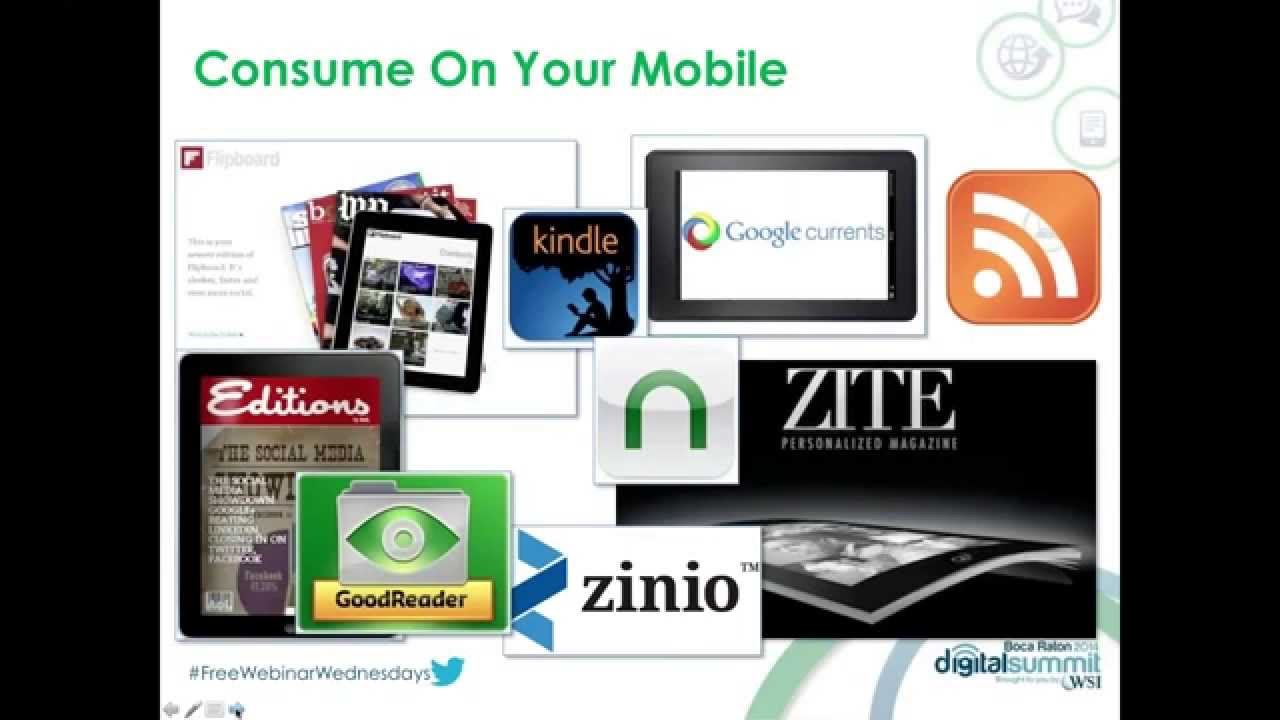
Yeah, I threw away a lot of stuff that I spent a lot of money on and it just was hard letting go. I kept a few things just for nostalgia purposes, but Yeah, sometimes you need to do that technology purge. So it was difficult, but I got through it. Well, one of the questions we also get a lot from clients is, okay, yeah, but do we have a lot of people actually coming to our site? Do we need to worry about it quite yet? Because maybe we don't think that we're getting a lot of visitors from mobile devices at this point. So if you're actually using Google Analytics, and hopefully you are, you can go into your Google Analytics and you can go under the Audience tab and you can go to Mobile. And actually click on that and go to the overview. And this gives you the ability to pull up your information. And I like to click on the pie chart, which is, you know, underneath, kind of over by the advanced search area, because it gives me a nice visual and it separates it out. And you can see the desktop in blue, the mobile in green, and then you've got tablet there in the orange. And with this client, when we did our analysis, you know, we had 25% of their traffic was actually coming from a mobile device that wasn't desktop. It wasn't mouse-driven. It was a mobile platform that people are navigating and using with their fingers, and it's out and about. And so that certainly reinforced the fact that this is something that we needed to take a peek at. So if you've got Google Analytics installed or some other analytics program and you're not using a mobile-friendly version, first off, send it through that actual tester link to see how it comes up. You'll basically reinforce the fact that Google is going to ding you and say, nope, sorry, this isn't mobile-friendly. And then secondly, you can go in and take a look at your traffic and see just what volume of traffic is coming to your site that is probably experiencing something a little bit on the frustrating side. It's no surprise that the mobile device is used more and more now for social engagement. So you can see a lot of these platforms that are starting to really Embrace the mobile platform, particularly, you know, some of these you can't even get a desktop version. It's mobile only. Snapchat, you can't use it on the desktop. You got to use it on a mobile. Instagram, Vine for mobile video. You're out and about, you know, so using your mobile while you're out there. Some other statistics, even advertising and spending money trying to attract eyeballs Mobile advertising is 30% of Facebook's ad revenue, and it's growing on a daily basis. So these are all factors to consider as you're consuming information. And this is kind of some of the apps that I use when— and I'll just go ahead and kind of click through because I know we're getting close to the top of the hour. But there was this statistic that talked about the number of times you're using your mobile device to actually read content, maybe while you're standing in line, which is pretty typical for me. Couple of my favorite apps, and I know I've talked about these before on the show, but Flipboard and Zeit are 2 of my all-time favorites. And so I'm just going to give you a quick example of how actually I use the Zeit application and kind of sharing some information with my audience, not necessarily really promoting me as a digital marketing person or, hey, let me build your website for you, but sharing some thought-leading information that just kind of gives me some engagement. So I punch in Zeit, and Zeit gives you the ability to subscribe to different categories or topics. And one of them that I subscribe to is motivation, because everybody likes to be motivated, everybody's got goals, everybody wants to be better organized and get more done. So it's a pretty safe bet that when you share information about motivation, it's probably going to be of interest to folks that you're connected with. So here's an article that I found. You can go in, you can read the article, And then within your mobile device, you've got the share capability that gives you the ability with any of the apps— and I'm kind of an app monger— but you've got any of the apps that are installed on your phone, you can go ahead and promote and send directly to LinkedIn. Buffer is one of my favorites because you can post it out to a variety of networks at the same time. You can copy the link to a clipboard and send somebody a text message. You can email it to yourself so that when you get back to the office, you can just print the article off and just hand-deliver it to somebody that you think might be interested in reading it. But there are a lot of ways you can go ahead and use your mobile device for finding great content. And I even use the app there at the bottom, Evernote, for saving some of these in a little clipboard where I've got my own little scrapbook and tagging things out. Thinking about when you are sending email, if you are using Constant Contact or any of the other email services, majority of email now is being read first on a mobile device. So you can see the number of people that are actually doing things on Smartphones and email there is the number one. Take a look at the mobile friendliness of email, whether it's desktop or mobile aware. And now you've got mobile responsive templates that are starting to come into play. I know we had Ron Cates from Constant Contact on last month or a couple months ago and talked a lot about email and Constant Contact. You know, they've got a plethora of mobile-friendly designs that you can use to promote your business. And when somebody pulls up your email on a mobile device, they're going to be able to read it and interact with it. If you get an email that's not mobile-friendly, you can see what happens to it. It automatically gets deleted. Now the good news is people aren't unsubscribing right away, but that's the next highest thing is if you're not connecting with them the right way, they're just going to delete it and go on. Or worse yet, they're going to penalize you and they're gonna opt out. So keep in mind that when you're sending email marketing. And then we'll talk a little bit about text messaging. And even though I said text messaging is on the decline, it's still a very popular way of communicating right directly into the back pocket or the hip pocket or the front pocket or the purse or wherever people are carrying their device. So you can see text messaging— typically when you get a text message, it's from people that you know and trust because you've opted into it. You don't get a lot of text message spam. So if you do get an opportunity to communicate with your customers through text messaging, make sure that you respect that and treat it with utmost care. Because when somebody gets that, you're gonna see that they're going to do more action-oriented things as a result of it because they've asked for it. And if you abuse that privilege or you're sending them junk or things that aren't going to be of interest to them, they'll leave you very, very quickly. An SMS is different than an MMS. So what we're really talking about here is the text version, which is the short message, because, you know, not a lot of businesses are sending multiple or multimedia messaging with images or videos. You have to be careful because, you know, not everybody gets free text messaging these days. So if you do have a text message program that you decide to start up Make sure that you disclose that typical message rates will apply. When you're messaging, and some of us maybe have done this, either you voted on American Idol or maybe you subscribed yourself, but you get a shortcode which is basically probably the 6-digit number that you're gonna use instead of the phone number, and then the keyword that you're gonna use to actually opt into the program. And those keywords are kind of unique to you and unique to the provider that you're using. So when we send a message, a majority of them are read compared to email because you've asked specifically for text messages. I know every time I get a text message, I read it. I don't read it right away, but I do certainly read it a lot faster than an email. So you can see here, statistically, we're reading emails in a couple of days, but when you get a text message, it's usually within 4 or 5 minutes. That you pull that up and you take a peek at it. So there's a lot of instantaneous engagement opportunities there when you look at text messaging. So different ways that you can actually engage through your mobile device, you've got voting capabilities, scheduling reminders, coupons, other sorts of cool ways that you can do that. So just some other ways to interact. And then I'm going to kind of skip through some of the QR codes. And there's a GPS example that I want to give. But basically, a QR code just is a digital picture that gives you the ability to go ahead and do some engagement where you're pulling somebody from an offline into an online environment. Just don't put it on a billboard alongside the interstate, which is going to be a little bit difficult for people to use, which I've unfortunately seen. And certainly make sure that if you're using a QR code, make sure that you're bringing somebody back to a mobile page. So that QR code that I shared there just goes back to a sample community bank mortgage loan rates page. So that could be a QR code you could stick on the back of a mortgage brochure, and the bank could have their rates changing on a daily basis. You don't have to print the information out. It's available online and it can change. So some creative ways that you can use QR codes. And now, There are people that are kind of prophesying the death of the QR code with all the other things that are coming around now, especially with NFC and Bluetooth and these iBeacon capabilities where phones are intelligent and recognize where you're at. But there are some success stories out there where people are using the QR code to pull people in. And then lastly, the GPS capabilities. Of a mobile device because it knows where you're at and it understands your location. You can get offers and other sorts of promotions delivered to you or alerts to special events or new products and services when you're nearby. I use an app called Foursquare, and they recently unbundled their check-in into their Swarm app there with the little bumblebee. But when I'm at a location that participates in Foursquare, I'll typically get an alert from Foursquare that will say, hey, if you check in here Maybe there's an opportunity to get maybe a coupon or a discount. And we actually experienced that a couple years ago. This is the old version of Foursquare, but we were actually in San Diego preparing to go on a cruise with some friends. And we went to this place called the Broken Yolk Cafe. And I got an offer from American Express through Foursquare to save money if I used my American Express card. And I normally use Visa. But this offer actually got me to change my purchase behavior. And so the challenge that I often will present to banks is they have their own card. Maybe they're offering a debit card program, or maybe, you know, if you've got somebody that's down the road that's a competitor and you can recognize that they're close by, offer them a coupon to entice them to come into your place of business instead of shopping at a competitor. Using these because they're only I mean, they're available when people are out and about and have an opportunity to actually interact and engage with you. So that kind of concludes the session. I know that I kind of blew through a few of the screens there at the end, but in summary, people love their mobile device and they sleep with them. They're next to them all the time. You got to make sure that you're engaging with the right type of content and understand your statistics, how often people are coming to you on a mobile versus a desktop. Your analytics can help you determine whether it's time to do that or not. If you're losing an opportunity, think about email and maybe even text messaging as an opportunity to engage and interact with folks. So with that, just a reminder, our book is available. And yes, you can download it on your Kindle and you can read it on your mobile device. And I think with that, we are like right at the top of the hour. So Jeff, do we have any closing thoughts or questions from folks in the audience?
Well, your timing was perfect, and it looks like all of the questions have been answered.
Cool. Good deal. Well, again, if you are interested in getting a copy of today's presentation, feel free to go ahead and drop me an email. Just put Free Webinar Wednesdays in the subject and I'll go ahead and I'll get this sent over to you, and we'll obviously make sure that we get today's presentation, the recording downloaded, and everything put out to freewebinarwednesdays.com. So I think the last thing, Jeff, you and I wanted to cover is with Thanksgiving coming next week here in the States, we are actually going to be—
US Thanksgiving.
Yes, we are going to be doing a Free Webinar Wednesdays hiatus, and we will not have a show next Wednesday as Jeff and I are going to take off a little bit early and enjoy a little bit of the Thanksgiving festivities. So we will not be with you next Wednesday.
I'm going to be at Fresh Market picking up turkey and ham about the time Free Webinar is scheduled for next week.
Excellent. Good deal. So I don't know if I'll be doing that, but I'm sure I'll be doing something. But wanted to make sure everybody knew we will not have a show next week. Those of you here in the States, we wish you a very happy Thanksgiving. And like Jeff and myself, I'm sure that there's a lot of stuff that you also have to be thankful for. And take some time to reflect and enjoy the holiday season. Friends and family and everything else that goes with it. So with that, I think we'll go ahead and put a bow on this one, and we will close for the last—I guess—the last show in November. We'll be back with you in December of 2014 to ring in the final month of the year. And until then, have a great week, and we will see everybody out to free webinar Wednesdays dot com. Take care, everybody. Bye bye.







