
Some New Social Media Tools to Help You in 2017 (and beyond)
Eric Cook, Jeff Simpkins, and Tony Dickinson walk through new social media tools for 2017, including Adobe Spark, Animoto, Buffer, and IntelliFluence. They cover which apps work on iOS versus Android, how to measure return on engagement, and what to watch with music copyright.
Chapters
Greetings everybody. Welcome to the Wednesday, November 30th, 2016 episode of Free Webinar Wednesdays. This is Eric Cook, and I'm with WSI Digital Marketing, where we work with businesses and organizations in helping them better understand and leverage the power of the internet as a strategic business tool. You can learn more about me and WSI online at www.poweredbywsi.com. Let's see, we're still having some technical challenges with our guest, but let me not forget to introduce my good friend and Free Webinar Wednesday partner, Mr. Jeff Simpkins. Jeff, say hello to everybody out there in Free Webinar Wednesday's world.
Greetings everybody, this is Jeff Simpkins, and I am with Community Bank Consulting Inc. You can learn more about me and Community Bank Consulting Inc. Online at www.communitybankconsulting.com. Excellent.
Yeah, sorry about that little pause there. I had a message shoot to me that I got caught right before I was ready to introduce you.
That's okay. So we have a tradition of most shows doing a weather report and I would like to report that I am in shorts and a t-shirt with the windows open, and I think it's about 70 degrees.
Oh, you're killing me. Well, being from North Carolina, hopefully you're not being impacted by all of the, uh, the fires and everything that are kind of raging through your state right now. So hopefully that's not a risk, although I did see they evacuated Dollywood recently, so I know that's not North Carolina.
Yeah, some of the pictures I've been seeing of Gatlinburg and Sevierville, pretty bad.
Yeah, pretty scary. So yeah, I am not with my windows open or in shorts, so I'll just kind of live vicariously through you, especially over the next coming months. Here in Michigan, for any of you joining from the northern climates, Old Man Winter will be here. We've already had some snow, and, you know, but it's okay. Get to do a little skiing and enjoy all the wonderful outdoors things that we get to do here in Michigan, so it'll be fun.
Good excuse to ride your fat tire bike.
Exactly what I was thinking. So Get out on the fatty and enjoy some snow biking. So that'll be good. So let's cover a couple of housekeeping items first. Those of you that are joining us for the first time, welcome. If you are a frequent flyer on Webinar— Free Webinar Wednesdays, you kind of probably can recite this along with me. But today's show and all shows are recorded and made available at freewebinarwednesdays.com. So If you would like to share it with a colleague or a friend, or go back and watch something again, you are certainly welcome to do that. We've got a boatload of past shows out at freewebinarwednesdays.com that you can go check out. We also, and I kind of threw it into the write-up for this, and maybe we will be able to even get our audience to give us some ideas, but we love interaction, and one of the fun parts One of the best parts about having a live show, in addition to sometimes watching more me than Jeff trip on our tongues, is the fact that we get live interaction from our audience. If you've got questions, comments, or there's a cool tool that you're using that maybe wasn't in the article that was referenced for today's show, we certainly would love to hear from you. We'll pull that up and take a peek at it. You can go ahead and just— Type your comments in the chat function, and you can go ahead and let us know what you think. And I guess the last thing that I want to mention is a couple of shows ago, I spent some time talking about all the stuff going on in the world of Google and how they announced a new phone. They announced an Alexa version called Google Home. Some of the other things that are going on. I was able to take advantage of a Black Friday special deal with our friends at Verizon. and snagged one of the Google Pixel phones. And so I am now the proud owner of a pure Nougat, Nougat, whatever you want to pronounce it, Android operating, free of bloatware. There's no Verizon stuff present. And so I'm like 2 days into my new Pixel phone, and I'm pretty excited. So I will continue to keep those of you that are interested updated on my Pixel experience and what it's like to work with a pure Android device without bloatware. But I'm hoping this is going to be the phone that I've been craving and wanting for years and years and years. So I will keep you posted. Fingers crossed. Looks like—
Eric, just kind of a follow-up on that.
We talked—
actually, I think we did a show last year at the end of the year going over some wish list items, and one of the things that I was toying with was trying out a Chromebook, which I have not done, but a close friend actually got a Chromebook months ago, and I'm intrigued. So I bet your experience with the phone will be similar if you—
Yep.
At least with the Chromebook, you know, if you're doing most things using an online tool, which you and I probably— that describes most of what we do. I suspect you'll have really good success with that.
Yeah, well, I've enjoyed my experience with our Amazon Echo, and Alexa and I have a really good relationship, and my wife's over being jealous. But the Google phone has its own version of Assistant, which is kind of exclusive to the Pixel now. I'm sure it'll be rolled out to other phones at some point. But it also has a pretty intelligent assistant baked within it. And there's a certain command that you can say that turns her on and gives her kind of the, hey, pay attention, and kind of reacts to your commands. So hands-free and other sorts of things like tasks and playing songs and doing lookups and helping with maps. They're really trying to make this a super intelligent and helpful device. It'll be fun. We'll keep you posted. Those of you that have been on the show before know I'm kind of involved in the Google ecosystem, even though I use a Mac computer. It'll be exciting. Fun, fun stuff. Yes, Jeff, we probably need to put together one of those wish lists, what is on our list for Santa, and go back. It's probably going to be one of the shows that'll be coming up within the next couple of weeks before we hop on holiday break. So with that, quick sound check. Tony, it looks like you have joined us. Are you there, sir?
Good afternoon.
Excellent. I didn't go into all of your computer woes, but those of us that have been there before— and I have to admit, I kind of had to quickly sneak a reboot on my computer before I launched Free Webinar Wednesday, so I wasn't on as early as I told you I was going to be either. Hopefully that's the end of our technology gremlins, but it is my good pleasure to welcome Tony Dickinson of Wells Fargo, but more importantly, one of the successful completed students of my very first year of the Pacific Coast Banking School social media class. Dare I say one of my star students, although you certainly didn't need anybody to show you how to use social media, Mr. 19,000 tweets and counting. I'm really excited that you are joining Jeff and myself on the show to chat about some of these cool tools. Welcome.
Thank you, Eric and Jeff, for having me. It was great being in your class, one of the most enjoyable classes I took during my second year, the 2-week period. Lots of good interaction. We had a good group in there. And, you know, originally we met, Eric, at the Iowa Bankers Association marketing conference, and you did a great job there. And it was great to reconnect in Seattle and keep connected since then. So it's an honor to be on here, and I like the work that you guys do, so appreciate you including me.
Yeah, well, cool. So for the audience, just real quick, where are you joining us from? And I mentioned you're a banker, but I didn't give a whole lot more than that. I know it's in the bio, but Just give everybody kind of the 30-second who is Tony, and then we'll hop in and start taking a look at some of these tools.
Sure thing. Today I'm coming live from Des Moines, Iowa. That's the headquarters of the 7 states that I have the marketing responsibilities for, Wells Fargo Banks in 7 states in the Midwest that we call the Great Plains. So I travel a fair amount, but today I'm in Des Moines, and that's where my family and I reside. Good to be here with you from Des Moines, Iowa.
Very cool, good deal. The inspiration for today's show actually was a tweet that Tony found. I've mentioned Buffer a number of times on the show. I'm an avid user. I like to think I'm giving them a lot of free publicity and talking a lot about them. I'm still using the free version, so they're not monetizing my relationship yet. And I should just pull the trigger and pay the $10 a month and give them some money, because I do think their tool is pretty awesome. But Tony tagged me in a tweet and kind of said, hey, this is kind of right up your alley, because in class we talked a lot about different apps and tools, and everything seems to change, and new stuff comes along all the time. And I think Tony knows I like to chase a squirrel or two. So he shot this over, looked it around, and there's some pretty cool stuff in here. So I thought maybe we could start off, and I know you've already actually done a video using one of the tools, and if there's any of the other ones that you kind of played around with, we'll go ahead and we'll start with you, and we can kind of knock through some of those. So the one that we talked about initially was the video tool. So what was the name of that one that you're using? Was that the Adobe Spark?
It was, yeah. And certainly on this list here, they have 20 of the best new social tools that are out there. I tried to take a peek at all 20 of them. I, like you, Love a new squirrel and a shiny penny to take a look at, especially with social tools. So just did a little observation of all these kind of quick hits, read the reviews, thought maybe what would be of interest to me. I certainly don't have the capacity to chase 20 things at the same time, so just wanted to look through there and see what would be some of the things that would be the most relevant, or just even on a personal level, most appealing to me. And that's Adobe Spark came up as one that was towards the top of the list and thought I would give it a test drive. I don't know if anybody has been familiar with a similar platform called Animoto, A-N-I-M-O-T-O, but something similar where you could go into your pictures and you kind of put together a slideshow that you could turn into a video. and also include some music in there and some graphics and text and things. I like to take a lot of pictures and capture stories that way and try to be a storyteller on social media. Recently we had opened a historical museum, Wells Fargo Historical Museum in Des Moines. I took my 2 boys. I have a 7-year-old son Heisman and a 4-year-old son Madden. And we did a grand opening for team members prior to launching it for the public. So it was a fun experience to take my boys down there and have them experience this museum firsthand and took a lot of pictures. And so I thought one way to test this out would be to put that compilation together and use this Adobe Spark to See how it would all come together and then put some music to it. And there's way more functionality than I've had a chance to play with. You can put your voice to it if you want to. You can change up quite a few different things. I just did it with some basic pictures and some transitions in and out and then took a song that I thought was applicable that related to my boys and me and put that in the music in the background and That's what we came up with.
Cool. When we were talking, I said, well, maybe you can pull it up on your computer and show us how you did that. You responded back and said, I used it all on my phone. The thing to note on that is while we're certainly looking on a browser right now, and a lot of these can be done through a regular computer screen, a lot of this, they're obviously realizing that social happens on a mobile device, and I suspect the majority of these platforms really focus on really mobile first. And so, you know, you've been around the block a few times as it comes to, you know, you were using Animoto and some other stuff. If it's somebody that's never really done something like that before, where would you say this would be on a difficulty scale for maybe someone that just would want to try it out?
Pretty simple. I think on a, you know, if you got a 1 to 10 scale, it's definitely below a 5. It's really intuitive, user-friendly. Again, I think there's many more capabilities that I've just maybe touched the tip of the iceberg on. And so you could bump that up to a 6, 7, or an 8 probably if you wanted to use all the functionality. I certainly haven't gotten to all the functionality yet, but just From the standpoint of grabbing a few pictures, you can adjust the time in the slideshow. Again, I did it all right on my phone, and so it connects with your photo album on your phone. Plug in those pictures that you want to put in there. If you want to grab music, you can include the music from your phone as well. It was all— I probably spent 20 to 30 minutes on it. Maybe fine-tuned it a little more than you have to and did it all right there on my phone. You can do that on the go. That was one of the things too, if you look at the reviews from that article on Buffer, is they did a nice job of telling you which of these tools is mobile-friendly, mobile-first. Those kind of rose up to the top of my list too because I'm probably a power user when it comes to mobile.
Cool. Good deal. So I did not opt for this one first. I play around a little bit with video, some of the Facebook Live. I've noticed they're actually starting to do quite a bit of advertising on going live on Facebook, so certainly video is going to be— continue to be, I guess, because it was kind of the hot topic for 2016. I think it's going to continue to be a hot topic for 2017. But there were a couple of tools in here that kind of talked about different ways to create either video or images, you know, the GIF viewer. So very cool. Okay.
Yeah, the last thing I'll add on that is just to make it easy. I mean, if you're looking in the App Store, it's just Spark Video and it's a free app and you can just download that and then play with it at your leisure. But I think it's worthwhile just at least putting the download on there and taking a look at it and you determining if you want to use that going forward or not. I think you can use it in some of your marketing and some of your creative content in the business world. If you are into some professional capturing, it is kind of like a digital scrapbook, or if you want to capture some storytelling, and then you can connect it with some of your social platforms and post videos like you you had pulled up on my Twitter. I just clicked on the Twitter link and it downloaded it right, or uploaded it right to Twitter and posted it for me.
Cool.
Tony, are you running a Google or Android? Are you running an Android or an Apple device?
I'm running the Apple, yeah.
Okay.
And we've got Tony's Twitter handle is linked off of the write-up for Free Webinar Wednesdays, so you can hop over and grab him. One of his more recent posts, so you can just go and click on that. I'm going to resist. I watched it and it was pretty cool. Your kids are adorable, by the way. But I watched it, and— but I know video over a webinar is never really a good thing. It's kind of like Ghostbusters crossing streams. You don't want to do it. So we'll let you go out and hit up Tony's Twitter profile, and you can watch it there if you'd like. So very cool. Thanks, Eric.
Eric, have you used this tool on your Android device yet?
No, and honestly, it does not appear as if it has an Android app. As I scroll down, and I've not looked in Google Play, but it looks like they're talking about an iOS app only, but it doesn't really mention Google. Maybe somebody in the Free Webinar Wednesday live audience with an Android device can go out and search Google Play to let us know whether we've got an Adobe Spark app for our Google friends. But this is one of the challenges that sometimes us Google phone users run into, whether it's the cool new Pixel or another device. A lot of these apps will come out with iOS first, and we just kind of wait. Although there have been a couple of them that come out Android first. But in most cases, if it's going to be on one platform and one platform alone, You probably have a safe bet on an Apple device that you're gonna get access to it, which makes me sad, but that's alright. I'll deal with it.
I was hoping you were gonna say you've used it because my 75-year-old father has taken to playing with photo-type apps. And Tony, based on your saying it's a difficulty level of 5, I was gonna have him give it a try and see how he could do with it.
Yeah, yeah.
If I can use it, Jeff, then your 75-year-old father can use it, I'm sure.
Something tells me you were born a little more tech-ready than he was.
Probably just a little bit, but that's okay. That's all right. So cool. And, you know, again, it's not listed here, but this is one of the other ones that Tony mentioned. This one If I scroll to the very bottom, this one may very well have an Android app. So if you're using an Android and we determine that the Adobe product does not have Android capability, it looks like Animoto similar. Any differences that really stood out to you, Tony, between the two? So if we've got folks that are maybe using an Android, what would they be giving up by not having it, or was one easier to use than the other, or is it hard to say at this point?
Pretty comparable in ease of use. Again, I think Jeff's 75-year-old father could pull this up and do it pretty quick on the Animoto as well. It's just the free version on Animoto, and Eric knows this, I don't like anything more than I like free, and the free version is Pretty basic. So they give you, you know, a short window that you can put the video together. I think they limit it to 10 or 12 seconds. So it limits the number of pictures and slides you can have in there. They give you a basic inventory of music that you can use. You don't get to connect to your own music on the free version. So what I found with the Spark was The free version gave me a longer video production. You can actually adjust the time that you're in the slides for your play. So, you know, Eric, what you saw on mine, I think the slides were about a 7-second transition. I had them at 10 seconds, and my wife told me that you guys were going to get bored watching that long of a slideshow of my kids. So I tightened that up a little bit, and then I was able to connect. I thought it was cool to connect to my own music inventory on my phone, and Animoto didn't have that capability. But like anything, Animoto does give you an upgrade option, and if you want to, you know, spend some money monthly or have a premium, you can do that. I think you can expand your capabilities, but I was just trying to compare free to free, which is in my price range.
Absolutely. So the compliance banker dude in the back of my head, anytime you start talking about music And it's songs that you have and you're attaching that to a video, you know, there's always that risk of, you know, potential DM— I think it's DMCA if I'm not mistaken, but digital copyright. I know YouTube will scour videos, so if you put up a video on GoPro, if you, you know, see a lot of people that'll, you know, put their videos of them mountain biking and they'll take a heavy metal song or something, and they'll get a notification that the song has to be taken off because it's restricted or it's not licensed for use. Are there any alerts or notifications? Not to be a wet blanket here, but, you know, the compliance dude in me just kind of kicks in naturally.
Yeah, I appreciate the compliance guy in you. It's good for us all to keep in mind. I think that's where Animoto— I think Animoto probably keeps you safe. It's all basic music that's all from a pre-selected, and then once you start to go to these things like Spark where you have the capability of getting into your own music, you know, on one hand where you've paid to download it onto iTunes or from iTunes or whatever, it doesn't necessarily prohibit you from getting that notification from, from somebody. So I think you do have to be careful and cognizant of that, and they don't give you any of those warnings in advance as you connect your music. They allow you to, but they don't give you that guidance.
Yep.
Okay. Well, not to end on a downer note, but it's always something to kind of keep in the back of your mind that maybe they won't take it offline, but you might have to make a tweak to it. Anyway, any other apps that jumped out at you? I got a bunch that I've kind of rallied up, but I'm very curious if there's any of the others on here that sparked your interest. That we would want to take a look at? Insert cheesy joke here.
Yeah, absolutely. So I think the Engage app. I know you and I are both fans of Twitter, and so I went out to the Engage app. And this is maybe one that I know in class you went through a bunch of tools like this, and this could have been one that we already looked at, but I found this to be really interesting, especially some of the comments that they had in the reviews. Talked about how some people had went solely to avoiding the Twitter app on their phone and then just going to this Engage app, which allows you the ability to still tweet like you would from your Twitter app, but basically it's got analytics running in real time for you. And as we all try to better understand what the analytics look like on these social tools and how do we try to connect that back to an ROI, or how do we try to understand where we are making the best investments. I found this to be really useful, and I have looked at quite a few different dashboards around Twitter in the past, and this one just seemed like a real valuable— had some of the real metrics that I wanted to see, and it was running real time. So that stood out to me, and I have certainly For the last couple days since you and I connected, I've been following it pretty closely. It gave me some good insights into what's going on with my tweets and what things are making the greatest impression with the followers and the people that are seeing the tweets. Then it looked at impressions, it looks at likes, it looks at retweets, it looks at follows. Looks at mentions, and it kind of trends it over. You can determine what period you want. Is it a 24-hour period, or is it a 7-day period, or a 30-day period, or a 90-day period?
That's cool.
That's just one look that they have here. Then they also have who's followed you recently, who's mentioned you recently. Those people that have mentioned you recently, are they verified, are they not verified? Gives you a look at who those individuals are. Found that to be an interesting look. Then on your posts, you can segment it by your post, and you can go in there and see, for instance, Eric, you and I were on a tweet response from Buffer this morning, and that one had 15 impressions, and it tells you that right away. From just your most recent posts, and it puts those in chronological order, and you go back and see from an impressions or engagement standpoint, where did you get the biggest bang for your buck over the period of time.
Yeah, very cool. Good. Well, one of the things that I often talk about, and I know you'll say, yep, hopefully you'll say, yep, you'll remember this from class, but a lot of businesses when they jump into social media The senior management mucky-mucks will go and say, well, what's my ROI? Am I generating any business? How am I monetizing time spent? And I tend to focus more on an ROE, which I replace the E— in the world of banking it's return on equity, but in the world of social I like to refer to it as return on engagement. And those are signals that you can measure, and when we were in class we actually tracked the number of accounts that we were able to reach through our social media posts in Seattle and a couple other things. So you can not necessarily know that you're monetizing your efforts on Twitter or any of the other social networks, but when you do a tweet and it gets shared and you get comments and interaction, then that shows you that people are paying attention. You're building conversation. You're remaining relevant. Which you can't help but think the more that you do that, that leads people down the path of getting to know you, like you, and trust you a lot better. And so when there is a product or a service need that you can fulfill, hopefully you're at least going to get invited to the party for an opportunity to serve that prospect and then maybe monetize that at some point down the road. So engagement is a really great thing. Unfortunately, this is also an iOS-only app. So you Apple people will enjoy this as well. But we're 0 for 2 now for my Android boys. So we'll hopefully catch something here that some of us non-iPhone users can use here real quick.
I feel like I'm the only Cubs fan here at this Cardinals party, and I'm bringing the wrong jersey.
Tony, we're on the same team. I'm an Apple guy.
Yeah. So the good news is that Adobe's program— go ahead, Jeff. Sorry.
I just want to follow up on something you just said because it's come up a number of times on Free Webinar Wednesdays recently, and I think it's worth repeating because you and I have such deep ties in the banking community. We run into a lot A lot of bankers that want every single thing to, to have a hard return on investment. And you just kind of made a point again, in the world of getting prospect engagement and even customer engagement today, there are things you're going to do that you just can't go back and say, this is absolutely something that we did that converted this prospect to a client. You quoted, I think it was Wanamaker, a month or so ago saying, I know only 50% of my advertising works. If I were to cut out the 50%, I'd cut out the 50% that doesn't if I knew what it was. And we just kind of keep circling back around to that. I think it's a really, really important point to, to remember when we're talking about a number of touchpoints that we make with prospects and clients.
Yeah, that's a good observation. I know we could beat that drum for an entire hour. Absolutely.
Well, Jeff, I totally agree, and what Eric talked about, that return on engagement. I mean, so traditional bankers, the executive management have always been programmed to look at the financials, understand the return on investment or return on assets, return on equity. So that's just the way that we're all raised and how we're all programmed. But what they really want to see is they want to see some type of analytics and they want to see some type of performance. That's what they're really getting to. That's just the measurement that they know. So as marketers, what we need to do is introduce them to things like these kinds of dashboards that show analytics and then give them a different way to, to look at and evaluate things. And what they really want to see is What you're doing, is it working? Is it driving engagement? Is it driving conversations? Is it driving connections to your organization and to your value proposition? And if you can show that through some of these dashboards, then they'll, they'll understand the baseline. Then what they'll want you to do is to show the next month or the next quarter that you're making those numbers move in the right direction and improving. So that's what I like about an app like this. Is that it gives you some kinds of dashboards and tools to really try to create that baseline and help people look at things a little differently in maybe a different world.
Yeah, I love that feedback, Tony, because there, there are all sorts of very credible sources of information that makes it not that hard to document how important it is to, to reach prospects and reach customers A specific number of times to help them move to an action. So when you tie in that credible information with the dashboards that you're talking about, for senior managers that have an open mind and can look beyond— well, let's call it old school or more traditional thinking— it really makes it a much easier sell, I believe.
Totally agree.
Yep, amen.
Was there any others on this list that you wanted to point out, which I'm sure will be iOS only? Just kidding.
Maybe that was my starting point, is I just went to the iOS only on there.
Yeah, any other Apple apps you want to share, 7-Herb Guy?
Yeah, so I put a few thumbs up kind of next to— and some of these I haven't been able to go as deep, but they're on my list now. I'll just kind of hit those real quick and see if these were on your list. But Q right off the top was interesting to me. I thought anytime you can drive more interaction— again, the price was right, it was free, and there was a human element to it. So I thought that was interesting. Rocketium, and I thought Rocketium gave a few different capabilities. One, the ability to resize some of your captions that you had. I made a note to myself that that was worth taking a look deeper at and playing with. And then the last one there was the Telefluence there towards the end. And, you know, it gives you the ability, what they say, is influencers the way that you want. So, giving you a chance to connect with influencers and do it in a way that it's something that you wanted to drive, I thought was appealing to me.
Yeah, so I also had Q and I had Rocketium up there. I didn't look at IntelliFluence. And for those of us that are maybe joining or listening to the webinar that aren't really familiar, how do you define an influencer? And like, in your world as a marketing director for Who would you see as an influencer that you would want to use a service like this to get in front of?
So what I thought was really appealing about this one here is that they talked about the traditional influencers, which would be a lot of your, you know, big-name celebrities that people have to pay a lot of money for. So I think they mentioned in the reviews Joe Montana, maybe Not quite as relevant as he used to be, but Joe Montana with underwear commercials and Hanes and some things like that. Those places— Hanes are paying big money for Joe Montana. What they talked about was— yeah, it's right there in this Christopher Jones. They talk about how there's maybe some social influencers who you maybe don't have to pay or that are much cheaper, less expensive. And trying to line up the right influencers with the right message. And that was an interesting appeal to me of how do you get connected to the people that are out there as social influencers? How do you provide mutual value to each other and do it in a social way where you're not going to have to spend a lot of money or maybe not even have to spend any money? So that, that kind of jumped out to me of how this app helps you make those connections. And there is a, you know, $9 a month, but that 14-day free trial was appealing. And then how do you use these influencers?
So that's—
that was the broad appeal, Eric. To answer your question, you know, so at Wells Fargo we use— we're the official bank of Major League Soccer, and so we have a relationship with Landon Donovan. And Landon Donovan has mass appeal to millennials He also appeals in the Hispanic segment, and so we'll use Landon Donovan to promote events that we have. We'll use him to, through his social media channels, he'll help promote some financial education initiatives that we're putting out there and help with that financial literacy piece of it. And we use him a lot when it comes to credit and how do you help people with credit education and understanding credit. His message resonates well with the audience, so that'd be an example of an influencer that we partner with.
Cool. Yeah, well, and I would even consider our conversation today and the fact that Buffer has picked up on it. As a digital marketer, I would love to have a company like Buffer retweeting my information, and certainly as a marketer yourself, if Buffer can talk about us, that just helps reinforce and validate what it is that we're trying to do. This just puts a formal process around that and takes dumb luck maybe out of the equation to a certain extent.
Yeah, it's a prime example. We're talking a lot about Buffer, and I think we're adding some value too. their platform and their messaging, and they've certainly helped influence our message and amplify our message by some of the conversations that they've jumped on board with us back and forth and add more credibility and some reach that way too.
Well, maybe we're influencers for Buffer. Maybe they want to— Maybe that's a little presumptuous.
That $5 a month that they give us, we can probably buy a latte out at banking school together.
Exactly. So let's— this one, the queue one, interested me as well because it ties directly into Buffer, and I don't have any posts that have been generated yet, so I'm waiting for this to actually kick in. One of the things that was really exciting about Buffer, and I think the paid version does this, is when they rolled out an option for the paid version, you could actually go into Buffer and pick some particular items that you wanted, keywords and topics, and Buffer would go out and actually would find that content for you and build a queue and give you the ability to select which things you wanted to share. And I think they either did away with it entirely and decided to just focus on the platform, or they moved it over into a paid subscription. But what Q does is they've got a free and a paid version. You can go in and you can actually select different categories. And so I've gone through the process of selecting some categories, and there's a lot on here. And what I ended up doing is the keyboard shortcut Ctrl+F. And then I just typed in, so I was interested and I'm wondering, well, I wonder if they do anything in fintech. So I just do Ctrl+F, so that gives you the find functionality in your browser, and you can see, boom, yeah, they got something in fintech. So I selected that, and in the free version you can select, I think, up to 5 different categories, and you can see it goes on and on and on. You can pick 5 different categories, and it gives you the ability to add those, and then it goes through, grabs the articles, and then you connect this to your Buffer app, and then that will then feed content into Buffer. Then you can review that and push content out. If you scroll to the very bottom, you can see they do offer an upgrade where you can add 10 posts a day and multiple categories. Instead of just the 5. So this may also be an element, because one of the things we're also kind of talking with folks about is, you know, how do you share relevant information so that people are interested in what you're saying? And I love it when I get tweets from you, Tony, because they're always relevant to what it is that, you know, my world. And so you share a lot of great content around that, which keeps me engaged and interested in coming back to you and your account. And that's the effort that people want to do. But sometimes, you know, you might need a little assistance in finding that information. And I suspect you've got a couple of tools in your back pocket that helps you find that as well. But I'm excited to see once this starts actually kicking in and populating content how it works along with the Buffer, because that's kind of my go-to sharing app. Any other thoughts or observations on that?
I think they're spot on. And just that piece about how it's, you know, this community of real people and not computers, and it's hand-curated content. I just think that's a unique twist that I was, you know, found to be really appealing. Yeah, it looks like there's an endless amount of topics that you can choose from. So kind of narrowing down what you're top 5 or what you want to pay for. I think that, you know, it's an ocean of opportunity.
Yeah, I can— there's 3 or 4 others on here that I wanted to click on and it said, nope, sorry, you gotta upgrade. So sad, so bad. So, but yeah, so it'll be good to see that. You mentioned Rocketium for video, so There's kind of a just review. I picked this up. I've not really used it quite yet, but one of the tools kind of similar to the ones that they gave. I know that the GIF one was kind of cool. And when you see a funny GIF, you know, a meme on Facebook or wherever that makes you laugh, you know, it's it's it's an enjoyable break in the day. We'll just kind of leave it at that. And certainly the election. Didn't create any shortages in funny memes going around the internet. This gives you a way to create some funny animated GIFs. It might be something fun to play with. I've been using— yeah, go ahead.
One thing I'll say about the GIF one, because that was on my list of thumbs down. I had big hopes for this. Again, something to just break up the monotony of your day. I don't personally have a site that I go to to create GIFs. I would love to take some funny pictures of my coworkers or my friends and come up with a GIF or a video and do it. I was hopeful that this app was going to be the one for me. Maybe it was because I was taking some of my Vines Which it says you can include vines in there, and I was trying to turn those into GIFs. It just wasn't working for me, so I gave it a thumbs down. I had high hopes for it. It wasn't as intuitive as I'd hoped it to be. And back to Jeff's point about a 1 to 10 scale, I'm sure it was all user error on my part, but this one was more like an 8 or a 9 on level of difficulty from— There you go.
So Jeff, that means don't introduce this one to your father. I suspect Jeff's laughing, but he's on mute right now, so we can't hear him.
I was laughing. It's no accident that my phone is an Apple platform and both of my parents are Android platform phones. I know nothing about Android.
Yeah, gives you an excuse not to have to help them, right?
Eric, do you have a site that you create GIFs from, or have you played with this?
Sometimes, no, not really. When I go in, usually if I'm creating a tweet, I typically just rely on Twitter's little native, you know, just Find a GIF and we decide we're going to offer Tony a little applause for today's webinar. We just kind of go in, click on the applause option, and we can find a GIF there. I'm at the mercy of really who has uploaded those already. I've not gotten into actually creating GIFs. I know there's people out there that pronounce them GIFs as well.
That's a big debate.
Is it GIF or GIF?
GIF.
I say GIF, tomato, tomato, potato, potato.
I suspect you have planted a seed for Eric to try something new.
Yeah, exactly. You can do it, Eric. Yep, the squirrel, got to go catch him.
I hope you can teach me from there because I think I have some short videos of you instructing some classes I'd like to turn I'm not sure I'm going to do it yet.
Nice. So I do see we have somebody in the live audience that's got their hand raised. I did mention this in the beginning, we typically don't do— because a hand raise involves opening mics and we tend to not have real good experience with that. So I'm going to go ahead and just put the hand down, but if you've got a question, you can go ahead and just type it into the chat area and we'll go ahead and we'll answer that for you. I'm going to lower your hand so you can go ahead and type it in the chat. The Panda Reader was one of the ones, because when I went through the list, and I've talked about Nuzzel and Buffer and a couple of other news platforms that I like to use to bring me content, I tended to gravitate towards the articles where it's curating news and information that I can share. The Panda one was one that I was intrigued on, kind of an RSS reader on steroids with some bookmarking capabilities. I've messed around with that a little bit. I've not really put any RSS feeds in it yet, so that's still in its early stages. The one that seems to be slick is the one called Zest. Zest. I've actually installed this. It comes as a Chrome extension and you can actually suggest an article for the network to consider. If you happen to have written a really cool blog post or you've got some material that you created that you'd like to throw into the network to share with other Zesk users, you can suggest an article. What I thought was kind of cool is anytime now that I've got the extension enabled, when I click on a new tab to start doing some browsing, I'm immediately presented with an area, and I connected it to one of my social media accounts, so it got an idea of the types of topics that I'm typically interested in based off of the social content that I'm already following. But when I create a new tab, it automatically pulls up an area for me, and you can see right off the bat SEO content, leveraging content, online marketing, funny brands. Each one of these has got certainly an interest. My challenge now is going to be anytime I go to open a new tab to do something, I'm going to have to fight the urge to dive in and start reading articles. I can go in here and I can click on this, gives me an opportunity to pull that up. And then with my Buffer app installed or Hootsuite or whether I want to bookmark it to Evernote, I now have the ability to go in and if I like this article from SEMrush, I can go in here and quickly click on my Buffer and share it. I can save it as a bookmark in Evernote. And so I'm excited to kind of work on this a little bit to see if this is going to give me different perspective of maybe some of the Nuzzle content and Flipboard stuff that I'm getting. Because a lot of times what I found is there's a lot of that stuff that's pretty similar that gets shared. And just looking at what this platform has recommended for me out of the gate, I'm seeing some articles from some organizations that I've not noticed before. So I think this is going to give me an opportunity to kind of freshen up my newsfeed and some of the things that I'm sharing through social media. I don't know if either of you took a peek at that, but this has got some pretty cool possibilities to it. Of course, any one of these articles could serve as inspiration for a blog post about an article. Some good stuff there.
I had intriguing listed next to this for a lot of the same reasons that you mentioned. Also, I like the customization, and then they talk about really how this is— they plan to evolve, and they're working on a Zest profile that will allow people to follow your Twitter and your LinkedIn and your Zest posts kind of all together.
Yep.
And certainly Twitter and LinkedIn are at the top of my list of platforms that I use, so that was appealing. And then creating this whole Zest profile, I thought was Interesting. Not that I need another social profile, but if this does take off, being an early adopter or understanding this on the front end, I thought would be good too. Definitely have intriguing by this.
Yeah, more content. There's certainly not a shortage of information to get yourself an education online these days. The only other one that I wanted to mention, and I started going there and I got pulled back on another, is it wasn't mentioned in the article, but there were— I just want to give a shout out to Buffer— is they've got a service called Pablo, which doesn't do animated GIFs, but it gives you the ability to create these really cool images where you can go in and it kind of gives you an editor. You can pick a picture, you can go and add a contrast so it's got kind of an Instagrammy type feel to it. You can blur stuff out if you want. And then these are items that you can go ahead, you can upload your own images, but you can see there are 600,000 different images that you can pick from and they're all royalty-free. So you can find an image in here that's kind of cool. And then it's just nice to be able to sometimes put a little blurb or an inspirational quote and share it, download it. You can put a logo or your graphics, so you could stick a Wells logo or WSI or Community Bank Consulting to kind of create some inspirational stuff. And so it wasn't mentioned in the article, but it's a service by Buffer called Pablo that is pretty sweet. So it's got some cool capabilities to it. Just kind of clicking around here a little bit. So whether there's a caption, header, so all those fun different things. So there. Well, we have successfully burnt up our 60 minutes together. So I'm looking at the clock and It looks like we're just about to the end. Jeff or Tony, anything that either of you wanted to mention or toss in there before we go ahead and officially put a bow on this show for the last show in November before we go into the last month of 2016?
I feel like we should sing the Carol Burnett song.
I'm tugging my ear. You just can't see me.
I believe you.
Bet you didn't know. I bet you didn't even know I knew what that was because I'm a whole lot younger than you.
I'm not going to say what just came to mind. Dig!
Boom! Hashtag burn. So, Tony, anything else in closing?
Yeah, I'll just close with thank you for including me here. The 60 minutes flew by. A lot of good stuff here, and hopefully with your audience, I mean, I think part of social is how do you keep the conversation going. So certainly I'm not an expert in all 20 of these, and all of us will have different entrees for different people. So if there's a way through Twitter or LinkedIn or otherwise to share, you know, thoughts afterwards. Keep the information flowing as you uncover something that's worth sharing. I know that's kind of what you and I do when we bounce things back and forth. I would, you know, love your audience to do it as well. I'll learn as much from them as and more than they'll learn from me. So thanks everybody for paying attention and for including me today.
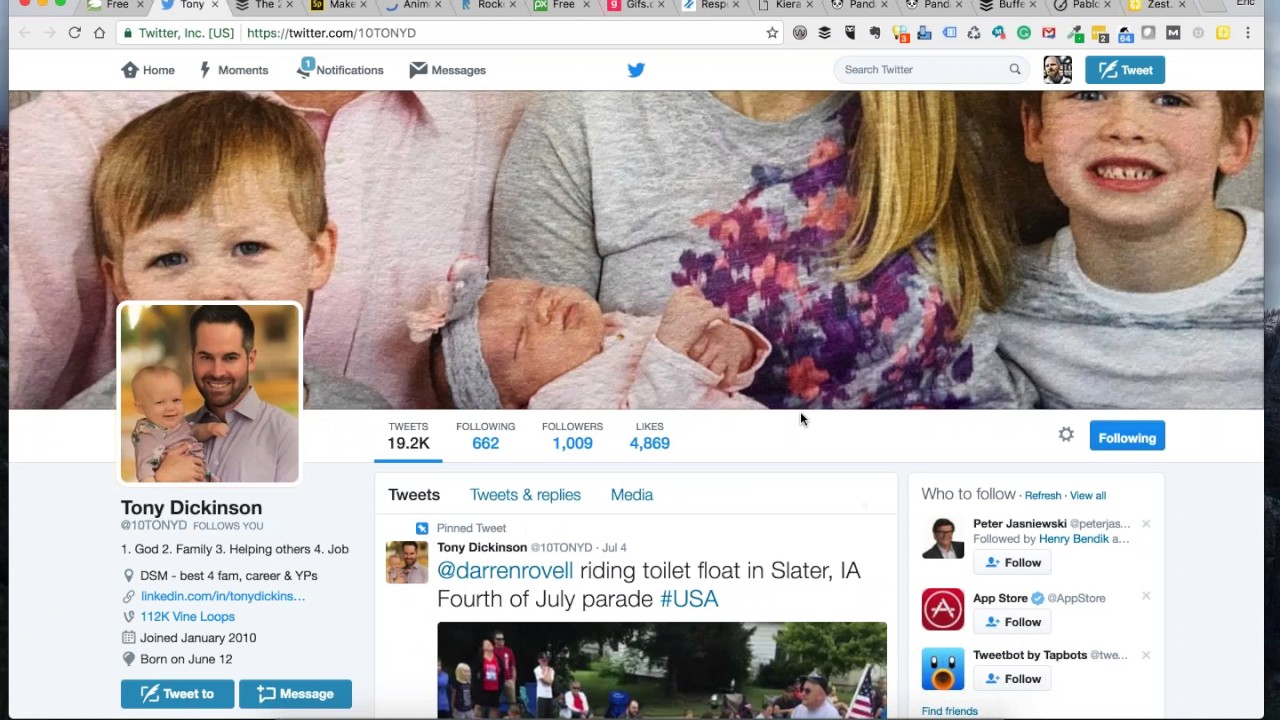
Cool. Well, I've got— if you're not following him yet, let's, let's Let's grow his followers. We'll get over to 1,010, maybe even 1,012 or 1,013, who knows. But Tony's got his LinkedIn profile here. You can check out some of his Vine loops and some images or some of his little videos. But stay connected. He's a good guy nonetheless, a good Twitter user, a good social media user, and somebody that you should be paying attention to. Thanks, everybody, for joining the show. Jeff, we're not planning on canceling next week. We don't have any holidays or anything coming up. I know when Christmas gets here, but I think next week, if I'm not mistaken, we're still game on.
To the best of my knowledge at this point.
Yep. So we'll double-check and make sure. If for some reason we've got to cancel, keep an eye on our Facebook page. We'll send an email out, but thanks to everybody that joined live. Hope you enjoyed the show, and if you're watching the recording, thanks for sitting through all of this. We'll look forward to seeing you on following shows here at freewebinarwednesdays.com. Until then, have a great week, everyone. Bye-bye.







