
Spending Some Quality Time With Amazon's Alexa - One Year and Counting
Eric Cook and Jeff Simpkins demo Amazon Echo devices and discuss the Alexa skills ecosystem, smart-home control, and voice ordering. They cover privacy concerns, integrations with Fitbit and Capital One, and how Alexa compares to Google Home and other competitors.
Chapters
Greetings everybody, welcome to the Wednesday, July 13th, 2016 episode of Free Webinar Wednesdays. This is Eric Cook with WSI Digital Marketing where we work with businesses and organizations helping them better understand and leverage the power of the internet as a strategic business tool. You can learn more about me and WSI at my website, www.poweredbywsi.com. With me this week is my good friend and Free Webinar Wednesday partner, Mr. Jeff Simpkins. Jeff, say hello to everybody out there in Free Webinar Wednesday world.
Greetings everybody, this is Jeff Simpkins. I'm with Community Bank Consulting Inc., and you can learn more about me and Community Bank Consulting online at www.communitybankconsulting.com.
Excellent. Just want to give everybody a heads up for today, you might hear some doggies talking in the background. I am uncharacteristically using Voice over IP and my screen, my computer Voice over IP, so that I can allow my girlfriend, who will be named here shortly, because as soon as I say her name, the little ring turns on and we start listening to her. But that way she can participate in the conversation and be part. So if, if you hear some doggies in the background or background noise, my apologies, but We'll go ahead and try to keep that to a minimum. So as we kind of walk through today's session, if you've got comments, thoughts, suggestions, something that you would like me to ask my digital girlfriend whose name starts with an A during today's session, feel free to go ahead and throw those into the chat area, and we'll be happy to kind of take that, take that into consideration. during today's show. So wanted to get a couple of those housekeeping things out of the way just in case the doorbell rings or something happens that caused my dogs to go nuts. But, uh, you know, they're there. So Jeffrey, how are things today? Did you, uh, did you buy anything or partake in yesterday's, uh, Amazon Prime Day by chance?
I glanced at the emails, but I exercised constraint and didn't spend any money.
Yeah, I almost pulled the trigger. Uh, the Echo was on sale from $179 to $139, or $129 actually. It was $50 off. Um, I kicked the idea around considerably, and I kept going back. Luckily, I was just too busy yesterday to spend much time playing around. And heard some reports on the news that it was a mixed bag. There were some technical glitches over at Amazon, so that maybe didn't result in things, but it just didn't seem like as big of a hype or as much of an impact like what Black Friday or maybe some of the other electronic shopping events are. And I don't know, I just— Didn't, uh, didn't buy anything myself either, and I'm kind of bummed out because I thought something would jump out at me. And I did go to Walmart and purchase a TV because we needed one for the bedroom, and Walmart was doing some price matching and had some sales on, uh, you know, as a competitive response to the Amazon Prime. So I think indirectly I benefited from it, but Didn't didn't end up pulling the trigger with anything over at Amazon. So, well, today, a little Amazon intro, and you can certainly tell from the write-up for today's show, we're going to talk a little bit about Amazon's device that I think is starting a trend. I'm certainly not using it to the extent that others are with smart home control and. lighting and intelligent door locks, but there are some things that, that I'm having some fun with my little Echo device. And so I thought it would be kind of fun to introduce her to everybody, and let's, let's go ahead and do that right now. Alexa, tell me a joke. Okay, maybe she's not going to do that. Alexa, tell me a joke.
Why did Santa have to cancel karaoke night? Too many elvish impersonators.
So usually an Alexa joke is a pretty safe bet. You're not going to get anything that's, you know, risqué or something that you wouldn't want to tell in mixed company. So that That's kind of a nice thing. But that was just also for a quick sound check, make sure everybody can hear her. The picture that's on the Free Webinar Wednesdays page actually was from a conference I did earlier this year for the Indiana Bankers Association at their mega event. I did a session on apps, and while the intent certainly was what apps are there on smartphones like iPhones and Androids that you can use to do different sorts of things, I kicked things off with the Echo device and introduced folks to Alexa, open applause. So I started with Alexa giving me a round of applause, and it was kind of all downhill from there. No, just kidding. It was actually a Pretty good session, but I introduced the whole concept that an app isn't something that people put on a smartphone alone any longer, although there are certainly ways with the Echo device to manage your skills, is what they're called, and we'll talk a little bit about those during today's session. But the concept of an app is, I think, going beyond just the ability to do something on a smart device, and this intelligent Internet of Things, always connected, communicating devices. I mean, even Samsung now has a refrigerator that has an inverted camera that allows you to take a picture of what is in your refrigerator. So if you forget to write down your shopping list before you go to the grocery store, you can use a Samsung app to determine what you need to buy because you can see what's actually in your fridge. There are at least one financial institution that has built a skill for the Echo device. And so you can go in, I believe it's Capital One, you can connect your Capital One account and it can read you back balance information and transactional data. And it's just a different way of interacting and getting data outside of having to use, you know, a mobile device. So if you haven't heard of the Echo family, and I say family now because they actually do have a couple more devices that they've introduced, and it's been around for just a little over a year. I think June 23rd is when it had its official launch here in the United States. The Echo is the device that I have sitting next to my computer right now. It requires a power supply at all times. Because it has a constant supply of power, it's always listening. It has an array of 6 speakers. I'll just kind of show you a little screen over here that is always listening and paying attention. Kind of a word to the wise, there are some people out there that are fearful that because this is an always listening device, Obviously there are some privacy pundits out there that are saying, you know, whatever you're talking about, Amazon is gathering that information, and even though they may not be using it, that information is still being obtained by Amazon. The trigger word is Alexa. When you say her name, the ring across the top actually lights up, and that's the command to kind of wake her up. And I do refer to her as a her, but that's the command to wake her up, and then whatever you say after that is what she is going to do for you. So those of you that are frequent flyers here on Free Webinar Wednesdays know Jeff and I usually banter back and forth about the weather. Well, that just happens to be one of the native skills that— Alexa, what's the weather?
Currently in Pruden Village, 80 degrees with mostly sunny skies. Today you can expect some sun and thunderstorms with a high of 88 degrees and a low of 68 degrees.
So rather than having to look at your phone, and one of the kind of processes that I go through in the morning is I'll get my coffee, I'll settle down, and sometimes I'll just check my schedule, I'll check the weather just to see what's going on. I do have what's referred to as a flash briefing that I'll kind of introduce to you here in a little bit that reads me back some news out of NPR and Huffington Post and TechCrunch and some others. Which is kind of a nice way to just get your news while you're kind of milling around the kitchen and getting stuff ready. So it's kind of a cool, a cool way of just taking in information. It's got a pretty decent speaker system in it, so you can connect your Amazon Prime Music account to it and you can play music directly through it. So you can say, Alexa, play the Beatles. Alexa, play the Beatles.
Shuffling the Beatles from Prime Music.
Alexa, stop. Make sure we don't play too much of that. I don't want to get hit with a DMCA takedown notice because I'm playing Beatles music on the webinar. That would not be cool. But assuming that you've got it in your music library, you can also connect Spotify, you can connect Pandora, so if you've got other accounts you can connect those as well. So it's a pretty decent little speaker and it fills up the room pretty nicely. Certainly if you're an audiophile you may want to think about another option which is actually known as the Amazon Dot, which is kind of a cool little feature. See if I can go ahead and find it here. For some reason I am not seeing the Dot listed.
While you're looking for that, Eric.
What's that?
While you're looking for that, just a comment.
Yes.
You mentioned that some people are freaked out by the fact that Alexa is listening all the time. It should be noted that's no different than the iPhone. The iPhone has a similar feature that you say, hey Siri, and he or she, depending on what you have set up, wakes up and will take commands. Doesn't, uh, doesn't Google have a similar feature?
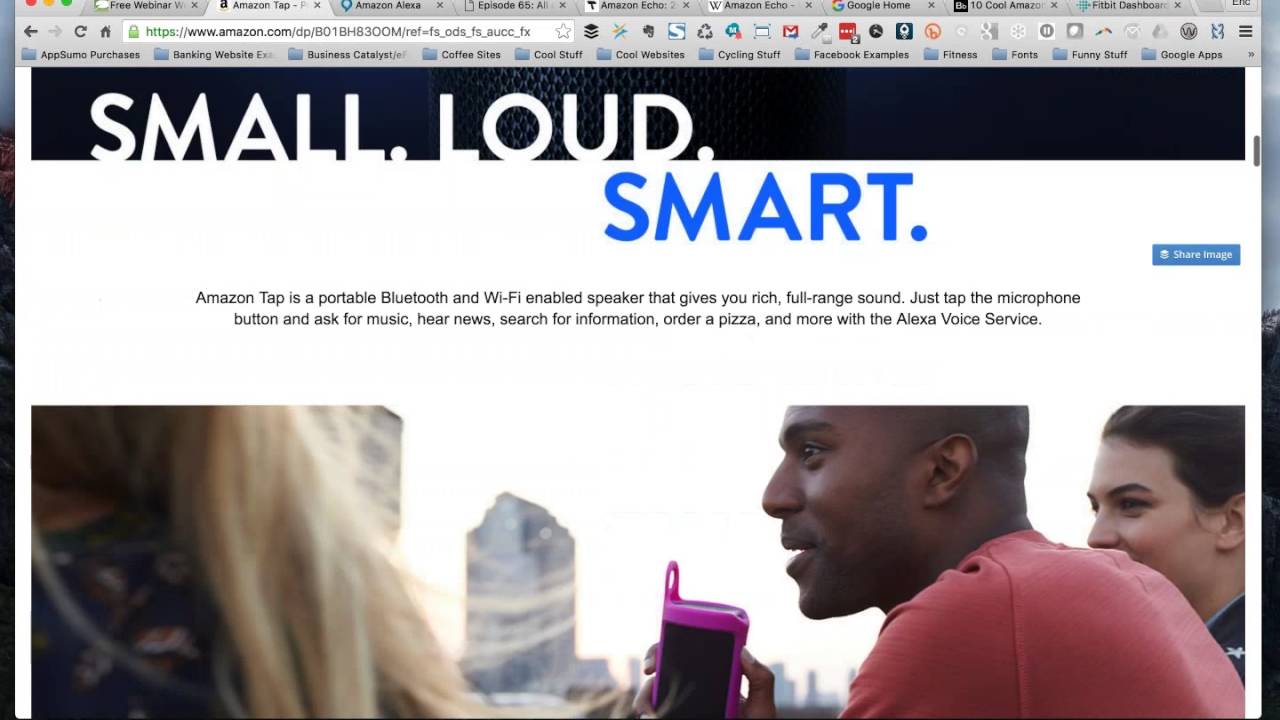
Yeah, Google's got, uh, Google Now where you can go ahead and you can, you know, turn it on, it's always listening. So voice commands. So, you know, I think just the whole— if you're going to jump into the world of cool technology stuff and voice-activated commands and hands-free communication and really allow apps to provide you With the best data about you, there's going to have to be a certain level of comfortability that you're going to have to have in personalization. You know, I want Google, I want Amazon Echo, I want, you know, my phone to know more about me so that the stuff that they bring me— when I get into Google Now, for example, it knows the types of things that I'm interested in and the news that I typically read and the television shows that I typically watch. So it's tailoring that information for me and it provides me with a much richer experience. We've talked about podcasts in the past and I'll mention one here specifically on the Internet of Things in just a little bit. But there's one that I really like called This Week in Google, which is produced by the TWiT Network, This Week in Technology. And there's a lot of discussion that they have around that even though it's This Week in Google, it really covers everything on the web. Kind of a misnomer that it's just Google. But there's quite a bit of discussion around being comfortable with privacy versus customization and what sort of information people actually know about you. And so that's a really good point to add there. So I'm trying to find the tap, and I don't know if— I can't imagine that they would have taken it off. But the Tap, and you can see I've got, or the, yeah, so there's the Tap and then the Dot is the one that I'm missing. I'm getting my names mixed up, my apologies. So the Tap is a Bluetooth speaker, Amazon device. It's battery powered, so it's portable. The thing that they've done is a compromise around it being a battery-powered device is they've turned off the always listening capability. Because if you had something that's always listening, it's always going to be draining power. The battery obviously wouldn't last very long. So what happens with the Amazon Tap is it being a portable device, you can go ahead and you can take it with you much like a portable Bluetooth speaker. But if you want it to do something for you, obviously you're going to need to have some sort of a wireless connection. So you're going to either have to create a Wi-Fi hotspot with your mobile phone or have a Wi-Fi hotspot yourself or be someplace like at a hotel or some other venue where there's Wi-Fi that you can get on because obviously it's going to need to have connectivity to the internet in order to get you information and gather that. But it does have the ability when you tap it to turn on and then the speaker or the microphone array starts paying attention to you, stays on for Probably a few seconds so that it can capture what it is that you're asking. Then after you've completed your request, it does what it needs to do, it goes back into sleep mode, and you can turn it back on again with another tap. The Echo Dot—
I sent you a link in the chat box to the Dot. It's sold out right now.
Maybe that's why it is not showing up. This, I think, was also on sale yesterday. The Dot is a smaller— it has a speaker, but it's certainly nowhere near as good as what the actual Echo is. Although the people that will get the Echo and they'll say that the speaker is not very good, the nice part about the Dot is it does have an aux-out jack where you can go ahead or you can, I think, even Bluetooth connect it to a better speaker system. So if you've got a JBL or some sort of a Bose platform that you would like to use for music. You can actually use the Dot for all of the intelligent things that she's able to do with the voice control and smart home features and whatnot, but then the audio can play over whatever speaker system that you want. Leo Laporte, who's the host of This Week in Google, commented that he has one of these Dots actually in his bedroom connected to a really, really nice speaker system, so he's got the type of sound that he wants, but yet still all the advantages of the Echo ecosystem and being Amazon Prime and whatnot. So it's kind of a cool compromise. It is still a wired device, so this is not a wireless, you know, tool that you can take like the, like the Tap, but this gives you much more capabilities with regards to what type of music you're going to be listening to, or the quality of the music that that you're gonna be listening to. So those are the, the 3, even though the Dot's sold out, those are the, the 3 entities that exist within the Echo ecosystem. Jeff, I don't know if you've got any other comments on that or if we just wanna kinda jump right into a few of the things that I wanted to talk about and give you some examples.
Well, I do have a question that I think will help those of us that are intrigued and hope to own an Echo someday are interested in. I noticed that there is a voice remote for the Echo and the Dot. It's $30. Do you have that and what is it for?
Good question. I also want to talk a little bit about the skills ecosystem and some of the other things before we jump in and do that. Maybe I need to back up a bit. I get really excited when she's next to me and all the cool things that she can do. So the voice remote, even though it has a pretty sophisticated speaker array, if there's something that you want, like let's say, you know, we're out of toilet paper and not that I do this because I don't actually have the remote, but let's say you've got the remote with you and you keep it maybe— In your pocket. in another room that's outside of where the actual device is, you can take the remote and maybe instead of going back and down into the kitchen where you normally keep the device— let's say you keep the remote upstairs— when you get done and you realize that you're out of toilet paper, you can use your remote, you can activate it and say, Alexa, add toilet paper to my shopping list.
I've added toilet paper to your shopping list.
So, you know, and no, that's not my crude attempt to inject bathroom humor in today's show, but you can go ahead and use it for different sorts of commands that maybe you don't necessarily need to be right there for. You can see that there's the ability to order an Uber. You can go ahead and control different lights. So if I wanted to dim the bedroom lights and I had a Hue lighting system or some sort of a thermostat or climate control. If you're afraid that the device isn't going to be able to hear you, that just allows you to basically control it from anywhere within the home. When you do add things, let's say to the shopping list for example, the cool part about that is there is a complimentary Echo app or an Alexa app that you actually put on your phone and it has a shopping list and there's a couple of other things that are there. So when you do that, if I had the ability to screen share and show you what was on my phone, you could go in and you could actually see the shopping list now has toilet paper added to it, or if we're out of almond milk, or if I need to pick up another toothbrush, whatever the case may be. The other neat part about it, if the whole household used it— I'm not saying that Alicia doesn't use it, but—
I do.
I guess that is what I'm saying. Rather than having to write stuff down, anybody— because it's not real sensitive with regards to the voice as long as you can give the command. Now there is some voice training capabilities built within it, so if you're worried or maybe you've got a strange accent, maybe you're from North Carolina— just kidding, Jeff.
Or Michigan.
Or Michigan, exactly. We just talked about that. Um, so you can go in, you can do some voice training, and it'll help kind of recognize your voice a little bit better. But multiple people within the house can actually, um, put things in. There's also the ability where you can connect, you know, within your Prime account, you can create a special passcode number and you can automatically reorder things directly through voice. I've not done that yet, but let's say you've got Amazon for a home and you've got a particular dishwashing detergent that you use or laundry detergent, and a lot of people are starting to buy some of the more mundane supplies that can just be kind of ordered on a case-by-case basis. Maybe toilet paper would be a perfect example of that. Rather than adding it to my shopping list, I could use voice control and I could tell her to reorder that for me. It would automatically reorder it. You've got to have some default settings that are configured within your Prime account as to what payment methodology you're going to use, your private PIN so that people can't just hop on and start ordering stuff for you, what the default shipping address is going to be. So some of that you just kind of have to be okay with. If you need to make any customizations with shipping or payment or whatnot, you need to log into your Amazon account and take care of those directly. But there are some actual online purchasing capabilities directly within the Echo ecosystem that you can command and fire up just with your voice.
Do you have Fire TV?
I do not, and we'll come back to that in a little bit because you can see one of the tabs that I've got fired up here— fire, fire— fired up is the Google Home, and Google Because I do have a Chromecast. I've got a couple of them actually. And so, you know, there is the announcement by Google that they're going to be bringing a device very similar to this that's going to have some Chromecast connectivity to it and, you know, some other interesting Google-like things. So by no means is the Amazon solution the only solution. I found another article that actually has got 10 other alternatives to the Echo that is also worth checking out that we'll go ahead and we'll kind of show that here in a little bit. The nice part about it being in the Amazon ecosystem, if you're using Amazon for books, for example, or if you're using the audio service, you can go ahead and you can have some books actually read back to you. It's great for shopping. So, you know, I think Even if I do move forward with a Google Home device, which I probably will, I'm not going to get rid of my Echo device because I do use both the Amazon and the Google ecosystems as part of my digital life. So having both of them, I don't think, is really a bad thing. As it relates to other smart devices for the television, we do have a couple of Roku devices, and those are pretty cool. But we've not bought a Fire TV Stick. What about you?
Roku and Fire. Fire TV Stick was recently added and it takes a learning curve to move from Roku to Fire.
So you'll have that advantage when you decide to bring an entity whose name starts with A into your household.
Well, my question was going to be, can you use her to control your Fire TV? It sounds like perhaps you've already researched that and you can.
Yeah, you know, and I'm not totally sure on that. I'll be honest with you. I don't know if anybody that's listening live has got experience or if there's any fellow geeks out there that want to hop on and do a quick search, but I would suspect that it would, or it should. I know they've made some enhancements to it. One of the enhancements that I want to talk about is the ecosystem known as Skills. Sometimes people refer to it as the Echo App Store, but Amazon refers to them as Skills. I've got the actual Skills page pulled up here so you can kind of see alexa.amazon.com/spa. Index.html#skills. Kind of a long URL, but if you just do a search, this kind of gives you— you can see right here I have recently played the Beatles, so it has pulled that up for me and it has kind of showed what I want. So if I wanted to re-enable that, I can control it directly from my computer. So you can see that I'm logged in as Eric and it's recognized me. You can go through and it'll show you your skills. You can kind of go through and do some other stuff. These are the skills that I have enabled on my device. So there's the Applause skill that I showed at the beginning of this to get the rounding applause that kicked off the show. One of the things, while the skill ecosystem certainly has been better than what it has— it used to be that you basically opened up the app, And all 1,500+ skills were just in one giant scrolling list. It was very unruly, and I was surprised that it lasted or stayed the way that it did for as long as it did. You would have figured somebody at Amazon would have said, you know, this is a really crappy way of providing an easy way for people to find skills. You could always do a search, but you just really had no idea what it was that you wanted to look for. So You can kind of go in, you can see here's some other stuff. Where's my toilet paper? See if I can find— there's my toilet paper that I went ahead and added to the system. You can create timers and alarms. So if I'm in the kitchen and I need to make sure to pull the potatoes out of the oven in 45 minutes, I can have her go ahead and set me a timer. But when we go into the skills, this makes it nice Um, now you've got the ability where you can see what skills are actually trending. You can look at the different categories for either making your home smarter. I know there's a lot of people that are starting to spend time and money on, you know, controllable thermostats and lighting systems and other sorts of ways to, you know, lock the house with different, uh, intelligent deadbolts and other locking systems. Jeff, I think you're using some of the, I guess, the intelligent controlled lighting systems, aren't you, if I'm not mistaken?
I'm not. I have a friend who has an Echo, and that is the first thing that she purchased, and probably her favorite feature is I don't remember which of the lighting interfaces she uses. I know there are several available for the Echo, but, you know, for example, she'll say, hello. I'm gonna use hello instead of her name. Hello. Bedroom lights for reading, please. And she will adjust the lamps on the side of the bed in the bedroom to the reading level.
Yeah.
So I've gotten some really good feedback and she actually was an early adopter. She started using HER when she was still in the beta phase and has not looked back. She's loved HER the entire time since beta. Good.
Cool, cool, cool. You said something there that just jogged a blog post that I had read You said, adjust the bedroom lights to reading level, please. What I read, and this was, I think I shared it on social media several months ago, but I read an article and I'll clean it up for public consumption, but it said basically, Alexa is turning my son into an a-hole, only it spelled it completely out. Alexa, stop. I don't want her to do a search on that.
Okay. Mm-hmm.
So, and the reason for that was you can just bark a command at this device. It's not a human being. It doesn't have feelings. So you can just bark a command and be very authoritative and, you know, not very nice. You don't need to say please and thank you. And so when this author's younger child was, you know, requesting things like, you know, what's the weather, add it to my shopping list, turn the lights down, They were taking that very same approach when they interacted with humans, like, you know, pass me the spaghetti. And there was no, please, can you pass me the spaghetti? And then thank you for passing it. And so there was some of that that you don't necessarily think about because you and I have grown up in the world where you say things like please and thank you. In a digital world like this, and, and there was even the suggestion that you know, when you say thank you, the system should listen a little longer and say you're welcome and have a little bit more of a human interaction to it. And it hasn't done that yet. But that was kind of an interesting thing. So when you said please, I just had to share that little story, which was kind of funny actually. But this is where— any thoughts on that, or is that just a chuckle?
It was a chuckle. I actually am intrigued enough by her that I've subscribed to an email that I get. I think it's every Friday, but I get once a week called What's New with Elo, and it gives me a new skill that she's learned each week. So yeah, there's lots changing very quickly.
Yeah, well, let's talk a little bit. We'll talk a little bit about the skills. So the, the ecosystem that Used to be before they did an update, and I suspect they probably wanted to push this update out and let it kind of percolate for at least a week or so before they had Amazon Prime Day. Talked a little bit about how difficult it was to actually find skills in the app, but getting them added was also a pain because you had to actually go to your app, you had to find it, you had to touch on it, you had to enable it. I'll be honest, I don't know whether this ecosystem webpage even existed prior to that. I just happened to stumble upon this today while I was searching for a good list of all of the skills that exist within the ecosystem. But you can now, if you know what skill you're looking for, you can now go ahead and you can enable skills with a voice request. And so one of the examples that I've got, I've got a Fitbit fitness tracker. I don't have a lot of steps today because I've been sitting on my butt. Pretty much the entire day at the desk just working away. But you can go ahead and granted I can see this if I wanted to click on it, I could enable it here. But you can also now do voice commands. So they've made adding skills a little bit easier. You still have to know what the skill is called. So there's a little bit of a challenge there. But adding skills to your Echo device is much easier now. Challenge that a lot of people still have is you have to know the activation phrase. So for example, I couldn't just ask her for some applause. What I had to do is I had to say, you know, open applause, and that's what actually fired it up and made it work. So you have to kind of know the command line interface, almost like going back into a verbal world of DOS where You don't have a mouse where you can just drag and drop and click. You have to know the actual command prompt entry, which is the voice command, in order to get these things to work. But if I wanted to go ahead and enable the Fitbit skill on Echo, I could— Alexa, enable Fitbit. For some reason, she's not picking up my first. I don't know if I need to reboot her or what. Alexa, enable the Fitbit skill.
I've enabled Fitbit for you, but it requires you to link your account. See the Alexa app to complete setup.
There we go. Okay, so we can go ahead and start adding skills now just with voice commands. And if I go to my phone, what I can do is I can pull up my phone now, I can go to my skills, and I can Complete the login process where I can go and just put my username and my password in to Fitbit. So, Jeff, if you can maybe think of something that you would like to talk about or share, I'm gonna go ahead and see if I can complete the login process to enable Fitbit, and then we'll see if we can go ahead and I will ask her how I'm doing today and see what she reads off.
So while you're doing that, I've actually pulled up the emails that I get each week that tell me what new skill has been added. So I'll just share a few of those. On April 29th, the featured skill was the ability to interact with 1-800-Flowers. And the example is Eric talked about the command string, string, string. Or the pattern that you ask in is, hello, ask 1-800-Flowers to send Becky flowers. Let's see, we've talked about—
I'm done, by the way.
Interface with Prime Music. That one gets mentioned a lot. Eric, take it over. Cool.
Yeah, that was pretty quick. I have to admit, I did look up my Fitbit password before I hopped on the show because We all love how many passwords we have, and it's always a good practice to have a different password for different sites. So anyway, that's my little security reminder for everybody out there. So let's see at the paltry number of steps that I've taken today while I've been sitting on my butt working on the computer. Alexa, ask Fitbit how many steps I've taken.
As of 1 hour and 23 minutes ago, You've taken about 100 steps. You'll need 9,900 more steps to hit your goal today. Keep stepping.
You slacker. So, uh, I'm not exactly sure. It looks like there might be some synchronization timing. Uh, it did say as of an hour ago, maybe my phone hasn't synchronized since then, or my device. Um, but, uh, it's apparent from that that, uh, I have 10,000 steps as my goal, which is pretty common for most people that are using a Fitbit. I've taken 100 steps and I've got 9,900 to go. So, Jeff, you want to come up to Michigan and we'll go for a little walk? Maybe I'll just walk down and see you and that will take care of it. Alexa, ask Fitbit how I'm doing today.
As of 1 hour and 24 minutes ago, you have taken about 100 steps and I don't see any app—
Alexa, stop. So, okay, so, but that's how you can go ahead and you can add an app. Now if I were to refresh this and go back to skills and look at my skills, you would see now that Fitbit is rolled in to my skills and that's active. So connecting other third-party services, obviously if you've got one of those Capital One accounts, you're gonna have to log in and authenticate Capital One, and so there is some connectivity. I have heard, again, through the This Week in Google podcast that building a skill isn't an overly complicated process. Getting it into the skills ecosystem is reportedly easier than getting an app approved in the Google Play Market or certainly approved in the iTunes Market for an iOS Apple device. So there's more and more skills that are coming out now, and it's kind of an Interesting ecosystem to watch. So let me go ahead and you can connect your Google Calendar. So I can go ahead and say, Alexa, what's my schedule for today? Alexa, what's my schedule for today?
Today there are 5 events remaining. Here are the first 4 events. There are 2 events in progress. Workmark lasts until 5 PM. Free Webinar Wednesdays lasts until 2 PM. Then at 2 PM there's GoToWebinar update, Marie Guzman, and at 2 PM—
Alexa, stop. So I've connected that to my Google Calendar, and as you all know, Jeff and I are Google Apps for Work users, so Google Calendar integrates even though it is a Google service. It does integrate directly within the Alexa environment. And so my suspicion is Google Home is probably going to do that even much, much better. You can determine which calendars you want to synchronize within your calendar settings. So you may have heard Mark, who works for us now— I have a calendar that he shares with me that determines when he is and isn't working. And you can see that it found that calendar. It also had my work calendar, which said I'm in the middle of Free Webinar Wednesdays, which is correct. So those are different things. The flash briefing that I talked about earlier is one that I really like, especially when I get around in the morning and just kind of want to hear what's going on. So let me see if I can get this to work first shot. Alexa, play my flash briefing. Alexa, play my flash briefing.
Here's your flash briefing. In things to try, listen to your favorite podcast using TuneIn or iHeartRadio by linking your accounts in the Alexa app. There are so many great podcasts to choose from, from science to comedy to—
Alexa, stop. So I have it set where she's going to play some things to do, some suggestions, which is very similar to the email, uh, that Jeff is getting, and then she rolls right into NPR Alexa, play stories from HuffPost.
There was an error with the Huffington Post.
Goodbye. Looks like Huffington Post doesn't want to play nice today. So, um—
So, Eric, I have a question. Is your morning briefing, is that something that you're able to customize? Do you tell her what you want your morning briefing to include?
Yeah, you do have the ability. Let me see if I can just get access to it right here. So here's the flash briefing, and you can see I've got Things to Try turned on. So if I turn off Things to Try— now I've not figured out, you can't really separate the order, so NPR News is always going to show first. I don't know, NPR must have done a pretty nice deal with the Amazon folks because they always go first. But if I try my flash briefing now, you're going to jump right into the NPR News. So Alexa, play my flash briefing.
Here's your flash briefing in NPR News from TuneIn. Live from NPR News in Washington, I'm Lakshmi Singh. Mourners in Dallas are attending the funerals of 3 of the 5 law enforcement officers killed last—
Alexa, stop. So you can see—
Eric, do you mind Scrolling down so we can just get an idea of the options in Flash Briefing.
Yep. Now you'll notice with the NPR News, it's actually going out and pulling in an NPR News feed, so it sounds very much like what NPR would sound like if you were listening to the podcast or if you were listening to it on the radio. There are some others that are more of a technology-based readback, where CNN News, it provides a text-based review of the news, and then it's a digitized Kind of a voice synthesized reading of, uh, of what's, you know, in that. So not all of those are podcast-like, uh, review options, but you can get some ideas of some of the different platforms that are available. Um, and there's some more that—
Pretty extensive.
Yeah, there's quite a bit in here. So like I said, um, you know, and this is another area now that I've kind of gotten to the bottom. I, uh, I don't really have any of these turned on because I don't live in a large metropolitan area. You may have heard from the What's My Weather, it read back the weather for Prudenville, Michigan, which is up north. Not a lot of metropolitan activity going on in little Prudenville, Michigan, but there's now regional news that you can go ahead— so if you live in Chicago or New York or Southern California, you can sign up to all of these, and this will give you kind of a local flash briefing of what's going on within your direct market area. I have noticed, particularly when there's a hot topic that's in the news like the Dallas shootings or when the Oscars came around, it seems like, you know, NPR talked about it, Wall Street Journal talked about it, Huffington Post talked about it. So you do get a little bit of duplication when that happens. So just kind of be prepared for that. But there's a tremendous amount of information here that you can just kind of play in the background while you're getting around and Whether you want to keep it in the kitchen where you kind of do your morning breakfast, or if you want to keep it up in the bedroom and while you're getting ready for work and getting dressed and kind of getting around. But it is nice to have that kind of just playing in the background, feeding you information without, you know, a whole lot of effort on your part to take that information in.
So I've got something that I'll share. It ties in with the morning routine. Part of my morning routine is I get a news briefing as well. However, I use the Audible version, which is an Amazon company, which means it can be played through the Echo.
Yep.
I do the Audible version of the New York Times. My friend that is in love with her Echo I said, well, I bump up my audio speed because with Audible you can listen to it either slower than standard pace all the way up to double the standard pace.
Yep.
The New York Times Morning Edition is between 45 and 60 minutes every morning and I don't have that much time. And I've trained myself to be able to listen to it somewhere between 1.5 to 2 times the normal speed, which at this point is not an option for the Echo.
Right.
And my friend and I that uses the Echo actually found a workaround that I'm sure you've discovered will work for a lot of things, and that is she connects through Bluetooth. So if I had an Echo, I could actually continue to listen to my morning briefing. I would just use the Audible app and send it through the Bluetooth to the Echo.
Yep, you can set up the Echo as an external speaker as well. So I've done that. I've fired up Google Play Music, which is not something that the Echo supports because it has its own Amazon Prime Music, but I've been able to connect my phone with my Google Play Music because I have all access on that as well. And I do have some music that I have particularly, you know, specifically, not particularly, specifically uploaded That is my music. I've got my own playlists, and so those go with me when I am out working out and going for a bike ride and on walks. So you can definitely set this up as a Bluetooth speaker. So in the, I guess, the last few minutes, we got about another 15. Again, if you've got questions or if there's something that you want me to go back or check out, feel free to go ahead and Toss it into the questions and chat area, and Jeff will keep an eye on that. I wanted to share with you— Stacy Higginbotham is actually one of the new co-hosts to the This Week in Google podcast. And so this is kind of how I got to hear about it. But she has episode— I think she's up to 65 or 66 or 67. But episode 65, which is on her homepage, you can scroll down and just find it. Is all about kind of the new Alexa skills that came out. You can see June 11th, she's talking about the Switch. And this is kind of a cool podcast beyond just the Amazon Echo because she talks a lot about the different— and IoT stands for Internet of Things if you're not familiar with that term. This kind of goes back to the intelligent refrigerator that's connected to the network that'll take a screenshot of how much milk or if you have eggs or cheese So all these devices that are part of today's life have got communication chips built within them. But this episode 65, her and her co-host talk quite a bit about some of the new skills, the different ways that you can voice enable, some of the challenges that Amazon still experiences. So this might be an interesting one. And if you're into kind of gadgets and cool stuff, certainly subscribe to to her podcast through your favorite podcasting app, or you can go ahead and just hit her website up and you can listen to it directly here. You can pull it down. So this is kind of a cool podcast to listen to. I did find there's a lot of those kind of top Amazon Echo apps out there, very similar to the newsletter that Jeff is getting, but there's a lot of apps Kind of recaps out here. You can see Fitbit is listed. 7 Minute Workout is one that I have that's a pretty good little workout. Stock Exchange. There's some others that aren't maybe as appropriate with different noises of bodily functions that are very popular, which tells me that there's still a lot of teenage boys in, in a lot of us out there. The fact that those are popular apps that the store is downloading. Um, Echo's even got its own Wikipedia page, which will give you a little bit more of a breakdown of its history if you're really interested in diving in. So there's, there's a good deal of information out there. And, and if you didn't catch the sale that was on for Prime Day yesterday, um, you know, I think I got in at $159 with a relatively early release, but the price is $179, or you've got the other options. It's certainly much less than that. Kind of a cool experience. So the last 10 minutes, really, I just want to kind of not— we can't not talk about Google because, you know, this is, you know, Jeff and I are both pretty big Google fans. But the Google Home, you can see I've signed up. So when you visit home.google.com, it'll give you the opportunity to enter your email address so you can get on early release, and it'll tell you when it's available. There's not a tremendous amount of information out here. At the Google Developers Conference, they kind of introduced this and their new operating system and a few other intelligent devices. I'm very excited about this home device because, as I said earlier, we're using the Google Chromecast and we've got a lot of— I'm an Android phone user— we've got a lot of the Android Google apps. Right. The whole Google ecosystem is one that basically runs our business, and so I'm very curious to see how this works. And with the Chromecast devices now, you know, you can stream music, you can stream video, you can connect to the internet, you can get out to YouTube, you can do all sorts of other cool things with it. If this has, which I suspect it will, the intelligent array speakers where it can determine where you're at and which speaker is picking up So it knows kind of what rooms you're in. You'll have the capabilities with your Chromecast device connected to— most people are just connecting them directly into their televisions now. You can go ahead and you can say, you know, hey, play XYZ movie on the living room television, or play XYZ music on the bedroom speakers with a Chrome streaming, Chrome audio device. So the Chrome ecosystem, the Google ecosystem, I'm excited to keep an eye on that. And probably when that comes out in the fall, I can pretty much guarantee this is gonna be one of the devices that will make its way into my technology connection or collection. Jeff, you heard of Google Home before, or is this a new one for you?
Well, I've heard you mention it.
Yep.
I did actually go out and sign up for the updates while you were talking.
Very cool. And then this is a site that I found with some Echo alternatives. So by no means does Amazon and Google have a lock on these smart devices. You can see here's the Dot, even though it's It is sold out, but there are a lot of other devices that are out there. I think the challenge you're gonna run into with some of these is they're not gonna have the ecosystem or the power that an Amazon or a Google has, although there's probably some niche opportunities for them to be able to Kind of fit. So, you know, if there's a particular thing that you're looking for, maybe you don't want connectivity to the rest of the world, you just want something that can control your lights and your thermostat, uh, or connect with your email, whatnot, there may be some other options out there. So it's, um, kind of a cool thing to watch. And, uh, you subscribe to Stacy's podcast on the, uh, the Internet of Things. You'll probably get a tremendous amount of additional information that will kind of tip you in the scales of— there's all sorts of things that are happening in the world of intelligent devices.
I see you just passed Sonos speakers. That's one of our good friend Greg McPherson's favorite things. I went to a dinner party Yeah, I went to a dinner party recently that they had the Sonos installed in their house and they are absolutely amazing.
Yeah, I know one of the challenges that the Sonos has is they've reported it doesn't have the ability to integrate within the Echo ecosystem, so there's some third-party workarounds. You can install some middleware on a laptop top so you can connect to that. Um, you know, there's some people out there that have written skills to try to make that happen. You would think Sonos would want to make it easier to be able to connect their platform into the Amazon environment so that people that have these devices don't feel like they can't use them anymore and they have to go someplace else. Um, but yeah, uh, portable audio and, and those sorts of things, um, Sonos would Have not bought one ourselves, but we've got a couple of Bluetooth speakers and some Bose little portable battery-powered Bose devices that work pretty good, and those seem to be doing the job for us.
Sonos has been on my wish list for several years; it's just I've never gotten over the sticker shock.
Yeah, yeah, it's not. Inexpensive because there's a variety of different speaker options, and then of course you've got the big subwoofer. So anyway, before we disconnect, this Pokémon Go, it's been in the news, it's approaching just in its short period of time being out kind of rivaling the number of people that are using Twitter, and that's certainly been out for a number of years. My gut tells me that you're probably not using Pokémon Go, Jeff. Would that be a safe assumption?
That would be a safe assumption, but I will tell you it's made the top stories in both the New York Times and the Wall Street Journal, not just yesterday, but yesterday and today.
Yeah, so that I think is interesting to watch. I know I saw the news article Senator Al Franken wrote a note to the manufacturers or a letter to the manufacturers of Pokémon questioning what they're doing with all of the personal data that the app is collecting. If you're not familiar with what Pokémon Go is, Google had a game that it released, and I'm drawing a blank. It was invitation only, but essentially the whole concept around it is you install the game on your phone and you have to get out and about And you use virtual or augmented reality actually. So it shows you your environment through your camera, but it superimposes these Pokémon creatures and other sorts of objectives on your screen, and you actually have to go walk to them and interact with them through your device. So there's a lot of reports with people that are walking into things, not paying attention to where they're going because they're just focused on their screen trying to chase all these little Pokémon creatures. But there's an interesting psychological kind of implication on why it's taking off as such a craze with the quest functionality and the skill of interacting with your device and the rewards that you get when you successfully complete an objective. It would be really an interesting kind of deep analysis to see kind of what is triggering the brain for all these people that are just obsessed with this game. I did download it a couple of days ago. I haven't left my house and there have only been 2 creatures in my home that I was able to capture, so not a whole lot of activity going on with Eric and Pokémon. But I just had to kind of get an idea what it was. So that might very well be something we can talk about because I know augmented reality and virtual reality and, you know, Facebook with Oculus Rift and Kind of superimposing things into our environment based off of places and other things. That's starting to gain in popularity as well. Another topic that I'm sure Stacy talks about in her Internet of Things podcast. So yeah, Pokémon Go. This kind of triggered me to chase a little squirrel there, so thank you for indulging me, Jeffrey.
Well, the articles today are about, as you mentioned, the safety issues that have come up and the importance of the publishers of the game to address those quickly.
Yeah, I found it interesting when I signed up. Normally when you sign up to a game like that, it will— it'll either ask you for an email address and you can set a password, or you can sign in using Like Facebook, the typical options weren't there. And I actually ended up signing up through Google and I was able to use my Google. I probably either use my Gmail or my Powered by WSI, which is a Google Apps. I use that just because I check it more. But it really kind of encouraged or made it easier for me to sign up with Google and not with one of the other social networking sites. So I'm sure there's a lot going on behind the scenes that nobody's really aware of, but Pokémon certainly has been out there for a while. But curious to see what the endgame result is because I know that there are people that would never play the traditional kids' game that are starting to do this. It was seen much more as a juvenile kind of, you know, in the teens and younger. And I know that somebody that is in college right now seems to say that this is what's kind of taking over college campuses with everybody walking around trying to chase these little Pokémon monsters. So—
I'm thinking about all of the data that is generated by this. And as I'm thinking about it, I'm thinking of the astronomical value of that data. It'll be interesting when it comes out what the response to Al Franken's inquiry is.
Yeah, what surprised me is up here in Prudenville, which is more well-known as Houghton Lake, but up here in northern Michigan, there's an Indian souvenir store which is now closed, but it's called Zoobler's, and they used to have powwows every Thursday, and they've got totem poles and other sorts of traditional teepee-like things out in its yard area. And one of the check-in areas to get additional Pokémon balls is you have to walk and stand in between. And they actually had a photograph or an image of the Zoobler's totem pole right within the app and other local places, you know, way up here at Houghton Lake. So I don't know how they're doing that, if they're getting people to go out and take pictures. And but yeah, data and the map and everything, it's— Just out of curiosity, people listening should just go sign up for it just to see what is out there and what's being kind of superimposed into our world. It's kind of an eye-opening experience, actually.
The New York Times pointed out, and they actually gave some specifics of areas that people had been directed to in, in certain cities, and not large cities by any means, That were areas that were pretty unsafe. So it is going to be fascinating to see how these stories unfold.
Yeah, I was chasing a Pokémon monster and I walked in front of a bus, so I'm going to sue Pokémon because it's their fault. I can just see that first lawsuit coming around. So anyway, well, we got off on a little bit of a tangent but stayed pretty well focused on our friend Alexa, so that was kind of nice. So let me see if I can say goodbye.
Yeah, in your flash briefing in CNN News.
Alexa, stop. And now she— now she's paying attention. Go figure.
Alexa, PM, stop.
There we go. So I think I will leave her at that. I was gonna have her get in and pay me a gratuitous compliment with one of the Pay me a compliment skills, but I think I'll just leave it where it is and we'll go ahead and we'll sign off.
How about if we get a sign-off joke?
Alexa, tell me a joke.
Excuse me, waiter, this coffee tastes like mud. Yes, sir, it's fresh ground.
That was a little bit of a thinker, I'll have to admit. Oh, good idea.
We'll, uh, we'll end the call. Yeah.
Well, thanks everybody for joining us, uh, for today's show. Hopefully you've learned a little bit more about our, our friends over at Amazon and the app who is known with the letter A. Um, be curious on your thoughts and comments if you pick one up. Drop us a note, let us know what you think. But we've been having fun in our household with her and look forward to kind of what's gonna happen. Who knows, maybe Pokémon will add a skill so then I can tie both of these together and we can talk about it on a future show. Who knows? So, cool. So that concludes today's show. Enjoy the rest of your week. Thanks for joining us and we'll look forward to seeing you next week and every week here at freewebinarwednesdays.com. Bye-bye.







