
Why Businesses Must Be On Google+ With Thomas Petty
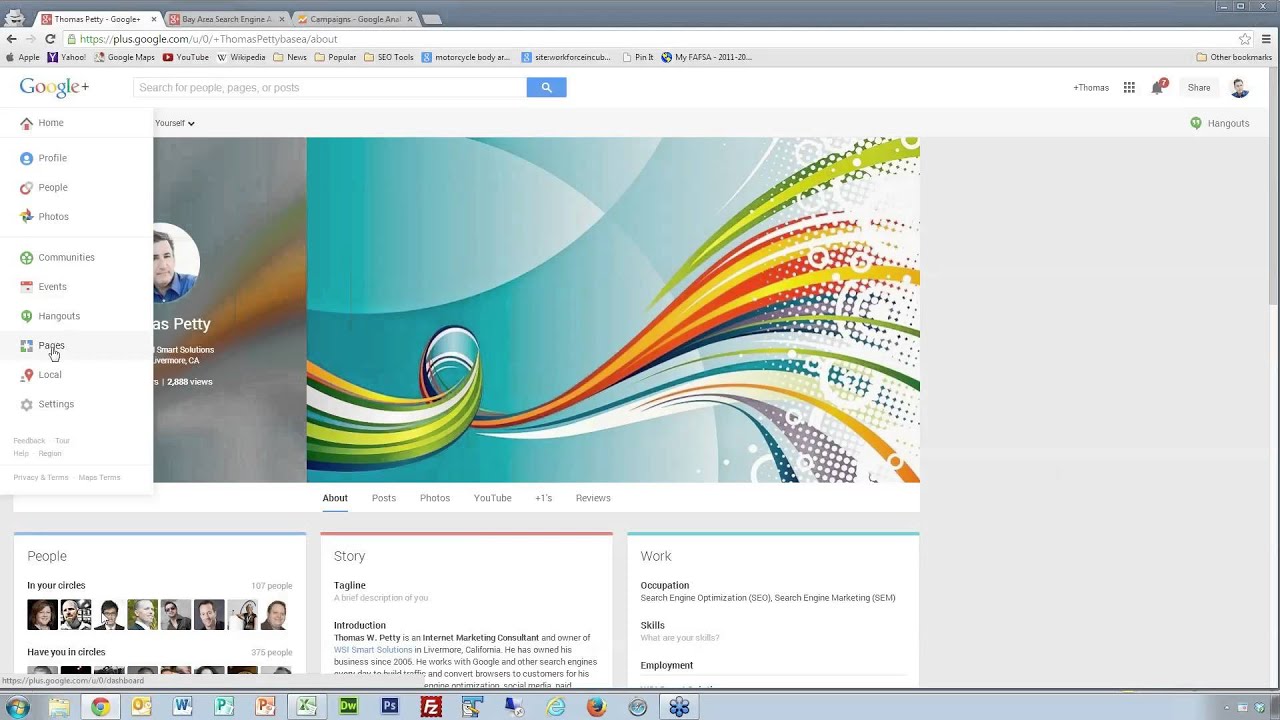
Thomas Petty explains why businesses need a Google+ presence and how to set up a verified page. The local "7-pack" matters for SEO, and you should gather reviews and tag URLs for Google Analytics. Merging your old Google Maps listing into Google+ is a key step.
Chapters
Greetings everyone. Welcome to the Wednesday, April 2nd, 2014 episode of Free Webinar Wednesdays. This is Eric Cook with WSI Internet Consulting where we work with businesses and organizations on helping them better understand and leverage the power of the Internet as a strategic business tool. You can learn more about me and WSI online at www.potsdamonline.com. It's good to be back in the saddle. We've taken a couple of weeks off, but I'm excited to be joined again by my good friend and Free Webinar Wednesday partner, Mr. Jeff Simpkins. Jeff, say hello to everybody out there in Free Webinar Wednesday world.
Hello everybody. As Eric indicated, this is Jeff Simpkins. I'm with Community Bank Consulting, Inc., and you can learn more about me and Community Bank Consulting, Inc. online at www.communitybankconsulting.com.
And, uh, I'm pretty excited.
We actually have launched a new-to-our-company service that we are helping banks in contract negotiations with their technology vendors. So, very cool.
Very cool.
If you are 2 years or so out from the end of your technology contracts, Let's talk.
Excellent. Yeah, I, uh, I knew about that and I was actually going to ask you, hey Jeff, is there anything new going on? But you beat me to the punch, so I'm really excited for you. And, uh, as a, as a banker myself, um, and I guess any business, although your service certainly applies more to banks, um, but it's always good to take a look at those contracts. And not that any vendor ever really wants to try to take advantage, but things change over time and, uh, If you look at creative ways of structuring agreements with renewals and services and bundling, there's probably a good opportunity there to save some money, and everybody ends up winning. So I'm excited for you.
One of the things that I really love about this is we've never been able to offer a service that the pricing is contingency-based. So it's a win-win for the bank, for the vendor, and for us because People only pay based on the value they receive. Absolutely.
Well, that's a good way of doing it in my opinion.
Very cool.
Yes, definitely encourage those bankers that are with us, and I know we have a few because Jeff and I are kind of born of banker blood. Make sure you touch base with Jeff and get some more info about that.
Very cool.
We are going to get things rolling here in just a second. I wanted to provide a couple of public service announcements as a reminder. I know It's been a couple of weeks, but we've got some new folks that are joining us. Free Webinar Wednesdays is recorded every week and made available at freewebinarwednesdays.com. So we encourage you to either listen to the replay, share it with friends, coworkers, anybody else that you'd like to kind of say, hey, check out this cool session that I just attended. And also browse back through. Our guest today, Tom Petty, has been a guest on a number of other occasions, and you can kind of scroll back through through and listen to some of the other Google+ and SEO and online chats that we've had. Also, we do like it when Free Webinar Wednesdays is interactive and engaging. So we encourage you to send your questions through the chat box, and we will monitor those during today's discussion. And chances are, as has been the case with other conversations on Google+, we'll probably generate a lot of questions. And as has always been the case when we talk about Google+, we may not necessarily know all the answers, because I don't think even Google knows some of answers, but we'll do our best to clear those out.
Good point.
Yeah, I figured that'd get a chuckle out of Tom. And then just as a, as a maybe a reminder to everybody, when you dial in, if you're actually connected through your voice over IP computer, you don't need to worry about this, but if you're dialed up through the telephone line, by default the number that's provided to you is actually a number that goes into Canada. Now there are options for you to be able to go ahead and click on the additional numbers and get international numbers as well as domestic here in the United States. But the GoToMeeting account that we use is actually brought from our corporate office in Toronto, and that is why it is a default Canada number. So we don't want anybody to be surprised with a long-distance bill on their cell phone if they unknowingly dialed Canada. So if you do need to dial back in, go ahead and hit additional numbers and you'll find a US-based number there. one that maybe is closer to your geographic area. With that, I think I've covered all the housekeeping items if I'm not mistaken. I'm really excited to bring back our good friend, Mr. Thomas Petty, to the show. We're going to chat in a little bit more detail about Google+ and some of the other ways that businesses may be interested in at least being aware of what's available and how it can be used to help them get visibility and engagement and conversation and all sorts of other cool stuff online. So Tom, welcome back to the show. It's good to have you with us.
Yeah, thank you. And I appreciate you having me back. So you keep asking me back, so that's a good thing.
Well, you keep saying yes, so—
I don't know who's the bigger sucker.
Yeah, exactly. So I kind of figured you would get a little bit of a chuckle out of that I don't think even Google knows sometimes because we've had a few questions in past shows where, well, we're not really exactly sure what Google is saying.
Yeah. Anyway.
Yeah, that's exactly true. I was actually on mute, so that's why you didn't hear me chuckle. But yeah, I think Google is still figuring this thing out. They keep changing things. I mean, well, hello, this is what this is all about. They keep changing, so it's all good.
Cool, cool. So Google+, I'm assuming that everybody joining us is familiar with it, but for those that maybe are attending for the first time, I know we've done some promotion and I shot some stuff around in the LinkedIn, so there may be some new folks that are kind of wondering, okay, I guess I'm going to need to pay attention to Google+. Give us the 30,000-foot view and some of the things that you're using it for, and then we can kind of dive into some particulars.
Yeah, sure. Hopefully you can see my screen.
Mm-hmm.
To me, Google+ is kind of Google's answer to Facebook. A few years ago, Google actually had access to some of the password-protected pages or personal pages on Facebook, and then Facebook basically locked them out and said, You know, sorry, go away. This is this is private stuff. You can't have this. And and and they had also done that with Twitter as well. And then Twitter shut the door in their face and said, "Go away." So I don't know if you remember when Twitter feeds and things like that were actually you could actually search them in Google and they showed up. But those have those have gone away. So Google is always experimenting with with different tools. And as as we put in the blog post on your web page, some of them are are. flops like Google Wave. Nobody could figure out what the hell to do with that, and it went away. And there have been a couple others that they've— there have been lots of others that they're always experimenting with. And finally, they came out with Google+, which was sort of the Facebook of Google. And my personal opinion is that Google is busy mapping the human experience. They're giving us lots of free tools— Google Analytics, Gmail, and now Google+ and all these kinds of things, Google Docs. So of course they're indexing everything. They're indexing who we're friends with, who we're connected with, who we're talking to, what are we writing about. And all these things are all interconnected, and they're busy mapping the human experience. And I don't know, kind of jokingly, I talk about how one of these days Google is going to become self-aware and wake up, and everybody's going to have a really bad day. So But the Google+— oh, go ahead.
Even— just to interject— even in its quest for self-awareness and kind of mapping the human experience, let's not forget their recent acquisition of Nest thermostat and climate control and home— its evolution into the home environment. So there's people that are arguing that Google now knows when I'm home. They know what temperature I like it at, all sorts of other things that are going on. So it's crawling even into what we would think as being non-computerized. So a little bit of a tangent there, but just want to make sure I mention that and completely freak everybody out on the line.
Big Brother is watching.
We're all super paranoid.
My prediction is Google's next big acquisition will be Dropcams. So not only do they know what temperature We like it, they can see us.
Yeah, yeah, that—
There you go, there you go.
Maybe, I don't know. And I think to me it's— some people get freaked out by that, and we're sort of off on a tangent, but to me it's a good thing because, I mean, the core of all of this is search. It's— and I talk about this in my classes— that people, when they do searches on Google, they're looking for an answer to their problem. The more they know about us as an individual, the better the results that we're going to get on the search engine results page because it's more and more going to be customized for me. If I do a search for something and you do a search and Jeff does a search for the same thing, we're all going to get different results because Google understands, okay, I'm Tom Petty, this is Eric, this is Jeff. We have different perspectives whether we're married, we have a dog, whether we have, you know, we're avid bikers, you know, whatever. And so those results are gonna be customized for us. So in a way, I think it's a good thing. You know, there's others who feel a little invaded by that, but whatever. So where was I? We went way off.
Yeah, that was my bad.
Sorry about that.
No, no, that's okay. Anyway—
You said we wanted to keep it conversational, right?
Yeah, that's exactly it.
Exactly.
Google+ is really kind of, like I said, the Facebook of the Google world. If people have, especially business owners, have not gotten into Google+, it's just like, oh God, it's just one more thing that I've got to do. It's one more social media platform. There's actually benefits to being on Google+ that you don't get with Facebook. Yeah, you can have your Facebook business page where people can like you. Honestly, you're probably going to get a lot more likes there and a lot more traffic there. Google+ is starting to grow. Google is starting to figure this thing out. When they first built Google+, you couldn't have a business page. It was only a personal page. Later they added the business page. Only just in the last 6 months I think they've started saying, okay, now we can have our own personal URL. We can have plus.google.com/company name instead of that big old ugly honking URL that we used to have. You can set those things up. They're starting to figure this stuff out and starting to make it work. Just kind of at the 30,000-foot level, this is the Google+ screen. It looks a lot like Facebook. It's laid out a little differently. One thing that I do like about it versus Facebook is depending on the size of your screen, it's going to size the columns and adjust it so that your feed is actually fitting your particular monitor. So if you've got a big monitor, then you're going to see more across. If you're on a laptop, you're going to see less across. iPads and other tablet devices, you're going to see just a little bit. So that's one thing. That's my spreadsheet. We'll get into that in a minute. Here we go. So the other thing that's a little different from Google+ is what's called circles. And on Facebook, it's like if I want to connect with you on Facebook, I send you a request and say, hey, can I be your friend? And then you have to accept it. Whereas on Google+, anybody can add me into their circles. So you can set up whatever circles you want to, and a circle is sort of a— the defaults are these are my friends, these are my family, these are business acquaintances, whatever you want to define them as. Anybody can add me into their circles. I believe— Eric, is this correct? I believe if they add me into their circles that then they can see my feed. I get a little mixed up on how that works.
If you and I weren't connected, we have circled each other which we'll kind of stay out of that rabbit hole. We've circled each other so when you post an update that goes to the public, I've got you in a circle so I see it and then vice versa. There's also options where When you put people into your circles, you can elect to share those posts with just that circle. I think that's one of the main differences that the Google+ platform has.
Right.
It forces you to make a selection, whereas by default a lot of these other networks will just go ahead and dump it to everybody. When you do a post, it actually says, well, do you want to send it to— make it public? Do you want to send it to just your close friends and family? Do you want to send it to the WSI Consultants? There's even the ability to build out communities to be able to go ahead and share those almost like as private groups.
Right, right. Okay, yeah, so thank you for explaining that. Like I said, I'm always a little fuzzy on that. But yeah, so if somebody has added me into their circles— and here are some of my circles, and I've just got a few. So I've got friends, and only my brothers and my family. Nobody else in my family is on Google+. Actually, Grant is up in your neighborhood. He's up in Wisconsin. Acquaintances, who I'm following. Most of my connections are professional connections or I even put some people into a list called people I don't know. It's people that may have added me into their circle and I'll add them back but I'm associated with them in some way. Maybe they're a WSI consultant. But I don't physically know them. And so if I'm posting anything personal, then it may be that I don't want the people I don't know to see those things. And I've also set up restrictions so that my personal cell phone and personal contact information and stuff isn't available to anybody that I put into that circle. So it's kind of like Facebook groups. I mean, you can do this on Facebook. It's a little more cumbersome. But you can see who's in your circles and you can literally, if you see somebody— so this guy Lloyd, he's, I think he's over in Singapore, yeah, he's in my professional circle. So I haven't actually met the guy but I know he's associated with me and so if you want to add somebody you can literally just pick them up and and drag them into one of your circles wherever you want to put them. So you can, you can set this up however you want to, and then when you're looking at your own dashboard, you can then— the nice thing is that you can say, well, I only want to see feeds from my friends. And so if you click on the friends, then, you know, there's Eric and Jim and whoever else is in my friends. Anybody that's posting stuff from my friends, I can filter these instantly. If I want to—
Hey, Eric.
Yeah.
We've got a great question here. For a business, do you create a Google+ account for the business or do you create a Google+ page from a personal account?
I'm going to get into that, but basically this is sort of looking at Google+ as a whole. You have to create a personal page. It's just like on Facebook. You have to have a personal Google+ account and then you can create a business account for whatever your business is. You have to be able to manage the business account but it has to be tied back to you as an individual. That's exactly it, just like on Facebook. A lot of other things, if you look at your profile, you can change your cover image just like on Facebook. There are certain dimensions and they kind of make this— they take a copy of the image and then kind of make this blurred out version of it that goes behind your headshot so you can see your own feed. So there are similarities and that's kind of what this is all about. Anything else that you think I should cover there, Eric?
No, I mean, I think there's a lot of other maybe personal things that we could talk about as it relates to Google+, but I know the topic of this show was really trying to focus on some of the business advantages. So maybe we can come back at some point. We'll sucker you into another show down the road. Maybe we'll talk about ways that individuals can use Google+. I've been spending just kind of individually a little bit more time on Google+ and some tools that make it possible for the information that I'm sharing in Google+ to also end up in some of the other networks.
Oh nice.
But I'm getting a little bit better information actually out of Google+ on some things that I really want to know about. And having some good conversations. So I think that would be a good next step show that we could talk about.
Sure, sure.
Yeah, yeah. And later I'll come back to this section on links. And we talked about this before when we set up our Google authorship. When you're creating content on your blog and things like that, the only way you can set up your Google authorship is to point your Google+ account to your blog and then to point your blog back at your Google+ account. And so this is where you would set this up in your links. And basically you're pointing both at each other, and then that proves to Google that you really are the author of those particular articles. And so if you want to see how to set that up, if we don't get the time, it's in one of the previous webinars that we did.
We've got somebody that posted a question and said, is there a take the tour option? Do they have a Like a video guided tour of Google+.
Yeah, yeah, there is. There's a little link right here, tour. You can go in and it will orient you to all of the little pieces on what you need to know.
I think by default when you join and hop on the first time, like a lot of networks, the tour will actually present itself automatically. It will walk you through and say, hey, here's where you circle your friends and this is where you update. You can discontinue that if you want to just dive in. Click on that link and that'll help walk you through some of the main elements.
Excellent. Let's just kind of jump into your businesses. That's on your menu here under pages. For some dumb reason, magically I've ended up with 2 other business listings which I think are phantom listings, and I've tried to delete them and I can't delete them. So they're just sort of hanging out there, but they're not— you go into them and it even says, hey, this is a duplicate of another business, so we're not displaying it. It's like, well then make it go away. So I can't figure out how to make it go away. But when you— well, let me go back. When you want to set up a business page, then you go in here and create a page. And so you're going to give it a name and you know, put in all the information that you want about your particular business. And so my other business— I'm a WSI consultant, but I'm also with the Bay Area Search Engine Academy. And so this is my business page. And so hopefully you'll, you'll follow me on Google+ as well. But this is where I'm gonna be posting a lot of the articles, the blog posts, and things like that. But some of the other pieces that are really important about having a business page is, well, number one, you need to get it verified. So you notice that there's a little checkmark, a little shield right here next to the logo that says that this is a verified business. So when you set up your business page, just like in the old Google Maps and Google Places setup, they're going to say, okay, now you've got to prove to me that you really are this business. So they're either going to call you right then on your business telephone and you have to enter a PIN, or they're going to send you a postcard. And if they mail you a postcard, then they're going to come back— you have to go back and put the PIN in that they mailed to you a week or two later. And once you've done that, then you've proven to them that you do have— that you've validated your business, and then the business page will actually show up live in the search engines and show up in the Google+ searches. The other really crucial piece to this is getting reviews. It used to be that on the Google Maps and Google Places listings that you wanted to get reviews, and now it's all been moved over into the Google+ page. You want to encourage businesses or encourage your customers to leave reviews and be cautious about— I always say this— be cautious about asking too many people to give you a review at the same time, because if you get a whole bunch of— excuse me— a whole bunch of them showing up at the same time, it looks suspicious. Whereas if you're getting them kind of in dribs and drabs, then that's going to look a lot more natural. So just if you've got a customer, say, hey, you know, are you on Google+? And like, here's Larry from SCORE organization and I said, hey, if you're on Google+, would you mind going out to the Google+ page and just leaving a little review? Oh yeah, absolutely, no problem. Make sure you start doing that. The reason you want to do that is this is what shows up in the search engines. Here's a guy, I just did a search for Livermore electricians. I live in Livermore, California. This guy, Precision He has figured this out and so he's asking his customers for Google reviews. It's going to show up in the business listings directly. If you don't have a Google+ page and you aren't getting Google reviews— like here's Joe Scarbo from Gentech, he's a friend of mine. He's got a page that he hasn't really done much with and he's only got one review. This guy is clearly working the system here to make sure that he's got lots of good reviews. If you click on that, it will actually take you out to his reviews page and you can read all the happy reviews from the different people. This is one of the really critical features of Google+. Google is moving away from Places and Maps and putting everything into Google+ business pages. This is where you need to set up your reviews.
That actually answers one of the questions, and we've got a boatload of questions that have started flooding in. So this session may go an extra hour. No, I'm just kidding. Wanted to know— the question was, can we ignore old Google Maps and only focus on Google+ instead? I don't know if ignore is the right word, if those would just go away, but certainly Google+ is where Google wants you spending your time. I think we've looked into, is Google Maps going to be combining into Google+ and merged? I don't think either one of us have been able to get a good answer on that unless you know that.
Yeah, it actually is. If you have an old Maps or an old Places listing, if you haven't set up a Plus page yet, you can actually merge it over. You can pull it over. And I had— I went round and round and round with this because what happened was that I actually changed the address of my corporation, and so the street address changed, and I couldn't merge the 2 because now I was trying to set it up on the new address. And I finally contacted Google And they— when you're setting this up, there's up in the upper right corner, you'll find a little link that says Contact Us, and you can click that, you put in your own phone number, and they call you immediately and connect you up with a tech. And the guy that I talked to said that if you've moved addresses, you have to set up a new listing. If your physical address and phone number are the same, then you can move and merge the Maps or Places listing over into Google+. The disadvantage too is that I ended up losing all of my reviews, which is why I only have 2 reviews on my business listing, because when I moved over, they couldn't move the reviews over. I had 18 5-star reviews and they said, nope, sorry, you gotta create a brand new listing and start all over again. I'm like, ohhhhhhh. So you can merge the 2 or combine them, but if you haven't changed your address or your phone number, then it should be fairly seamless. Otherwise, it gets messy. So hopefully that answers that question. But yeah, I would get rid of the Maps or Places listing and just merge it over into Plus, and that's what's going to show up in the search results anyway. So that's what's going to show up over here.
Cool.
Do you want to take some time for some more questions?
Yeah, sure.
Hammer through some of those?
Yeah, sure.
Someone else asks, like a third-party program like Get Listed or Yext have the ability, and I'll do finger quotes, the ability to automate Google+ accounts but having a problem finding that they're actually verified on Google and maybe set up as a duplicate. Any familiarity with those Third-party services that are out there that will create accounts for you?
Yeah, well, they won't actually create the accounts. And it's funny because I just wrote a blog post about Get Listed last week, and Get Listed got acquired by Moz.com, and it's now called Moz Local. And they will help you to see if you have your business listing set up on Google+ and Facebook and, you know, yada yada yada, all of them. Hotfrog. Who goes to Hotfrog? I don't know. Anyway, they basically are going to say, yeah, you've got a listing, some of the data is inconsistent, so maybe your address or your phone number isn't the same or there's something that's missing. I don't believe they're going to actually create the accounts for you. They'll give you a link that takes you into Google+ or Yahoo or Bing or Yelp And then you can go in and create those listings, but I don't think they actually create them for you. The only thing that I think that they will do is upload your data into— with the paid service— into the 3 databases: the Axiom, the InfoUSA, and Yellow Pages Marketing Association, which you can't edit directly.
You also mentioned You talked a little bit earlier about too many reviews. We've got several folks that are saying, well, what is too many reviews? Is it the quantity? Is it the velocity? Are you getting 30 reviews in a day or 30 reviews over 3 months? What's your thoughts on that?
Yeah, well, more is better, but yeah, just don't get 30 in a day because then that looks like you emailed all your friends and said, hey, go out and give me 5-star reviews. So just get them one at a time. Ask a couple people once in a while. You can, if you complete a job, depending on whatever kind of service you do, if you complete a job, just hand them a card or a postcard or something and say, hey, if you wouldn't mind going out to either Yelp or Google+ and leaving a little review and telling what your experience was, I'd really appreciate it. Some people are going to be Yelpers, some people are going to be on Google+, some people are like, what's Google+?
Yes.
So try to kind of farm those without being too overtly, hey, all my friends, go like me. So you just want to do it a little carefully. Yelp especially is pretty draconian on the reviews, and I've gotten some really nice legitimate reviews on Yelp. Yelp hides them and says, no, that's not a real review. It's like, hey! So you just got to—
I'm a really nice guy, come on!
Yeah, I know. It's like, come on, that's a real one. I didn't even ask for that one. Just do it a little at a time and over time, the more you get, the better. I think you'll notice here, Gentek has 1 Google review. It doesn't show any stars. This guy has 7 reviews and it does show the stars. I think once you get above about the 5 review threshold, then it starts showing in your business listing. That's kind of where you need to start working towards, is getting more and more reviews along those lines. Another little point about this too, you'll notice this guy, Maine Electric. Maine Electric and Gentek are arch enemies. They're both trying to— if one guy is number 1, the other one wants to be number 1. They both are always trying to outdo each other. But notice that Maine Electric has a circle instead of the little thumbtack and this is appropriate for this business. This guy has set it up correctly whereas Gentek didn't. If you are a service organization that you go do business at your client's location whereas people don't come to your office or your store and do business with you, you actually go out to them, and that could be windshield repair, it could be pool maintenance, it could be electricians, it could be plumbers, real estate agents often, any of these kinds of organizations that you go out to those customers, you want to hide your address in the listing. Up here you'll notice that Main Electric has a little circle, and so this is his business radius. That's where he will do business. So if somebody is searching for an electrician within that radius, then Main Electric will come up, whereas Gentex set his up as a physical address, and so it gives him a thumbtack. So if you're a service organization, you need to set yours up as a radius and hide your address. There's a setting in there that just says, hide my address, and then you can tell them what your radius is. Just a little point there. Any other questions? Hit me.
Hit me, hit me. Any thoughts on the effectiveness of a Yelp review versus a Google+ review for professional services?
Well, Yelp typically comes up very high in the search results, although I'm not seeing any here. I saw some at the top, actually. Yeah, it's right up number 1. So I would encourage doing both because Yelp typically shows up very high in the search results, and then if you are listed in the Google 7-pack like this, then the Google reviews will also show up. So the more you can sort of encourage both, the better. And I also tell people, don't be afraid of bad reviews. Only be afraid of bad reviews if you don't have any good reviews, because if you have one bad review and you have no other reviews, then everybody's going to assume that, oh man, this is a terrible business, don't do business with them.
Them.
But if you have 23 great reviews and you get a bad review, people go, eh, that's a whiner. So they'll ignore it and discount it. And, and, you know, I tell people, it's like, look at your Amazon reviews. It's, it's— we all look at the reviews on Amazon to see who, who had a good experience or a bad experience with whatever product. And the more 1-star reviews they've got, the less likely you are to buy it. But if they've got lots and lots and lots of 5-star reviews, a couple of 1-stars, it's like, okay, Whatever. So short answer, I would do both.
Cool.
You said 7-pack. That spurred a couple of questions and said, ooh, what's 7-pack mean?
How do you get there?
Okay. So this is getting into local search, but basically you need to have a good quality website that has been search engine optimized, and you need to have a Google Google+ business page typically with— that is also fully filled out so that you've filled out your entire profile with your business name, your address, you validated the business, you've started getting some reviews and linked the two so that your Plus page points back to your webpage and all of those kinds of things. The more you fill both of those profiles out or your business profile as well as having a good quality website, the more that you're going to show up in this 7-pack.
There's no setting you click and say, put me in the 7-pack. It's somewhat of an SEO process where Google kind of anoints you as 7-pack worthy.
Yes.
It's fluctuated. It's been, I believe, a 10-pack and a 5-pack and now Correct. So I guess it just depends on how many packs they want to do and what their current layout is.
Yeah, it's been a 7-pack for several years and it used to be that the 7-pack— it started off as a 3-pack, then it became a 10-pack, and then they settled on 7. But it used to be that it was only the Google Maps results and later, it's been probably 2 or 3 years ago, they combined the listing with your business listing as well as your website. You sort of get a double listing here. They've got a link to your website as well as your Google+ page. Get both of them set up and if you don't have too much competition, then hopefully you'll start showing up in that listing.
Gotcha. Another individual posts, heard a rumor that the postcard pin is preferred over an SMS or a text PIN in the validation process. Any thoughts or have you heard anything to that effect when you're validating the business to confirm its identity on Google+?
Well, I guess I wasn't aware of any text PIN for validation. They either call your business phone number or they send you a postcard. At least that's been my experience. The disadvantage with the phone number is that if you don't answer the phone and they have to go through an extension to get to you, you can't use the phone method so you have to use a postcard. If you have an auto attendant that answers the phone and says, welcome to XYZ Business, press 1 for Tom and press 2 for Eric. You can't validate by phone. I'm not aware of a text-based validation. I don't think either one matters. They don't care. You're just proving to them that you're who you say you are and as soon as you do it—
Right.
Yeah, when you do it, you're done. It's not one's better than the other.
Boy, we still have a lot of questions up here.
This is diving into a lot of stuff.
It is, it is.
And maybe we can respond to some of those kind of after the fact.
Sure.
Let me see here. Can a business owner comment on a Google review? Let's take the example of maybe you get a crappy review. Do you get the opportunity to offer a rebuttal or apologize or acknowledge something along those lines? And I know we can't use yours because you don't have any crappy reviews.
Yeah, I know.
You're a rock star.
You can flag, you can You can flag it as inappropriate. I don't know if you can actually— that's a good question. I don't know if you can actually respond to it.
Yeah, I didn't think that there was the ability to do that either.
Yeah, so I don't know what happens if you flag it as inappropriate. But yeah, like on Yelp, you can reply and say, hey, you know, I'm sorry you had a bad experience. We tried to offer you your money back. Blah, blah, blah. But I honestly don't know.
Okay. See, I told you we'd be stumping—
Yeah.
You know, sometimes we just stump the panelists. Exactly. Jeff, any of these other ones stand out to you? I know we're kind of short on time, and I want to make sure we get the right ones. I know we've got a lot of them that have been answered.
Let me look through.
One thing I did want to— while you're kind of perusing your list there— is to encourage people to, if you have a blog and if you don't have a blog, you should get a blog on your website and start creating content and sharing it. On your business page. Because the more— and this is sort of an SEO benefit that you can get from the search engines or from Google— is the more you're creating this content and posting it and the more people are liking it or +1ing it in Google parlance, is that the more your stuff is going to show up. And I And the social influences, the more people are sharing and +1ing your posts, the more those are going to show up in the search engine results pages when people are actually doing a search. So there is a little bit of an SEO benefit to posting these articles and publishing them and encouraging people to share them and +1 them. And one of the things that I like to do is track how many people actually come back to the blog. So if they— this is the blog post that I just put out yesterday. So if people click on this blog post and come back to the blog to read the article, I want to know exactly how many people came through. And so what I do is I tag the URL with some parameters that drops right into my Google Analytics so that then I can see how many people are actually clicking this link. And even if somebody shares this link with their friends, the tagging carries with it. So no matter how far it goes, the tagging will continue to be part of the URL, and, and that can give me some indication on how many people are clicking on, on those links. And so in Google, they actually have a tool, and you can Google it Tag URL for Google Analytics. And you can go through here, it's a URL builder, and you basically post in your blog post here, whatever it is, and then you have to fill in 3 pieces of information: your campaign source, your medium, and the name. And so you give them 3 bits of information. So maybe This went out in your, let's call this social media, and the campaign medium was Google+, and the campaign name was April 2014. So when you build this URL, let's just do a simple one, then when we build this URL, now I've got this tagged URL URL that then I can copy and paste into my feed. Is this making sense? Anybody there?
It is for me because I've done that a couple of times. We'll wait and see if we get a deluge of questions coming in through the chat box.
When you post these out on your page, then Why am I losing where to create the post? Anyway, then that carries— I'm sorry?
There you go.
Yep, click on posts and then that gives you the ability to post, I think.
Yeah, I know, but where is it? This is stupid. This is past posts.
Here we go.
Where do I— yeah, alright, I just did this yesterday. Alright, well anyway, when you create these links and post them out there, then as people click on the links, then this is going to carry over into your Google Analytics. And I don't want to get too far into the weeds, but in your Google Analytics under Acquisition you're going to see a section called campaigns. So when you click on the campaigns, then you can see exactly where people came in on your social media. So if we go into this one, we can see how many people clicked from the newsletter, from Facebook, from LinkedIn, from Google+. And so it allows you to track and see how many people are actually coming into your blog posts from different media, whether it's your newsletter or social media, and track that. So here we can see I've got a lot more people that are clicking on it from my newsletter and from Facebook than they are from some of the other tools. Google+ click-through rate is pretty bad. So it gets a little tedious doing this with this URL builder tool. Because you gotta build a different URL for each social media platform. So what I've done is I've created a spreadsheet that does all this for you automagically. And so you put in your campaign name here, and we just called it April, and then you put in your social media tags, your email tags, or whatever tags you want to, copy paste the URL up here And then it automatically builds the tagged URL for each platform. So if I'm gonna post this on Twitter, I'm just gonna copy this line right here and go over to Twitter and paste it and put in my, my tweet. For Facebook, I'm gonna copy this line and go post it over on Facebook. Same thing for LinkedIn, for Google+, or if you use Pinterest, you can change this to Pinterest and whatever. So if I do this in my newsletter, then this is the URL that gets posted into my newsletter. So the spreadsheet makes it super simple to create these tagged URLs so that then you can track this directly in your Analytics. So is that making sense?
It is.
And just as a— it's the Google URL builder through Analytics.
So Right.
There were a couple of questions on that.
Right. So this spreadsheet just sort of automates the whole thing so you don't have to sit there and go back and forth and back and forth and back and forth. So if you have a social media virtual assistant or another type of assistant that's helping you post this kind of stuff, you can give them the spreadsheet and just do this once and then just copy paste, copy paste, and it makes it really easy.
One of the other things that I use is there's a Chrome plugin that will do— it's called Google Analytics URL Builder.
Oh, really?
Yeah, it just sits on Chrome, and when you visit a webpage, you can go ahead, punch it, and then provide the different parameters, and then it'll kick out a version for you as well.
Didn't know about that one.
Yeah, there you go.
So, but I was gonna— when we get to the end here, I'll offer this spreadsheet up to anybody who would like it. So we'll talk about that at the end. All right, what other questions we got?
Oh, where to begin?
I thought we were supposed to be answering questions, not creating questions.
I know, I know.
Go ahead, John.
There's one here that I think we ought to do a whole show on. Now we have 2 opportunities for you to come back, Tom. This one is, what are the top 10 don'tchas on Google+? That is definitely an hour-long conversation.
The top 10 what?
Don'tchas, things not to do.
Oh, okay.
Things not to do.
Yeah, and there's only 10?
Well, the speaker did say top 10.
Okay, okay.
There you go. Maybe if you can just kind of show real quickly, let's kind of take somebody that just got on Google+ and they want to create their business page. They don't have one yet. What's the first thing that they do? Maybe it's a plumber or a real estate agent or somebody. What's the first thing that they do to get a business page started?
Okay, so assuming that they've set up their Google+ account, then the first thing they're going to do is come down here to Pages under the menu. And then they won't have anything here and you just create a page. And then they're going to ask you, okay, are you a local business, are you a product brand, you know, Typically you're going to either be a company or a local business or place. So if we choose local business or place, then you type in your address or your business name and hit search. And if you're already listed— this is my other business— then they're going to say, oh, is this yours? And if so, then you can go through and go through the claim process and set it all up. So if your business isn't listed, then you're going to go here and then you're going to fill in all the blanks and create it. So it's pretty much— it walks you through it. It's pretty much step by step and address, phone, Hours, do you take credit cards, parking, blah blah blah. You just fill it out as much as you can.
Very cool.
And then as a follow-up to that, let's say you've got someone that is a solo professional, and is there a need to have a business page in addition to a personal profile? The fear obviously is redundancy and duplicating. Can you, as an individual solo professional, build a good enough following and reputation through just having a personal profile?
If you are a business, I would say you need to have a business page because it may be that in 2 years you want to use Google+ as kind of your personal Facebook page. It's like I've got lots of people on Facebook. that I communicate with, and there's personal stuff that I post, and I make sure that it goes to groups that I want it to go to. But I don't necessarily post a lot of business stuff on my personal page because people don't— my friends don't really care. Whereas on my business page, then definitely that's where I'm going to be posting all the business stuff.
Right.
So that's kind of my opinion. And if you are a person who's working out of your house and you don't want your business address revealed, then just check the checkbox that says hide my address.
Then you get a little circle with a radius.
Right, right.
As we've learned. Exactly, there you go.
Very cool. Another example of that is I've got a friend of mine who— this was a few years ago— she's a Mary Kay cosmetics rep and she works out of her house. At the time, Well, Mary Kay doesn't allow you to create your own webpage. They don't allow you to do any of the online marketing stuff. The only thing you can do is you can be marykay.com/yourname and you get one page and that's it. It doesn't show up in the search engines. You can't do any SEO. You can't do pay-per-click. You can't do any of that kind of stuff. I said, go out to Google Places. This was before Google+. I said, go create a Google Places business listing. For your Mary Kay business, put your home address and your phone number, your cell phone, and put it out there. And so now when people are searching for a Mary Kay rep— see if she's still there— yeah, but anyway, it used to be that she would show up in the 7-pack, but there was only 2 of them. So, and she said, I'm getting phone calls every week from people that are looking for a Mary Kay Cosmetics rep, and they're finding me on the business listing. So I encourage people to, to do that with your business. And clearly now Google is only listing the Plus page, not the Maps page.
So Definitely. Cool.
Flipping it in the other direction, and I think this may be one of our last questions. There's somebody else that is on the other side where they have 27 locations, 27 map accounts already set up. Is there an easy way to manage multiple locations, multiple pages from one account?
Yes. So, and you may need to get Google to help you. So when you're setting that up, click that little Contact Us and put in your phone number and they'll call you. But you can, you should be able to manage those under one account. If you're a real estate office or attorney office, whatever, where you've got a single company but you've got multiple locations, then definitely you can manage those all with one account and you don't have to have 27 different ones that you're trying to manage. You may need to get them to help you with that.
Cool.
I think it's good. Jeff and I have been Google Apps And I'll credit Jeff for bringing me to the light and convincing me to set up a Google Apps for Business account. But Jeff and I have both contacted Google for support on the Google Apps side, and I've been blown away at how responsive they've been. They answer the phone quickly. They call you back. I had an issue that I was dealing with, and they called back every week for several weeks just to make sure, hey, is that still happening? Are you okay? We'll leave it open until we hear from you. A lot of times you think really, really big companies, you're just a number in the queue. To their credit, they do a good job. I'm not saying that because they're probably listening right now.
Yeah, well, I've had kind of the same experience too. The couple times that I've contacted them, you put in your phone number and hit go, your phone rings instantly and you pick it up and there's a guy on the other end. It's like, hey, how can I help you? It's like, wow! So it is impressive.
Yeah, so cool. I think, Jeff, unless you can see if there's maybe one other question that you want to pick out, we probably have time to sneak one more in. I'll leave that up to you.
There's so many here. Robin, you asked for a Google Apps phone number. Just do a Google search for Google Apps or Google Apps for Business. You set up your account there. And if you're a current user, if you go into your control panel and go to the help text, you'll find it.
Yep. Because you'll be given a PIN code that you'll have to enter in when you call. But I think the shortcut is google.com/a. is the URL to get to Google Apps to set that up. It's just google.com/a.
Tom, a couple people have asked for your spreadsheet. Eric, can we either post that on the website or do an email blast to our list?
Tom, what's your preference?
What I was going to say is if anybody wants my spreadsheet, I've got a couple things that I'm going to— I've got some stuff I'm going to do for you. So if you go to this Bitly link— What was that? Yeah, if you go to this Bitly link, bit.ly/getfoundreport, all one word, getfoundreport, all lowercase, that'll take you over to my newsletter signup. You can sign up, and if you decide you don't like the newsletter, unsubscribe. It won't hurt my feelings. But you're going to get an email from me, and you're going to get a report from me that's 10 Ways to Get Found Online. Just hit reply to that email. And say, I was on the webinar today, I'd like your spreadsheet, and I'll email it to you. So, can't get much easier than that.
Bitly/getfoundreport, all lowercase?
Yeah.
Okay, we'll post that up onto the Free Webinar Wednesday site as well. We'll make that as a clickable link. So if you want to check out Free Webinar Wednesdays, you'll have access to that, if that's okay, Tom.
Yeah, absolutely.
Cool.
Good.
And hopefully you will go to Google+ and find us on the Barry Search Engine Academy and follow us. We've got all kinds of articles and stuff that we post out there, and we've got a weekly newsletter that we publish. So hopefully you will catch up with us there too.
Tom, I think you won the prize for the most questions in a single Free Webinar Wednesday session.
Cool. The question queue is packed. I'm scrolling and scrolling and scrolling. I'm like, holy crap.
Thank you, thank you. Please come back.
Well, leave me a review on my Google+ page too.
There you go.
There you go.
But not all at once. Not all at once.
Spread it over a few days.
Yeah, not all at once.
Well, I'm going to go ahead and take all the questions and I will pull those Pull those down because we still have some that didn't get used. I think there's certainly some opportunity to talk about personal use and how you can use it personally, and then maybe even dive into a little bit more detail on some specific business strategies and walk through— I know we had some questions on setting up authorship and some other things that you had mentioned. So yeah, I think this is good.
Good news is what we paid you today to join us, we'll double that next Right, right, I like it, 2 zeros.
Exactly.
Yeah, if you have questions about setting up Google Authorship, go back to, I don't think it was the last session, but if you search for the previous session before that, we do go into the Google Authorship and show you exactly how to set that up. So that's on the Free Webinar Wednesdays website already.
Again, one last time, that Bitly link, bit.ly/getfoundreport. Cool, good deal, excellent. Well, this has been great. Like I said, you win the trophy for the most questions. We appreciate the engagement and we had lots and lots of people posting in some thoughts, so excellent job.
Well, thank you, Eric. Appreciate you having me here.
Good deal. So Jeff, once again, congratulations on the new service to Community Bank Consulting. And as a reminder, bankers that are out there, touch base with Jeff and chances are he'll be able to help you guys save some money and make it a win-win. And we'll look forward to seeing everybody next Wednesday. We're back in the saddle and don't have any hiatus— is it hiatuses or hiatus?
With the Pearl of Haida Bay. One of those planned vacations.
We don't have any vacations planned. Yeah, there you go. So we'll be with you at least for the next couple of weeks. So we appreciate you joining us. Keep an eye on freewebinarwednesdays.com for the update. Like us on Facebook. And until next week, have a good week everyone.
Bye-bye.







