A creator walks through his video production workflow, from timing spacers and audio testing to green screen setup and animation checks. He uses green screens for flexible background swaps and emphasizes syncing hand gestures with speech. He also touches on AI tools and keeping content clear and relevant.
Chapters
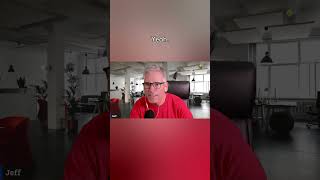
Okay, so I'll just type that in. I'll say apply. So now it'll put that in there. And so what I'll do now is I will go through this process. I'll test it. And many times what I do is when I test it, I will put some spacers in here, some time things. So as an example, like at the very beginning, I like automatically putting a little time in there. That gives me a little bit of time at the very beginning of the video. And I'll show you what I mean here in a second. That it doesn't just jump right into me speaking otherwise. It. It's, you know, from the first frame on, it's going to say search is changing. I like to have a little bit of room so I can play around with that. So now what's happened is we ran that through and then let's go back and say, okay, this video is basically. This is the one I just did. So this is the one we want to run through. So now what'll happen is this is the video we want to show. I'm not sure if you're going to hear the sound on this or not, but basically what happens is it is going to show the. The audio. Let me just double check and make sure. Let me undo this. And then we're going to. We're going to share it again. Let me make sure the audio. Yeah, audio is shareable. Okay, good. All right, so now let me pull that up one more time and share that screen. Now we should hear that. So now what I've done is I'll. After I put that in there, and I like. I personally like to use green screen. That gives me a lot of flexibility on the editing side. Whether I do it myself or I give it to one of my staff members to edit it, then they can put the appropriate background in there. A lot of times I'll put background in there. That's just for. For, let's say, a business setting. I might be in a business office or I have a background where maybe there's a whiteboard or. Or whatnot in there. I rarely ever put video in there, but I will put some solid, solid colors. So it gives me some choices. So now let's just play that out. And I want you to watch particularly how the animation. You see me using my hands as I'm thinking about this, I'm like, yeah, this is exactly how I talk. I use my hands a little bit. And so what I've done now is I put the audio in there. I'VE adjusted it and let's hear how it sounds. And I want you to pay particular attention to the syncing of the lips are no longer just typing keywords, they are asking questions. They are using AI tools. It is about clarity. According to Google's own guidance, helpful content is prioritized when it I don't think you have to.