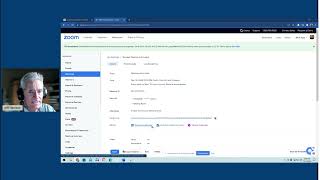
A short video tutorial demonstrating how to create a recurring meeting in Zoom: choose date/time, mark as "recurring meeting", select frequency (daily/weekly/monthly/no fixed time), and set an end condition (no end date, end by date, or after N occurrences). The host notes the recurring meeting produces a single invite link usable each session, and discusses trade-offs integrating with Eventbrite (for attendee data collection) and Streamyard (can host ongoing webinars and collect registrations).
Chapters
All right, so I just want to go through this with you on how to set up a reoccurring meeting in Zoom. So I have my Zoom open, and so I'm just going to schedule a meeting and.
As we set this up.
And then let's just say the meeting is on the 18th.
Let's say you're going to do it every Wednesday at noon. It's going to last an hour. And then you're going to click right here it says recurring meeting. And at this point it's going to say how often? Daily, weekly, monthly, no fixed times. Let's say you have done every weekly. It's going to repeat every week. It's going to be on Wednesdays. And then you have to choose.
No end time. Or you can actually set an end time, or you can say after X number of occurrences. So you can say, hey, I'm going to do this for 10 weeks and, or 10, 10 weeks. And then we're going to go with it. And so at this point, really, you already have it set up now, so you can say, I'm going to save.
And then this would be your invite link and the information you'd have. You can then take it over to Eventbrite. So let's pop over to Eventbrite.
Yeah, actually, at this point, I don't think you would need Eventbrite because you already have a reoccurring theme here that you're going to do every, every Wednesday at noon.
And then you have the same invite link. Everything is there. So you could actually just put on the calendar. And you could, you could, you could create a landing page with that. Again, it could be on your, your Facebook group page, if that's where you're thinking about putting it, or when you send it out an email, it's the same link, every link, every time. And then people sign up. And so, you know, the only thing you don't have with this, Leslie, is you don't have.
You don't have a list of who is participating. So in other words, the one thing about Eventbrite is you do have to create a page for that and then it will collect the data. Now, the other piece that's kind of nice is within Streamyard, and I can't show you it because I'm actually using Streamyard is if we create the event in Streamyard, it actually collects all that and it's just an ongoing webinar. So I think right now what we're looking at here is we have a reoccurring event every Wednesday at noon. We have the same invite link that you can use, and then you can share that with whomever you'd like. All right? So I hope that answers your question. If not, let me know and we'll redo this.