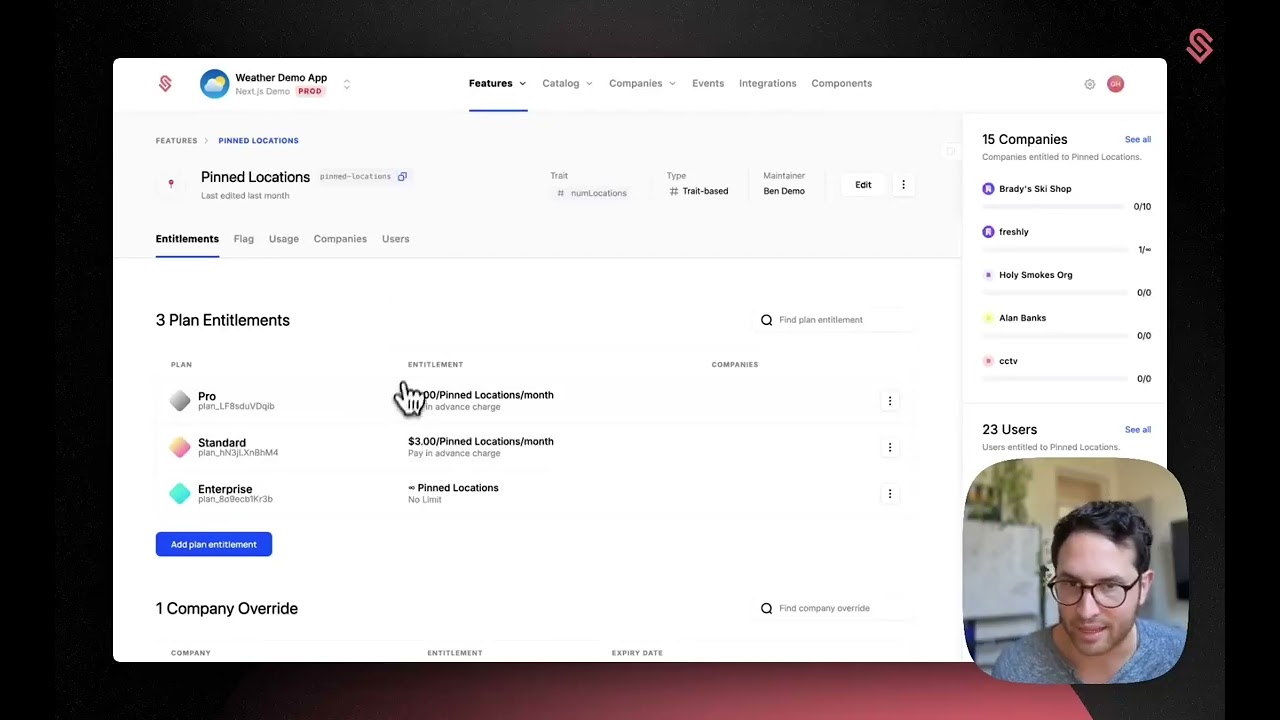
Gio walks through setting up Schematic's Pay in Advance pricing model for a weather app. He configures pin locations as a trait-based entitlement at $3 per month, shows how customers select quantity upfront (like 5 pin locations), and verifies the purchased capacity is enforced in the app.
Chapters
Hey, it's Gio. Today we're launching our second end-to-end usage-based pricing model. It's called Pay in Advance. This is particularly useful for seat-based models. Let me show you how it works. So I go into my test app here, the weather app, and I go into my portal and I can see I'm on the free plan. If I go to change my plan, I can see there's a standard plan with 10 pin locations per month. But instead of making our customers have 10 pin locations per month, I want them to pay for each pin location, and I want them to pay in advance. I want them to commit to 2, 3, or 4, or 5 pin locations and then pay for that, and you have access just like you would for seats. So let me show you how to set that up. I go here, pin locations, the trait-based feature, just like a seat would be. I go to the standard entitlement here, and I can see that right now 10 Pin locations are included in the plan. Let me go into the pay-in-advance model and I'll select my Stripe prices here. Let me just choose pin locations, the monthly price, and pin locations, the yearly price, in case I want to bill yearly. So I've chosen those and now they're in there, and I can see that my— in the standard plan, pin locations actually cost, cost $3 per pin location per month. And that's how it works inside of Schematic. That's how those limits are set and the entitlements are doled out. Now, if we go back into the customer portal, quick refresh, again, I'm on the free plan. Let me go to the standard. I can see now that it's $3 per pin location per month. I can go to choose plan. And the next thing is I— we've added a step here where I had to choose my quantity. So let me, again, just like seats, let me commit to some pin locations up front. I'm going to go ahead and go with 5 pin locations. And now I can check out. I can add— let me just add this add-on because I like to see humidity. And let me add a price, uh, a payment method here. Okay, I've added a payment method, and now I'm going to go ahead and check out. And you can see I'm on the standard plan. I have the humidity add-on, and I've paid for 5 pin locations. Again, that might be seats for your product. And I can see here that I have pin locations. I can also go here and add more pin locations if I want to. And now when I go back to my weather app, I can pin my location. So I've added Atlanta. Let me add New York and I can get up to 5, just like I might have up to 5 seats. So that's pay in advance. More to come.