10 Cybersecurity Mistakes Your Small Business Cannot Afford to Make
FTC and SBA officials present 10 cybersecurity lessons from 50 enforcement cases. Topics include data minimization, strong passwords, encryption, network monitoring, vetting service providers, and secure disposal. Real examples from Rocku, BJ's, Twitter, and TJX show what went wrong.
Questions this video answers
September 2015
"10 Cybersecurity Mistakes Your Small Business Cannot Afford to Make" — December 10, 2015
sba.gov/cybersecurity (and the contact cybersecurity@sba.gov mentioned in the transcript)
ftc.gov/startwithsecurity (also ftc.gov/DataSecurity and business.ftc.gov)
bulkorder.ftc.gov
Chapters
Ladies and gentlemen, welcome and thank you for joining Today's Web Conference 10 Cybersecurity Mistakes yous Cannot Afford To Tips from the Federal Trade Commission. And with that, I will now turn the call over to Meredith Olufsen. Please go ahead.
Wonderful.
Thank you so much and thanks to AT&T for hosting us today. My name is Meredith Olufsen. I'm a senior Policy advisor at the Small Business Business Administration. We're really excited to be partnering with our colleagues at FTC today to have this very important webinar on cybersecurity and small business. Here at the SBA, we advocate on behalf of America's 28 million small businesses. They're creating two out of every three net new jobs. And what we're finding is a lot of small employers don't consider themselves targets for cyber attack due to their size or the perception that maybe they don't have anything worth stealing. And yet, nothing could be further from the truth. In fact, small businesses often are quickly becoming a larger target for criminals looking to access sensitive data because small businesses typically have limited resources that are dedicated to protecting IT security and other data information security. So our goal here at SBA is really to help small business owners understand what the vulnerabilities are and most importantly, understand what some of the key federal resources are to help protect your important data from cyber criminals. So in launching our webinar today, as part of a broader effort to highlight cybersecurity for small business owners, we launched in October a new webinar at the SBA website. And so I'm sorry, a new website for cybersecurity@sba.gov cybersecurity. Again, that's sba.gov cybersecurity. And so you'll find a variety of resources that are targeted to small business owners, including a self paced online course, a free small business cyber planner developed by the FCC that lets small business owners create a customized guide to protecting their data. There's also a toolkit and an assessment tool. Again, all free and available to businesses across the country. So encourage folks to check out that website, SBA.gov cybersecurity. And again, a big thanks to Lisa and Catherine with the FTC team for offering this important information. Today we're really committed across the federal government to helping small business owners start and grow business. And this is a key piece of it. And with that, I'd like to turn it over to Lisa Schifferle with the ftc.
Thanks, Meredith. And thanks to the SBA for hosting this webinar. We're really excited about our ongoing collaboration with the SBA and the FTC about data security for small businesses. Before we begin our presentation, let me introduce to you our speakers and tell you a little bit about the ftc. My name is Lisa Schifferle and I'm an attorney in the Division of Consumer and Business education at the FTC, and with me is my colleague Katherine McCarron, who's an attorney in the Division of Privacy and Identity Protection at the ftc. If you're not familiar with the ftc, we are a national consumer protection agency and we work to prevent fraudulent, deceptive and unfair practices in the marketplace. In the Division of Consumer and Business Education where I work, our aim is to educate consumers and businesses about their rights and responsibilities. And in the Division of Privacy and Identity Protection where Kathryn works, they are the main division handling the FTC's data security and privacy work. Our webinar today is going to focus on Start With Security. As part of the FTC's business education mission, we launched Start with Security in September 2015. It includes a guide for businesses, videos, webinars like this one, and events throughout the country. We hosted one in San Francisco in September, one in Austin in November, and we will be in Seattle in February. Today's webinar is going to be based on the principles in the Start With Security guide. In other words, as the FDA says, 10 cybersecurity mistakes you can't afford to make. Now, this is our Start With Security guide for businesses. This is the centerpiece of Start With Security and it's going to be the centerpiece of our webinar today. It's available@ftc.gov startwithsecurity. You can order copies of it for free in bulk and English, and it's now available in Spanish as well. This guide follows in the footsteps of other FTC guides like Protecting Personal A Guide for Business, as well as a host of other business guidance, which is available on the FTC's Business center and in our business blog. The Start With Security guide is based on the lessons learned from more than 50 data security cases, the FDC has announced now. Most of these cases involve basic, fundamental security missteps. In other words, we don't just sue everyone who has a data breach. In the guide, we've distilled the facts of the 50 plus data security cases into 10 lessons learned about vulnerabilities that could affect your company. For each lesson, we offer practical tips on how to reduce the risk to your company. In this webinar, Kathryn and I will discuss each of the ten lessons learned. Kathryn will begin with lesson one.
Thank you, Lisa. As you know, sensitive information pervades every part of many small businesses. Small business executives often ask how to manage confidential information. Data security experts agree on the first key step. Start with security. You should factor it into your decision making in every department of your business, from personnel, sales, accounting, information technology and others. Collecting and maintaining all of the personal information that you have access to just because is no longer a sound business strategy. Savvy small businesses think through the implications of their data decisions. By making conscious choices about the kind of information you collect, how long you keep it, who can access it, you can reduce the risk of data compromise down the road. Of course, all of those decisions will depend on the nature of your business. Lessons from FTC Enforcement Actions illustrate the benefits of building security in from the start by going lean and mean in your data collection, retention and use policies. When you start with security, one tip is don't collect personal information you don't need. This was the lesson learned from the FTC case against a company called Rocku. Rocku collected email addresses and email passwords and store them in clear text. Hold on to information only as long as you have a legitimate business need for it is the lesson learned from the ofTC case against BJ's Wholesale Club. BJ's stored credit and debit card information for 30 days after the transaction was complete. As you know, this violates bank rules, but it also created a substantial risk for BJ's. Hackers stole the payment card data from BJ's and made several million dollars of fraudulent purchases on counterfeit cards. Don't use personal information when it's not necessary is the lesson learned from the FTC case against Accretive. Accretive used real people's personal information when they were doing employee training sessions and they failed to remove the data from the employees computers when the training ended.
The second lesson of Start with Security is control access to data sensibly. What are we talking about when we say that? Well, businesses often worry about hackers and outsiders, but it's also important to think about your company's own employees. For example, not everyone on your staff needs unrestricted access to the entire network. This is especially true as your company grows as a small business. At first you may be a one person operation and that one person may really need to access everything on the network. But as your company grows, think about whether person number two and number three need access to everything. And what about person number 32? And 33 for example, does a cashier in your business need access to all of your company's human resources data? And what about human resources? They may need access to employee data, but do they really need access to.
All the customer data?
Savvy companies give employees access on a need to know basis. So let's talk about this lesson in a little more detail. One of the key principles of this lesson is restrict access to sensitive data. That's the lesson from the Goal Financial case. In Goal Financial, the company did not restrict access to personal information in paper files and on its network. As a result, its employees were able to transfer 7,000 customer files with sensitive information without authorization. Now, if you want to avoid this cyber mistake, what should you do? It's important to restrict physical access and restrict online access to give you a little more detail online consideration, separate user accounts to limit access to places where personal information is stored and to control who can use certain databases. As I mentioned before, make sure employees have access only on a need to know basis. And in terms of restricting physical access, think about paper and discs, use locked cabinets and limit who can access file rooms with personal information. With the increase in identity theft by corrupt insiders and we know now that organized crime sometimes pays insiders to steal information from companies with this knowledge, restricting access to sensitive data is important and access controls make good business sense. The second principle under lesson two is limit administrative access. This is a lesson learned from the Twitter case. In Twitter, at the time the case was filed, almost all employees had administrative control. That meant that any employee could reset user account passwords, they could view users non public tweets, and they could even send tweets on a user's behalf. That was a problem because if any one of the employee's credentials was breached then it could lead to a major breach since they all had administrative access. So you as a business increase your vulnerability when you increase the number of people with administrative access. Instead, assign administrative controls based on job needs. Really, administrative access is the key to the kingdom and those keys need to be carefully controlled.
The third lesson in Start With Security is to require secure passwords and authentication. If you have personal information stored on your network, use strong authentication procedures and that can help ensure that only authorized individuals can access the data. When developing your company's policies, here are tips to take from FTC cases. Insist on complex and unique passwords using password123 isn't much better than failing to have a password at all. When you implement passwords at your company, give some thought to the password standards you implement. In the case of Twitter, the company used common dictionary passwords as admin passwords. It also allowed its employees to recycle passwords. Hackers tried passwords stolen from other services to access the company's system. Store passwords securely. Guidance software stored network user credentials in clear text. This helped a hacker access credit card information on the network. Twitter stored admin passwords in clear text in personal email accounts. Businesses may also want to consider other protections, like multi factor authentication that can help protect against password compromise. You should also guard against brute force attacks. Lookout Services and Twitter did not suspend or disable user credentials after a certain number of unsuccessful login attempts and finally protect against authentication bypass. In the case of Lookout, the company left the backdoor open because it failed to test its web application for widely known security flaws that allowed a hacker to bypass the authentication that was in place.
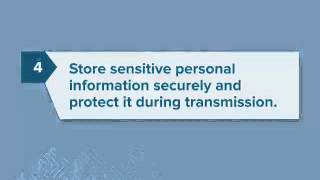
In Lesson four, we're going to talk about what to do when your business has a legitimate business need for storing personal information. You remember that in Lesson one, Kathryn discussed basic data security principles like collect and store only what you need and only keep it for as long as you need it. Those principles are important, but we understand there are times when a business has a legitimate need to store personal information. And that's where Lesson four comes to play. Store sensitive personal information securely and protect it during transmission. What does that mean? Be sure to use strong encryption, both in storage and in transmission. Now people often ask, what does strong encryption mean? Possible types of encryption could include tls, ssl, data at rest encryption, or an iterative cryptographic hash. Which one you use will depend on the nature and size of your business. And to decide what type of encryption to use, consult reliable experts and make sure the people advising you understand how you and your company use sensitive data. Now to discuss Lesson four in more detail, One key principle is keep sensitive information secure throughout its lifestyle. This means don't just secure the information when it's at rest or in storage. Also, make sure that you're securing it during transmission. Think of your house. You could have a bunch of locks on your house. Double, triple, quadruple lock your house. But if you're walking down the street tucking on your new iPhone 6 with your purse open and money hanging out of your pockets, then you're not protecting your valuables in transit. It's important to protect your valuables throughout your trip, not just when they're at rest in the business context. The superior Mortgage case helps explain this principle. Superior Mortgage used FFL for transmission between the browser and their server. But once the data got to the server, it was then decrypted and emailed in clear text to headquarters and branch offices, and that clear text was easily readable. What could a company do to avoid this? Make sure data is secure the entire trip, not just at the beginning. Second principle for lesson 4 use industry accepted methods. There's no need to reinvent the wheel here. There's guidance out there. The FCC business center@business.fcc.gov has guidance. Start with security office guidance. There's NIST, BCI, ISO, and more. In the Value Click case, the company used a non standard proprietary encryption. It was basically just a simple alphabetic substitution system which was subject to vulnerabilities. Instead, your company should think about using tried and true industry tested methods. Finally, it's important to ensure proper configuration. Encryption only works if it's configured correctly. In the Fandango and Credit Karma cases, those companies used SSL encryption, but they turned off a critical process known as SSL certificate validation as a result. That created risks that could have been avoided if the encryption had been properly configured.
Lesson five is to segment your network and monitor who's trying to get in and out when designing your network, consider using tools like firewalls to segment your network to limit access between computers on your network and between your computers and the Internet. Another useful safeguard? Intrusion detection and prevention tools to monitor your network for malicious activity. Here are some lessons from FTC cases to consider when designing your network. First, segment your network. Not every computer in your system needs to be able to communicate with every other one. You could help protect particularly sensitive data by housing it in a separate secure place on your network. That's a lesson learned from the case against dsw. Hackers used one in store network to connect to and access personal information on other in store and corporate networks. The company could have reduced that risk by sufficiently segmenting its network. Another tip is to monitor activity on your network. In the Dave and Buster's case, the company did not use an intrusion detection system and did not monitor system logs for suspicious activity. Something similar happened in Card System Solutions. The business didn't use sufficient measures to detect unauthorized access to its network. Hackers exploited weaknesses, installing programs on the company's network that collected storage, stored sensitive data, and sent it outside the network every four days. In each of these cases, the businesses could have reduced the risk of a data compromise or its breadth by using tools to monitor activities on their networks.
In lesson six, we'll talk about securing remote access to your network. In this day and Age employees are increasingly mobile and many companies provide remote access for teleworking employees or for service providers providers. When your company provides remote access, make sure to secure those access points too. Each device connecting remotely creates a potential entry point for security threats. Just as a chain is only as strong as its weakest link, your network is only strong as the weakest security on a computer with remote access. The two key principles when securing remote access to your network are ensure endpoint security and put sensible access limits in place. When we talk about endpoint security, what we mean is requiring devices to comply with certain security features before they can enter your network. Think of it like be careful who you let in your house and who you give the keys to. In settlement one, the company allowed clients that didn't have basic security like firewalls and antivirus to access Consumer Reports through an online portal. In Capital Lending, the company also learned about this lesson. In that case, Capital Lending activated a remote login for a business client to obtain Consumer Reports, but they did not assess that business security. So when the hackers got into that client system, they were able to steal the remote login credentials and use them to grab consumers personal information from Capital Lending. Those companies could have reduced their risk by securing the computers with remote access to their networks. Second, it's important to put sensible access limits in place. Like we mentioned in lesson two, not everyone needs access to everything. Just as that's true for employees, the same is true for service providers. In Dave and Buster's, for instance, an intruder got in through weakness in a third party company system. So what should your company do to avoid this cyber mistake? Place limits by restricting connections to IP addresses or by granting temporary access for a specific purpose?
We just received a question in the Notes. Someone has asked what does it mean to set up segment your network? So we'll just quickly pause to define that term for those of you on the line who need further background on this. When you segment your network, you put tools in place like firewalls to keep personally identifiable information in one particular part of the network and not allow that information to be throughout your network. So if you segment in the DSW case, the network was not segmented. So a hacker was able to get into one particular shoe store and from that shoe store was able to get to the corporate network and from the corporate network get to other shoe stores and take credit card information. If DSW had properly segmented its network, the hacker would have been stopped at store number one. The seventh lesson with Start with Security is to apply sound Security practices when developing new products as you are developing a new app or innovative software for your small business early in the development process, think through how your customers will likely use that product. If they'll be storing or sending sensitive information, make sure your product is up to the task of handling that data securely before going to market. Consider the lessons from FTC cases involving product development, design, testing and rollout. For example, train your engineers in secure coding Explain to your developers the need to keep security at the forefront. In the case of HTC America, the company failed to train their employees in secure coding practices and questionable design decisions introduce vulnerabilities into the software. In HTC America, the company failed to implement readily available secure communications mechanisms in the logging applications it pre installed on its mobile devices. As a result, malicious third party apps could communicate with the logging applications, placing consumers, text messages, location data and other sensitive information at risk. The company could have reduced the risk of vulnerabilities like that by adequately training its engineers in secure coding practices. Encourage have them follow platform guidelines for security as Lisa mentioned earlier, when it comes to security, there may not be a need to reinvent the wheel. Sometimes the wisest course is to listen to the experts. In Fandango and Credit Karma, the companies failed to follow explicit iOS and Android platform guidelines about secure development practices. For example, Fandango and Credit Karma turned off a critical process known as SSL certificate validation in their mobile apps, leaving the sensitive information consumers transmitted through those apps open to interception by man in the middle attacks. The companies could have prevented this vulnerability by following the iOS and Android guidelines for developers, which explicitly warn against turning off SSL certificate validation. You should also verify that the privacy and security features that you have in place actually work. In TrendsNet, the FTC charged that the company failed to test that an option to make a consumer's camera feed private would in fact restrict access to that feed. As a result, hundreds of quote unquote private camera feeds were publicly available. Similarly, in the FTC case against Snapchat, the company advertised that messages would disappear forever, but the FTC says that it failed to ensure the accuracy of that claim. Among other things, Snapchat saved video files to a location outside the app's sandbox, making it easy to recover the video files with common file browsing tools. The lesson for other companies when offering privacy and security features, Ensure that your product lives up to your advertised claims. Finally, test for common vulnerabilities. There is no way to anticipate every threat, but some vulnerabilities are commonly known and reasonably foreseeable. In the case against guests, the FTC alleged that the business failed to assess whether its web application was vulnerable to SQL injection attacks. As a result, hackers were able to use SQL attacks to gain access to databases with consumers payment card information. That's a risk that could have been avoided by testing for commonly known vulnerabilities like those identified by the Open Web Application Security project OWASP.
Lesson 8 is to make sure your service providers implement reasonable security measures. In other words, before you hire service providers, explain your security expectations. In fact, better yet, put those security expectations in writing in the contract. Then don't just stop at that. The next step is to monitor that they're meeting those requirements. I'll give you an example from an analogy from my life. We have a babysitter who drives our car in the afternoon and one morning when I got in the car, it was clear that the babysitter had left the car unlocked the night before and someone had come in through the unlocked door and leased through everything. So now, in addition to reminding her to lock the car, we check in the evenings to make sure the car is locked. In other words, we are explaining the security expectations and then taking the secondary step of monitoring that the requirements are being met. In the business context, this means put it in writing and verify compliance. In terms of putting it in writing, insist on security standards in your contract with service providers. In the case of GMR transcription, the company hired service providers to transcribe what was very highly confidential health information, but they failed to require security. As a result, there was very sensitive personal health information that was exposed on the Internet. Second, it is important to verify compliance. Don't just adopt the take your word for it approach, but build in oversight, ask questions and follow up, especially during the development process. For example, in the upromise case, uprom is hired a service provider to make a browser toolbar and the service provider told them that it would remove personal information. So they took that first step. But the second step is where things fell down. Uprom didn't check on the service provider and then financial account numbers and security codes were transmitted in clear text.
Lesson number nine is put procedures in place to keep your security current and address vulnerabilities that may arise. As Lisa pointed out with her analogy to checking and then rechecking security features, securing your software and networks is not a one and done deal. It's an ongoing process that requires you to keep your guard up. If you use third party software on your networks as most small businesses do, or if you Include third party software libraries in your applications. Apply updates as they are issued. If you develop your own software, provide a way for people to let you know if they spot a vulnerability. The FTC cases offer points to consider in thinking through vulnerability management. When you put procedures in place to keep your security current and address vulnerabilities that may arise. The first point is to update and patch third party software. Outdated software undermines security. The solution is to update it regularly and implement third party patches. In the FTC case against tjx, the company did not update its antivirus software, increasing the risk that hackers could exploit known vulnerabilities or overcome the business's defenses. Depending on the complexity of your network or your software, you may need to prioritize patches by severe severity. Nonetheless, having a reasonable practice in place to update and patch third party software is an important step to reducing the risk of compromise. Also, heed credible security warnings and move quickly to fix them when vulnerabilities come to your attention. Listen carefully and then get a move on. In the HTC case, the company did not have a process for receiving and addressing reports about security vulnerabilities. HTC's alleged delay in responding to warnings meant that the vulnerabilities found their way into even more devices across multiple operating systems. In Fandango, the company relied on its General Customer Services system to respond to warnings about security risks. Rather than having a dedicated mailbox for security. When a researcher contacted the business about a vulnerability, the system incorrectly categorized the report as a password reset request, sent out an automated response, and then marked the message as resolved without flagging it for further review. As a result, Fandango did not learn about the vulnerability until FTC staff contacted the company. The lesson for other businesses is have an effective process in place to receive and address security vulnerability reports. Consider a clearly publicized and effective channel. For example, a dedicated email address like securityourcompanyname.com for receiving reports and flagging them for your security staff.
And before we get to lesson 10, I just want to answer one of the questions that came in that relates to less than nine and less than eight. And that question is how do you verify compliance? Do you try to hack into your own system? Well, as Kathryn just mentioned, you can set up a system to receive security vulnerability reports. There also are a number of ways to verify compliance. You can ask the questions of your service providers. You can check in on them to make sure they're doing the things that they promised to do. You can do logging. There are a variety of different intrusion detectives detection systems that experts can help you set up. And you could of course try to hack into your own system, but it's really best to consult a security expert about which is the best way to verify compliance in your business, depending on the size and nature and complexity of your business and how sensitive the personal information is that you protect. Now, lesson 10 is secure paper, physical media and Devices throughout this presentation we've been talking about network security, and network security is critical. But that doesn't mean you can neglect physical security of papers, laptops, hard drives and other physical media. That's the last but not the least lesson of Start with security. Looking at this lesson in more detail, there are several principles at play. First, securely store sensitive files. Don't store sensitive consumer information in boxes in your garage. Now that may seem obvious or laughable, but that's what actually happened in the Navon case that the FTC brought. Second, protect devices that process personal information. We know that point of sale devices have increasingly become targets for identity thieves. Unauthorized people can get payment card data, including mag stripe information and PINs. In the Dollar Tree case, which was back in 2007, the PIN entry devices were vulnerable to tampering and theft, so people could capture data through PED or PIN entry device. Given the novelty of the attack at that time back in 2007 and based on other factors, staff closed that investigation. But now in 2015, attacks on PoS devices are common and are well known, and businesses should take reasonable steps to protect their POS devices from compromise. The next principle of lesson 10 is keeping safety standards in place when data is en route. We talked about this before. It's not good enough to just have security when data is at rest. It needs to be in place when it's en route. In the accretive and CBR systems cases, laptops were stolen from cars. Those were company laptops, and it led to data breaches of company data. To avoid that cyber mistake, make sure your company has strong policies about sensitive data en route. It's important to use a mailing mechanism with tracking if you're mailing sensitive data, and to limit when employees may need to travel with personal information. If they do need to travel with that sensitive personal information, make sure you have policies in place so that they keep that information out of sight and locked, not in a car, and that laptops are password protected. The next principle here is dispose of sensitive data securely. Now, you may be done using the data, but you're not done yet. You still need to consider data security and disposal. This is a lesson learned in the Rite Aid and CVS cases. In those cases, the companies toss sensitive personal health information prescription information in dumpsters, and as a result, people were able to get access to this prescription information. Instead, be sure to shred, burn or pulverize paper documents and white devices when disposing of sensitive information. We've now covered 10 cyber mistakes you can't afford to make, and before we move on to more of your questions, I'd just like to show you a few resources that you can refer to after this webinar. The main resources are ftc.govDataSecurity, which is FTC's data security site, and business.ftc.gov which is our business center. We'll start with ftc.govDataSecurity this, as I mentioned, is our data security site. It has links to all the Start With Information has all of the data security cases which Start With Security is based upon. If you want to see any of the cases in more detail, you can get information. Here has our test releases, public events, public statements and testimony. Now business.ftc.gov is really the site for you all and this is designed specifically for businesses. It's plain language guidance for businesses. It includes legal resources, blogs and more. Let me show you what it has. Here you'll see legal resources as highlighted. This includes cases, reports, staff opinions. On the next slide you will see our Business blogs taking a little while to advance, but in a moment you'll see our business blogs. You can sign up to get them. It's the best way for businesses to know about the FTC and developments that affect you. They are masterfully written by our colleague Leslie Fair so that they are both informative and entertaining. When you sign up for the Business blog, you will get news about each of the new FTC cases that are brought. Also new legal developments and upcoming events, including Start With Security events in your area, as well as release of new Start With Security videos. Also on the Business center site we have a separate Privacy and Security portal and in that Privacy and Security portal you can get information on children's privacy, consumer privacy, credit reporting, data security, the Gram Leach Bliley act for financial services providers, the Red Flags Rule, and the US EU Safe Harbor Framework. Now here is the Data security portion of our Business center site. Again, it's plain language guidance, data security guidance, but the Business center also has a lot of other helpful guidance, which is why I'd encourage you all to to sign up for the blog. Here you'll see the topical blog post this focuses on the ones related to data security, and you'll also see the legal resources on data security. It includes cases, reports, even closing letters. At the bottom of the Business center page, you'll also find the Start With Security videos. Eventually we're going to have 10 videos, one on each of the lessons learned, available@ftc.gov startwithsecurity. Right now you can watch six of those videos at business.ftc.gov Again, if you scroll to the very bottom of the page at business.ftc.gov, you'll see videos and you can watch videos on securing remote access, building security into development, controlling access to data, implementing strong password policies, securing devices and paper, as well as Start with security or Lesson one I encourage you to check out these videos after the webinar@business.ftc.gov and sign up for the blogs. You can use the videos to refresh your memory about the principles we've discussed, or you can share them with your staff or other people in your company as a training tool. You can also order all of our materials print materials@bulkorder.ftc.gov these are all available in bulk for free. You can give them to your employees to inspire a culture of security in your workplace. This includes a Start With Security guide, and as I mentioned, it's available in Spanish as well. Now we have our contact information here. You're welcome to contact us after the webinar, but we'll go ahead and take some questions now. At this point.
One of the first questions we got was where can I find the iOS Secure Practices guidelines for Developers? Apple provides on its website all of its guidelines for software developers who would like to design apps to be posted on iOS. So if you go to the Apple website, all of the secure practice guidelines for developers are available there, provided by that company. Another question is how often should businesses require passwords to be changed? As a threshold matter, the FTC does not give prescriptive guidelines. For example, you need to change your passwords every month. Rather, we ask companies to think about the type of personal information that they are collecting, the nature of their business, how long they need to hold personal information, and other very specific facts that relate specifically to your business. So you need to think about all of these pieces when you're deciding about your entire data security program. One piece of it would be how frequently should I change passwords? And also depending on what type of passwords you have in place. Once you've done a risk assessment and you're thinking about what you collect how you need to keep it, how passwords are required to secure information on your platform or your website. Think about how frequently they need to be changed and how you're going to do that. You can either force the change through the passwords with a calendar reminder or technically, but deciding that you need to change them every month or every two months is going to be dependent on the nature of your specific bid.
And we have a question that involved a long fact pattern about information that showed up in Dropbox without authorization. Basically, the question amounts to what should you do if information has already been compromised? This is a great question. First you should check with your state attorney general because each state state has a data breach notification law and those will govern how quickly and in what manner you may need to notify people whose information has been compromised. You'll then need to consider identity theft remediation services and consider whether your in house capabilities for forensic examination are sufficient or whether you'll need to hire out other forensic investigators to find out the nature of the compromise and how the compromise happened. Of course you'll want to contain and stop the compromise because the only thing worse than one breach is multiple breaches. So you want to make sure that you immediately identify how the compromise occurred and take steps to remediate anything so that there are not additional compromises. In addition, I want to point your attention to a new resource from the federal government, identity theft.gov, which is a one stop resource for identity theft victims. So you as a responsible business and all of you here on the webinar are obviously trying to be responsible and learn about data security. One thing you can do is to provide identity theft.gov as a resource to anyone whose information may have been exposed. And identity theft.gov lays out tailored recovery plans for people who are identity theft victims. Do we have any other further questions?
We have one question. How do you segment a home computer that's also used for business? Here I would say there's no need to reinvent the wheel. You should consult with an expert to work with you on setting up firewalls between your home computer and your business computer. And this would be something that you could do in house, but it would be more likely that you would take to the store that you purchased your computer to talk with them about what firewalls and other technical tools are available for you.
And so in closing, we'd like to thank you all for attending this webinar. We'd like to thank the SBA for hosting the webinar and we hope that you will go to ftc.gov startwithsecurity to check out the guide and the videos and learn more about the lessons learned so that you do not make any of these 10 cyber mistakes in your business.
Thank you.
More from Your






President Donald J. Trump and First Lady Melania Trump Visit Grieving Texas After Deadly Floods

💪 Thinking of starting a #biz? Go for it! — Kerry Boyle, Vermont #SmallBiz Person of the Year

President Trump Participates in a Bilateral Meeting with the Prime Minister of Canada, May 6, 2025