Create Your Certify Account
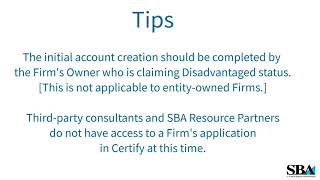
Walk through creating a Certify account on certify.sba.gov: enter your name and email, make a strong passphrase from four random words, confirm via the activation link within 48 hours. Then link your SAM.gov profile using your DUNS, TIN, and MPIN. The disadvantaged owner must create the account, not a consultant or SBA partner.
Questions this video answers
Four random words.
Within 48 hours.
DUNS number, TIN, and MPIN (the speaker says "DUNS number 10N and MPIN").
The firm's owner who is claiming disadvantaged status (not applicable to entity-owned firms).
Email the help desk at helpdesk@helpertify.sba.gov (as stated in the video).
Chapters
More from Your






President Donald J. Trump and First Lady Melania Trump Visit Grieving Texas After Deadly Floods
💪 Thinking of starting a #biz? Go for it! — Kerry Boyle, Vermont #SmallBiz Person of the Year

President Trump Participates in a Bilateral Meeting with the Prime Minister of Canada, May 6, 2025