In-Depth Walk-Through of 8(a) Initial Application in Certify
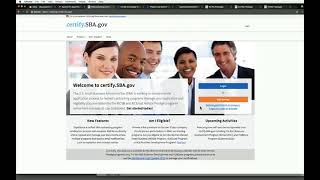
Recorded SBA webinar (Nov 2017) demonstrating the Certify platform for submitting the 8(a) initial application. Covers account creation, SAM.gov linkage, questionnaire-driven application (six sections), document upload rules, collaboration with individual contributors, analyst interactions, status tracking, and timelines for screening/processing and reconsideration. Includes guidance resources (knowledge base, quick start, checklist) and help contacts.
Questions this video answers
November 15 (year implied 2017).
1-888-796-6118.
helpcertify.sba.gov (knowledge base) and helpertify.sba.gov (help contact referenced).
Only PDF files; maximum 25 megabytes per file.
Nine years.
Chapters
Ladies and gentlemen, welcome and thank you for joining today's Web Conference, an in depth walkthrough of the certified platform for prospective firms. Please note that all participant lines will be muted for the duration of this event. You are however, welcome to submit written questions during the presentation and these will be addressed during Q and A. To submit questions in writing, please select the Participants menu at the top of your screen and opt to send note to all presenters. If you're logged in using the web based application, you can use the Notes function on the lower right hand side of your screen and address your notes to all moderators. Should you require technical assistance, send a note to the ATTCES operator or call our help desk at 1-888-796-6118. Please remember that you'll get the most out of this event by being logged in on the web. And now with that, I'll turn the call over to Von Tran, director of the 8A program. Please go ahead. Thank you. Tegan hi everyone. I'm so excited. We are ready to launch a new system certified.sba.gov for our AA application process. So I am excited as you can tell. But thank you so much today for joining us this Thursday afternoon to learn about Certify, what is Certify and an overview of the system. And then we are going to show you how to go in and register and log and all this wonderful information using our new system. So I'm really looking forward for you to have a great user experience. So I'm going to give to Stephanie Grosser who has been a tremendous help. She's from the US Digital Service Team from the White House and she's awesome. We SBA could have not done the training. All the training would be done without her help. So thank you Stephanie. Thanks so much Ryan. So we actually wanted to start today's training by showing you some resources that we've made public and we've had the call moderator actually share it with all of you this URL so you'll be able to access the site. As you know, 8 initial application goes live next Wednesday, November 15th. But if you're eager to prepare then you could use these materials now to get started so that you could go ahead and submit your application on the 15th. And so the first thing I wanted to highlight was in the middle section what we've launched is a quick start guide and that basically is a short document that takes you through how to do basic tasks within the Certify system. So here you see what that looks like and so that will help you just kind of get started. And then if you need additional help, we have a help desk. And that email is available on this same knowledge base page, which is helpertify.sba.gov and so as you go through your application, if you need assistance, people are standing by there to answer questions. The second bullet in that middle column is called Application Checklist. SBA previously had published checklists for the eight process. This one replaces the previous checklist. It's a very in depth checklist that goes through every potential document that you may have to upload throughout the process, including some remaining forms. You'll see soon that the new certified system replaces most previous forms. So the 1010 biz, 1010 I and 413, all of those no longer exist. Now they've all been converted into online questionnaires with six sections within the online application. And so this checklist actually walks you through each of those sections and what documents you'll potentially need to upload to for each section. And so as you're preparing, you can collect the documents that apply to you and then save them in our naming convention, which is document nameyear. So for example, W22015 and you can have those all saved and ready to upload so that when you log in to certify to start your 8 application, you don't need to log in and out multiple times as you collect documentation. Finally, I want to mention that on this page, also on the left side, we have a list of our trainings and preview. So if you missed or want to hear again this training or missed a previous training, you can click on the previous training and actually watch the webinars which we've saved and recorded and have transcripts of available on this site. The last thing I'll mention before I turn it over to Joey Price who is going to walk everyone through the in depth how to how you actually submit an application in Certify. The last thing I want to mention is that we developed this website as an agile iterative process. That means that we didn't build in every single functionality and there may be a couple glitches here or there. The system will work and it's going to be. We've had firms come in and test it and they really, really enjoyed using it. But any suggestions you have on how to improve the site? We're going to be launching improvements every two weeks after the launch date of November 15th. And so in the third column, in the what's new column, there's a line here that says we want to hear from you and then there's a link to send us your suggestions. So as you apply, if you have any recommendations to make the process or the website easier for future firms, go ahead and submit them there and we will put those in our backlog so our engineers can get to those. And with that I'll turn it over to Joey Price so he can do the in depth walkthrough of eight initial application on Certify.
Thanks Effy and Vaughn. I also echo your excitement. This has been a wonderful process thus far and firms tuning in today. I hope you really understands just how great this process is going to be for you moving forward. So what we are going to cover on our call today are a few things and we really would like for you to pay attention to the visuals of this because this is a total hands on environment and you will want to orient yourself with how to click and where to click. So the things that we are going to cover today are one how to create an account in the Certify system How to log into the certified platform. We're also going to cover how to begin and submit an initial application and we're going to discuss how to interact with FDA analysts when additional information may be requested. So if you think of questions, go ahead and write them in the chat box and we're going to address those as we go through the process. So let's begin. And you are seeing the certify.fba.gov homepage here which is going to be the launching point for logging into the system. But I wanted to call out another website that you may or may not be familiar with as a firm and that is sam.gov we are just going to touch on this very briefly and let you know that in order to do business with the government you have to register in the sam.gov also you have to make sure that you have a verified profile here before you can continue in Certify.
And this is Stephanie. I'm going to be giving Easy some tips throughout. And so one tip I have is if you are registering in SA on one day, like let's say next Wednesday, you probably won't be able to submit your application for Certify that same day because sometimes it takes Sam more than one day for your account to be active. So just because you submit your information in SAM for your account doesn't mean you're active yet. You have to wait for your profile to become active in order to apply to Certify.
Thanks Betsy. Now we're going to go ahead and jump into the actual application process of the certify.fba.gov for first timers. You're going to log into the section that says get started right here, this orange button on the right side of the screen. And then we're going to go ahead and create an fba, a certified FBA account, which requires your first name, last name, email address. And also as I'm typing this in, I would like to inform you that it is helpful if you type in your email address both times. If you fail to type in the correct email address and you get a confirmation, it's going to be sent to the wrong address. So that's going to require you to complete this step all over again. Next, we are at the password section. This is also a place to pay close attention because we use something called passphrases and not just pass words. So you can't just have 1, 2, 3, 4, 5, you can't have cat, you can't have dog, you can't have password. It's a little bit stronger than what you're normally used to and that's to protect your information in the platform. So we have provided here on the Certify website as you go through this page, some helpful tips to include when you think about making your password. And we also have this passphrase strength meter here that will show you the strength password. You should aim for a strong password before you continue in the process. So I'm going to show my typing at this point so you can see the type of level of detail that we prefer when doing your password. And again, I'm going to type this so that I make sure that there's no mistakes.
And this is Stephanie. I'll just add that no hyphens are necessary, but you can have them if you want. You also don't need a special character. It works with just four random words. As you can see, Joey put in four words. He used hyphens and an exclamation, which is fine, but some people have a hard time because this is a different logic than other passwords are used to. But if you just remember just four random words together, we'll get you through this.
Right? Great point, Stephanie. We just want to make sure that you have a strong password. So however that works for you, by all means move forward. So I'm going to accept the terms and conditions here, which you can also see as well the disclosures and terms that we require on the site. Then I'm going to click to make sure that I'M not a robot. And a captcha comes up that asks me to select all squares of vehicles. Now, your captcha is going to be a little bit different. It's not always the same. But you're going to click through all of the images that have a vehicle. Let's make sure there's no hidden vehicles in there somewhere. All right, I'm going to do another one. Does the bike count as a vehicle? All right, so we were able to select and access the system. Now I'm going to go and create an account. All right, thank you, Joey. It says that I'm going to get a verification link to my email address within the next 48 hours. The system has been working pretty quickly so far, so you don't have to wait those 48 hours. You can actually log into the system now. As a matter of fact, I'm going to go into my email address to make sure that it's there. But if you don't see the email, you want to make sure that you add certifyda.gov to your contact list. And then you also want to check your spam or junk mail folder. All right. Okay. So we can see that I have received the account sign up confirmation. So I'm going to click the link that says activate my account and now I'm taken back to the sign in screen. All right, we have moved into the next stage of processing, which is another reason why you need to have your SAM.gov data before you access the system. We weren't kidding with you. It's a very serious thing. So you want to make sure that you've got your data. We require your DUNS number, your TIN number and your mpin, all information that you would be able to retrieve from your SAM.gov profile. And if you have any questions about what a DUNS number is, a TIN number or an mpin, we have helpful instructions on the right hand side of the screen as you see my mouse. And that's going to tell you, oh, my TIN number is my ein or my TIN number is my Social Security number. So the next process is that we're going to actually go in and use the data that I have. It's dummy data for the purpose of this training, but you will use your own data when you are going through this process.
So while Joey is doing this, I will just say that we recommend that firms update. If you already have a SAM account from, let's say several months or a year ago that you are going to use, that's no problem. But SBA analysts will be looking at the SAM information which will be migrated onto your certified profile. And so you'll want to make sure that's up to date so that your information on SAM doesn't contradict the information you're going to be inputting into Certify. So SAM Certify is both going to show analysts the snapshot of your SAM data the moment you press apply, as well as the most recent SAM data as you're in the nine Year eight program.
Right. Thanks, Stephanie. So I don't know if you saw what I did, but after I put in the done the PIN and the npin, I actually went ahead and pressed Connect data. What that does is it pulls my sam.gov profile and it makes sure that it links to the right business. So I'm going to just verify that the information is correct. Again, I'm Joey, not William, so this is just dummy data for right now, but for the purpose of our presentation, this is correct. And Stephanie brought up a good point about making sure that your data is up to date in sam. And here's the reason. One reason why when we go to select business type, you're going to have to choose whether your firm is an LLC corporation, S Corp, partnership or sole proprietorship. And if you have changed your business type at all through the process of operating your business, but you did not change that in SAM.gov, there's going to be a conflict between the information that you report and the information that we require. So for the purpose of the training today, I'm going to go with an S Corp.
If you make a mistake here, try not to try to choose the correct business. If you choose the wrong one during the registration process, the wrong business structure, you'll actually have to email the help desk@helpertify sba.gov to have it changed on the back end.
Yeah. Also we do something that we'll touch into a bit later called Skip Logic. So making sure that you select the appropriate business type is important because we require certain documents for certain types of businesses. So making sure that you select appropriate business will make sure that you use the appropriate documents. And again, we referenced the application checklist that is in the certified knowledge base. So we can help you can prepare your information in advance.
And if anyone is trying to use our system right now, this is a training environment and so I would recommend just pay attention to the steps we are doing. We are going to record it as a webinar and then next Wednesday, November 15, eight applications will be live. The certified Site is currently up and available for other applications such as wasb, Ed, Wosbe, mpp, but next Wednesday is when the initial application will be ready for firms to start filling in.
Yes, that's a great point. This is not meant. This is a step by step guide for you once the software is released. But the intent for our time together now is not to walk with you through the process. We have some algorithms that we're going to use to help pre fill applications and it's going to speed up things on our side and we really want you to pay attention while we are going through the process. So try not to log into the system just yet and also try not to follow us step by step because we've got some tricks up our sleeve that's going to make it go a little bit faster. So this disclaimer popped up and again we're just going to accept it, but we're going to review it just to make sure we know our rights and responsibilities of using the platform. All right, I'll click ok and it says you have successfully been associated with the organization. There's a little lag. All right, great. So you can see on your screen now that you have successfully been associated with the organization. Again, there's more details here about my organization in SAM.gov when I click on this +. One second, we've got a white screen. I just want to make sure that everything is okay.
We're just getting the visual prompt for you guys. And I'll just mention that if you already have a Certify account, obviously you don't need to create a new account in Certify. You'll be able to use your existing Certify account.
All right, good. We are back and ready to roll. So what I was saying was that the Data on your SAM.gov profile is pulled into Certify and when you click on the more detailed section here, it also has additional information like your various points of contact. Now, the analysts use this information to make sure that we are contacting the appropriate people in your organization. So. So again, it's important to make sure that you have the updated information. If people have exited your organization and your contacts need to be replaced, make sure that you are able to update that within SAM.gov, and I would suggest inputting it into SAM.gov and then giving it 24 hours for the system to register. So this is a screen that happens once we've associated the organization. And for the purpose of our training right now we're going to go and get started, started on our eight initial application. What pops up next is a disclaimer screen. We want to read that again, make sure we are aware of our rights and responsibilities under the program. And then we will just hit accept and we are getting ready to start inputting information. All right, you're seeing what's called a questionnaire here. And this is the general assessment. Well, this is actually, sorry, the eligibility questionnaire. And on the left side of the screen you can see all of the various sections that you're going to be responsible for filling out within this portion. If you are not familiar with the initial eight application process, one of the changes that we're making is moving things from paper based and forms to actually having questions within a flowing questionnaire. So what you're going to see is I'm going to input data. And as I'm inputting data, if Stephanie has any comments that she'd like to share process, she's going to be speaking, but you'll see me go through and input questions. As I mentioned, we use a process called Skip Logic. So it requires you to input an answer for each stage of the process. It also requires you to input any documents that are required in that stage. So I'm going to go through and complete this section very quickly. And Stephanie, if you've got any comments, by all means you can jump in.
Sure. So as Joey said, the eligibility section is the first section of six sections that the firm will be filling out. And so it automatically takes you first to the eligibility section just so you can judge yourself if you answer. For example, when it says, are you a citizen? If you say, no, I'm not a US Citizen, it's going to give you a warning that says, hey, citizen, you must be a US Citizen to apply. And so the system is still going to let you move forward. So we put eligibility first so that firms who realize that they're not eligible don't have to continue through the rest of the application. And that's why you're doing this section first. You'll see that when you finish this section. And there you can see an example of a warning that it gives you. But the system is not going to deny you. An SBA analyst needs to deny you. And we'll show you how the case gets assigned to an SBA analyst. Once you actually submit the application, when you're done with all six sections, you answer certain questions, certain ways. They will say, and you'll see this a little bit later, you'll see a box that comes up that says, Please upload the documentation in the certified system. We make it so you can only upload documents within the questionnaires themselves. There is a document repository where you can see everything you've uploaded, but you can only upload documents again in response to specific questions. And that helps the analyst kind of go through the application and see what documents are addressing what questions.
Okay. What you see now is a review of the answers that I selected within the eligibility section of the questionnaire. It's got all of my responses and also the opportunity to change my responses Again, if you want to make sure that your application goes through seamlessly, make sure that you are inputting the correct information on your application. So I'm going to hit submit. All right, now I've gotten success that the eight basic eligibility section is complete and we're taken to a screen that you'll become very familiar with throughout the process. And this is your application overview. Now the sections of the application are basic, eligibility, business ownership, individual contributors, character, potential for success and control. And you're going to go through this and fill out various questionnaires and upload documents that result in answers being populated here. I'm going to go next to the individual contributor section. Inside the individual contributor section, you'll see the opportunity to start your individual application now. But for some of the firms that are tuning in to this training, you may not be the only person that's required to submit information for your business. Some of the other individuals that might need to add their information would be another disadvantaged individual applicable, a spouse of a disadvantaged individual. So for example, if you own a business and you are applying for your business and you also have a spouse, then they have to submit their information as well. And then there are other individuals that might be required to update depending on if they are in your organization, and those are individuals owning at least 10% of the application, firm directors, managing members, partners and officers of the applicant firm. So I'm just going to show you what that looks like. If you add another person, a drop down box happens and you'll just type in their name and you're going to type in their email address and then you'll click the button underneath this, it's going to say send invitation to collaborate. I'm not going to do this now, but because we're going to streamline this process a bit. But one thing to note about the collaboration is that the individuals that are given the right to apply, they're going to be the only ones that see their specific answers and their specific documents and Uploads, but the owner of the application is going to see whether or not a person has completed a section. So just to be clear, the person that's initiating the application will be able to see the status of their individual contributors, but they won't be able to see the information of the contributors.
And we recommend that you actually after the eligibility section, we recommend you start by sending out the email addresses to those individuals who also need to fill out their individual contributor questionnaire so that they could be working on theirs while you're working on your application and you don't waste any time. They're going to be, it's very similar. You're going to see in a minute the individual questionnaire what that looks like. It's the longest one of the six and not all of the questions, but a lot of them are required for disadvantaged individuals or spouses or tempers. And so you'll want to make sure again that they get those emails right away so that they can start, they can log into certify and then fill out their information as well. Thanks, that's neat. And just also, just one point about disadvantaged individuals, just so everyone knows, 8 is a nine year program and disadvantaged individuals can apply one time in their lifetime. And so if someone is signing up as 51% ownership of your company who is a disadvantaged individual, that will be their one time use of their disadvantaged status for the 8 program.
All right, so we've seen the individual contributors. Starting point. I'm going to actually go back to the dashboard and show you another section. This is going to be your application dashboard. It's going to show the various applications that you have in process and also links to other opportunities that will soon come later. It's going to show you the type of application. So this document is in the initial phase, it's a draft and then later on you'll see submission date, expiration date, decision and action. But we're going to Click on the 8 initial application link and one of the benefits of the application is that you can upload documents directly into the system and I'm going to show you a section where that's actually required and that's going to be the potential for success. Again, if you have any questions throughout this training, make sure that you write them down and we will at the end of the time together we're going to go through some of the questions and make sure that we answer those for you. Also, just remember you also have access to that certified knowledge base potential for success. We take a look at taxes and you'll see if I try to move forward in the process without adding it, it's going to say attachment is required. So for this one it says that I need to upload the last three years tax returns, including all schedules and attachments. So I'm going to click the add required document and I'm going to go to upload. Since I don't have any documents in my document library at this point, a new firm applying wouldn't have any. So I'll click upload. You see this box drops down and again there's a reminder of the file name convention. So for example file name year. Also, while we are here talking about documents, it's important to Note that only PDFs are accepted by the system and only PDFs under 25 megabytes are accepted by the system. So as you think about the documents that you're applying or compiling in your checklist, just make sure that you are converting them to PDF format and that the size of the document is under 25 megabytes.
Also, please don't password protect any files. In the past firms have done that. But Certify is a very, very secure so there's no need. If you do password protect something by mistake the SBA analyst assigns your case will just ask you to re upload it.
Yes, you don't need password protection and we actually have this platform. There's a virus scanner as well to protect you. But we make sure that you upload documents through the platform because we found that email can be inherently risky and sometimes your data is not encrypted. So we have created this process and this platform to protect your PII. So I'm going to move forward and choose the PDF file and that PDF file is going to be a tax return from 2016. So here you see that there's a last chance for me to go in and make changes to the name of the document so that I can comply with the naming convention of filenameyear. Thankfully, my tax return is already filled out this way. You can also see that there's a drop down box to select the document type, which is important because when reviewing your application as an analyst, they need to make sure that they can find the appropriate information for the question that's being asked. And so this is a fail safe to make sure that the documents that are uploaded corresponds to the appropriate question. You also see the date that I have here for the upload and there's a comment box. So I can say, for example, I can say this is second Year in, second year in business, which that's neither here nor there at this point. But if you have a specific comment that you like our analysts to know, you can upload it there. So I'm going to go ahead and press upload and you can see that the document has been added to the system. The type reflects the document, there's the date and also has my comments. So I'm going to go ahead and click Continue. And I'm going to just populate this revenue section with more information.
And if a document doesn't have a year associated with it, you could either put the year that you wrote it or you could say na if it's really not applicable at all.
All right, almost done here. Again, I'm going to try to bypass the system by not attaching the file that's requested and you'll see that again the attachment is required. So again, just a stress before you go through the process, make sure that you gather your documents. So we're going to add the required documents here, which is requesting a year end balance sheet and a profit and loss statement. Business has been booming, so I'm going to add both profit and loss and I'm also going to add the balance sheet. Okay, now for this question, you see that right away they've been assigned as both balance sheets, but in the drop down box you can see I can actually select between the two items that have been asked. So since I uploaded the profit and loss statement first, I'm going to go ahead and associate this file with the profit and loss statement and then I will click upload and then the documents are there. Also, we realize that this process might be too much for one sitting. So every time you hit the blue continue button, the application actually saves your information up to that point. So if you needed to, you could log out of the system, go about your day, and then complete the application at a later time. And at this point I'm going to move forward and I promised that we would make this a bit quick for you. So I'm going to go and upload and pre fill information.
So I just want to mention that there's a second way to upload documents. When you saw that document upload box, you could either upload a file from your computer or you could choose to use your document library. So if you want to reuse the document that you previously uploaded, then you could just click View Document library, choose a document from there, and then associate it with that question. And that will be especially helpful for when we launch annual updates for eight firms. So eight firms, if you're new to the program, which you all are, have to renew their eligibility every year during the nine year program. And so instead of having to re upload the same documents, if you need that same one, you can associate your case your previously uploaded files. One more thing I want to mention is that you see that there's these questionnaires that used to be forms. There are still a few forms that haven't been digitized yet. And those mostly are the forms for specific groups like tribally owned companies or Hawaiian Alaskan community development corporations. Those forms are still all required for you to actually print out, fill out and then scan in. If you go to the application checklist, it has a list, it includes all of the forms that you would need to actually print, if applicable. Another example is the fingerprint form. If you are in a category of folks who have committed a crime with certain parameters, then you'd have to print that fingerprint form, get it filled out, get it taken at your local police station and then scan that in. Nothing will be required to be mailed in to FBA anymore. Everything is electronic, even for the forms that are remaining. So we are in process of auto filling the application right now so that we could show you the rest of the platform. So it will just take us a minute to auto fill the form. So you will be able to see what happens once you actually submit. But I will say that I know one question we received in the notes was if there is a template for the profit and loss statement and for all of the documents that have to be uploaded, there are no templates to date for any of them. That is something that we would like to do in the future potentially is provide examples of what certain things look like. But there are no templates right now. But if you Google search and terms that could help you figure out what to upload. And you could always also contact the help desk if you don't know how to answer an application. You're going to see once we submit the application that as soon as you submit it, you are going to be assigned what we call a bos, which is a business opportunity specialist at sba. And so those analysts will be assigned to your case. And once it's assigned, you'll actually be able to message that person within the Certify platform at any time with any questions. But before you press submit, you'll see the messaging feature on your Certify platform, but it's not activated until you're actually assigned to it. Hi Stephanie. I just want to go back to the financial statements. To whoever asking about a template for financial statements. I would recommend that you hire an accountant and you don't have one. Many of applications come into our office. They don't follow the gaap. Gaap, the General Accounting Acceptance Principle. So if you are not, you don't know what that is, I would recommend that you hire someone to help you with that. Because we do look at that and if we are not able to determine based on your financial statements, profit and loss and balance sheets, it doesn't make sense to us, then it could be one of the reasons we could decline for potential success is that we don't know, we don't understand your financial situation. So I encourage if you understand the financial statements or how to prepare them, I recommend that you get assistance. Our resource partners also are out there to help you as well. So you'll have to hire an accountant, but there are resource partners who are able to help you with completing a financial statement. So along with what Von just said with if you need help filling out your application, there's one other form that still exists. It's called the Compensation paid form. And so if you do pay someone to help you fill out the form, the application, then you should print that form as well and then submit that. That shows who you hired and how much you paid them. And that will not disqualify you from the program in any way. It's something that SBA tracks to make sure that no one is taken advantage of as they go forward.
Correct.
And then one more, I want to answer one more question which is if a firm started their application in bdmis but did not submit it yet, this person asked, will the documents be available in the document library? And unfortunately they will not be available in the document library. However, if you did submit an application and then you withdrew it, then your files would be migrated to the new system and they would be there. But if you haven't submitted it yet, then they're not going to migrate it over. So just to add on to what Stephanie is saying about. So if you have submitted your application through BMIS and then you have uploaded the documents in Certify, but it's a different site, it's not the certify.sba.gov this is the one that certify.sba.gov so that is the website where you upload your supporting documents. If you withdrew or got declined those documents like Stephanie said, when you reapply next time it will be transitioned over to the new certified.sba.gov system as of November. But for those applications in the process, if your application is in the process, right, and we have received the application, we are processing it and we said that we need additional information. Please continue to use that website, the original uploading one, the certified.sba.gov ha docs, that's the system where you just upload your documents. Do not go into the new system and upload your documents. That will create confusion. So now we have all of the sections completed and so Joey will continue showing you, taking you through the process.
Yes. So I'm going to show you a section that is the dashboard. We're just going to back out of the application overview for a second. If there ever comes a point where you need to delete your initial application, you can do that from the dashboard. So you would hit the delete button. But a point to note is that if you delete your application, your documents will still be saved in your profile. So there are many reasons why a firm may choose to delete their application, but we still will have your documents on file in case you choose to apply again. Also, if you have documents that you want to apply for other business opportunities with the federal government, we're going to jump back into the application. And as you can see, all of the sections have been completed. The next step, once things are completed, is that you're going to go to the review and sign portion of the application. You're going to wait for it to load, and once it does, You're going to click on the checkbox here again, another rights and responsibilities disclaimer, and then you'll click Accept. Okay, so the application has been successfully submitted and Bethany's got a point to note here.
I just want to note that we had three firms come in last week to test the application using fake documents. And it took them between an hour and 25 minutes and an hour and 45 minutes to go from creating their account through the press submit. Just to give you guys a sense and that it will take obviously longer to collect your documents and to associate the right ones for each question because they were just uploading a fake one for each time they needed a document upload. But that just to give you some sense of how long it's taken from who we've brought in just to to do user testing before launch.
All right, so now you can see that our program participation status is intending. My colleague Megan is actually going in and logged in as an analyst to make sure that we can be accepted by the SBA for processing and you'll be able to see the next stage of the application. All right, I'm just going to go in the dashboard of the overview here.
And I'll mention that we do have notifications set up in the system so that when SBA contacts the firm about your case progressing, you will receive not only a notification within the system, but also an email notification letting you know to sign in to certify because an action has been taken.
Okay, we are going to just double check here to make sure that we are in process.
And I'll also mention we're having some behind the scenes. Just go ahead and approve the case and sign it. But that overview page where you saw it was pending, if you want to check your case status at any time, you would just go to that overview page to see if the case is in screening processing, if it's approved, decline and reconsideration. And so before firms have to call SBA to find out what their case status was, now you could do that any time of the day or night just by logging into the system. Thanks.
So while we're waiting for this to populate, I'm just going to show you a few features of the application. Within your 8 application there is a firm documents area and also a messages area. Now the messages is intent to have conversations with the SBA back and forth. The idea is to drive communications to inside the platform and not through email. Again, that is to protect your PII and also to make sure that you are getting the latest information as a result in your system and in your application. So we have firm documents which is also going to be the place where you have your information that you've uploaded thus far. As you can see on the screen here, it will load very shortly, but I have my tax return, profit, loss, balance sheet, all those information that I shared before and then you can click on them to access and download those again. You see that my comment section is active and the comment is retained. You can actually see archived documents as well. I will point out that within the certified platform there is no deleting. So what that means is when you remove a document, you will not have access to it in your application, but it is archived for SBA purposes. So it is important to double check that you are uploading things that are appropriate. We love pictures of your children, but if you delete that because you uploaded a school photo by mistake, we won't be able to. That document won't necessarily go away. So I wanted to show you the firm documents Area, which is going to be a great place for you to check. All right, let me see. Okay, so also the messages platform, I know I touched on it briefly, but when you send messages, you can actually do rich text editing. So if there is a message that you copy and paste from Word, you're able to copy and paste and retain some of the formatting. So as an example, I'll just send a text message, All right, and then message as the subject and then I hit send and you'll see right away you'll start to get an inbox, so to speak, and you'll see information from you and anyone else that's participating from the SBA side. And then it'll go back to all messages and there is a clickable ability to go there. So the next thing that I want to show you on the platform is, well, just a recap. We've gone through and we created an account we submitted to the we input our initial application documents and it's submitted for processing. So I want to jump and there's actually a notification show you the notification bar that shows a message was sent by the SBA Supervisor 1 and it's just a response from the person that I sent it to. So as you can see, messages move in real time and when you have a new message, it pops up in your notifications. All right, so we submitted our application and I'm going to go back to the overview here. But what does it look like if you submit your application and it gets returned for one reason or another? I want to show you that. So on your dashboard, as we mentioned previously, you are going to be able to see various status updates. So if your application is sent back from the analyst saying that it requires more information, you are going to see a status that says updates needed and you will be able to log into the initial application and see on the right hand side a new box that pops up that says the SBA has requested some additional information. You will also be able to see the sections of your application that have been returned for edits. You'll be able to go in login and click in the boxes to see what areas needed more information. And there's also going to be this information detailed in the messages associated. Also, if your application has been declined, there is a status update that will show you that your application has been declined, as well as a letter that shows why the document has been rejected.
I just want to make a note to the decline comment. So if the Associate Administrator of Business Development declines your application, the system will Generate a special email notification, right? So you get a notification in your outlook, an email saying that your application has been declined. It will not contain the decline letter, but you will need to log into Certified to look for that decline letter and find out why they have been declined. And on the decline letter it will tell you for reconsideration you need to submit X, Y and Z. The key point here I want to make is that that notification in your email box starts the 45 days. So if the AABD sends an email, he or she makes her final decision and it was a decline. And the system will send a notification to you on a Friday afternoon that starts the 45 days notice.
Also, when your application has been declined, you'll notice that there is another box here that says reconsideration. And this is going to, when you click it, it's going to allow you to attach any of the documents that were requested by the SBA so that they can make a new determination about your application. Just as an example, I'll show you very briefly the decision letter and the level of detail that's involved, which gives you a lot of helpful feedback on how to respond to the decision letter and what determinations went into making that recommendation. So the letter is very detailed in the sense that it helps you know what to do and how to respond.
So I just want to pause to just mention the timing of the different processes just to take a step back. When the firm submits the application, SBA has 15 days to screen your case. And so in those 15 days, they will look to see if all the documents are there that are needed for them to be able to process their case. If it's like very, very incomplete, they'll just send that back to the firm and say, go ahead and try again with all these different things and resubmit it when you're ready. If it's mostly there, then they'll send you what they call a 15 day letter through the certified system. And so you'll get a note saying, hey, in these various sections, like eligibility, control, size, we need you to make this list of changes. And so you'll be able to go in those sections that SBA identifies to basically make your edits. And you'll have 10 days to respond to that message. And then at that point they'll be able to confirm whether or not you can move on to processing. And so once your application is substantially complete, it will move on to the second processing phase. SBA has 90 days to process your case. And at the end and Sometimes they do have additional questions, and that's what Joey was showing you when you saw those ad hoc questions come back. At the end of each card, you would get an email notification saying, please, I know you answered some questions during screening, but I need you to provide this additional documentation now during processing so I can complete your case. And so they have a longer time during processing to actually go through and make sure you're eligible for the case. If you make during the screening phase, there's no reason like the whole application will be unlocked for you to basically edit anything. But SBA will tell you the sections that you need to edit with their letter. They'll say you only need to make changes in X, Y and Z if you happen to make changes in other sections that they didn't say should change. First of all, there's no reason you should do that because those sections were fine. But if you decide to do that anyway, you should message back to SBA saying, hey, I made the changes you wanted, but I also changed this in this section for whatever reason, because they could see what you did before and after and assess that you are just totally transparent about why you're changing your answers so that they don't question answers that got changed while in this back and forth. So that's one recommendation that we have. So we have the 15 day screening, the 90 day processing, and in the 90 days they'll only unlock certain questions that still have remaining changes, but you won't be able to make changes in sections that they didn't send back. So it's a slightly different process in both cases. But you don't need to worry too much about that because the system is very intuitive and it walks you through what changes you need to make through your notifications tab and through a note on the page. So that will be very easy to kind of see what you do. And then you of course resubmit it to sba. And then after you hear approval or decline, you have 45 days if you were declined, to submit your reconsideration request and SBA will get back to you if your reconsideration was approved or denied. I want to also point out that I mentioned at the beginning, but I just want to reiterate that we have an application checklist on this knowledge page that we sent out to the group. This application checklist will make your lives much, much easier if you look at it and you go ahead and gather all your documentation and save it in the correct naming convention before you get started on the 15th or whenever you're ready to apply, you don't want to be in there and have to log in and out every time you need to find a document. So really look at that application checklist and if you have questions again go ahead and contact helpcertify.sba.gov but this knowledge page has a How can we help you? Section which we've tagged many many questions and answers that we've previously received the Help Desk. So go ahead and utilize that box as well as that Quick Start guide to help you go through the process. And just to add on to Stephanie about this Certified Knowledge Base, we have been providing training to our resource partners like ptac SBDC Scores who are familiar with Certify, so they will be able to help you as well. So if you are ready to apply through Certify and need help applying, you can go to one of their local offices and they will be able to help you and sit down with you and go through the application process. Because they have been trained and also the district offices as well. We have provided training the trainer to the district offices research partners. However, one limitation of this so there are limitations. I mentioned that this was an agile process and so we haven't been able to do every single thing that we want to do yet. But as I said, we're going to launch features every two weeks in the mvp, the first product that we're launching next Wednesday. And I'm not sure when this will happen, but one thing we do not have is the ability for a firm to give permission to a third party to complete the application for them. In fact, it's required that the firm owner is the one that sets up their certified account by law here. And so what you can do if you want to hire a third party is have that third party sit with you and help you during those two hours as you fill out the application to make sure you're doing it right. However, we want to stress that that's not necessary for you to do this. You don't need to pay someone to help you walk through. I know some firms pay a lot of money to have a firm do this, but resource partners again are there to help you and so is sba. But I wanted to point out that one limitation. We also got a question about contributors and how will you know that the contributors had finished filling out their application? The certified system will tell you when the contributor has or hasn't filled it out and if they haven't, it will even tell you. Please click here to send another reminder email to your Contributor because you can't submit it until they're done. And so the system will walk you through and make it really clear when they have or haven't filled them out. But you are required to put in all those required emails so that they do fill it out. If you forget to list your spouse, for example, and then you submit your application and it's clear that you're married throughout your application, SBA is going to get back to you and you'll have 10 days to have your spouse at that point fill out their spouse application. So it's much easier if you just do it and don't do it. Don't wait to do all the extra contributors until after you submit your application. One other question we got was, if you have the wrong ein number, how do you fix that? You'd have to go into SAM to fix that if you have the wrong ein number. I want to mention just one quirk of the system that we're hoping to improve, but I just want to call it out and that is in the questionnaires. So it will say complete for each section, and you cannot press submit for your sign and submit until each section is complete. So let's say you complete every section, you're about to press submit, and then you realize that you put the wrong. You answered one question wrong. And so you want to go back into one of the sections and edit one question at the top of that section. At that point, that section is going to say incomplete until you actually go through each page of that section and then review the answers again and then complete that section. And that's because again, we have skip logic. And so if you change the answer to one question, it could impact what you fill out later on. We know that's annoying for some of the longer questionnaires, so we're trying to fix that for the future. But for now, if you're getting an error and you don't know why it's not complete, it will say incomplete because you made an edit and you have to go through the rest of them. We also recommend when you're in the questionnaires to use the left side navigation of the questionnaire rather than pressing back if you want to get to a previous question within that questionnaire.
Okay, we have one more. Thanks for hanging in there with us. We have one more feature of the application process that we really love to show you. Very briefly, if you notice, on the application dashboard here, previously the status was in processing, but processing means that it's over to the FDA and they're reviewing the information, but sometimes it may be required that they return it back to us as a firm or they return it back to you as a firm to make more information or to add updates. So now the document is in return status and I'm going to click on the dashboard here and you'll see that this is all complete. But what's changed now is that it's no longer in process, it's returned to us. We have the ability to review and sign again. So as Stephanie mentioned earlier, there are times where the system is locked and you aren't able to make edits. Those are the times that it's with the sba. But when they send it back, when they send it back, that's when you can make the requested changes that they've required. And you'll know what's been asked of you because the SBA analyst will attach a message. So I'm just going to go ahead and move forward with review and sign. I'm going to hit the Accept button again for the disclaimer that pops up, the assertion that pops up on the screen and I'm going to hit Accept. And then our application has been resubmitted and it's back to pending status. So we really think that the key highlights here is that if you ever need to know the status of your application, you can always check your dashboard. Your dashboard is going to show you the latest status and if you have any questions about your application, you can send messages and we will have a copy of this training in the certified knowledge base, as well as additional training material and quick start guides to help you complete the process. There are many factors involved, but we really feel confident that this system is going to help make it a lot easier for you and it's going to be very rewarding once you complete it and get a successful return application or a successfully completed application.
I'm just going to take one minute to just pop through. Just a couple questions I saw come up. I want to stress. Someone asked if the owner will be able to see the information, see and review the information contributors submit. The answer is no. We want to protect everyone's personal information. In the past, the firm owner had to collect physical forms that other people filled out. And that was a huge violation of people's privacy. And so now those contributors will fill out their information directly in certify and no one can see it except for sba. The contributors also will not be able to see the owner's information, just as the owner will not be able to See the contributor's information regarding when third parties will be able to access certified to help firms. We do not have a date for that. I'm not sure when it's going to happen. Probably not before the end of the year. That's going to be a tricky issue for us to look into. If you have only been in business for two years, someone asked if you only have two years of taxes, can you still apply? Yes, you just submit the two years that you have. If you've been in business for less than two years, one of the questions asks about that and directs you to fill out a waiver. Obviously you still need to have revenue if you've been in business for less than two years, but you still need to fill out. If you are profitable, you still need to fill out that waiver because otherwise you need to be in business for two years and profitable. And I just want to correct one thing I said earlier. I misspoke. If you had applied in bdmis but you did not complete the process, you actually were actually not migrating initial applicable documents from bdmis. Yes, that is correct, Stephanie. That is correct. So if you complete an application in bdmis, because bdms, it does not have the capability to upload anything. So you will have to apply and certify and start over again. Yes. And then finally, regarding attaching documents, firms do not have the ability to attach documents to messages and they also do not have the ability to upload documents within their document library. The only place firms can upload documents is within the questionnaires. So I just want to really, really emphasize that you also should not be emailing your SBA outside of the certified system. That's to protect your own pii. This is a lot of personal information you'll be submitting and we want to protect it. So do not use your email and just upload documents again within the questionnaires. And that's how they'll be organized. And so it will walk you through which document to attach in response to which question. And after every question is a detailed section explaining more about each question. So if you don't understand a question, I encourage you to please read the details that underneath each question to help you answer it. Or if there's a comment box, it will tell you in the details section what to put inside that comment box. So I know we are over time, so I think we're going to end it there. But if people have additional questions for us or comments, if you go to that knowledge base website in addition to the help desk helpertify.sba.gov if you have thoughts or ideas for us, we have a suggestion box as well under the third what's New column that says, we want to hear from you. Send us your suggestions. And so go ahead and click that link to send us any suggestions you have. And if you have technical questions as you're applying or with any of the materials, then go ahead and contact the help desk. And with that, we just want to say a huge thank you to everyone for calling. And today we really want we look forward to serving all of you, and we hope that find this experience really positive. So thank you again. Thank you all. Thank you to our speakers. Thank you all the audience, for joining us today. This call has concluded. You may now disconnect.
More from Your






President Donald J. Trump and First Lady Melania Trump Visit Grieving Texas After Deadly Floods
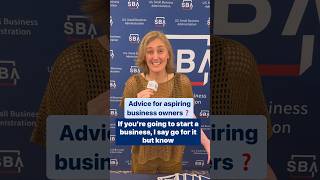
💪 Thinking of starting a #biz? Go for it! — Kerry Boyle, Vermont #SmallBiz Person of the Year

President Trump Participates in a Bilateral Meeting with the Prime Minister of Canada, May 6, 2025