Post-Onboarding Legal Bookkeeping Tips: Optimize Clio, QuickBooks & Trust Accounting
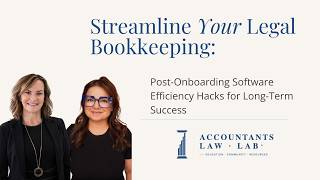
Bookkeepers supporting law firms can unlock efficiency gains months after software adoption by automating invoicing and bank feeds, validating migrated data across platforms like Clio and QuickBooks, and running monthly 3-way reconciliations. The speaker walks through a playbook covering trust-account compliance, document storage, recorded training videos, and custom reporting to become indispensable to attorneys.
Chapters
Hey, amazing bookkeepers and virtual CFOs even who work with law firms. If your attorney clients just onboarded new legal software and you're helping them get through most of it, so getting through it, being their expert, this video is for you. So post-onboarding is really where the efficiency magic happens. And today we're going to share some practical hacks for optimizing legal bookkeeping for your clients, saving time, reducing errors, and ensuring that trust accounting and compliance stay in place. And I also, at the same time, I want to make you that rockstar partner that can come on board and be that expert to the client. It's amazing how much they look to us for help with software. And sometimes it's their software. Sometimes they need help with QuickBooks, but we're here. Despite QuickBooks marketing, it's not just for every Tom, Dick, and Harry that can just log in and click on. It's not that easy. The marketing is very deceptive on that. We want you to have some automation wins. I'm going to give you like a little checklist that you can share with your clients if you're helping lawyers tame their books. And if you are enjoying this video, make sure you smash that like button. So let's dive in. As a bookkeeper, you know how important accurate books are. They are important because you need correct client billing and faster payments. You need clear trust and operating account separation. No more IOLTA violations. We don't want any of that. You want better cash flow visibility for their growth decisions, and you want less stress for the attorneys so they can refer more work your way. You want the attorneys to be not even thinking about their trust account being balanced or compliance. They don't have to lose sleep worrying about that they're gonna get an audit. We want this to be a perfectly smooth situation that they can do what they do best, which is their legal work and leave the bookkeeping and the accounting tasks to us. So even after onboarding great software, clients tend to hit these problems that come along. They're sold a bill of goods when they're sold the legal tech software. And I'm talking like a LeanLaw, Clio, PracticePanther, Smokeball. They're told one thing by the sales agent. And then when it comes to the actual management of those software, they find out that it wasn't exactly what they thought. You're dealing with an IT person when you're dealing with moving the data. And remember that. So they're gonna tell you everything worked, everything came through perfectly, because they've got their way of checking data. But they don't have a way of really eyes-on looking at it to make sure it's correct. Did all the work and process come over? Did opening balances come over? Some products do that, some products don't. You need to know which ones do that. You've got complex legal billing rules, so you got hourly rates, flat fee, contingency, retainers. Did that all come over, or do you have to manually update that for your client? Data migration can tend to have glitches, and the staff has a learning curve, and there's going to be time that they're training. It's going to be slowing the process down, and the client has to have that understanding in the beginning because There is a, a learning curve for all these software. No matter which soft— software they're using, they're gonna need to learn how to use it and make sure they learn how to use it to its fullest potential because you don't want them half using software. I know this from personal experience. Our practice management tool is Carbon. We implemented it last year, and I'm finding that we're having some of the same issues, which is the reason why we went to Carbon. We're having issues where clients aren't giving us the data that we need. And then we're sending out messages and then we're maybe forgetting to follow up on it because they don't respond. And that can all be removed. That whole problem can be removed by putting a recurring entry into Carbon to ask for this particular item recurring because I need a certain statement that I didn't have. I have no access to and the client has to give it to me. And you just make this one task that the client has to give this data over to you once a month and it will automatically send it. You don't have to remember to send it so you're not backpedaling at the end of the year. Oh, I haven't reconciled this count for 6 months. And also you're taking that task off of your plate because you're actually using that automation piece. Same thing goes for the clients. They start using Clio, they've never used it before. I see a lot of clients what I call using Clio light. They just barely use what the product has in place. And it's not inexpensive software, but it's very affordable for most, but it has so much power behind it and they don't use the templates and they don't use a lot of the things that are in there. They don't use the baked-in storage of the documents. They're not using the calendar. There's a lot of pieces that they might just miss, and it's our job to help them through it. And then with the data migration, they're told by Clio, boom, it's all in there. Did anybody go back and look to make sure it's correct? And a lot of these data migrations, unfortunately, the client only talks to Clio, doesn't even put us in the loop, or any software, you could put any name in there. And then we find out they did the migration on February 7th. Why the 7th? Why? And why didn't you go back to the beginning of the year? And why— there's a lot of whys in that, which common sense would tell you they're just told, yeah, this is a great time to do it. And now you got a partial year if you just continue on that path and you don't really want that. And then you might see inconsistent tracking across the firm. So some are still using the old product, some are using the new product. We want to eliminate that. So your role is to guide them through the standardized processes and create some smart setups, making their lives easier, making your job smoother, making the billing go beautifully. That's what you're looking for. So we want to help our clients leverage these legal accounting powerhouses, right? So we want to help them. And I think of Clio all the time because that's the one that most of our clients are in. Clio is a great product. It's a great add-on. My favorite line, and I've said this about LeanLaw for a long time, is that you've got QuickBooks, works for a dentist, works for the landscaper, it works for all these different kinds of companies. But if you add Clio on top of— Mm-hmm. Or LeanLaw on top of QuickBooks. Now you've got the lawyer suit on top of it. It's now law firm specific. And you want to look at it that way. You've got Cosmolex. If you're using Cosmolex, that's a built-in all-in-one product. That's a bigger learning curve, I believe. And you're limited in reports, but it's a great product for people who want that all-in-one. It's the grandfather of all-in-ones, and it's also probably the best one. It's very rigid. You can't go back and fix something that happened last year and last March. You have to actually undo a lot of stuff to fix it. So know that going in if you do pick Cosmolex. And QuickBooks Online is a flexible foundational product for all businesses. It is your GL, your general ledger, your data file. It's gonna house everything, not just the client-specific stuff, but all the other stuff that goes along with it, your payroll, your health insurance, your insurance. All that's gonna be inside of QuickBooks. And we also have Xero. And Xero has come a long way. Yeah, it's got a product called Sift. They acquired Sift and Millio, two great acquisitions inside of Xero. So don't be afraid of it. If you've tired of QuickBooks and you wanna move on to Clio, Xero works beautifully. But you are limited on the software ads because not every product layers on top of Xero. Clio just happens to do that. So there's also some automation hacks that you can implement for clients, right? You can help them with templates. You can automate a lot of the repetitive stuff to save everybody in the firm time. Help them through that. Enable auto invoice generation and tracking the billable hours and show them how to use the product. Enable receipt scanning if, you know, they are using receipts, enable that. We use a product called Dext. That's really a robust product just for the receipts and it does a few other things, but that's a product that's great for the bigger firms. Mm-hmm. But you can use it in QuickBooks as well. It's a little bit less stable. Hubdoc is all another product. That's the one I use. I don't really use the QuickBooks one. For smaller clients, that's $12 a month and I do the Hubdoc. I— Hubdoc, I add it in with my bill to them. I pay for it. Great tool and it works really well. It's actually part of Xero. So you've got that there too. So know that you can do those things. You can start to configure transaction matching with bank feed. Transactions, you can use automation on that, that you can set it up. You get Verizon bill every single month, set it and forget it. Put an auto rule on it and have it go in the right account. Make sure you get the vendor name in there. Don't skip on the vendor name. That's going to reduce a lot of client errors, save on revision times for you. It's a win-win. Next, I'm going to talk a little bit about organizing financial documents. I want you to be a pro in this. So guide the clients to use consistent filing rules. Make sure that they have a great place to save for their documents. So save their documents in the cloud. They're using Clio, use Clio's cloud record keeping. It sits all underneath the customer. That's what you want. Receipts should be saved someplace. That's why it's nice to have that external product where it's saved besides QuickBooks. You can also go fully digital, scan everything. This makes helpful timing to find easier searches when you're looking for documents. No longer having to like dig through files like the old days. I think that's important too. So whatever product you're using, you may be using Microsoft products or whatever, you wanna have a really good consistent place and a really a process involved in saving all the documents. So really push cloud solutions on your client anywhere they go and make sure they use strong encryption. Don't just sign up for products and then don't use the 2MFA. It's really important in this world to have that be part of the work that you do. Schedule short training sessions. Found over the years is more effective to use short training sessions, maybe 15-minute sessions just to keep the education piece of this going as you start to make the transition. And also teaches them and it sticks better in a person's brain when you have those shorter sessions with clients as you're teaching them how to use the software. That's, it's really invaluable to use those short training sessions, record them, save them, name them so they know they can go back if there's something they don't do all the time they can go back and say, "What did she say about a credit memo?" And then you can go back in time to go see how it was built out. I like to use Loom for that. It actually lets you record yourself teaching and then you can make an SOP with it. So you can make a standard operating procedure right there. It's one click and Loom is great. It takes out the ums, the ahs, and then it also will make you the SOP. So it's really good. Then create a monthly review routine with your client to keep them compliant. So you want to do a monthly 3-way bank reconciliation. I can't stress that enough. People think they just reconcile, it's good enough. It's not. We have plenty of content in the Law Lab on 3-way bank reconciliations. Review the income, review the expenses. I like to look at it from last year to this year to track it. If it's a new business, obviously that's not gonna work. Look at it month over month, but take a look at it from the bird's eye view basically, and then really get a good look at how things are going to make sure you don't have any problems. Use the reclass tool in QuickBooks. Go through all the data monthly in the reclass tool. We also use Double, which used to be called Keeper. Highly recommend that product. Even with all those things I just mentioned and not using Keeper or Double, when I start to go into Double, I'm like, how did I miss these things that I thought were there that I thought I had great eyes on? Just vendors alone. If your client or a set of books comes to you and nobody put in the vendor name. It's so easy to add vendor names in Double. It's so easy to track 1099s in Double. There's so many good features and actually has some better reports than even inside of QuickBooks. If you're looking at cash flow and things like that, they've got some really great reporting as part of Double and it's very affordable. And then, you know, if you're working with a mid-size firm, some of these things you can do, saving reports, saving them in small groupings. It's gonna save you time and cut the processing in half. Make these small groupings. I would love to tell you that the management reports in QuickBooks are the way to go, but they don't always work. And that's been my biggest issue. So I save groupings inside the client under the custom tab. Certain clients need certain reports. If you got a client that's got a heavy open AR balance, you wanna get those into the records, stay on top of it. Maybe they had a bookkeeper that never paid attention to that. Maybe the report is something as simple as you got a lot of outstanding checks that haven't cleared the bank. Maybe that's part of your cleanup work. I think minimally quarterly you should be sending out a listing of what the client has taken out in distributions. So you're not hitting them cold in January with the entire list of last year that they can't do anything about, and you're keeping it clean and fresh. You could do it quarterly, you could do it monthly, however you wanna do it. But I think that's a really important report. Mm-hmm. That you should be looking at. So in conclusion, that's really your 2026 playbook for helping law firm clients optimize their bookkeeping after onboarding. We're going to give you like a little checklist with this, but choose to optimize those legal tools, automate invoices and expenses and reconciliations as much as you can. Every day automation's changing and getting better. So run with it. Don't be that firm that still does things the old way. Schedule regular training and monthly reviews. And sometimes clients, they wanna do a monthly review, they wanna do a monthly review, and the next thing you know, they don't show up for them. Make those Loom videos for them so you're helping them without physically meeting with them, and it keeps the meeting short and tight. I, I really recommend that. It's something that we do at our firm. And digitize your documents. Put everything up in the cloud, make sure it's saved, make sure it's organized, that you have a complete workflow for how things are tagged and stored. So it's very easy. And I really think that's about it. So if you implement all of those ideas, watch your client's efficiency soar. And that's the name of the game as we move forward into 2026 and beyond. And your services will become indispensable to that client. So let me know, which hack are you using with your clients? Maybe it's something I haven't even thought of. I'd love to hear your thoughts. Comment below. And if this helped up your bookkeeping game, subscribe to our channel, stay with us. And for more legal bookkeeping tips, stay involved, stay with us. Thank you so much. Much for watching today, and go make those law firm books shine. Bye now. Bye.
More from Lynda

Can AI Agents Replace Your Bookkeeping Team? What Law Firm Bookkeepers Need to Know


Fall Bookkeeping Playbook: Q3 Wrap-Up & Year-End Prep for Legal Accounting Firms







Trust Accounting 101 for Legal Bookkeepers: IOLTA Rules, Common Mistakes, and How to Stay Compliant

Bookkeeping Freedom: How Legal Bookkeepers Can Build Systems That Actually Give Them Their Life Back