Understanding the Challenges of Clio Software For Law Firms
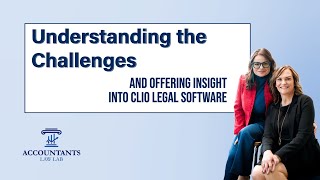
Linda Artisani from the Accountants Law Lab explains how to fix Clio and QuickBooks integration problems for law firms. She covers trust-account cleanup after failed syncs, why you must check the last journal-entry number before pushing data, and how Clio's one-way sync creates duplicate transactions you need to match rather than re-enter.
Chapters
Hi there, Linda Artisani from the Accountants Law Lab. So we're still on Clio, the topic of Clio, and I think it's pretty eye-opening to me that we use both software, LeanLaw and Clio, in our firm. And Sarah and I kind of divided and conquered. She would handle Clio because she was Clio certified and I handled LeanLaw. I just took to it like a fish in water. And now we're really kind of focusing down on the Clio stuff as our firm grows and we kind of need both of us to be able to address the issues in Clio, especially when it comes to the Law Lab and our mastermind group because that seems to be outside of trust accounting, that's our number one topic. So I wanted to write an article because I'm working on a project from a client that needs cleanup. And this client came to us and said, you know, our, our trust balances for last year. And they, you know, pulled up the balance sheet and sure enough, December 31st, the, the numbers aligned. So they needed us to fix 2023. And they're in Clio. So the first step we had to do is they weren't, they were using Clio, but they weren't synchronized. They weren't connected. So Sarah jumped in and I give you the detail in the article as well. Shows you some of the back coding of Clio. One thing to note, and I think this is a just gonna be a tip that's not in the article, but I think is highly important, especially when it comes to QuickBooks connection, 'cause Clio does connect nicely to Xero. When it comes to QuickBooks, QuickBooks has this remembering feature that if, especially in the beginning of the year, if your tax person goes in, which they usually do, they'll go in and make a journal entry. And they'll mark it as adjusting journal entry, A-G-E, A-J-E, and then they'll put in there a date tying the books to the tax return. If the bookkeeper doesn't do that, you'll see the tax person may or may not do that. And they'll create this number or identifier in QuickBooks that's going to show that they entered this transaction. So they're putting their initials on it. You'll see that sometimes. Now when you connect Clio, if you're gonna go in and push all the transactions from Clio to QuickBooks. So I had my scope is for just doing 2023, for example. But the invoices weren't inside of QuickBooks. They were manually just dumping the, the revenue in by the bank feed. So anything that came into the operating that they knew was from a transfer from trust. They actually were transferring it using the bank transfers, which is a big no-no. So what they were doing is they were just making a transfer because QuickBooks suggested this transfer. But knowing that and knowing that I'm going to turn on Clio and connect it, a really good tip is to look at the last journal entry created inside of QuickBooks. In my case, this was done by the tax professional because Because Clio does use journal entries in its transfer over of their data. So if a client pays, if an application of trust is applied to an invoice, it's gonna come over as a journal entry. It's the only way you can do it 'cause you're not gonna be able to do, you can't just do a bank transfer. You're never gonna hit that line item that shows where the funds were in the client's trust account. So we didn't do this step. That's why I want you to know this is something you really wanna have eyes on. Make it part of your workflow when you start a client in Clio. Look at how the last journal entry was written inside of QuickBooks. Because if you don't have it numbered properly, what you're gonna need to do is you're gonna need to make sure that there's some kind of numbering system in. And all you have to do to restart the numbering is to create a fake journal entry and then start it with a new number like 2023-1, and then QuickBooks will make the next one 2023-2, and so on. Mm-hmm. Now when you push those journal entries over, when you push over all the data from Clio into QuickBooks for that year that you're working, 2023, it's going to push over all those journal entries. If you don't take this step, you're going to find that all the journal entries are going to come over with whatever that person had before. So if that person had A-G-E, A-J-E, 2023, 2022, 12/31, MDA, it's gonna come over as that plus 1. So that's how Quipus is gonna remember what you had last and add a 1. So you wanna add 1. So you want to, in this case, make sure you have some kind of a number at the end so that it will continuously enumerate the transactions. But you wanna have it so it looks good when you give the work back to the client. It's all about making yourself, making the work look clean. So that's one thing, one tip that's not in the article, but I think is really important. And the other piece is connecting the software properly, making sure that you put all the right pieces in and all the right accounts in, which is gonna require you to go into QuickBooks and create these products and services because you're gonna need to connect them inside of Clio. Now you might be asking, do I really need to connect Clio? I heard all, all about double journal entries and double duplicate entries and all of that. And yes, that is a thing. It's a one-way sync. So when a client makes a transaction in Clio, it synchronizes over, boom. If a client goes in and it takes an entry that's there already, maybe they put a payment in for $25, it should have been $27, they go in and adjust it to $27. The $25 goes over when they create the $25. Now they've taken that $25 and turned it to $27. Now it's gonna send over $27. So you're gonna have to eliminate the $25 and use the $27. So it's tricky in that way. The other thing I find with Clio is if they're using Clio Payments, make sure that they have the merchant fee coming out once a month and not every single payment, 'cause you're never gonna be able to align the payments. With Clio, it's all about matching. So you're gonna match the payments, you're gonna match, those transfers are gonna get matched as well. And it's really matching the trust side and the operating side. That's the critical part. If they're using Clio Payments, you just pull up that deposit report and it's, you've got a beautiful thing to kind of go along with. Although I've had the experience where not every deposit's on there even though it says Clio Payments. Why? I don't know. So you might find that to be the case. You'll have to go back to the client and ask them that. The other thing I think that's important as you identify and correct these issues is if they did a lot of transfers to enter their income, you're gonna need to remove them. That required me to go in and undo bank reconciliations. You have to be careful when you undo a bank reconciliation because you don't know what you're going to have on the other side. It gives you the amount. So it's very careful that it gives you your amount. It's not like you can go— in desktop days, we could just redo the, you know, back up the file and then reinstate it, and then you'd still be back to where you were before you started to untangle things. But we do have a very easy, simple way to undo the bank reconciliation by going into the reconciliation page, finding the history, and then going there and then clicking undo. It's going to encourage you not to undo. It's going to say no in green. You're going to say yes, and then you're going to look at what the balances are going to be. And that's where you really want to take a look at, is that going to be my beginning balance? Is there going to be any other problem? I had to undo back to December because there they had things reconciled in this particular account. Whoever did the reconciliation did a blanket reconciliation. They figured out the trust, and they said, ah, this matches. So they couldn't make it match in the bank side. So they just did a general reconciliation, selected all the things that were in 2022, and then made an adjustment to retained earnings to make that match. But sometimes you'll see they, they hit reconciliation discrepancy, and then they dump it in that account, whatever they end up doing. And you have a bookkeeper that doesn't know what they're doing. These are things you're gonna face as, as the bookkeeper doing this work. So I wanted to highlight some of these things because this isn't just a Clio thing. This is a thing that you'll find with bookkeepers that don't know what they're doing, or they have a lack of experience or knowledge, which is why you wanna learn about these things and make sure you're doing it the right way. When I undid the bank rec to December 31st, I went to reconcile January, and there were transactions that they had cleared in December. That belonged in January. They were late dated in December and they included them in their blanket, a journal entry to retained earnings. That was awful. So we adjusted all of that. And so that's some of the things you may see as you're doing this work. I just want to make sure that I kind of highlight some of these things because for me, the matching is the hardest part. The matching of the transactions. There's an invoice and a payment that pushes over. That's always going to hit that operating side of the bank. If there's a journal entry that's gonna hit the trust side of the bank, and if they do like most attorneys do, they'll process a bunch of trust payments as they're doing their billing, and then they'll make one trust for the total of all those individual payments. That's where you have to figure out what was in that trust transfer and just click match. Don't ever click to enter a transaction. You want to click match, so you avoid duplication. I hope this was helpful. We're gonna have more topics like this as I go through my journey of really mastering the skillset required for Clio and getting that big understanding. So I think that that's the biggest part is I have a hard time wrapping my brain around how Clio works. It's so different from LeanLaw, but I'm starting to go down that journey of really mastering the software. You really should, if you're working in this field, you really should know Clio because it's the number one software. I highly recommend it. It's a good software for connecting to QuickBooks. And you just need to know how it works. All software, none of them are perfect. You gotta know how they work and, and the little idiosyncrasies of each. So I hope that's helpful. If you wanna join our group, please do that. And I'll have a, a link to that in the article. And if you are enjoying these videos, please hit the subscribe button and I'll see you all next week. Bye now.
More from Lynda

Can AI Agents Replace Your Bookkeeping Team? What Law Firm Bookkeepers Need to Know


Fall Bookkeeping Playbook: Q3 Wrap-Up & Year-End Prep for Legal Accounting Firms







Trust Accounting 101 for Legal Bookkeepers: IOLTA Rules, Common Mistakes, and How to Stay Compliant

Bookkeeping Freedom: How Legal Bookkeepers Can Build Systems That Actually Give Them Their Life Back