How Product Managers can Achieve Profitability Faster w/ Peter Hughes of Ascest
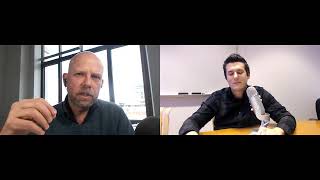
Peter Hughes, a usability research veteran, explains how product teams can test faster and cheaper to avoid costly mistakes. A five-second test revealed why a button change generated $300 million in revenue, while other companies wasted $40k on features nobody used. Start with screenshots and simple screen-sharing tools before investing in elaborate studies.
Chapters
Hey, this is Mike Belsito here with another edition of Product Launch. Uh, thank you for joining us. We've been doing these twice a month and they've been going really, really well so far. So, um, I really appreciate everybody that's taken the time to join us. And I love today's topic because it's something I actually don't know a ton about. I've tried to learn, um, as a product person myself, but I definitely am no expert. So we brought on one of the experts and I'm going to introduce him in just a second. But first, I just wanted to give everybody a reminder that's a part of Product Collective that just recently we actually introduced a new service at Product Collective and it's called Product Talent. And just really quickly wanted to make sure that everybody knew that this is now a service that we provide. Basically, we partnered with one of the best recruiters that we know in tech and in product. Her name is Julie Maurer. So she's the head of Product Talent for Product Collective and Really what it means is that we can get involved in all sorts of, all sorts of search needs that you have for product people. And we work hand in hand with Julie on that. So I see that somebody's asking if anybody's speaking. Just want to make sure I can't hear anything that's being said. You might want to look at controls on your end. If anybody else is having problems, let me know. But just check out the controls on your end. Again, sometimes we've had issues with browsers that weren't Google Chrome. So I'm just going to respond to the chat right here. So hopefully everybody will be able to hear us as well as see us. But anyway, with all of that, I do want to get right into the interview because with us today we have Peter Hughes, and Peter's with Assess. And Peter, thank you very, very much for joining us at Product Launch today.
It's great to be here.
Before we get into the questions that I have, I thought maybe you could just introduce yourself. You know, I had your bio, but I thought it's probably better for just Peter to introduce himself. People can hear in your own words a little bit more about who you are and what you're up to.
Okay, thanks, Mike. I'll keep it very brief. I've been doing usability research work for about 20 years. Most of that was with a company that I started back in '98 and ran that for 15 years, where I ran the research component. We were doing probably, I would say, 80% of our work was major corporation work with companies like MetLife, Chase, Boeing, pretty marquee names actually. And then we did quite a bit of work with medium-sized companies and a few startups along the way. But as I say, that was for about 15, 16 years. And the last couple of years, I've devoted my attention purely to helping product teams build their own skills in usability research. It's just a topic that I keep hearing, you know, people wanting to ask about how to do it or they tried it and it didn't work and so on. And in the end, I thought, you know, I really think this is an opportunity to share the knowledge that I've picked up but also try my hand at a new business. And as I say, my sins, that's what I spend my time doing these days.
That's awesome. Well, yeah, it's now been, I mean, I think you had said close to 20 years that was especially focused on usability testing and other UX and, you know, other things along those lines. Why is usability testing so important to you? I mean, to spend 20 years of your career on it, Presumably it's pretty important to you. Why do you think usability testing is so important for product people?
Well, I'm— I love building things myself, and I know how exciting it is, you know, when you've conceived of something and lo and behold, you've actually— you've got this thing, you know, and it's kind of magical. And the making is a very, very attractive, very attractive thing. And I know it draws a lot of makers, which is maybe sort of on the more casual end. But I mean, serious product designers and business people get drawn into the entrepreneurial world or into the corporate world to create things and make visions happen. But what I learned and what sort of fascinated me when I— and how I got into usability testing was the idea that as much as we love our ideas and, you know, we may think they're great, they may well be great, but we still have quite a hurdle to get over to communicate that awesomeness to our customers. And communication happens at so many, so many levels, uh, you know, from, from the very beginning when the customer's never heard of us but are somehow exposed to what we offer. If they don't get it— and let's just start with that— if they don't get it, all that greatness that you've spent you hours crafting and perfecting on the back end may never see the light of day because no one understands how to get there or what it's for or how it relates to what they do and so on. So, you know, that level of communication, uh, is, is important. But then of course there's the product itself and does it work and do the things that it claims to do and so on. But all of these steps in the relationship that you're building with, with your customers is a point at which some kind of testing can be done. And that's what really fascinated me, and that's what I spent many, many years working with, with companies to help them craft tests for whatever product they were creating. And, and this, this in some cases was hardware products, in some way, but in the majority of cases it was, it was software. And I just found myself getting really sucked into that world of wanting to help avoid waste. Because I just think it's just, it's so, it's almost criminal that we spend so much time and money on things. And if it just goes down the toilet, no one's happy.
Well, I, so it definitely makes sense to me that You know, if you were to utilize usability testing throughout the product building process, you're going to, you're going to see some benefits. You know, there's going to be some, you know, good things that happen. Hopefully you're avoiding mistakes that you're making. But I guess one question that I have is, in your experience, like, what's the scale of that benefit? Because, you know, usability testing, it still takes time, still takes effort and resources, maybe, maybe money if you're hiring a group for that. So are those, like, is the difference appreciable? Like, does it really make a big difference? Is it more about optimization? Maybe you could just shed some light on that for us.
Sure. Well, I liken it to maybe servicing your car. You get your car, you start driving it, and you don't do any maintenance. You don't do any check. You ignore all your signals, warning lights, whatever. Eventually, it will just— some problem will happen. But you might be lucky, and you might go on for ages, and nothing— and there's just no problem. So I see it as a tool that helps mitigate risk. And I think one of the troubles with usability testing is that often, It's related to the, you know, making a product easy to use. And it's like, well, how do you quantify how easy to use relates to ROI and business and so on? And I think it's one of the things that a lot of usability people are very bad at. Well, it's just not interesting to them. A lot of the business aspects of, of, of the product. But I think for product people who are very interested in the business side of things, what it offers you is an opportunity to spend a little money, like servicing your car, with the idea that you get a lot of performance out of it. And, and to, to consider it as a scale, I mean, you're not going to spend $1,000 to save $1,000. It just doesn't make sense. You need a multiple in there.
Yeah.
And usability tests these days, I mean, you can run one for even on the more expensive side doing it yourself with recruiting costs and and so on, it could be $1,000 or $2,000. Very small amount of money in terms of business spending. Yeah. But the— and I'll give you one example. This one comes from Jared Spool, who's a colleague who— you can look this up. It's a story worth looking at. It's called the $300 Million Button. And so there was this retail outfit. They were seeing some— I believe the story is something like 40% of people arriving at their site bailed because they couldn't remember their passwords or there was some issue about logging in when they went through the cart. And so they ran a usability test simply to watch what people did and to then discuss with them what discuss their actions, why they did certain things, and what was going on in their mind. Anyway, as a result, they were able to determine that a lot of people just simply forgot their passwords, or not an uncommon thing. And when they did the password reset, they also had a bunch of email addresses, and they couldn't remember which email address they'd sent it to. They may not have that email anymore. And so there were these— sort of multiple factors that resulted, and which they were able to surface because they could see stats and analytics that were showing a problem, but they couldn't understand the why. So they ran a short— this small test. I think they're probably only talking about 10, 20 people involved. They surfaced some rationale for why these problems occurred, and they, they came up at the time with the genius idea of guest. So now you could have— you could sign in as a guest, put in all your details, avoid doing all the password reset and so on. Yes, it's a bit more effort, but the outcome was certain because you could get into the site and complete your order. And as a result, that small usability test resulted in a net saving at the— or net increase in revenue for that business of $300 million.
Wow.
So that's why it was called the $300 Million Button.
Yeah.
And, you know, it's available online. You can just Google it and, uh, and, and, and take a look. So, I mean, it's just an example, obviously, of Well, and a lot of the time we don't know as experts how our clients see what we're doing. I mean, we're experts in our respective domains and we know a lot about our topics. And the trouble is that's actually a tyranny. I can't remember who wrote about it, but there's this notion of the tyranny of knowledge. Your expertise actually holds you back because it's hard to put yourself in the shoes of your customer, or you can imagine what your customers are imagining, but you're imagining, you're guessing. There are a lot of assumptions often built in there, and it's very hard for us to remember what it's like to be a newbie in some cases at whatever the topic is that we're we're thinking about. So usability tests are very useful things for helping you stay very grounded. As I said, they're not very expensive to do. And the, the trouble is a lot of people don't do them because they either don't know how to do them, they— or they've tried them and they've had not very good success because they may well have introduced a lot of bias and had sort of problems in executing the test, or they got a lot of material, but then they don't know how to weave that back into their product. And so all of these are areas which, you know, I— well, that's what I spend my time doing is helping people to just learn some basic skills. It's like going to a new country and, you know, you learn some basic languages, learn how to say hello, thank you, and you transform the experience that you have by just learning a few skills. And that's what I think product people can benefit from, is by getting the information that they get, which can be quick and easy to do. We can definitely talk about examples and other things. But the key is that massive leverage is possible. But sometimes you just need a constant process of little iterations, little wins that over time build up to create a lot of win. For your organization.
Yeah. Well, maybe we could, maybe we could talk about that a little bit. I mean, I think I am, I'm sure there are going to be some product people that are watching, listening later and thinking to themselves, okay, yeah, I, I, it makes sense. I probably should do more usability testing, but where do I start? Like, what is, what does step one look like? You know, how can, how can a newbie really, you know, start to just pick up the basics?
Yeah, well, you know, I, and I'm, I'm really glad you, you asked the question that way because I think it's, it's really important. It's like when you learn a new skill, you don't want to start— you don't want to jump in the deep end. You're learning to swim, go into an area where you can stand on the bottom, you know, you can get basic strokes happening, and then as your confidence builds you can venture into the deep end. And so what I always encourage people starting out to do is to look at something called a 5-second checkup. And I've actually got a free training on it that I can provide details on later. But the gist of it is that These tests take literally 5 seconds to do. They take a few minutes to set up, but a few seconds to do. And they are really revealing because what they, what they do is they enable you to check on whether some priority on a, on a page— let's say you've got a website that's promoting an offer that you're making. You literally show the page to a customer, and it must be someone that you believe has the profile of a customer or is a customer, because talking to people who like elephants when you're trying to sell to people that like dogs you know, you're— yeah, you may get some useful feedback, but it's not spot on to your market. So you show the page for a few seconds, and if your priority is that that offer is the thing you want them to notice, and they are not able to tell you that there was an offer on that page and what the offer is, probably a good indication if it, if that pattern repeats itself, that you go back to the drawing board and make sure that that offer is front and center. Remove clutter around the offer if there's any clutter on the page or any other things that may be good stuff that you want them to, to, to look at, but it may be cluttering the communication to, to your, to your customer. So This test is a very simple test. It's one type of usability test, which is another point that I might make here is that usability testing is a, is a blanket term for maybe 20 different methods, 20 different testing methods. So, you know, when, when you ask someone about, oh, I do some usability testing, I'm always curious to know what exactly did they do because it could be any one of numerous options they could pick. But this one technique, it costs virtually nothing to do. It's very quick to do. It's very revealing. And anyone can do it with a few pointers. And I think if you start doing those with a regular, rather regular beat, and you start getting some wins, then that's a good first step and a good place to start working towards other techniques that you would use in different situations. Yeah.
And if so, somebody is just getting started and, you know, they're doing some of the things that you're saying, do they have to be using certain platforms? Is it better to, you know, bring people in in person? I guess, you know, what's the sort of the best practice for getting your feet wet with usability testing?
Well, if you want to go beyond testing, um, sort of individual, like, homepages— and I always call those sort of gateway into your product— and you really want to evaluate whether features and functions are working effectively, um, that too is, is another, uh, another training that in a day you can pick up the key elements. The thing there that I would say is keep it simple. I mean, you can set up a usability test using screenshots of ideas that you're working on. You don't need to have a coded, fully working product in order to test, to test an idea. And I would highly encourage you to test ideas when they're at the— I'll call it the paper phase, um, early stage, and get that right before you start coding. You will save yourself a lot of money if you, if you discover problems early. The earlier you can do that, the better. You don't need special tools for conducting a test. I mean, I just did one the other day where we were using GoToMeeting. I was sitting in a room talking to, to a person about some functionality on a site, and the product owners were sitting in a neighboring room, and we— and they had just logged into the same GoToMeeting session. They could see and hear exactly what we were doing. We were just screen sharing. So no special tools. You can do it with Skype. I mean, these days there's so many options. I mean, one we're using today has screen sharing capability. So as long as you have that, so long as you can see and hear what people are doing, so no special tools there. The thing that I would put your money in into is learning how to interview people. Because that's an area where a lot of bias can creep into your test. And bias is just simply— I mean, in its worst case, if I said, well, can you tell me how much you like this product? You know, I mean, that's a very leading question. And it introduces a lot of bias. It's much better, you know, people say, well, do you like that, or what would you like? I mean, again, these are examples of just very easy questions to ask. They just sort of slip out. Hey, I'm just talking to someone about my product. I mean, if they're a customer, they'll tell me what they want. But the thing is, they can't. They can't always tell you what they want. They might tell you, you know, that, you know, they want— Well, they might just be making something up just to say that this is what I want. But if you watch them do a task, give them a task to do, let them go through that task, ask them to do something called thinking aloud, and they give you a narrative as they're going through it, and then they stumble at some place, or you see them kind of backtracking and hunt and peck, or they're just they're not progressing as you expected them to, and you invite them to just explain what's going on, you will often discover things that you just may not have ever anticipated. And it's once they have explained to you what's happening, without you saying anything up front, you can then be sure that they're experiencing Perhaps there's some problem. Maybe they misunderstood something on the page. If you run several of these tests and that same pattern emerges, then you can be pretty certain that there's something there that you can change, that you should change and test again. And certainly avoid questions like, well, what do you think, or could you imagine if we did dot, dot, dot. Well, yeah, I can imagine all sorts of things. Don't ask that question because I don't know if what you're imagining is what I'm imagining.
Yeah, somebody might say, yeah, I like that button, but if they didn't click on it, you know, if you never even brought it up, that's a— that's pretty telling right there.
That button, I mean, let's use that example. So, yeah, so you've got a task to do and it requires you to press a button and you just Zip it. It is so tempting when you're sitting there, you just bust in to say, oh, just press the button. It's like, well, let them, just let them go a little bit. And when it's pretty clear they haven't noticed the button, you can then say, well, what do you think was the next step here? They say, you know, I don't know, I'm stuck. I say, okay, let me show you the intention. And you can then just point to the button. And then you've— but you've discovered something because they went first. And that's another mandate, always let them go first because they first showed you that they couldn't find the button. So you show them the button, don't say anything more, and let them continue. Now it may be that everything else after that works fine. But now you've discovered that there's some issue with that button. They either didn't see it. Sometimes they'll say, oh yeah, I saw that button there, but there was a label on it that they thought it did something else, so they didn't press it. So there's a skill in interviewing that can help you sort of milk as much information from your participant as possible. To really learn about the things that are working and not working. And these are skills that you can learn quite easily. I mean, the theory is quite easy, but it just takes practice. Practice to not say too much and not get sort of drawn into conversations where you then start blurring your information you receive because you don't know whether that information is stuff they're repeating back to you. Or stuff that you, um, or is purely from them. And that's what we've got to work on, is, is, is to make sure the information we're getting is as pure as we can from our customers.
That's great. You know, we're already coming towards the end of the time, so I went pretty quick, but there was one question that came through that, um, that I wanted to ask, and you alluded to it before with the $300 million, you know, button example, but are Are there other examples that you could think of? Maybe it's whether it was clients that you've worked with where, you know, don't have to name names, but, or in other cases where you saw like real revenue impact from usability testing that you'd done. Like there's a number you could sort of, you know, attribute it to like, hey, this test, this, oh, I mean, hey, the title of this webinar, right? $100,000 impact. Like, can you maybe showcase an example of that from your own experience?
Well, I'll give you two very quick ones. A couple of weeks ago, I'm working with a startup, and I asked, why did you call me in? They said, well, one issue was that we just spent $40,000 building a feature. And I said, well, $40,000, where did that number come from? He said, oh, that was what we paid the developer. To create this feature and we've dumped it. I said, wow, okay. So you built it, then discovered there was a problem and you junked it. This was a startup, just blew $40 grand. When I've worked with banks and talked about credit card systems and so on, they've told me that the development cost pale into insignificance compared to the marketing costs that they go through when, say, they're going to launch a new credit card. If there are systems that don't work for sign-up and so on, you know, all the marketing dollars that they've put in goes down the drain. So, you know, it's— so those are other areas where usability testing can be, you know, have magnifications that are not always obvious. But the other thing I was going to talk about was the other example was one where I was doing a job with a bank. And this was some backend processing things with credit card receipts and all. And we were wondering, like, well, this new system was put in. And you just got to imagine room full of clerks, you know, beavering away with slips and I don't even know exactly what they were doing, but it was a data entry type activity. And they thought by mechanizing it that there would be this great advantage. Turns out that productivity was nowhere near where they expected it to be. And it turns out what happened was that the system was built so that only one item could be processed at a time. And in fact, what typically happened was that an item can get mostly processed, but sometimes they have to wait for additional information to come in before they can close out the ticket. And there was no way of keeping the ticket open so that I— so they could only work on complete tickets. Or they could fill one in partway, and then they would just sit there and wait until the rest of the information came in. Now again, I'm surprised that that wasn't discovered sooner in the piece. But they had built a system, employed all these people, rented space, changed processes, and then discovered that there was a problem. And so I was being very conservative with $100,000. In that title. And so, these are situations. It could be retail, it could be business to business, you know, business to consumer. In all of these situations, just grounding yourself, do a test, simple test. Like I say, in the realms of, you know, a few thousand dollars, maybe even less. Certainly if you're doing 5-second checkups, that can be virtually free. And you will just— it's a mindset that you kind of check your work and be happy when you get great results.
Yeah. Well, you mentioned 5-second checkup. I definitely want to, before we leave, showcase to folks— you have a tool on your end that could be helpful to people. Maybe you— would you mind just sharing that?
Sure, sure. This is something that I put together. It's completely free and it's an opportunity to learn a little bit about— so let's see, did that come up?
Yes, it looks like, and I'll be able to—
so this is a little site. It's As I say, it's completely free. It's a couple of training videos and a little document that people can download with some details on how to, how to do this. So if you want to get your feet a little wet, there's also a Facebook group page where if you've got questions, I jump in there and we'll do my best to answer them. And no cost involved. I just think that to help people— whoops. I think I'd have to stop sharing. Do I? Am I good?
Yep, there you go.
There we go. So this is something where I just encourage people to ask questions because there's tons of information out there. But sometimes it's not always easy if you do a usability test You know, you just put that into Google, you'll get millions of pages back. You go to the library, I mean, there's tons, tons of information on it. But what do you use, you know, and how do you know whether you're doing it correctly? So, you know, these are just things that I'm very happy to provide pointers with if people ask the question.
Great. Well, that's great. And I shared the URL in the chat. It's just 5, the number 5, and 5secondcheckup.com. So thank you for that, Peter. And thank you for being here. I really appreciate it. By the way, if people want to stay in touch with you, would they— would that be the website to go to? Or are you active on Twitter? Just what's the best way for people to keep up on what you're up to, Peter?
If they want to tweet, it's Peter E. Hughes. Actually, I should write that in.
I'll put that in the chat.
Peter E. Hughes. If they want to me at LinkedIn. It's Peter E. Hughes. Great. Or you can, as I say, go to the Facebook group, throw in your questions, or you can email me at my company name, peter@access.com. But we'll, we'll provide a little contact sheet. And as I say, the details in the training material if people want to come and ask.
Awesome.
Awesome.
Well, Peter, thanks so much for being here at product launch. Thank you everybody for joining live or watching the replay. Just as a heads up, the next product launch, it's March 1st. It's with my friend Michael Saka. Michael's the president of Crew, which is an exciting company. They're out of Montreal. They help you find designers, developers, creative talent, and we're going to have a really interesting discussion on, on how to work with different people like designers and engineers when you're a product person. Then looking ahead about a month from now, we will be talking to Cindy Alvarez, and I'm really excited to talk to Cindy. She's the head of UX at Yammer, but she will also be a workshop partner at Industry. And of course, Industry is our big product conference coming up in the fall. Hopefully we'll see some of you there. Peter, again, thank you for being here, and we'll see you all at the next product launch.
Thank you very much for having me, and Cindy's, Cindy's great. So happy that she's being involved.
All right, have a great afternoon, everybody.
Bye-bye.
More from Greg
Changing Buyer Behavior | A Conversation With Greg Coticchia | Tech Done Different Podcast With T...
3 Decades, 5 Marketing Truths and The Power of Perspective with Greg Coticchia and Bryan Scanlon

Changing Buyer Behavior | A Conversation With Greg Coticchia | Tech Done Different Podcast With T...
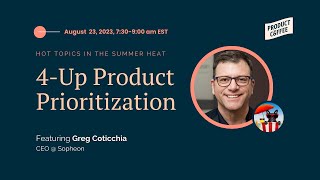
Hot Topics in the Summer Heat: Greg Coticchia's Take on Product Prioritization
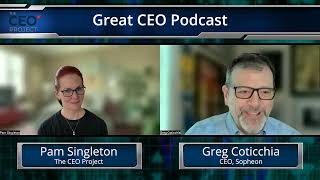
The Great CEO Podcast with Pam Singleton from The CEO Project and Greg Coticchia CEO at Sopheon.

🚀 Lessons in Innovation Management and Entrepreneurship with Greg Coticchia, CEO of Sopheon
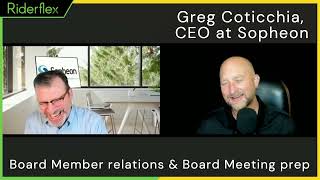
Sopheon CEO Tackles Smart Product Development Challenges on World Product Day 2021

Product Management Misconceptions w/ Chad McAllister, Host of The Everyday Innovator