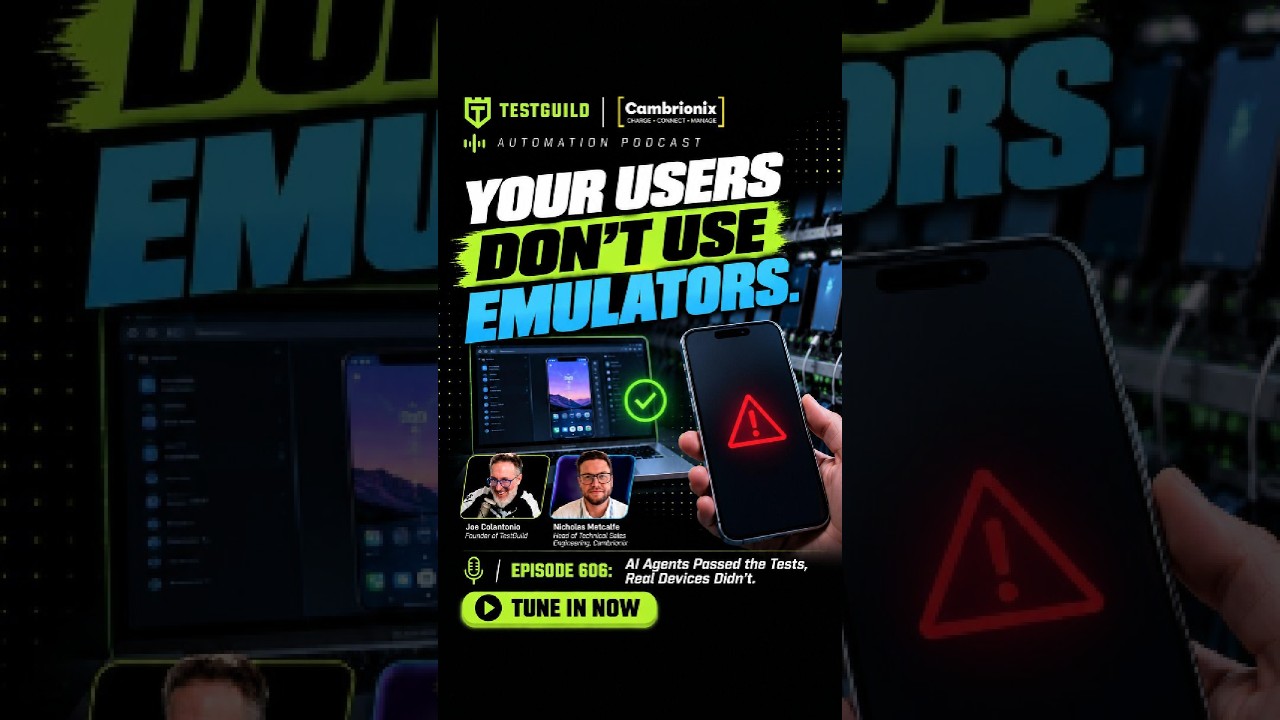
AI Agents Passed the Tests. Real Devices Didn’t.

Nick Metcalf from Cambrianics explains why AI-generated test code is flooding device farms with three times more tests, but emulators can't catch real hardware failures like bad cables or battery bloat. Cloud testing costs $1M a month; an in-house lab with proper USB-C telemetry and power control costs $300k.
Chapters
When you run a test, you presume it's your fault. You know, they're very self-reflective, and they look inside and say, okay, my script has a failure, or, this new thing I'm pushing, that has a failure. And everyone aims at that and spends a lot of time sort of self-reflecting and looking at their own tests and their own scripting and the things they're doing there before they'll look at sort of an overall setup or sort of a more generalized, bigger picture as to what the issue could have been.
Hey, when a test goes red, most of us dig into our own scripts first. Nick Metcalf says the smart first question is how your devices are even connected and whether the failure comes from the hardware layer at all. From what I hear from testers, this is a big gap in their testing infrastructure. It could cost days debugging code when the real problem could be a cable, a port, or power. So we're going to be joined by Nick, who's an expert engineer from Cabrionics. And he's gonna share why AI-driven code volume is pushing device labs harder while emulators alone miss real-world failures, and when in-house hubs beat cloud device farms on cost and control. He also shows how the ThunderSync 5 C16 and Cambrianics Connect platform with its API helps you spot USB cable and power issues so you stop labeling everything just as random flaky. You want to listen all the way to the end so you can learn how to scale real device testing without guessing, and when in-house labs are a must over cloud-based solutions. You don't want to miss it. Check it out. Hey, Nick, welcome to the Guild.
Hi, Joe. Thanks for having me.
You know, when a test fails, what do you think is the first question you ask that most engineers don't think to ask?
Generally, I would say, you know, how are you connecting these devices? How do you know what that failure is? How do you know where that failure has come from? So I think one of the things a lot of engineers will do, it's typical of all engineers, of hardware, software, everywhere you go to, when you run a test, you presume it's your fault. They're very self-reflective, and they look inside and say, okay, my script has a failure, or, this new thing I'm pushing, that has a failure. And everyone aims at that and spends a lot of time sort of self-reflecting and looking at their own tests, and their own scripting, and the things they're doing there, before they'll look at sort of an overall setup, or sort of a more... generalized bigger picture as to what the issue could have been.
Why do you think that is? Is that because it's the harder part, or they just assume the test is covering what it should cover without taking into consideration the whole ecosystem of how it lives?
I think it comes down to the mind of how people, when they're running these tests, is they'll make a small incremental change, and it's, you know, they presume everything that they've got set up it worked once, it'll work forever. You know, I've got this setup, I've got devices, or I've got this application, or something that you want to run these tests to prove. You make a slight change, an update in a script, maybe like a UI change or some background API change. You run the test and it fails. You go, oh, that's that change I just made. I just made this mistake happen, or this problem happen. So they'll really drill deep into those specific details as to why that happened. Even if what they did was perfectly acceptable and, you know, there was no issues with it. But seeing any failure, they would look, you know, at minute detail, at the small changes they just made.
Right, right. Do you see it getting worse with AI? Like, the AI passed the test and we just assume, oh, it's AI, it passed it, it's all good, let's ship.
Yeah, yeah. With AI, I think it's quite an interesting thing because it's really helped people. When it comes to running these tests and having automated scripts to be able to, you know, generate new codes, generate new features within their setup, and then using AI to check it, it's like, so AI is creating the script, and it's checking its own homework. So, in its mind, it'll run the test and go, yep, this is running as I expected it to run. Doesn't necessarily mean it's correct, just means that the outcome was what it thought it was gonna happen.
Absolutely. Yeah, I love AI as well. I notice it really helps people write more tests, right? Takes away the constraint of writing tests, but obviously it's tripling like the code arriving for validation. So in that type of scenario now where we have more, more tests running, are people set up enough to be able to handle these tests? Do they think about like what it's going to be needed in order to run all these tests in all the places that they need to run?
I think what we're seeing is, especially with AI, it's from the sort of the figures and people I'm speaking to, they're saying it's increasing their output by 3 times. So, a factor of 3, they're getting that many more pull requests, they're getting that many more updates to take place. And the testing sort of has to go along with it, because, you know, you still want a good product, you still wanna be able to release the product, have it fully tested, and be confident. that what you're shipping with that code update is gonna be good. But a lot of the time, what I'm seeing with people is that they may have a handful of physical devices, they may have, you know, some emulators or tests to run these devices, and it just means more and more computing power. So as you're scaling up your AI production, you're scaling up your computing power to handle that increased workload, to create these more scripts, these more, you know, updates, things to your product. They're also needing to upscale all their computing, you know, at the same factor to be able to run these simulated and emulated tests at the same time.
So, is that a problem then if they're running simulated or like an emulator to try to see if it's actually gonna work in the real world? Is that— a lot of teams say it's good enough nowadays, that that's all they need. They can ship if it runs on a simulator emulator. But like you said, with 3x code, are there certain use cases that just doesn't work?
Yeah, of course. I think, you know, there is a time and a place for emulators and simulators. I think it's a good, you know, quick, cheap way of running your tests, validating, okay, on this specific hardware, on this specific OS, the application should work. Some of these emulators and simulators are pretty good as well, where you can put in certain parameters, like, you know, there's gonna be a certain amount of battery degradation, or, you know, battery level, or how old a device is, to kind of simulate some some of that wear and tear. And as a first pass, I think it's great for that initial, I want to do this update, I'll run it via all these AI simulated, emulating tests. Great, it's passed that. But that doesn't give you the real-world outcome. So personally, what I think is a really good technique and a good way of running these tests is like a hybrid model. So your initial sort of pull requests and updates would run against some simulators, And let you know, like, virtual devices. Once you're happy that that's passed, you should then run your code on real devices, because, you know, the users are gonna be using real devices at the end of the day. And there's only so many parameters you yourself can design, you know, thinking about, like, the temperature of where the device is, think about, you know, how many times it's been rebooted that day, or has it not been rebooted in, you know, weeks or months even? So having that real-world layer, I think, gives you immense confidence that what you're pushing is going to work in the real world as well as this kind of like AI cloud world.
So why does that matter? Like, I mean, it seems like an obvious question, but like, how often is like a battery going to go bad on an iPhone or on a phone in general because of your application or It heats up. Like, how common are those issues?
I think it's fairly common. So a lot of labs I'll go into, one of the things that you see quite a lot with devices, and it's been quite a big topic recently, and if you've ever flown, you know, airlines, they'll always talk to you about keeping charging banks outside of the overhead lockers and keep them on you because there's this sort of battery bloating, this battery degradation that takes place. I think for a long time, people didn't really understand what was happening with that. And it was, okay, you're overcharging it, you're bloating your battery, and then it can cause issues. Worst case scenario, it explodes. That doesn't really happen in these labs. But what essentially happens is the battery itself starts to bulge. And as it starts to bulge, it's pushing on components and it's doing certain things to the physical infrastructure of the device itself. So, taking this sort of one example, someone that's had a phone for 4 or 5 years, they may have a slight bulge. It's inconceivable to the eye. You can't really notice it, but it is stressing those internal components. So when you run a certain application, although you are expecting it to work perfectly, this customer, this end user of that product is gonna install the application, it's not gonna work properly, and they're gonna point to your application, to your update you've just pushed, as opposed to, oh, there's inconceivable pressure points inside that device.
Does cabling ever come into play or any type of like things that people don't think about as well when it comes to device testing?
Yeah, I think that's one of the things. It's sort of anecdotally, I'll go to facilities and they'll go out and they'll buy themselves a lovely Mac Studio, brand new Mac Studio, you know, thousands of dollars. And then they'll get a bunch of iPhones or, you know, the latest Samsung Android devices, thousands, thousands of dollars again. So they've got all this money spent. You'll plug it in. Oh, there's a cable on the floor over there. We'll go pick that up and plug it in. Because in their mind, you know, a cable's a cable. But when you're looking at, you know, the full solution, the full device testing that you want to do, you want to make sure you've kind of got the best in class at every different point. You know, Apple will sell you cables at, you know, massive pricing because they're really high quality. There's a reason for that price. It's not just the price just because it's got an Apple sticker on the box. Same with lots of other devices themselves. So people think, oh, it's just expensive because it's expensive, you know, like a battery, you know, like a AA, AAA battery or something you put in your thing. Oh, I can get one down the road for a couple bucks. It's super cheap battery. It'll run out on you. You know, this is sort of where if you buy a more premium product, it'll last longer, it'll do better, it'll have better bandwidth, it'll have better power, you know, that's able to be dispensed via it. So, I think, you know, you only get as good as you pay for at the end of the day. And it's really, it's making that decision as to, do you want to have a setup that works really well all the time, or are you happy with it being okay and mediocre?
Right. So Nick, I think sometimes people are aware, okay, we need to scale. In order to scale, we need to have infrastructure. And one of the first things I think they go to is like a cloud provider. like a Sauce Labs or a BrowserStack. I'm not saying they're bad or good, but it's just those type of solutions in order to get the hardware type of coverage. Is that always the right approach? And I guess I have to introduce what Cambrianics is, but before we do, like, what is that approach to what we're talking about, or is there another way that people may be missing out on?
No, definitely. I think these services like your Sauce Labs, and there's quite a few different places that will do this, I think it's a very viable option for small-scale testing. So if you've only got, if you only want to test on a certain amount of devices, I think it's a very good way of running these tests. I think there are some drawbacks to using one of these cloud vendors, things like the pricing. So if you wanna scale super big, it will get quite pricey. So for example, one of the customers I work with, they were looking at outsourcing all of their real device testing to one of these labs, and it was looking about $1 million a month, and that would be continuously to be able to use these devices. Yeah, we can touch on our solution in a little bit, but essentially by bringing it in-house and doing it themselves, that cost reduced to $300,000. So effectively using one of these big cloud device farms, if they were using that, they would be paying $700,000 extra every month, Rather than having it in-house. And I think one of the big differences you'll see as well is when it's in-house, they're your devices, you use them when you want to use them. You know, you have really good turnaround. It's your device. If you wanna run a test, you can just do it. You don't have to wait your turn in the queue to be able to rent the certain devices. You have full control. You can see exactly what's happening at all the time. You've got the reliability in the fact that, again, it's fully within your control. So you know these parameters, you can do exactly what you want to do. So that's kind of, you know, one aspect. I think they're great. They really do serve a purpose, but if you want to really scale it and do it your own way, then having it in-house is definitely the best way to do it.
Nice. I guess the counterargument to that, a lot of people will say is, oh, then I need to then not only focus on testing, I need to become a lab manager. I need to be able to maintain it. Is that still, is that an issue or is it? Does it override like certain testing that needs to be done, and so it's fine?
No, I definitely think, you know, there are some, there will be certain concerns when you're going to build this, you know, so internal resources is definitely one of them. And that is factored into the costs that this customer did, was hiring some hardware engineers, hiring some people that would be able to run these data centers, just to, you know, have everything plugged in, make sure it's working, obviously hiring the space as well. Also, when setting it up, you have to have it all set up. There may be some downtime whilst you're plugging everything in and getting it all ready for yourself. So there is a little bit of complexity. There is a little bit of resource management required in running this setup. Whereas I suppose the trade-off of using one of these cloud providers is you just say, great, I want to test on this batch of Samsungs, and then off you go, your script is running.
So I thought maybe we dive into, I'm a bad host, we didn't even talk about what is CambrianX?
Yeah, of course. So, Cambriworks, company founded out of Cambridge, as you can tell by the accent, in England, UK. So we've been around for over 17 years. Our customers, as you said, a lot of them based out in California, big manufacturers of lots of different devices, testing on all manner of different mobile phones, laptops, different tablets, things like that. We provide both the hardware layer and the software layer for people. So what a lot of these SQA companies will use our products for is to have that connection to be able to scale their devices that they're running at the same time. And we have a local API as well that will run on those host systems that they can then use to interrogate devices, sort of control the hubs themselves to be able to perform certain actions, you know, sort of mimicking unplugging, plugging in, rebooting devices. And essentially, you can use this to track the hardware layer alongside sort of your scripting to be able to communicate with the devices themselves.
Nice. And so I was lucky enough to see a demo. The software solution's pretty slick. I guess before I get there is like, and this probably leads into the software, when a test does go red, How do you tell if it's an infrastructure failure from a code failure, or it's actually hardware? And does your solution help identify that?
Yeah, of course. So being sort of the hardware layer as well as some software, essentially what that means is we get to have the communications on a super low level. So whereas if you were to plug devices directly into a host computer, you know, a Mac, Windows system, whatever it is you're using, You don't necessarily get all the information from the USB stack, from the USB tree, to be able to see the communications going on in those super granular hardware details. Us, you know, being that hardware layer, we have a local, you know, the firmware and a CLI communication and an API communication to talk to the hub and the devices that are being connected. So When there's a failure, if something was to go wrong, we can see on a super detailed granular level what has happened at that point. Is it a point that, okay, the OS has decided to reboot the USB tree? You know, that's something that could happen if you connect something or disconnect something. Sometimes the system just shuffles all the USB locations just to try and, you know, manage itself. We would be able to capture that as part of our system. to be able to then communicate to a customer, okay, this is what's happened at this exact millisecond as to when it's happened. You can tie it up against your test and go, okay, this test failed, but I can see right here that that particular USB controller or something on the system decided to reboot. So we can give a lot of that information for people.
Have you ever found an issue on a specific type of hardware? that wouldn't have been found if they didn't use this type of solution? Like, like this, this hardware compared to this one, like it, it passes on this but not on that. We just assume it's a flaky test, but it actually, because for some reason this model battery or something acts different to the code. I don't know, making that up.
Yeah, no, no, no, definitely. Um, so, you know, we could get into the weeds of some of the details, but essentially, um, With our latest product, we use Type-C connection. So if you are connecting a Type-C port to a Type-C device, there's a communication level at that point, which is super low level. It's before anything happens. So this is, you know, essentially like PD negotiation and CC negotiation. So this is super granular technical detail, which we can go to a little bit, but from this point, we can see what's happening. So for example, I had a customer that's been using our products for a very long time. Everything's been great, really, really happy. And they reached out and said, you know, we've connected this new device and we're seeing it's not behaving in the same way. We're not getting the same data we used to. We're not entirely sure what's happening. We were able to essentially delve into that connection, see what was happening, and see that actually the way it was negotiating PD, so it was negotiating that initial power connection, was not standard. It was something that was out of the box. It was something completely odd, and it's not part of the USB specs, the USB protocols. So we said to them, okay, you know, what are you doing? What are you connecting? It's not really behaving as you'd expect. So, oh, this is one of our new, like, beta demo units that we're trying out. Okay, yeah, we noted that. We can look into it. And they would then subsequently be able to go off. We were able to do some tweaks in our firmware, and they were able to do some tweaks on their products, and they go, oh yeah, great. That's it, we're all up and running again. So they didn't necessarily think about this small change in the way that their batteries were charging, but it completely changed the whole way that the device worked in their setup.
How hard was that to find though? I mean, the thing goes red, but at that type of level, did they need to get someone from your support involved, or is it intuitive enough where it bubbles up an insight like, hey, This is bizarre, but you never would've found it, but here's what's causing it.
Yeah, so initially, yeah, they came through support. So they contacted us to say something weird's going on. Actually, the way it was found was with the tools that were accessible to them. So it was a case of, because this was quite a unique use case, it's quite sort of detailed in the way it happened, but we were able to show them, okay, look, you can see here, we can see this communication taking place, and then they've been able to spot it, and subsequently, they now know that they have this level, this layer of analytics to be able to negotiate with the device to see exactly what's happening at that point. So that's now written into their tests. So as they're running their tests, they know that if something like this pops up, okay, we know what's happening there, and that's the reason why that specific thing doesn't work anymore.
Are there any cases where you get a lot of false positives when you do run on hardware? I don't know if that makes sense. A lot of times, like with security scanners, it'll flag things that are issues, but they're not real issues. And then it becomes more noise. Is, or is that, does that make sense? Are there any tests that, that, uh, that shouldn't be run on hardware because it's just going to cause red when it shouldn't be red, or it's not a real issue?
No, I think you can get, um, some false positives. Um, sometimes you get to a point where the connection is so stable that when you're expecting something to disappear for a moment, sometimes the connection will continue and say, oh no, it's still there. I can still kind of see the negotiation taking place. So I'd say it's a lot less common to get a false positive, but it doesn't mean it can't happen.
So are there any other issues you think people, when they see the product and they're like, oh my gosh, I never would've found this, If I didn't use the solution?
Yeah, of course. I mean, you did touch on cables earlier. That's one of the things that we've added into our error codes. So one of the good things that the team does is we're constantly looking to innovate and to push the kind of information we make available to customers. You know, something quite simple is if there is an error on a specific port or device, we'll turn that LED purple. So if it's a desk-based testing that you're doing, instantly a purple LED, okay, something's happening there. From that point, they can then communicate with the hub. Hey, what's wrong? Why are you turning purple? We can give super detailed information as to the exact error, but one of them we have is faulty cable. We could see that that cable has a fault on it. So super easy fix, right? Oh no, I've got this problem. I keep having these certain devices go wrong. You know, if you're there in front of it, okay, there's a purple LED, I'll investigate. If you're not looking, you can just communicate via the API and just do like a health check, see an error flag, see, okay, there's a bad cable, brilliant. You know, port 7 on this specific hub, there's a bad cable, just take a cable out the box, go replace it, there you go. Rather than digging and spending hours trying to figure out exactly what's going wrong.
And you keep talking about the API. Does that make it easier for people to integrate into their CI pipelines or create kind of a You know, a pipeline where they can interact with the solution without having to create any type of crazy code, because the API makes it available to them?
No, definitely. So, this is one of the things we hear a lot from test facilities is, you know, we make a nice, you know, software system, there's a lovely UI, people go to any browser, we use it, and there's lovely buttons, and the guys work really hard to make it look good. A lot of testing, they don't want that. They just want a line of code, right? All I want to do is just automate things. So if X, Y, and Z happen, then communicate via the hub and the devices via this API. So a lot of customers are doing exactly that. They have, it's a nice and simple lightweight API that will just sit on the system itself. You use that to communicate to the hub. What we do internally is we have all these scripts, running every day. We'll communicate with, we've got a big room, essentially doing the same job that these test facilities are doing. We have a big room, lots of different devices, you know, as many USB devices to connect as the team will allow me to buy on all different hubs and operating systems. And we constantly poll them every day, you know, what's going on, run this command. I want to do something like, I want to reboot a device and see how long it takes for, say, like the ECID to show up or certain USB serial numbers. Or when I do an update, can I see the differencing of what information's available compared to previously? So the very simple systems that you can just add in, very accessible, you know, JSON, Python, all that kind of good way of just sort of scripting it in just to gather that information to be able to run certain things. So for example, with the latest product, one of the things that can be done is with Apple devices, we can do a full reboot, or we can also put them into DFU mode. So DFU is Device Firmware Update mode. So this is something, if anyone's working with Apple devices, they'll know that this is essentially a real pain in the butt. You've got to hold down button combinations and hold them for certain seconds to get devices into that mode. There is some software out there that will allow you to put, you know, one or 2 devices into this mode. But with our solution, you can do all 16 at once. So if you are testing on MacBooks or iPads and you want to basically just, you know, I just want to start again, start fresh, you can put them into this mode to then push that latest OS onto them to again, start from a completely clean slate. And again, this is all available via scripting. You can automate all of this, you know, removing that human touch element and, you know, having to click around is Super valuable.
That's a crazy time saver, right? Because you'd have to probably go into a raised floor, into a lab, go to each machine and do that. So that's probably one thing that scares people off of this, but it sounds like this solution gets around it with a really cool API to do it.
Yeah, no, of course. So I think one of the sort of the common other things is if you run an update and, hey, I load a new piece of software onto a phone and it crashes the phone and it puts it back into restore modes. Yeah, speaking to Apple specifically here, it goes into restore mode. The only way out of that is to go and push the buttons. Um, well, actually you can just script it. You can see it's in that mode. You can read that it's in this restore mode. Cool. I'll just fire off these couple commands. There we go. It's back up and running. I can just continue testing.
Now I know a lot of Android OS are like, there's so many flavors of it. Does this impact at all the API or does this give you more control, uh, where maybe you can get around some weirdness of a You know, OS that's on a funky Android app out there, Android phone?
No, so I think we do integration with ADB, Android Debug Bridge. So this would be the sort of the common way to communicate with Android devices. We do have, you know, be able to interrogate the device and see what's going on there. We can also see the way these different Androids interact. So I know on some older products, so I think some of the Pixel 6 potentially, we were doing some testing with, and we noticed that actually that behaved differently with power profiling and sort of the PD charging than the previous Pixels and other Android devices. So we specifically know that when this device is here, you have to do this certain power protocol. So again, using the API and programmability, you can say, right, I recognize this device, put that port in this specific mode, and then it'll be nice smooth settings from then on.
If someone's listening, they may be thinking, you know, I can start with the cloud vendor. I just opened an account. How hard is it to implement? Like they say, I need this, just that feature alone with the Apple devices, with the API is worth it. How hard is it to implement? Is it hardware and then software? Like, can you just walk through like what that looks like if someone wanted to like actually implement this in their company?
Yeah, of course. So I mean, generally, I'd always start recommending, you know, you need to get a host system, something that's dedicated to be running these scripts to have the devices connected to. I'm pretty easygoing when it comes to pricing. So a Mac Mini will be perfectly acceptable at like $400. Or if you want to do like a Windows or Linux system, you can use like an ASUS NUC, again, about $400, $500, something like that. Get the piece of hardware. So, you know, The latest hardware we have that implements all the sort of the features I've been discussing today as well, the ThunderSync 5 C16. Pick that up, it comes with the Thunderbolt cable, comes with power, plug that all in, lovely. We've also got rack mount accessories as well if you want to have everything nicely server racked. You then get some cables. I've got some recommendations, but essentially, if it can do up to sort of 100 watts power and USB 3.2, You're usually at a good price point there, something over $5, but it doesn't need to be more than $10 per cable. And then just use devices, just plug them in, and then that's pretty much it. That's your hardware part done. Everything's plugged in, everything's charging, everything's lovely. And then from a software side, API, you just go onto our site, install the API. The system, our site will automatically detect if you've got Mac, Windows, or Linux, and which flavor of Linux you have. Install the API, and then you're up and running. We've got Swagger docs, we've got documentation, depending on how in-depth you want to get. You can go super deep into it and write all these lovely scripts, or you can just be light to touch and use some of the features that we've all— and scripts we've already got built in for you. So it's not too complicated. I've also got a team based in the US and the UK. So again, we cover most of the world's time zone for that. But, you know, definitely, we've got some based on the West Coast. So, you know, sort of for that kind of area, you'll be laughing to get someone to just pop along and help you out.
Love it. So I also, I'm just thinking of a use case. Once again, I don't know if you all would support it, is they had like special hardware. I think it was like a smart TV or something that like, obviously a cloud vendor didn't have, they couldn't test it. Does your solution support Like custom hardware that needs to be tested. Does that make sense? Yeah.
No, no, definitely. So, I mean, that use case I spoke about earlier, it's actually a vape company. So this is where they had the issue with the batteries not connecting properly. So this was a company that produced vapes over in Europe, and they were bringing out a new version, and they like to test the batteries and see how it's all working. And that's the majority of where their testing goes. And this is where they found out, oh, we've generated this on some weird charging behavior. So that update helped them. When it comes to different devices, as I mentioned, I have this test room. In that room, I've got Huaweis, Xiaomis, Redfins, all different type Androids. We've got Samsungs, Pixels. I also buy the cheapest $5 phones you can get, like some sort of Walmart special or something like that, just to But alongside that, I've got point-of-sale systems, I've got an Oculus, I've got a Vision Pro, I've got Apple TVs. You know, we try and plug anything with USB. So generally, if it's USB, if it's, you know, a decent USB, as in it follows USB protocol, then you can connect and communicate with it.
All right, so you just mentioned a ton of different devices. How many ThunderSync 5s, C16s, are needed per device?
The product itself has 16 ports on it, so 16 Type-C ports on it, so that'll be able to communicate with that many devices. We also have a daisy chain port on the back of it, so if you have one Thunderbolt port on your host, you connect your first hub in, you can then daisy chain another hub on to increase to 32. You can go up to 6, but this is where it gets a little bit sort of in different waters to decide what's best for you. Personally, I think one child, one parent connected per port is pretty good. But, you know, of the hosts I recommended earlier, a Mac Mini M4, for example, has 3 Thunderbolt ports. So you can get 6 hubs connected to that. I actually did that with one of our products and I had 60 iPhones on there and did a full, you know, wipe and update to see how fast I could do it. 13 minutes, 13.4 minutes, just for reference. But looking at doing that, that's essentially how you can scale. And that actually brings me onto another point, which is quite interesting, is one of the hot topics that we are starting to speak to people about is power. So we know in California, for example, it's very hard to get power. You can get a certain amount, it takes a lot of time, takes a lot of money to get power in. And what a lot of people are doing with these device tests are, I can plug, you know, I've got one Mac here, it's got 4 or 5 ports on it. I'll plug 4 or 5 phones in. I want to scale up, I'll buy another Mac, I'll plug 4 or 5 phones in. And they're just doing this over and over again. And they end up with these data centers and server rooms just full of host systems. And it's all to have 4 or 5 phones connected to them. And that's a real inefficient way sort of for space and for power. So what, you know, this specific customer we have based out in one specific— out in California, this was a real problem for them. They couldn't have the power, they just couldn't scale up anymore. They implemented our hub, so into the ThunderSync, and essentially what that allowed them to do was rather than having 4 devices per Mac, They instantly jumped to 16 devices per Mac. So they removed all those Macs, you know, all those host systems they didn't need anymore, freeing up the power to allow them to develop their lab to have more devices testing all at the same time.
That's a very cool use case that probably a lot of people don't think about until they have to. So are there any other, anything else that you think the ThunderSync offers of features or like wow moments? I'm sure the power one is a wow moment, the Apple. Updates that you can do from the APIs, a wow moment. Any other wow moments that you think people need to know about?
Yeah, of course. So some of the good features we have, one of them is sort of the remote access. So, you know, we have, you know, the API itself talks to a relay, which goes to a cloud server. What this will allow you to do is if you have multiple labs or multiple locations, you can see all those hubs and devices all from one specific location. You know, I could pull up on my phone here, log into my account, and I can see all the things that are in the office, all the stuff I've got in my house. Other people have it in their home offices all around the world. And I can see exactly, you know, power monitoring. I can see how much power's being drawn at once. I can update settings. I can look at these hubs and see exactly what's happening. That's a really cool feature that was pretty big for people because it allows you to do things like, oh, you know, if we Say like the new iPhone was released or announced last week. People plug this in, say for example, oh, this takes a weird power management mode no one's seen before. Well, great, we can do an update to our firmware, and you can click from one location, click, great, let's update everything in one go, or one, make sure it works, and then the rest. And then that means you can then fold in these changes, these updates that we make available. They're very sort of things, very minor, but Remote access is super big. Another good thing is battery levels. So if you've got all these devices, you know, we mentioned battery bloating earlier. People think it's a lot to do with charging devices too much. It's more temperature-based, but, you know, this is an argument I can have with lots of people, and I think we just, you know, we'll leave it at that point. But one of the things we've done with the system, just to mitigate some of these worries is charging to a certain percentage and holding it there. So if we wanted to plug in your device, I could say, I don't want this charging beyond 60%, I want to hold it at 60%. So what will happen is the hub itself will charge up to 60%, you know, with the power profile, you can be up to 60 watts, it could reach that 60%, and the system will go, great, I'm at 60% now, It'll drop it down to 4.5 watts and it'll just trickle charge it to maintain that whilst you're running your tests. Keeps all the data lines open, keeps the device connected as always, but to just maintain that percentage for you to essentially, you know, make the battery life last longer, make the device last longer, to make, you know, the expenditure of, of these devices, you know, it now lasts rather than 4 years or something, now might last 7 years. So it really does increase the longevity of the device, which a lot of people really like. They think that's quite cool. And then with that as well, so where the system can automatically manage the power, you can as well. So there's different PD profiles, as I mentioned, up to 60 watts. So you could granularly say, I want to charge at 4.5 watts or 60 watts or somewhere in between. So again, that could be part of the test case. You know, I want to see how this device reacts when it's charging at different wattages. So you can then say, oh, we recommend this charger, or this kind of connection is required for a stable connection.
How about legacy devices? Once again, random thought in my head. Are there certain use cases where maybe it's a country that has older devices, or maybe applications used by kids that have older devices, or even that it's a custom device that's legacy, but it still needs to be supported? And so they're gonna need an in-house solution because cloud devices are gonna have that particular device available. Does that make sense?
No, no, 100%. So that's— so one of the companies I've been speaking a bit about that we work with is Snap. So, you know, Snapchat, probably one of the biggest messaging applications in the world. It is primarily used by kids who primarily have hand-me-down phones from mom and dad. You buy a new phone and they go, here, you can have my old one. So this application has to work on these old phones. And this is one of the reasons why they were looking at a cloud integration to have a test farm do it. But they would keep the last, you know, 5, 6 years of devices. When, if you think lifetime of a phone, I think on average, people get a new phone every 4 years. So you're only holding one generation's worth of phone. So they had to get all these weird and wonderful phones, all these super old ones, you know, I can't say exactly how far back they went, but when we look at the data as to what they were actually running on, they had over 12,000 devices they were testing with, and they were doing 700,000 tests a day. So that's kind of the scale they were having to test devices at. And this is why they eventually wound up using our solution, because it had to work and it had to be fast. And this is why they invested and they used a lot of our hubs in their facility to be able to run these tests to keep the application stable.
All right, Nick, before we go, any parting words of wisdom you want to leave the guild or a piece of actual advice to help them get started with mobile testing or even in-house testing on a lab? Any thoughts around that or tips or tricks?
Yeah, of course. So I think, you know, the important thing is to really look at what you're doing, set it up once, set it up right. Because the amount of people I've spoken to and I give them the advice and they go, okay, great, thank you very much. I'm now gonna nip off to Amazon and I'll buy the cheapest thing I can find. 2 years later, they always email me going, hey, I'm having problems with this thing's not quite working as I want it to. I'm like, yeah, I told you 2 years ago to do it the right way. So all you're doing is, you know, you're just 2 years behind where you were, and you spent a little bit more money than you expected because you had to do the setup twice. So just think about what you're doing, get it all set up nice, and do it once, do it right.
And Nick, best way to learn or find out more about Cambrianic?
Yeah, of course, go through to our website. We do have a webinar we did with Snapchat where we talked about their use case in a lot more detail. You can reach out to any of the team. Myself or anyone else on the team are more than happy to help. We will be doing some events later on this year as well. So, you know, keep a lookout on LinkedIn, all social media things. Marketing girls will tell me, I don't know all the information, but look out on sort of different social media platforms. You'll see where we'll be. Come along and have a chat.
We'll have links to all this awesomeness down below. Highly recommend you check them out.