How to Evaluate OCR for AI Agents
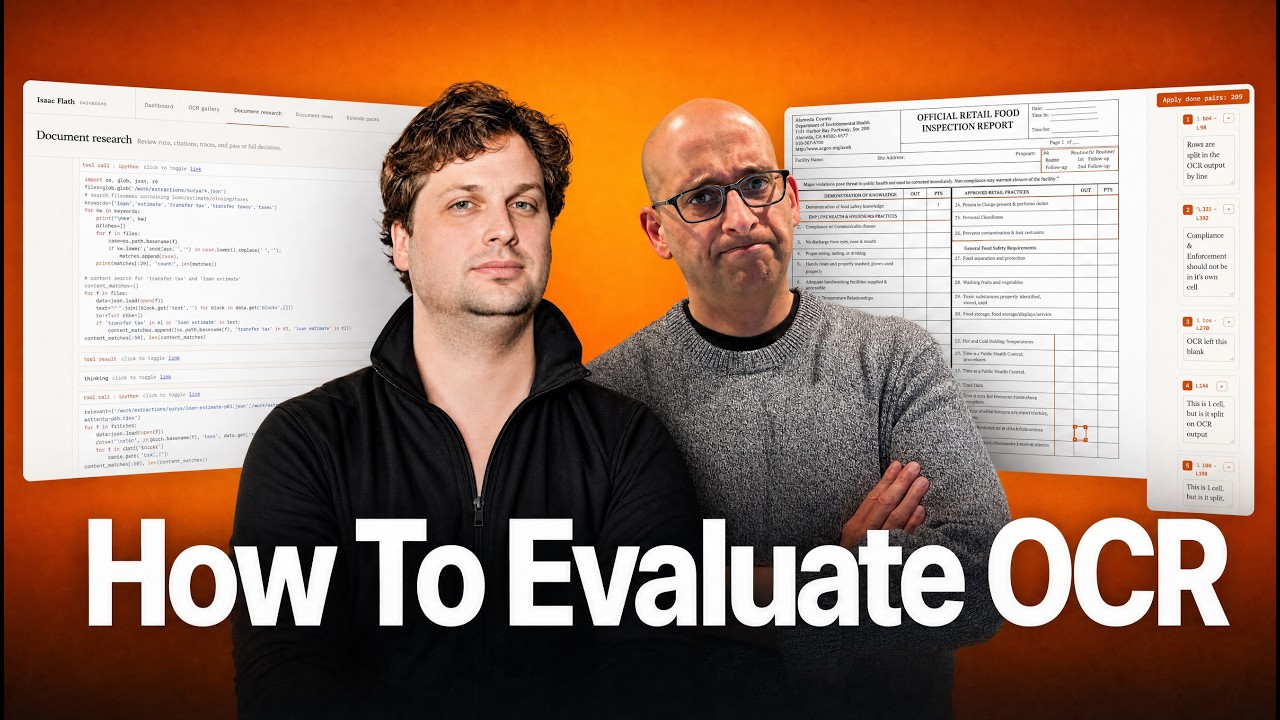
Hamel Husain and Isaac explore how OCR errors in document processing can break AI agents in high-stakes domains like medical and legal work. They walk through a custom annotation tool that tags specific OCR failures, compare vision models like Gemini Flash against Tesseract, and show how to trace whether a wrong answer came from OCR, retrieval, or the agent itself.
Chapters
I just want to introduce everybody to Isaac. I've been working with Isaac for, I don't know, I think like 5 years, 4 or 5 years. I've lost count at this point. I've known him, uh, from open source land. Um, I've also worked with him at an AI research lab, Answer AI, and I've just known him as a friend and colleague for this entire time. So with that, I'll just kick it off to Isaac.
Yeah, so I'll be showing a lot of the, as Hamel mentioned, a lot of the annotation apps and workflows that I use. not just for OCR, but also for like full agent traces. Because usually when you're working with PDF documents, you want to create a research report or you want to ask it questions and you want some sort of response. For those responses to be useful, you also need citations, you need to eval those as well. And so we'll get into all of that. My focus is on documents in general. It sounds like it's a super tiny niche because people kind of only usually think about OCR over PDFs, and that's a huge part of it because there's lots of PDFs, but it could be OCRing security footage or product pictures or anything like that. I think of documents as anything that stores information that's not a database, which is a lot. On top of that, we also need retrieval over documents because we need to find the right documents. Often we have huge stores of them and we have to often do some sort of ML or agentic question answering or research generation over those documents as well. And so all of that plays in. We'll look at all of that. I'm a little biased because I focus on documents, but I think document evals are harder than most for a lot of reasons. The first is that a lot of agent problems when you're working with documents often are actually upstream data issues. And we'll see how to identify all these, but you might see a hallucination. You're like, well, the The document says A and the agent says B, obviously it's a hallucination. And in reality, somewhere along the way, the OCR model got the answer wrong. And so it looks like a hallucination. People might tune their prompts. So they say, well, maybe I need instead of Luna, I need SOL to pull it up. And we find that maybe in a dense financial table, one digit got swapped. And so all of that doesn't matter if the data doesn't get to the model right. A lot of times when you think about which, which domains often do document work, it's often a lot of really high reliability domains where wrong answers can be really harmful. Like who uses PDFs? It's like, well, medical and legal and finance and governments, you know? So a lot of times these are situations where you really need the citations, you really need the confidence that these things are right. And that's true, I think, in almost every good product. But it's, it's often can be like criminally negligent if you don't have it over documents. Like if you don't have, if you don't fact check a legal brief before you submit it to the court, that's like you can get a lot of trouble for that. It's not just, oops, I'll lose a customer. A lot of times it's hard to compare. It feels like a spot the difference game because you might have a dense table with 100 values and then you're like, well, what's wrong, and it's hard to anticipate which errors are harmless until you understand the end goal, which we'll look at these as well. And a lot of times when you— even when you're open coding, a lot of times you need bounding boxes to know like where these issues line up and not just, you know, notes so you don't have to recreate it. So all of these make these evals hard and mean that a lot of these annotation apps are critical. So we're going to start. I'll go into OCR error analysis. We'll do agents over documents, do some error analysis there. We'll look at some kind of examples that are a bit, a bit nuanced. All of these will be kind of easily understandable to everyone though. And then we'll talk about how I use this pretty much every day.
Retail food inspection report. Okay, here we go.
You look at this and it's like, I don't know what's hard about this document. It probably looks pretty straightforward. Everything's typed up. You have a table, it's 2 columns, but it's not— nothing's hard to read. But there's a lot of judgment calls even in this, you know, already. So there's things like these fields have underlines and these don't. Do you care about that? Do you care? Should they all have underlines? Should none of them have underlines? Do you care what the model does? And you might say, no, that's a harmless change, we'll ignore that. And so other changes might be harmful. for example, the number of points that each one of these gets. If that's wrong, that probably is harmful. That almost certainly is bad.
There's groupings here too. It's like employee health and hygienic practices, that's all one group and that's very subtle. You can see that as a human. If you try to extract that data, I wonder if it's going to know it's part of one group.
Yeah. It's difficult even as a human in this case, is no discharge from eyes, nose, and mouth. So I guess that's not part of this group, right? But in this case, I guess all of these are part of this group. So there's a little bit of ambiguity, but overall it's a fair—
Wait, you don't think number 3 is part of that group? Employee health?
Does this count for everything underneath? So that's— That's the way I read it. Yeah, that's the way I read it. It could be. So then why is this one separate? This one's done differently. And so—
Oh, that's a really good point. Interesting.
Now, I do know that number 3 is part of here, employee health and hygiene. We're seeing proper eating, tasting. And so I know that this is part of here. The point is, is that we have this pattern of, oh, this header goes in the first cell, but it actually belongs to all these cells and rows below it versus here it gets a row of its own. Everything below there is clearly under that group. And so we have different patterns in the same table. But, but again, like overall it's pretty clear there's no, no handwriting or anything.
So this is amazing. This is like, this is how— see, data is like this. It's messy, it's inconsistent. Like, it— this is real. The real world has stuff like this, even if it's not a PDF. Even databases have problems like this where, like, data is, like, kind of messy.
And so this is the annotation app. I'll do a little walkthrough of this. And so this is the annotation app. So what do we see here? First, on the left here, I see the model output. In this case, I'm using Chandra. You can see for this particular food inspection. I've got them for Chandra and Gemini Flash and MinerUPAD, a whole bunch of them. I can see this is the rendered output. I can click on raw. This is the raw output of Chandra. You can see it's kind of giving you this XML HTML format, which, you know, is, is nice if you have a really complicated table structure because Markdown tables don't always do it. So if the table structure is really important, it might be something to consider. And I can look at it in a rendered way. And so then the question is, okay, What do I do? Do I like—
So just to be clear, this thing you have on the left, it's like you had Chandra, this OCR model, parse the PDF, and then you— that data that came out, because like Chandra, I think, is you marked this XML, you basically render this XML.
It's not technically HTML because you don't see like the HTML opening tag and all this, but you can see it's like a table. It's, it's, it's HTML. And so you can render it as HTML partials.
I see. And why does it look so much like the original document with like the spacing and the columns? Like, is that—
So Chandra is— it's a, it's a vision model basically. It's kind of 2 main types of OCR models. I mean, there's more, but simplify things, there's kind of like pipelines, which are like, if you think about traditional ML where you're like, let me detect the line, and then in the line let me do like a model that will predict what text is in that line, and then now that I have that, let me predict like the layout. So you have like a chain of like traditional ML And Chandra is a vision model. So a vision model is like, it's like giving Gemini a PDF, which we'll look at Gemini in a second, where it's just looking at the whole thing and predicting the output kind of in one pass as one big vision model. And so it actually sees this page. It's kind of treating them almost like, like it would just a regular PNG image or something. And so it tries to replicate it as much as it can predicting that. And we can see some of the things here, like over on the right, I deemed this not an issue. There are underlines here. These underlines are a bit shorter. I think that's okay. These permit numbers, the model decided that it added underlines all there. So that's actually a difference. There's no underline for the permit number and expiration date, but I do see them here. And so I think for most use cases it's probably harmless, but for yours it might be, it might be a problem. So you have to think about that. You know, this inspection type isn't centered. Depending on if you're trying to display this in a really professional way, that might be something you care about. If you're just trying to answer a question over it, you probably don't. There's small differences up there. Then when we go down here, we can start to see what we have.
I think there's a big difference actually. You can scroll up a little bit. It's really interesting because inspection type seems like at least semantically the way it's rendered on the left-hand side, it's completely decoupled from its children, R, F, U, C, O, whereas in the PDF, it feels like those are grouped.
Yeah, I would actually, I guess I'd call that an error. So let's annotate it. So here I'm going to say this is an error. So I'm going to click and I'm going to draw a bounding box. I'm going to write my note, inspection type is not tied to the children in the model output. We could find our inspection type here. Inspection type through here. And so now this is— you set me up perfectly to show a real example. It's great. So what we have here is we've got 3 things tied together, and we kind of— you can kind of think of this as open coding. I just wrote a note. I didn't classify it, but we're tying together a bounding box, a location on the actual PDF with our note, because the note only applies to that section and You know, sure, I could like go look at the PDF and then scroll through the output again every time I look at it, but that's horrible. And so I tied the bounding box to that note to actual lines in the model output. And so I could see it doesn't do it perfectly, but I at least see it. Hey, in 6, there's this, there's this error in this table here that I do. And so I can kind of revisit this. And the same thing here for error number 3. This is an interesting one. I see the circle. There's very clearly a 1 there. We can go back and see here. It's very clearly next to signs and requirements is very clearly a 1. However, in the OCR output, there's no 1 there. It missed it. And we can see this. And if I hover over, I can see kind of the source model stuff just so I don't have to jump back and forth all the time. And so there's all kinds of these differences. And so in this case, this seems pretty bad. And so, but even here it's ambiguous, right? It's Should— this is a header, sign/requirements. There's a points of 1 because this is like you're using a vision model that can hallucinate, even though it's quite good. You get this issue of, hey, every header, demonstration of knowledge, employee hygiene, health here, protection and contamination, everything it had seen on this page says that headers do not get a point value. And here the header had a point value. And so it decided it didn't need to point value. So you might need some domain expertise to say like, well, should it? Is this actually the signs and requirements? Is there something here that I should be— is there something different about this? And so it's clearly not representing the document correctly. Is the document wrong or is the OCR model wrong? Because it's the only case where a header has a value. And so we get all these differences where sometimes the headers are in their own cell and sometimes they're not. This value wasn't represented faithfully. We'll look at others. But the point is, like, even in this, in this case, I know that this OCR model didn't respond faithfully. And if I had a product around this, that would be my first path for resolving that one, is I would say, interesting, let me see if this original food inspection report is wrong. If it is wrong, how do I get the source data fixed? Because This looks like a form that people are walking around with on their clipboards and filling in. I don't know. So there might be a process there, or hey, maybe there is a reason that this one's goofy and the OCR model is wrong and I need to address that.
I love this. Most people, they don't even think about their OCR. They just assume that they give it to a model and then they act like it's coming from God because they're just like, okay, here's the data. I'm serious. I'm 100% serious.
Oh, I know it's.
No one— like, it is rare that somebody gets out, does error analysis on a document, and said, is the data being processed correctly? So this is amazing. I mean, again, this is a real document. Look at how messy it is. Like, you don't even know what the right answer is.
And here's the thing, I picked this document because it actually kind of looks like a regular document. It doesn't even look, it doesn't look controversial at first. It looks like, oh, this is just like a regular form. Everything's typed. A human can read everything easily and you still have all these issues. And so this doesn't get into like, what if you have a chart, a graph with no labels? Do you guess the values? How do you label that as estimated? What if you have a flowchart? So there's all kinds of things that are much trickier than this. But this is, this is the start and it's already ambiguous.
I love that. I mean, obviously, so you're doing what we teach people is like create a custom annotation interface that fits like a glove with your data and what you're trying to inspect. So can you tell us a little bit like how did you create this or like how long did it take you or I don't know, like, so give us some insight into this.
First version probably took about an hour. But the first version sucked, you know?
As most things do, yeah.
But then like every time I tried to do a trace, it got a little bit better. Like at first I just had open code where I was just like writing stuff and that was it. And then I'd like go back and I'd say like this one cell, it is split on the OCR output. And then I'd be like, wait, what cell is this talking about? I'm like, I have no idea. Like, I don't know what this error is. And so then I was like, okay, well, I need bounding boxes. And so then I did bounding boxes, right? So I added that at some point. And that didn't take very long because agents are pretty good. Most of the time was telling it to quit adding unnecessary labels everywhere. Yeah.
Okay. So you iterated on it as you're labeling, which makes sense. Like you just kept asking your agent to make improvements when you found like, hey, it's like, need something else.
Yeah, and then I was like, oh, I hate looking at this. Let me add a rendered thing because I also probably want to go back to the raw. And then I was like, even here, then I'm like, I hate jumping back and forth to see exactly what the model output is all the time. And so then I added like this hover where I can hover over and it'll like highlight that. So yeah, it was like, I don't know, an hour at a time. Every time I got really annoyed, I do this because I'm doing this data work every day, basically. I get annoyed at things, right? Like if you only do it like once and you're not going to look at your data again for 4 months until you work on the next feature, then you probably won't care. You'll be like, well, I never look at this anyway. I don't need to spend the time on it. But if you actually do it all the time, like I think you should, then yeah, you just get better at it. So this is the same document with Gemini. And in this case, you know, you can ask Gemini to return whatever you want. In this case, I asked it to return Markdown. And so you can see a Markdown version of this table. You can see it just does one column and maybe you're like, well, one column is, that's fine. So like it broke these CDC risk factors and approved retails into different ones. And maybe you say, that's fine. That's, I don't, I don't need that exact format. And you can see here, it did do better at this inspection type, but it added checkboxes here and it added checkboxes here.
Okay. So this is a, this is 3.5 Flash before we're looking at Chandra. Okay.
Exactly. And so here we see all these differences and it's again ambiguous. And because these inspection types, yeah, my guess is you're probably supposed to check or circle one. These, these things in the actual document, it's very clear that these are yes or nos. And so a checkbox makes sense, but they aren't on the original document. And the question is, is a checkbox okay? One of the problems with a checkbox is that you can't easily put not applicable, especially if you want an agent to fill it in. Is the checkbox checked or not checked? If it's not checked, Is it because someone didn't check or is it because it's not applicable for this particular restaurant?
Yeah, basically it's assigning a data type to this field out that is binary and we don't really know what's supposed to go in that field.
Yeah, that's right. And that's, again, that's something, you know, in this case, you know, it might be the check. I think the checkboxes are probably okay, but I don't know what all the regulations and whatever are like if you check it as, as correct and it's not as good. and it's not good, like, are you supposed to— if you don't check it versus if it's not applicable, do these points apply the same way? I don't know, that kind of depends on, uh, how the— maybe if they're not applicable, you shouldn't do them at all. And if you can't check them, that's because you weren't able to get access to it, and that's a mark against the restaurant.
I don't know.
So anyway, point is, lots of ambiguity. I'll go through one more quickly, and then we'll get kind of more into the the agent stuff here. Here's another one. This is, again, I'm picking ones that appear to be very simple. We have a patient name, medical records, alt text, bunch of prose here, and we have this watermark. And this watermark says example. And so in this case, everything works pretty well except we have this watermark and the actual OCR output, both for Shandra and Gemini Flash by default, don't capture that watermark. And so if the question is, what patients did Dr. Teachwell see, or what patients is he working with, what patients are assigned to him, then it can answer this question and it probably should tell them like, hey, this isn't an actual report, this isn't a real patient, this is just an example document. Now you might say, well, this example document shouldn't be in the dataset at all. It's probably true, but you have the same issue in legal and finance all the time. or government. The watermark might say confidential. And if you're working on an agent over confidential documents, maybe with like Anthropic's Claude for government, and these are confidential documents and it answers a question, it'd be really nice to tell the person that these answers do touch confidential documents.
And by the way, these are state-of-the-art OCR. Like, Chandra is state-of-the-art. This is the best model. This is like on the frontier. of the best OCR. So this is not like an— like this is real kind of error we're seeing. This is not contrived.
So that's government example. With confidential and legal, a lot of times things are marked like draft, not for execution. Like you're like, hey, I wrote up a contract, I'm going to watermark it as draft, send it over for review. That might be really important to say like, hey, what's the state of this contract? Or what are the terms with these people? And they might say like, oh, there's no executed contract, but there is a draft contract marked not for execution. That says these terms. And if it misses that draft not for execution, that's a big problem. Because that's like, is this a real— is this something we're just thinking of, or is this something everyone's agreed and signed to? Doing OCR over invoices. Well, if there's a big void watermark, whether it's handwritten or text, that makes a big difference as to what you could do with that invoice. And so these watermarks. extremely easy to see, it's not always guaranteed that it's just going to like happen. Now you can, you can get these out, you can fix them in a lot of ways, but you can't just assume that it's— that your data is just going to magically be OCR'd. OCR is not solved. That's what I'm saying.
Yeah.
So what do you do with this? Um, well, there's a lot of things you can do. You can, of course, if you prompt Gemini Flash, just say like, be sure to include any watermarks as YAML front matter before you OCR the rest of the page, that's one way to handle it. Like, ask it specifically to look because it won't look by default usually. Another option is to do structured data extraction. And so you can have models that output JSON and you might not need all this text here. You might just need, let me get all this patient name, medical record, date admitted, discharged, attending physician, this example, like status of the document. Document, and you might just use a vision model to do structured extraction of text so that you can like search and filter. Maybe you don't need the text. And so there's ways to handle it, but you need to look at your data to find like what of these edge cases are you hitting. So the next step is I've been talking about often you want to use an agent to do stuff, or like usually when you have a document, whether it's PDF or an image or whatever, and you put it in text, you're not like, great, it's in text, that's all I wanted. I save the file and I don't touch it. You want to do something with it. There's a reason you wanted it in a format that you could work with. And one of the most common ways to work with that now is with an agent. And so OCR is one piece. When you're working with agents, citations are very important. Getting, as you work through with agents, this, all this OCR annotation still becomes important because that's like an upstream error that could cause all this. But it's also important to test both the OCR stuff and the final answer. So this is a post that's going out soon, uh, shameless plug. You can go to my site here, hit subscribe, and you will get this in your email when it comes out.
Definitely subscribe. It's actually like, if you have documents in your AI pipeline, Isaac goes deeper on this topic than anyone that I know. He goes really deep on like, hey, this is what can go wrong with document processing and how to fix it. So definitely suggest that.
This is the first example and they build in complexity, but you know, you might have just a question answering that says, how much did Berkshire Hathaway's insurance and other costs decrease from 2023 to 2024?
So I have a question for you, Isaac, because this comes up as the same thing about evals. Whenever you present a problem in AI, everybody wants to know, but what about this tool? Is there a silver bullet with AI? Like, surely, like, there's a vendor, Reducto, Azure, you name it, somebody that's solved this problem where you can just close your eyes, submit a PDF, and it's, and it's like really good and you don't have to worry about anything. You don't have to look at the data. Is it?
No.
Does that exist?
So no, not at all. The thing is, is like, if you think about what is a PDF, a PDF is an image except much harder because not only Can it handle scanned images? It often has much denser information than tables, and it can also have a text layer on top of it. So it's like you take all the complexities of working with text, and if you use coding agents to code, you've probably gotten annoyed and mad at how bad it is at text. Sometimes they do incredible things. I use them a lot. It's not like I can go to, you know, Aster or whatever the new Claude model is today that came out or whatever and just say like, build me a SaaS, you know?
And, and, And just to drill into what you're talking about here, like when you talk about PDF, there's multiple layers to PDF. So like you mentioned text layer, text layer is like, can you describe what a text layer is exactly for people that might not know?
Yeah, so a PDF, it's, it's kind of an image format, but some of the stuff in a PDF might be stored as text where you can just basically extract it without reading it as an image. Problem is, is that some stuff can be stored that way, other stuff can be scanned, and most PDFs have some aspect of both. So if you think about this, people have probably filled out a W-2 before. A lot of times you go on a platform and if you need to fill some of this out or you get these, if you, if you need to fill some of these stuff out, a lot of times you can enter text and you tab to the next field, enter text, and so you can type. And how can you type in an image? It's because it's getting stored as text. In other cases, if you have a W-2, if you're an employee and you have a W-2 and you're like, hey, I want to save this for my records because I got it mailed to me, and you scan it, there's no text. It's just an image. You just scanned it on your PDF. And so the same thing, sometimes you could extract this completely from just text, reading text very quickly. And sometimes it's like, well, it's just an image. I have to like OCR and like look at it as an image and process it. And both can happen. And half of it could be text and the other half could be handwriting. You know, this could be handwritten if it's a very small lawyer, they might have written stuff out. And so you just have so much stuff there. Okay, so we have this question, a very simple question. It needs to give an answer. To get the answer, it needs to give me a citation and it looks at 2 numbers and it needs to say, how, how far off are these? So simple subtraction. And in this case, the agent got it wrong. I think I was using like SOL. So pretty good agent got it wrong. It's 3.5 billion. If you're quick on math, you might see 75, 76, 77, 78. It should be a little over 4 billion. So it's wrong. And so that can be a top-level eval. You can say like, hey, when I ask this question, does the right 4.134 billion show up in the agent's response? Great. You can eval that. You can write a test for it if you want, whatever you need to do. The question is, why did this happen? And this is where the annotation apps make it really helpful. And so we'll see this. This is like an abbreviated version, but we'll see this exact actual thing. We have a question, we have an expected answer, and we have an agent answer. And so very quickly I can see, cool, on this question it failed, it got the wrong answer. I have a citation, it circled some boxes. Cool, those are the right boxes.
Great.
And so the first question is, why did it get this wrong? when it seemed to have a good citation. And we might say, well, maybe it just hallucinated a number, maybe just didn't find the right document. And so it just didn't have the information, 'cause maybe the citation is like an after post-processing step. And so it's like, it's not clear, you know, why it got to this wrong answer. And so the question is, it's like, can I fix this by writing a better prompt? Can I fix this by maybe I was using, I don't know, super small local model? Can I fix this by just paying a bit more and moving up to Terra, you know, GPT Terra? I don't know, 'cause I don't know what the problem is. And so to do that, I kind of start from the back, from this endpoint, and work backwards. And I say, okay, I have the wrong answer. Is the wrong answer like a model hallucination, or is it just repeating something in its context window? Cool, it's repeating something in its context window. Great. I immediately know that just prompting better or going to a more expensive model or trying this is not going to help because the model did what it got information and it told me the information.
There's— How do you know it's repeating something in its context window?
How did you— I look at the trace. I look at the trace. So like, for example, so in my app here, I go and I just look at the trace and I look at the tool calls and I figure it out. I say like, oh, There we go. It's in there. Now I can use like a Command+F to search, like here's the wrong value reported. Can I look for 3.5 or whatever number I'm looking for? Does it exist in the trace? I could say like, oh, it is in the trace, and then I could read around that to jump to it quickly. But you would look at the trace and say it is in the model's context window, so we can rule that out. The next question is, well, how did it get there? How did the wrong information get there? And it could be from a prompt. Maybe it was hardcoded in a prompt. It could be a retrieval tool call. Like maybe it was like templated into this, into the prompt for you. In this case, I'm looking at the trace and this is just an example. I say, well, there's a retrieval tool call it came in from. Cool. So that leads us to the next question. Is this wrong data there because retrieval failed and gave me the wrong page or document? Or is the wrong data there because it retrieved the right page but it was wrong? And, and based on looking at this trace, I say, oh, okay, well, the data it retrieved was wrong. It got the right page, it brought it in, something was wrong. And then I want to know why is it wrong, you know? Is it that the source PDF was wrong, or was there like an extraction error? And I can say, oh, there's an extraction error. The source PDF does not match the extracted model output. And so now I can know exactly where this issue is, and I could work on formulating a little test around this. Maybe I, maybe I take the text, run it through a model. I can use Jev to like do a structured extraction for all these values from the text, because the text, I mean, that would be a very easy task. Like just take these values from text and extract them with Jev. And I can like, like If I sum all these up, does it equal the total or not? That's possible that like one value is 100 too big and another value is 100 too small, and therefore the test still passes. And it's theoretically possible, but in practice, um, that would catch most of them. Like, do all these numbers sum to the total? And if any one number is off, was misread wrong, that test will fail. And so, um, that gives you like a fast test you can do without having like rerun the whole agent loop over and over and over. So that's, that's kind of what I'm building towards here. Does that kind of make sense?
Yeah, that makes sense. So you have like, you basically have this eval, you're like trying to, you're basically trying experiments. After you say you're going to get the data out, you're going to try experiments to see like, okay, how can you get the right answer? But you're doing some root cause analysis to say like, okay, kind of just like process of elimination. Okay. Like how did we arrive at this number? Yeah.
And then now I know that this question is wrong because my OCR model failed. Maybe 80% of my failures are actually just because my OCR model failed, in which case prompt tuning is just a waste of my time right now. It depends. In this post, which again, you can subscribe if you want it, I'll go through a medical example, which is a little more complicated, and then I'll go with a floor plan, like sink double counting thing as well.
Do you have a gallery or something that shows all these different failures? Can you show us?
Yeah, I do. So, um, I don't show all of them because I don't— like, I, I used to, uh, I use this as an internal—
You don't want it to get benchmaxed.
Yeah, yeah, exactly. You can see this looks a whole lot like, uh, my annotation app. You just can't draw bounding boxes. But yeah, it's— there's stuff here, and I still find stuff as I go through this. Like, stuff like this is really hard to, like, get everything right, you know? Or like this— how do you turn this into text, and how do you make sure Like, do you make a JSON graph? It's not clear what the right representation for something like this is. So, okay, so let's look at some actual agent things. So we looked at this. I can see a very simple example, which we'll look at a wrong one here soon. How much is the underwriting fee on a loan estimate? We see an expected answer of $1,000, an agent answer of $1,000, right? I have a citation here. You can decide, is this granular enough? For me, I think this is granular enough. Like this is the 1097, it circled the whole table. I'm happy with that. Maybe you want it exactly at the right row. I don't know that that would really help that much, but depends on your application, right? So I call this a pass. I do use JEV in several places. This is a kind of nice pass where it— JEV basically predicts, is this— does the citation— is this answer that the agent gave supported by the citation? Does the citation contradict it or is it kind of just unsupported in general. I used to just have a test. This was like a slight upgrade, right? I used to have an automated test that said, does a citation exist? Like, did it return a citation? And that would be like a thing. And this is just a little bit nicer. It just looks at the value and sees if it supports it. So I use Jev in small ways to give me visual things. I still, I still have to look at the data, speeds me up. So in this case, I'd be kind of done.
Nice.
But what else can I do here? I have these pages and bounding boxes. This is this view. I can look at just the PDF. This is the actual full extraction text. And so if I'm really getting into weeds, I can look at that and I can look at this trace. And so I can see what it read. We can see it read different parts of this loan estimate JSON, which this is an output from a Asuria model, which is another OCR model, and I can see the final answer. We can see the citation is block ID. And so this is where I can look in and dive in to say, how did the information get there if I need to? Now, in other ones, we can see, we can see here, you know, Jeff says not established by cited text. And I look at the citation and I'm like, yeah, it doesn't seem great. And so this is an OCR failure. And so I can see the citation is this entire form. This would probably, and this, all this text would probably immediately jump me to say, I would kind of skip some steps because I'd be like, this looks very suspicious, you know. So I would say rather than going through the full thing, let me just jump and see if citations— if the OCR process is wrong. And I can see that like this doesn't look right, that like this clearly is not a great format for this form, right? I would say this OCR failed.
Yeah, it's just like really mangled and it's like maybe putting field names inside data. It's like this text field is just like trying to just shove stuff in there. It's not a great data format to parse. Like, you, you wouldn't want— like, if you had to parse that big text field, it would just be like really brittle and error-prone. It's not the way you would want to go about it. I totally agree.
Yeah. And so I'm like, okay, well, I think this is probably, probably the issue. So here's another one. So up here I can change between different setups. Basically what this allows, this, this whole document dataset is, is there's, there's 3 parts to this. And I've kind of talked about this, but not explicitly here, is there's an OCR process. I take the PDF and I get it into text that I can work with. So that's one part. There's retrieval. I need to find the right document with the right information. In this case, you know, finds the right document. And the third thing I need to do is I need to— I have an agent loop. These are the 3 big parts of this particular question answering thing. This, I can change the OCR model, I can change the retrieval approach, whether that's just using grep or using a semantic search or whatever, or SQL queries, or I can change out the agent harness, whether I use Py or Codex or a custom one or the Prime agent, whatever you want to do. In this case, I said, well, let's do OCR by just giving it Tesseract, which is a very simple, OCR tool that runs locally as a CLI and bash tools that let it like crop and zoom. And what happens? And so we can see this is a pretty damn specific citation. We see it gets the answer right. So this is cool, right? And we look at this trace here and we can see what it's doing. We can see it's like going through, it's doing like resize and crops and conversions and it's like piping all this stuff out and it's like grepping through outputs. You know, and it gets to an answer. It gets to it in a really expensive way and really slow, but it does work. And so in general, that approach gets pretty good results. You know, you also are probably going to take about 10 times as long on the agent loop. So depending on what you want to do. And so yeah, it just does crop and zooms and just like keep zooming around and cropping and it'll get into a loop. It'll just keep cropping things and OCRing things. Definitely often. Like sometimes it's like to answer a simple question, you know, it would run for 45 minutes and burn like $20. Oh, wow.
Because I asked— so there's no magic bullet here.
I asked it a question that I knew wasn't in the dataset. And I was like, okay, let's see if it tells me it's not there. And it just— and when I gave it all these like small tools, it was like, oh, there's always more it could try. And so it kept cropping and zooming and whatever on maps. And so yeah, so I compare those. Let's look at this. This is actually using the Prime Agent. This is, uh, literally how I evaluated the Prime Agent when it first came out. And so, um, we'll just do it on the simple one.
Can you tell us a little bit about the Prime Agent? I heard it for the first time, uh, yesterday on a podcast about like a new agent harness. Can you tell us a little bit about it?
So the main idea is that what if Like I would say, there's a few parts of it. One is like, it's this kind of self-learning thing. But in terms of like tool use, it's kind of like, what if it only had one tool and that tool was Python? And let's see how it solved it. So it started by saying, let's look at the directories and see what relevant documents we have. These were like OCR outputs saved to disk. We can see what it did. It imported a whole bunch of stuff and then it writes all this and it like loops through everything. It's like, printing the length of files just like you might in a Jupyter Notebook, you know. And then here it's like, oh, let's look at content message and let's like open each one and then like search for different thing and like let's lowercase it all and let's see if transfer tax or is in this or if loan estimate is in the substring, right? Like, it's like—
I'm really skeptical. Like, if you showed me this is the way you want to solve this problem, be like, I don't know about this.
But yeah, I would say it didn't do as well as, uh, Vanilla Pi agent, and it cost about 3 times more. So you're right to be skeptical. But like, how would you know that unless you looked at this, right?
Yeah.
And so, um, in this case, the expected answer is none. The transfer tax amount is blank. Agent said, hey, there's $0 in transfer taxes. It gave this citation, which is important. As I mentioned, if, if I have to look through the whole dataset myself manually to like verify if this answer is right or not, And more importantly, if your user has to do that, then like the whole thing is garbage because they, they're just better off doing it themselves. So I'm a big fan of, of visual citations. And we can see here transfer taxes is empty. And the question is, is like, is empty— is it okay to represent this as 0, or is empty— should it say there's, there's no transfer tax, it's empty? I marked it as a failure, but yeah, it really depends on your, your end use case. You know, sometimes, sometimes zero and blank is the same thing and sometimes it's not. So it kind of requires a little domain knowledge. We mentioned signatures before. Um, so think about this again.
I can barely see some of these signatures. Like, what is going on?
Right. That's the thing. What do I do with these? Do I go back to source documents? Was this just scanned a whole lot of times or did someone try and erase the signature? Did Mark Picktech, did he accidentally sign the wrong place and be like, oh shit, let me erase that and put it back?
I don't know.
You know, why is there a date? There's a different date attached to these. These were earlier. So why are these missing? Is this contract legally enforceable? Is it enforced? Like, how do I mark this? Do I say there's a signature? Do I say, is this, is this document signed or not? Do I, do I do like a percent likelihood that this is signed by Sean Heckler? And if it says yes or no, it's like, do you trust it? Probably not. So there's all kinds of like ambiguous cases like that. And these, these aren't ones that I made in order to like create ambiguous cases. These are ones I just, I just saw. A couple last things. All of this ends up— I use this all the time to create a document news feed. So if you're interested in what goes on in document news as things come out, I post stuff. I've got a whole bunch more to record today, new models. And when you see these models, uh, and see my takes on them, I don't always go into the details of exactly how they scored on my benchmark. But I always try them, and this is how I evaluate them. So this is how I stay on top of things. New model comes out, I run them through all of them. I can annotate, I can quickly look at traces because I have a nice annotation tool, and then I can post something that where I'm not, you know, just talking out of my ass.
So if you— yeah, if you're doing OCR and you're like wondering, is this good, Isaac has probably looked at it and he's probably done some evals on it, and he's probably even written an article or talked about it, and You can find it on this page. But like, then again, there is nobody— I mean, like, yeah, it's very specific. Like, he is going deep on this OCR thing. And like, it is deceptively like a very important problem because a lot of people's company data, etc., a lot of stuff lives in documents like PDFs. And as you see, it is a really large failure point. Like, it's— things can fail very Easily.
Here's a GitHub issue that was, you know, just recently closed in one of the state-of-the-art pipelines. They're like, this, this is extracting wrong. Like, it extracted it, but now it's like it saw all the, um, you know, all the, uh, technical diagrams and it started using superscripts and subscripts for lots of things like it was a formula. Just like, it's a weird error. So you run into things like this all the time. This is the kind of stuff I look at for the— I have to use Google Translate for this, but For the newsfeed. That's pretty much, that's pretty much it. If you wanna learn more, here's a bunch of stuff. How to choose an OCR model, document answers. You can check, talks about this stuff. This is by Joe Barrow. This is really good. Number one question that people ask is like, what model do I pick? And, and then I'm co-teaching a 1-day intensive course. With that, you're gonna get 30 days of support, which is like unlimited Q&A on a, like a private forum, and then weekly office hours. Um, Comes included with that. And then so far we've got about $700 in OCR credits from vendors, and the course is not $700. It's cheaper than that. Probably have more.
All right. Thank you so much. All right.
Bye.