Language models on the command-line w/ Simon Willison
Simon Willison demos llm, a command-line tool for running language models locally or remotely. It logs all interactions to SQLite, supports plugins for different models, and pipes into bash scripts for tasks like summarizing Hacker News or analyzing code. He shows semantic search with embeddings and discusses local execution on Apple silicon.
Chapters
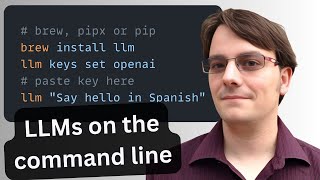
Okay, hey everyone, it's great to be here. So yeah, the talk today, it's about command line tools and large language models. And effectively, the argument I want to make is that the Unix command line dating back probably 50 years now is, it turns out, the perfect environment to play around with this new cutting-edge technology because the Unix philosophy has always been about tools that output things that get piped into other tools as input. And that's really what a language model is, right? An LLM is a, it's effectively a function that you pipe a prompt to and then you get a response back out, or you pipe a big chunk of context to and you get a response that you can do things with. So I realized this last year and also realized that nobody had grabbed the namespace on PyPI, the Python Package Index, for the term LLM. So I leapt at that. I was like, okay, this is an opportunity to grab a really cool name for something. And I built this little tool, which originally was meant— was just a command line tool for talking to OpenAI. So you could be in your terminal and you could type llm say hi in French, and that would fire it through the OpenAI API and get back a response and print it to your terminal. And that was all it did. And then over time, as the— as local— as other model providers became interesting and as local models emerged that you could run on your computer, I realized that there was an opportunity to have this tool do way more than that. So I started adding plugin support to it so you can install plugins that give you access to Claude and Local Mistral and all sorts of other models. There's hundreds of models that you can access through this tool now, and I'll dive into that in a little bit, bit more detail in a moment. First thing that you need to know though is how to install it. If you are Python people, that's great, pip install llmworks. I recommend using pipx to install it because then you the dependencies end up packaged away somewhere nice, or you can install it using Homebrew. And I think the one I've got here, yeah, this one I installed with brew install llm. I made the mistake of running that command about half an hour ago, and of course it's Homebrew, so it took half an hour to install everything. So treat with caution, but it works. And once it's installed, you have the command. And so when you start using LLM, The default is for it to talk to OpenAI, and of course you need an OpenAI API key for that. So I'm gonna grab my API key. There's a command you can run, llm secrets. Is it llm secrets?
Yes.
Yes. No, it's not. It's— what is it? llm keys. That's it. llm— so I can type llm keys set openai, and then I paste in the key. And I'm done. And having done this, I've actually got all sorts of keys in here, but my OpenAI API key has now been available, made available, and that means I can run prompts. 5 great names for a pet pelican. This is my favorite test prompt, and it gives me 5 great names for a pet pelican. So that's fun. And that's running, that's running over the API. And because it's a Unix command line thing, you can do stuff with the app So you can do things like write that to pelicans.txt. The greater than sign means take the output and run it to a file. Now I've got a nice permanent pelicans.txt file with my 5 distinctive names for a pet pelican. Another thing you can do is you can continue. If you say -c, which stands for continue, I can say now do walruses, and it will continue that same conversation. Say, here are 5 fitting names for a pet walrus. I'm going to say justify those. Oops. And now it says why each of these names justified for that walrus. That's super, super, super delightful.
I like Gustav.
Gustav. What was— oh, let's do llm logs -c. Gustav, a touch of personality and grandeur, strong regal name that suits the impressive size and stature of a walrus, evoking a sense of dignity. It's good. The justifications are quite good. This is GPT-4o I'm running here. You can actually say llmmodels default to see what the default model is, and then you can change that as well. So if I want to be a bit cheaper, I can set it to ChatGPT. And now when I do this, oops, these are the GPT-3.5 names, which are slightly less exciting. So that's all good and fun, but there are a whole bunch of other useful things you can do when you start working with these things in the terminal. So I'm going to, let's grab another model. So LLM, as I mentioned, has plugins. If you go to the LLM website and look at list of plugins, there is a plugin directory and this is all of the plugins that are currently available for the tool. And most of these are remote APIs. These are plugins for talking to Claude or Weka or Perplexity or Anyscale endpoints, all of these different providers. And then there are also some local model plugins that we'll jump into in a moment. But let's grab Claude 3. Claude 3 is my current favorite, my favorite family of models. So I can say LLM install LLM Claude 3. And it will go ahead and install that plugin. If I type LLM plugins, it shows me the plugins that it has installed. Oh, I didn't mean to install LLM Claude, but never mind. And if I see LLM—
Why is Claude 3 currently your favorite? Just out of interest.
Two reasons. Firstly, Claude 3 Haiku is incredible, right? Claude 3 Haiku is cheaper than ChatGPT 3.5. I think it's the cheapest decent model out there. It's better than 3.5. It has the 100,000 token limit, so you can dump a huge amount of stuff in there, and it can do images. So we've got, like, I think it's the most exciting model that we have right now if you're actually building, because for the price you get an enormous array of capabilities. And then Opus, I think Opus was better than GPT-4 Turbo. I think 4.0 is just about caught up for the kind of stuff that I do, but Opus is still like a really interesting model. The other thing I'll say about Claude is the there's this amazing article that just came up about Claude's personality, which talks about how they gave Claude a personality. And this is one of the most interesting essays I have read about large language models in like months, like what they did to get Claude to behave the way it does and the way they thought about it. It's super fascinating. But anyway, so I've installed Claude. I've now got Claude 3 Opus, Claude 3 Sonnet, and Claude 3 Haiku. LLM gives everything long names, so you can say that Say hi in Spanish and it'll say hola. If you say it with a flourish, it'll add an emoji. That's cute. Hola, mi amigo. But you can also say llm -m and just the word haiku because that's set up as a shorter alias. So if I do that, I'll get the exact same response. Crucially, you can— like, this is how I spend most of my time when I'm messing around with models. I install plugins for them, or often I'll write a new plugin because it doesn't take much effort to write new plugins for this tool. And then I can start mucking around with them in the terminal, trying out different things against them. Crucially, one of the key features of this tool is that it logs absolutely everything that you do with it. It logs that to a SQLite database. So if I type lm@logs_path, it will show me the path to the SQLite database that it's using. And I absolutely adore SQLite databases, partly 'cause my main project, the thing I spend most of my time building is this thing called Dataset, which is a tool for exploring data in SQLite databases. So I can actually do this. I can say Dataset that, if you put it in double quotes, it makes up that space in the file name. This is taking, this is a good command line trick. It's taking the path to the logs database and passing it to dataset. And now I've got a web interface where I can start browsing all of my conversations. So let's have a look at responses. We sort by ID. Here we go. Say hi in Spanish with a flourish. Hola, mi amigo. There it is. It stores the options that we used. It stores the full JSON that came back. It also organizes these things into conversation threads. So earlier we started with, we built, we had that conversation that started, 5 great names for a pet pelican. We replied to it twice and each of those messages was logged under that same conversation idea. So we started 5 great names for pet pelican. Now, Duolingo says justify those. As a tool for evaluating language models, this is incredibly powerful because I've got every experiment I've ever run through this tool. I've got 2,000, 2,500 responses that I've run all in one place, and I can use SQL to analyze those in different ways. If I facet by them, I can see that I've spent the most time talking to Claude GPT 3.5 Turbo. Claude 3 Opus, I've done 334 prompts through. I've got all of these other ones, Gemini, Gemini Pro, Orca Mini, all of these different things that I've been messing around with. And I can actually search these as well. If I search for pelican, these are the 6 times that I've talked to Claude 3 Opus about pelicans. And it's mostly, oh, interesting. It's mostly asking names for pelican, but I did at one point ask it to describe an image that was a close-up view of a pelican wearing a colorful party hat. The image features aren't in the main, the shipped version of the software yet. That's a feature I need to release quite soon. Basically, it lets you, say LLM, like, -i, and then give it the path to an image, and that will be sent as part of the prompt. So that's, that's kind of fun. But yeah, so if you want to be meticulous in tracking your experiments, I think this is a really great way to do that. Like, having this database where I can run queries against everything I've ever done with them, I can try and compare the different models and what the responses they gave to different prompts. That's super, super useful. Let's talk a little bit more about plugins. So I mentioned that we've got the, we've got those plugins that add additional models. We also have plugins that add extra features. My favorite of those is this plugin called llm-cmd, which basically lets you do this. If I could say llm-cmd, That's installing the plugin. That gives me a new, oop, a new command, llm cmd. That command wasn't there earlier. I can now say llm cmd --help, and it'll tell me that this will generate and execute commands in your shell. So as an example, let's do llm convert the file demos.md to uppercase and spit out the results. Ooh, oh, I forgot LLM CMD. And what it does is it passes that up to, I think GPT-4.0 is my default model right now, gets back the command that does this thing. Why is this taking so long? Hang on. Models, default. Let's set that to GPT-4o. Maybe GPT-3.5 isn't very good at that. Anyway, when this works, it populates my shell with the command that I'm trying to run, and when I hit enter, it will run that command. But crucially, it doesn't just run the command, because won't that— that's a recipe for complete disaster. It lets you review that command before it goes. And I don't know why this isn't working. This is the one live demo I didn't test beforehand. I will drop— I will make notes available afterwards as well. But this is a right— here we go. Here's an animated GIF showing me, showing you exactly what happens. This is show the first 3 lines, show the first 3 lines of every file in this directory. And it spat out head -n 3 And that does exactly the job. A fun thing about this is that because it's a command here, you, it actually like tab completion works as well. So you can give it file names by tab completing and when the command's behaving itself, that will do the right thing. But that's kind of fun. It's kind of neat to be able to build additional features into the tool, which use all of the other like features of LLM. So it'll log things to SQLite and it'll give you access to all of those different models. But it's a really fun playground for sort of expanding out the kind of command line features that we might want to use. Let's talk about local models. So local models that run on your laptop are getting shockingly effective these days, and there are a bunch of LLM plugins that let you run those. One of my favorites of those is called LLMGPT4ALL. It's a wrapper around the GPT4ALL library that Nomek put out. So Nomek have a desktop application that can run models, that is accompanied by a Python library that can run models, which is very neatly designed. So what I can do is I can install that plugin, lm install llm-gpt4-all. This will go around and fetch that. And now when I run the lm models command, we've got a whole bunch of additional models. This is all of these GPT-4 ones. And you'll note that some of these say installed. That's because I previously installed them and they're sat on my hard drive somewhere. I'm not gonna install any new models right now because I don't want to suck down a 4GB file while I'm on a Zoom call. But quite a few of these are installed, including Mistral 7B Instruct. So I can grab that and I can say lm -m mistral, let's do 5 great names for a pet seagull explanations. And I'm gonna fire up Activity Monitor for this right now. And let's see if we can spot it doing its thing. 'Cause right now we've just asked a command line tool to load in a 4GB model file. There we go, it's loading it in. It's at 64.3 megabytes, 335 megabytes. It's spitting out the answer and then it goes away again. So this was actually a little bit wasteful, right? We just ran a command which loaded 4GB of memory, of file into memory and I think onto the GPU ran a prompt through it, and then threw all of that away again. And it works, you know, we got our responses. And this here ran entirely on my laptop. There was no internet connection needed for this to work. But it's a little bit annoying to have to load the model each time. So I have another command I wrote, a command I added, llm chat. And llm chat, you can feed it the ID of a model, llm chat -m mistral-7b, and now it's given me a little chat interface. So I can say, say hello in Spanish. The first time I run this, it will load the model again. And now, now in French. And so this is, if you're working with local models, this is a better way to do it because you don't have to pay the cost of loading that model into memory every single time. There's also you can stick in pipe multi, and now you can copy and paste a whole block of code into here. Translate that to French, and then you type exclamation mark end at the end. And if we're lucky, this will now give me— huh, okay, well, that didn't. I may have hit the I wonder if I've hit the context length. Hmm. Yeah, something went a little bit wrong with that bit. But yeah, being able to hold things in memory is obviously really useful. There are better ways to do this. One of the best ways to do this is using the Ollama tool, which I imagine some people here have played with already. And Ollama is a absolutely fantastic. Like, it's a Mac, Linux, and Windows app that you can download that lets you start running local language models. And they do a much better job than I do of curating their collection of models. They have a whole team of people who are making sure that newly available models were available in that tool and work as effectively as possible. But you can use that with LLM as well. If I do llm install llm llm-olama, actually, that will give me a new plugin called llm-olama. And now I can type llm models. And now it's, this time it's giving me the Ollama models that I have available on my machine as well. So in this case, we can do Mixtral. Let's do llm-chat, llm-mixtral-latest, in Spanish. And this is now running against the Ollama server that's running on my machine, which I think might be loading Mixtral into memory at the moment, the first time I'm calling it. Once it's loaded into memory, it should work for following prompts without any additional overhead. Again, I spend a lot of time in Activity Monitor these days. There we go. Ollama Runner has 4 gigabytes in residence, so you'd expect that to be doing the right thing.
So, Simon, I just have a quick question. It's— and I love how you can use Ollama directly from LLM. I do think one of the other value props about Ollama is the ecosystem of tools built around it. Like, you go to Ollama's GitHub, and there are all types of front ends you can use. And so I love using your LLM client, for example, with a, like, a quick and dirty Gradio app or something like that. But I'm wondering, are there any front ends you recommend or any plugins or anything in the ecosystem to work with your—
I've not explored the Ollama ecosystem in much detail. I tend to do everything on the command line and I'm perfectly happy there. But one of the features I most want to add to LLM as a plugin is a web UI. So you can type LLM web, hit enter, it starts a web server for you and gives you a slightly more modern interface for messing around with things. I've got a demo that relates to that that I'll show in a moment. But yeah, so front end, and actually the other front end I spend a little bit of time with is LM Studio, which is very nice. That's a very polished, like, GUI front end for working with models. There's a lot of—
Have you played around with getting two LLMs answering your same question? You know, you can, there's a mode where you can get two or N LLMs if you have enough processing power to answer the same questions and compare their responses in real time. Yeah, that's a new feature.
Very cool. That is cool. I've been, me, I've been, I've been planning a plugin that will let you do, do that with LLMs, like LLM Multi -m Llama -m something, and then give it a prompt. But one of the many ideas on the, on the, on the backlog at the moment would be super, super useful.
The other one, of course, that people should know about if they don't is Llamafile.
I'm gonna demonstrate that right now.
I just want to, yeah, sorry. I'm gonna shush now. So I'm getting too excited, but yes.
This is one of the most bizarrely brilliant ways of running language models is there's this project that's sponsored by Mozilla called Llamafile. And Llamafile effectively lets you download a single file, like a single binary that's like 4 gigabytes or whatever. And then that file will run, it comes with both the language model and the software that you need to run the language model. And it's bundled together in a single file, and one binary works on Windows, macOS, Linux, and BSD, which is ridiculous, right? What this thing does is technically impossible. You cannot have a single binary that works unmodified across multiple operating systems, but LamaFile does exactly that. It's using a technology called Cosmopolitan, which I've got— here we go. I've got an article about Cosmopolitan. When I dug into it just a while ago to try and figure out how this thing works. Astonishing project by Justin Tunney. But anyway, the great thing about LlamaFile is firstly, you can just download a file and you've got everything that you need. And because it's self-contained, I'm using this as my end of the world backup of human knowledge. Like, I've got a hard drive here which has a bunch of LlamaFiles on. If the world ends, provided I can still run any laptop and plug this hard drive in, I will have a GPT-3.5-class language model that I can just start using. And so the one that I've got on there at the moment, I have, I've actually got a whole bunch of them, but this is the big one. I've got Llama 3.70B. Which is by far, I mean, how big is that thing? That's a 37-gigabyte file. It's the 4-byte quantized version. That's genuinely a really, really good model. I actually started this running earlier because it takes about 2 minutes to load it from over USB-C from drive into memory. So this right here is that. And all I had to do was download that file, chmod 755 it, and then do./metalama-370B and hit enter, and that's it. And that then fires up this, in this case, it fires up a web server, which loads the model and then starts running on port, which port is it? Rats. Port 8080. So now if I go to localhost:8080, this right here is the default web interface for Llama. It's all based on llama.cpp, but compiled in a special way. And so I can say, say names for a pet pelican and hit go. And this will start firing back tokens. Oh, I spelled pelican wrong, which probably won't matter.
And while this is executing, maybe I'll also add for those who want to spin up LlamaFile now, you can do through— so as Simon has just done, one of the first models in their README they suggest playing around with, which is 4 gigs or 4.7 gigs or something, is The Lava model, which is a really cool multimodal model that you can play around with locally from one file immediately, which is actually mind-blowing if you think about it for a second.
Really is. Yeah. Do I have that one? Let's do this. Grab.
With your end of the world scenario. Now you've got me thinking about, like, post-apocalyptic movies where people have, like, old LLMs that they use to navigate the the new world.
Completely. Yeah, that's exactly how I—
weapons with LLMs.
I'm gonna—
wow.
Yeah, I very much broke that one, didn't I? Oh no, that's—
just also quickly, we've got a couple of questions that may be relevant as we, as we move on. One from Alex Lee is, how does LLM compare with tools like Ollama for local models. So I, I just wanna broaden this question. I think it's a great question. It's the Python challenge, right? The ecosystem challenge. When somebody wants to start with a tool like this, how do they choose between the plethora? How, how would you encourage people to make decisions?
I would say LLM's unique selling point is the fact that it's scriptable and it's a command line tool. You can script it on the command line and it can run access both the local models and the remote models. Like that I feel is super useful. So you can try something out against a hosted like Claude 3 Haiku and then you can run the exact same thing against a local Llama 3 or whatever. And that all, that I think is the reason to pay attention to that. I just—
I also, I do want to build on that. I said if like I've been using Datasette for some time now and I love local SQLite databases as well. So the integration of those three with all the Datasette plugins, as well make it really, really interesting also. So I think that's a huge selling point.
So what I've done here, I am, I dumped some Llama, I closed Llama 3.70b and I have switched over to that, I switched over to that LLaVA demo. And if we're lucky, look at this, person features a person sitting in a chair with a rooster nearby. She's a chicken, not a rooster. A white bowl filled with eggs placed on the ground. This I think is a astoundingly good for a 4-gigabyte file, right? This is a 4-gigabyte file. It can, it can describe images. You know, this is, it's remarkably cool. And then from LLM's point of view, if I install llmllamafile and then run llm models, I've now got a model in here which is llamafile. So I could say llm -h llamafile describe chickens. This doesn't yet— ooh, what happened there? Error file not found. Hmm. Not sure what's going on there. I'll dig into that one a little bit later. The joys of live demos. But yeah, so we've got all of this stuff. What are some of the things that we can start doing with it? Well, the most exciting opportunity I think is that we can now start we can now start writing little bash scripts, writing little tools on top of this. And so if I do this, this is a script that I've been running for quite a while called hn_summary, which is a way of summarizing hack posts on Hacker News or entire conversations on Hacker News, because Hacker News gets pretty noisy. Let's have— what's a good one of these to take a look at? Yeah, I do not have time to read 119 comments, but I'd like to know a rough overview of what's going on here. So I can say hn-summary and then paste in that ID. And this will, this is giving me a summary of the themes from the Hack News Point. So he's in theme, theme opinion, static versus dynamic linking, package management dependency hell, Swift cross-platform language. That totally worked. And if we look at the way this worked, it's just a bash script which does a curl command to get the full— this is from the one of the Hackenews APIs. If you hit this URL here, you will get back JSON of everything that's going on in that thread as this giant terrifying nested structure. I then pipe it through the jq command. I use I used ChatGPT to write this because I can never remember how to use jq. That takes that and turns it into plain text. And actually, I'll run that right now just to show you what that looks like. Oh, there we go. So that essentially strips out all of the JSON stuff and just gives me back the names of the, the names of the people and what they said. And then we pipe that into llm -m model. The model defaults to Haiku, but you can change it to other models if you like. And then we feed it this. The -s option to llm, also known as --system, is the way of feeding in a system prompt. So here I'm feeding the output of that curl command goes straight into llm as the prompt. And then the system prompt is the thing that tells it what to do. So I'm saying summarize the themes of the opinions expressed here for each theme. Out with a markdown header. Let's try that. I'm gonna try that one more time, but this time I'll use GPT-4o. So we are running the exact same prompt, but this time through a different model. And here we are actually getting back quotes. So when it says, you can, you man wizard said this, Jerry Pozzle said this about dynamic and static linking. I really like this as a mechanism of sort of summarizing conversations because the moment you ask for direct prompts, you're not completely safe from hallucination, but you do at least have a chance of fact checking what the thing said to you. And as a general rule, Models are quite good at outputting text that they've just seen. So if you ask for direct quotes from the input, you'll often get back good results. But this is really good, right? This is a pretty decent, quick way of digesting 128 comments in that giant thread. And it's all been logged to my SQLite database. I think if I go and look in SQLite, I've got hundreds of Hack and Use threads that I've summarized in this way, which if I wanted to do fancy things with later, there's probably all sorts of fun I could have with them. And again, I will— here we go. I will share full notes later on, but there's a TIL that I wrote up with the full notes on how I built this, built up this script. That's another reason I love Claude 3 Haiku is that running this kind of thing through Claude 3 Haiku is incredibly inexpensive. It costs for maybe a couple of cents for a long conversation. And that you can— and the other model I use for this is Gemini Flash that just came out from Google is also a really good long context model with a very low price per token. But yeah, where did we— where have we got to?
So we have a couple of questions that may— maybe you want to answer now, maybe we want to leave until later and you maybe you cover. And the fact that we saw some sort of formatted output leads to one of these. Is LLM compatible with, with tools like Instructor, Kevin asks, to generate formatted output? And there's, there are other questions around like piping different, different things together. So I, I wonder if you can kind of use that as a basis to talk about how you pipe, you know.
Yes, I will jump into some quite complex piping in just a moment. LLM does not yet have structured output function calling support. I am so excited about getting that in there. The thing I want to do, that there are two features I care about. There's the feature where you can like get a bunch of unstructured text and feed in a JSON schema and get back JSON. That works incredibly well. A lot of the models are really good at that now. I actually have a tool I built for Datasette that uses that feature, but that's not yet available as a command line tool. And the other thing I want to do is full-blown like tool execution where the tools themselves are plugins. Like, imagine if you could install an LLM plugin that added Playwright functions, and now you can run prompts that can execute Playwright automations as part of those prompts, because it's one of the functions that gets made available to the model. So that— I'm still gelling through exactly how that's going to work, but I think that's going to be enormously powerful.
Amazing. And on that point as well, there are some questions around evals. And if you, when using something like this, you can do evals and how that would work.
So work in progress. 2 months ago, I started hacking on a plugin for LLM for running evals. And it is very, very alpha right now. The idea is I want to be able to define my evals as YAML files. And then I say, say things like LLM eval simple.yml with the 4T model and the ChatGPT model. So I'm running the same eval against two different models and then get those results back, log them to SQLite, all of that kind of thing. This is, this is a very, very early prototype at the moment, but it's, it's partly, I just, I've got really frustrated with how difficult it is to run evals and how little I understand about them. And when I don't understand something, I tend to write code as my way of thinking through a problem. So I will not promise that this will turn into a generally useful thing for other people. I hope it will. At the moment, it's a sort of R&D prototype for me to experiment with some ideas.
I, I also know the community has generated a bunch of plugins and that type of stuff for Datasette. I'm not certain about LLM, but I, I am wondering if, if people here are pretty, you know, pretty sophisticated audience here. So if people wanted to contribute or that type of thing, how would they?
Okay. The number one way to contribute to LLM right now is, is by writing plugins for it. And I wrote a very detailed tutorial. The most exciting plugins are the ones that enable new models. So I wrote a very detailed tutorial on exactly how to write a plugin that exposes new models. A bunch of people have written plugins for API-based models. Those are quite easy. The local models are a little bit harder, but the documentation is here. And I, I mean, my dream is that someday this tool is widely enough used that when, when somebody releases a new model, they build a plugin for that model themselves. That would be the ideal. But in the absence of that, it's pretty straightforward building new models. I'm halfway built through building a plugin for the MLX Apple framework, which is getting really interesting right now. And I just this morning got to a point where I have a prototype of a plugin that can run MLX models locally, which is great. But yeah, what would— Let's do some command. Okay, I'll show you a really cute, cute thing you can do first. LLM has support for templates. So you can say things like llm --system "you are a sentient cheesecake," tell it the model, and you can save that as a template called cheesecake. Now I can say llm chat -t cheesecake, tell me about yourself, and it'll say, I'm a sentient cheesecake, delightful fusion of creamy, creamy textures. So this is I have to admit, I built this feature. I haven't used it as much as I expected it I would. It's effectively LLM's equivalent of GPTs, of ChatGPT GPTs. I actually got this working before GPTs came along and it's kind of fun, but it's, yeah, like I said, I don't use it on a daily basis and I thought I would when I built it. Let's do some really fun stuff with piping. So I've got a couple of the, one of the most powerful features of LLM is that you can pipe things into it with a system prompt to have it to then process those things further. And so you can do that by just like catting files to it. So I can say cat demos.md llm -s summary short. And this will give me a short summary of that document that I just piped into it, which works really well. That's really nice. Cool. Little bit longer than I wanted it to be. Of course, the joy of this is that once this is done, I can then say ln -c, no, much, much, much shorter and in haikus. And now it'll write me some haikus that represent the demo that I'm giving you right now. These are sentient cheesecake templates, say brilliant minds cheesecake chats with us. That's lovely. So being able to pipe things in is really powerful. I built another command called files2prompt. Where the idea of this one is if you've got a project with multiple files in it, running files to prompt will turn those into a single prompt. And the way it does that is it outputs the name of the file and then the contents of the file and then the name of the next file, contents of the file, et cetera, et cetera, et cetera. But because of this, I can now do things like suggest tests to add to this project. Oh, I forgot the LLM -S. Here we go. And this is now, here we go, reading all of that code and suggesting, okay, you should have tests that, oh wow, it actually, it's writing me sample tests. This is very, this is a very nice result. So I use this all the time when I'm hacking on stuff on my machine. I will very frequently just cat a whole directory of files into a prompt in one go. And use AssistantProp to say, what tests should I add? Or write me some tests, or explain what this is doing, or figure out this bug. Very, very powerful way of working with the tool. But way more fun than that is another tool I built called ShotScraper. So ShotScraper is a browser automation tool which started out as a way of taking screenshots. So once you've got it installed, you can do ShotScraper and then the URL to a webpage, and it will generate a PNG file with a screenshot of that webpage. That's great. I use that for— I automate screenshots in my documentation using this. But then I realized that you can do really fun things by running JavaScript from the command line. So a very simple example, if I say shut scraper JavaScript, give it the URL to a website, and then give it that string document.title, it will load that website up in a hidden browser. It'll execute that piece of JavaScript and it will return the result of that JavaScript directly to my terminal. So I've now got the title of this webpage and it, that's, that's kind of fun. Where that gets super, super fun is when you start doing much more complicated and interesting things with it. So let's scrape Google. Google hate being scraped. We'll do it anyway. Here is a Google search for New York Times plus slop. There's an article in the, in the New York Times today with a quote from me about the concept of slop in AI, which I'm quite, quite happy about. And then, so you can open that up and start looking in the— if you start looking at the HTML, you'll see that there's H3s for each results and the H3s are wrapped by a link that links to that page. So what I can do is I can write a little bit of JavaScript here that finds all of the H3s on the page. And for each H3, it finds the parent link and its href and it finds the title and it outputs those in an array. And if I do this, this should fire up that browser. That just gave me a JSON array of links to search results on the New York Times. And now I could pipe that to LLM. So I'm going to do pipe LLM. Actually, no, I'm going to do a slightly more sophisticated version of this. This one goes a little bit further. It tries to get the entire, it tries to get the snippet as well because the snippet gives you that little bit of extra context. So if I take that, pipe it to LLM, and I'm just gonna say -s describe slot. And what we have just done is we have done RAG, right? This is Retrieval Augmented Generation against Google search results using their snippets to answer a question done as a bash one-liner effectively, like, Shot Scraper, we're using Shot Scraper to load up that webpage. We're scraping stuff out, some stuff out with JavaScript. We're piping the results into LLM, which in this case is sending it up to GPT-4o, but I could equally tell it to send it to Claude or to run it against a local model or any of those things. And it's a full RAG pipeline. I think that's really fun. I do a lot of my experiments around the concept of RAG just as these little shell scripts here. And if you, I mean, you could consider the, The Hacker News example earlier was almost an example of RAG, but this one, because we've got an actual search term and the question that we're answering, I feel like this is, this is it, right? This is, this is, this is a very quick way to start prototyping different forms of retrieval augmented generation.
Let me ask, though, does it use— I may have missed— does it use embeddings?
Not yet, no. But I'll get into embeddings in just a second.
And that's something we decided not to not to talk too much about today, but it would be, it would be sad if people didn't find out about your embeddings.
I will. I have, I have a closing demo I can do with embeddings. Yeah, this, this right here, effectively, we're just copying and pasting these search results from the browser into the model and answering a question. But we're doing it entirely on the command line, which means that we can hook up our own bash scripts that automate that and pull that all together. There's all sorts of fun bits and pieces we can do with that. But yeah, let's, let's, the Shot Scraper JavaScript thing I'll share later. Let's jump into the last, let's jump into embedding stuff. So if you run llm --help, it'll show you all of the commands that are available in the LLM, like, family. The default command is prompt, that's for running prompts. There are also these collections for dealing with embeddings. I would hope everyone in this course is familiar enough with embeddings now that I don't need to dig into them in too much detail, but it's exactly the same thing, same, same pattern as the language models. Embeddings are provided by plugins. There are API-based embeddings, there are local embedding models. It all works exactly the same way. So if I type LLM embed models, that will show me the models that I have installed right now. And actually, these are the OpenAI ones, the 3 small, 3 large, and so on. If I were to install additional plugins, here's the embeddings documentation. There's a section in the plugin directory for embedding models. So you can import, install Sentence Transformers, you can get CLIP running and various other bits and pieces like that. But let's do, let's embed something. So if I say lm.embed, with the— let's use the OpenAI-3-small model and give it some text. It will embed that text and it will return an array of, I think, 6,000— how many is that? Pyjq length. An array of 1,536 floating point numbers. This is admittedly not very interesting or useful. There's not a lot that we can do with that JSON array of floating point numbers right here. You can get it back in different shapes and things. You can ask for it in, I think I can say --hex. I can say -f hex and get back a hexadecimal blob of those. Again, not particularly useful. Where embeddings get interesting is when you calculate embeddings across a larger amount of text and then start storing them for comparison. And so we can do that in a whole bunch of different ways. There is a, there's a command called, where is it? EmbedMulti. Where's my EmbedMulti documentation gone? Here we go. The EmbedMulti command lets you embed multiple strings in one go and it lets you store the results of those embeddings in a SQLite database because I use SQLite databases for everything. So I have here a SQLite database I'm gonna open it up actually using Dataset Desktop, which is my macOS Electron app version of Dataset. How big is that file? That's a 129-megabyte file.
Wow.
Does this have embeddings in already? It does not. Okay, so this right here is a database of all of the content on my blog. And one of the things I have on my blog is I have a I have a link blog, this thing down the side, which has 7,000 links in it, and each of those links is a title and a description and a URL, effectively. So I've got those here in a SQLite database, and I'm going to create embeddings for every single one of those 7,168 bookmarks. And the way I can do that is with a Well, firstly, I need to figure out a SQL query that will get me back the data I want to embed. That's going to be SELECT ID, link_url, link_title, commentary FROM blog, blog_mark. The way LLM works is when you give it a query like this, it treats the ID there as the unique identifier for that document, and then everything else gets piped into the embedding model. So once I've got that in place, I can run this command. I can say LLM embed_multi. I'm going to create a collection of embeddings called links. I'm gonna do it against that Simon Wilson blog SQLite database. Gonna run this SQL query and I'm using that 3 small model and then --store causes it to store the text in the SQLite database as well. Without that, it'll just store the IDs. So I've set that running and it's doing its thing. It's got 7,000 items. Each of those has to be sent to the OpenAI API in this case, or if it was a local model, it would run it locally. And while that's running, we can actually see what it's doing. Doing by taking a look at the embeddings table. Here we go. So this table right here is being populated with the— being populated by that script. We're at 1,200 rows now. I hit refresh, we're at 2,000 rows. And you can see for each one we've got the content, which was glued together, and then we've got the embedding itself, which is a big binary blob of— it's a binary encoded version of that array of 1,500 floating point numbers. But now that we've got those stored, we can start doing fun things with them. I'm gonna open up another— there we go. So I've opened up another window here so that I can say, llmsimilar, I'm going to look for similar items in the links collection to the text, things that make me angry. Oh, why doesn't the— oh, because I've got to add the -d. Here we go. So this right here is taking the phrase things that make me angry, it's embedding it, and it's finding the most similar items in my database to that. And there's an absolutely storming rant from somebody there's death threats against bloggers, there's a bunch of things that might make me angry. This is the classic sort of embedding semantic search right here. And this is kind of cool, right? I now have embedding search against my, against my blog. Let's try something a little bit more useful. I'm going to say, let's do dataset plugins. So we'll get back everything that looks like it's a dataset plugin. There we go. And I can now pipe that into LLM itself. So I can pipe it to LLM and I'm going to say system prompt, most interesting plugins. And here we are. We're again, we're, this is effectively another version of command line RAG. I have got an embeddings database in this case. I can search it for things that are similar to things. I like this example because we're running LLM twice. We're doing the LLM similar command to get things out of that vector database, and then we're piping into the LLM prompt command to summarize that data and turn it into something interesting. And so you can build a full RAG-based system again as a little command line script. I think I've got one of those. Log answer. Oh wait, yes, there we go. This one I don't think is working at the moment, but This is an example of what it would take— oh, what it would take to take a question, run an embedding search against— in this case, it's every paragraph in my blog. I've got a little bit of jq to clean that up, and then I'm piping it into, in this case, the local LLAMA file, but I've piped into other models as well to answer questions. So you can build a full RAG Q&A working workflow as a bash script that runs against this local SQLite database and does everything that way. It's worth noting that this is not a fancy vector database at all. This is a SQLite database with the embedded, with those embedding vectors as binary blobs. Anytime you run a search against this, it's doing effectively, it's a, effectively it's doing a brute force. It's calculating the vector similarity difference between your input and every one of those things, and then it's sorting by those records. I find for less than 100,000 records, it's so fast it doesn't matter. If you were using millions and millions of records, that's the point where the brute force approach doesn't work anymore, and you'll want to— you'll want to use some kind of specialized vector index. There are SQLite vector indexing tools that I haven't integrated with yet, but they're looking really promising. You can use Pinecone and things like that as well. One of my future goals for LLM is to teach it how to work with external vector indexes. Because I feel like once you've got those embeddings stored, having a command that like synchronizes up your Pinecone to run searches, that feels like that would be a reasonable thing to do. I realize we're running a little bit short on time, so I'm going to switch to, I'm going to switch to questions for the rest of the section. I think I went through all of the demos that I wanted to provide.
Awesome. Well, thank you so much, Simon. That was illuminating as always, and there are a lot more things I wanna try now. And I hope for those who have played around with LLM and these client utilities, that they've got a lot more ideas about how to do so. And for those who haven't, please jump in and let us know on Discord or whatever, like, what type of stuff you— what type of fun you get to have. Question-wise, there— I haven't been able to rank order them for some reason with respect to upvotes, unfortunately, this, this time. There was one, and I, I don't know if you mentioned this. There was one quickly about Hugging Face Hub models, can people, is, are there plugins for?
No, there is not. And that's because I am GPU poor. I'm running on a Mac. Most of the Hugging Face models appear to need an NVIDIA GPU. If you have an NVIDIA GPU and want to write the LLM Hugging Face plugin, I think it would be quite a straightforward plugin to write and it would be enormously useful. So yeah, that's a, that's open right now for somebody to do that. Same thing with, is it V, V, VLLX or something. There's, there's a few different like serving technologies that I haven't dug into because I don't have an NVIDIA GPU to play with on a daily basis. But yeah, that would be the Hugging Face models thing would be fantastic.
Awesome. And how about like some of the, like the serverless inference stuff? Is there a way we can use LLM to ping, ping those in?
Do you mean like the Cloudflare ones and so on?
Or thinking like, let me, Like, if you go to any given model, it— there, there is some sort of serverless inference you can, you can just do to ping the APIs that they've already got set up there.
Oh, interesting. I mean, so as you can see, we've got like 20 different plugins for— AnyScale Endpoints is a very good one, Fireworks, OpenRouter. So if it's available via an API, you can build a plugin for it. The other thing is if it's an OpenAI compatible— if it's OpenAI compatible, as the API, you don't have to build anything at all. You can actually configure LLM. You can teach it about additional, yeah, you can teach about additional OpenAI-compatible models by just dropping some lines into a YAML file. So there are, so if it already speaks OpenAI, it's, without writing additional plugins, you can still talk to it.
Amazing. And just check out the link I shared with you if you want to open That one, it should be in the chat.
Is it the— Zoom.
It's the Hugging Face API.
Oh, the Hugging Face. No, I've not built something against this yet.
And this could actually be really exciting, man.
Yeah.
Because they've got a lot of pretty heavy-duty models that you can just ping as part of their service.
I don't I don't think anyone's built that yet, but that, that, that would be a really good one to get going. Absolutely.
So if anyone's interested in that, definitely, definitely jump in there. We do have questions around using your client utility for agentic workflows.
Yeah, not yet because I haven't done the function calling piece. Once the function piece is calling, once the function calling piece is in, I think that's gonna get really interesting. And that's also the kind of thing where I'd like to, I feel like you could explore that really in with, by writing additional plugins, like an LLM agents plugin or something. So yeah, there is the other side of LLM, which isn't as mature, is there is a Python API. So the, you can pip install LLM and use it from Python code. I'm not completely happy with the interface of this yet, so I don't tend to push people towards it. Once I've got that stable, once I have a 1.0 release out, I think this will be a very nice sort of abstraction layer over 100 different models, because any model that's available through a plugin for the command line tool will be available as a plugin that you can use from Python directly. So that's going to get super fun as well, and especially in, in Jupyter Notebooks and such like.
Awesome. I— we actually have some questions around hardware. Would you mind sharing the system info of your Mac? Is it powerful? Is it with all the commands you demoed? Wonder if I need a new Mac. I can tell people that I've got an M1 from 2021. So my MacBook's got GPU, but it's like 3, 4 years old or whatever, and it, it runs this stuff wonderfully.
So yeah, I'm on an M2 Max, 64GB. I wish I'd got more RAM. At the same time, this will vary. The, the local models, the Mistral 7Bs and suchlike, run flawlessly. Phi-3, absolutely fantastic model that runs flawlessly. They don't even gobble up that much RAM as well. The largest model I've run so far is Llama 3.70B, which takes about 40GB of RAM, and it's definitely the most GPT-3.5-like local model that I've ever run. I have a hunch that within a few months the Mac will be an incredible platform for running models because Apple are finally like all speed ahead on local model stuff. Their MLX library is really, really good. So it might be that in 6 months' time an M4 MacBook Pro with 192 gigabytes of RAM is the best machine out there. But I wouldn't, I wouldn't spend any money now based on future potential.
Right. And I, I'm, I'm actually very bullish on Apple and excited about what happens in the space as well. Also, we haven't talked about this at all, but the ability to run all this cool stuff on your cell phone is— people are complaining about all types of stuff at the moment, and Apple hasn't done this, but this is, This is wild. This is absolutely like cosmic stuff.
There is an app that absolutely everyone with a modern iPhone should try called MLC Chat. Yeah. Runs— it straight up runs Mistral on the phone. It just works. And it's worked for like 6 months. It's absolutely incredible. I can run MLC— I can run Mistral 7B instruct quantized on my iPhone. Yeah. And it's good. I like— I've used this on flights to look up Python commands and things. That's incredible. And yeah, Apple stuff. It's interesting that none of the stuff they announced the other day was actually a chatbot. You know, they're building language model-powered features that summarize and that help with copy editing and stuff. They're not giving us a chat thing, which means that they don't— they're not responsible for hallucinations and all of the other weird stuff that can happen. Which is a really interesting design choice. I feel like Apple did such a good job of avoiding most of the traps and pitfalls and weirdnesses in the products that they announced yesterday.
Totally agree. And so there are two more questions. We should wrap up in a second. I wonder, and people have said to me, and I don't, my answer to this, people like, hey, why do you run LLMs locally when there are so many ways to access bigger models? And, and for one of my answers is just, like you mentioned, being on a plane or in the apocalypse or that, that, that type of thing. But it's also just for exploration to be able to do something locally. That's what I would hope to use my local stuff.
The vast majority of my real work that I would do LLMs, I use Claude 3 Opus. I use GPT-4o. I occasionally use Claude 3 Haiku. But the, um, the local models as a way of exploring the space are so fascinating. And it's also— I feel like if you want to learn how language models work, the best way to do that is to work with the really bad ones. Like, the, um, working— spending time with a crap local model that hallucinates constantly is such a good way of getting your sort of mental model of what these things are and how they work. Because when you do that, then you start saying, oh, okay, I get it. ChatGPT 3.5 is like Mistral 7B, but it's a bit better, so it makes less mistakes and all of those kinds of things. But yeah, and I mean, there are plenty of very valid privacy concerns around this as well. I've kind of skipped those. Most of the stuff I say to models is me working on open source code where if there's a leak, it doesn't, it doesn't affect me at all. But yeah, I feel like as a sort of, if you're interested in understanding the world of language models, running local models is such a great way to explore them.
Totally. I do have a question also around, you mentioned the eval tool that you're slowly working on. Does it incorporate dataset as well? Because I couldn't, when, so when I wanna do like at least my first round of evaluations, I'll do it in a notebook or spin up a basic Streamlit app where I can tag things as right or wrong and then filter by those. So these are the types of things that could make sense in data.
Yeah, that's where I want to go. So the idea with the evals tools, and it doesn't do this yet, it should be recording the results to SQLite so that you can have like a custom dataset interface to help you evaluate them. I want to do one of those, the LM Sys Arena style interfaces where you can see two different prompted, two different responses from prompts you've run evals against and click on the one that's better and that gets recorded in the database as well. Like there's so much that I could do with that because fundamentally SQLite is such a great sort of substrate to build tools on top of. Like it's incredibly fast, it's free, everyone's got it. You can use it as a file format for passing things around. Like imagine running a bunch of evals and then schlepping a like 5 megabyte SQLite file to your coworker to have a look at what you've done. That stuff all becomes possible as well.
So cool.
But yeah, so that's the ambition there. I don't know when I'll get to invest the time in it.
Well, once again, like, if people here are interested in, in helping out or chatting about this stuff, please do get involved. I do, I am also interested speaking about the SQLite database and then dataset. So one thing that's also nice about LM Studio is that it'll tell you, like, it does have some serious product stuff. When you run something, it'll, like, give you in the loop in, in your GUI, the latency and number of tokens and stuff like that. We log that stuff to SQLite and have that in. And then do like serious, you know, benchmarking of different models.
Yep. I've been meaning to file this ticket for a while. Yes. Awesome. That needs to happen. Yep. I guess it's tokens per second and total and total duration. Yeah, exactly. It's going to be interesting figuring out how to best do that for models where I don't have a good token count from them, but I can, I can fudge it. Just the, just the duration on its own would be useful things to start recording.
Absolutely. And so there's kind of a through line in some of these questions. Firstly, a lot of people like, wow, this is amazing. Thank you. Misha has said Simon is a hero. Thank you. An anonymous attendee has said, this is brilliant. I can't believe you've done this. So that's all, all, all super cool. Related, and I, I wanna build on this question. I also says a little off topic, but how are you able to build so many amazing things? And I just wanna—
I, I have a blog post about it.
Well, you're gonna raise that as an issue on a GitHub repository.
Well, yeah. This is the most important. I have a blog. It is not about the building.
It's writing as well. So yeah, how, what structures do you put in, in, in your own life in order to create so much?
Basically, so this, this talk here is about my approach to personal projects and effectively, and really the argument I make here is that you need to write unit tests and documentation because then you can do more projects. Because if you haven't done that, you'll come across a project like my LLM evals project I haven't touched in 2 months, but because I've got a decent set of issues and, and, and sort of notes tucked away in there, I'm gonna be able to pick up on that really easily. And then the other trick is I only work on projects that I already know I can do quickly. Like, I don't have time to take on like a 6-month mega project. But when I look at things like, like LLM, I already had the expertise of working with SQLite from the Datasette stuff. I knew how to write Python command line applications. I knew how to build plugin infrastructures 'cause I'd done that for Datasette. So I was probably the person on earth most well-equipped to build a command line tool in Python that has plugins and does language model stuff and logs to SQLite. And so really that's, that's my sort of main trick is I've got a bunch of things that I know how to do and I'm really good at spotting opportunities to combine them in a way that lets me build something really cool but quite quickly because I've got so many other things going on. Amazing. Yeah, I think that, that, that, that, that's the trick. It's being selective with your projects.
And also there are small things you do like your Well, it's not small anymore, right? But your Today I Learned blog and what a wonderful way to, you know, doesn't necessarily need to be novel stuff, right? But because it's the Today I Learned, you just quickly write something you learn.
And I will tell you, Gary, the trick for that is every single thing that I do, I do in GitHub issues. So if I'm working on anything at all, I will fire up a GitHub issue thread in a private repo or in a public repo, and I will write notes as I figure it out. And like one of my favorite examples, this is when I wanted to serve an AWS Lambda function with a function URL from a custom subdomain, which took me 77 comments all from me to figure out because, oh my God, AWS is nightmare. And, and in those comments I will drop in links to things I found and screenshots of the horrifying web interfaces I have to use and all of that kind of thing. And then when I want to write up a TIL, I just copy and paste the markdown as the issue. So most of my TILs take like 10 minutes to put together because they're basically just the sort of semi-structured notes I had already copied and pasted and cleaned up a little bit. But this is, this is in that productivity presentation I gave. This works so well, just having, it's almost like a sort of like a scientist's notebook kind of approach where anything you're doing, you write very comprehensive notes on what do I need to do next? What did I just try? What worked? What didn't work? And you get them all in that sequence. And it means that I can, I don't remember a single thing about AWS Lambda now, but next time I want to solve this problem, I can come back and I can read through this and it'll sort of reboot my brain to the point that I can take, take, take up the project from where I got to.
Awesome. I know we're over time. There are a couple of very more interesting questions. So if you've got a couple more minutes.
Yes, absolutely.
There's one around, have you thought about using textual or rich? Rich in order to make pretty output.
I think, does that work? Like what's a lmlogs? What's this? lmlogs python -m rich. What's the thing? Is it rich.markdown you can do? I think so, but maybe I do. Look at that. There we go. Rich just pretty printed my markdown. So yeah, So I haven't added Rich as a dependency because I'm very, very, I'm very protective of my dependencies. I try and keep them as minimal as possible. I should do a plugin. It would be really cool if there was a, but I'd need a new plugin hook, but if there was a plugin where you could like install LLM Rich and now LLM outputs things like that, that would be super fun. So yeah, I should do that.
That would be super cool. And just for full transparency, occasionally when I want to have fun, playing around with the command line. I, I muck around with tools like cowsay, and so piping LLM to cowsay has been fun as well to get cows to give books. Um, final question is, um, Misha has a few GPU rigs and they're wondering if there's any idea how to run LLM with multiple models on different machines but on the same, um, LAN. So the way I would Are there plugins?
I would solve that with more duct tape. I'd take advantage of existing tools that let you run the same command on multiple machines. So like Ansible, things like that. I think that would be the way to do that. And that's the joy of Unix is so many of these problems, if you've got a little Unix command, you can wire it together with extra bash script and Ansible and Kubernetes and Lord only knows what else. I run LLM occasionally inside of GitHub Actions and that works because it's just a command line. So yeah, for that, I'd look at existing tools that let you run commands in parallel on multiple machines.
Amazing. So everyone, next step, pip install LLM or pipx install LLM and let us know on Discord how you go. Just want to thank everyone for joining once again and thank you, Simon, for all of your expertise and wisdom. And it's always fun to chat.
Thanks, Hamel Husain. And I will drop a markdown document with all of the links and demos and things in Discord at some point in the next 6 hours. I will get it. So I'll drop that into the Discord channel.
Fantastic. All right. See you all on Discord. And thanks once again, Simon.
Bye.