Turn Any Website Into an API With Claude Code
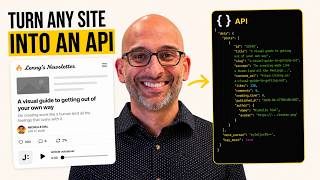
Hamel Husain shows how to use Claude Code and the Claude Chrome extension to turn Substack into a programmable API. Claude discovers the site's internal endpoints, extracts the HTTP-only cookie for authentication, then builds a reusable Python skill that lists newsletters, fetches article text as Markdown, and generates data visualizations like likes-vs-word-count plots.
Chapters
If you use Claude a lot like I do, and you're working with websites and tools that don't have APIs, it can be really annoying. Thankfully, there's a way to make any website into an API that a lot of people don't know about. Let me show you an example of how to do this with Substack. Okay, so first, what do you want to do is you want to open Claude. So I'm using Claude Code here on my terminal, and I'm going to open it with Chrome. I have a little alias with a D at the end of Claude that just allows me to skip permissions. I'm gonna go ahead and start Claude, and first thing I'm gonna do is ask it if it can see this Substack page for Lenny's newsletter. So I'm just gonna say, can you see that URL? Just to get things started. Okay, it's opening a browser. Here we go. It's able to see it. I want you to pay attention to the internal APIs of Substack and look for a way to list the posts on Lenny's page. Can you do some exploration and try to figure that out? Let me know if you need me to take any actions on the page to help you discover this. Okay, and what Claude is going to do is going to go and do some digging around into the Substack site and see if there is an API endpoint internally that Substack has that allows us to work with it more programmatically. And it's going to do some digging around. You can see it's writing some JavaScript. You can see the thinking traces here. It's looking for API endpoints in the page's scripts and try some known Substack API patterns. There's also some kind of pagination thing. All you have to do is ask Claude to discover the internal APIs. Don't ask it to actually do the task because it will go and start trying to click on things. You want it to actually sort of hack the application itself. Okay, and it's saying no authentication required, extra fields. That's kind of suspect that no authentication is required. I am a paid subscriber to Lenny's newsletter, and I think that having auth seems really important so I can see the full newsletter. "Can you please check into this?" For example, this particular post is locked to subscribers, meaning only subscribers can see the whole thing. When you are subscribed to a post, a little subscribed button is shown on the screen. Sometimes you have to help it along a bit, but it's really not that much work. And by the end of it, we can see what Claude can do. Okay, so now let me compare the authenticated versus unauthenticated API responses to see a difference and check the network request for auth headers. And basically you're just having it dig around. So yeah, this confirms that the authenticated response is longer, which that's what we would expect because it has a full POST. It's saying the network tool doesn't show the request headers. Let me extract the cookies directly using the browser's dev tools. And basically when we're done, we're going to memorialize what we're finding here with the skill. And basically what that skill is going to allow us to do is is repeat this operation again, more programmatically. Because the next time around, we'll just ask Claude to just get that information. It's going to be fairly programmatic. It's likely an HTTP-only cookie on substack.com. And sometimes websites only have these HTTP-only cookies. That's not a problem for Chrome extension. Okay, so it's telling me that it needs my help to identify the auth cookie. I'm a little bit skeptical of this. Can you not get the cookie yourself for example, use your Chrome developer tools to get these things, or otherwise, I think you have the ability to do this yourself. Can you please try to poke around and get this? Or is this something you really need my help with? So sometimes it's lazy and you need to remind Claude, you could probably do this yourself. Because I haven't had to intervene yet, so we'll see. Okay, so it found the cookie. It didn't actually need my help. It did some hacking around, did some intelligent guessing. To get the name. Now we're off to the races. Okay, now that we have gone through this trouble, can you help me create a skill called Substack Retrieve that is parameterized, that can take any newsletter on Substack and list an arbitrary number of articles? Use everything you learned about your exploration so far, including where to get the authorization headers, where to get the cookies, we only want to use the authenticated path. Please memorialize what you've learned in a skill. We're gonna keep updating the skill as we go along. Again, the name of the skill is Substack Retrieve. So I'm just giving it kind of directions to start to take notes on what it's finding. So I'm in a folder that has a bunch of skills already. So I think it's looking to see how things are organized. So you can see some of the skills I already have. I have like a Word doc skill, Slack comment skill. I have skill that helps me add students to Maven, which is also made by the same approach. I should have a built-in skill for creating skills. I might wanna remind Claude of this. You should have a built-in skill for creating skills. You shouldn't have to read through all of my existing skills to understand what to do. Although I do appreciate your diligent attitude. You can make this a little bit easier by having a skill for browser automation. And I do have a skill like that. but we're not using that right now. We're just creating a skill from scratch. I just wanna make sure that you know how easy it is. So you're right, overcomplicated that. Let me just create a skill directly. So now it's creating the skill. You can see it's right here. I have a monorepo called prompts with all my prompts and all my skills. Yeah, I think you should create a script that wraps the API, but the skill should be explicit about changing the script if you discover things that change. This skill should be resilient to changes in the internal API of Substack. It wants to create a Python script. I don't try to bully Claude into using some language. I think you should have a mechanism for programmatically getting the cookie. You should assume that we have the Claude Chrome extension installed, and then you can always get that yourself. We don't want to rely on a human for doing manual steps here. Claude is testing stuff in the browser. It's making sure it can get the cookie programmatically. We don't want a separate CLI script. We just want to use browser-based, but once you have the cookie, should be able to invoke the script. So they shouldn't really be separate things. They should be part of one thing. Let me know if that makes sense. It's just a little bit of design thinking required here. This can be made even easier if you give Claude a meta skill of how to do browser automation. I just didn't want to do that because I didn't want there to be any magic. I'm gonna show you how to think about it. All you have to do is do this one time and tell Claude to create a meta skill about your design choices, about how to automate things with the browser. Okay, so there's a unified flow. Now the skill will get the cookie from Chrome. It'll export it as a Substack ID user script. Let's test it. Now get a list of the last 30 posts of Lenny's newsletter. So it's loaded the skills. Let's see if it works. All right, here we go. We got all 30 posts programmatically and we see all the paid posts and the free posts, which is really cool. Let's see if we can get this, like the text of this post. Can you get the full text of and open it in Cursor as Markdown? So it got a little bit off track, but that's fine. It looks like it hit an error here. You should just show me a table of the exact posts that you pulled down. Show me the actual data. Don't try to reconstruct it yourself. Just format it only in the right way so I know what the actual posts are. Please try again. Get me a list of the last 30 posts and please update your skill accordingly. Okay, so now it's showing me all 30 posts. It's fine. Download the text and format it as Markdown and open it in Cursor for the post. Please update your skill that gives you an additional script or endpoint that allows you to fetch text of any given article so that you can do this faster without having to struggle next time. Please also update your skill with anything you have learned. It's a good time to go over the skill and clean up anything that isn't necessary that will help you be successful at doing this task again. Essential reading for product builders part 2. Let me just zoom in. Okay, we have essential reading for product builders part 2, essential reading for product builders part 2. Let's see if he got the whole article or not. There's honorary mentions. So let's go all the way down and see what we get here. Honorary mentions, okay, pretty cool. So it looks like we were able to get the text from the article. We have an API that can get this stuff. And so now anytime we wanna do this task of getting the text for a particular article, we can do that. Let's see if we can use this to summarize this particular latest article. For Lenny's latest article, please fetch the text for that. Using your skill and summarize the key takeaways in bits that are important to learn. So yeah, key takeaways. So this is really cool because like you kind of have an API that can do this. Of course, like Claude will use your browser in the background to get to this, but you can have an API for anything. I basically do this to programmatically operate over, frankly, all of the sites that don't have APIs, and you can be creative in terms of, yeah, what you want to see. For example, I can say, for the last 30 posts that Lenny has posted, please download all of the text in parallel and convert that text to Markdown. When you are done, do data analysis of the likes versus number of words in each post as a scatter plot. Open the scatter plot when complete. This is how you get around sites that don't have an API. You can just have Claude inspect the internal API of any site and give yourself superpowers. I hope this is helpful. Let's see the scatter plot that it comes out with. So it wrote a script to fetch all 30 posts concurrently. Boom, here we go. Here's the scatter plot. Let's zoom in. Is there any relationship between word count and likes? It's not really clear that there is maybe a light correlation. It's not really clear. Certainly it's like these posts with lots of likes definitely are a bit longer, but it's not really conclusive. I wouldn't say this doesn't necessarily look like a line going diagonal, but it is some amount of correlation here. So this would be really painful without an AI creating an API for you. Just to recap, what we did is we used the Claude Chrome extension to discover the internal APIs of Substack and pull out the programmatic bits so that it can operate over Substack efficiently. And that's how you do it. I've done this for many different sites. You can do it for your site. You can do it for the things you care about. It doesn't take that long at all. We did this from scratch in about 15 minutes, and I hope this is helpful.