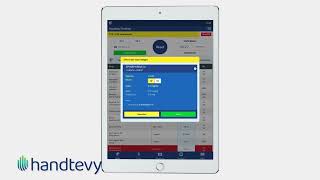
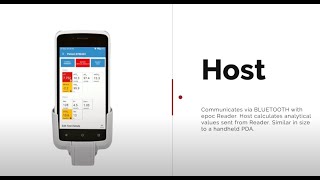
Peter Antevy walks through Handtevy, a CPR app that keeps time during cardiac arrest. It runs five timers at once, tracks when to give epinephrine, cues defibrillation at 1:45, and resets every two minutes. Built for EMS and hospital teams running codes.
Questions this video answers
Five
15:2, 30:2, or continuous (after advanced airway placement)
At 1 minute and 45 seconds (1:45)
Button turns orange at 3 minutes and turns red at 5 minutes
954-944-114
Chapters
Hi and welcome to a quick tutorial for Hand Tevy CPR Assist, the first of its kind, a fully configurable metronome for cardiac arrest. CPR Assist includes five different timers, which allows for a smoothly run code by using audio and visual prompts. Features include a metronome for controlling compression rates, notifications for ventilations and pre charging the monitor, a timer for epinephrine, and total CPR time. On your way to the call, begin by selecting a new patient and then select the age and simply start CPR as soon as you make patient contact. The metronome compression rate can easily be changed between 15 to 2, 30 to 2 or continuous once an advanced airway has been placed.
You can easily manage all AV features during the call using the speaker icon. The CPR Settings tab displays how an agency has configured its CPR settings. Epinephrine dosing is easy to access and incorporates a timer. Note that the app has full functionality even when CPR Assist is running. At 1 minute and 45 seconds, listen for the charge monitor cue.
And click on Defibrillation. The dose will be preselected for you. Keep this window Open until the 2 minute mark when you hear Check Rhythm. Depending on the rhythm, you will select Shock Delivered or no Shock Advised. Once you do this, the window will close and the two minute timer automatically resets. An additional feature on the epinephrine timer is that the button turns orange at three minutes and at five minutes it'll turn red. The timer resets once epinephrine is administered. Upon completion, document the outcome of the arrest by pressing Stop cpr. All of these time intervals have been documented and can be reviewed during cqi. Thank you for watching. If you have any questions or suggestions about CPR Assist, we'd love to hear from you. Please call your customer Support team at 954-944-114.