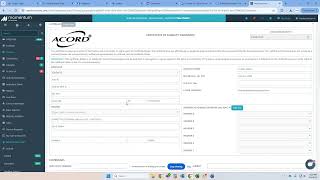
Hunter Nelson shows how to create and share a Certificate of Liability Insurance in a document-management system. Navigate to Documents, select certificate type, fill in policy details, then make it available for clients to retrieve.
Chapters
All right, so if you guys are trying to send out a certificate and you want to make sure that your client can pull a certificate. So let's say we go here, go to download blank certificate. Oh, you have no certificates. Please try again. So let's go back to this deal here. This is so you and the client pull stuff. You're going to go to Documents here, go to certificates Master and then right here you're going to click add new. So we're going to go through certificate of liability insurance. You know, obviously it'll be different if it's a mortgage lender, whatever and incorporated make sure all of his info is correct. All of our carriers are going to pop up here and then you do that for all those. It's basically just like fill out a normal certificate, you know. So click this occurrence policy policy number adding a lot of coverages. Don't worry about this stuff right here. Select what carrier it is. Auto, liability, umbrella work comp. And then here you can list motor truck, cargo and trailer interchange. You really won't ever need a list physical damage because unless it's like a banker or a mortgage lender, not a mortgage on lien holder, but just go through. Just select all your stuff here, select what kind of auto it is. You know, 99% time scheduled auto install limits go down here and you can sign. Everybody will have this feature here once we get all transitioned over to now search and then you can click add. And then now you and this and the insured and go in there and grab a certificate.