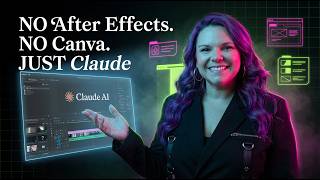
In this tutorial, Brittany Long demonstrates how she and her virtual assistant used Claude to create custom animated video segments for a longer video about building an automated podcast production team. She explains the entire end‑to‑end workflow: opening a Claude chat, providing three core inputs (on‑screen headline text, a reference URL to capture visual vibe, and a branded image), and prompting Claude to generate an animated MP4. She details how to request specific clip lengths (15‑20 seconds), matching sound, and animation instructions (e.g., imagery first, then bullet‑point text). After downloading the MP4s, she shows how to import them into Descript as B‑roll alongside talking‑head footage. The method replaces traditional motion‑design tools like Canva or After Effects and can be applied to YouTube intros, hero videos, social clips, or course openers. The video emphasizes that the prompt pattern is repeatable and “stealable” for anyone wanting to automate video animation with Claude.
Chapters
Every single animated clip you just watched in my last video, the title card, the feature callouts, the bullet points that fade in one by one, all of those are made in Claude. Not Canva, not After Effects, just Claude. I was putting together a video about how to build an automated podcast production team using Claude Cowork, and I didn't want it to be just me talking to the camera the whole time. I wanted custom animated segments, one for each part of the workflow, so the video actually held attention. Normally that's a whole production. Motion designer, stock footage, template hunting, and Canva. Not the life for me. So my VA built them in Claude instead. And I'm going to walk you through exactly what she prompted because the pattern is stealable. First is to open a new Claude chat and give it 3 things. 1, the text we wanted on screen. How to build an automated podcast production team using Claude Cowork. 2, a reference page from a website that had the vibe we wanted. She literally pasted a URL from impactdrivenai.com and told Claude, I want something that feels like this page, but with its own unique design. 3. She dropped in a branded image we wanted baked into the clip. And that's it. That's the whole first prompt. And Claude generated an animated version. Headline, visual, motion, all of it. When we wanted the actual file, she just asked, can I get a downloadable version of this? And Claude handed an MP4 file. Once that first clip worked, my team had a formula. For every other segment of the video, we used the same structure. Same vibe as the first one, but with its own unique design. That phrase did a lot of heavy lifting. It kept the clips cohesive without making them look identical. Then for each segment, we added the headline, the subtext, the image, and specific instructions about what should animate. For the feature clips, she got more specific. She told Claude, don't make the full sentence a text overlay. The first part should be animated imagery related to the topic. Then the rest should be bullet points. That structure made the clips feel like real video segments, not text slides. A few specific things we did that I want you to steal. We gave Claude length targets. Can we make this 15 to 20 seconds long? When you don't specify, you get whatever Claude decides. When you do, you get a clip that edits cleanly into your timeline. We also asked for sound that matched the video, not just audio, but sound that fit the motion and vibe of that specific clip. And when one clip came back with static in the background, my VA just said, "Can we make it 15 seconds long with sound that matches the video without that static sound?" Once we had all the MP4s downloaded, they dropped into Descript with my talking head footage. The animated clips became B-roll. They played over my voice or replaced me on screen entirely during the feature walkthroughs. And that's the whole recipe. You can either use it for a YouTube intro, a sales page hero video, a social clip, a course module opener, anywhere you'd normally hire a motion designer or dig through Canva templates. Thank you, and I'll see you soon.