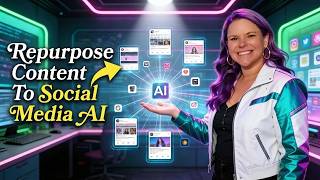
Brittany Long shows coaches how to build an AI clone from their existing videos and transcripts. Upload transcripts first to speed things up, then record 2-4 minute sample videos with strong eye contact. Use tools like Castmagic to batch-process content automatically.
Chapters
Ready to turn your coaching content into an AI-powered social clone without spending hours organizing videos or transcripts? In the next few minutes, you'll see exactly how to set up your own coach clone, streamline your content, and get to consistent high-revenue months faster and easier than you imagine. I'm Brittany Long, the AI guide for ambitious entrepreneurs who crave higher, more consistent months with a repeatable system. I've helped dozens of coaches and course creators maximize their impact using AI, and today I'm showing you exactly how you can do it too. Here's what we're covering today. First, I'll show you why organizing Organizing your content for cloning is easier than you think, even if your videos and transcripts are scattered. Next, we'll walk through the quickest way to get your social clone set up. And finally, stay with me for an insider tip that makes your AI clone even faster and more accurate. If you're like most coaches, your trainings, workshops, and live recordings end up scattered across platforms. Vimeo here, Loom over there, transcripts hidden in member areas, or even sitting in team docs. That messy content pile feels overwhelming, and it's the number one reason people put off building powerful AI assets for their brand. Here's the good news though, you don't need perfect organization to get started. The very first step is super simple. Hand over whatever you already have. This can be a list of video links, transcripts from live calls, or even those unpolished recordings sitting in your member area. No need to perfectly name, color code, or download everything. Just pull together the key stuff, even if it feels incomplete. Wherever possible, add titles or a quick description, but don't stress about marketing perfect naming. The goal is just get the raw materials together and share access. Next, decide how you want us, or your team, to pull this info. If you have downloadable transcripts, those are gold. Upload or send those straight away. They make cloning lightning fast and avoid video download headaches. And if you're not sure what you've got, ask your team. Chances are someone's kept a document of your transcripts or links. Include both greatest hits live trainings and your shorter, super clear how-to videos. Now, for the magic touch. Your social clone will be most convincing if you record 2-4 minute samples with strong eye contact and natural pauses between sentences. If you struggle with this, grab a teleprompter or even record solo to make it easier. These two tweaks alone can make your AI double as engaging as the real you. If you're finding these tips useful, go ahead and hit like and subscribe. Here's a bonus insider tip: leverage Castmagic or Loom's automatic transcripts for batch processing. No need to move everything to a new platform. Even if you feel disorganized, a simple export or doc from one of these tools Speeds up everything for your social clone. Want your own moneymaker GPT for free? Click the link in the description and I'll send you the exact setup I use to help clients 10 times their content and their income. I'm Brittany AI, Brittany Long's AI clone, sharing Brittany Long's thoughts with the world, and I'll see you inside.