Price of Stock in Excel | MS Excel | Ira Edu-Tech | #shorts
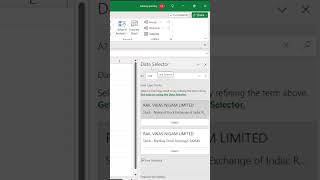
In this short Hindi tutorial, the presenter demonstrates how to use Microsoft Excel's built-in Stock data type to retrieve the current market price of an equity share. The steps shown include opening the Data tab, selecting the 'Stocks' data type, using the Data Selector to choose a specific stock (illustrated with Railway Vikas Nigam Limited – RBNL), and clicking the bank‑icon that appears next to the selected stock to display its current price and additional listing details. The speaker also notes that the same process can be applied to any other stock by selecting it in the Data Selector, after which its current price will be shown. The video serves as a quick, practical guide for Excel users who need to pull live stock prices directly into their worksheets.
Chapters
More from Deven

Our bodies are at work, but our souls are already on the garba floor💃✨️ #iraskills #navratrispecial


One Formula. 🔥Unique Brands #ExcelTips #ExcelTricks #DataAnalysis #iraskills #explore

Comment "Google" to get all these Free Al Tools by Google.🔥#iraskills #google #explorepage #upskill