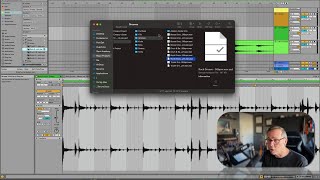
In this tutorial, J. Anthony Allen demonstrates how Ableton Live automatically creates .ASD files whenever an audio file is imported directly from the desktop or a folder. These tiny, non‑audio files store the warp markers and other timing adjustments that Live applies to the original clip. The .ASD file must remain alongside the original audio for Live to recall manual warp settings; deleting it resets the clip to its default timing, and moving the audio without its .ASD can cause Live to lose the warp data. Allen advises users to organize samples before loading them into Live so that the corresponding .ASD files stay with their source files, reducing clutter and preventing lost warp information.
Chapters
Okay, I have a little experiment I want you to do to understand the next concept. Take a file, any file, but take it right from your desktop or a folder, not from the Ableton browser, and drop it into Live. Here's a guitar take I did for somebody else's project the other day. So I'm going to bring it into Live. And what's going to happen right away is that Live is going to generate in the same folder that that was in this thing called an ASD file, a version of that file that is an asd. Okay, what is that? In fact, I could go to this clip, and if I find it in my browser, and then I say show in finder takes me to here. Here's all my groov files. Here is that file, and right underneath it, ASD file of the same file. So what are those weird ASD files? After you do this for a little while, you're going to find ASD files floating all over your hard drive. ASD files are where Live stores all of this warping data. Okay, so if I brought this file back into LIVE now, it should remember how to warp it, because that ASD file is floating around and it can find that if I went through and deleted the ASD file for this, it's going to reset my warping to what Live initially thought it was. So those files can be important. If you have manually warped a file and you want to retain that warping information, don't delete those. It's important to know that you need both the original audio file and that ASD file for Live to remember the warping. That ASD file is a very, very, very small file. It just create. It just has a little bit of code in it. It does not have audio in it. It's not an audio file. It is not a version of your clip. It is just a file with some numbers in it that kind of says where things are. In fact, also be careful when you're moving those files around. It can be kind of annoying to have those little ASD files all over the place. But just remember that if you move them, then Live will probably lose track of them. So that's why it helps to keep your samples organized before you load them into Live so that these ASD files stick with their original one. In the browser, you won't really see them very much popping up, but throughout your system, you may see these ASD files all over the place. Just something to keep track of.