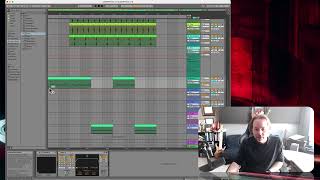
J. Anthony Allen shows how to automate effects in a DAW by adding delay and EQ to a track, then creating automation points to gradually increase the effect and pump a specific frequency. He demonstrates viewing automated parameters in automation lanes and the mixer, and touches on automating MIDI effects.
Chapters
Okay, let's do some more automating. Let's go to that example that we first started with, with the delay that we wanted to go for the whole track. So let's see. Where do we want to put it? Let's put it on this keyboard thing. So we're going to get more and more delay. So I'm going to go to my audio effects. I'm going to find a delay, there's a delay, and put it right on there. Okay, so here's my delay. What I probably want is my Dry wet mix. We'll talk more about effects soon. But the dry wet is like how much of the effect happens. So I'm still in automation mode. And that trick of like clicking on something and then having it show up in your automation lanes, that still works down here. Okay, so I click on dry wet mix, and now I can see my device is delay and my parameter is dry wet. Okay, so this is the dry wet mix. So I'm going to make a point down there. I'm going to go to the end and I'm going to turn it all the way up. Okay, now that delay slowly turns on throughout the course of the whole track. So automating effects works exactly the same. We're just going to go somewhere and we're going to click on it. Let's say we had something a little more complicated like an eq. Let's put an EQ on the same thing. Okay, so let's set up an EQ just to pump, like a certain frequency. Okay, here's my eq. Cool. Let's just do that. Okay, now I can go to the frequency if I wanted to and start moving that around. If I want this EQ to change over time, that's how I would do it. So now if I solo this, we'll hear that. This is going to be kind of a weird eq, but you'll hear it. Oops. Let's start it from the beginning of that clip. Cool. So automating effects works exactly the same. You can see this is automated. Now you can also see this is automated. Now we can open things up in new lanes. We can see everything that's been automated in our list of parameters here and go to the mixer and see anything else that's automated in these lists. With the little thing, you can also say show automated parameters only and just see the automated stuff. Cool. Okay, let's talk about automating MIDI effects, because there's a popular trick right now that I want to show you for doing that.