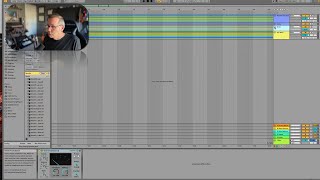
J. Anthony Allen shows how to use Ableton Live groups to apply effects like compressors to multiple tracks at once. A single glue compressor on a drum group shapes all the drums together, and the same technique works for sax and brass sections. Groups also give you one mute button and volume fader for everything inside.
Chapters
One more thing about groups is that actually, once you create a group, you can put effects on that group. So. Here's my drums, for example. My drum group has all of these different drum tracks in it. But when I make the group, I get an activator for that group, so I can turn off all the drums if I want. I have a volume for that group, so if I want the drums to all be louder, I can mix it there. That's not a great idea, but you can do it that way. I've got different sends I can use. But most importantly, I can put effects on all the tracks in that group by just putting them here effectively. This is like routing another kind of bus, sort of. So you can see in my drum track, I put the glue compressor on that track so that there's some compression happening on all of these files. In fact, I did that on all of these. So if I go to the saxes, they have a compressor. Brass has a compressor. So that can be really handy to do when you're working on a session, putting your effects on a group rather than on individuals. Individual tracks, depending on what you're doing, that might be useful, it might not. But in recording these, I wanted the same kind of compressor on, like, all my saxes. I did a bunch of effects to each track as needed, but the compression is all being handled on the outside in the group. So something to keep in mind while you're working.