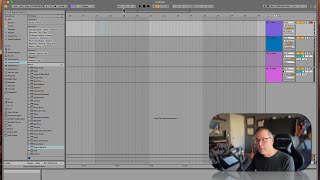
J. Anthony Allen teaches Ableton's timeline grid notation: the bar.beat.sixteenth system (like 17.3.1 for the 17th bar, 3rd beat, 1st 16th-note). He shows how to zoom in for 16th-note subdivisions and warns that misreading the quarter-note grid indicator can throw off your programming. Patterns build in four-bar chunks, so knowing your grid resolution saves time.
Chapters
Okay, before we dive into beats, I want to get us a little more comfortable with the grid and revisit this one more time because it's going to get really important. So what you need to be able to do is look on my screen here. What am I looking at here? What do each one of these numbers represent? You think you know. If you said a measure, then you're correct. Each number here is one measure or one bar. Okay, what do each of these blocks represent? What is this in relation to that bar? If you said one beat, you're correct. If you didn't say one beat, then I'm going to explain it again. Okay, so let's look at why. Remember that the whole number 17, 18, 19, that is the first digit in this three digit number. So 17 means 17 bar beats 16th notes. Okay, so we are on bar 17, the beginning of it, 1, 1. Okay, if I go here, we're at 3, 1, 17, 3, 1. That means the 17th bar, the third beat, and the first 16th note. And we're not seeing the 16th notes here because we're not zoomed in enough. So let's go in deeper. Now we're seeing the 16th notes. Okay, so 1, 2, 3, 4. Okay, then it starts over. 1, 2, 3, 4. Okay, so these are going to be kind of important because we're going to be making a pattern in four bar chunks, usually sometimes two bar chunks, sometimes one bar chunks. But we're gonna need to go through here and say, okay, what's happening on beat 4? What's happening on beat 3? What's happening on beat 3, and so getting comfortable with the grid and what you're looking at is going to be really important. Don't forget about this little clue down here. Okay? This shows that my grid is showing me quarter notes. That is these quarter notes. I can't tell you how many times I've been like in the weeds working on something and I like programmed like this complicated beat only to realize I was like thinking I'm working on quarter notes, but I'm really looking at 1024th notes because I wasn't paying attention to the grid. And then I hit play and just goes. And it's just impossibly fast. Okay, so pay attention to where you are on the grid, otherwise you're gonna have to kind of remake everything. Cool. Time saving tip. Okay, let's go into some techniques.