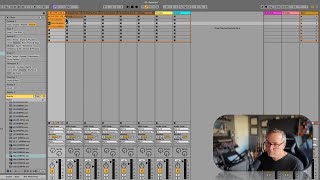
In this tutorial J. Anthony Allen explains the fundamentals of Ableton Live’s clip slot grid. He shows that each track can play only one clip vertically, while multiple tracks can play clips simultaneously horizontally. He demonstrates loading drum loops, warping them for timing consistency, and explains the Global Launch setting that controls whether clips launch on the downbeat, every bar, every eight bars, or immediately (with a warning about “dangerous” immediate launches). He walks through changing the launch quantization, illustrates how to keep the groove tight by launching on downbeats, and then builds a simple arrangement by layering drum grooves, chord progressions, synths, strings, and bass clips, highlighting the flexibility of the grid for live performance and composition.
Chapters
Okay, so here's how the clip slot grid works. Okay, so this whole thing is called the clip slot grid. We can play one file at a time vertically. Okay, so only one file per track can be playing. Let me demonstrate by loading up a few different drum loops. Sure, sure. Maybe one more. Sure. Okay, so if I want to play this drum loop, I can hit play, and that's great. If I want to play another one, I'm going to hit play right underneath. Okay, now it's going to have warped all of these, so they're all going to be in time. That one was like kind of double time, but whatever. And they're always going to launch on the downbeat or on the global launch setting. That means that there is a setting called global launch where you can say only launch on a downbeat, every bar. Okay? So if I click this one and then I click another one, you see it blink for just a second. It's waiting for the next downbeat, and it's only going to launch on a downbeat. That makes it so you can kind of navigate through the clip slot grid all you want. And it's going to keep you from, like, launching in a weird spot and losing the beat. It's always going to launch on the downbeat. It's going to keep you tight in the groove. Now, if you want to change that, this little setting right here, this one bar, that is your Global Launch setting. Okay, so we can say only launch something new every eight bars. If you're doing, like a really long set and it's complicated and you're launching clips all over the place, maybe you just want to chill for a part of it and say every eight bars is when something new is going to happen. Keep it easy. Or you can say none, and then things will launch right when you click them. Dangerous. Or you can say, you know, every quarter note, every eighth note, whatever you want. Okay, I'm going to leave it on one bar. Okay, so only one of these can happen at a time. I can't launch. I can't play two at once in a same track. Okay, that's true for all tracks, but I can play as many as I want horizontally. Okay, so let's say. Whoops. Let's say I want to play this clip, this drum groove, and this chord progression. Cool. Now I want to switch to a different drum groove. I don't know what kind of a God. And let's say there's more stuff here. Here's our strings. Okay, so maybe now I want to add in this clip the synth, maybe the strings. This is our bass line.