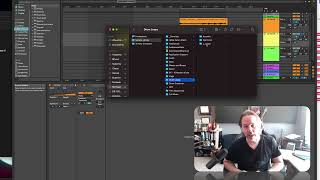
J. Anthony Allen shows how to organize a loop library with separate folders for drums, acoustic, electronic, and your own creations. Build batches of loops during creative sessions so you have ready material to pull from when starting projects, saving time and keeping your workflow moving.
Chapters
Okay, so we made a loop. We could call that an original loop. Now, it's not exactly because we're not using our own sounds, but maybe we could get away with it if you start making a bunch of these. One thing that's great to do is just set aside a folder that is just loops you've made so that when you're working on a project, you don't have to make a loop from scratch anymore. You can just say, does anything I've already made work? So what I do is I have a folder. Here's my sample library, and I have just tons of audio samples in here. Here I have a drum loops folder, and in it I have acoustic electronics and J loop. So acoustic is acoustic loops that I've bought or found around the Internet. Electronic is things I've bought or found, and J loops is things I've made. So in there, I have all of my favorite loops that I've made but haven't found a project for yet. And even if I have found a project for them, there's still some in there that have been used before, but I keep in there because I think I can reuse them. There's nothing wrong with that. So build yourself a little library of loops that you've made so that when you're working on a project and you just need something cool, go to your loops folder and throw something in there. Also, if you're in a creative mood someday but you don't feel like starting a track, just sit down and make some loops. Just hash out making 10 loops and then put them in this folder so that you can use that as a tool in the future. It's a great way to kind of set yourself up for success when you're trying to make a track.