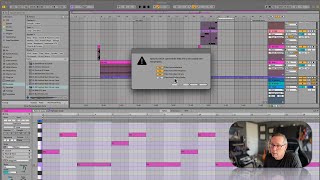
In this tutorial segment, J. Anthony Allen explains how to properly share Ableton Live projects with others. He demonstrates using the "Collect All and Save" function to gather all referenced files—optionally including files from other projects, the user library, and factory packs—into a single folder, ensuring the recipient has the necessary assets. He advises turning off factory pack collection to keep the project size manageable, assuming recipients have those packs. After saving, he shows how to compress the folder into a zip file on a Mac via the "Compress" command, rename it appropriately, and distribute it through cloud services like Dropbox or Google Drive. He emphasizes that without the Collect All step, shared sessions may be missing files, and outlines the recipient's workflow: unzip, open the session, and continue working.
Chapters
Okay, last thing in this section, I just want to remind you that the way we have to share sessions now, I'm going to be sharing a few sessions with you. And what I'm going to do is I'm going to take the session that we're working on and go to File Collect all and Save. Now, like I just mentioned a minute ago, this is going to pack up all of our files from all over the place and make a folder. Okay? So when you do a Collect all and save, you're going to want to do this. Whenever you're going to send a session to somebody, this is going to pack everything up and make sure that they can open it. It doesn't guarantee they have all the same plugins or instruments or anything like that, but it does at least guarantee they have all the right files. So I would recommend selecting these first three files from elsewhere, Files from other projects, files from your user library. Turn those on. Yes. Files from factory packs. This is going to make your file really big if you turn it on if you're using a lot of stuff. So I usually leave that off, assuming that everybody has the kind of main factory packs. But you can turn it on if you want. Okay, so if I click ok, which I'm going to do, it's going to save everything into a folder and that folder looks like this. Okay? So when you save something, you're going to get all of these folders that have a bunch of stuff in it. So next I'm going to turn this into a zip file for me on a Mac, I can just control, click and say compress. Okay, and now I have that project. I should probably give it a better name than Untitled Project, but whatever, you get the point. Now I can send this to someone using Dropbox or Google Drive or whatever and it should open the same as I've been using it. But without that Collect all and save step, it won't. So when I send, when I post projects in this class, they're going to look like this. They're going to be a zip file. When you get them, you're going to double click on that zip to open it. And then you're going to have all of this stuff and you're going to open that session. Cool. Okay, enough talking. Let's make something.