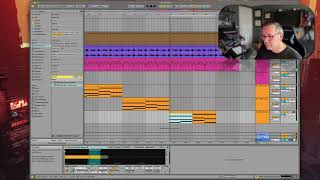
The instructor duplicates a track in Ableton Live 12 and cycles through presets like keys, ambience, and piano sounds to find ones that fit rhythmically. He adjusts voicing by spreading notes for richness, then layers three presets together to build a more complex texture.
Chapters
So what I'm going to do is duplicate this track, and then I'm going to take this and go over here. Move my loop brace over here. Okay, so now let's experiment with this one. So let's see what. Let's see if we like this rhythmic one. Kind of. Kind of do like it. Let's do a third one. Move my loop raise over again. All right, let's try. Not pad, but keys. Is that the same one we just used? How about ambience and effects? Not really wild about any of those. How about tar and plucked? That's kind of interesting. Let's go back to piano. Kind of like that one. This one is monophonic also. So this one's monophonic. It's not really getting what I want. Let's try. Okay, let's try switching our word to piano. Find various pianos. Kind of like that one. So we'll use this one just to accent it. I'm going to rearrange these notes a little bit. I just want to spread the notes out a little bit to get a better voicing for the piano. They'll sound a little bit better. Okay. So I've experimented with presets, found three things that I liked. What else can I do with this? Let's experiment with layering them.