Free Ableton Live 12 Music Production Class! Delivered Daily.
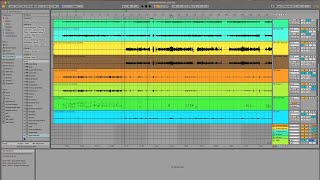
In this segment, J. Anthony Allen walks through a recent university‑studio project where he recorded a jazz big band using Ableton Live 12. He demonstrates how he organizes the many tracks by creating groups (rhythm section, drums, saxes, brass) and even groups within groups, using Shift‑click selection and the Command‑G shortcut. He explains the benefit of collapsing groups to keep the session tidy. Allen also shows how he imports a MIDI version of the score solely as a visual reference, allowing him to compare the intended notes with the recorded audio and manually adjust pitch to match the score. The discussion highlights the scale of the project—recording separate sections, importing MIDI for pitch correction, and the early stage of editing—illustrating a practical workflow for handling large, multi‑instrument recordings in Ableton Live.










