In this tutorial J. Anthony Allen demonstrates how to use Ableton Live's template system to streamline podcast creation. He walks through building a custom podcast template that includes dedicated tracks for background music, a host microphone, a co‑host microphone, and sound‑effects, showing how to save and name the set. Allen then reveals a lesser‑known feature – the small triangle icon on a template – which lets users pull individual tracks (e.g., a voice‑over track) into any project without loading the entire template. He illustrates adding multiple voice‑over tracks for several speakers, ensuring they inherit the same settings, and highlights how pre‑loaded instruments, effects, and sample libraries (EQ, ducking, etc.) further accelerate workflow. The overall message is that creating and re‑using templates, and extracting single tracks when needed, can dramatically reduce setup time for recurring production tasks.
Chapters
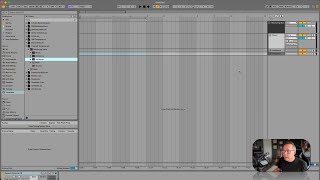
Okay. Templates in Live are just super handy little things, but they've got one kind of secret trick. So let's say I wanted to make a podcast so I could set up a session over here with I have a track maybe for my background music, a track for vocal for a microphone so I can talk, maybe a second mic for a co host and then maybe another track for sound effects or something. But I'm going to do that every day. I make podcasts all the time. I don't, but let's say hypothetically I do. So I should make a template that has all of that built into it. Okay, so here that is. I can double click on it and there's a podcast template. Here it is. Mastering Suite Music Ambience Voiceover. Okay, I can do it here or I could work with it over here. It's great. Right? Let's do it over here for a minute. So you've got probably by default some templates built into Live that came with you. You don't see as many as I have because I've made some of these myself. Production 2021. This was for a project I was working on in 2021, and I just said, like, this is going to be my template. And I made a template. It's got a bunch of instruments loaded up, it's got a bunch of effects loaded up, it's got a bunch of sample libraries loaded up. It's kind of my favorite tools. As at that moment, 2022, February, default, same thing. I made a new one. Default Live set is another one. IDM template is one I made. So these are really handy. But here's the extra little secret that we have. We have this little triangle here that's going to give us more stuff. And what it's going to give us is the individual tracks. So let's go to the podcast one. Okay, so here are the tracks, right? Here's the voiceover track. So if I'm in any session and I'm just like, I have that voiceover track set up really cool for a mic. So you could go in here and grab just that track. You don't have to load up the whole template. And in this case I could just say, I've got my template, but I need another voiceover. I've got two people coming in on this one. So let's add another voiceover track, right? And let's make sure it goes into that folder. Oops. There we go. So now it's going to have all the same settings, right? Do I need a third voiceover this time? Sure. There. So you can add just tracks from the template. So it's a cool time saving feature. Once you get into a pattern of doing something, make yourself a template so that you don't have to set everything up the same every time. Like I said, you can put instruments, effects like you can see here in this music track. We've got some phase, some ducking and an EQ just already set up so that things just fly together really quickly. It's a big time saver if you get used to it.