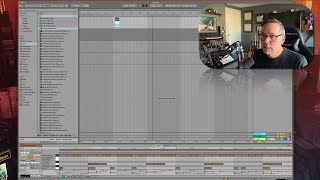
In this tutorial segment, J. Anthony Allen walks through the three primary drum-related file types found in Ableton Live’s browser and demonstrates how each is used. He explains ADG (Ableton Device Group) files as drum kit presets that load onto MIDI tracks as instrument racks, allowing users to program drums via MIDI clips. He describes audio files (WAV/AIF) as pre‑recorded drum loops that are placed directly onto audio tracks as standalone clips. He then covers ALC (Ableton Live Clip) files, which are MIDI clips that come with an attached drum machine, showing how they can be dragged onto a MIDI track and how the instrument can be swapped by loading a different ADG preset while retaining the same MIDI pattern. Throughout, Allen highlights the distinction between clips and instruments and emphasizes how the Ableton browser’s organization reflects these functional differences, preparing the viewer to move on to the instruments category.
Chapters
Okay, up next is drums. Now, in the drums category, we're going to find three different types of files. Okay, the first thing we're going to see here is more of these ADG files. Ableton Device Group. That is going to be a preset for an instrument, an instrument rack, specifically. That is some kind of drum kit. So if I load this one up, can put it on a MIDI file. This is a drum machine. Oops, there are my drum sounds. And if I make a new MIDI clip, I can program drums. So it gives me a group of sounds that are drum sounds. Okay, so that's one type of file. Another type of file is audio files, just WAV files. So WAV files, AIF files, any files that Ableton that Live has found on your computer that it thinks are drum loops. So here's a drum loop. Cool. So now I can just drag that right into a clip. Or if I'm in arrangement view, I can drag that right into my timeline. Oops. Can drag that right onto an audio track. And now I've got it there just as a WAV file. It's not an instrument, just a audio clip. Okay, then the third type of file we're going to find here is an ALC file. This is an Ableton Live clip. Okay, so this is a MIDI file, basically, but it's a MIDI file that has a drum machine attached to it. In other words, it's got some sounds attached to it. So I can drag an ALC file onto a MIDI clip and drop it. And now we have a drum beat. We can see it here. Let's solo this track. Click on it. Cool, right? So this clip came with a drum machine. If I shift tab to go to my device view, here's the drum machine that came with it. I can change that. Remember that in Live, and this is true in all audio software, really. But there's a MIDI clip that tells the instrument what to do. And in this case, there's an instrument that came with the clip. But there are separate things. There's the clip and then the instrument. So if we go to an Ableton Device group, like this drum kit, and put it on this track, now we're going to hear the same drum clip, the same rhythm, the same beat, but played through new sounds. Okay, that was pretty similar by chance, but let's grab this one. Okay, here's another kit. Right. So I've got the same clip, but I'm changing the sounds because I'm using different instruments. In this case, a device group, which is a drum preset and putting it onto this clip. Okay, so the clips show up in this list of drums as ALC files, like that. And then we've got audio files that are just drum loops that go on an audio track, and then we've got ADG files that go on a MIDI track, and those are drum presets. Cool with me. Cool. See, it's really interesting to focus on the browser like this because we're learning a lot about how Ableton works just by looking at the way the browser is organized. All right, let's move on to instruments.