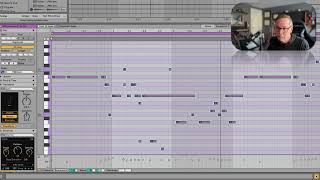
In this solo tutorial J. Anthony Allen walks viewers through several Ableton Live 12 MIDI transformation tools that enable rapid creative manipulation of pitch, rhythm, and articulation. He demonstrates the Recombine device, which separates pitch and rhythm, allowing users to rotate or shuffle notes to generate new rhythmic patterns. The Span tool is used to apply different articulations—staccato, tenuto, and legato—to MIDI clips. Allen then showcases the Strum transform, illustrating how it can simulate a strummed chord and how it pairs with the Pencil tool (accessed via Command‑B) for freehand MIDI drawing. Finally, he explores the Time‑Warp function, showing how to compress or expand sections of a melody to create varied rhythmic densities (fast‑slow‑fast, etc.). Throughout, he emphasizes that these tools are not only technically useful but also serve as creative catalysts, helping producers generate fresh ideas and make a track feel uniquely theirs.
Chapters
Recombine. This is kind of a head scratcher. So what this is going to do is it's going to separate our pitch and our rhythm, let us shuffle things around, and then it's going to put them back together. What it kind of looks like if we drag this rotate thing around, it looks like we're. The notes we have are on a loop, and we're gonna rotate through it. See, watch. So you can see it kind of going this way. Now we'll go the other way. So it's keeping the notes the same, but changing the rhythms apart. It's kind of confusing, but you can get some interesting results that way. Span is going to give us different articulations. If we want all of these notes to be short, we're going to say staccato. Now it's just ding. Okay? Tenuto means the length that they're written, the actual how they're written. And legato means stretch them out a little bit more, let them overlap. So in this case, we can't really hear difference between tenuto and legato, because we don't have a lot of overlapping notes. But strum. Strum is really great. Let's use strum over here. Watch this. One thing I'll point out, because it just happened on accident, is that we can. We do have a pencil tool that you can get up here, or you can command B to get a pencil tool. Why B? I don't know. Because P was print. And with that, you know, you can draw MIDI notes just kind of freely if you want. So you can toggle it on and off with the letter command B or with this tool up here. Anyway, so check this out. I have this chord, right? And it just starts like this. What if I wanted to simulate. We've been. We're kind of strumming that chord. We can take this strum transform and just go. Look at that. Look at what it does. Now. Let's hear it. Right? This actually looks really simple, but if you try to just make it sound natural and, like, roll it like that, it's actually really tedious to, like, slide your MIDI notes over just enough. So this is a huge, huge help. So, yeah, strum and time warp. This does all kinds of weird stuff. Let's go back to our melody here. This is. You can kind of think of this as the rhythmic speed. So if like a 16th note or these short notes are fast and these notes are short, what we can do is, say, put a bunch of short notes at the beginning and long notes at the end. So this squeezed all of that stuff into there and stretched all this stuff out. We can also make a third point and say, I want fast stuff in the middle, slow stuff on either side of it. So slow stuff, slow stuff and fast stuff. This gets really kind of bizarre. Okay, let's hear it now. Weird. But all of these things are taking that melody and just transforming it. Maybe none of these landed right where we want to land in terms of what we want for our track, but all of them are going to give you a new idea, spur your creativity, and get you working with an idea that is now yours, because you've modified it. You've turned it into something that is your own. So they're really fun to play with, if nothing else.