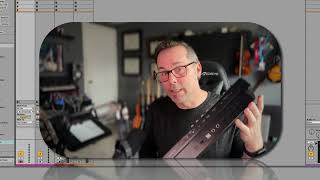
In this segment of the "Free Ableton Live 12 Music Production Class" J. Anthony Allen walks viewers through the essential MIDI hardware needed to get started with Ableton Live. He emphasizes that a MIDI keyboard is the primary requirement, explaining that modern keyboards typically connect via USB, while older or larger keyboards may use traditional 5‑pin MIDI ports. Allen discusses how audio interfaces can provide MIDI ports and act as USB‑to‑MIDI converters, highlighting the importance of choosing an interface with MIDI I/O if you plan to use legacy gear. He showcases the Novation Remote Zero, a controller without keys that offers faders, drum pads, and knobs, and explains how its MIDI ports require a MIDI‑to‑USB box unless you use its built‑in USB connection. Finally, he teases a brief overview of MIDI guitars as another input option, promising a quick buyer’s guide and Ableton Live setup steps later in the class.
Chapters
This is really our only piece of hardware that we need is some kind of MIDI keyboard. We don't need an audio interface, although an audio interface may help you. And I'll explain that in just a second. Actually, I'll explain that right now. So when we plug in one of these to our computer, here's how we're gonna do it. If you have one like this or anything that's new ish, in the last like five or so years, it's going to have a USB output on it. This one, Where'd it go? Right here. Usb. So I can plug this in just with usb. That's all I need to do. So a lot of audio interfaces have a USB port for this reason. You can plug it into the USB port on the audio interface, but you don't need to. You can put it in any USB port, it's just fine. But if you have anything over like a bigger keyboard or something, it might have actual MIDI outputs on it. So I was looking around my studio for something that has old school MIDI outputs and the only device I could find quickly accessible was this. This is a Novation Remote Zero. So this has no keyboard, although they do make a version with a keyboard. It's just controllers. So it's faders. So you can map this to your. The faders on the screen. It's got some drum pads and some dials that you can map to do different things. I used to use this as a live performance tool, but on the back you can see that it has here, these are MIDI outputs and inputs. Okay. So they have this five pin connection. So I can't easily plug this into my computer. So if I really wanted to use this with the MIDI ports, I need to get a MIDI cable and I need to have a box that converts a MIDI signal to a USB signal. Okay, I can get a cheap little box that does that or a lot of audio interfaces have that built in as well. So something to consider when you're buying an audio interface. If you want to use an older keyboard like that, you're going to need one that has MIDI ports. Now luckily this one has both. It has MIDI ports and a USB right there. So I can just plug this in with usb, which is how I used to use it. So we really just got to plug this into our computer and then we're good to go. There's some setup stuff we need to do in live, so we'll do that in just a second. But I want to go into another kind of like, like buyer's guide thing and also show you how MIDI guitars work while we're on the topic, because I happen to have one right here.