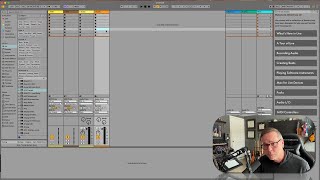
In this introductory segment of J. Anthony Allen's Ableton Live 12 class, the instructor tackles the most common source of confusion for new Live users: the dual‑view system. He explains that Live’s main working area is split into two distinct modes – Session View and Arrangement View – which can be toggled with the Tab key. Session View presents a grid of clip slots without a traditional timeline, suited for launching musical ideas on the fly, akin to a DJ or live performer. Arrangement View offers a linear timeline where clips are placed sequentially, resembling conventional DAWs and sheet‑music reading. Allen emphasizes that while Session View is often associated with performance and Arrangement View with composition, both are fully capable of supporting either workflow; many producers create entire tracks in Session View, and some perform using Arrangement View. He shares a practical example of an audio clip appearing in both views, reinforcing that they are two sides of the same coin. The segment also notes that personal background (e.g., reading sheet music) may make one view feel more intuitive, but users should feel free to adopt whichever approach suits their creative process.
Chapters
All right, so let's nip one thing in the bud right away. There's one thing in Ableton Live that trips up people the most, and it's the thing where if you have any experience in a different audio program or a different daw, then it probably. It can be a little frustrating. So I just want to tackle it right away. Let's just look at this and just rip this band aid off. It's not complicated, it's not hard, but it can be a little confusing right at first. So here's what I'm looking at. I see these boxes, and I don't see a timeline where I put music and can just see it scrolling across. The reason is Live has two main views. Now, there's a bunch of little things you can show and hide in Live, and we'll look at all of those soon. But the main working area, your main canvas, is this big rectangle here, okay? And there's two different sides to it. It's like a coin with two different sides. Okay? And they have names. So here we are looking at what's called the Session View. Okay. If I want to look at the other side of it, which is called the Arrangement View, I'm going to press the tab key. Now I have something that might be a bit more familiar to you. This is a timeline. I can put things on that timeline and hit play and listen to them while it scrolls by. So, Session View, Arrangement View, okay? Think about. The Arrangement View is the one with a timeline where we see things moving. Session View doesn't really have a timeline. Instead, it's got all these little slots here where we can put musical elements that Ableton calls clips, and we can trigger them all over the place. This is more like what a performer would do, like what a DJ would do. They would launch things from here. Right? And this is what more of a traditional composer would do. They would work here, right? And create things. So let me use an example. Okay, here's an audio. Audio clip. Okay? This is a clip. Here it is in the Arrangement View, where we have a timeline. Okay, cool. I can hit tab, and here is that same clip in Session View. Okay. And I can launch it. Okay. Two sides of the same coin. We'll spend a lot more time on this concept of Session View and Arrangement View, on how to work between the two throughout the class. But I just want to point out right now that's one of the biggest elements of Live that people get tripped up on is this Session View and Arrangement View thing. Now, I want to clarify one thing that I just said a minute ago. What I said is that session view is where people perform and DJ an arrangement view is where people compose. While that is true, that is not exclusively true. There are a lot of people that compose and produce music purely in session view. This is a view where you can create music. Absolutely. And there are some people who perform with arrangement view, that's fine too. But when I look at the two, I think of this side as more of a performance side. Although I know a lot of people that make everything that they make in session view. So keep that in mind. Both sides are completely versatile to do whatever you want. It's just a very different way of thinking. I come from a more traditional music background where I learned music by looking at sheet music and reading it from left to right. So arrangement view is much more comfortable to me when I'm producing music. But you can use laugh however you like. Don't ever let anyone tell you different. Okay, let's move on.