Free Ableton Live 12 Music Production Class! Delivered Daily.
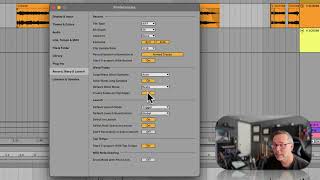
In this segment of the "Free Ableton Live 12 Music Production Class" tutorial, the instructors walk through the six corner controls that appear on any audio or MIDI clip when automatic fades are enabled. They explain each corner’s function: the top‑left and top‑right corners adjust the fade‑in length, the bottom‑left and bottom‑right corners adjust the fade‑out length, the top‑center corner controls a volume fade‑in, and the bottom‑center corner controls a volume fade‑out. A central dot in the middle of the clip lets users sculpt the fade curve for finer shaping. The presenters demonstrate how to enable or disable automatic clip edge fades via the Record → Warp and Launch → “Create fades on clip edges” setting, and they show how to effectively mute a fade by dragging the corner all the way to the side or zooming in to set a millisecond‑long fade. The overall message is that these built‑in fade tools provide quick, visual control over clip transitions without needing separate automation lanes.










