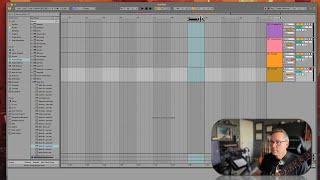
In this tutorial segment, J. Anthony Allen walks viewers through Ableton Live 12's take lanes feature and the comping workflow using a live guitar recording. He explains that multiple takes can be recorded on a single track without creating separate tracks, then demonstrates the process: routing a guitar into channel two, arming the track, enabling the metronome, recording several intentional imperfect takes over a one‑bar loop, and using the "Show Take Lanes" command to view each take. He shows how to select a preferred take by control‑clicking a lane and pressing Return to set it as the keeper take, and how to replace earlier selections with a better take. The segment concludes with a brief mention that timing can be tightened later using warping. The tutorial is instructional, conversational, and encourages experimentation while emphasizing the efficiency of take lanes for comping.
Chapters
Okay, so let's talk about take lanes. Here's what that means. Let's say I want to record myself doing something 10 times and then pick the best take. You don't need 10 tracks to do that. You can record the same thing and then right on top of each other, and then pick your favorite. Here's how that works. You know, I was thinking maybe to demo this, I would sing. And then the last minute I decided, no, no one wants to hear that. So let's do a little guitar work. Okay, so this is not a MIDI guitar. This is just a normal guitar plugged in with audio into my audio interface. I'm going into channel two here. Okay, so this channel one is my microphone. This is my guitar. So you can see in that little thing right there. Let me make some sound with my guitar. Okay. If I arm it to record, you can see it coming in here, but grayed out so I don't hear it. Now I could do this, and now I'm gonna hear it. Okay. Now it's not gonna feedback because it's a guitar, not a microphone. So I could leave it that way if I wanted. So let's record something, and I'm going to kind of purposefully screw it up and record it multiple times. Okay, let's go. I don't know. Right here. And then I'm going to loop this. So this means loop, and this is my loop brace. So this means record. This means just loop this over and over and over. Okay, so let's zoom in. Just going to make this one bar. Okay. And now I'm going to add another new thing to the list. I'm going to turn on my metronome, which is right here. Okay, so my tempo, let's take it down to 100, turn on my metronome, and then we'll start recording right here. So I'm going to try to strum a chord. In time with the metronome. And I'm going to do it a few times, and I'm going to screw it up. So don't think I'm a terrible guitar player because it doesn't sound great. I'm screwing it up on purpose. Okay, here we go. Okay, there we go. Now it looks like I recorded over all of those. Every time that this circled back, I rewrote over those. And if I don't do one very special thing, then that will be true. If I hit play on this, I'm only going to hear that last one. Right? But if I go over to our track header over Here I control click. I can say show take lanes. Show take lanes. Right there. Okay, now here is all my different times through that. Now you'll notice that they're all darker than one of them. The last one is always going to be the not dark one. So what I could do is I can click and drag to select the one I want. So I select and then I press return. Now I've got that much is my keeper take. Now I could go here and say I want that. And that actually doesn't look good. Let's go there. That. Okay, so now my keeper take is beats 1 and 2, 3 and 4. That's what's making up this. So let's hear it now. Okay, I selected four bad takes, but I actually think the fourth one through was the best one. So I'm going to select all four, all of that fourth take and press return. And now hear it. Okay, not perfect, but that was the best take. I can go through and tighten it up using warping, which we'll talk about how to do later. But for now, that shows you how to use take lanes and select the best take. This is a process called comping, where we play over and over the same thing till we get it right and then we select the best take.