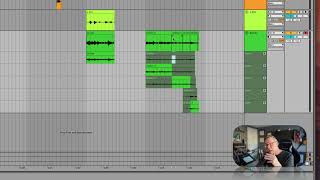
In this segment of the "Free Ableton Live 12 Music Production Class" tutorial, J. Anthony Allen demonstrates how to use Ableton Live’s take lanes and comping feature. He shows how to reveal take lanes via right‑click on the track header, select portions of different takes, press Return to add them to a composite take, and how the system automatically crossfades the stitched sections. Allen plays back the resulting composite, toggles the metronome, and mentions minor adjustments like volume tweaks. He also explains that the feature was introduced in Live 11, is available in Live 12, and is unavailable in earlier versions. The tone is instructional and enthusiastic, emphasizing the smoothness and flexibility of the tool.
Chapters
Okay, So now I have a bunch of takes, and it looks like I was recording over each take, but I actually wasn't. All the takes have been kept, and I just have to sift through them. Okay, so in order to sift through them, I'm going to go to the track header here. I'm going to control click or right click, and I'm going to say show, take lanes down here. Okay, now we see all the times I played through it. Now, if I remember right, my second take was good for about the first half, so I'm going to highlight that and press return. Okay. Then my third take was good for the rest of it, except for press return, that very last chord, which is going to be that one. Okay, so now what we have up here is the composite take, all of these put together. So if you want to take just like one beat of something, just highlight it and press return. And it's going to sneak it into that composite take. Okay. I'm just going to hit undo to get rid of that. It does a pretty good job at crossfading to make this sound smooth. I don't know, but you can always tweak it. So let's hear what it put together. Okay. Pretty good. I can turn off that metronome. Hear it again. Just these changes. Okay. Probably adjust that entrance with the volume a little bit, but more or less it's pretty good. So this is really smooth. So if we're happy with this, we can go back here and just say, turn off, show, take lanes, and there we have our track. Or if we're not happy with it, we can keep layering more and more and more and get. We can have an infinite number of takes, I think. So It's a really great tool. Now, this tool was new in live 11, so it's not new to live 12, but if you have something older than 11, you won't be able to do this. It's very smooth. It works great.